How to Topup on EasyParcel NextGen (Wallet)?

How to Topup on EasyParcel NextGen (Wallet)?

Keeping your EasyParcel Wallet topped up ensures a faster, smoother booking process — especially when sending multiple parcels. With EasyParcel Next Gen, topping up your wallet is easier than ever, giving you full control over your payment balance and transaction history.

In this guide, you’ll learn step-by-step how to top up your wallet on EasyParcel Next Gen and enjoy a seamless shipping experience.

Contents

Steps to Topup on EasyParcel Next Gen (Wallet)

Step 1: Log In to Your EasyParcel Next Gen Account

Visit EasyParcel official website and log in using your registered email and password.

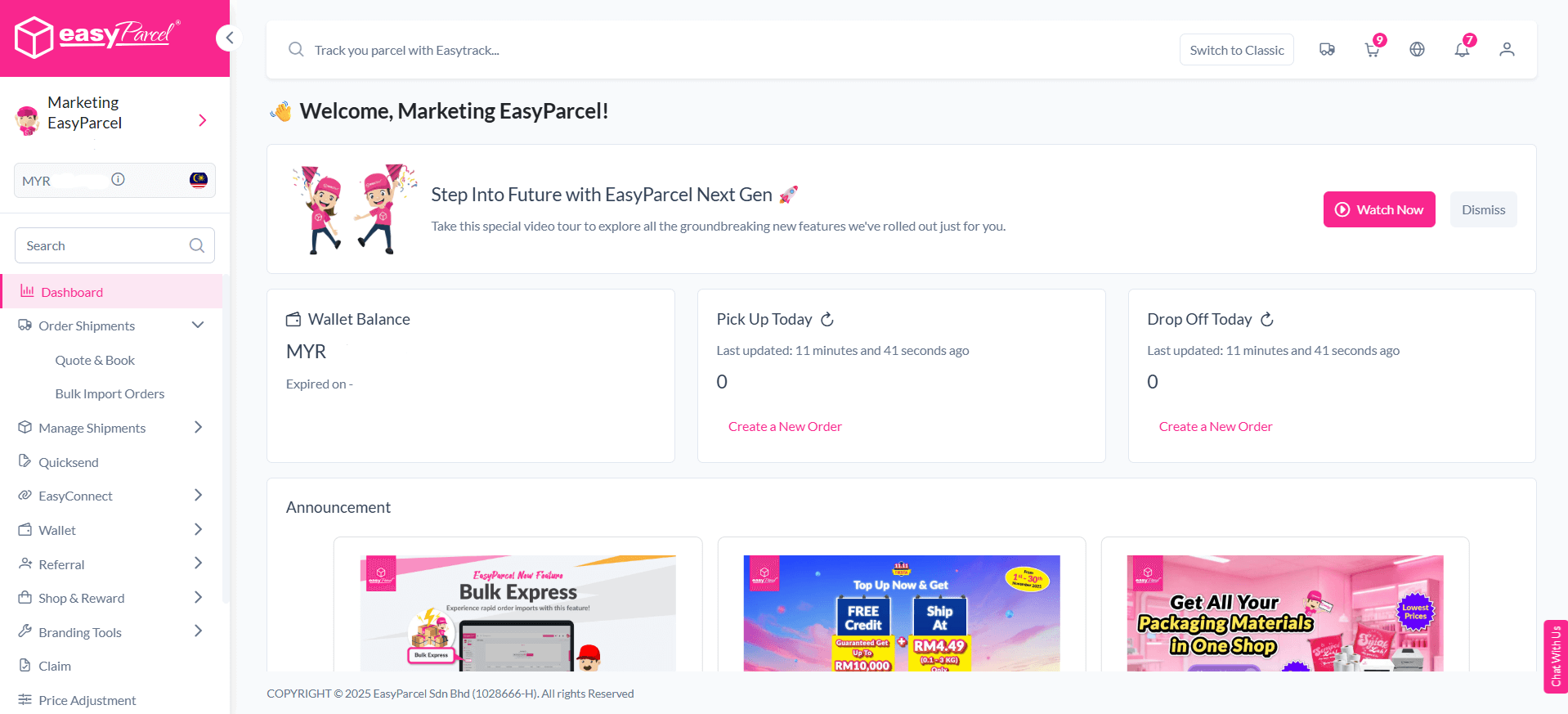
Once you’re on the Dashboard, you’ll see your wallet balance displayed at the top left corner — this is the amount available for booking shipments and purchasing services.

💡 Tip: Always check your wallet balance before booking to avoid payment interruptions.
Step 2: Go to “Wallet”

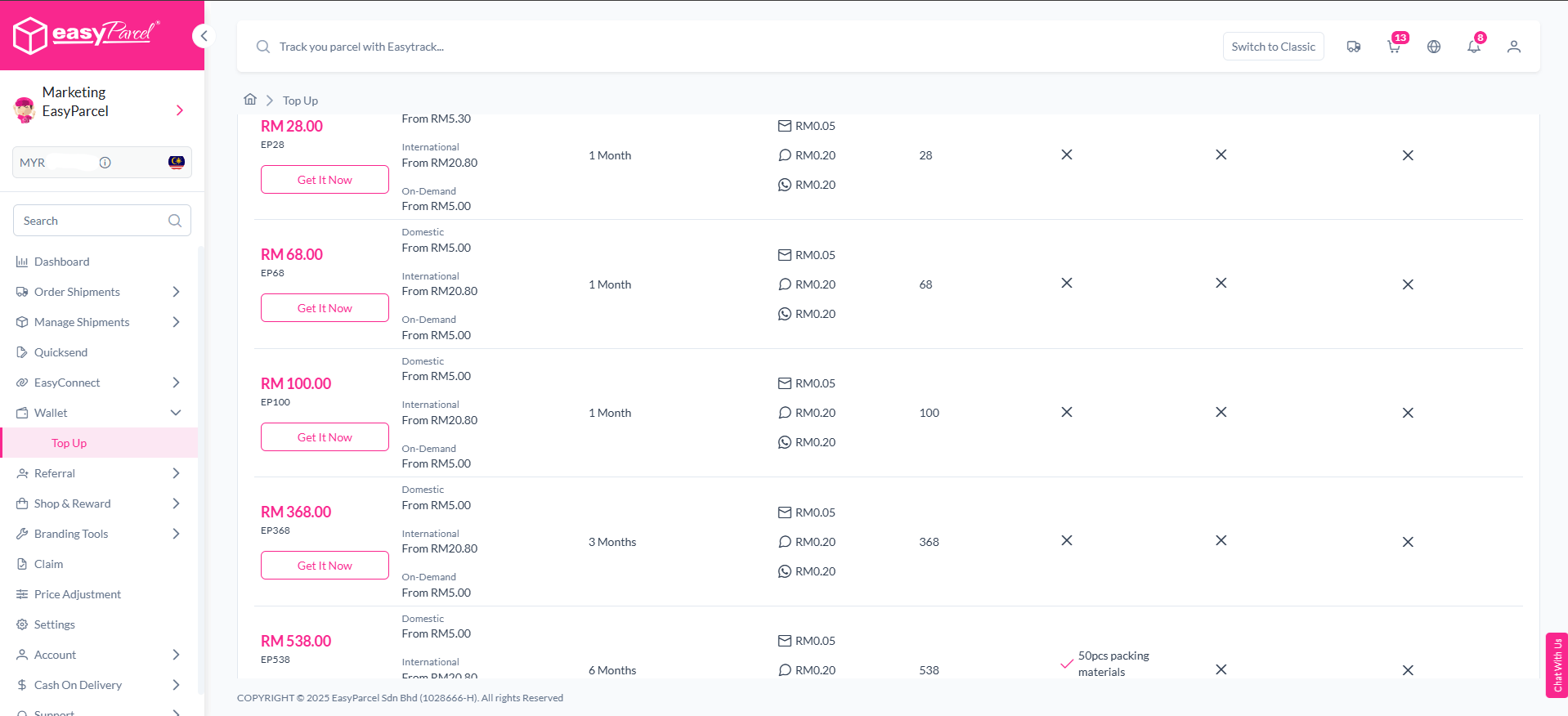
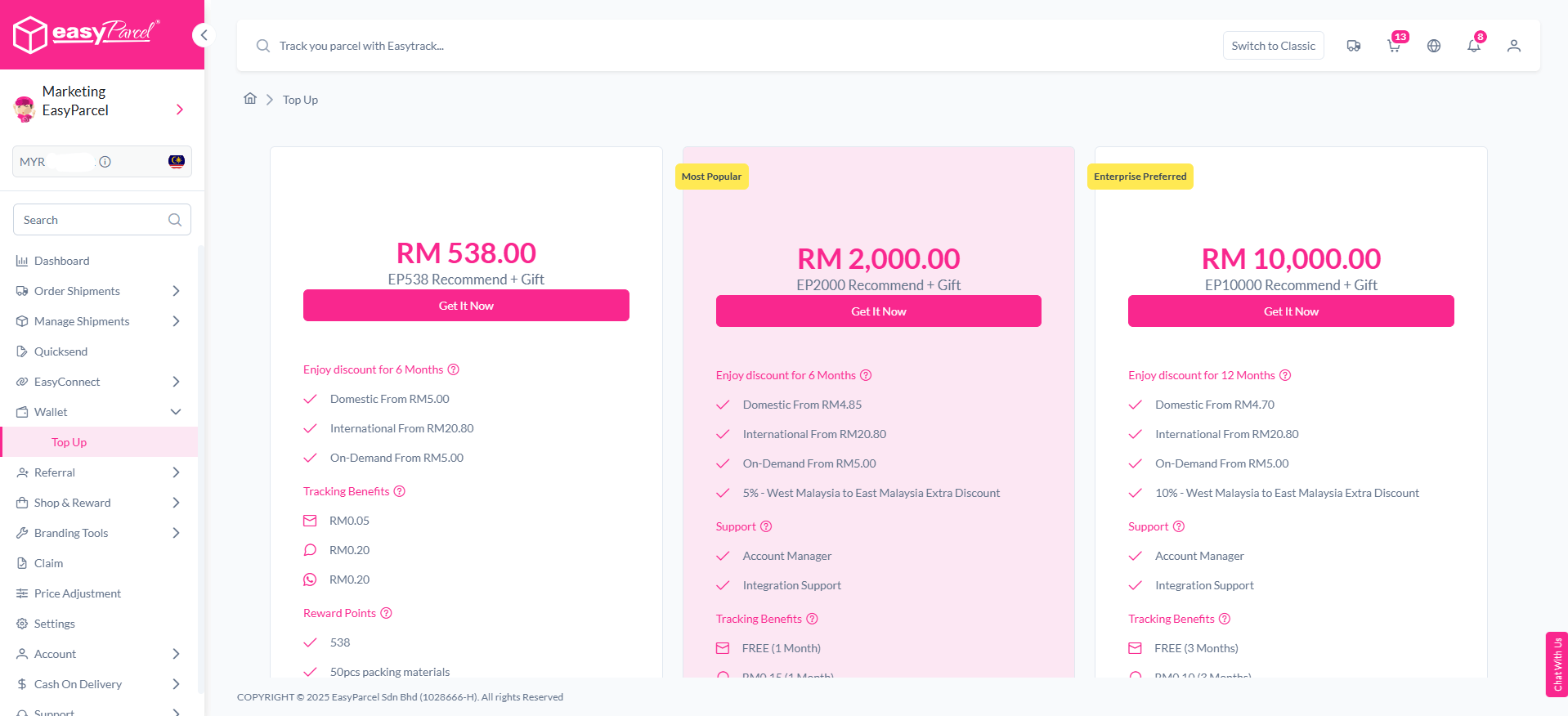
From the left-hand sidebar menu, click on Wallet” then click “Top Up”.

This section allows you to:

  • View your current wallet balance.

  • Select your preferred top-up package.

  • Review available payment methods.

Step 3: Choose a Top-Up Package

You’ll see several top-up options, such as RM20, RM50, RM100, RM200, RM500, and RM1,000. Select the package that best suits your shipping needs.

EasyParcel offers various top-up packages to suit different shipping needs.

The higher your top-up amount, the more bonus credits or rewards you can enjoy during special campaigns or promotions.

💡 Pro Tip: Businesses that ship regularly can top up higher amounts to save time and qualify for bonus rewards.

Step 4: Select Your Payment Method

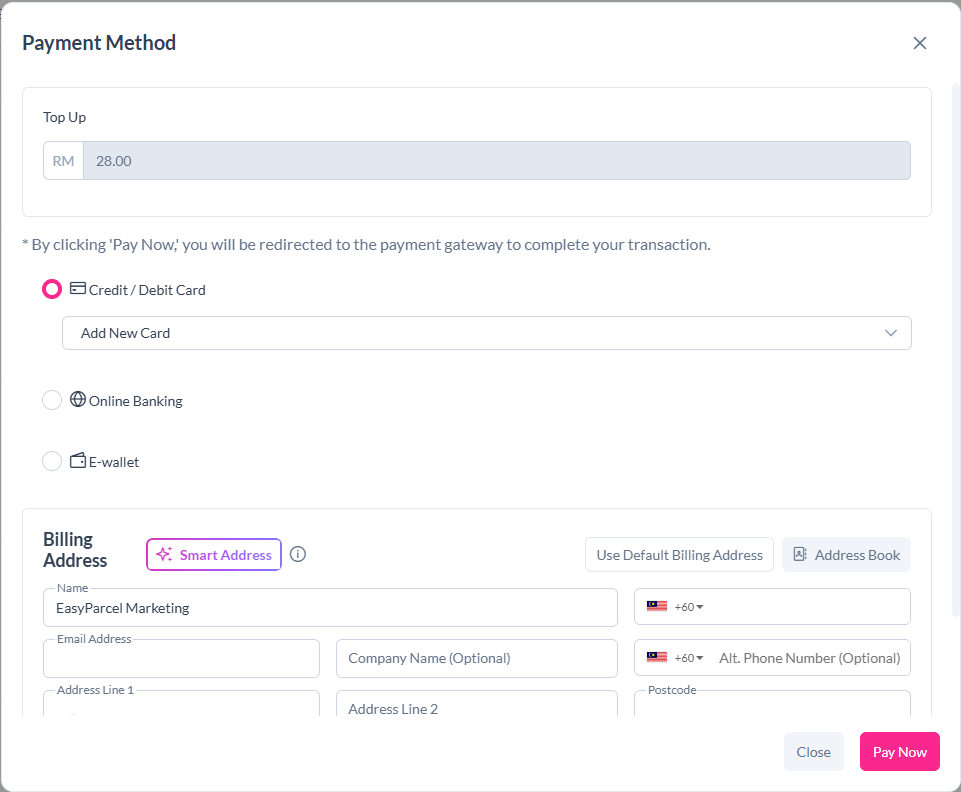
Once you’ve chosen your top-up amount, you’ll be directed to the payment options page.

Available payment methods include:

  • Online Banking (FPX) – Pay instantly using your local bank account.

  • Credit / Debit Card – Visa or MasterCard supported.

  • E-Wallets – Such as GrabPay or Touch ‘n Go (availability may vary).

Select your preferred method and click “Proceed to Payment.”

Step 5: Confirm Your Payment

After completing payment, you’ll see a confirmation page indicating a successful top-up.

Your new wallet balance will update instantly on the Dashboard. You can now start booking shipments or purchasing services without re-entering payment details every time.

💡 Tip: If your top-up doesn’t reflect immediately, refresh the page or check your payment receipt before contacting support.

Step 6: View Transaction History

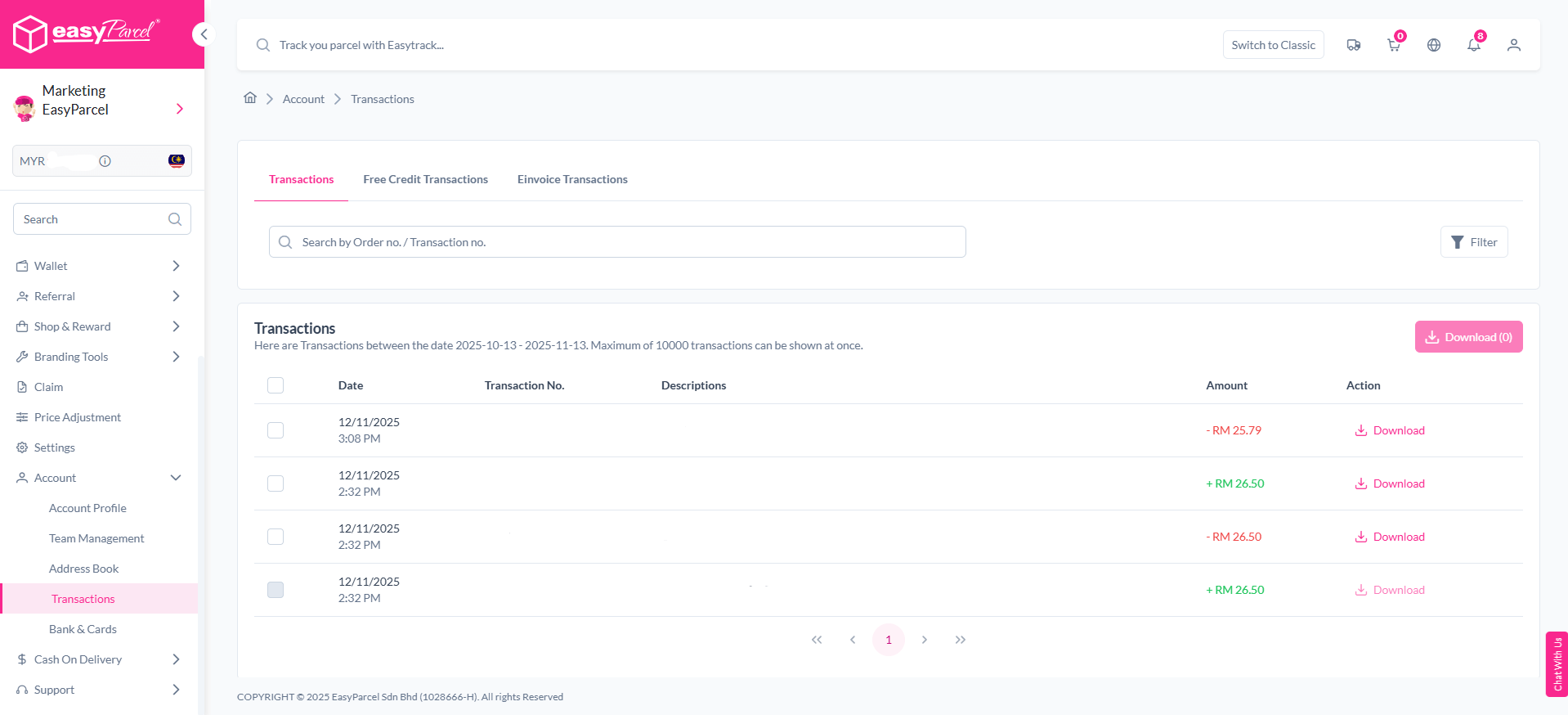
You’ll find a detailed list of all your top-ups, bookings, and deductions — perfect for reviewing your monthly shipping expenses or reconciling business costs.

To keep track of your spending and top-ups:

  1. Go to “Transactions” under the “My Account” section.

  2. You’ll see detailed records of all your top-ups, bookings, and deductions.

Why Use the EasyParcel Wallet?

The EasyParcel Wallet isn’t just about convenience — it’s a smarter way to manage your shipping budget.

Here’s why:

Faster Checkout

No need to key in payment details every time — book shipments instantly.

Perfect for Bulk Orders

Pay for multiple shipments using one wallet balance — ideal for businesses or online sellers.

Exclusive Bonuses & Rewards

Enjoy cashback, bonus credits, or reward points during promotional periods.

Transparent Records

Track every top-up and deduction easily from your wallet history page.

Safe & Secure

All payments are encrypted and processed through verified channels, keeping your funds protected.

How to Ship Items with EasyParcel

1. Wrap the Items
  • Place the items in the small box.
  • Wrap with bubble wrap so it doesn’t get scratched.
  • If it’s a branded item, keep the original box inside.
  • Seal the package with strong tape and fragile adhesive.
2. Measure & Weight
  • Check the weight with a scale
  • Measure the length, width and height
3. Book Your Courier

  • Log in to your EasyParcel account.
  • Enter the pickup and delivery address.
  • Enter the weight and size of the package.
  • Choose your courier service (J&T, DHL, Pos Laju).
  • Add insurance if the item is expensive.
Topping up your EasyParcel Wallet is the key to a seamless shipping workflow. With multiple top-up packages, flexible payment methods, and instant balance updates, you can make bookings faster than ever and manage multiple shipments effortlessly.

Whether you’re an online seller, SME, or frequent shipper, keeping your wallet ready means smoother operations and zero delays. Top up your EasyParcel Wallet today on EasyParcel Next Gen — and experience the smartest way to pay for shipping!

With EasyParcel, you can make delivery simple, affordable, and efficient — helping your business grow smoothly. EasyParcel welcomes you with a FREE RM10 credit for your first shipment. Sign up today and start shipping smarter with EasyParcel!

Haven’t Join EasyParcel?

Shipping newbie? No worries! EasyParcel welcomes you with a sweet FREE RM10 for your first shipment. And that’s just the beginning! Sign up today and join the fun!

×
10.10 Super Rewards Fiesta