Shipping multiple orders every day means keeping track of parcel details, customer names, pickup dates, and item info — and we know that can get messy.
That’s why EasyParcel is excited to introduce a brand-new feature designed to make your fulfilment workflow smoother, more organised, and 10× more efficient: Packing List.
What is Packing List
The Packing List lets you export a complete, ready-to-print summary of all your parcels — including receiver details, courier, pickup date, AWB, and delivery status.
Whether you’re preparing for a busy pickup day, arranging stock in the warehouse, or briefing your packing team, this feature gives you everything in one clean document.
How Packing List Will Help You?
A smooth shipping will surely comes from packing list feature. Read on to find out how much more it will help you!
Keeps Your Fulfilment Workflow Organised
No more clicking into parcels one by one — the Packing List provides an overview of all parcels scheduled for processing. It becomes your go-to reference sheet for the day’s packing tasks.
Reduces Packing and Labelling Errors
Because all receivers, addresses, and AWB numbers are listed in one sheet, your packing team can cross-check items easily. This prevents mismatched parcels, wrong labels, and costly return shipments.
Saves Time During Busy Shipment Days
Instead of printing multiple documents or checking each parcel individually, the Packing List compiles everything in seconds. One export, and your team is ready to move.
Useful for Warehouses, Retail Stores & Online Businesses
Whether you're a home-based seller or managing hundreds of daily orders, the Packing List helps everyone — from pickers to packers to store managers.
How to Use the Packing List on EasyParcel
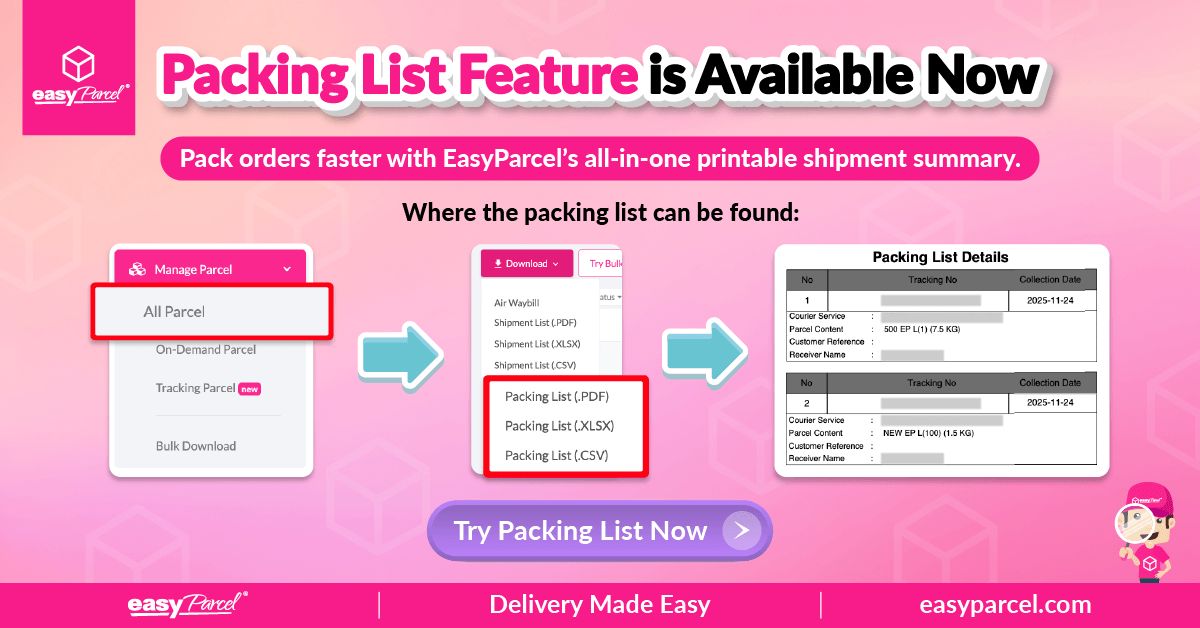
You can access the new feature directly from your Parcel Status page. Here’s how:
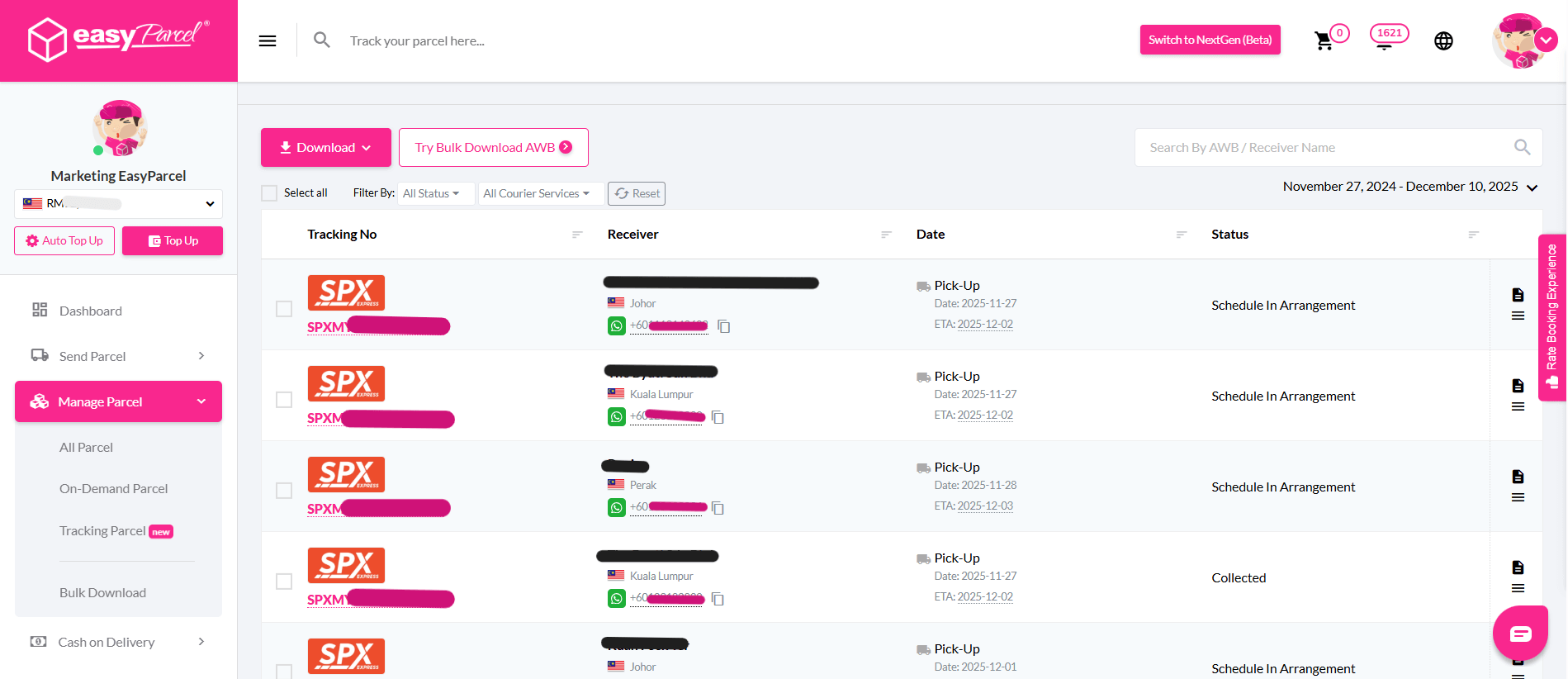
- Step 1: Go to Manage Parcel → Parcel Status
- Step 2: Click the “Download” Button & Select “Packing List”
- Step 3: Print or Share With Your Team

Log in to your EasyParcel account and select Manage Parcel from the left sidebar. Then click Parcel Status to view all your existing shipments.
(Optional)
You can filter by:
Shipment status
Courier
Date range
Receiver name / AWB
This helps you download only the shipments you want included in the Packing List.
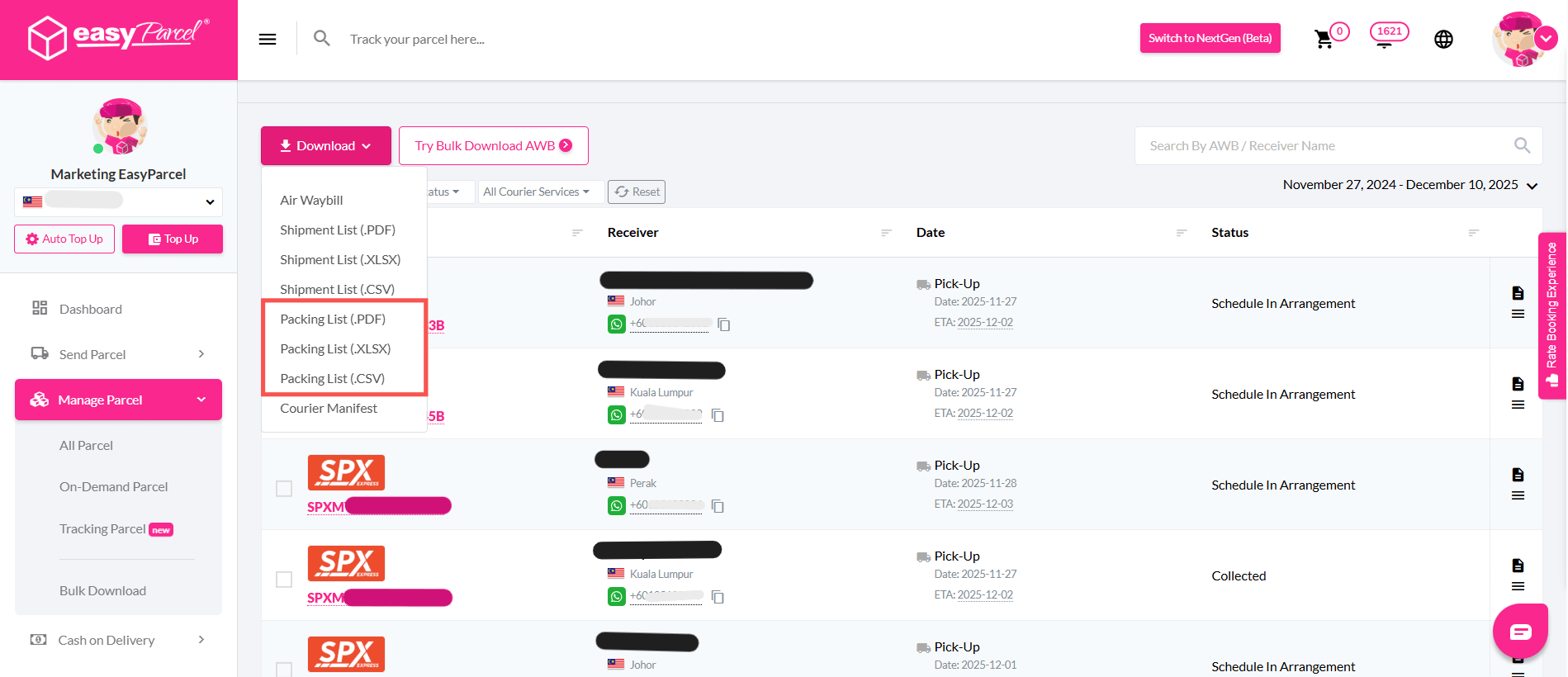
At the top left, you’ll see a pink Download button.
Then, choose from:
Packing List (.PDF) – ready to print
Packing List (.XLSX) – edit-friendly version
Packing List (.CSV) – for system import or custom formatting.
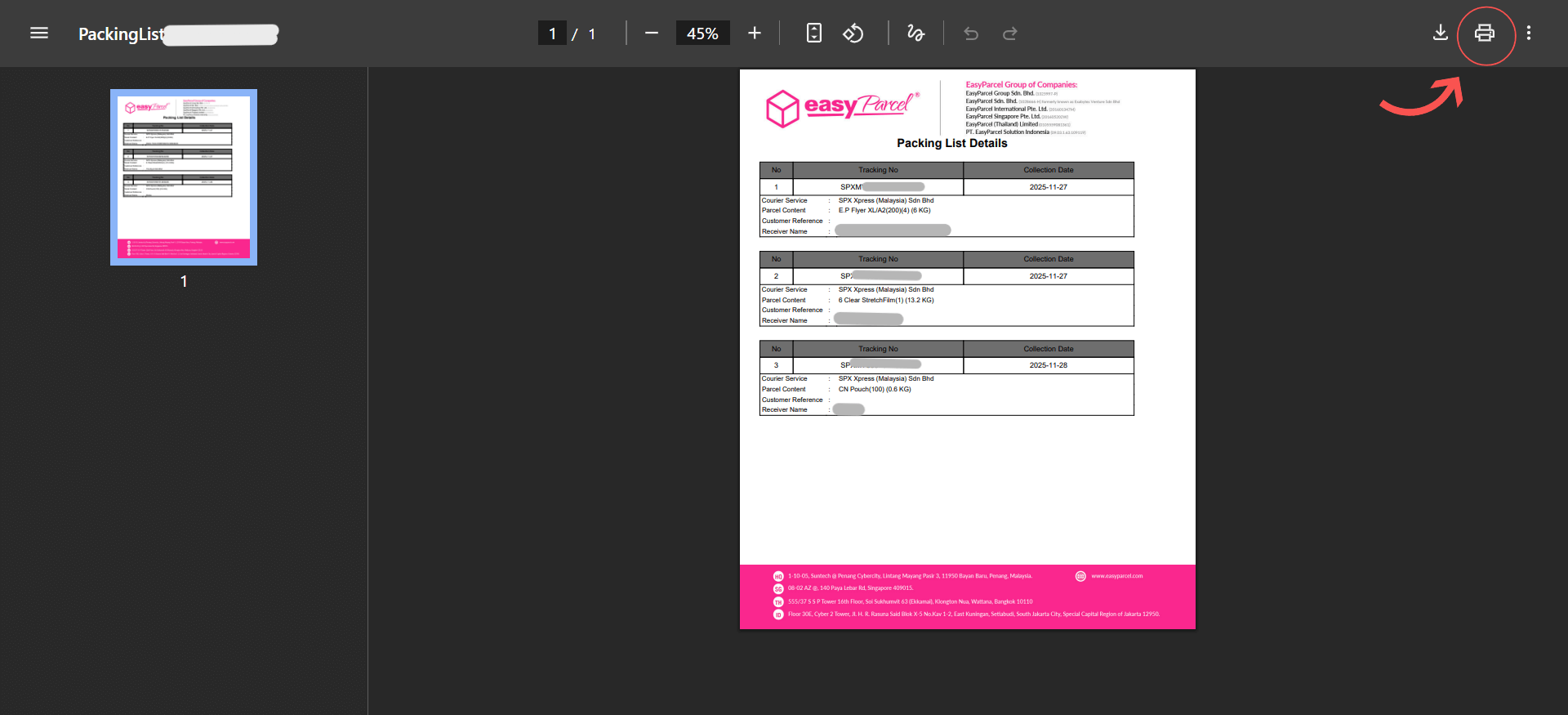
Once downloaded, you can:
Print it for your packing station
Share it with your warehouse team
Use it as a daily pick-and-pack checklist.

What’s Included in the Packing List?
Your Packing List will contain all key shipment details such as:
Receiver name & phone
Pickup method & date
AWB number
Courier selected
ETA
Shipment status
Everything your team needs to pack confidently and efficiently — without logging into the dashboard repeatedly.
Start Using the Packing List Today
The Packing List feature is now live for all EasyParcel users. Whether you’re sending 5 parcels or 500, this simple improvement helps you streamline operations, reduce errors, and speed up fulfilment.
Give it a try now from your Parcel Status page!
If you’d like an email or banner version of this announcement, just let me know.
If you’re new here, join EasyParcel and get RM10 FREE coupon.
Singapore
Thailand
Indonesia