How to Send Bulk Parcels on EasyParcel Next Gen (Bulk Import Orders)?

How to Send Bulk Parcels on EasyParcel Next Gen (Bulk Import Orders)?

Managing multiple shipments doesn’t have to be time-consuming. With EasyParcel Next Gen’s Bulk Import Orders feature, you can upload and book hundreds of parcels at once — saving time and effort for businesses, online sellers, and regular shippers.

This guide walks you through how to send bulk parcels efficiently using the new EasyParcel Next Gen platform.

Contents

Steps to Send Bulk Parcels on EasyParcel Next Gen

Step 1: Log In to EasyParcel Next Gen

Start by visiting EasyParcel official website and logging into your account.

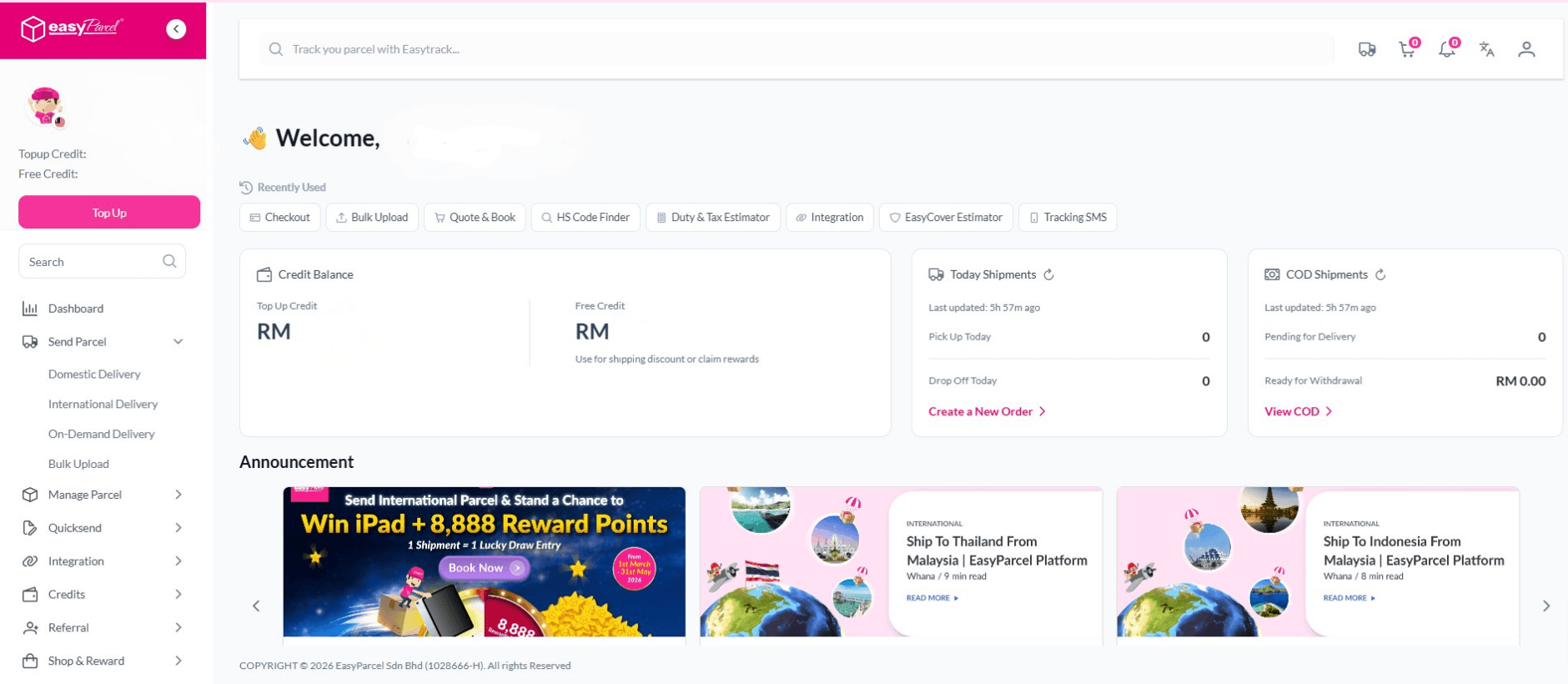
Once you’re in the dashboard, you’ll see your shipment overview, wallet balance, and quick-access features — including Quote & Book, Order Shipments, and Bulk Import Orders.

💡 Tip: Make sure your wallet has enough balance before importing multiple orders to ensure smooth booking.

Step 2: Access the “Bulk Import Orders” Feature

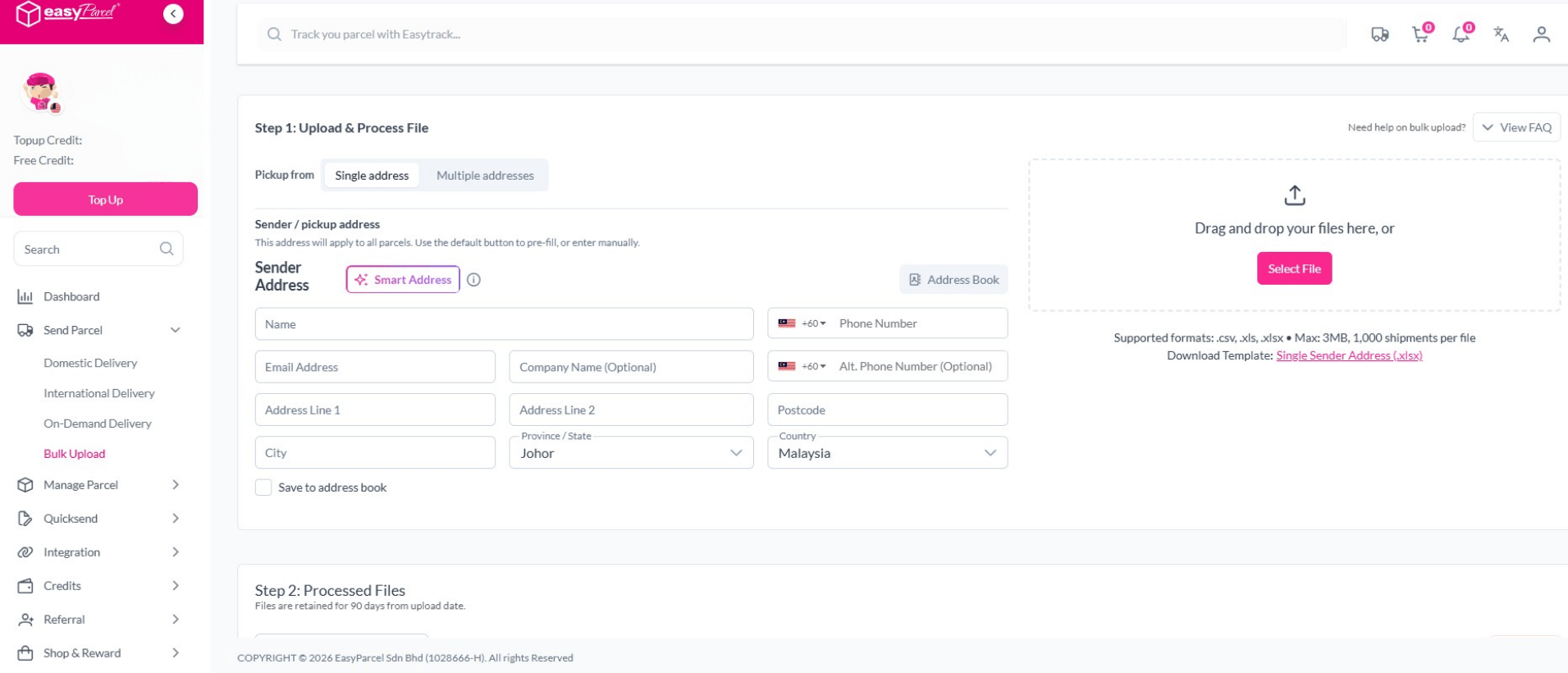
From your sidebar menu, go to Order Shipments → Bulk Import Orders.

This feature is designed to help you upload a CSV or Excel file containing all your shipment details at once. It’s ideal for e-commerce sellers who manage multiple daily orders from platforms like Shopee, Lazada, TikTok Shop, or your own website.

You can either:

  • Import manually using EasyParcel’s CSV template, or

  • Integrate your store to import orders automatically (if supported).

Step 3: Download and Fill in the CSV Template

Click “Download EasyParcel Template” to get the official EasyParcel Bulk Import format.

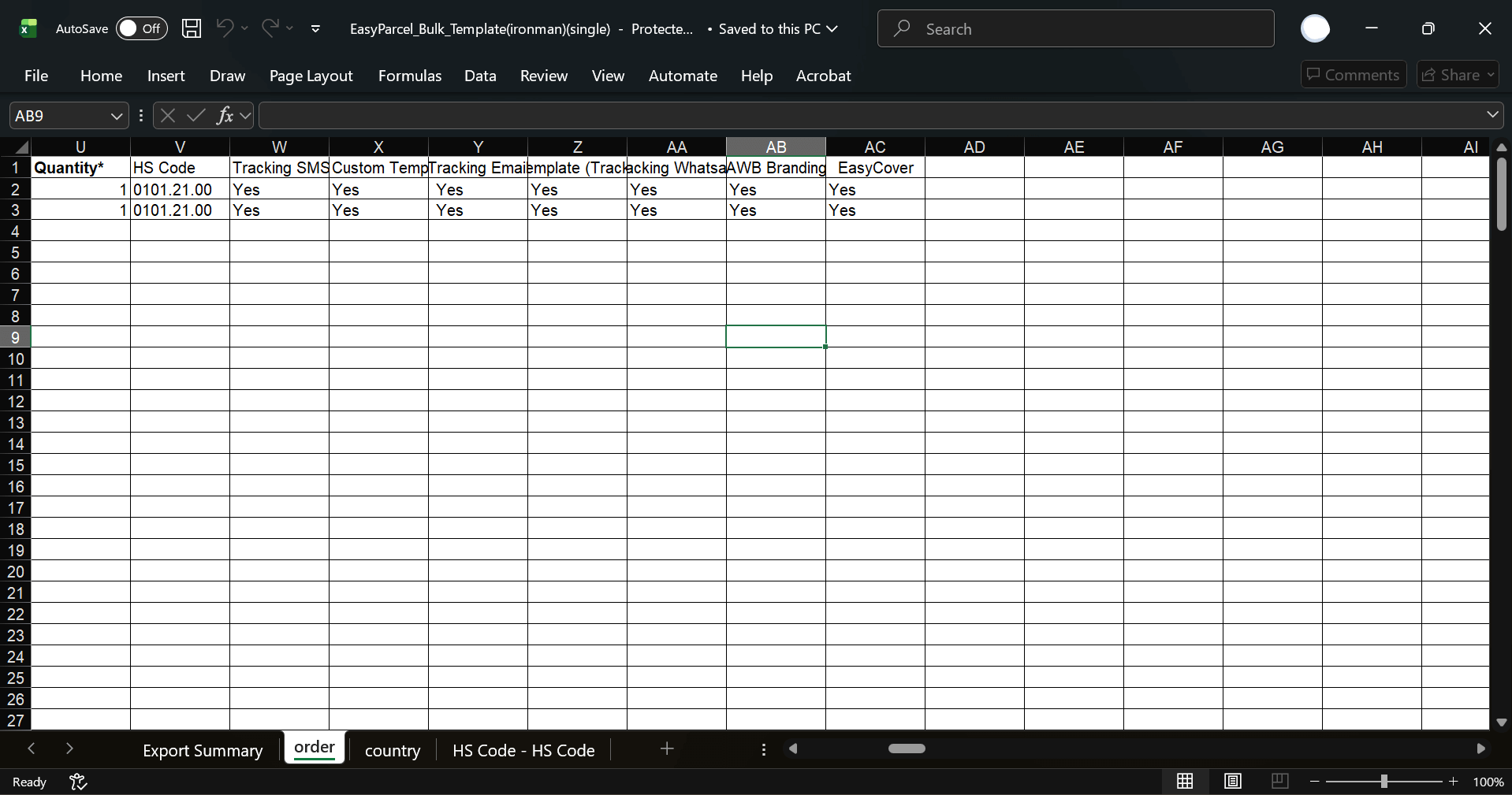
The file will contain multiple columns such as:

  • Receiver Name / Address / Phone Number / Postcode – recipient’s details.

  • Parcel Weight and Dimensions – specify accurate measurements.

  • Courier Company (optional) – you can leave blank if you want the system to show options later.

  • Quantity – number of parcels in that order (usually “1”).

  • HS Code – required for international shipments to classify your product type (e.g., 0101.21.00).

  • Tracking SMS / Email / WhatsApp – choose “Yes” if you want receivers to get tracking notifications.

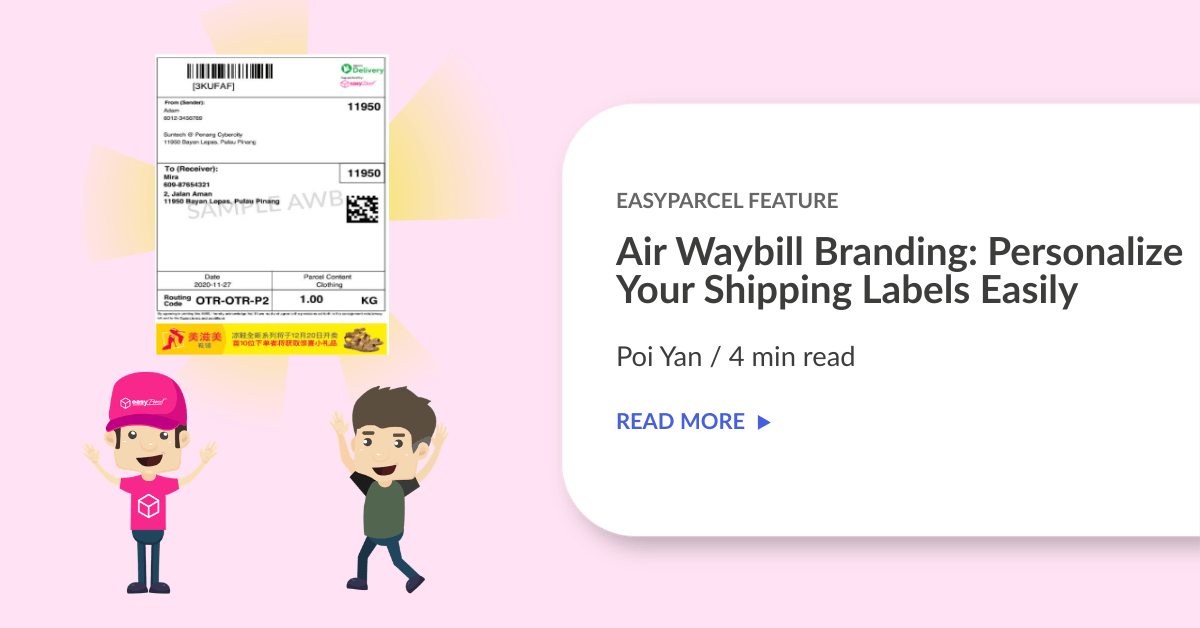
  • AWB Branding – set to “Yes” if you want your logo to appear on the Air Waybill.

  • EasyCover – choose “Yes” if you wish to add parcel insurance.

Fill in all relevant details for each parcel in a new row.

💡 Tip: Double-check for typos, incomplete addresses, or missing postcodes — these are the most common causes of booking errors.

Once done, save the file (as .csv or .xlsx), ready to upload in the next step.
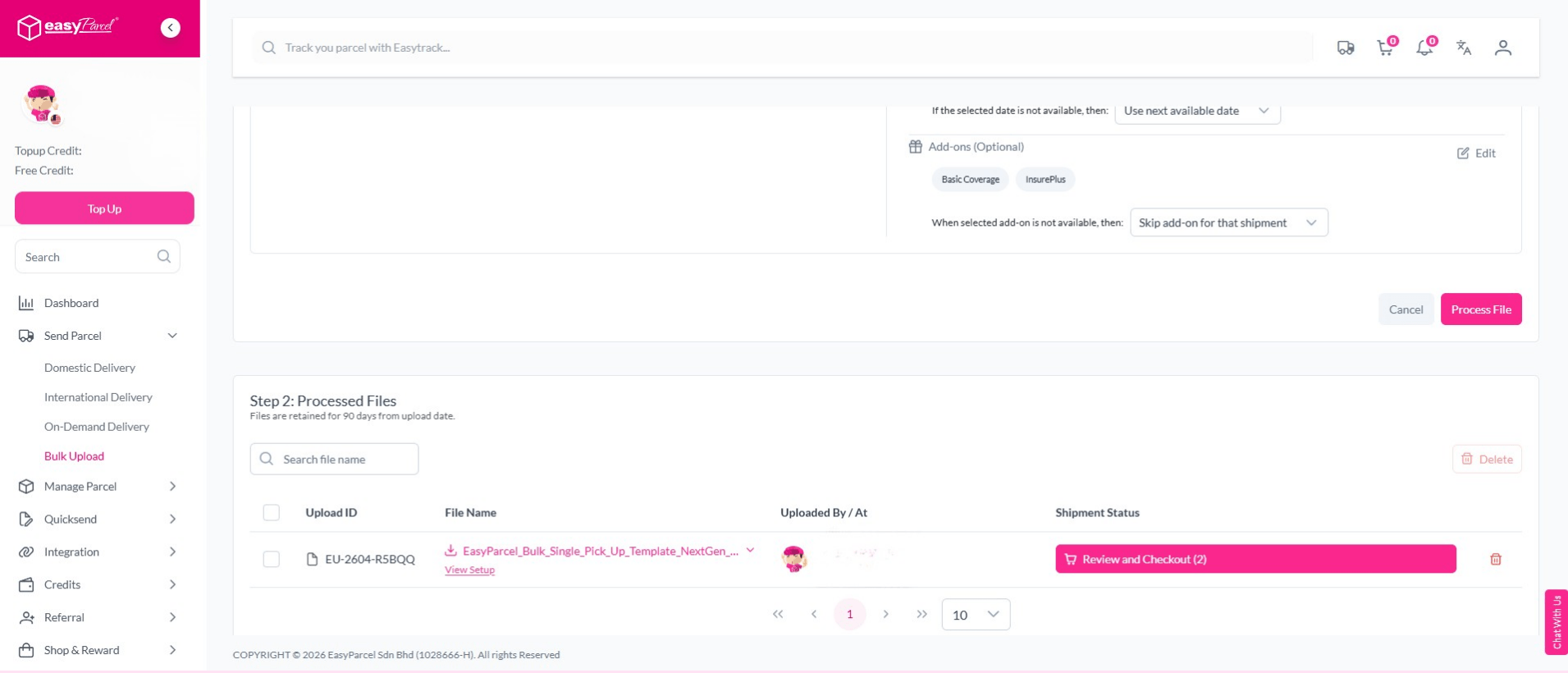
Step 4: Upload Your File

Once your CSV or Excel file is ready:

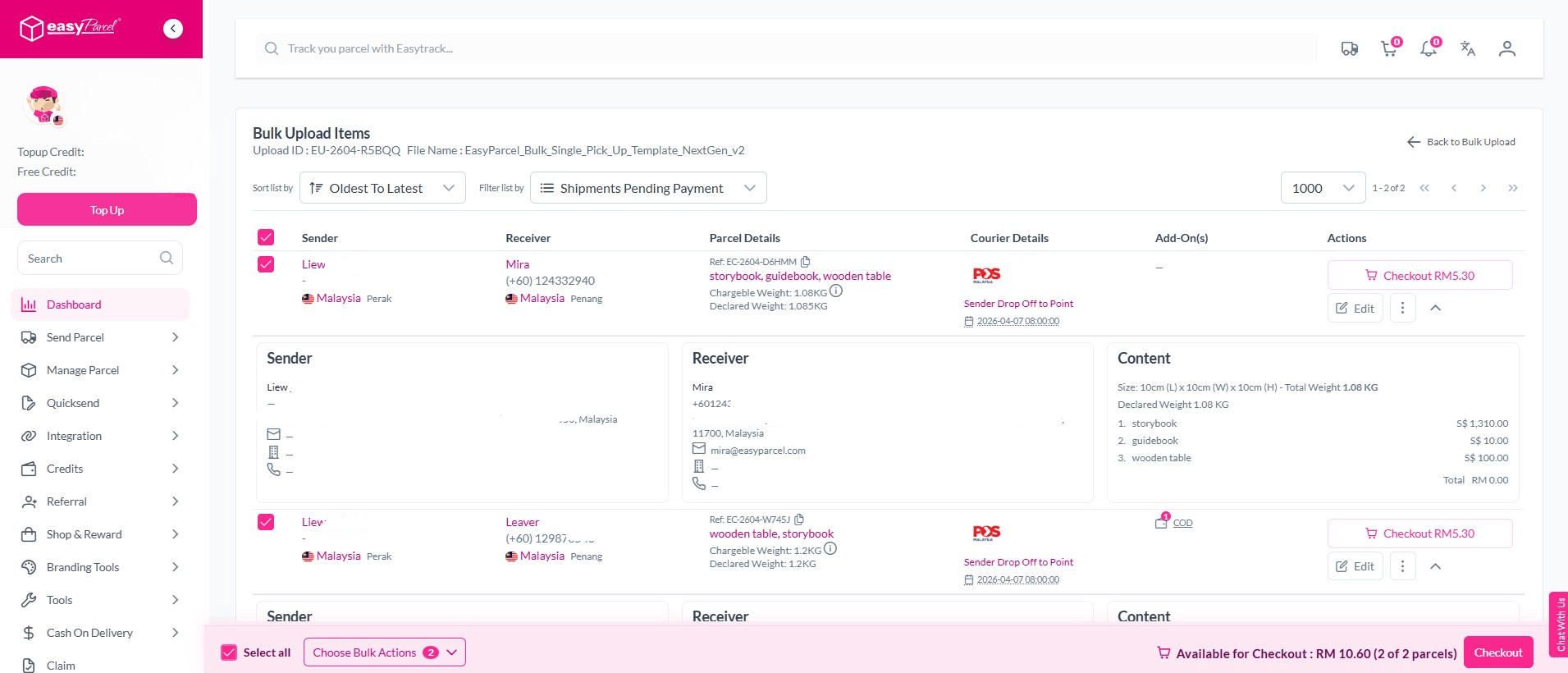
  1. Click “Choose File” and select your completed template.

  2. Click “Upload” to import your bulk orders into the system.

  3. EasyParcel Next Gen will automatically read and display your shipment data.

You can review all imported orders before proceeding — ensuring accuracy for each parcel’s details.

Step 5: Review and Confirm Shipment Details

Before booking, check that:

  • Pickup and delivery addresses are correct.

  • Parcel weight and dimensions match your actual items.

  • Selected courier options (if any) are suitable.

If needed, you can edit shipment details directly within the Next Gen platform before payment.

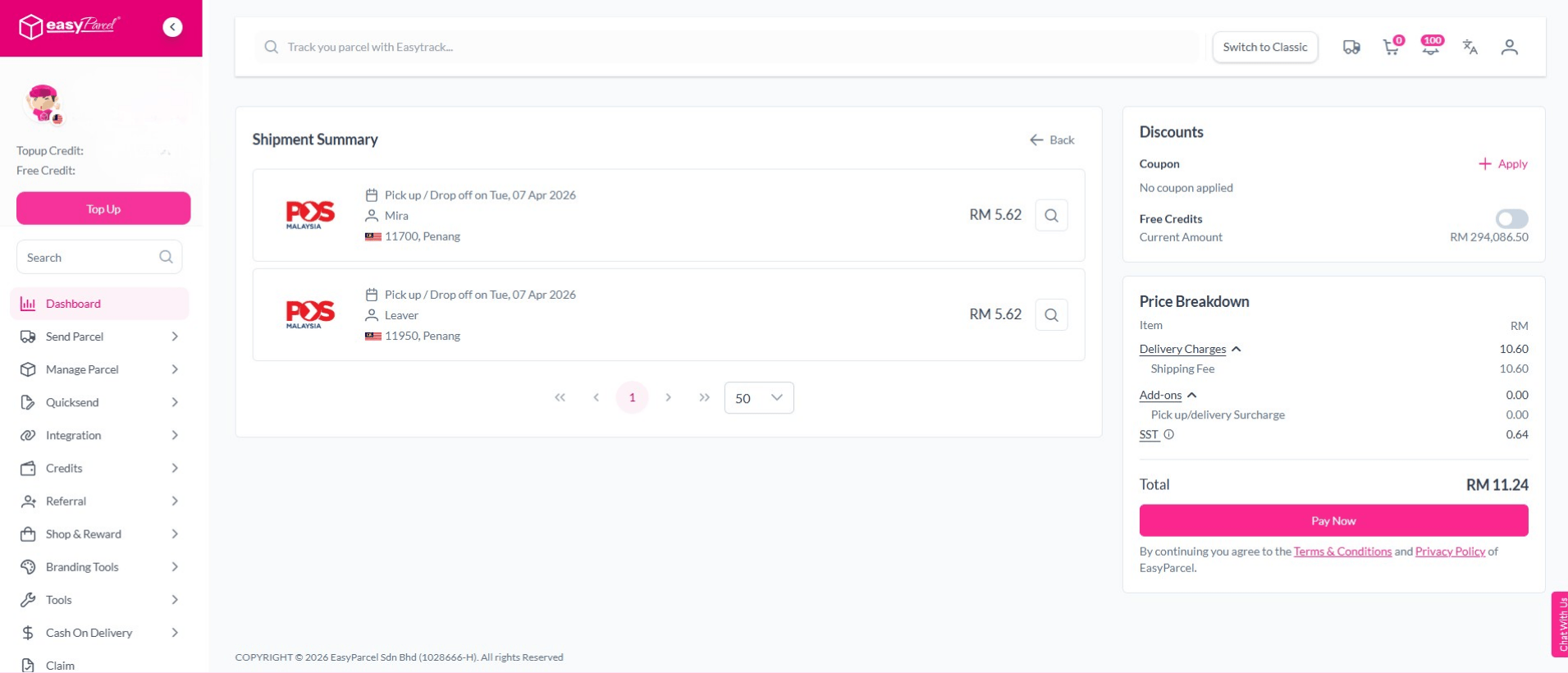
Step 6: Make Payment for Bulk Orders

Once you’ve reviewed everything, select the orders you want to confirm and click “Pay Now.”

You’ll be prompted to make payment using:

  • EasyParcel Wallet (recommended for faster checkout), or

  • Online Banking / Debit / Credit Card

After payment, all your bookings will be confirmed instantly.

💡 Tip: Using your EasyParcel Wallet is the fastest way to process bulk orders in one go.

Step 7: Print All Air Waybills

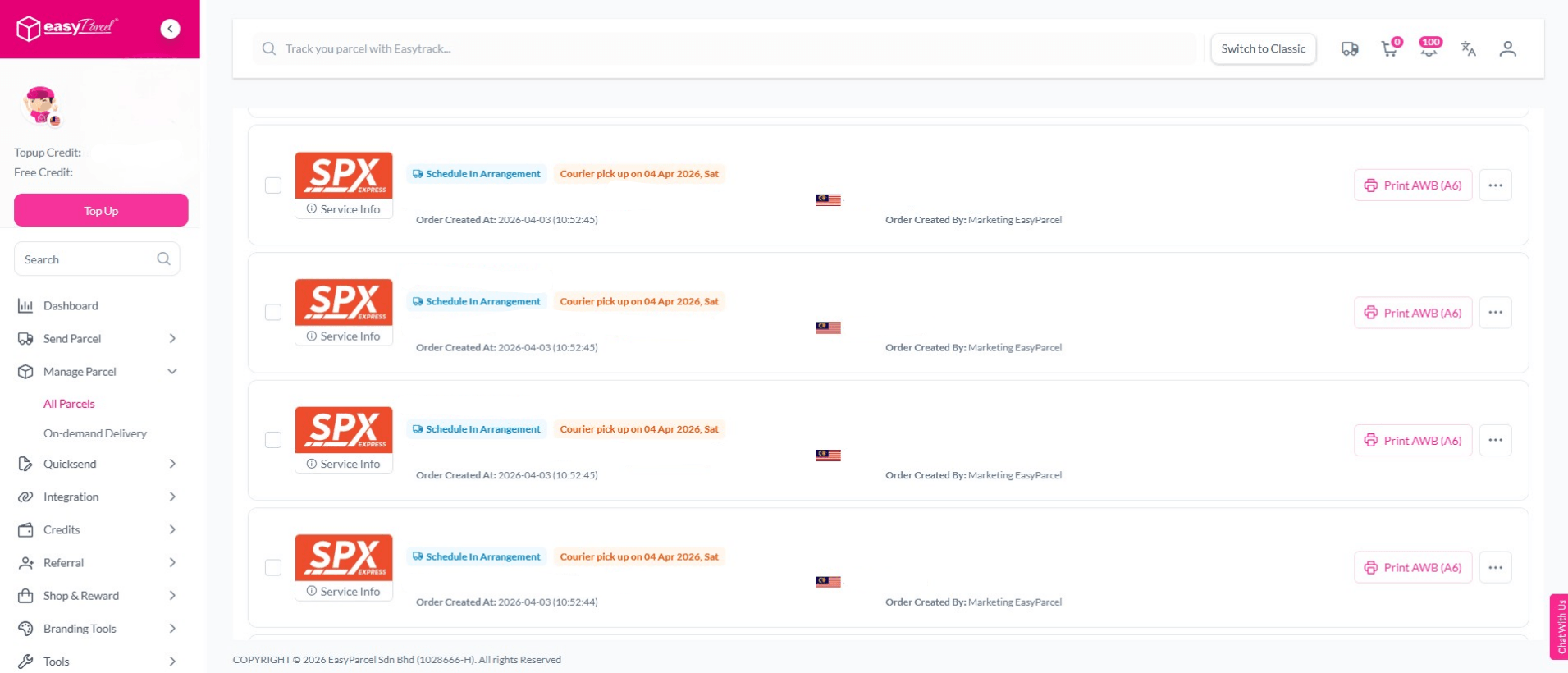
After booking, go to “Manage Shipments” to print your Air Waybills (AWBs).

You can print them:

  • Individually per order, or

  • All at once by selecting multiple shipments.

Attach the printed AWBs securely to each parcel. Couriers use them to identify and deliver parcels correctly.

Step 9: Track All Your Bulk Orders

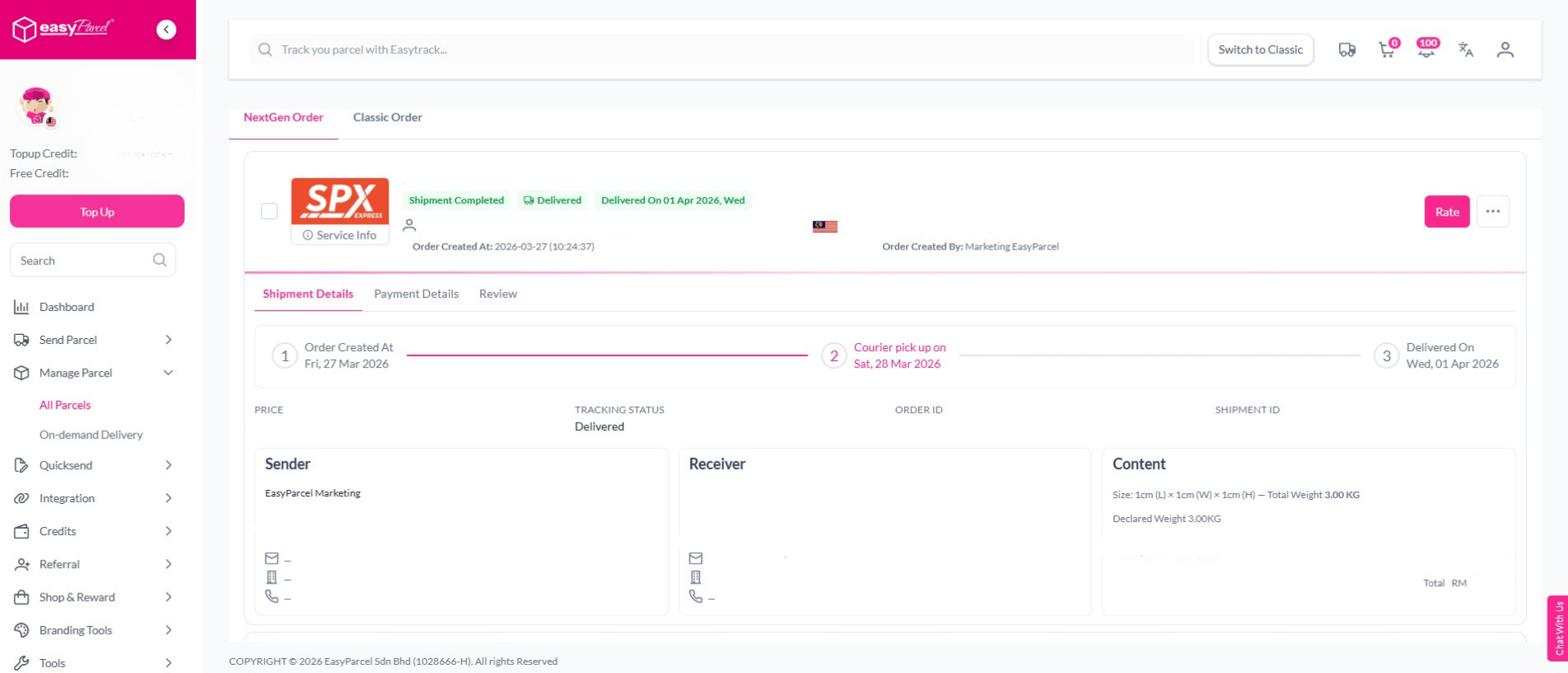
To monitor delivery progress, go to “Manage Shipments.”

EasyParcel Next Gen provides a clear overview of all your shipments with real-time updates. You can track delivery statuses for each parcel under one screen — making it easy to manage bulk shipments efficiently.

Why Use EasyParcel Next Gen to Send Bulk Parcels?

If you handle multiple shipments daily, EasyParcel Next Gen offers all the tools you need to simplify your delivery process. Here’s why thousands of sellers and businesses trust it for bulk shipping:

All-in-One Platform

Easily manage Domestic, International, and On-Demand deliveries in one place — no need to switch between multiple courier websites.

Save Time with Bulk Upload

Upload hundreds of parcels using the Bulk Import Orders feature and book them all in a few clicks. It’s perfect for e-commerce sellers and corporate teams.

Real-Time Tracking Dashboard

Track every parcel from a single dashboard. You’ll know exactly where each shipment is — from pickup to delivery.

Seamless Wallet Payments

Enjoy faster checkout with the EasyParcel Wallet. Top up once, and pay for multiple orders instantly without repeated transactions.

Custom Branding and Notifications

Add your logo on Air Waybills (AWB) and enable tracking updates via SMS, Email, or WhatsApp — giving customers a professional delivery experience.

Optional Parcel Protection

Opt-in for EasyCover insurance to protect your shipments against loss or damage for added peace of mind.

Competitive Shipping Rates

Compare courier prices instantly and choose the most cost-effective option for every delivery, whether local or international.

How to Ship Items with EasyParcel

1. Wrap the Items
  • Place the items in the small box.
  • Wrap with bubble wrap so it doesn’t get scratched.
  • If it’s a branded item, keep the original box inside.
  • Seal the package with strong tape and fragile adhesive.
2. Measure & Weight
  • Check the weight with a scale
  • Measure the length, width and height
3. Book Your Courier

  • Log in to your EasyParcel account.
  • Enter the pickup and delivery address.
  • Enter the weight and size of the package.
  • Choose your courier service (J&T, DHL, Pos Laju).
  • Add insurance if the item is expensive.
Whether you’re a small business owner, online seller, or corporate shipper, EasyParcel Next Gen helps you send parcels faster, smarter, and more efficiently than ever.

Start using Bulk Import Orders today and experience the convenience of automated bulk shipping with EasyParcel Next Gen.

With EasyParcel, you can make delivery simple, affordable, and efficient — helping your business grow smoothly. EasyParcel welcomes you with a FREE RM10 credit for your first shipment. Sign up today and start shipping smarter with EasyParcel!

Haven’t Join EasyParcel?

Shipping newbie? No worries! EasyParcel welcomes you with a sweet FREE RM10 for your first shipment. And that’s just the beginning! Sign up today and join the fun!

×
10.10 Super Rewards Fiesta