


Shipping internationally can get costly and confusing, especially with customs duties. From my experience, using a tax calculator with EasyParcel helps estimate fees, compare courier rates, and manage shipments in one dashboard — making international shipping faster, cheaper, and hassle-free.
Table of Contents
What a Tax Calculator Does
A tax calculator estimates:
Customs duties – Fees levied by the destination country based on the type and value of goods.
Import taxes & VAT/GST – Local taxes applied upon arrival.
- Total landed cost – The final amount the recipient will pay, including shipping, duties, and taxes.
Statement shown in logistics studies: accurate landed cost calculations increase customer satisfaction and reduce failed deliveries.
How I Use a Tax Calculator With EasyParcel
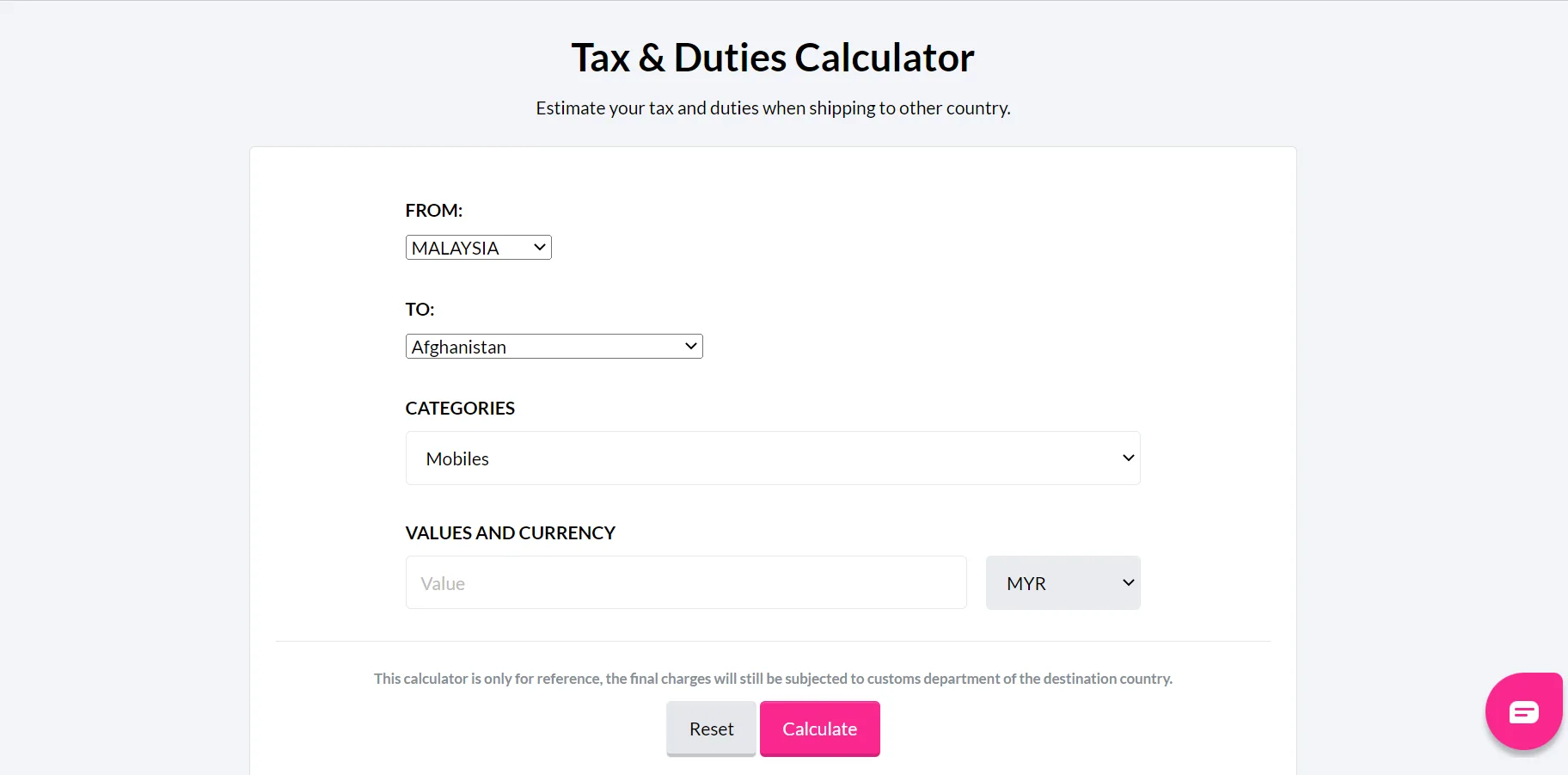
Step 1: Open EasyParcel Tax Calculator.
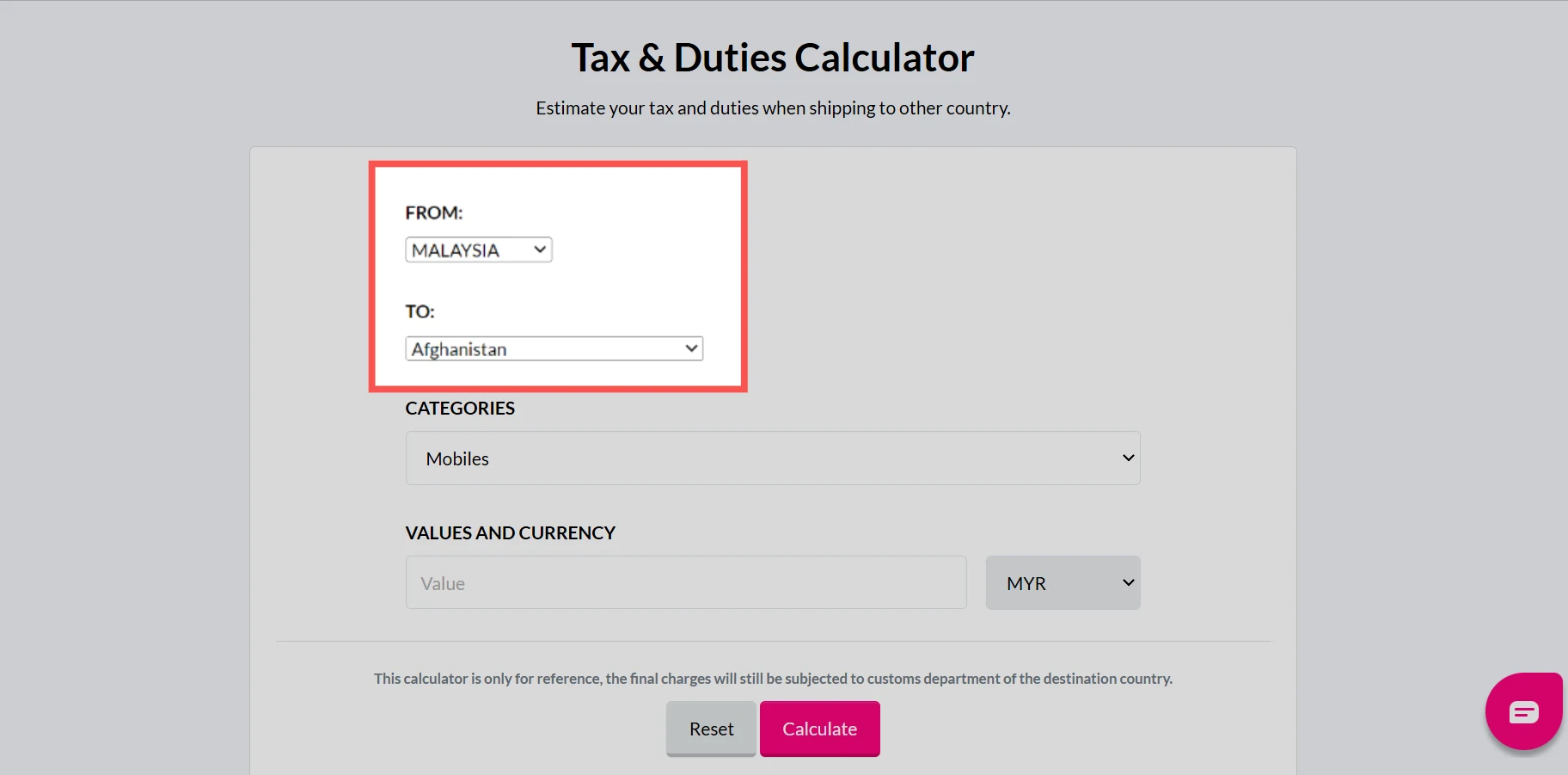
Step 2: Choose your destinations.
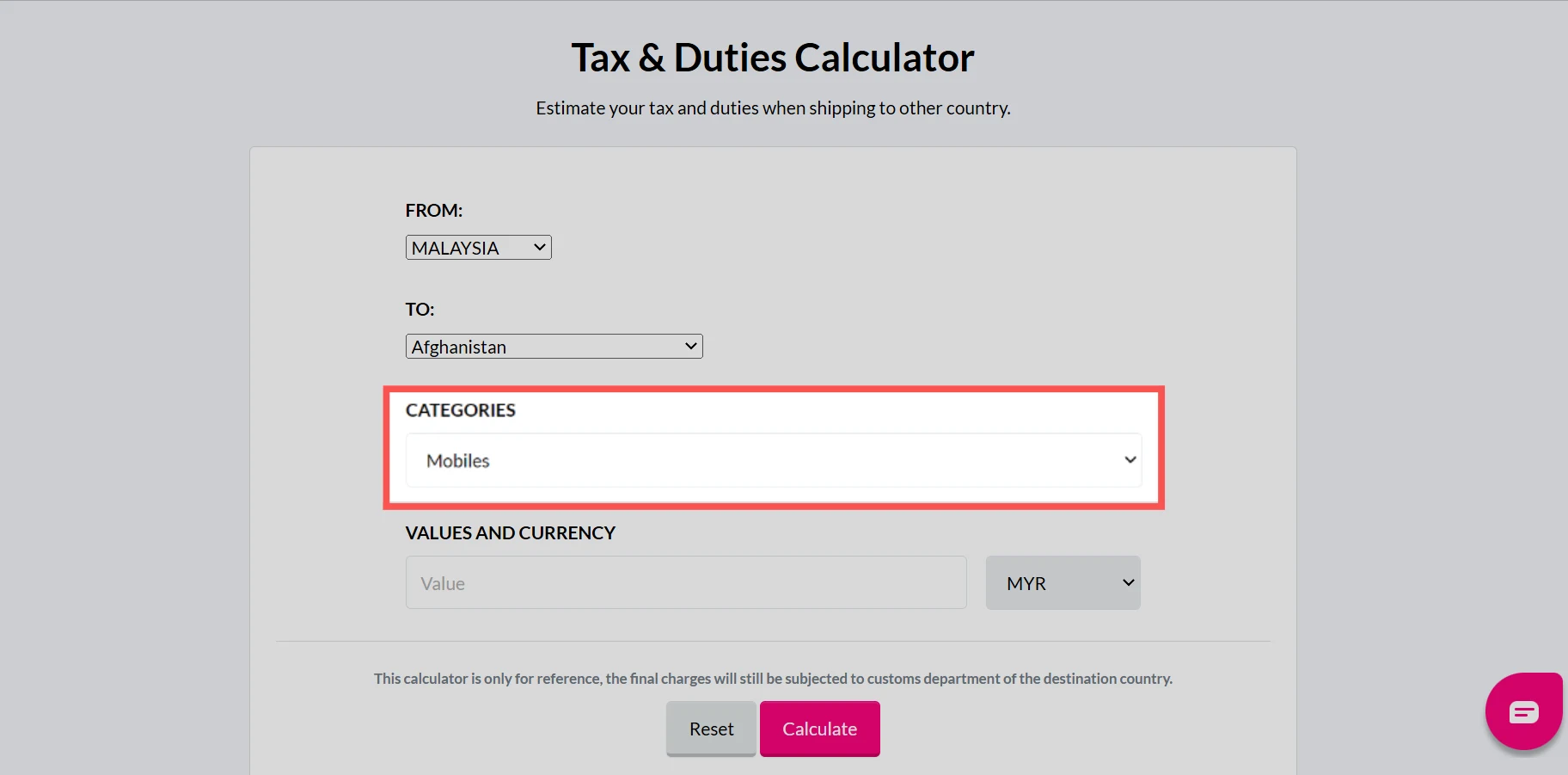
Step 3: Choose the category of the item you are sending.
Estimate Your Shipping Taxes Easily
Calculate estimated import duties and taxes with EasyParcel to plan your international shipping costs and avoid unexpected charges.

Step 4: Choose the currency & put the value of the item you are sending.
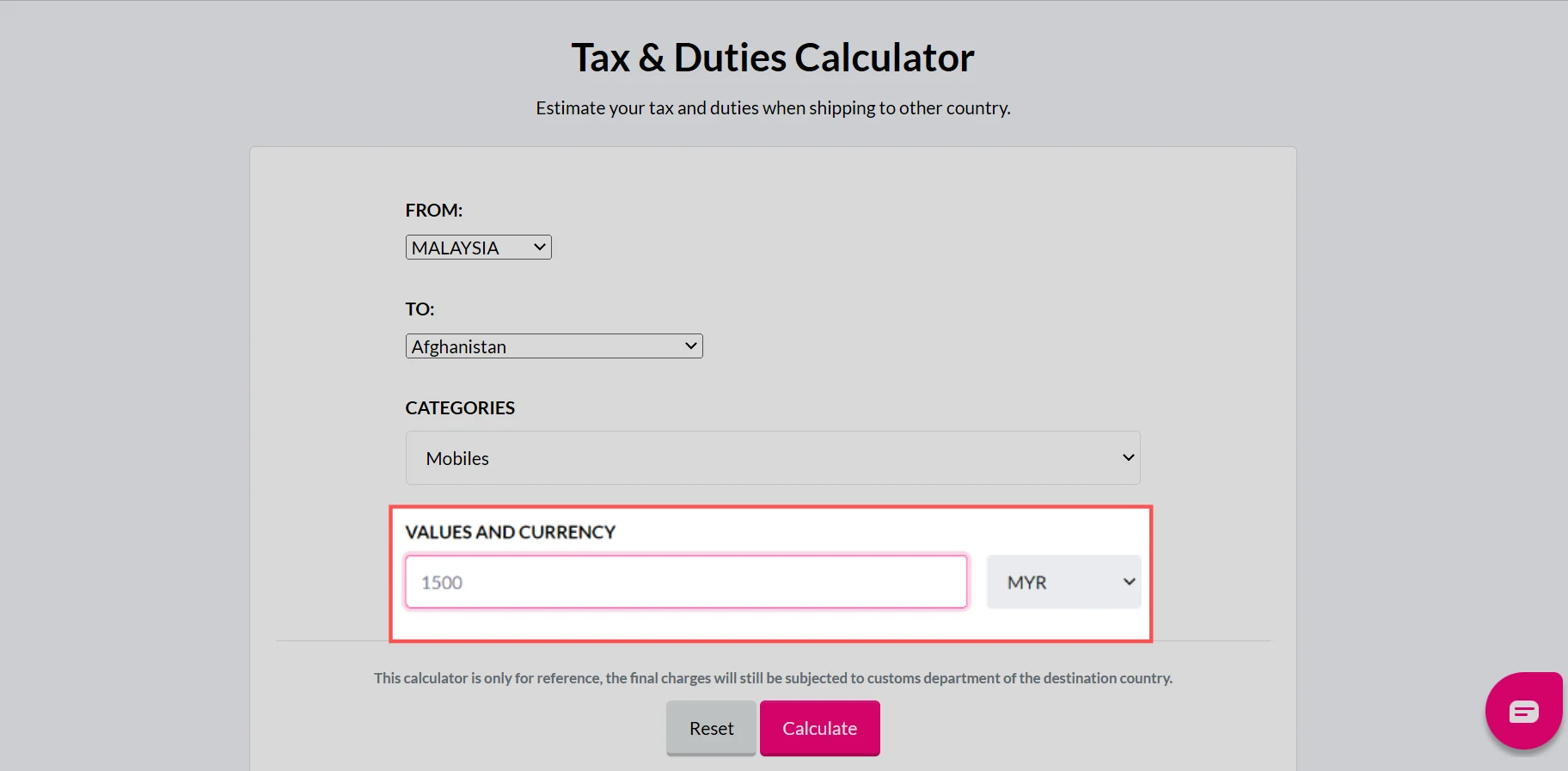
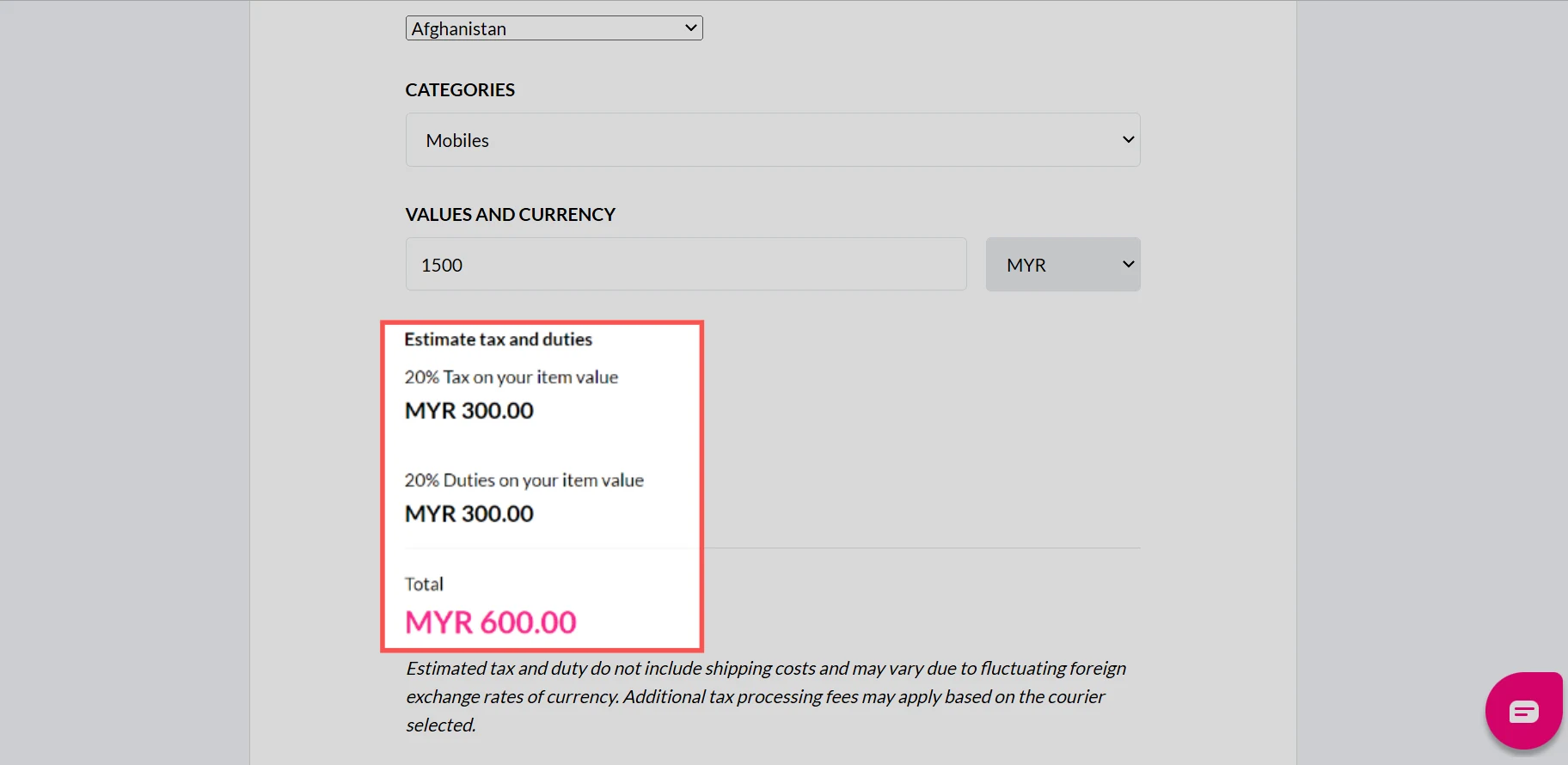
Step 5: The estimated amount of tax & duties will be shown.
Benefits of Using EasyParcel Tax Calculator
Reduce Manual Work
Calculate duties and taxes whitout manual research or complex spreadsheet formulas.
Accurate Cost Planning
Price your products wisely and avoid unexpected fees or losses.
Fewer Returns
Customers are less likely to reject parcels when taxes are clear in advance.






