Managing multiple shipments manually can lead to errors, delays, and lost time — especially when handling bulk orders. EasyParcel Next Gen’s Smart Address feature reduces manual data entry by automatically filling in recipient details. This feature is perfect for e-commerce sellers, SMEs, and logistics teams who need speed, accuracy, and consistency when creating shipments.
Table of Contents
How EasyParcel Autofill Address Works
The Smart Address feature is AI-powered and part of EasyParcel’s Address Book Next Gen.
AI-Powered AutoFill Address: Enter a recipient’s name or address, and the system automatically completes all fields — including street address, city, and postcode.
Reduced Errors: Pre-populated fields minimize typos, misdeliveries, and delays.
Using EasyParcel Autofill Address When Quote & Book
1. Login EasyParcel Account. Under “Send Parcel”, choose either “Domestic Delivery“ (for shipments within Singapore), “International Delivery“ (for shipments overseas) or “On-Demand Delivery“ (for urgent shipments).
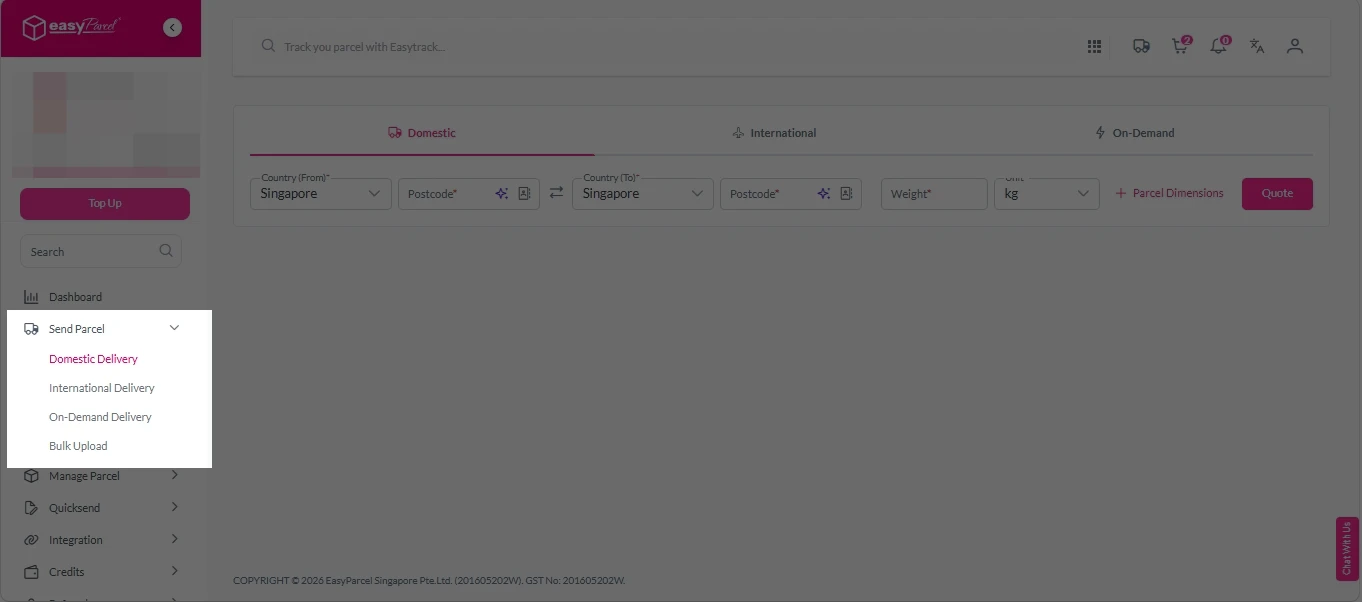
2. Click on the star icon beside the “Postcode”.
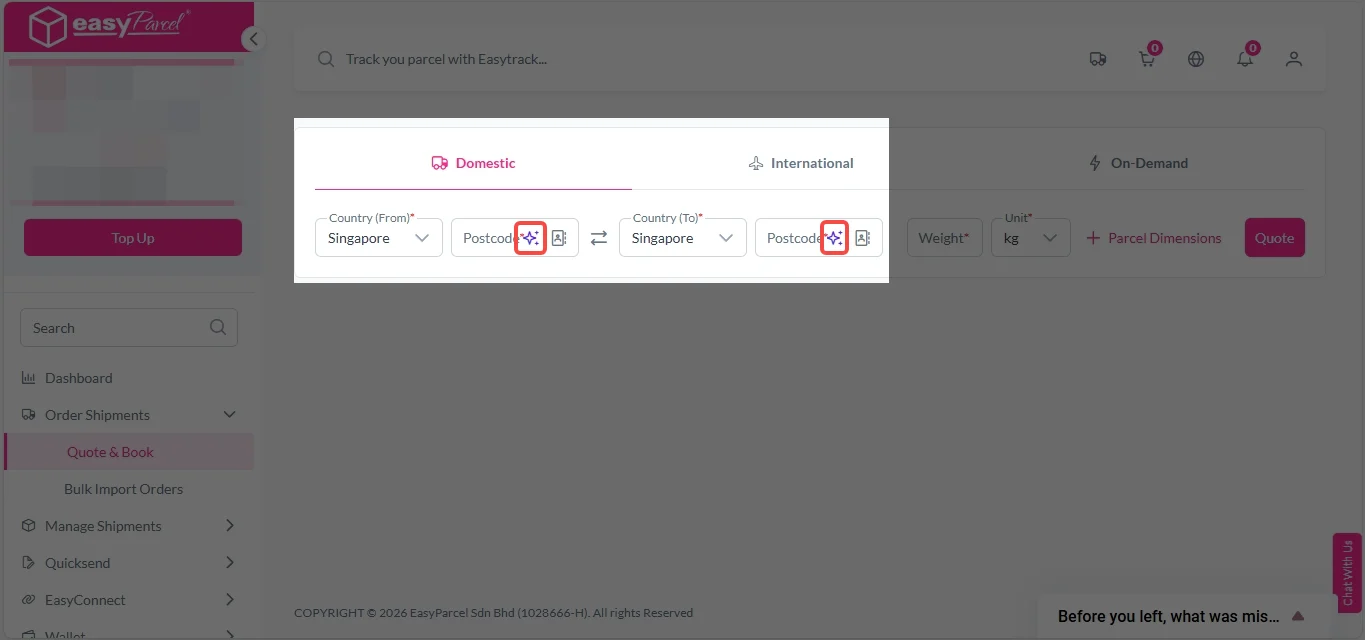
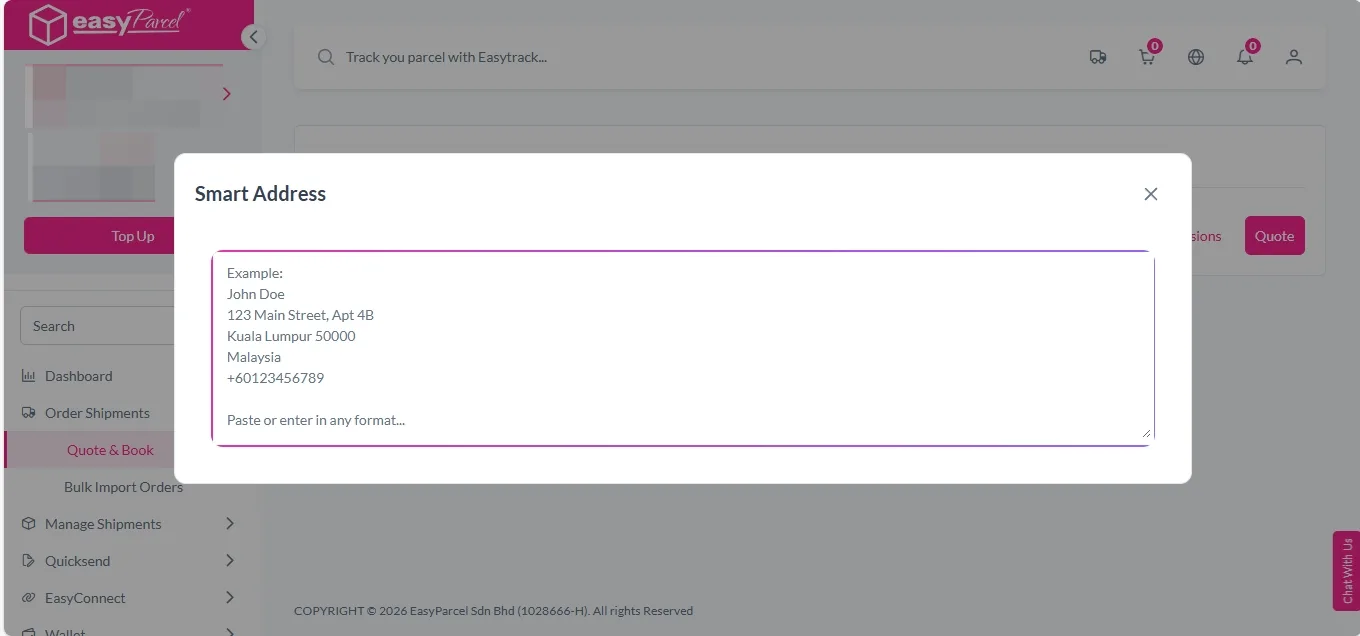
3. Paste the address details. Smart Address will automatically autofill the required fields.
Using EasyParcel Autofill Address When Adding New Address into Address Book
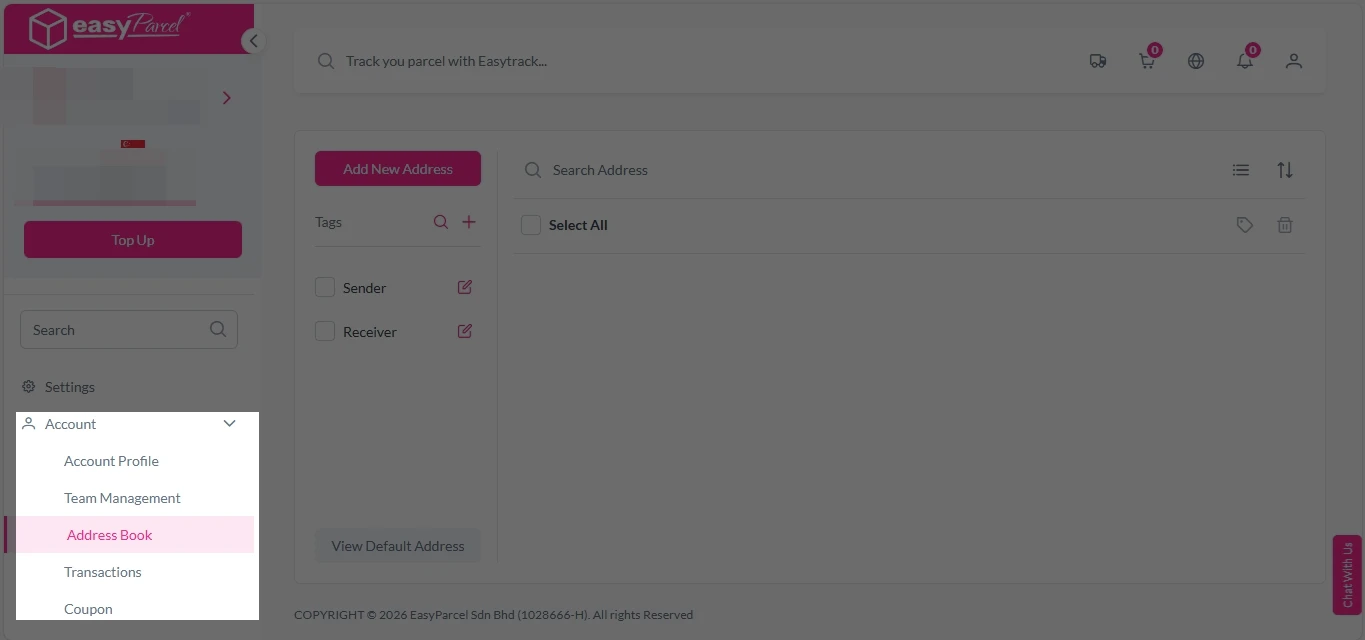
1. Login EasyParcel Account, under “Account”, click on “Address Book”.
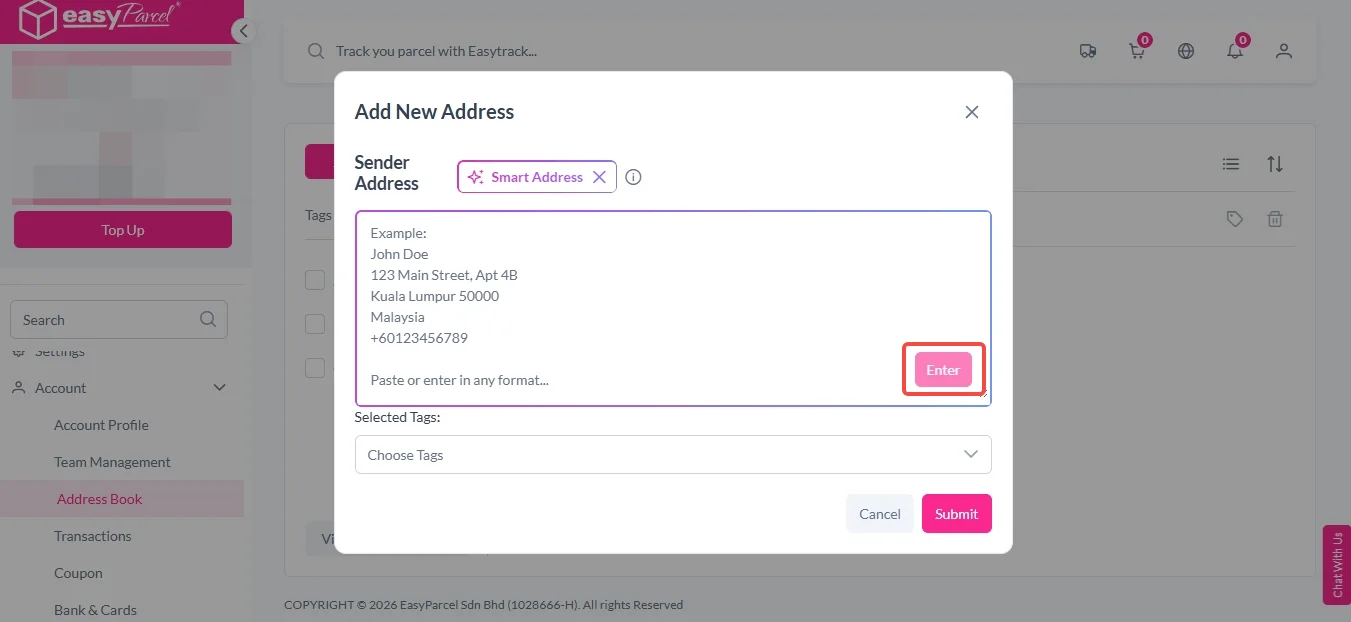
2. Click on “Add New Address”.
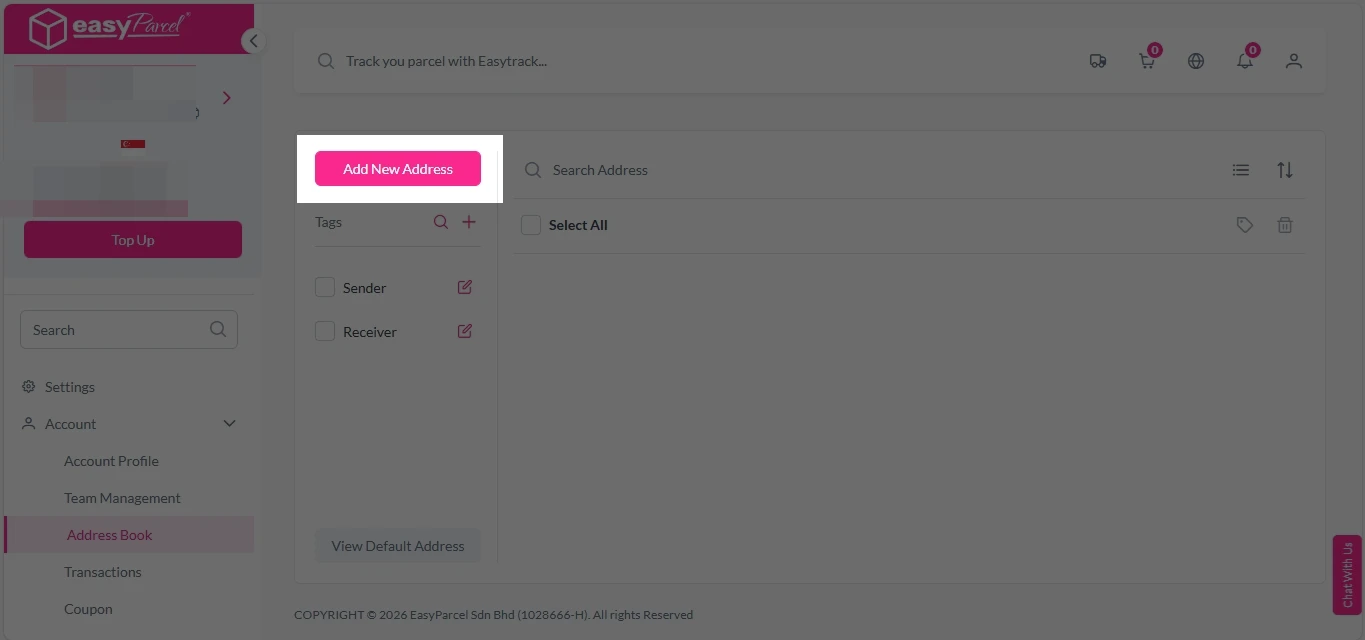
3. Click on “Smart Address”.
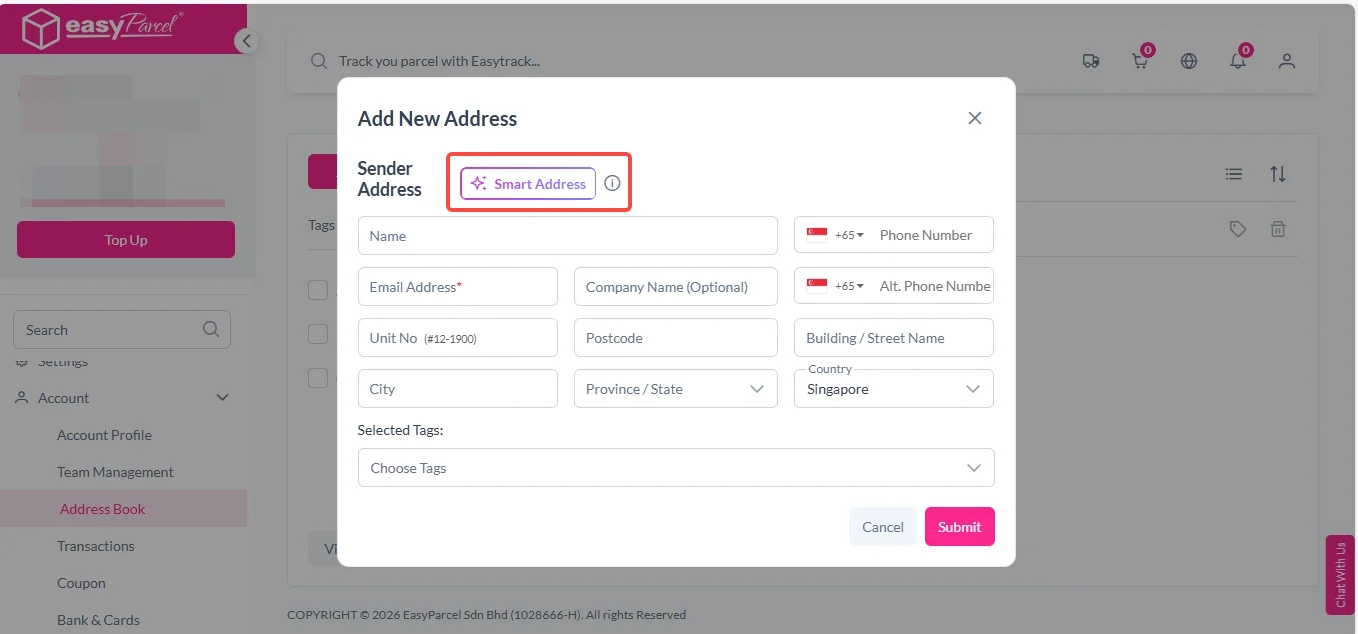
4. Paste the address details and click on “Enter”. Smart Address will automatically autofill the required fields.