Selling on TikTok is exciting. Your products go viral. Orders pour in from live sessions and videos. But then comes the challenging part: fulfilling all those orders efficiently.
If you’re a TikTok Shop seller or a content creator managing your own orders, you need a shipping solution that keeps up with your sales. That’s where EasyParcel comes in. By integrating your TikTok Shop with EasyParcel, you can transform your shipping workflow from a chaotic scramble into a streamlined, automated operation.
Table of Contents
Why Integrate TikTok Shop with EasyParcel?
One Platform, All Shipments
Handle domestic, international, and on-demand shipments from a single dashboard—no more switching between courier websites.
Reduce Manual Work
Orders sync automatically from your TikTok Shop, removing manual data entry and saving hours of administrative time.
Best & Cheapest Rates
Compare 60+ couriers side-by-side to find the most affordable option for every parcel based on weight, destination, and delivery speed.
Free Marketing Tools
Add your message to tracking pages, email, Air Waybill and SMS that promote your store with every delivery—at no extra cost.
Exclusive Parcel Protection
Add EasyCover parcel protection to safeguard shipments against loss, giving you and your customers peace of mind.
Earn Reward Points
Collect points on every shipping dollar spent and redeem them for free gifts, vouchers, and exclusive rewards.
Requirements Before Integrate TikTok Shop with EasyParcel
1. Seller Shipping / Seller Own Fleet (SOF) Must Be Enabled
Your TikTok Shop must enable Seller Shipping (Self-Arrange Shipping).
If your shop is using Platform Shipping, TikTok will manage the logistics and shipping label generation. In this case:
- Order details may be masked or restricted.
- External tracking numbers may not be allowed.
- Orders cannot be fulfilled through EasyParcel.
Learn how to enable it here.
2. Orders Must Be Shipped by Seller
Only orders that are set to Shipped by Seller are eligible for fulfillment via EasyParcel.
This is required because:
- EasyParcel requires access to the buyer’s full (unmasked) shipping information.
- You must be allowed to manually update the tracking number back to TikTok Shop.
- Tracking synchronization depends on seller-managed shipping.
How Integrate TikTok Shop store in EasyParcel?

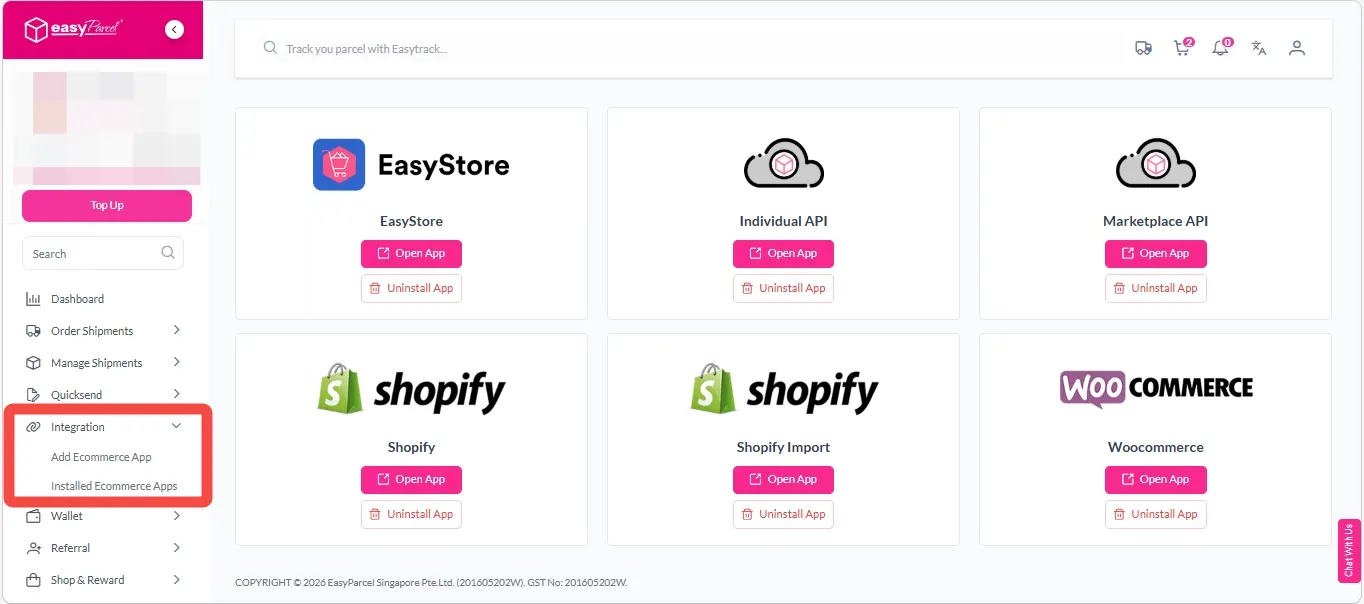
Step 2: After login, click on “Add Ecommerce App” under “Integration” section, find “TikTok Shop” and click on “Install App”.
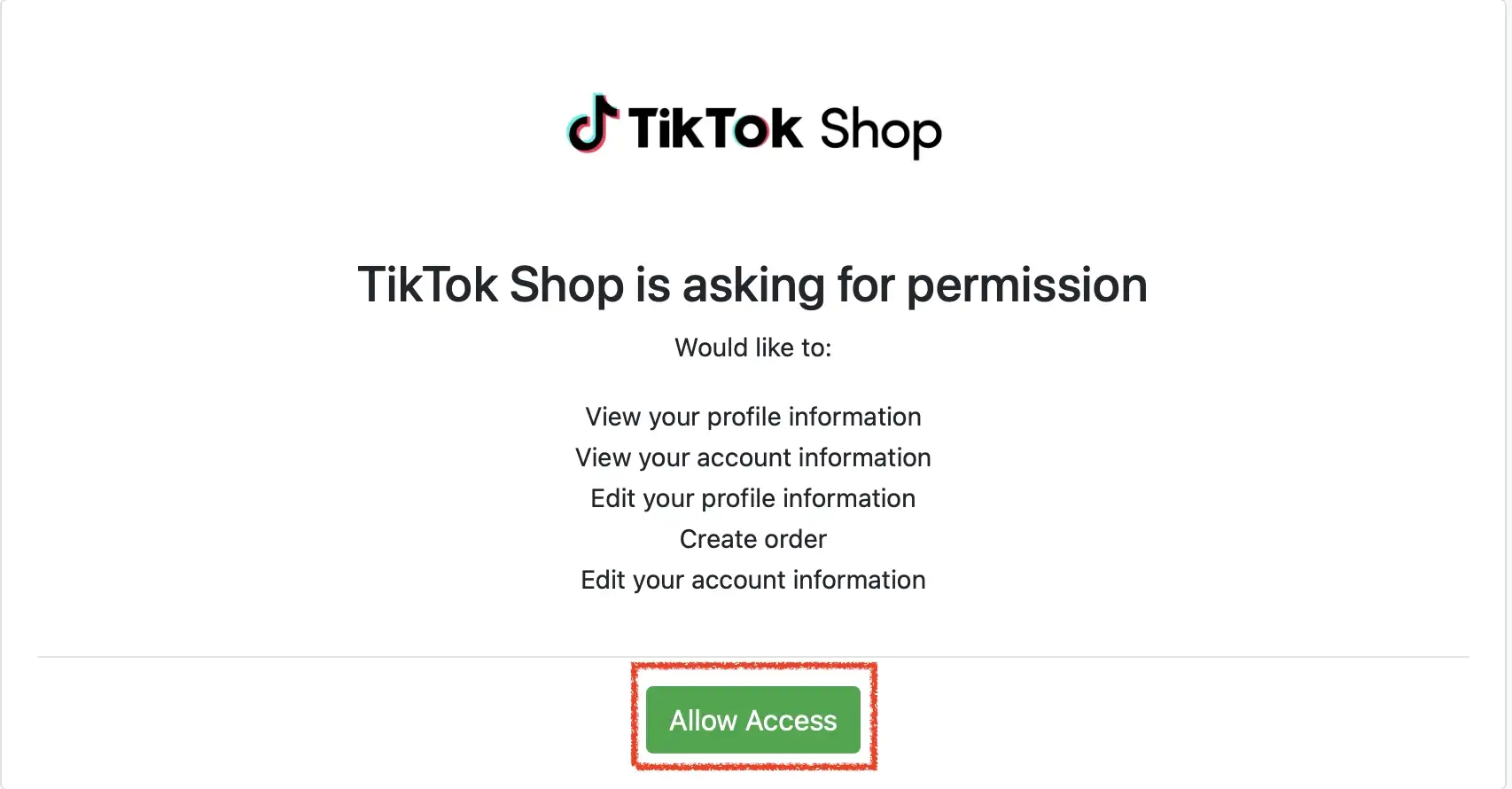
Step 3: Click “Allow Access” to authorize EasyParcel to access your TikTok Shop store data.
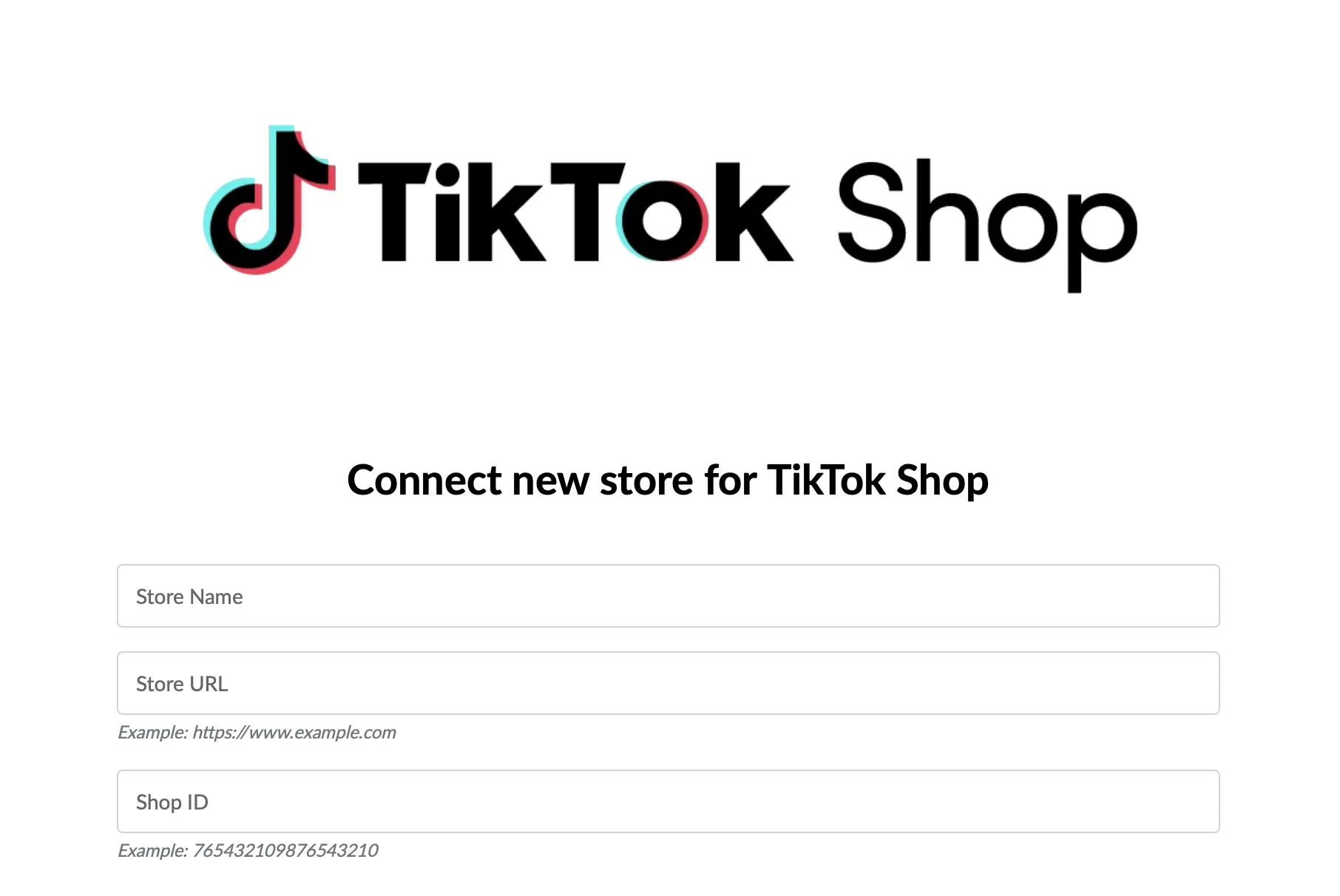
Step 4: Enter your store name, store url and shop id, then click “Connect”.
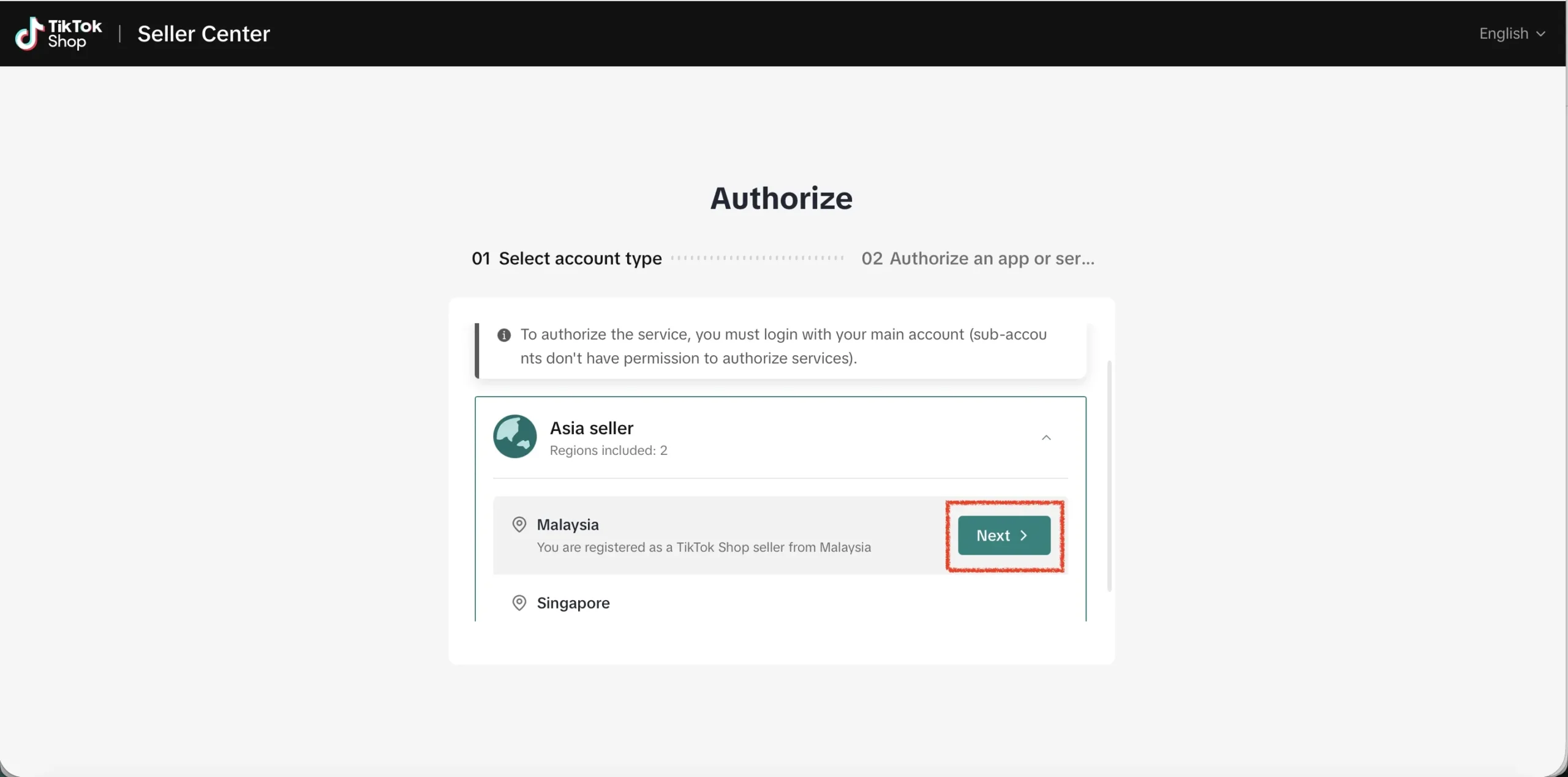
Step 5: You will be redirected to TikTok Shop Seller Centre to authorize the app.
First, select the region of the seller account by clicking “Next”.
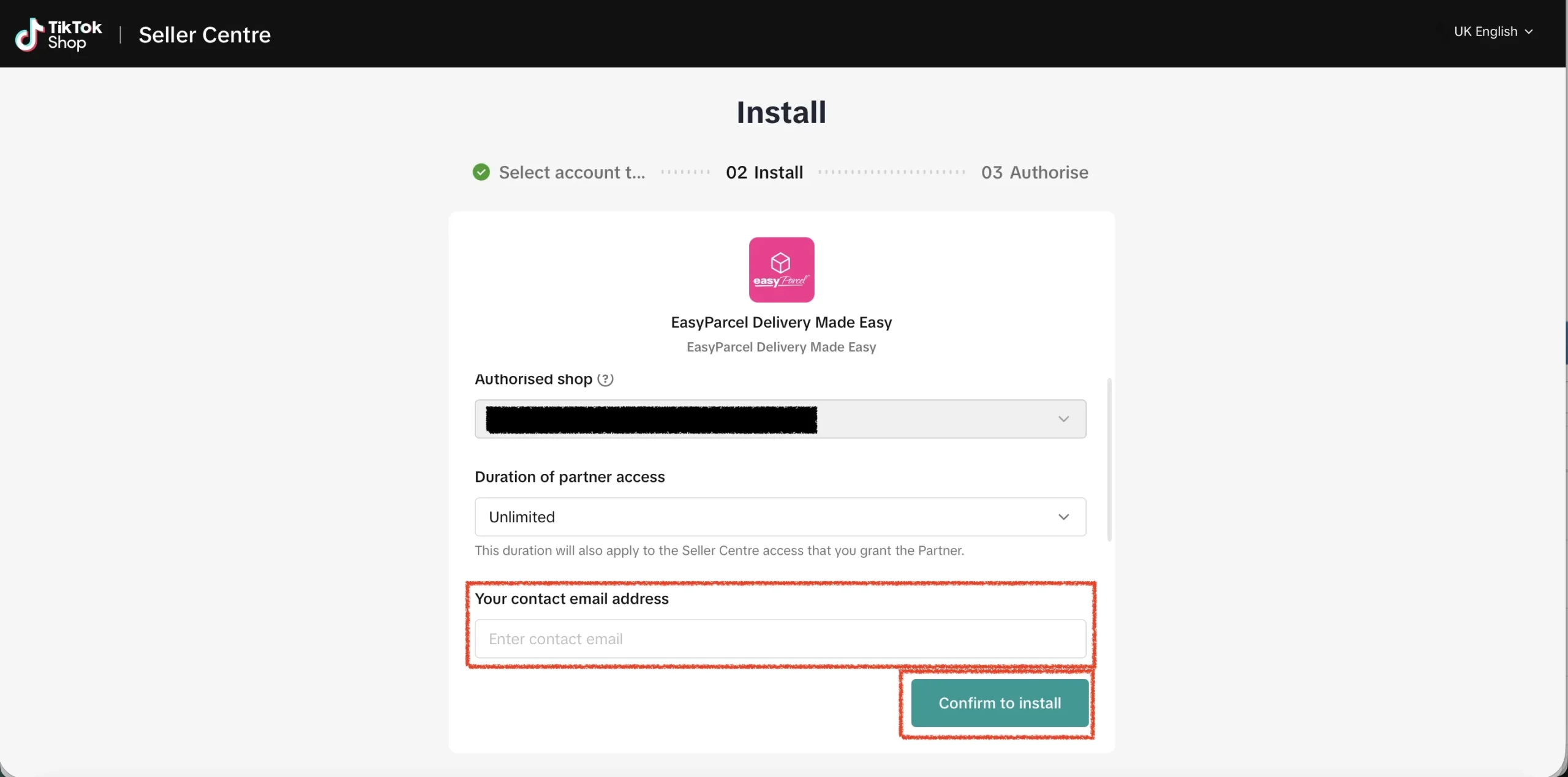
Step 6: Ensure the authorized shop is the shop you wish to connect.
Select partner access duration based on your preferences and enter the contact email address.
Finally, click “Confirm to install”.
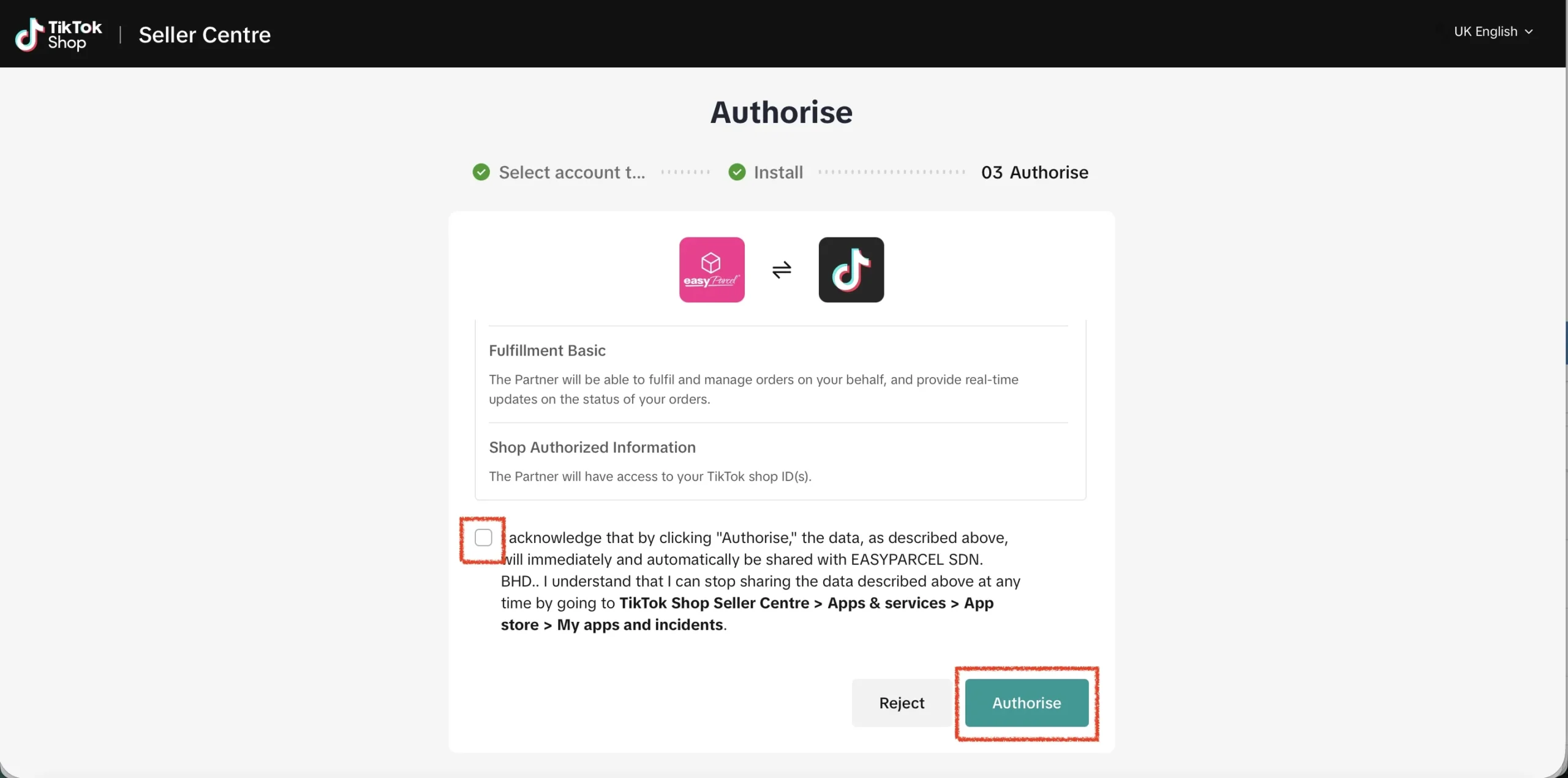
Step 7: Acknowledge the authorization scopes by checking the acknowledge message, then click “Authorise”.
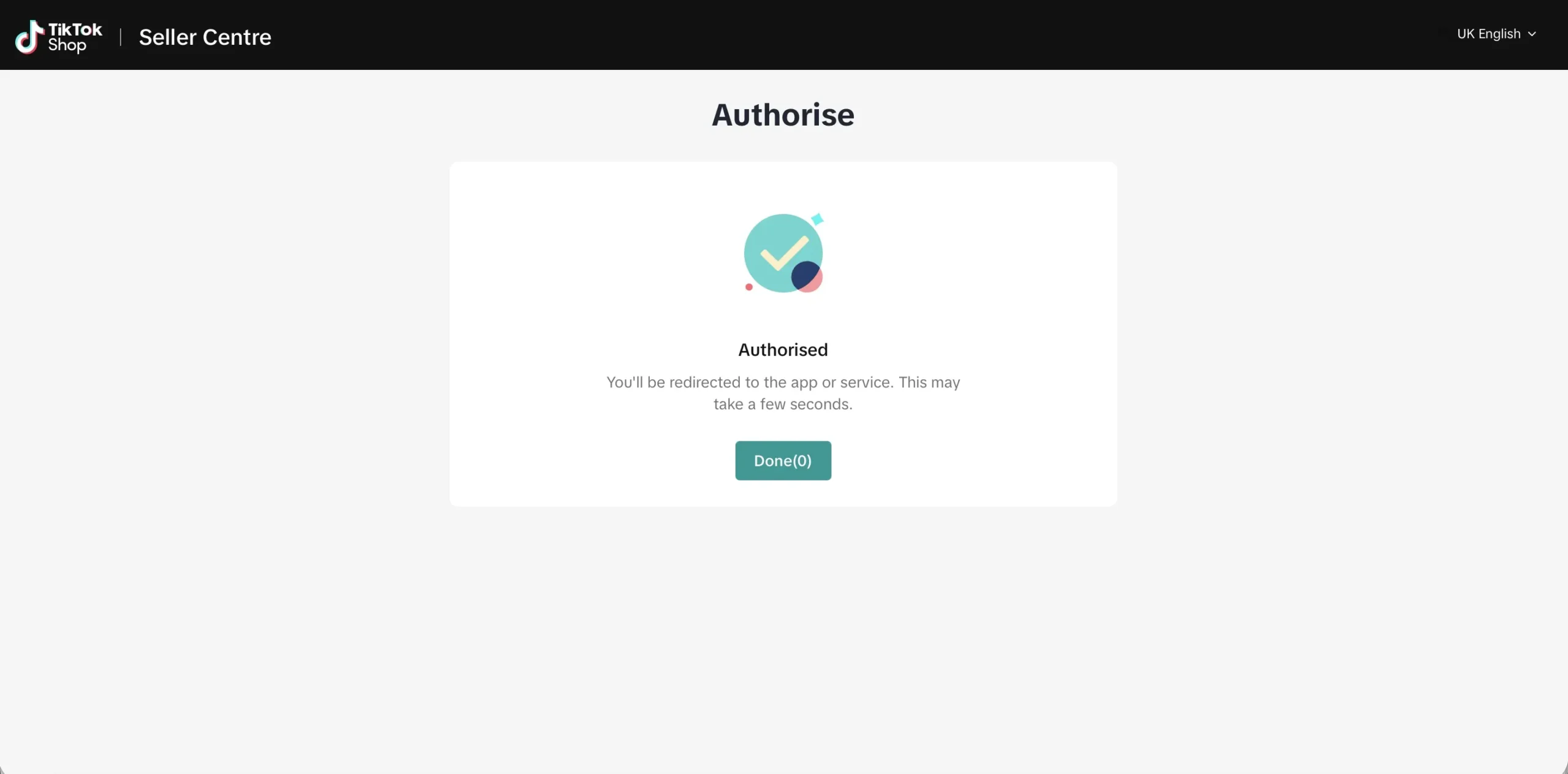
Step 8: Then you will be redirected back to EasyParcel website in 5 seconds, you may also click “Done” button to redirect immediately.
How to Setup Integrated App
Step 1: Under Integration, click on “Installed Ecommerce Apps”, find “TikTok Shop” you may find your TikTok shop app successfully install.
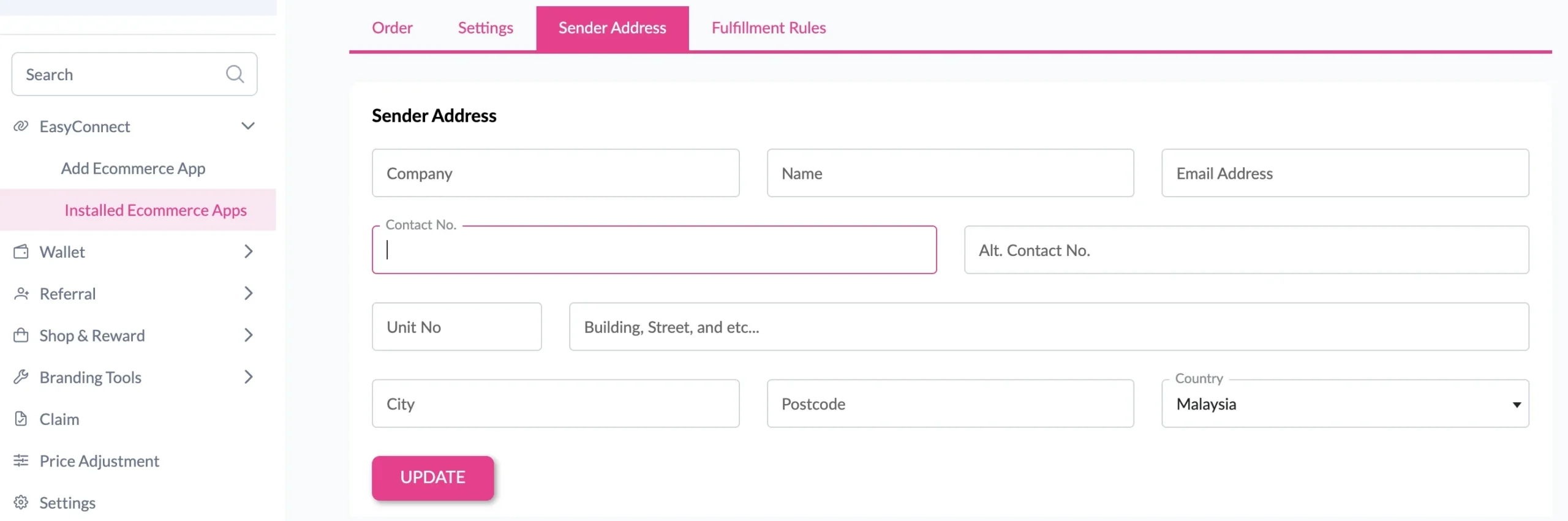
Step 2: In the store, click Sender Address and key in your sender details and click on the “Update” button.