


Running out of shipping credits in the middle of fulfilling orders is every e-commerce seller’s nightmare. You’re packing parcels, printing labels, and suddenly – insufficient balance. Your workflow stops. Customers wait. You scramble to top up.
EasyParcel Next Gen Auto Top-Up solves this problem. Set it once, and your EasyParcel wallet automatically reloads when your balance runs low. No interruptions. No last-minute top-ups. Just seamless shipping.
Table of Contents
What Is EasyParcel Next Gen Auto Top-Up?
Auto Top-Up NextGen is an EasyParcel feature that automatically adds credits to your wallet when your balance falls below a threshold you set.
How Auto Top-Up Works:
When Auto Top-Up is enabled, your wallet is topped up automatically so you never run out of credit. Here’s how it works:
1. You set a threshold balance (e.g., S$20) and select your preferred top-up package (e.g., EP100).
2. When your wallet balance falls below your set threshold – for example, after paying for an order – the system automatically triggers a top-up.
3. The package amount is charged to your saved card, and you receive all the same benefits as a manual top-up, including any applicable coupons and reward points.
4. You receive an email notification once the Auto Top-Up has been processed successfully.
How to Enable EasyParcel Next Gen Auto Top-Up
1. Login your EasyParcel account.

2. Under “Credits”, click on “Auto Topup“.
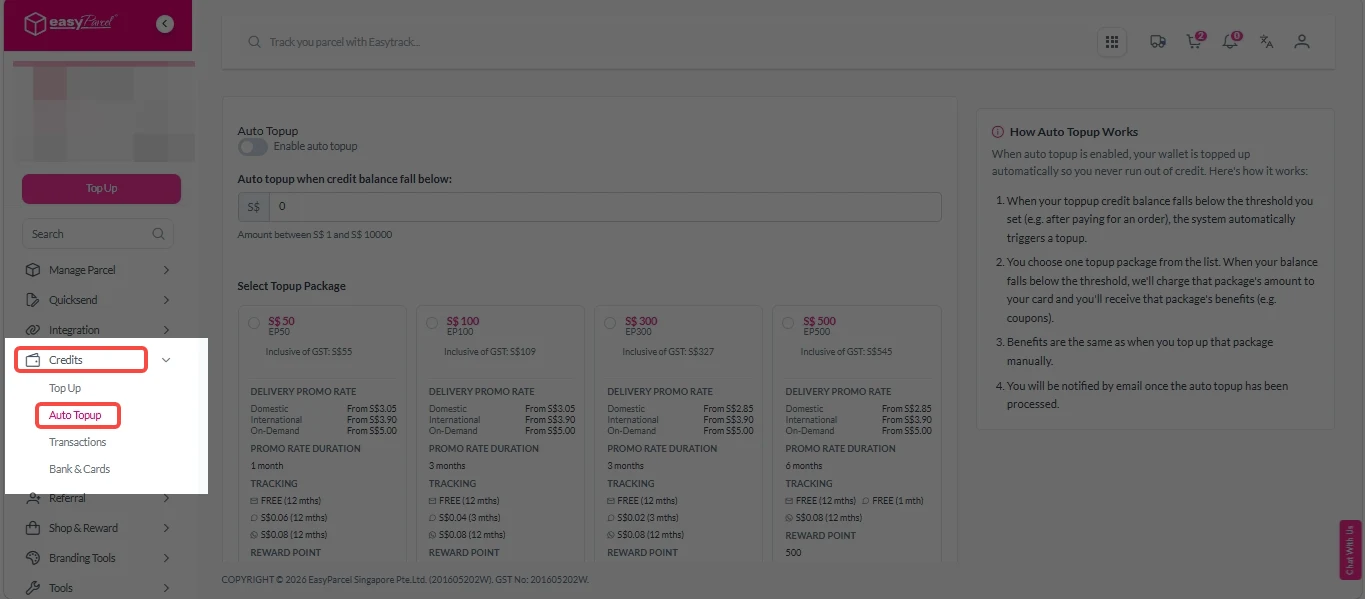
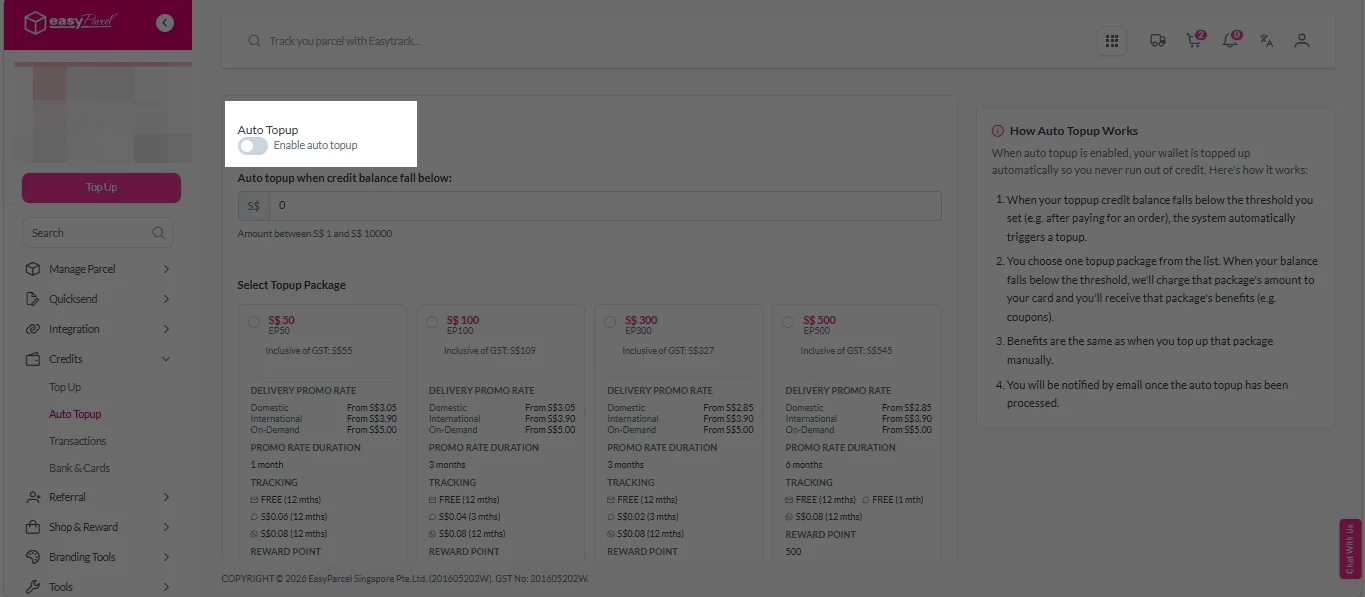
3. Click “Enable Auto Topup” to switch on the feature.
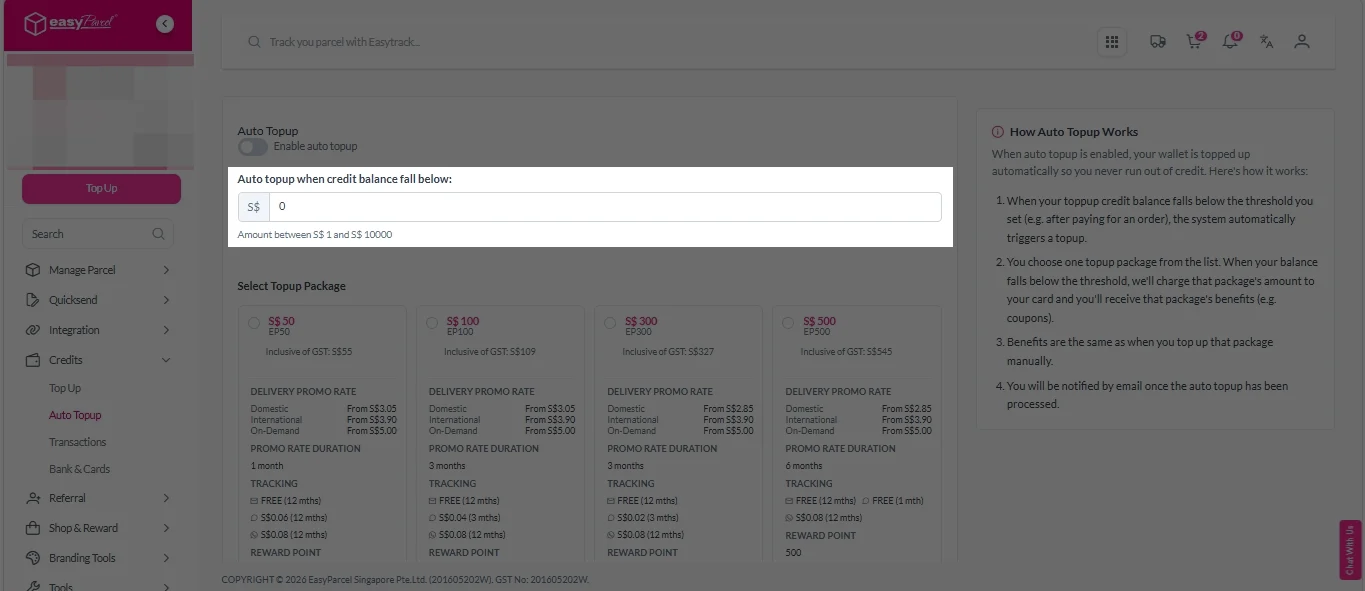
4. Under “Auto topup when credit balance falls below”, enter your preferred credit balance threshold.
5. Select your preferred Topup Package.
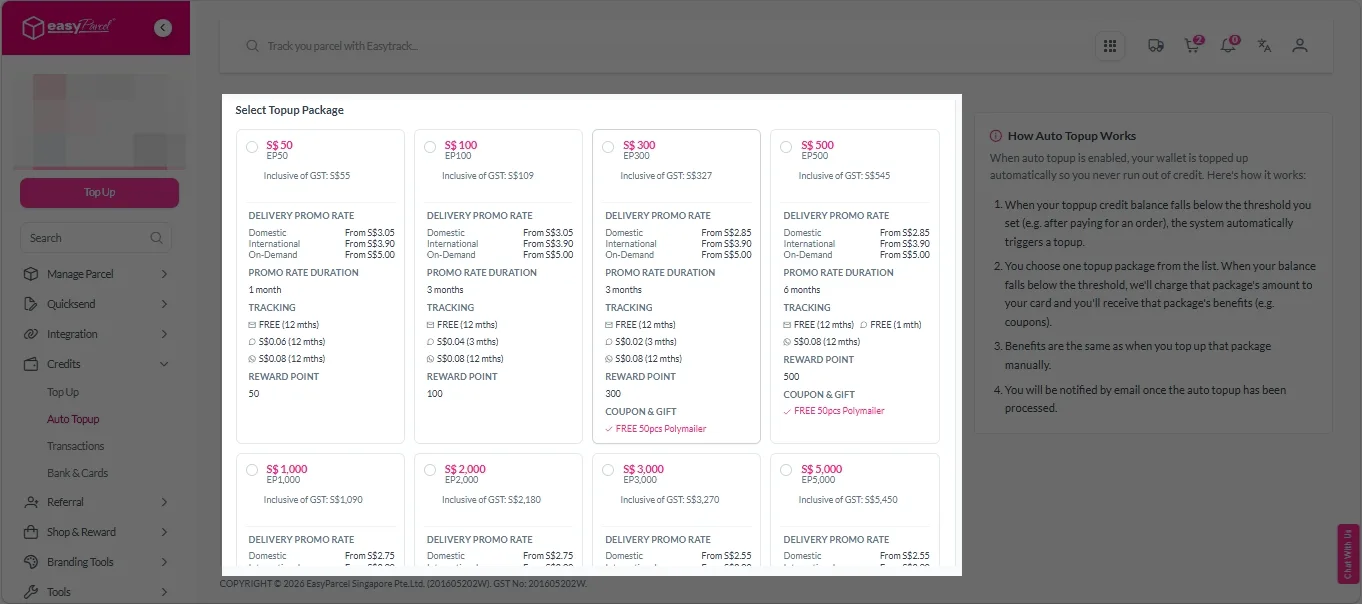
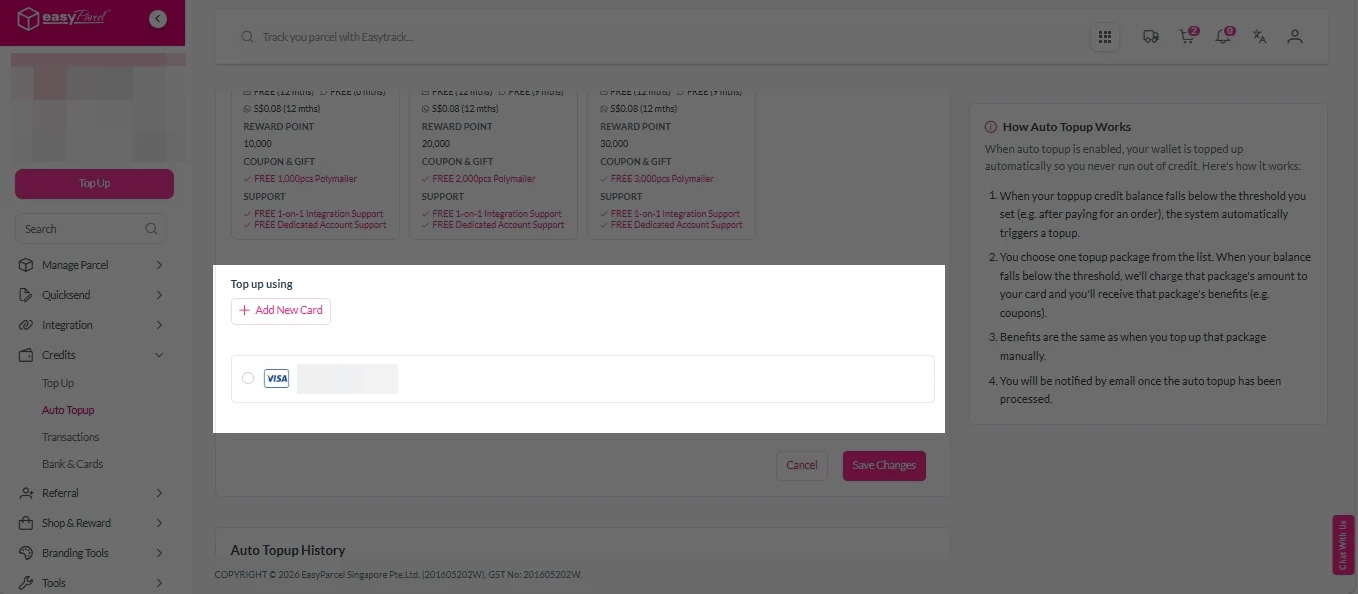
6. Under “Top up using”, choose the card for auto top-up. To add a new card, click “Add new card”.
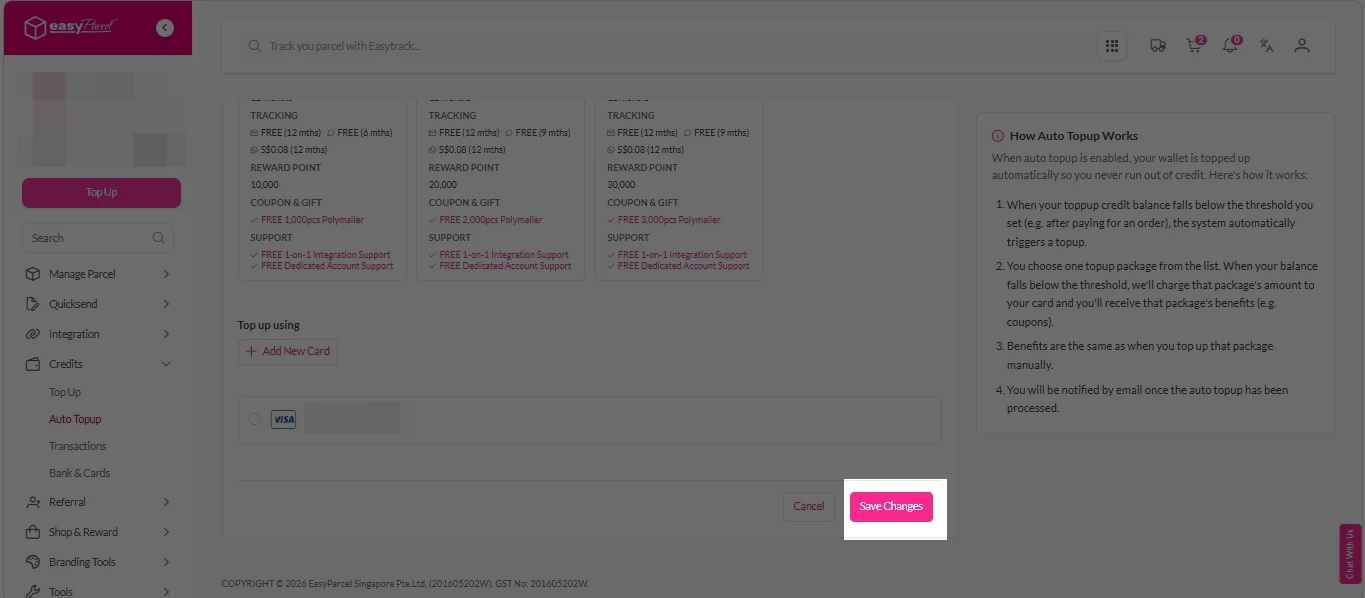
7. Double-check all details, then click “Save changes”.
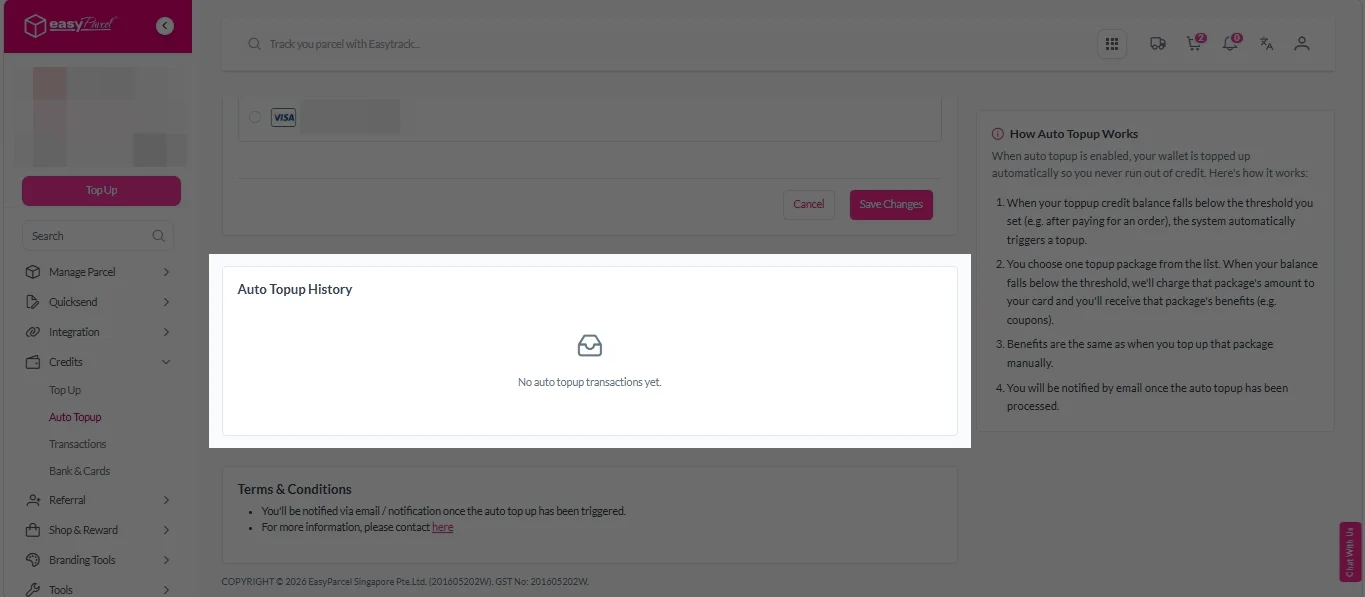
To view your Auto Top-Up History: Go to “Auto Topup History”.
Never Run Out of Shipping Credits Again.

Why EasyParcel Next Gen Auto Top-Up Matters?
Save Time on Manual Top-Ups
No need to repeatedly top up your balance—one-time setup automates the entire process.
Better Operational Efficiency
Ideal for businesses handling daily shipments, ensuring smooth operations without payment disruptions.
Flexible Control Settings
You can set your preferred top-up amount and threshold and easily turn the feature on or off anytime.
Avoid Payment Failures
Preloaded credit helps reduce risks of failed transactions during booking, especially during peak operations.






