Multi-Address Management: EasyParcel Next Gen Address Book

Multi-Address Management EasyParcel Next Gen Address Book

The Address Book in EasyParcel Next Gen is a built-in tool that allows businesses to save and organize frequently used sender and receiver details. For sellers handling repeat customers or bulk shipments, it reduces manual entry and improves address accuracy during booking.

Table of Contents

Benefits of Using Address Book

Faster Booking

Save frequently used sender and receiver details in the Address Book and select them instantly during shipment creation — no repetitive typing required.

Fewer Errors

Pre-saved and editable address records reduce manual input mistakes, lowering the risk of delivery failure due to incorrect details.

Faster Address Search

Use tags to quickly filter and locate specific customer or warehouse addresses without scrolling through long contact lists.

How to Add New Address?

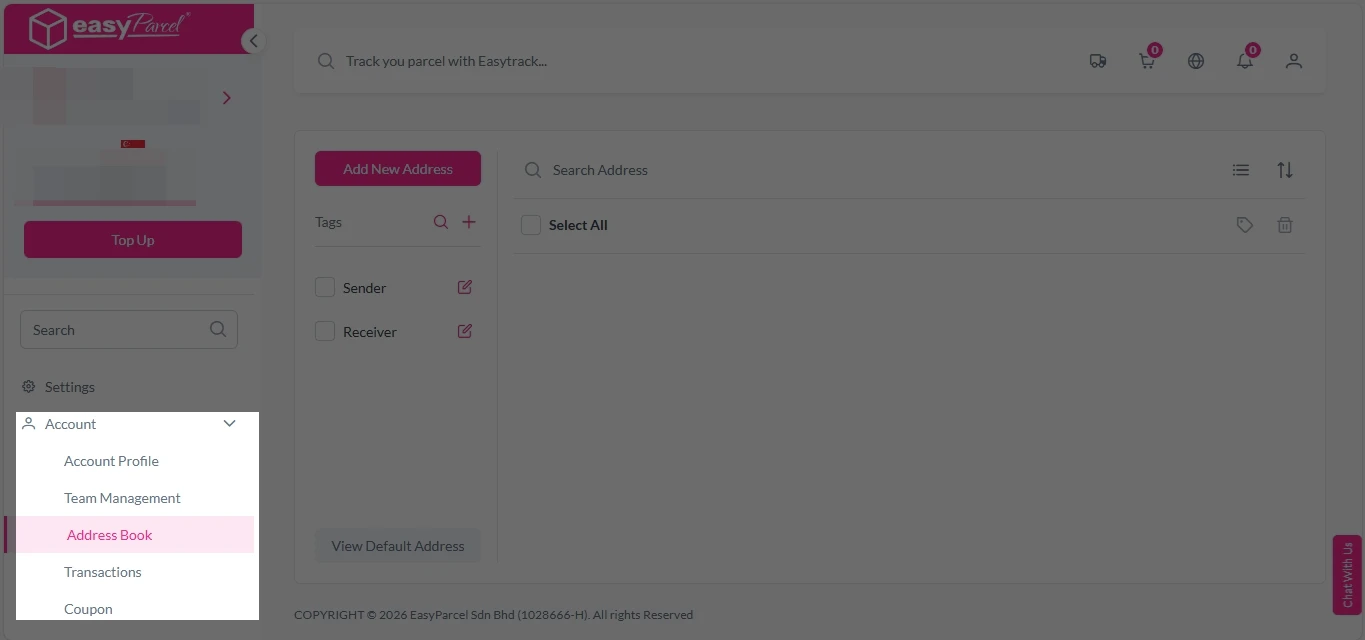
1. Login EasyParcel account, under “Account”, click on “Address Book”. 

nextgen-address book 1

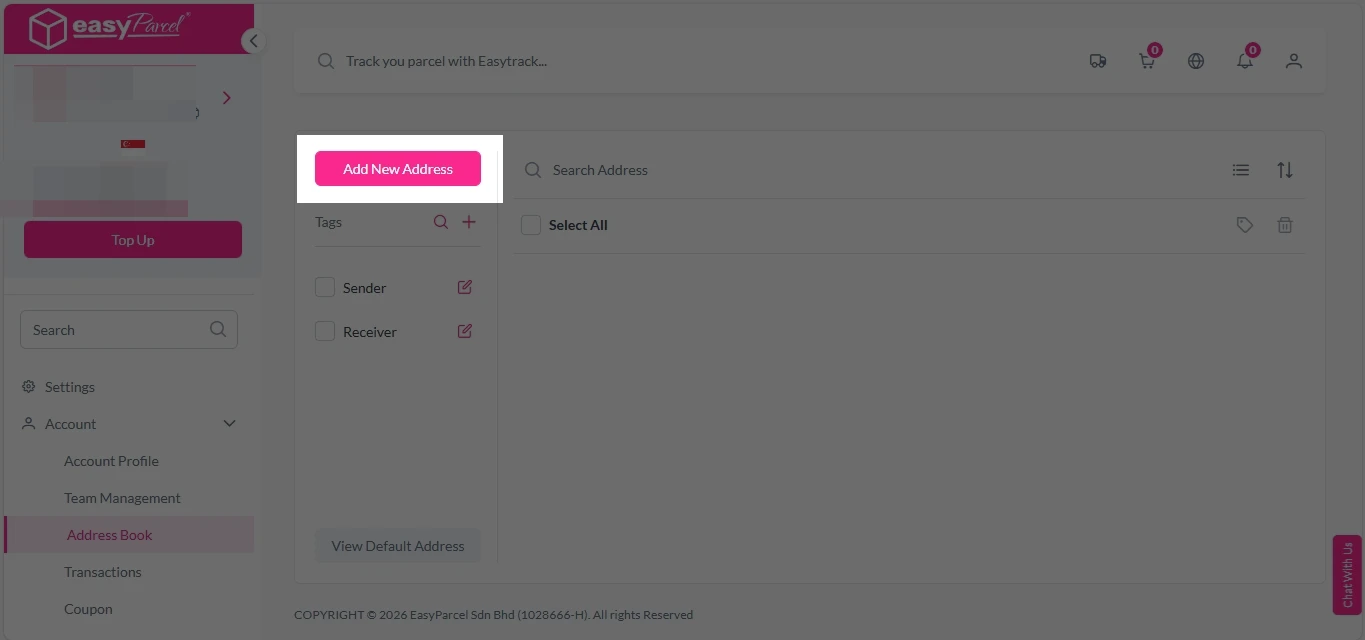
2. Click on ” Add New Address” button. 

nextgen-address book 2

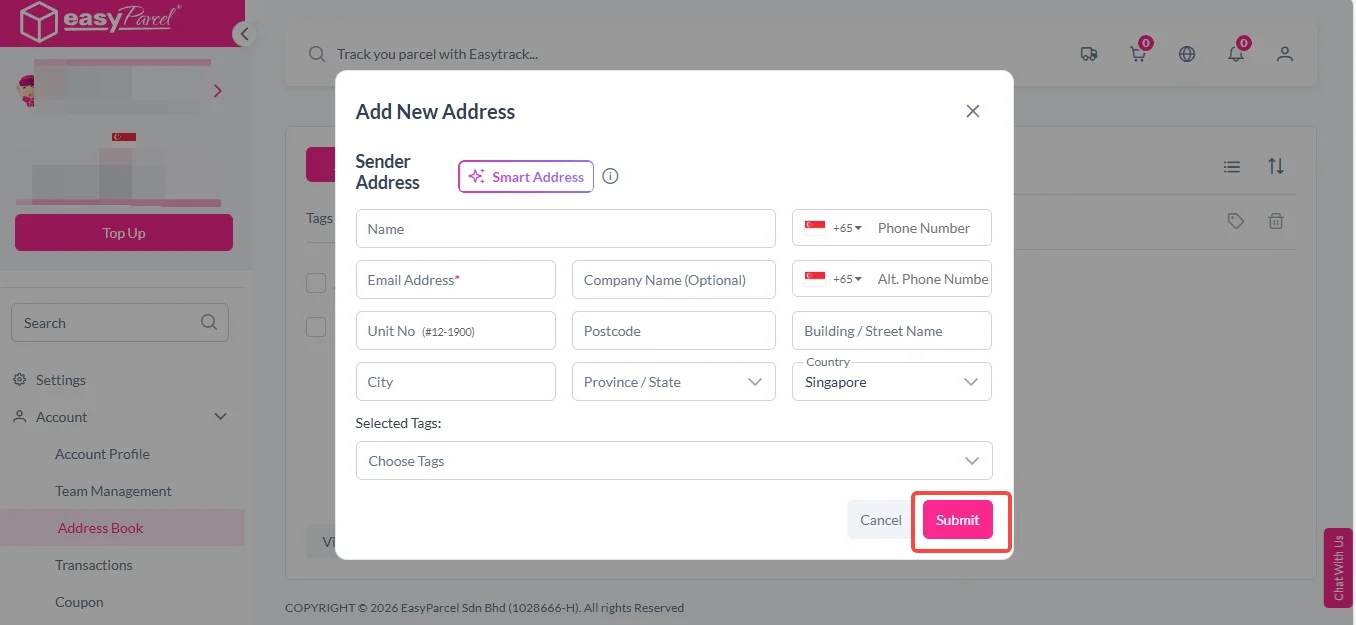
3. Fill in the details and click “Submit”. 

nextgen-address book 3

How to Add New Tags in Address Book?

1. Login EasyParcel account, under “Account”, click on “Address Book”. 

nextgen-address book 1

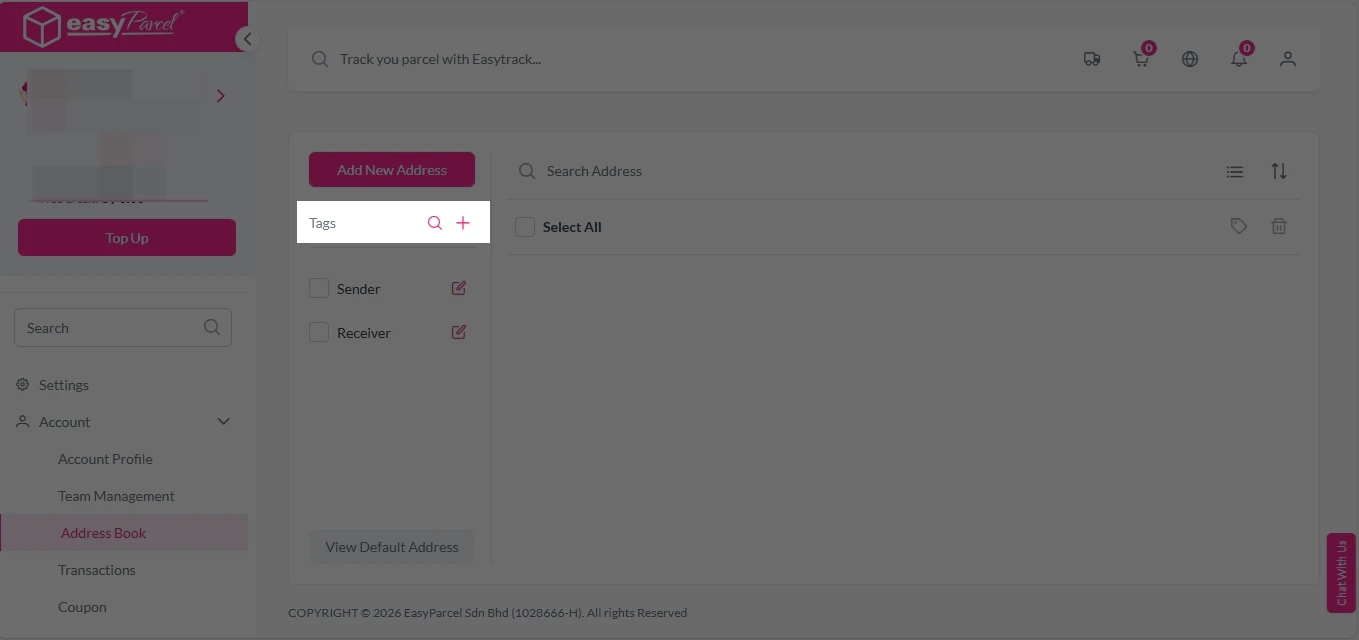
2. Click on “+” button on the right side of “Tags”. 

nextgen-address book 4

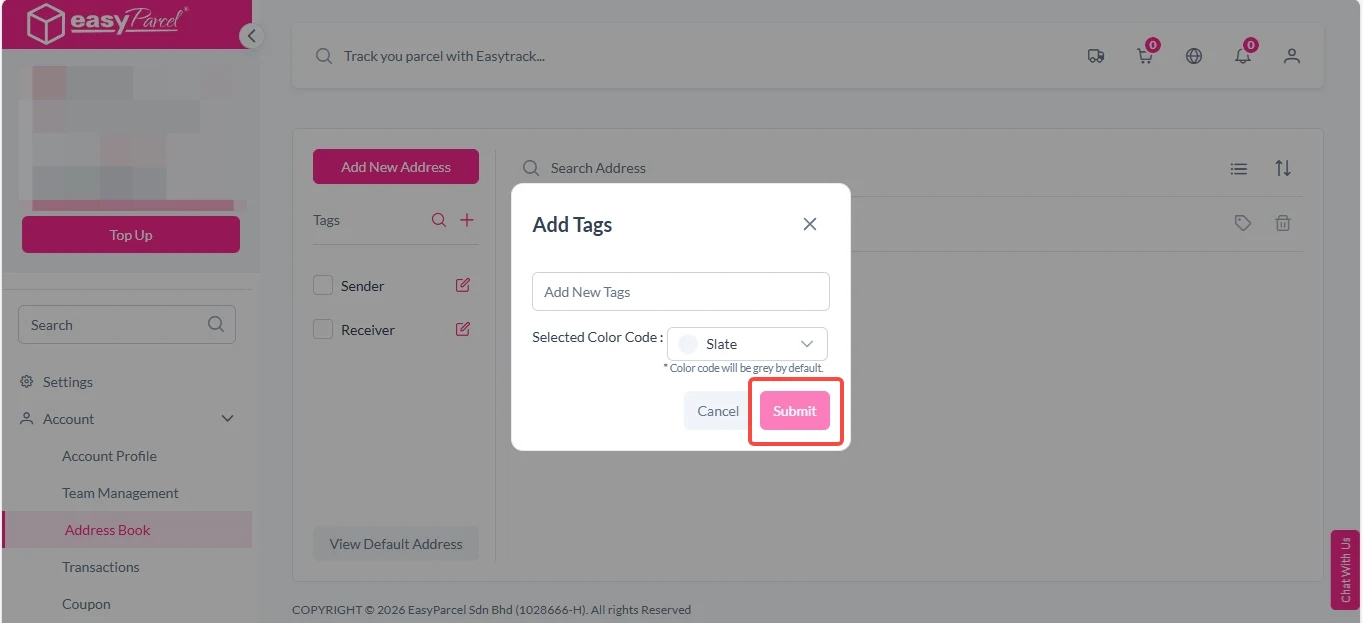
3. Enter new tag name and select preferred color code, click on “Submit”. 

nextgen-address book 5

How to Assign Name to Tags?

1. Login EasyParcel account, under “Account”, click on “Address Book”. 

nextgen-address book 1

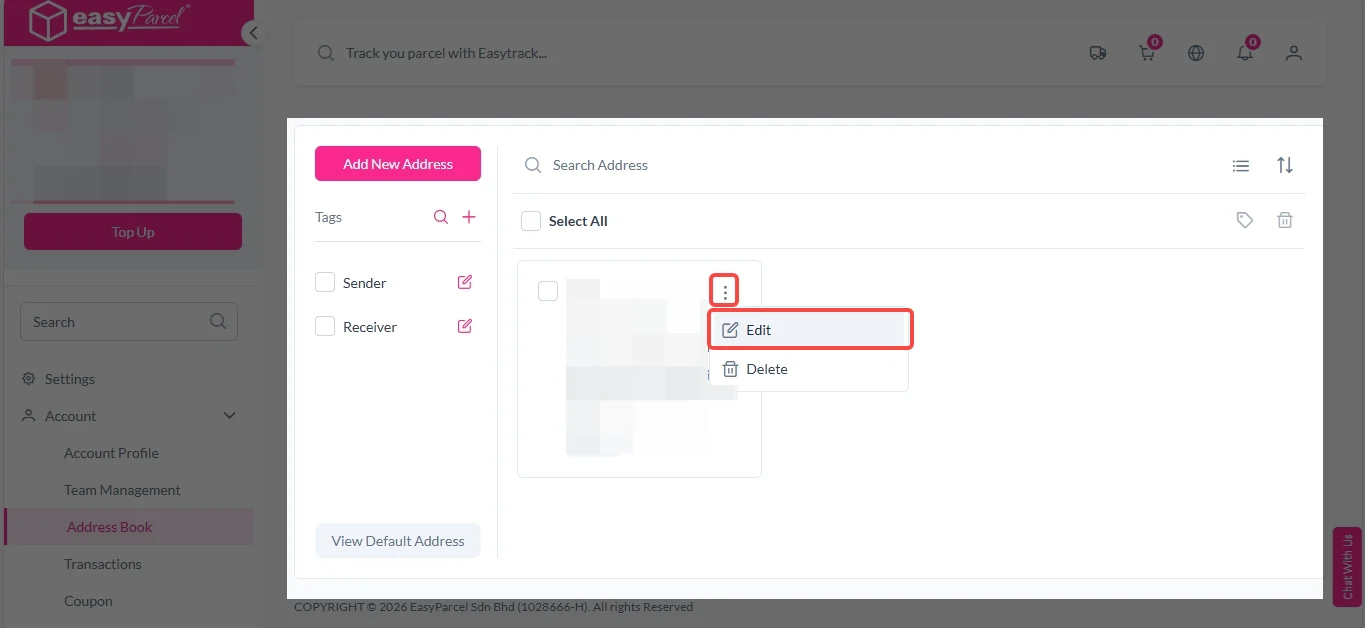
2.  Look for the name you want to assign the group to and click on 3 dot icon at top right corner > “Edit”.

change tags 1

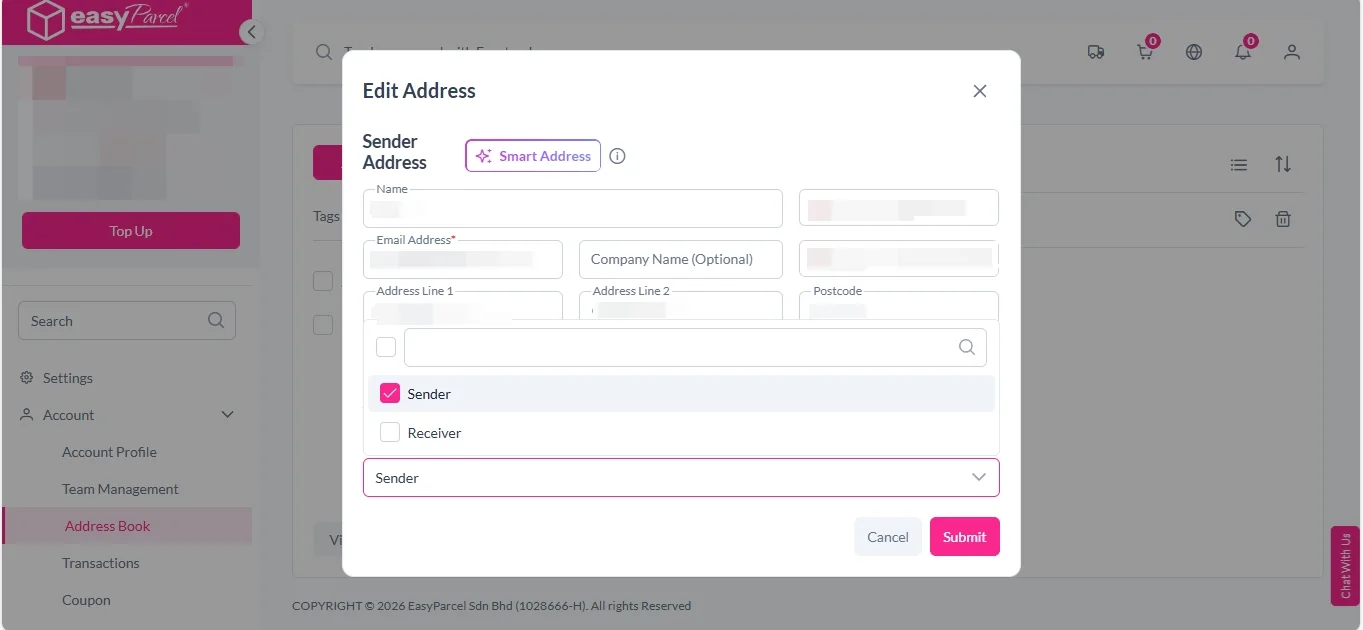
3. Under “Selected Tags” section, select the group and click “Submit”. You can multi-select the groups by pressing shift button at the same time.

change tags 2

How to Search in Address Book?

1. Login EasyParcel account, under “Account”, click on “Address Book”. 

nextgen-address book 1

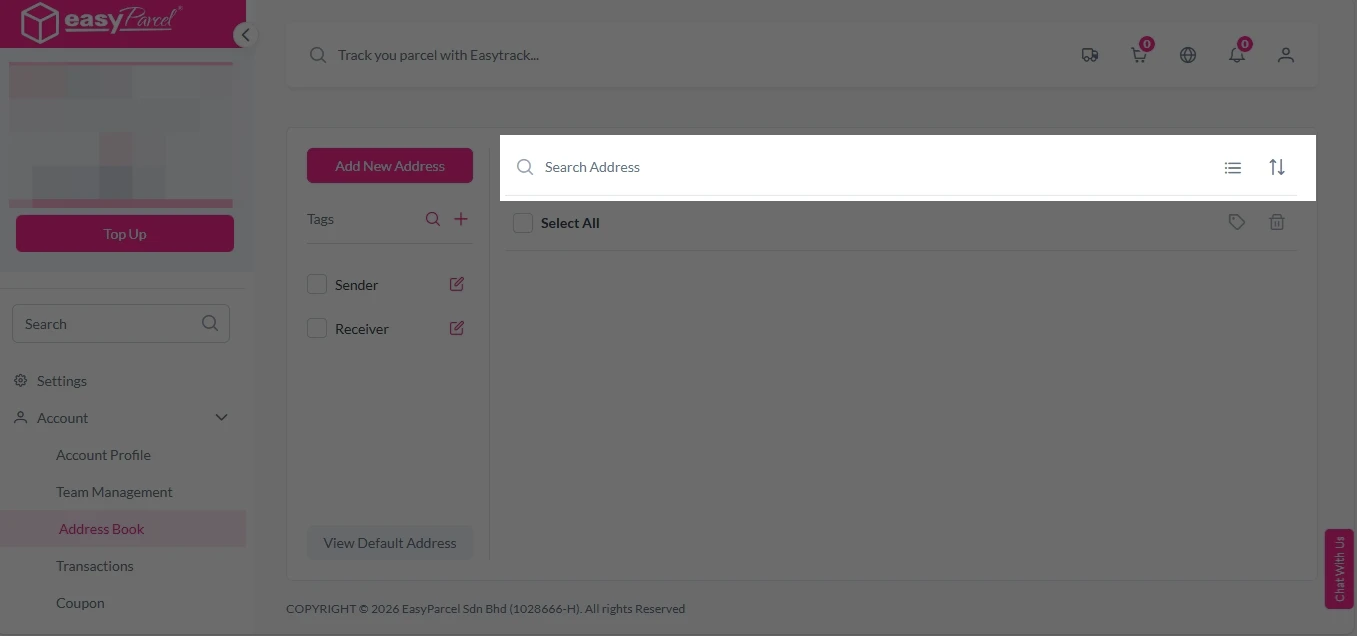
2. You can now funnel your customers by key in value in the search bar or filter by group.

nextgen-address book 8

How to Delete Address Book?

1. Login EasyParcel account, under “Account”, click on “Address Book”. 

nextgen-address book 1

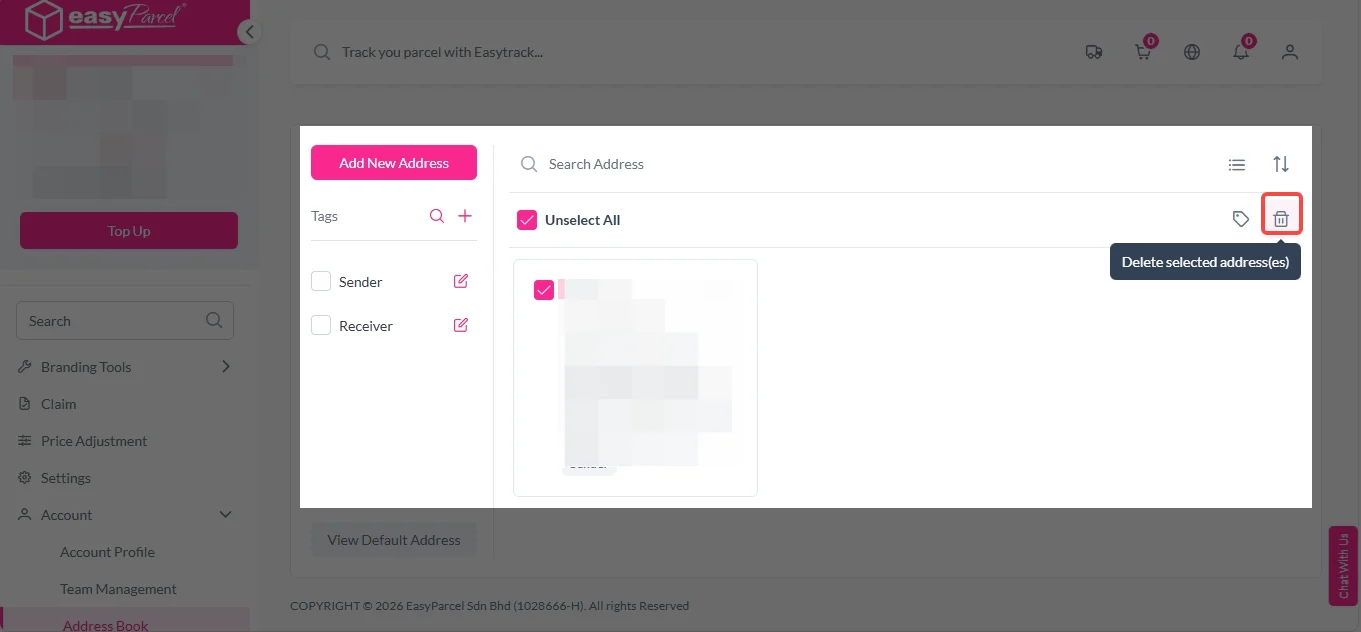
2. Select the contact and click on the “Delete” icon.

nextgen-address book 9

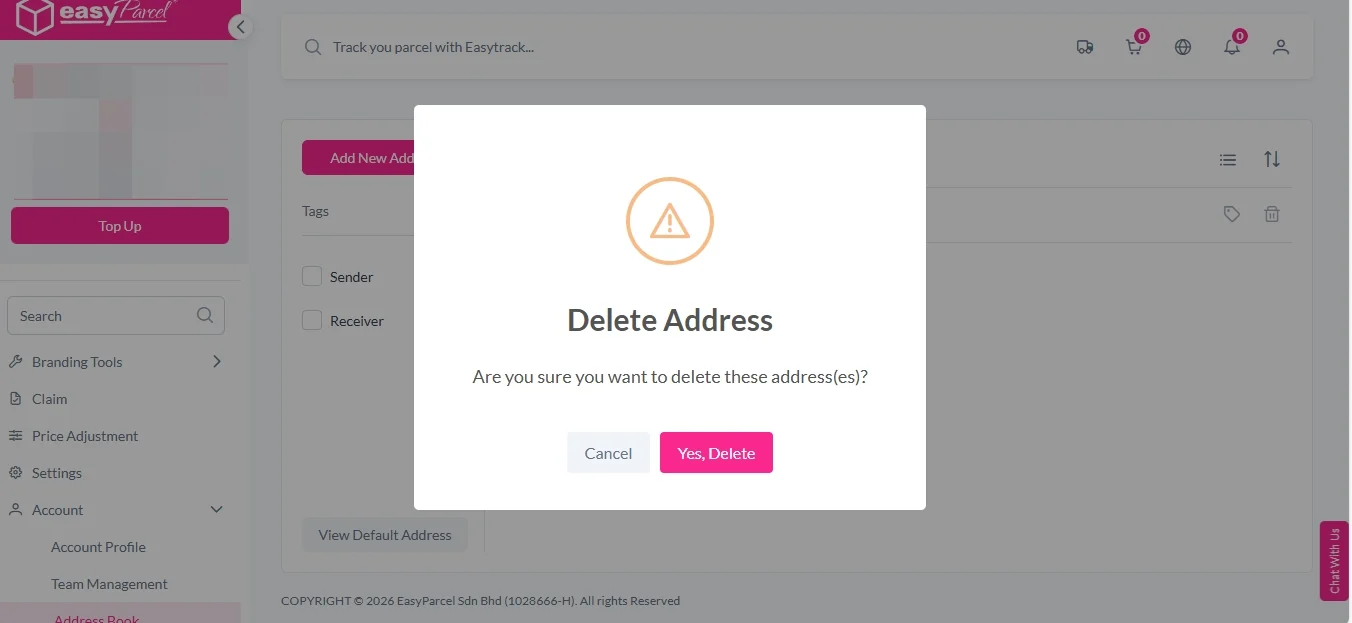
3. Click on “Yes, Delete” to proceed. 

nextgen-address book 10

Frequently Asked Question (FAQs)

What is the Address Book feature in EasyParcel Next Gen?
It allows users to store and manage sender and receiver addresses for quicker shipment booking.
Can teams share saved addresses?
You can set the permission for team members to share address information with simple steps. Authorized team members can access saved addresses to ensure consistent shipping information.
🚨 Campaign Spotlight 🚨

Make it a HorSeh Year! Earn Up to S$2,888 Free Credit & 500,000 Reward Points!

Get ready to supercharge your rewards! For a limited time, join the HorSeh Bonanza to score up to 500,000 Reward Points and up to 2,888 Free Credits on your shipments. Stack them up and get these legendary rewards—from the latest iPhone 17 and PS5 PRO to the Nintendo Switch 2! Your shipping just became your biggest shopping spree! Plus, enjoy an extra 1% Free Credit on top-ups of S$1,000 or more via offline bank transfer. Top up now before 28th February 2026 to keep your business HorSeh!

Haven’t Join EasyParcel?​

Shipping newbie? No worries! EasyParcel welcomes you with a sweet FREE S$6 for your first shipment. And that’s just the beginning! Sign up today and join the fun!

×