The Bulk Order feature in EasyParcel Next Gen allows businesses to create and process multiple shipments at once instead of booking one by one. Designed for sellers handling high order volumes, it reduces manual workload, speeds up operations, and improves overall shipping efficiency.
Table of Contents
Benefits of Using EasyParcel Next Gen to Send Bulk Parcels
Increase Flexibility
Upload shipment data using any format — no need to download or follow a rigid template, reducing preparation time and formatting errors.
Increase Effectiveness
Support imports of up to 1,000 orders in a single upload, allowing businesses to process large shipment batches quickly and efficiently.
Steps to Send Bulk Parcels on EasyParcel Next Gen
Step 1: Login EasyParcel Account
Visit EasyParcelofficial website, and Login EasyParcel account.
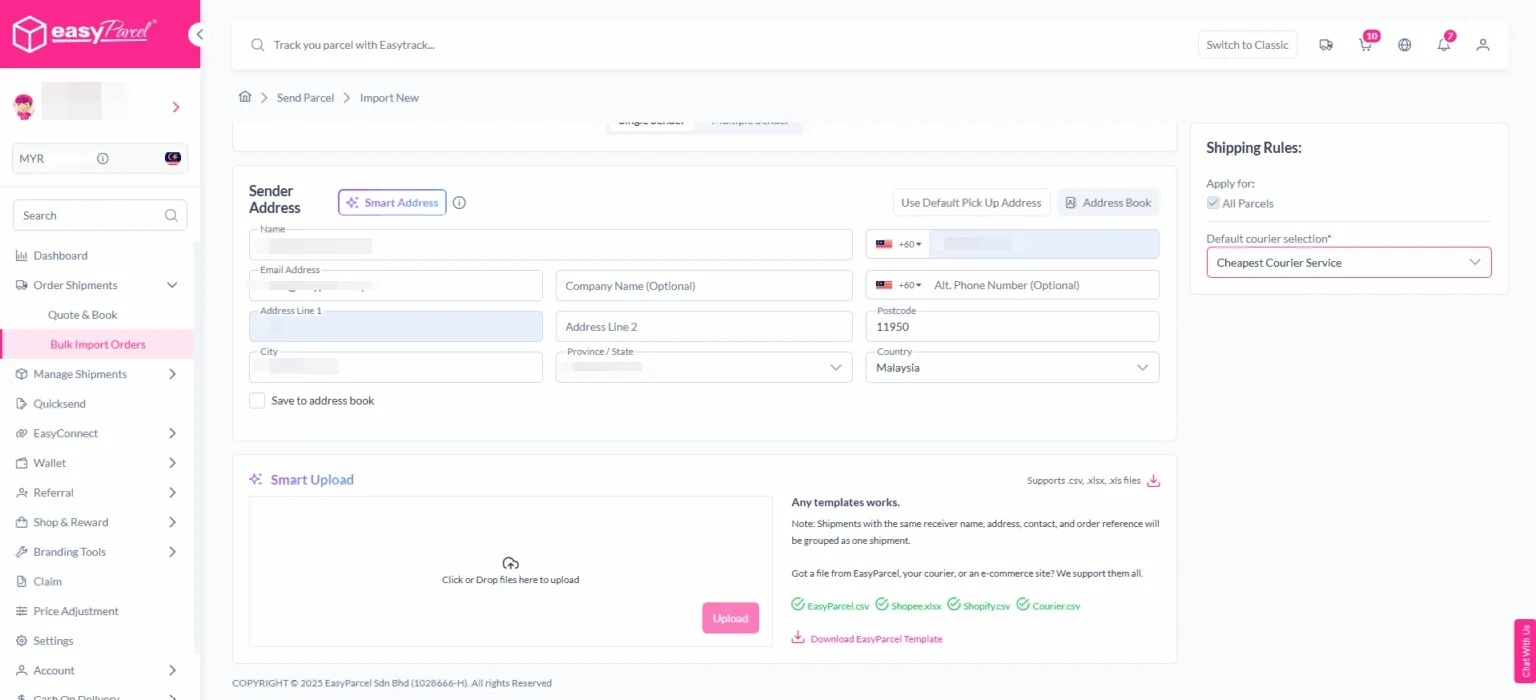
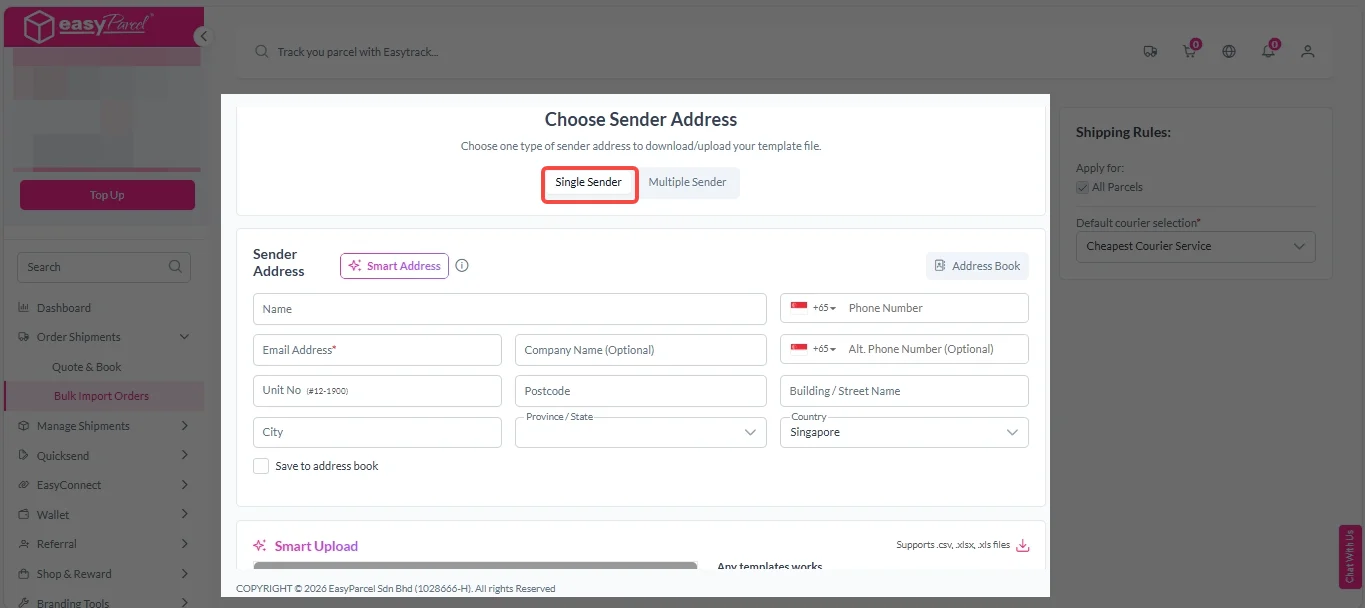
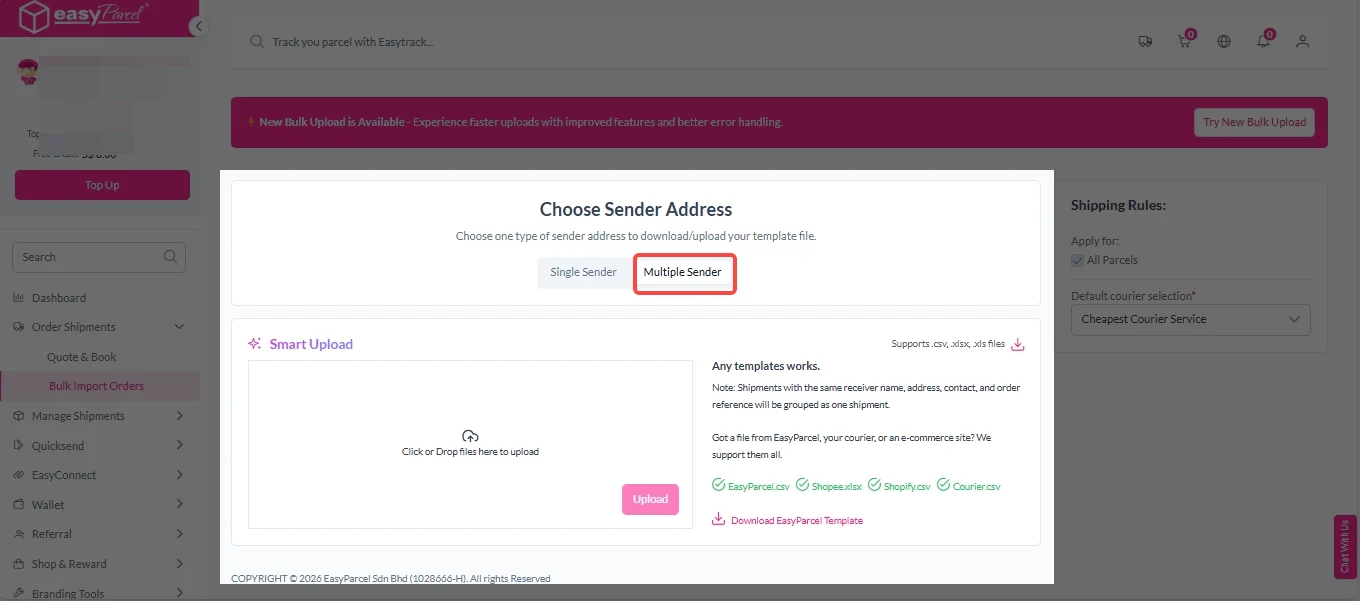
Bulk orders can be imported in two ways — Single Sender (multiple shipments from one sender) or Multiple Sender (shipments from different senders in one upload), giving businesses full operational flexibility. With Smart Upload, EasyParcel automatically reads your uploaded file and fills in all shipment details, so there’s no manual entry needed.
For eCommerce Platform Integration
EasyParcel provide integration with eCommerce platforms such as Shopify and WooCommerce. Once a customer places an order, the integration supports automatic order fulfillment, streamlining your shipping process.
If Single Sender
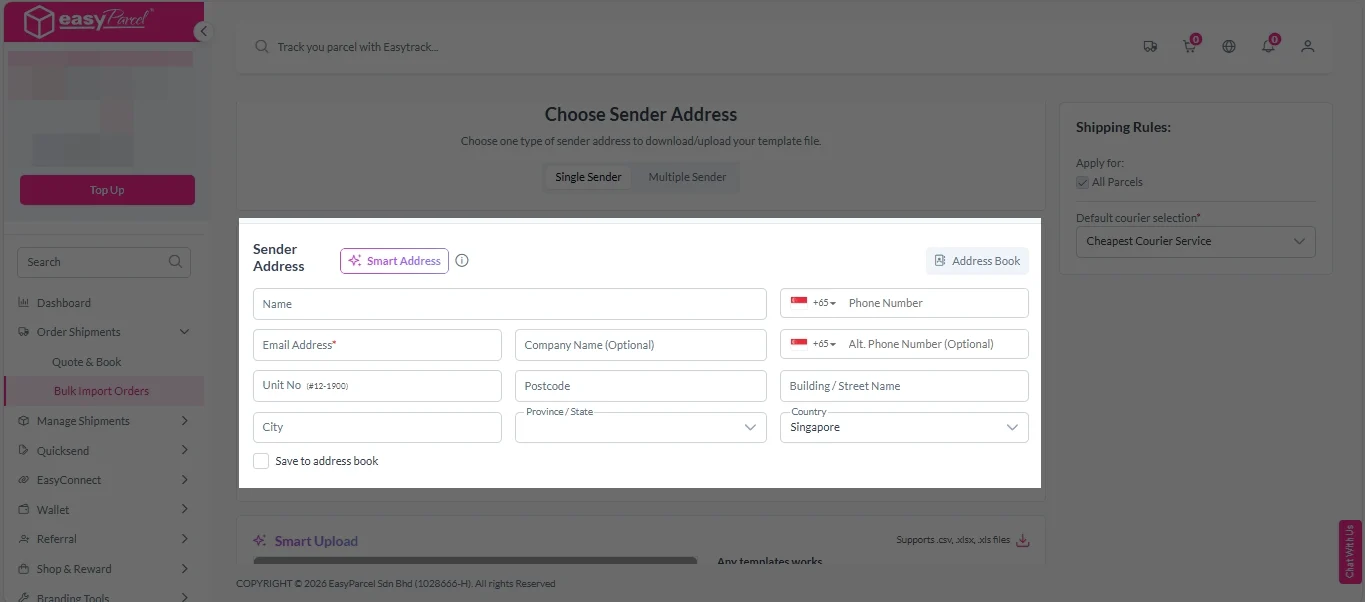
If Single Sender: 1. Click on “Single Sender” tab.
2. Enter sender address.
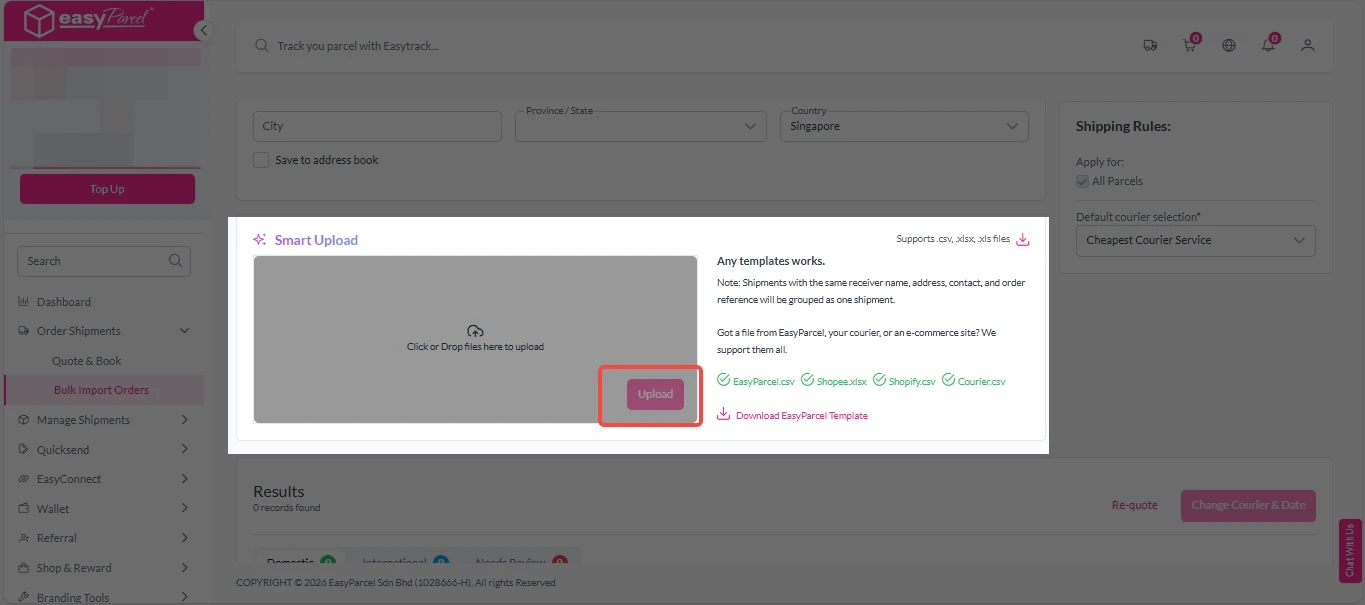
3. Click “Upload” to import your bulk orders into the system.
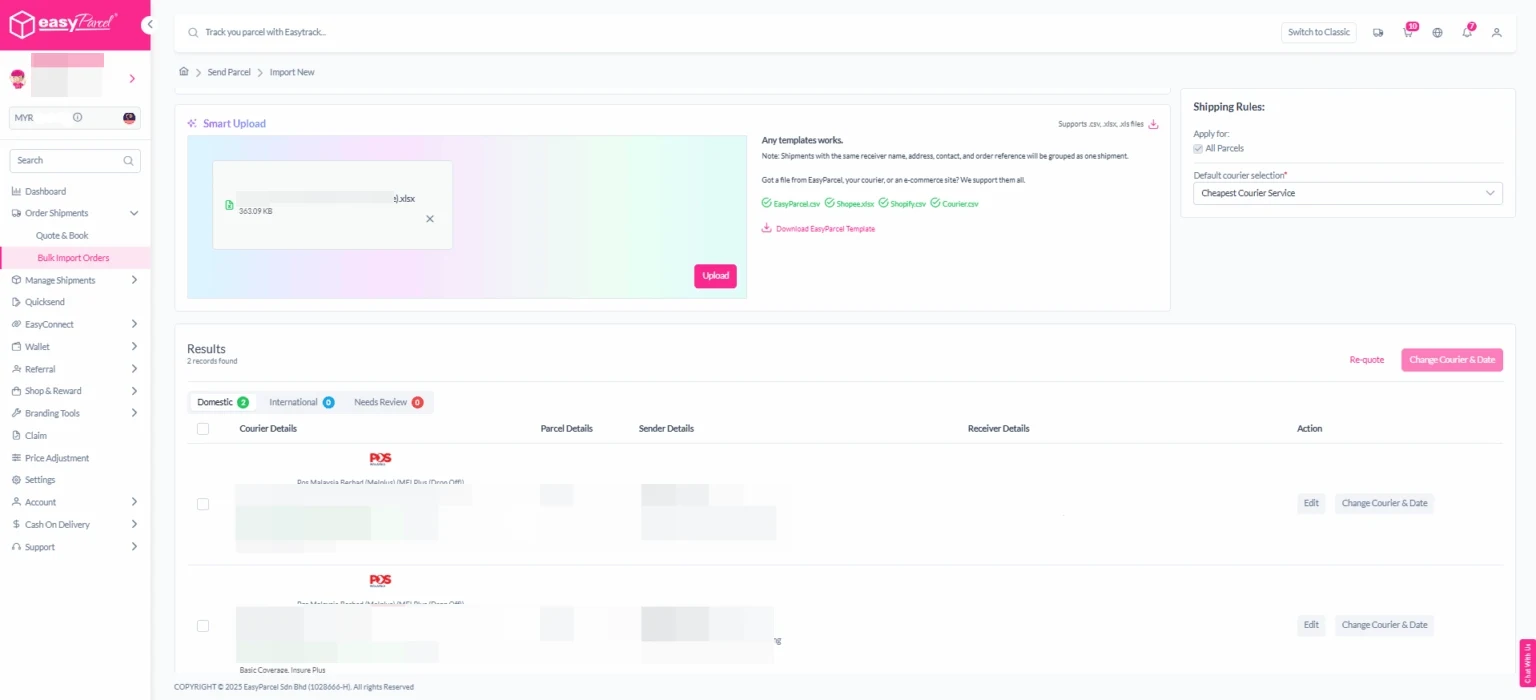
4. EasyParcel Next Gen will automatically read and display your shipment data.
You can review all imported orders before proceeding — ensuring accuracy for each parcel’s details.
If Multiple Sender
If Multiple Sender: 1. Click on “Mutiple Sender”tab.
2. Click “Upload” to import your bulk orders into the system.
3. EasyParcel Next Gen will automatically read and display your shipment data.
You can review all imported orders before proceeding — ensuring accuracy for each parcel’s details.
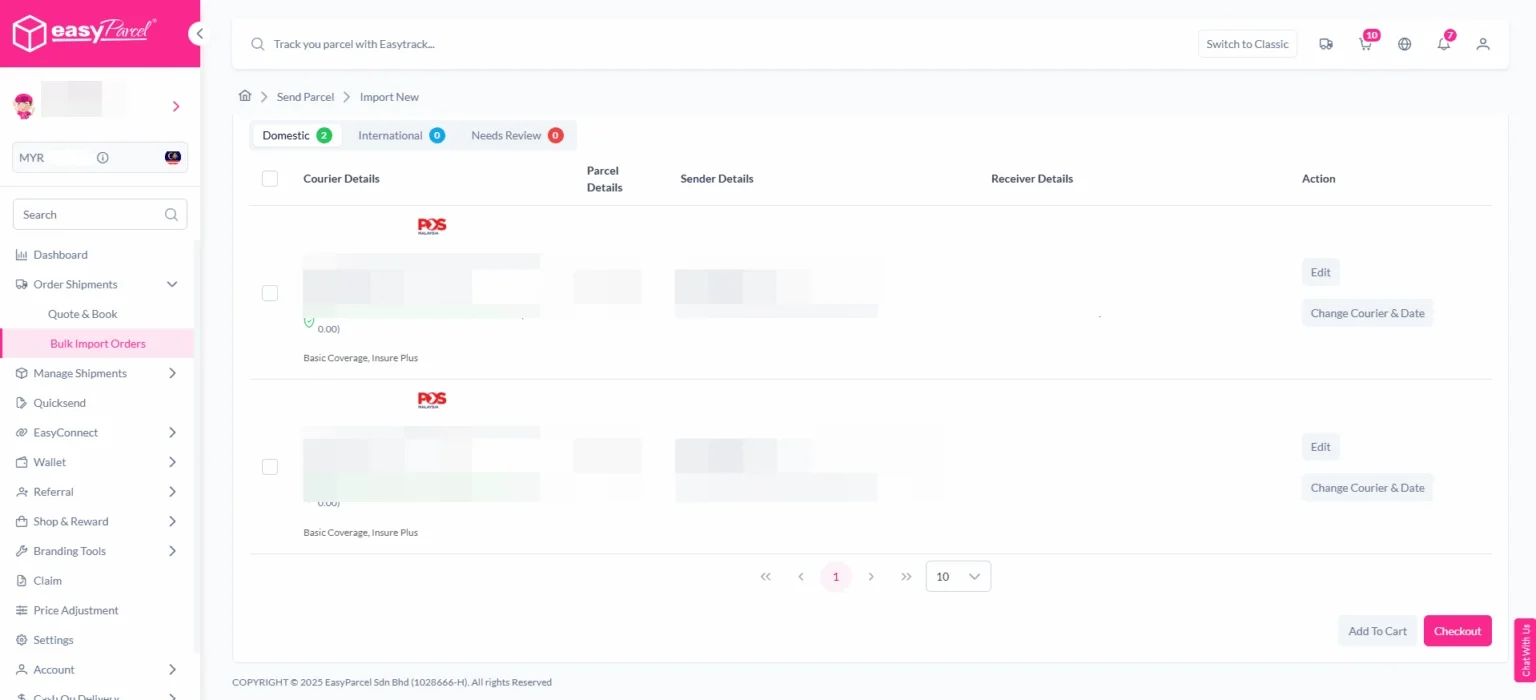
Step 4: Review and Check Information
Review all information including courier details, parcel details, sender details and sender details.
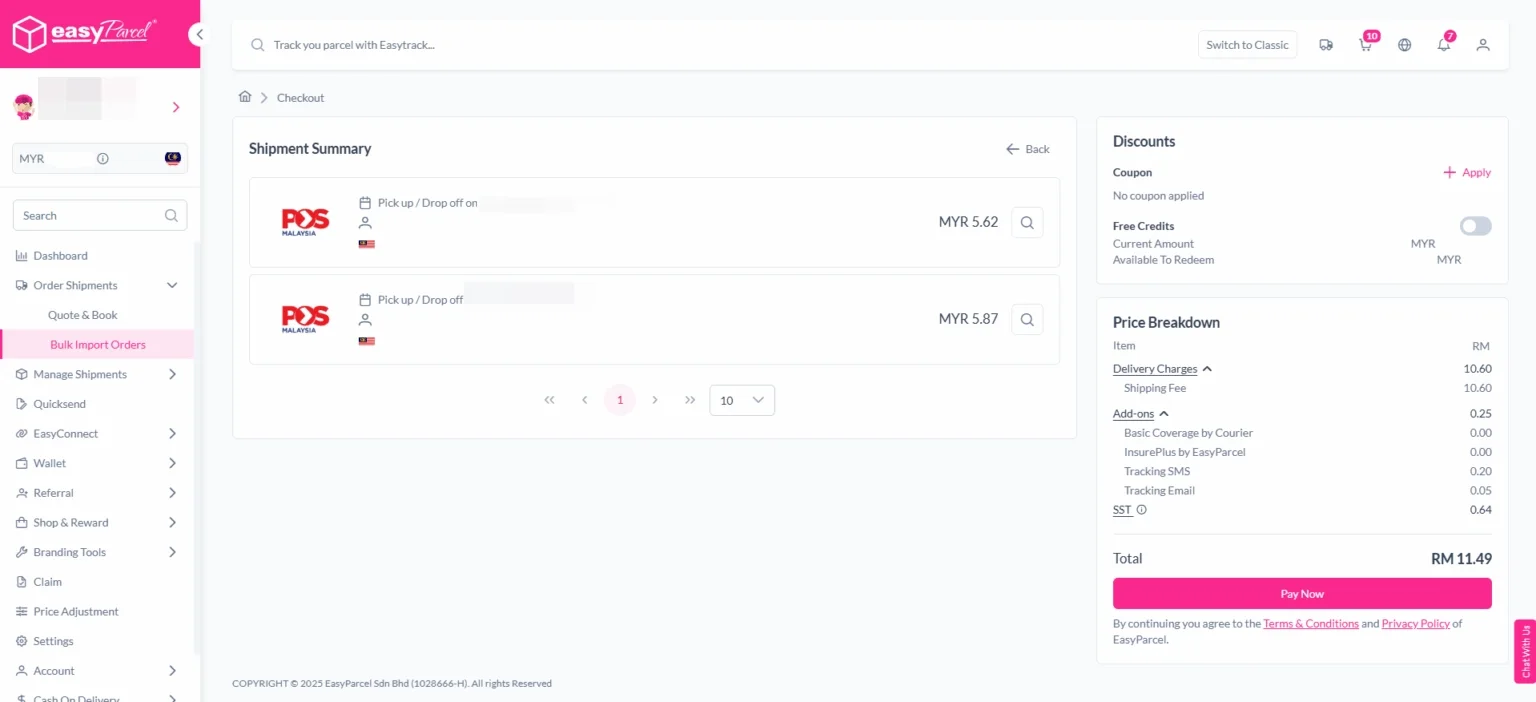
Step 5: Make Payment
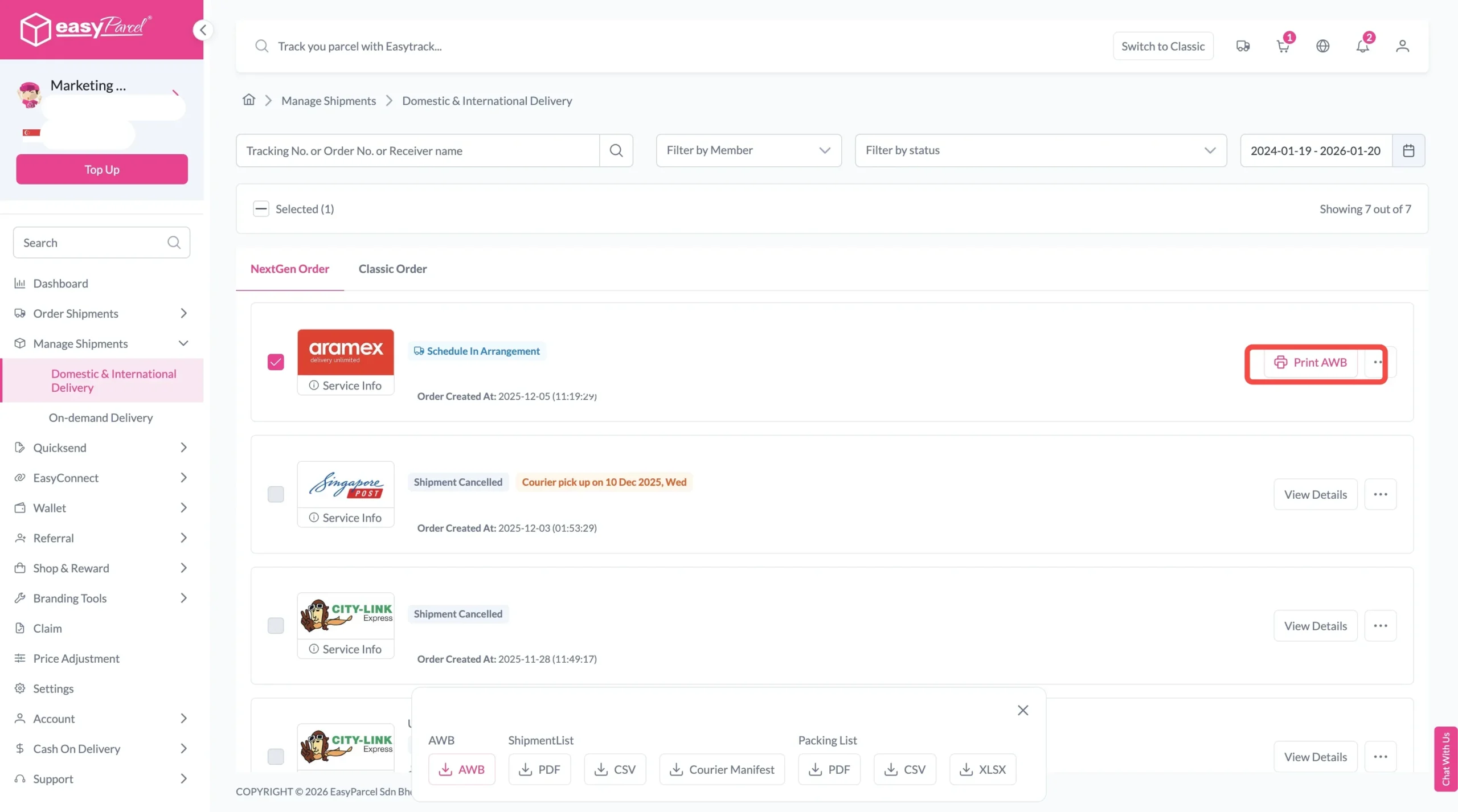
After confirming all the information, select the orders you want to confirm and click “Pay Now.”
A bulk shipment refers to sending multiple parcels or large-volume orders at the same time instead of booking them individually. You can book bulk shipment order via EasyParcel.
How to ship bulky items?
You can ship bulky or multiple items efficiently by using EasyParcel’s bulk upload feature. Simply upload the template file to import bulk orders, and the system will automatically detect and fill in the shipment details without manual typing or booking orders one by one.
Boost Your Rezeki with up to 500,000 Reward Points + S$2,888 Bonus Credits!
Celebrate the festive season with rewards designed to help your business grow stronger and bigger this Raya! 💚✨ With the Raya Power Boost, when you top up, you’ll earn up to S$2,888 Bonus Credits and 500,000 Reward Points, depending on your top-up amount. Don’t miss out — this exclusive Raya Power Boost runs only until 31st March 2026, 11:59PM!
Create your free account today and receive S$6 shipping coupon to start saving from your very first parcel. Compare courier rates, book in minutes, and start saving immediately.