The Coupon feature in EasyParcel Next Gen allows users to apply shipping discounts instantly during booking. Instead of manually calculating reduced rates, eligible coupon codes are automatically reflected in the shipment cost — making the checkout process faster, clearer, and more cost-efficient for businesses managing regular shipments.
Table of Contents
How to Get Promo Codes?
EasyParcel coupons can be obtained by:
signing up for a new account (Get Free $6SGD shipping coupons)
participating in marketing campaigns
How to Claim Your Coupon?
Way 1: Enter Coupon Code
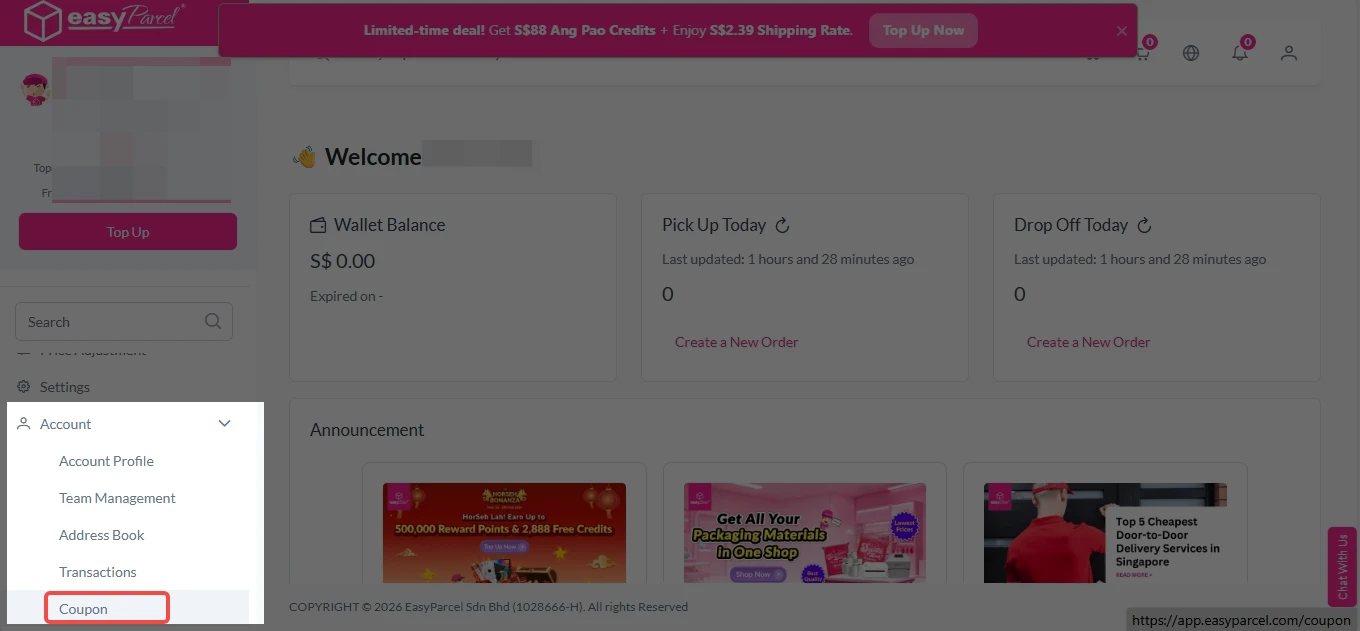
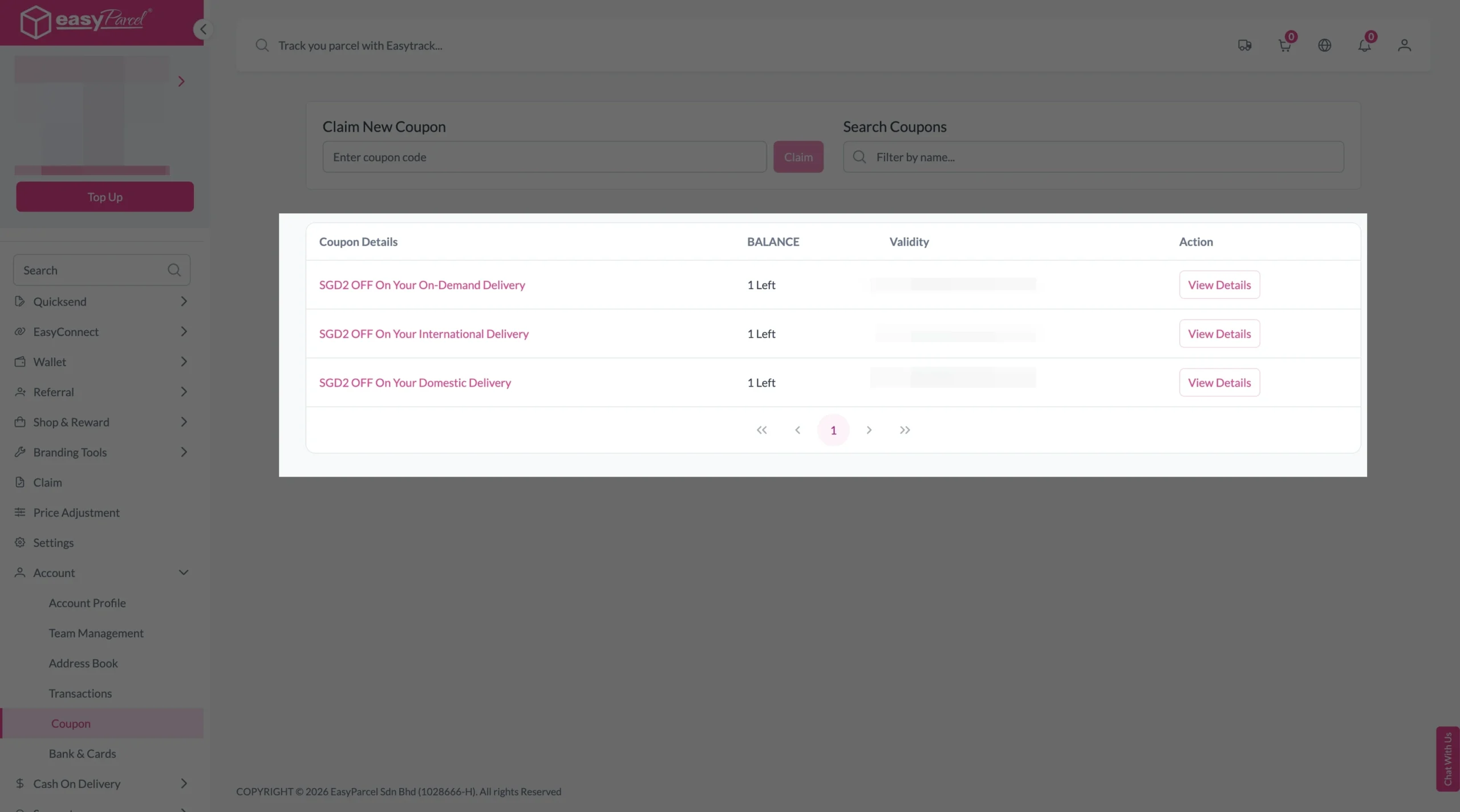
Step 1: Login EasyParcel account, under “Account”, click on “Coupon“.
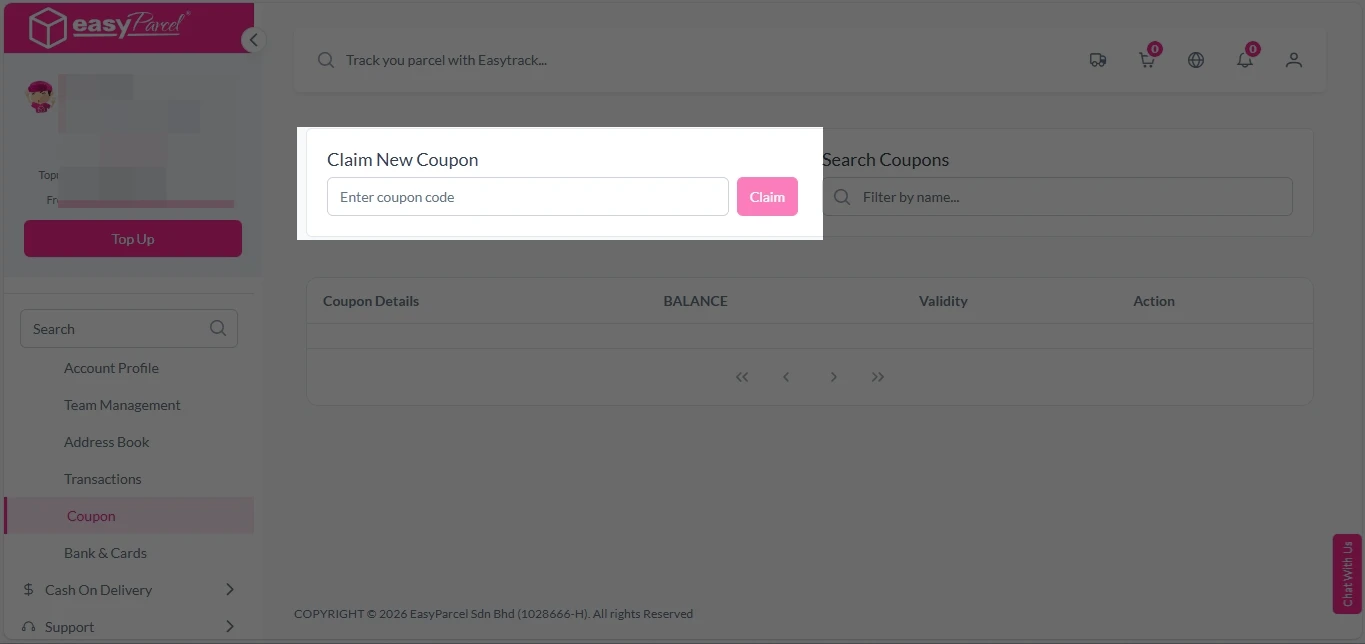
Step 2: Enter coupon code and press “Claim” button.
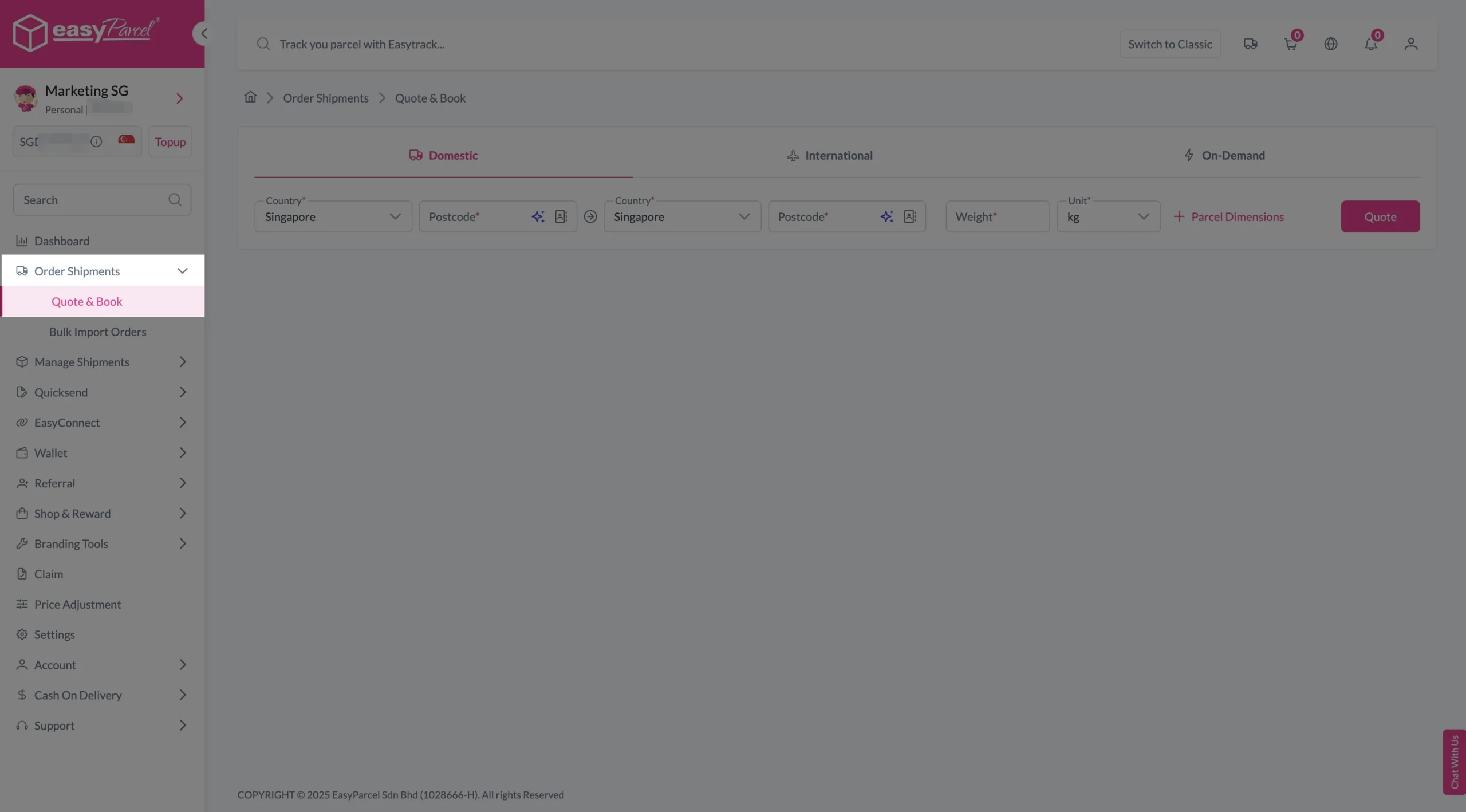
Step 1: LoginEasyParcel account, under “Order Shipments”, click on “Quote & Book“.
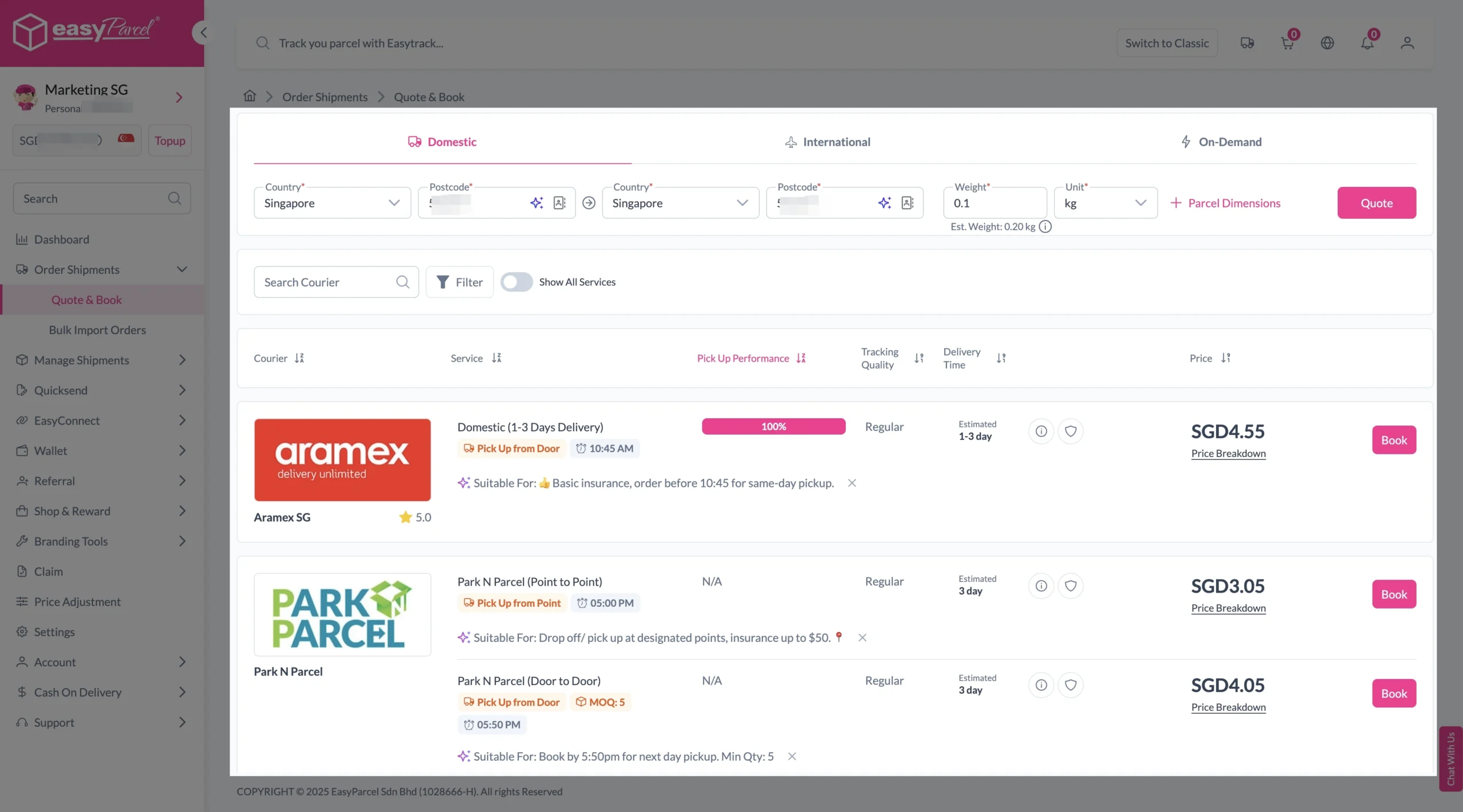
Step 2: Fill origin country with postcode, destination country with postcode, and parcel weight. Click on “Quote” and a list of courier rates will appear below, as shown in the image. Select preferred courier service and click on “Book”.
Step 3: Fill sender and receiver details. Double-check all details and click “Checkout”.
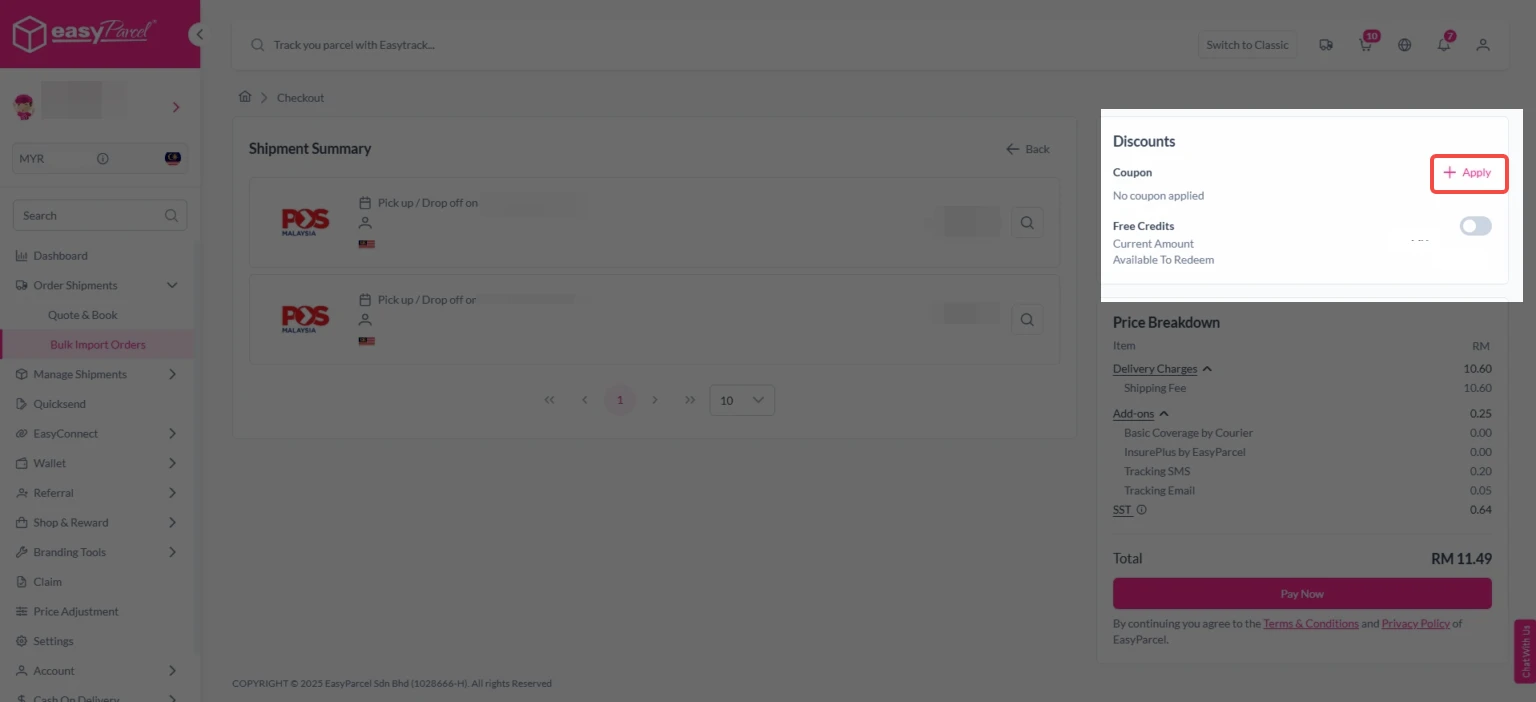
Step 3: Click “+ Apply” to apply coupon before continuing to pay. Choose your preferred coupon and apply it.
Note: Coupon code is not applicable for on demand shipments.
A coupon code is a combination of letters or numbers used to receive a discount or special offer when making a purchase. Each code comes with its own terms, conditions, and expiry date set by the retailer or business.Sign Up EasyParcel Account now to get Free SGD6 shipping coupons.
How long do coupons last?
Coupon validity on EasyParcel depends on the promotion’s terms and conditions. You can check the expiry date by logging into your EasyParcel account and visiting the Coupon page.
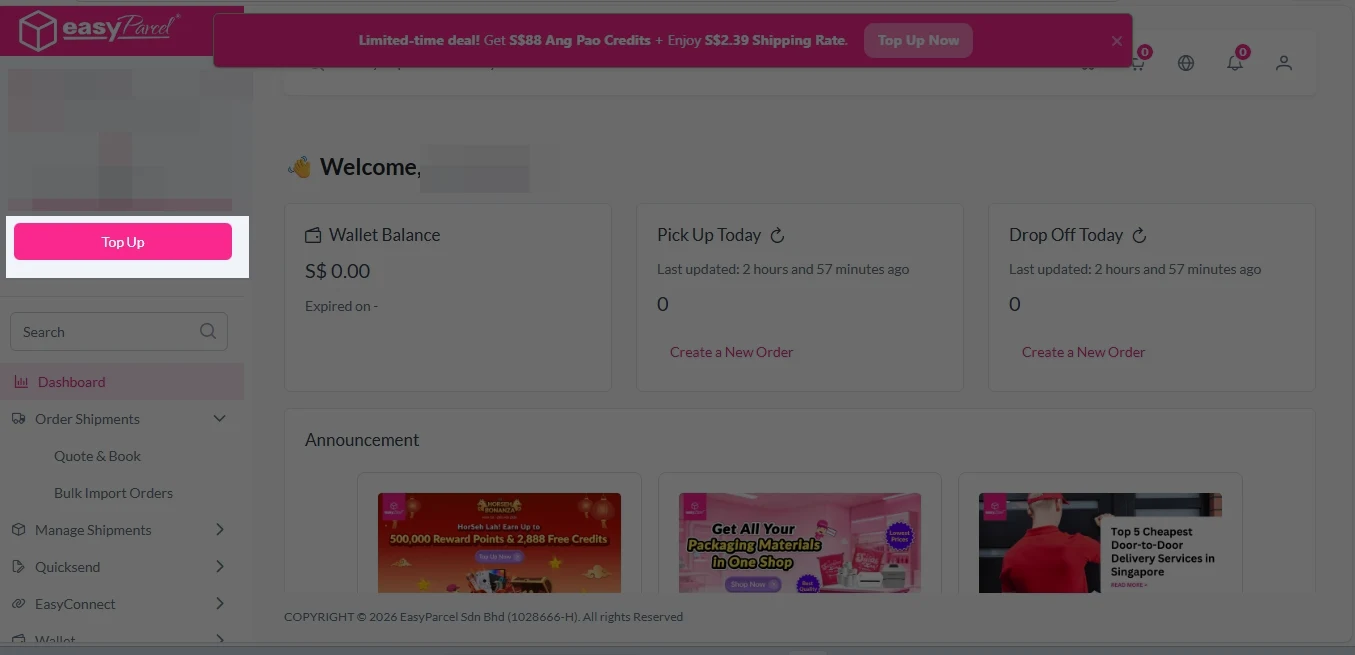
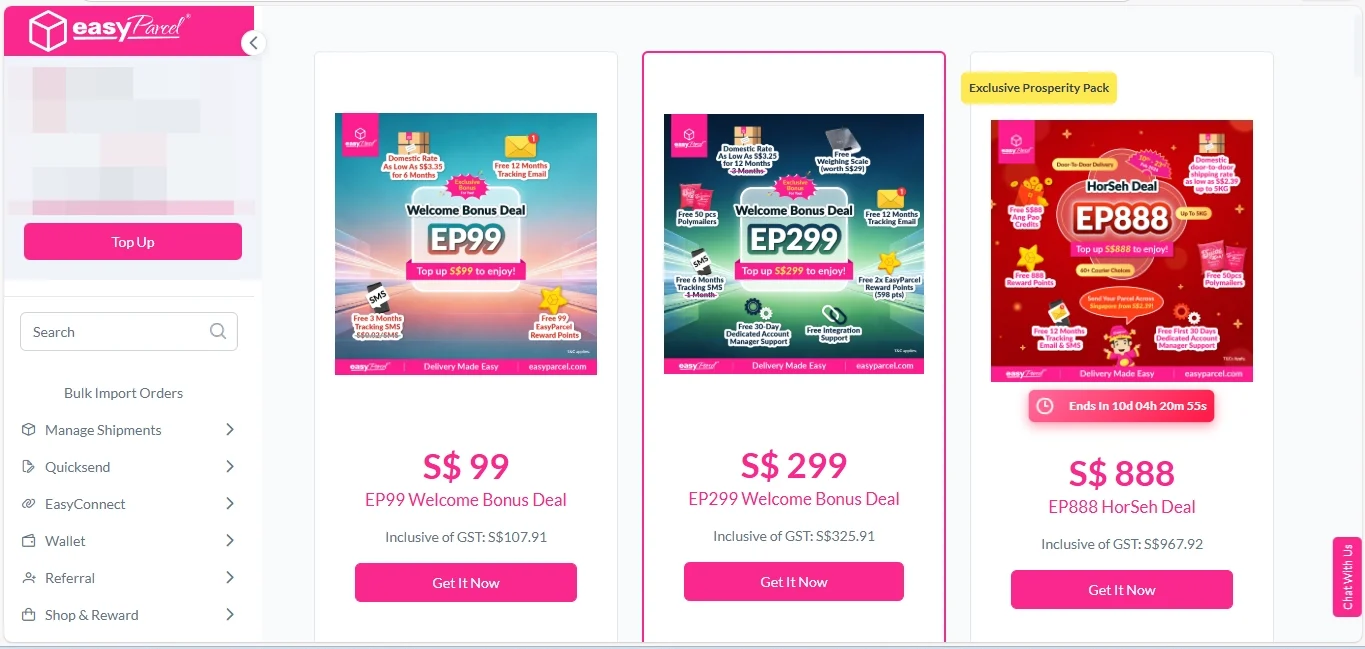
Boost Your Rezeki with up to 500,000 Reward Points + S$2,888 Bonus Credits!
Celebrate the festive season with rewards designed to help your business grow stronger and bigger this Raya! 💚✨ With the Raya Power Boost, when you top up, you’ll earn up to S$2,888 Bonus Credits and 500,000 Reward Points, depending on your top-up amount. Don’t miss out — this exclusive Raya Power Boost runs only until 31st March 2026, 11:59PM!
Create your free account today and receive S$6 shipping coupon to start saving from your very first parcel. Compare courier rates, book in minutes, and start saving immediately.