Best Courier Delivery Agency for High Volume & Bulk Orders

Best Courier Delivery Agency for High Volume & Bulk Orders

Processing hundreds of orders manually is a nightmare – copying addresses, entering details, printing labels one by one. For high-volume sellers, this eats up hours daily.

The best courier delivery agency for bulk orders combines the right delivery partner with smart management tools. This blog covers Lalamove for bulk parcel delivery and EasyParcel’s bulk upload for efficient processing.

Table of Contents

Lalamove: The Best Courier Delivery Agency for Bulk & High Volume Parcels

Courier
Service Name
Price From
Delivery Duration
Max Weight and Dimension
More Details
lalamove-logo Lalamove
Motorcycle
Base fare S$9 (under 1km) + S$0.35/km (first 10km) + S$0.40/km (> 10km)
The delivery time frame will vary according to the sender and receivers location.
Max Weight: 8kg
Max Dimension:
40cm x 40cm x 40cm
Car
Base fare S$12 (under 1km) + S$1.00/km (first 10km) + S$0.45/km (> 10km)
Max Weight: 20kg
Max Dimension:
50cm x 50cm x 50cm
Van
Base fare S$26 + S$0.50/km
Max Weight: 500kg
Max Dimension:
170cm x 100cm x 120cm
Lorry 10 ft
Base fare S$42 + S$0.75/km
Max Weight: 1000kg
Max Dimension:
290cm x 150cm x 150cm
Lorry 14ft
Base fare S$79 + S$0.75/km
Max Weight: 2500 kg
Max Dimension:
420cm x 200cm x 200cm

Ready to Simplify Your Bulk & High Volume Orders?

Use Lalamove for physical delivery and EasyParcel for order management – the perfect combination for bulk shipping success.

EasyParcel Bulk Upload: Process Up to 1,000 Orders Instantly

While Lalamove handles the physical delivery, EasyParcel handles the logistics management. Our Bulk Upload feature lets you process hundreds of shipments in minutes, regardless of which courier you choose – including Lalamove.

What Is Bulk Upload?

Bulk Upload allows you to upload a spreadsheet (CSV or Excel) containing all your order details – recipient addresses, parcel weights, dimensions, and more. EasyParcel then automatically creates individual shipments for every row in your file.

Step 1: Log In to EasyParcel Next Gen

send-parcel-nextgen-step-1

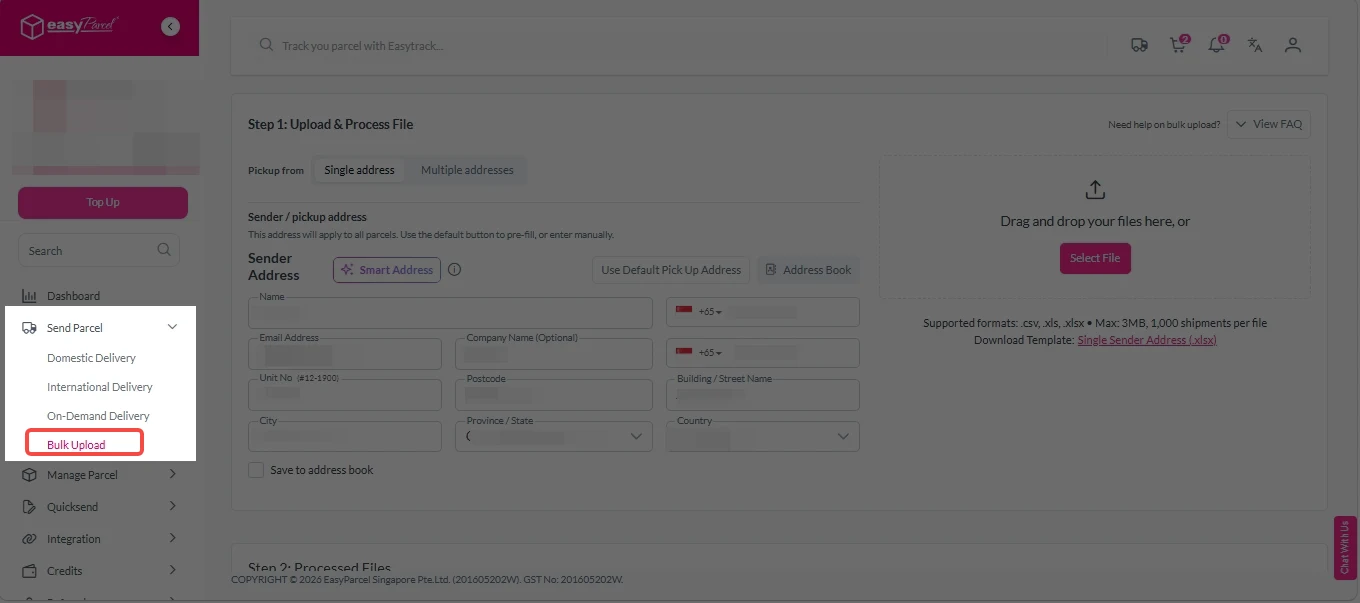
Step 2: Under “Send Parcel”, click on Bulk Upload“. 

Bulk Upload new 1

Step 3: Import Bulk Orders. 

Bulk orders can be imported in two ways — Single Address (multiple shipments from one sender) or Multiple Address (shipments from different senders in one upload), giving businesses full operational flexibility.

Single Address

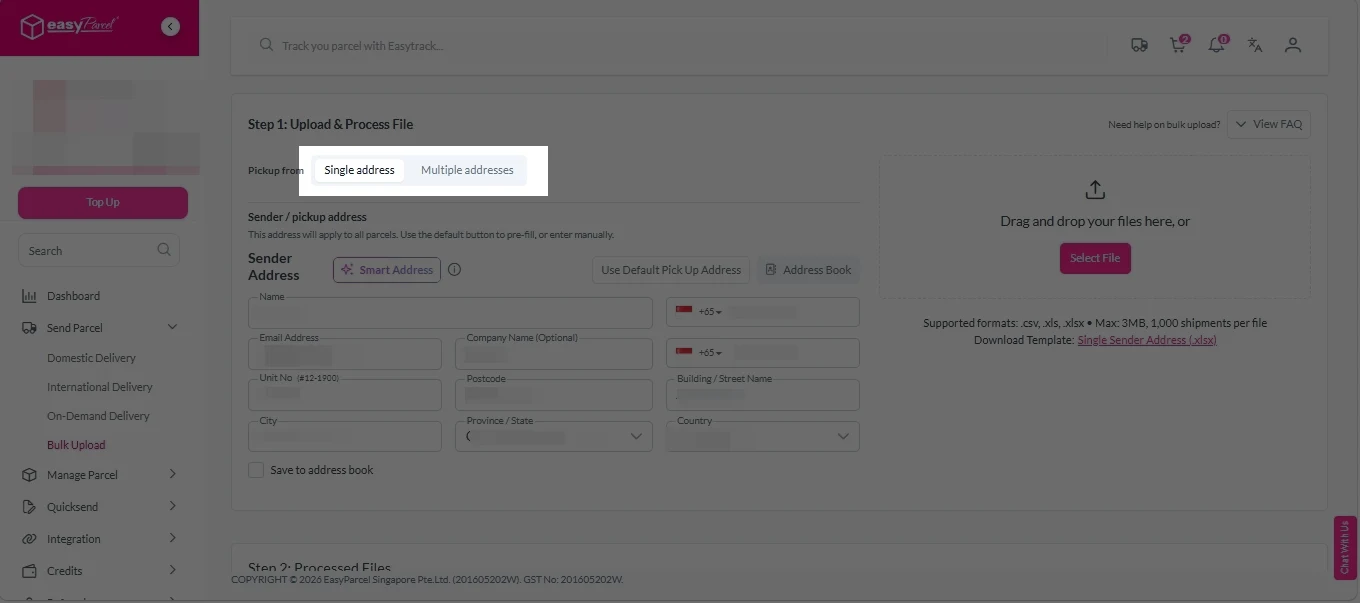
1. Click on “Single address”. 

Bulk Upload new 2

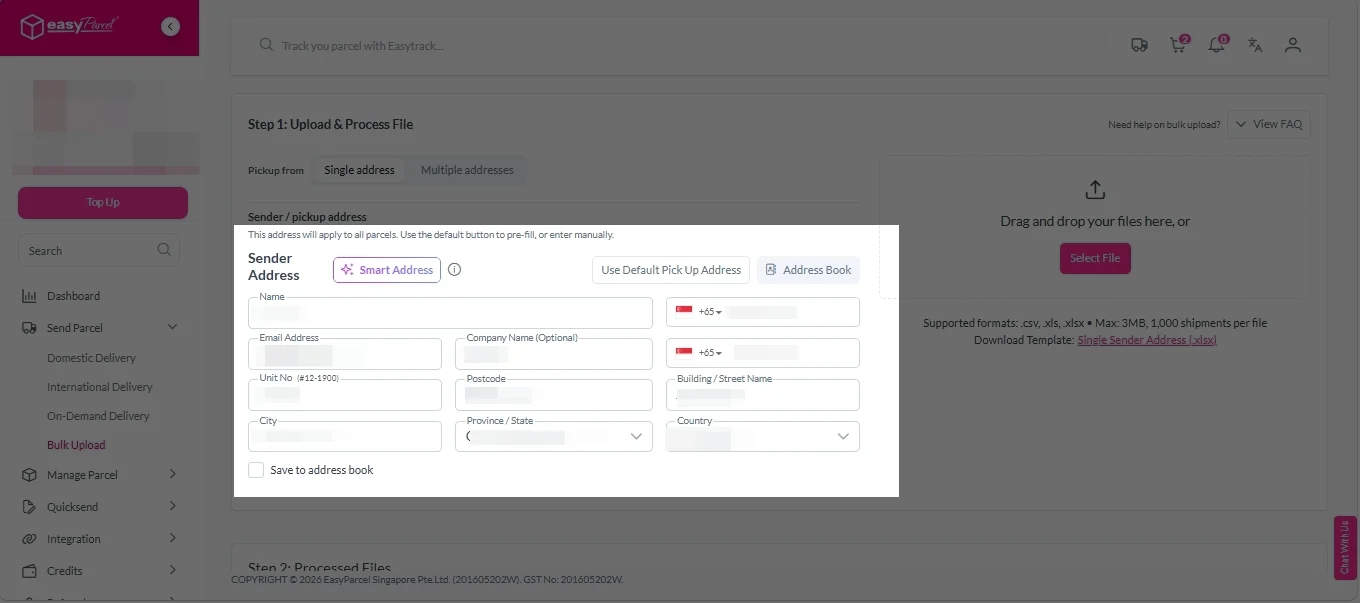
2. Fill in sender address. 

Bulk Upload new 3

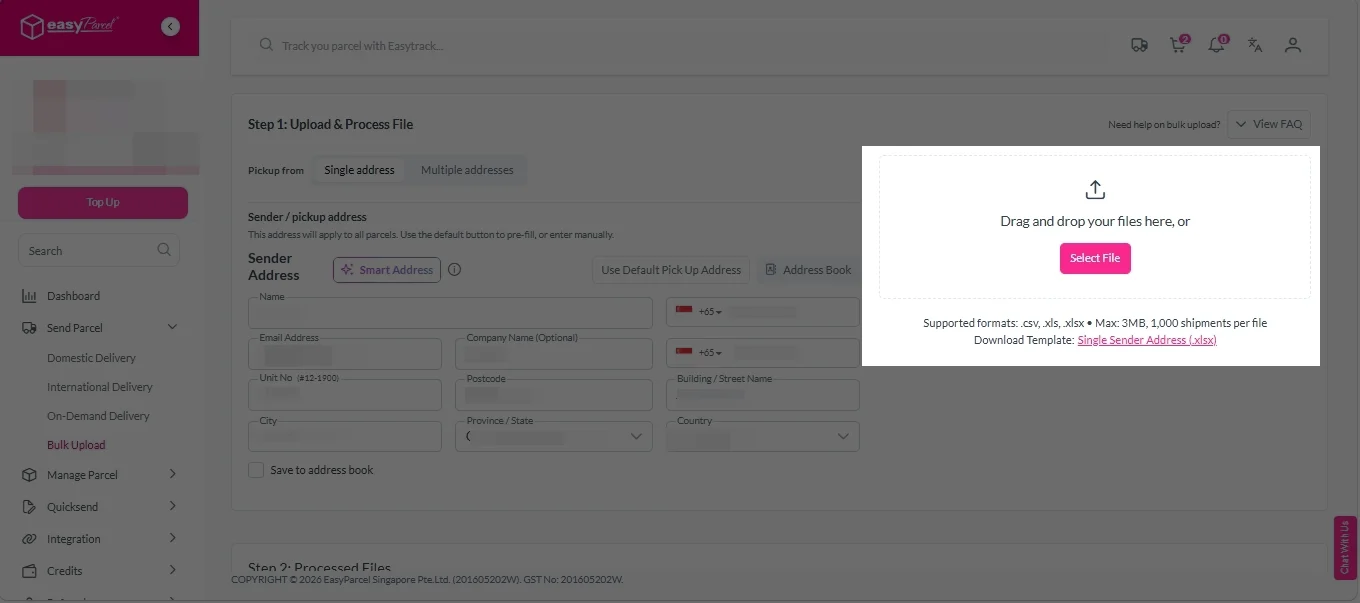
3. Click on “Select Files” to choose files to upload. 
(Optional) Click on Single Sender Address (.xlsx)” to download template. 

Bulk Upload new 4

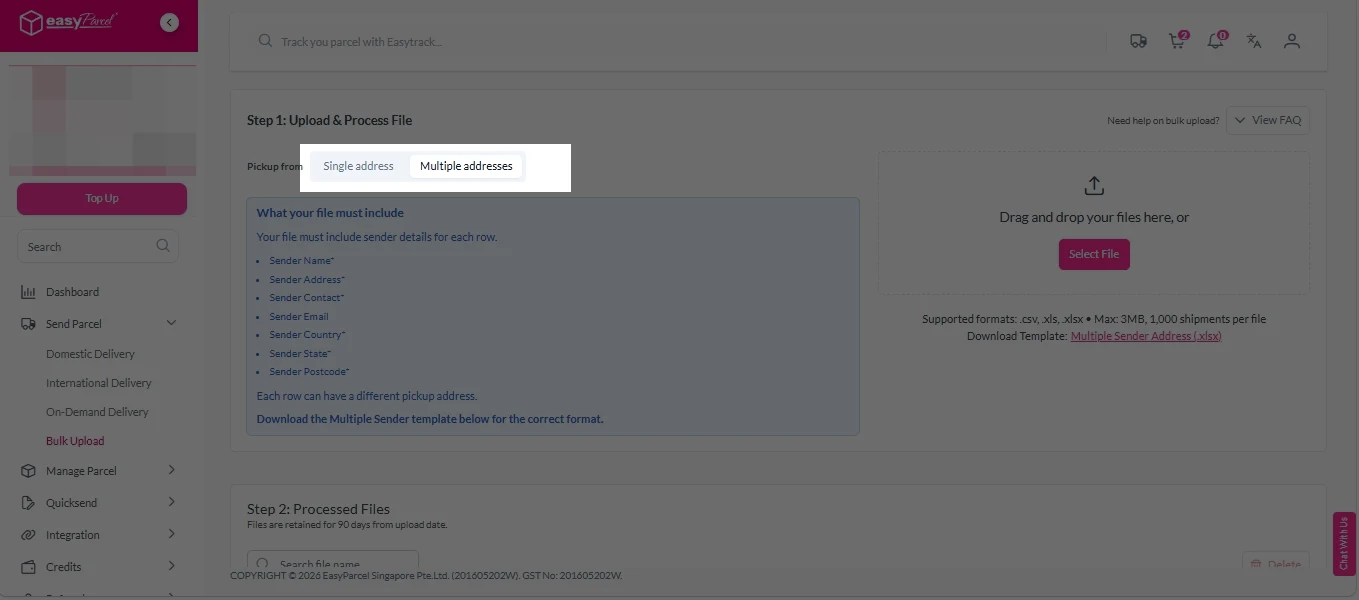
1. Click on “Multiple address”. 

Bulk Upload new 5

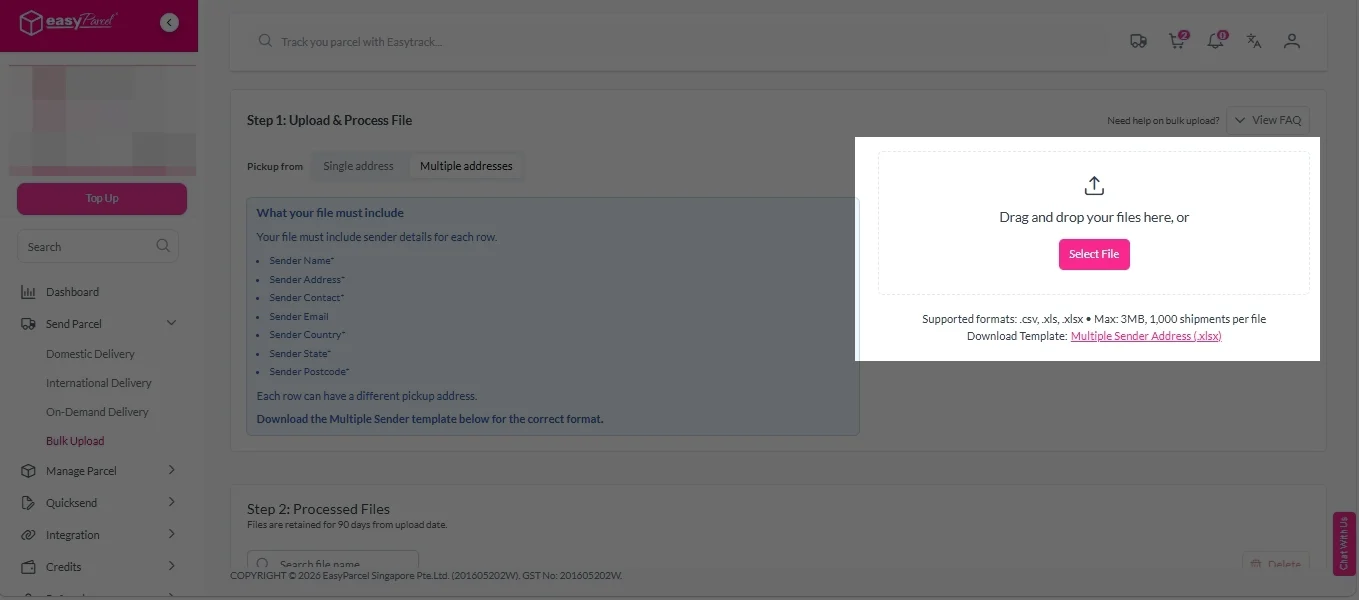
2. Click on “Select Files” to choose files to upload. 
(Optional) Click on Multiple Sender Address (.xlsx)” to download template. 

Bulk Upload new 6

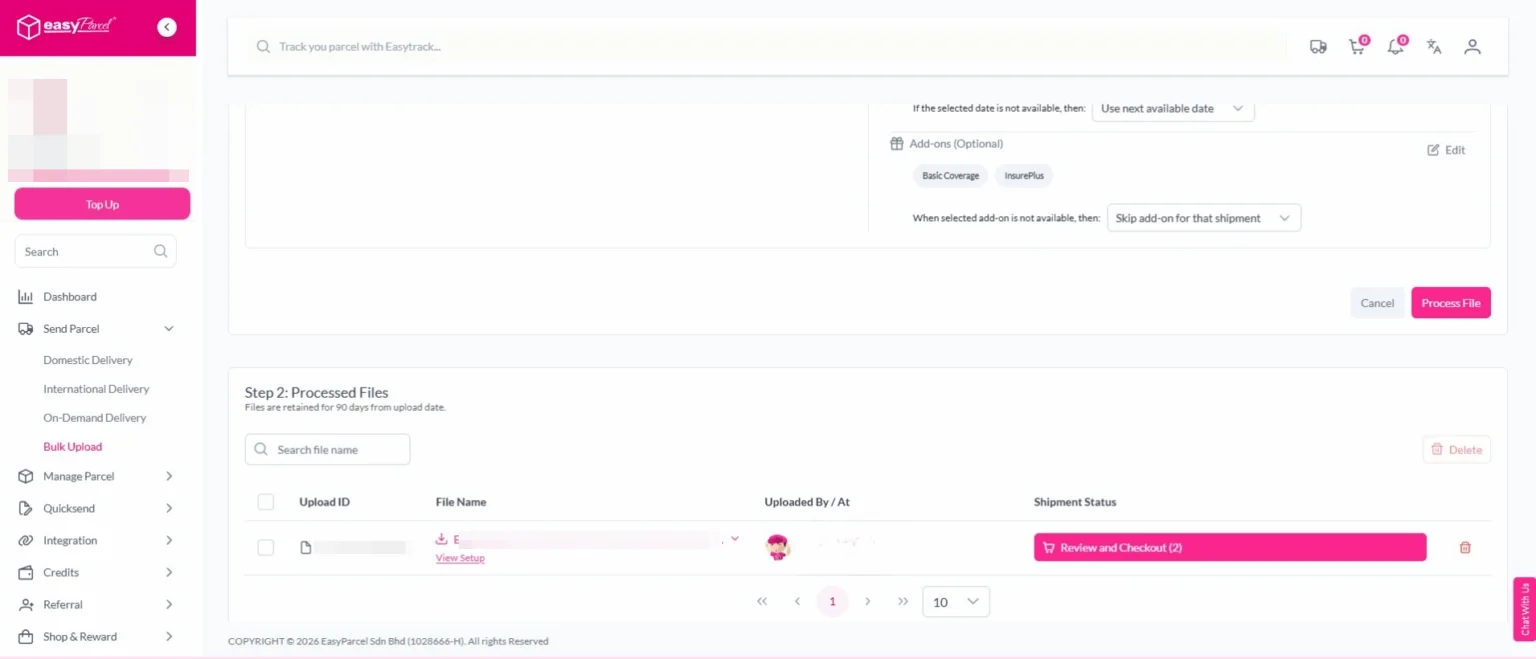
Step 4: Click “Process File” to import your bulk orders into the system. 
EasyParcel Next Gen will automatically read and display your shipment data.
You can review all imported orders before proceeding — ensuring accuracy for each parcel’s details.

Bulk Upload new 8

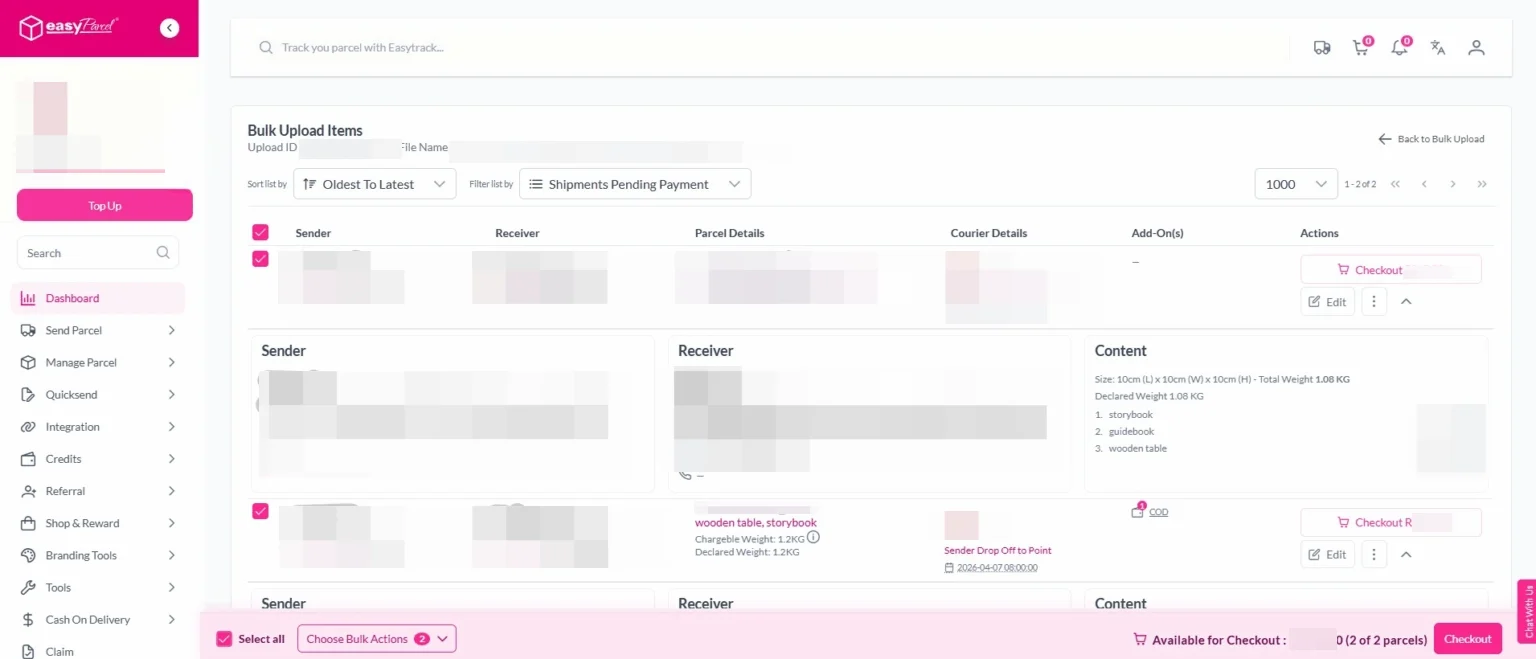
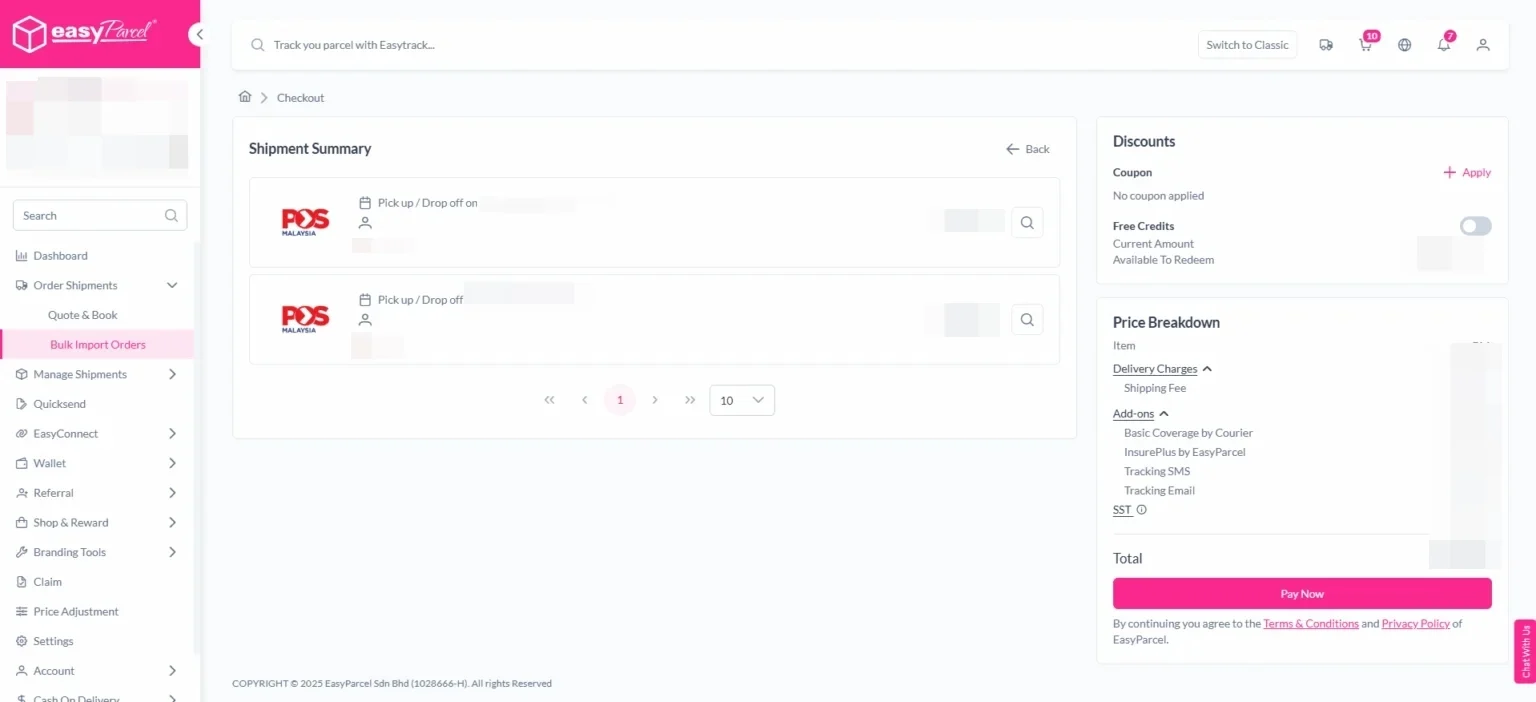
Step 5: Review and Confirm Shipment Details. Then, click on “Checkout” button.  

Bulk Upload new 9

Step 6: Select the orders you want to confirm and click “Pay Now.”

Step 7: After booking, go to “Manage Parcel”, All Parcels  to print your Air Waybills (AWBs).

download AWB

Frequently Asked Question (FAQs)

Which courier delivery agency is best for bulk orders?
Lalamove is the best for bulk delivery with van/lorry options (up to 2,500kg) and multi-stop capability (up to 9 drop off points).
How does EasyParcel help with bulk order management?
EasyParcel's Bulk Upload feature lets you process up to 1,000 orders from a single spreadsheet – no manual data entry required.

Join 1.5 Million Happy Customers & Start Saving

Create your free account today and receive S$6 shipping coupon to start saving from your very first parcel. Compare courier rates, book in minutes, and start saving immediately.
×