When I first started shipping overseas, I honestly thought any international courier service would do the job. As long as the parcel arrived, that was “good enough.”
But after a few unexpected shipping charges, delayed parcels, and frustrated customers asking for updates, I realised I needed something more structured. That’s when I started using EasyParcel to manage my international courier service bookings — and it completely changed how I handle worldwide deliveries.
Table of Contents
Why I Use an International Courier Service via EasyParcel
I ship to customers in different countries every month. Managing rates manually across different courier websites was time-consuming and confusing.
Key features that make a difference:
- EasyCover Protection – Optional protection that covers parcel loss or damage. For high-value international shipments, this is non-negotiable.
- DDP (Delivered Duty Paid) – I can prepay customs duties and taxes, so my customers receive their orders without facing unexpected fees at delivery.
- Volumetric Weight Calculator – No more guessing. I enter my dimensions and see exactly how couriers will charge me.
- Multi-Courier Comparison – I compare SF Express, FedEx, UPS, and others side-by-side to find the best rate and transit time.
Instead of guessing shipping fees, I now make decisions based on real-time comparisons. It gave me control over my logistics — something I didn’t have before.
How I Choose the Right International Courier Service
Not every shipment needs the fastest option. Over time, I developed a simple system when choosing an international courier service through EasyParcel:
- Urgency – If my customer needs it fast, I choose express.
- Budget – For non-urgent parcels, economy options help me save cost.
- Parcel Size & Weight – I always check volumetric weight to avoid surprise charges.
- Destination Country – Some couriers perform better in specific regions.
Because EasyParcel shows all these options clearly, I don’t need to open five different tabs just to compare services. Everything is transparent and organised.
My Steps to Book an International Courier Service
1. Log in EasyParcel account.

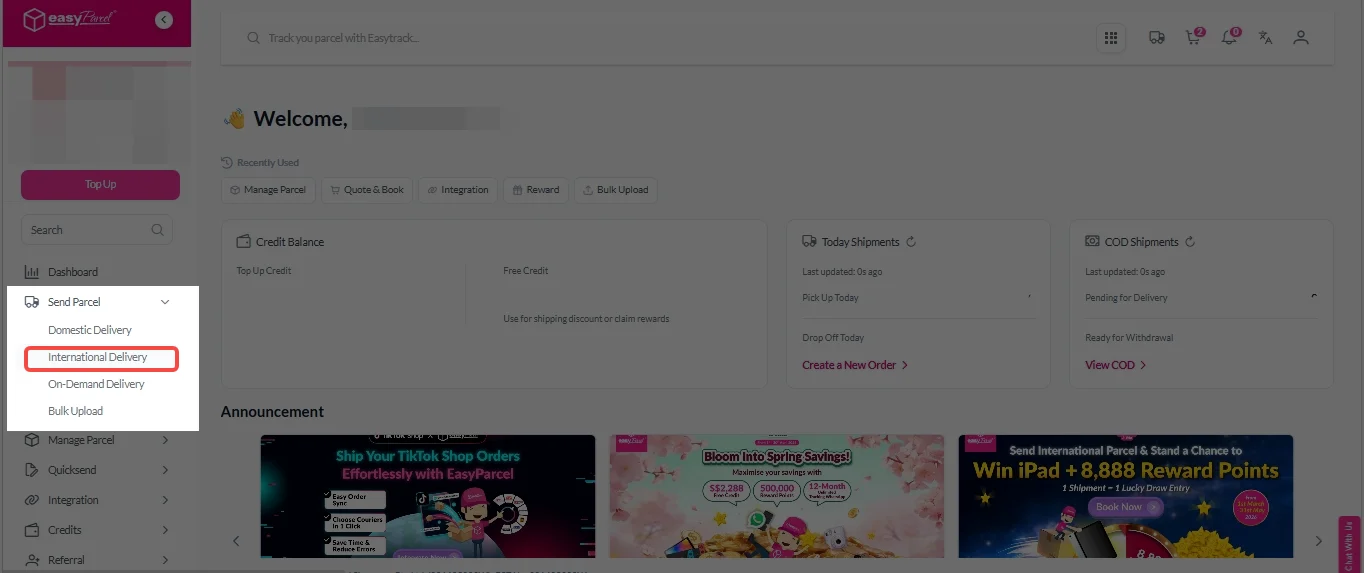
2. Under “Send Parcel”, Click on “International Delivery”.
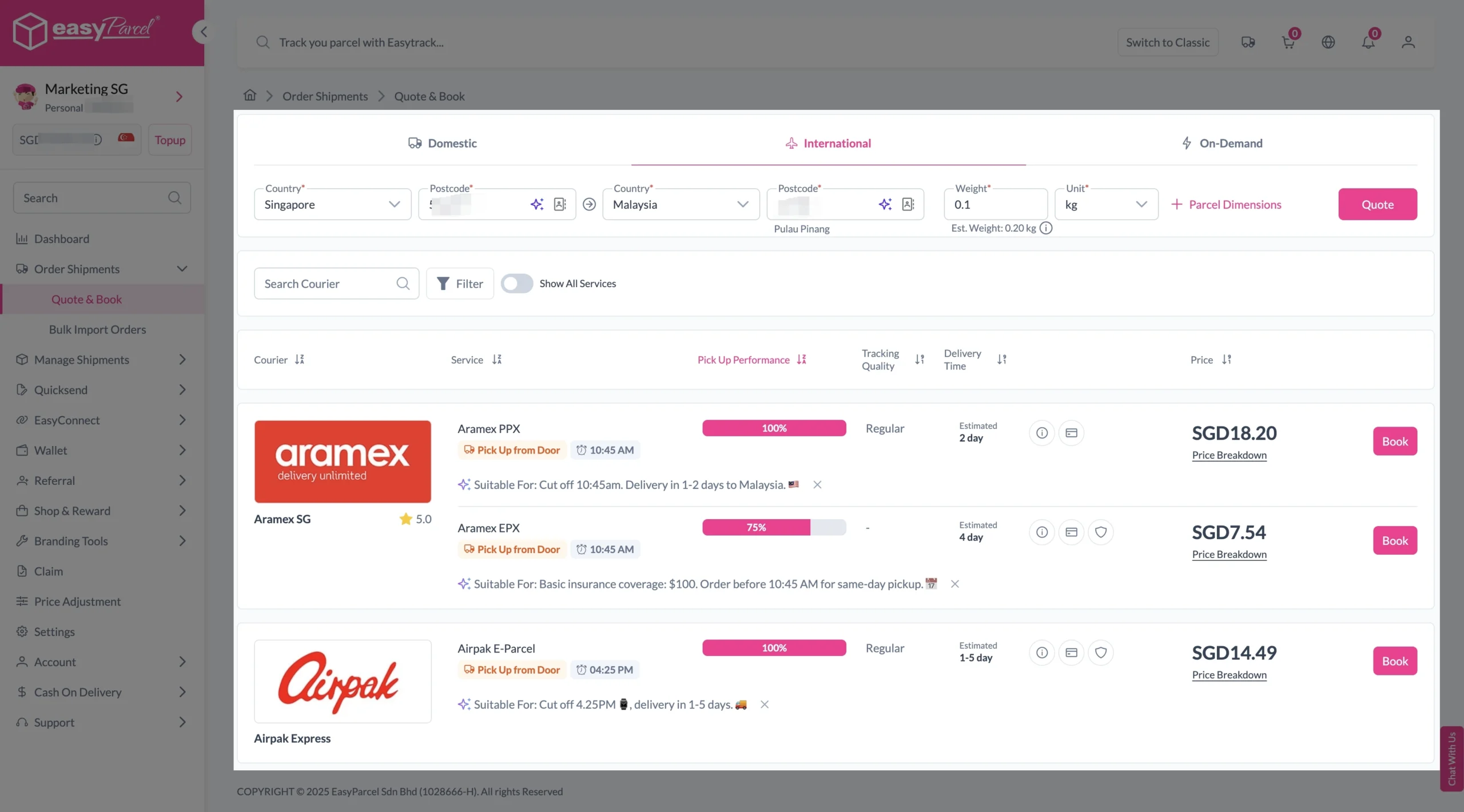
3. Enter details (sender country with postcode, destination country with postcode and parcel weight) and click on “Quote”.
Choose your preferred courier and click “Book Now.”
4. Fill in all details included Sender Details, Receiver Details, Parcel Details and Add-On Services.
Sender and Receiver Details:

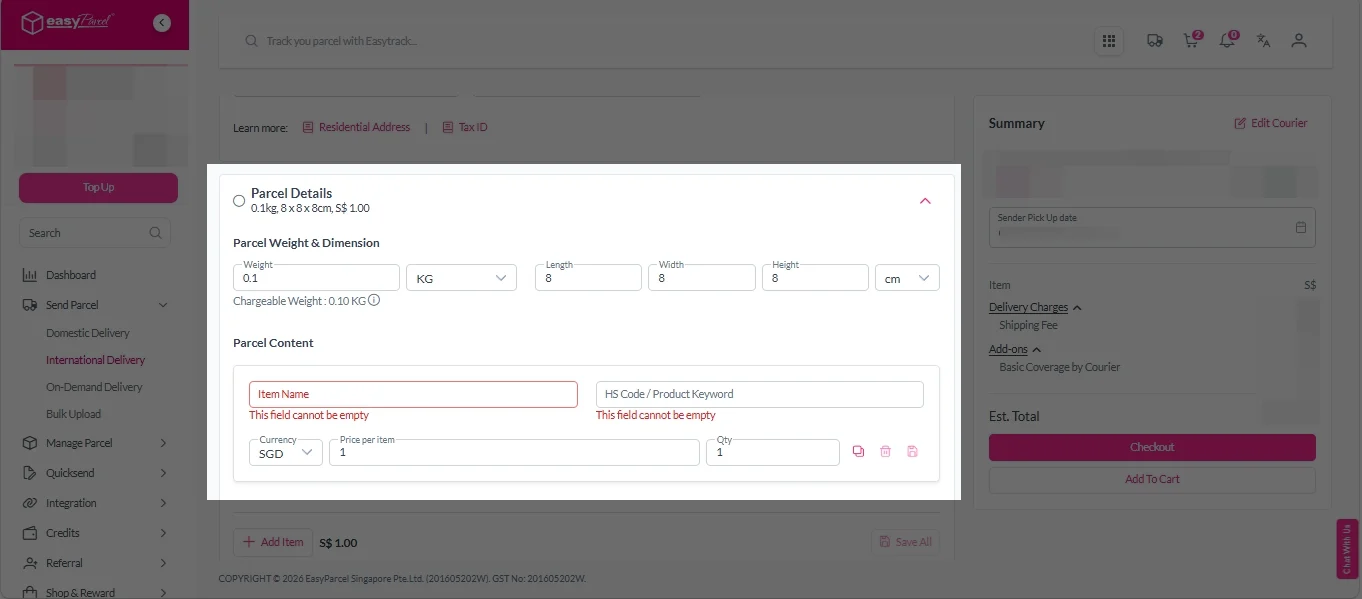
Parcel Details:
Enter the actual weight, dimension and content of your parcel.
Parcel Content:
Fill in your item name. Then, choose your item category from the dropdown menu. The HS code will be auto generated based on your selection.
Note: Learn more about Smart HS Code.
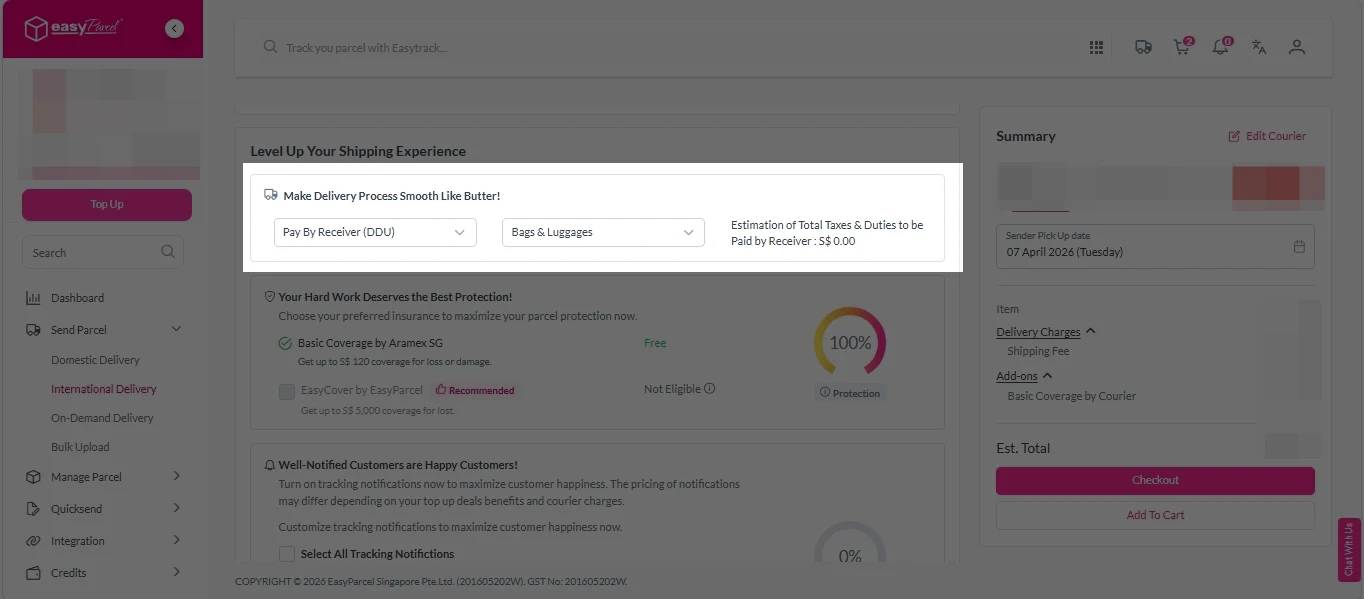
Add-On Services:
i. Select your preferred duties payment option – Delivered Duty Paid (DDP) or Delivered Duty Unpaid (DDU).
Note: Learn more about DDP and DDU.
ii. Tick the box to add EasyCover for additional protection against loss.
Note: EasyCover availability depends on the courier selected. Learn more about EasyCover.

iii. Choose your preferred notification channel – SMS, Email, or WhatsApp. Click “Preview” to see how it looks, and click “Customise” to add brand message to the notification.
Note: Learn more about Customise Branding Servcies.

iv. Tick the “Mask Sender Details” checkbox. EasyParcel Next Gen will automatically hide your sender information based on your saved privacy settings.
Note: Mask Sender Details only available for certain couriers. Find out what courier is available for Mask Sender Details.

v. Tick the “Custom AWB” checkbox. EasyParcel Next Gen will apply your saved AWB template automatically. After completing all details, click on “Checkout” button.
Note: Custom AWB is only available for certain couriers. Find out which couriers support Custom AWB.

5. Double check all the details and click on “Pay Now” to make payment.

6. Download and print Air Waybill (AWB).
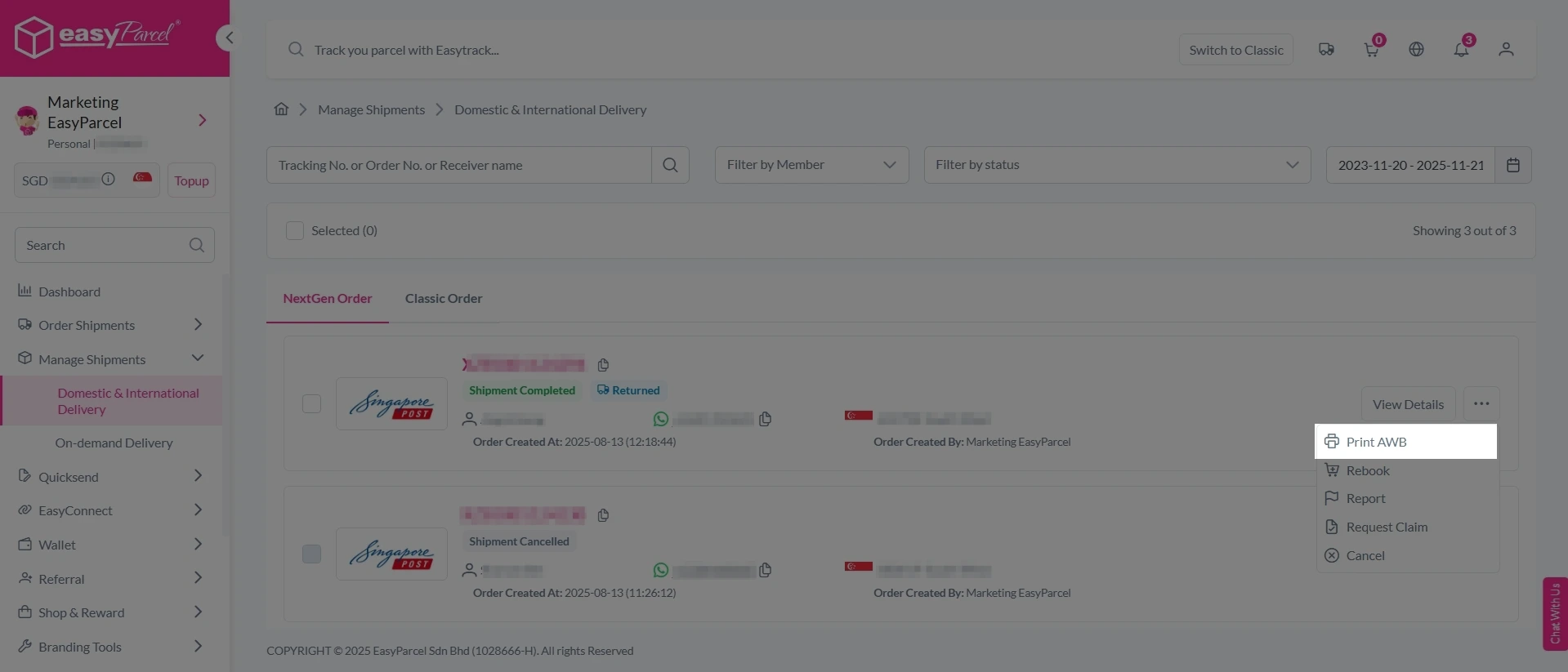
Single AWB
1. Click the three dots icon next to the shipment.
2. Select “Print AWB” from the dropdown menu.
3. A PDF file will automatically download and save.
Bulk Downloads AWB
1. Tick the “Selected” checkbox to choose all your orders.
2. A menu will appear at the bottom of the screen.
3. Click “AWB” to download all AWBs in bulk.

Real-Life Benefits I Experienced
Save Money
Comparing rates prevents me from overpaying for overseas shipping.
Save Time
I can book in minutes without switching between different courier websites.
Increase Safety
EasyCover protection to every international shipment — able to get fully covered if parcel loss.