Managing shipping manually can slow down your online business, especially when orders spike during promotions or peak seasons. If you’re handling your own shipping, integrating your store with EasyParcel helps automate order import, booking, and tracking — all from one dashboard.
In this blog, we’ll show you exactly how to import and fulfill your orders using EasyParcel step by step.
Table of Contents
How to Import and Fulfill Orders by Using EasyParcel?
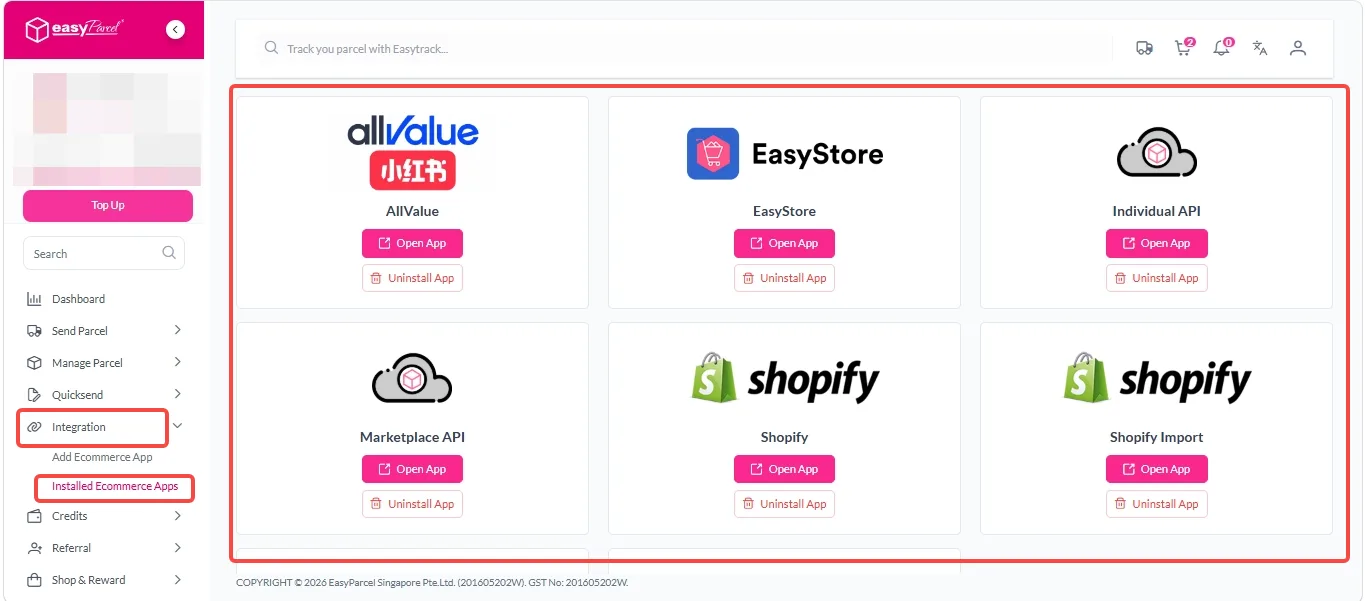
Step 1: Under “Integration”, click on “Installed Ecommerce Apps”, find and click on your store app “Open App” button.
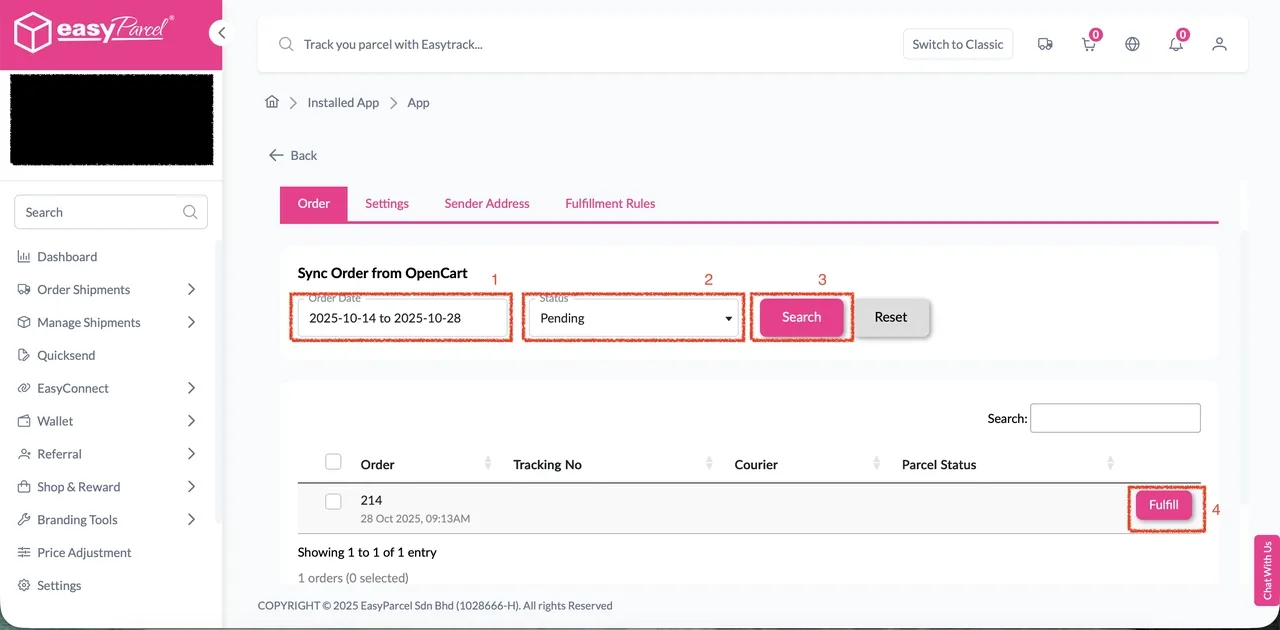
Step 2: Click on the “Order” tab.
Select the order date range and order status, then click “Search”.
Click “Fulfill” on the desired order to open the “Order Details” page.
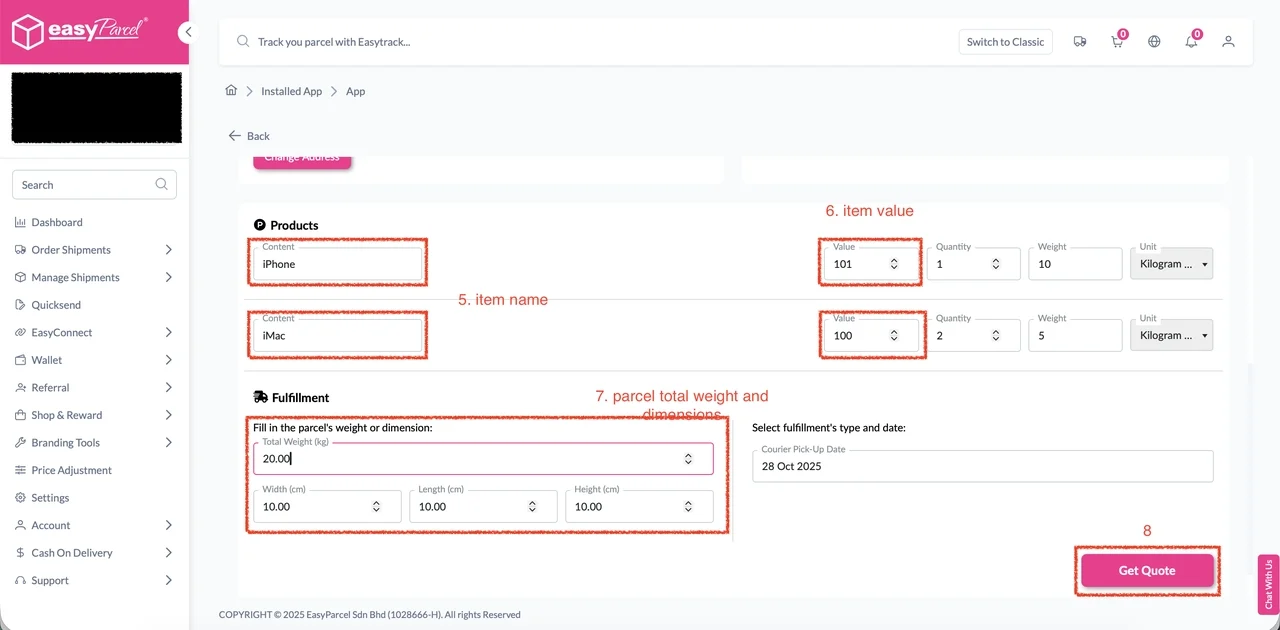
Step 3: Modify item name, item value, total weight, length, width, or height if necessary.
Click “Get Quote” to retrieve courier pricing.
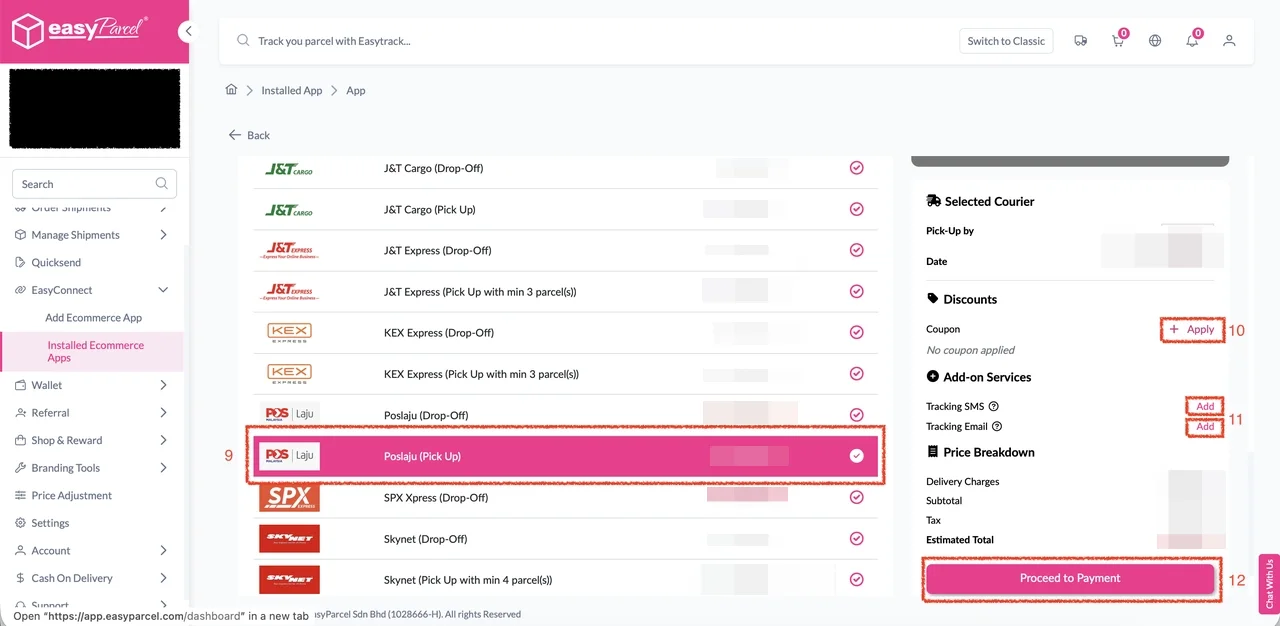
Step 4: Select a courier service from the list.
Optionally apply coupons and add-on services.
Click “Proceed to Payment” to finalize.
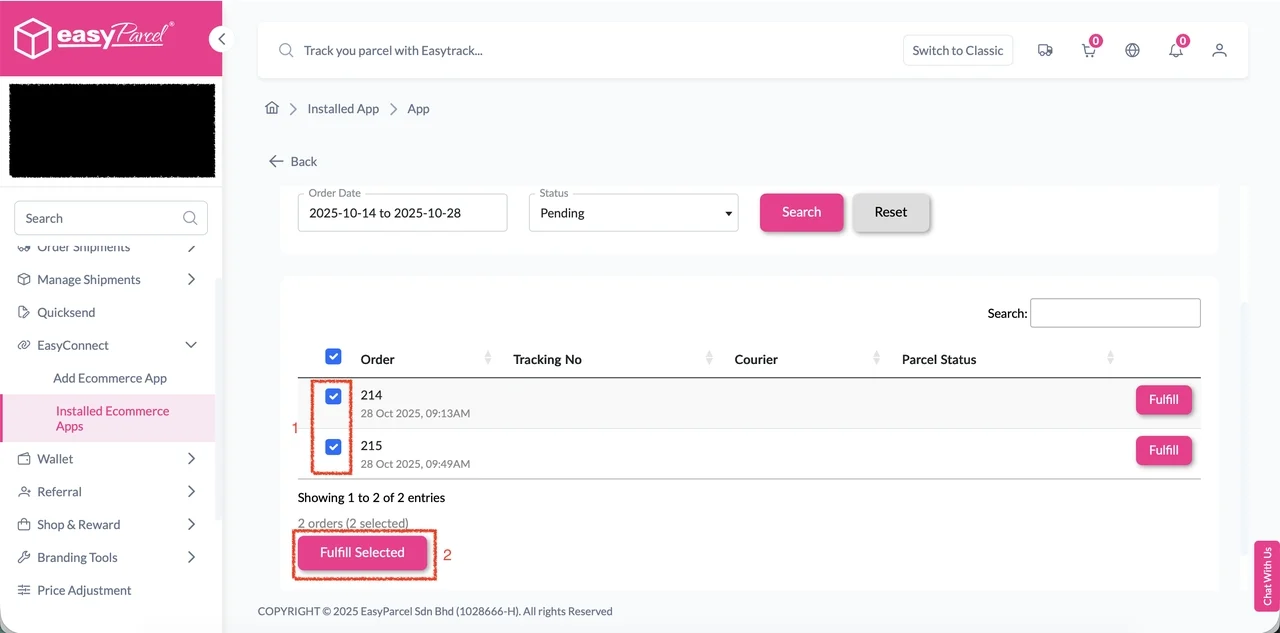
Step 2: In the “Order” tab, select all orders to be processed together.
Click “Fulfill Selected”.
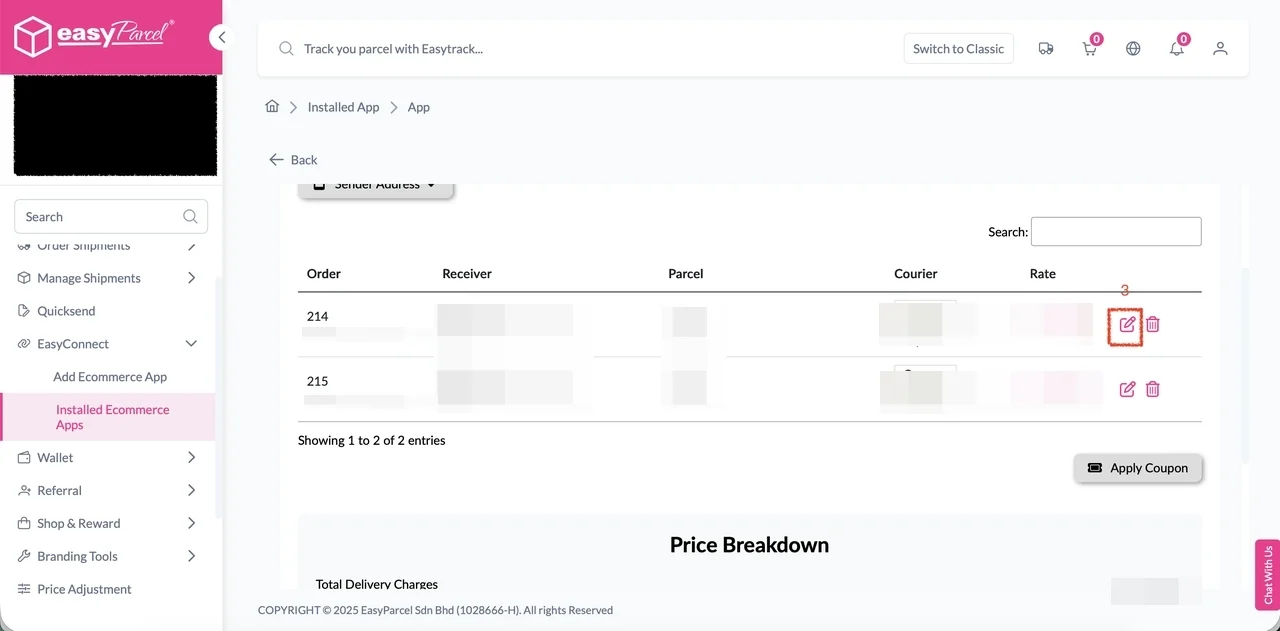
Step 3: The selected orders will appear with their courier services auto-selected.
Click the “Edit” button to view or modify order details.
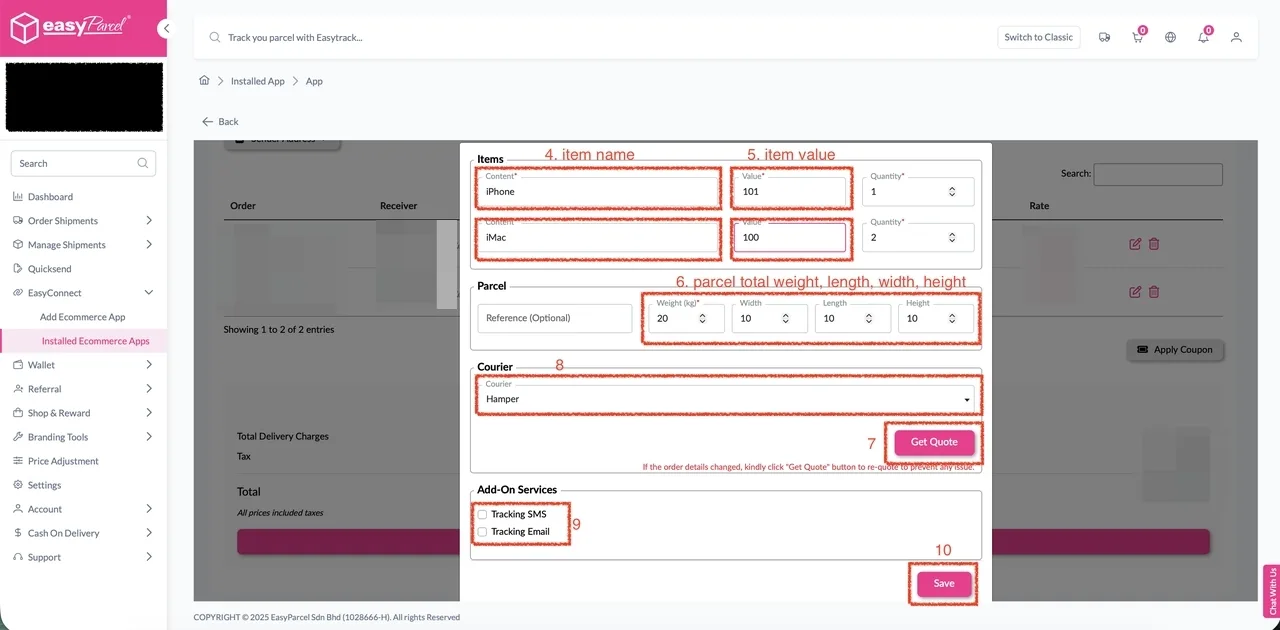
Step 4: Within the form, you can change item name, item value, or parcel dimensions (weight, length, width, height).
If changes are made, click “Get Quote” to refresh courier options.
Choose a new courier service if desired and enable add-on services.
Click “Save” to apply changes.
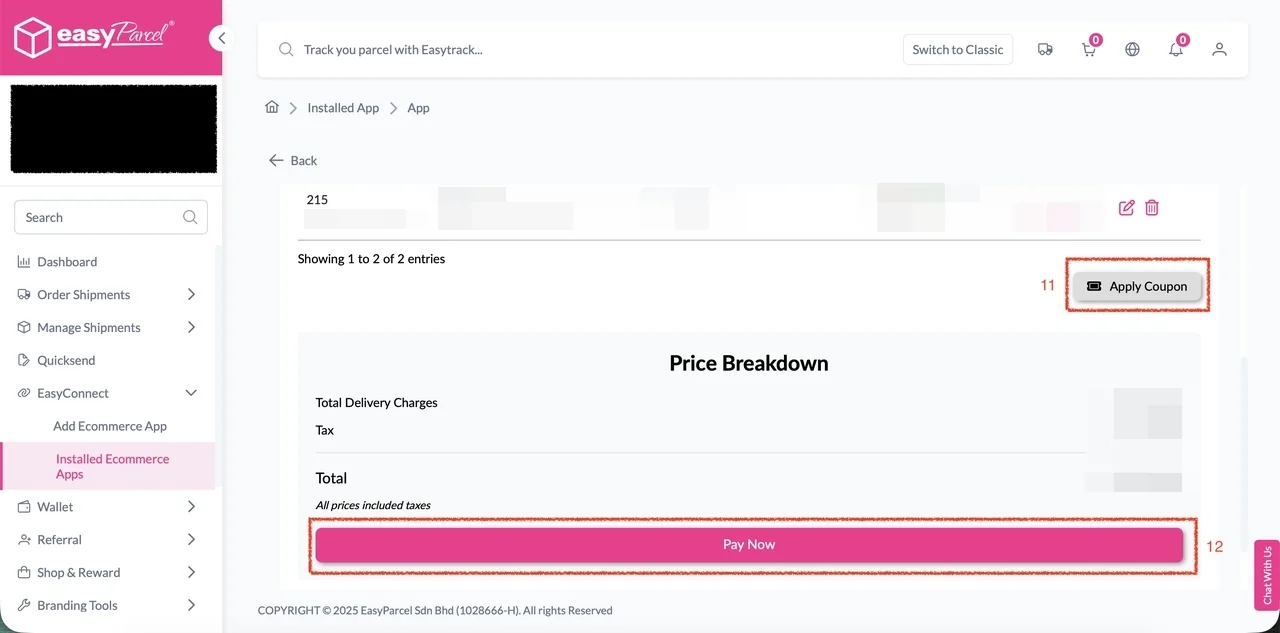
Optional Steps: Click “Apply Coupon” to include a discount.
Once all details are verified and courier service selected, click “Pay Now” to complete the fulfillment.
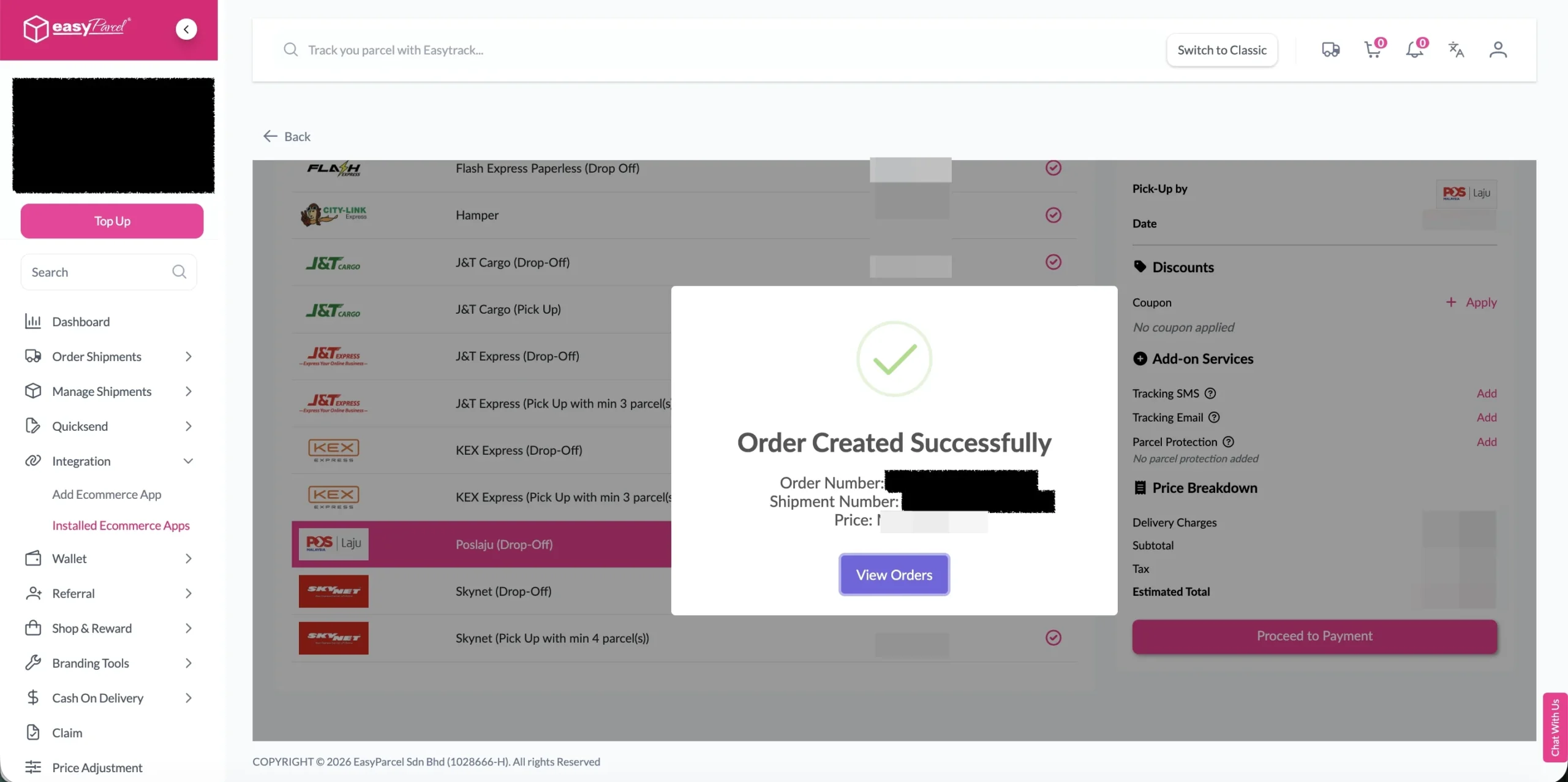
Step 5: The order status, order number, shipment number, and price will be displayed. Click on the “View Orders” button.
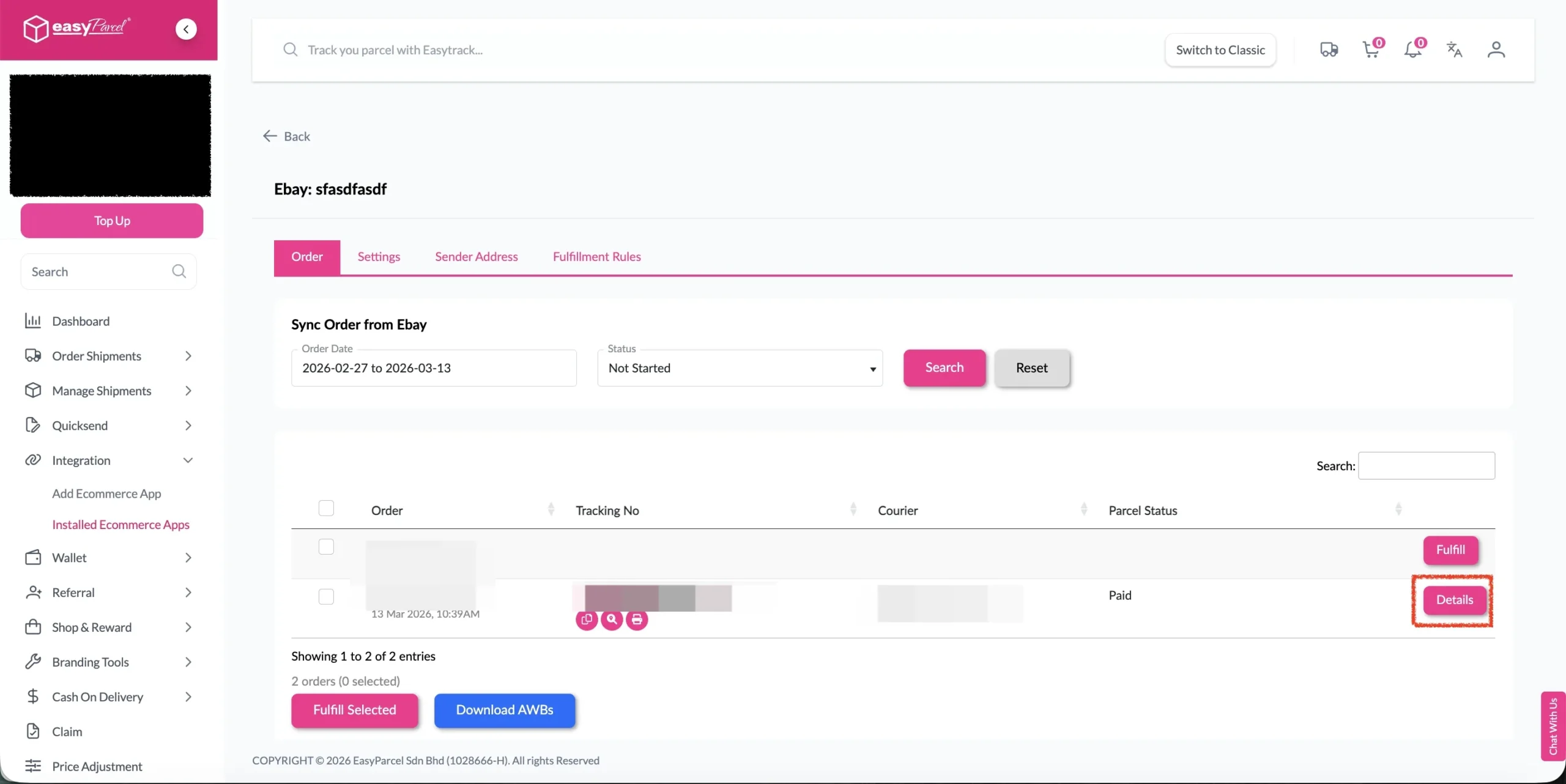
Step 6: The fulfilled order will now be displayed on the Order Page.
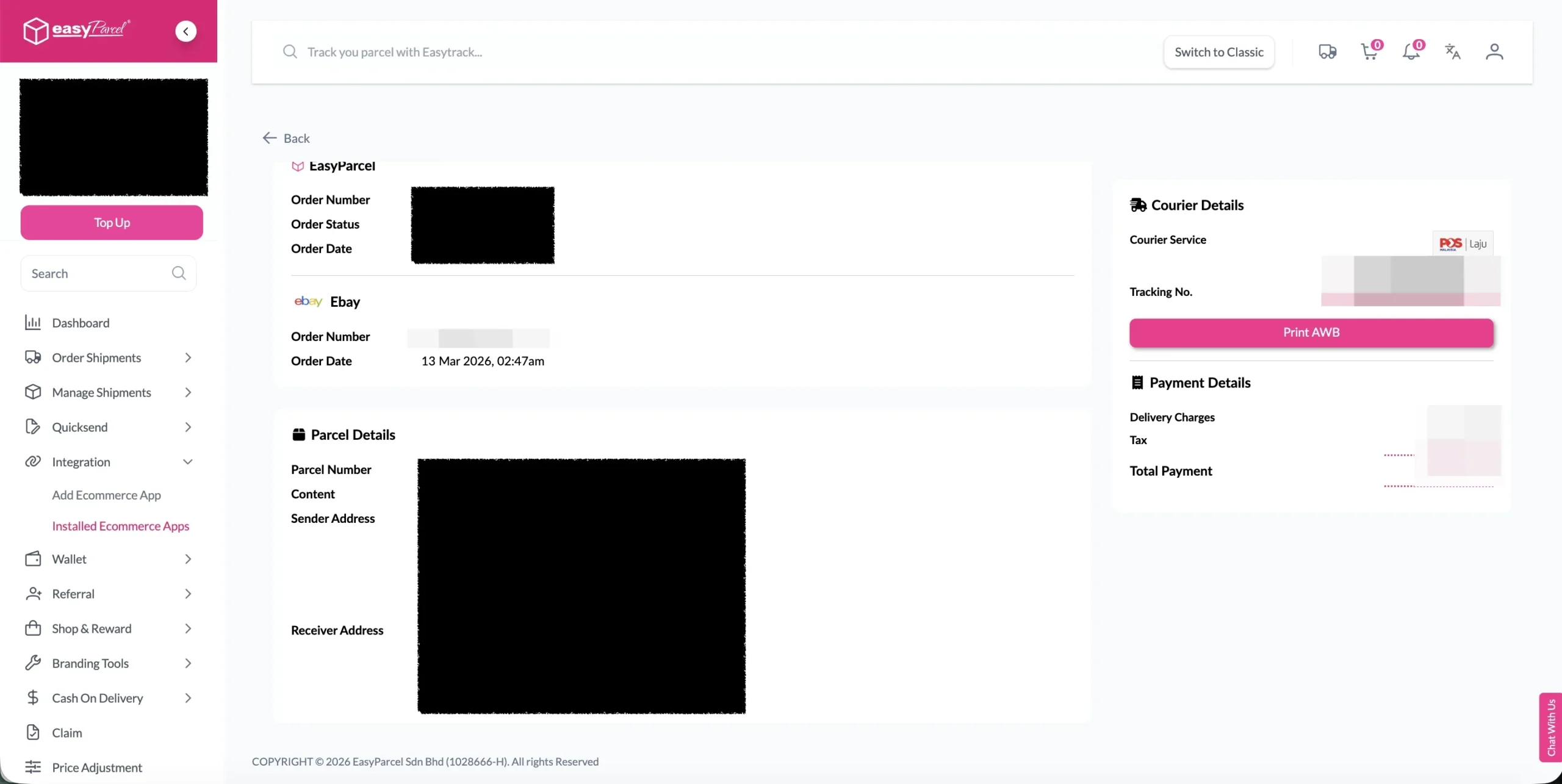
Step 7: Click on the “Details” button. Order details will be displayed on the page.
Turn Shipments into Marketing.
Add your logo, promotional, and custom message to every tracking page, email, AWB and SMS—turn deliveries into brand touchpoints with zero-cost.
Special Fulfillment Tutorials for Specific Platforms
Some e-commerce platforms have special integration and fulfillment steps with EasyParcel. Select your platform below for the complete tutorial:
💡 Best Practices for Import and FulFill Order by Using EasyParcel
Before Fulfillment
- Verify inventory availability before confirming fulfillment
- Check address accuracy to prevent delivery failures
- Consider delivery timing for time-sensitive orders
- Review special instructions from customers
During Courier Selection
- Compare multiple options when available
- Consider delivery speed vs. cost based on customer needs
- Check service availability for the destination
- Verify pickup and delivery windows
After Fulfillment
- Print AWB immediately to avoid delays
- Prepare packages according to courier requirements
- Schedule pickup if not automatic
- Monitor tracking for any issues
📞 Need Help? We’re Here for You
If you need assistance with order fulfilment, integration, or your Next Gen dashboard, our Integration Support Team is ready to help. We’ll guide you through setup, troubleshooting, and optimisation to ensure your fulfilment process runs smoothly.
Malaysia
Thailand
Indonesia