


Selling on social media? Stop typing addresses manually. QuickSend NextGen gives you a free online order form – customers fill shipping info, select products, pay via QR code, and orders auto-import to EasyParcel. No manual entry. No typos.
This blog covers what QuickSend NextGen is, how it helps, and step-by-step instructions.
Table of Contents
What Is EasyParcel NextGen QuickSend?
EasyParcel NextGen QuickSend is a tool inside EasyParcel that creates a custom online order form – essentially a free ordering website for your business.
|
Feature
|
What It Does
|
|---|---|
|
Free online order form
|
No website needed – just a shareable link
|
|
Customer fills shipping info
|
Name, address, phone – no typing for you
|
|
Customer selects products
|
Choose items, quantities, variations
|
|
Customer makes payment
|
QR code payment built into the form
|
|
Orders auto-import
|
Directly to your EasyParcel account
|
Example: You sell on TikTok Live. A customer wants to buy. Instead of typing their address manually, you send them your QuickSend form link. They fill in delivery details, select the product, scan the QR code to pay. The order appears in your EasyParcel account – ready to ship. No manual entry. No payment follow-up.
Step-by-Step Tutorial: How to Use EasyParcel QuickSend
Step 1: Login to EasyParcel account.

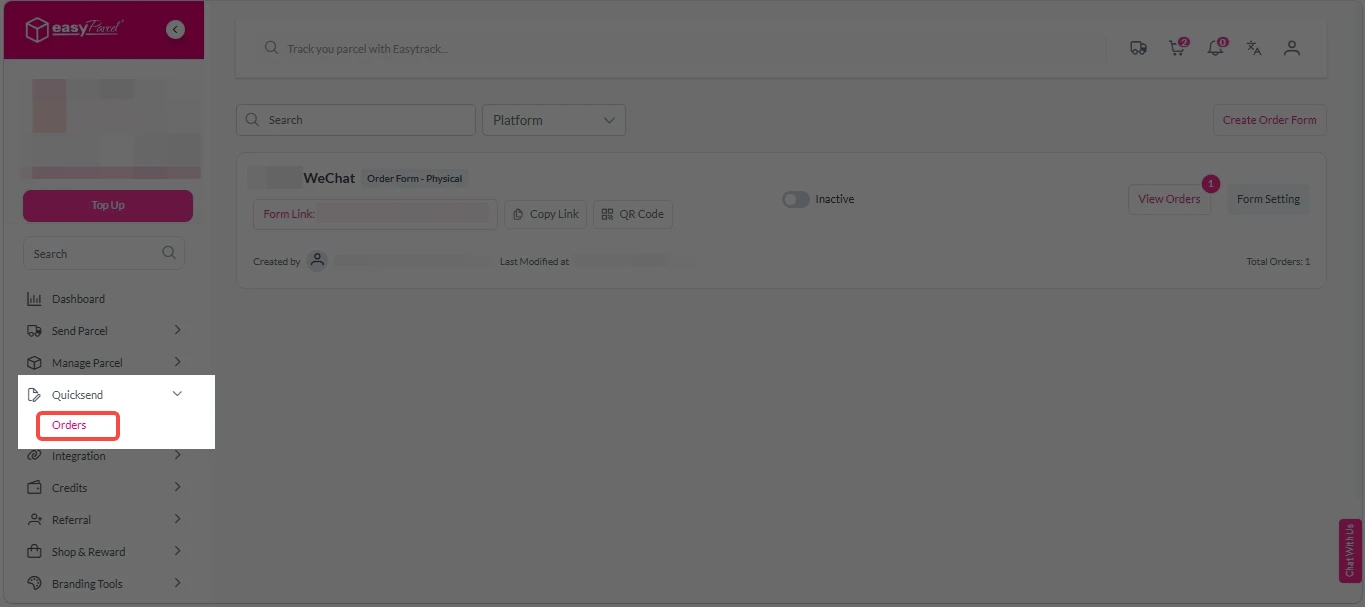
Step 2: Under “Quicksend”, click on “Orders”.
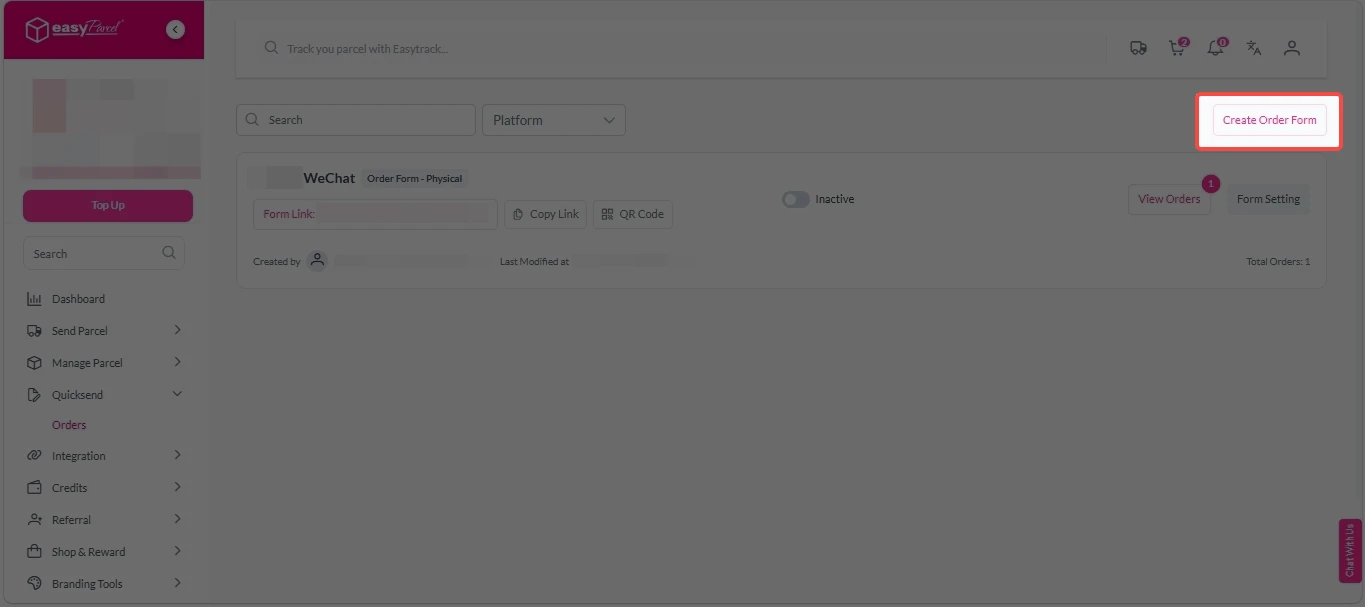
Step 3: Click on “Create Order Form”.
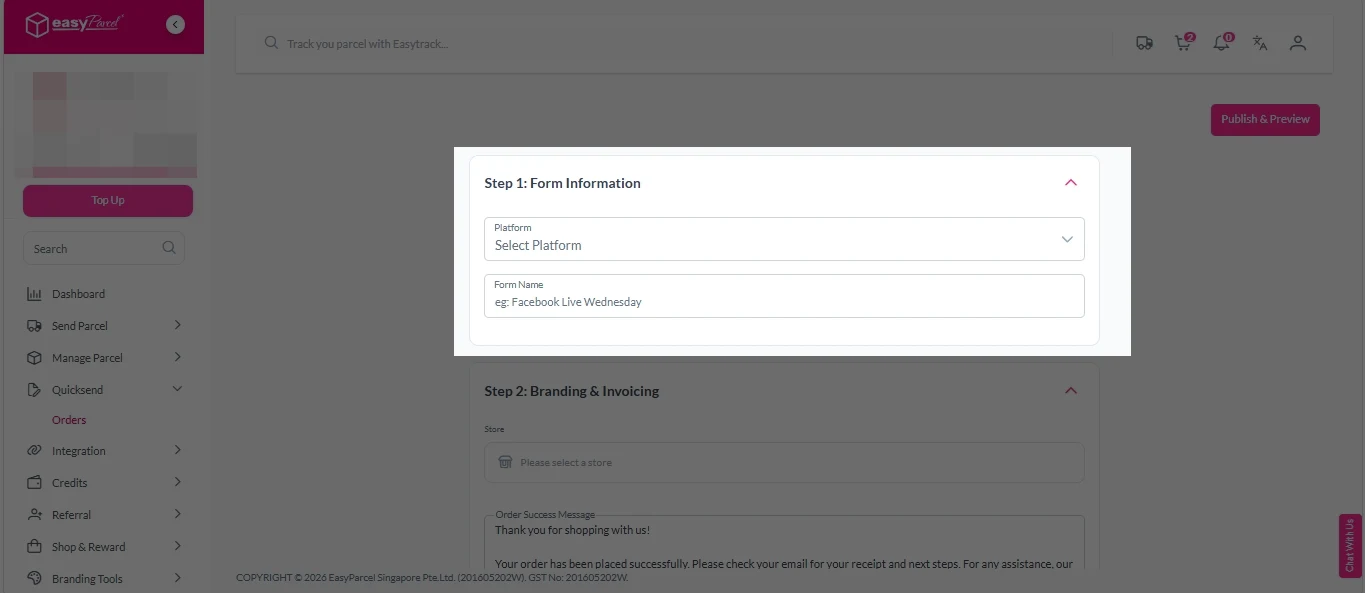
Step 4: Form Information
1. Select platform from dropdown menu and fill in form name.
Step 5: Branding & Invoicing
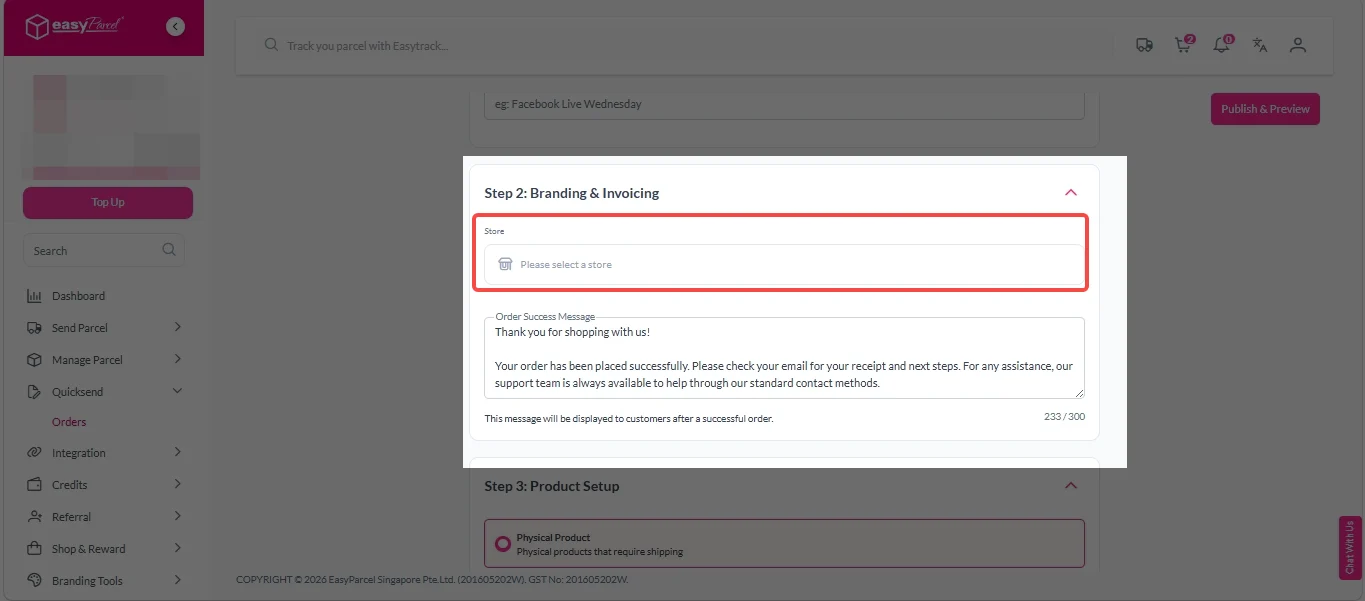
1. Click on Store.
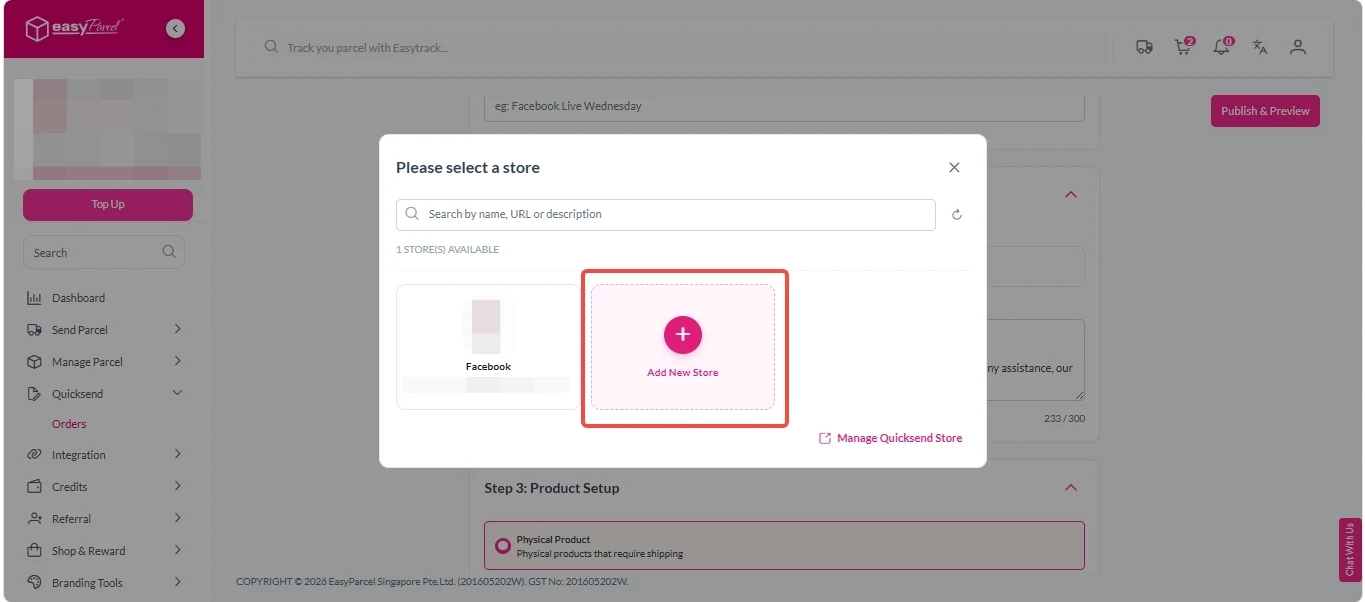
2. Select or click on “+ Add New Store” to add stores.
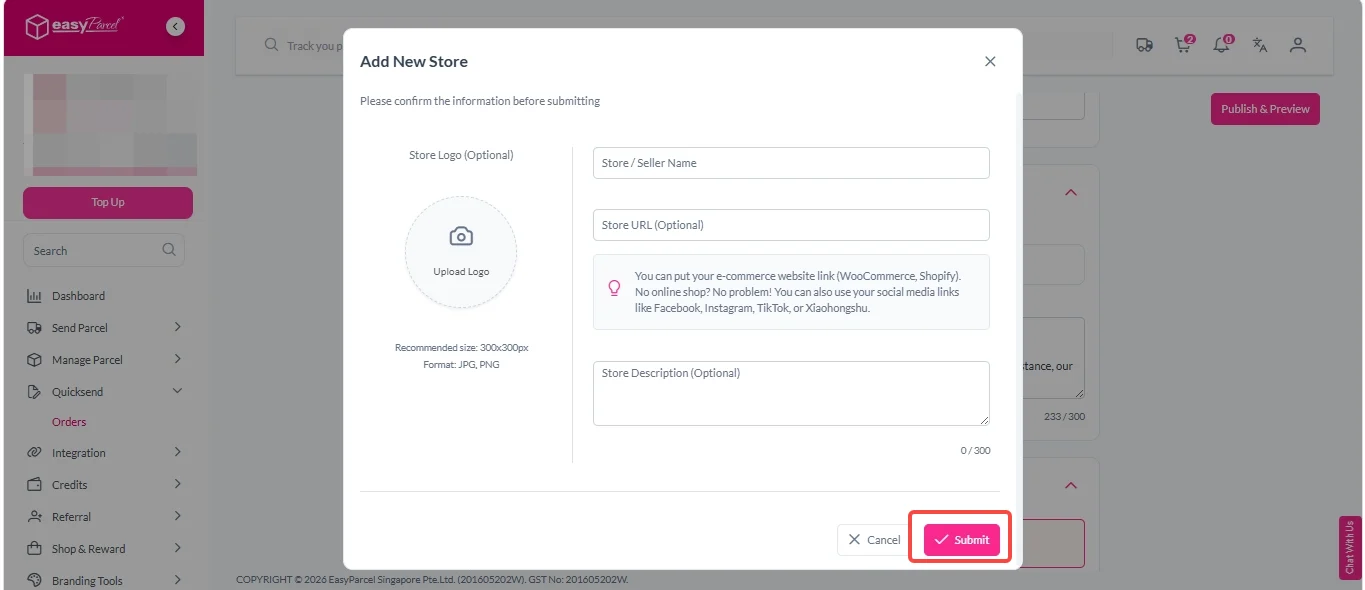
3. Upload logo, fill in Store/Seller Name, Store URL (Optional), Store Description (Optional), and click on “Submit” button.
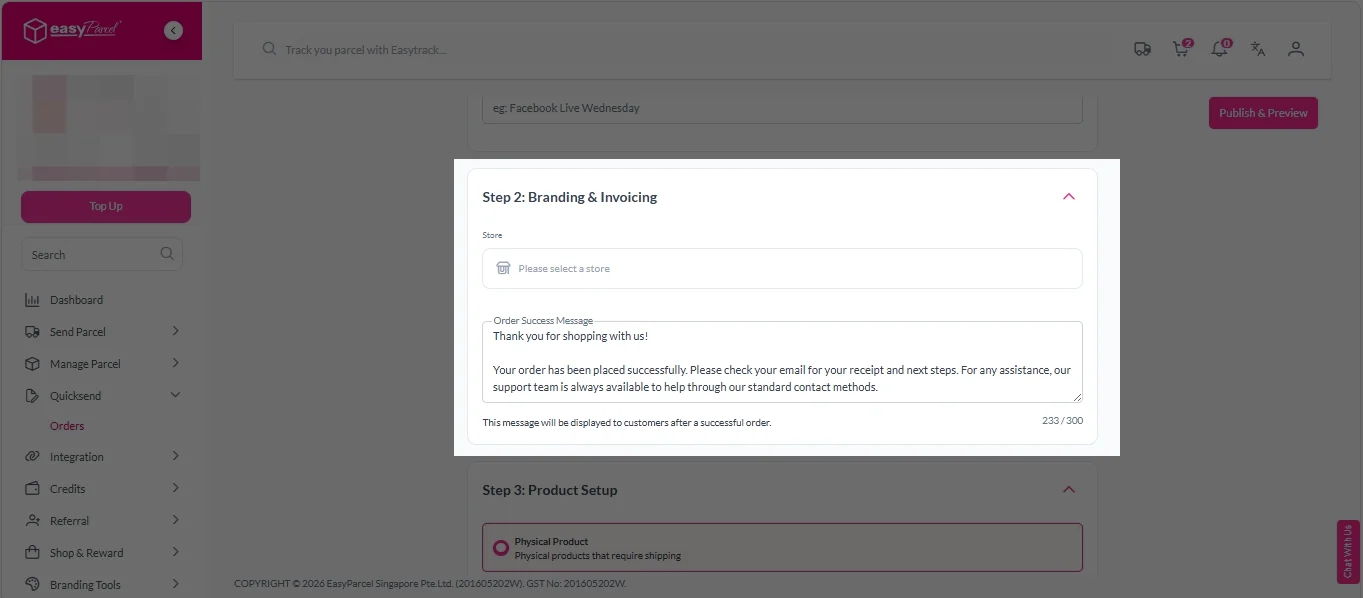
4. Fill in Order Success Message.
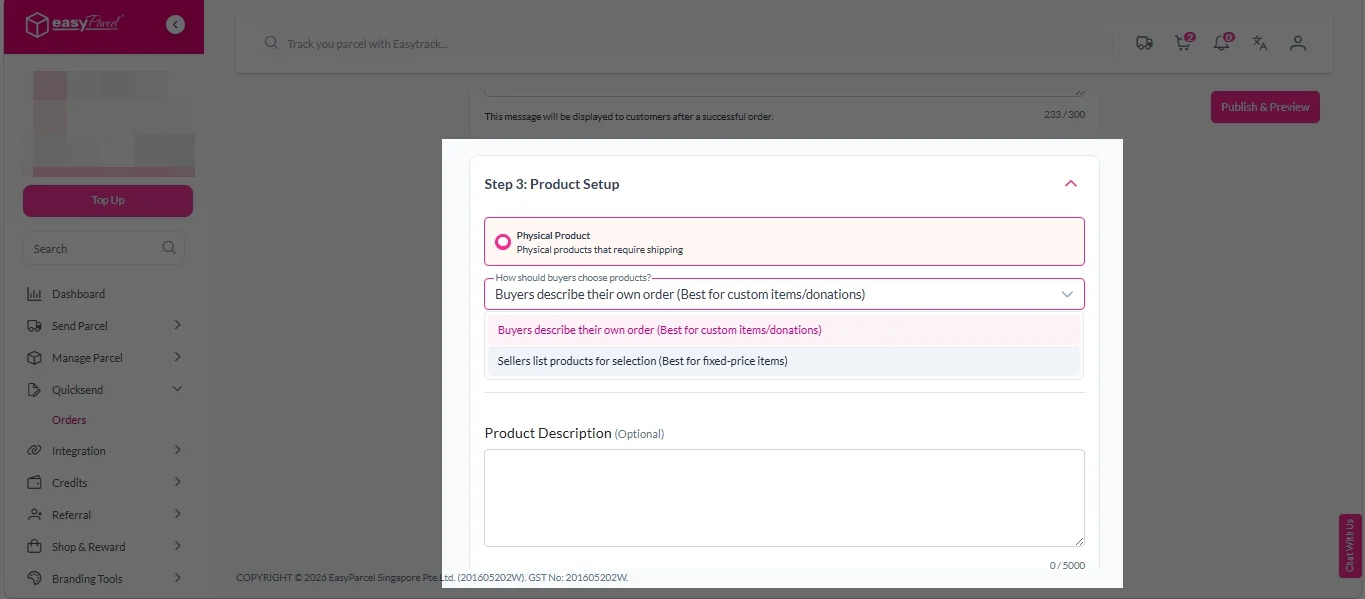
Step 6: Product Setup
1. Select either “Buyers describe their own order (Best for custom items/donations)” or “Sellers list products for selection (Best for fixed-price items)”.
2. Fill in Product Description (optional).
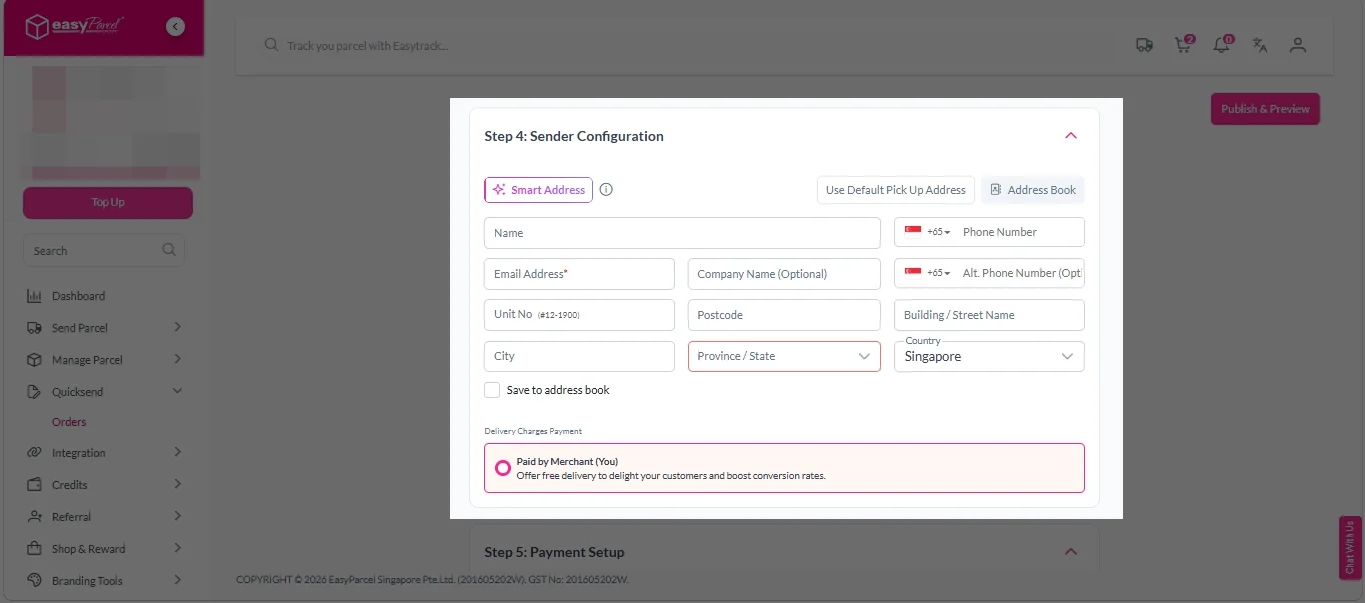
Step 7: Sender Configuration
1. Fill in all sender details.
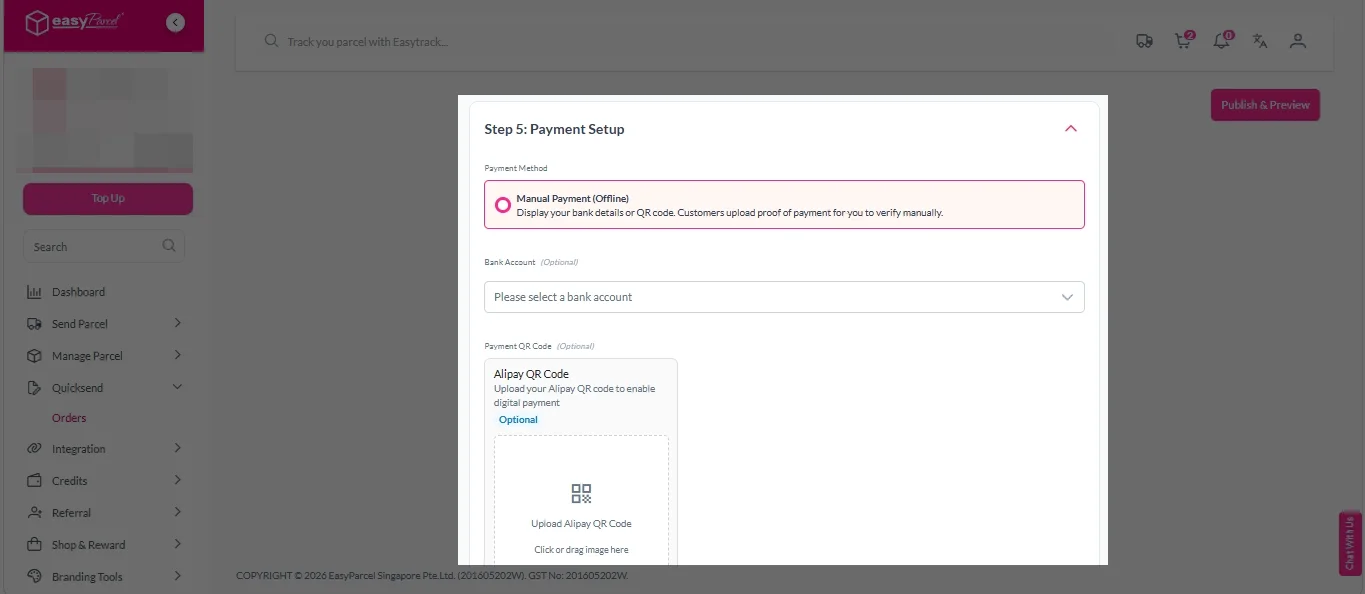
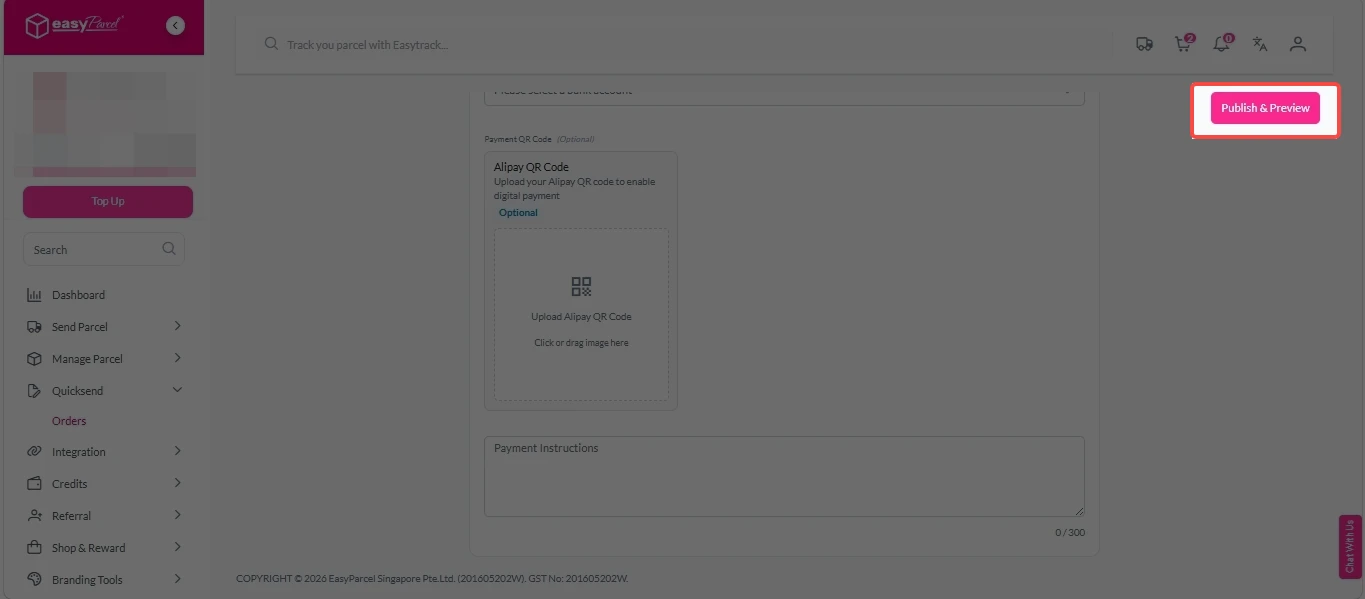
Step 8: Payment Setup
1. Select bank account (optional) from dropdown menu.
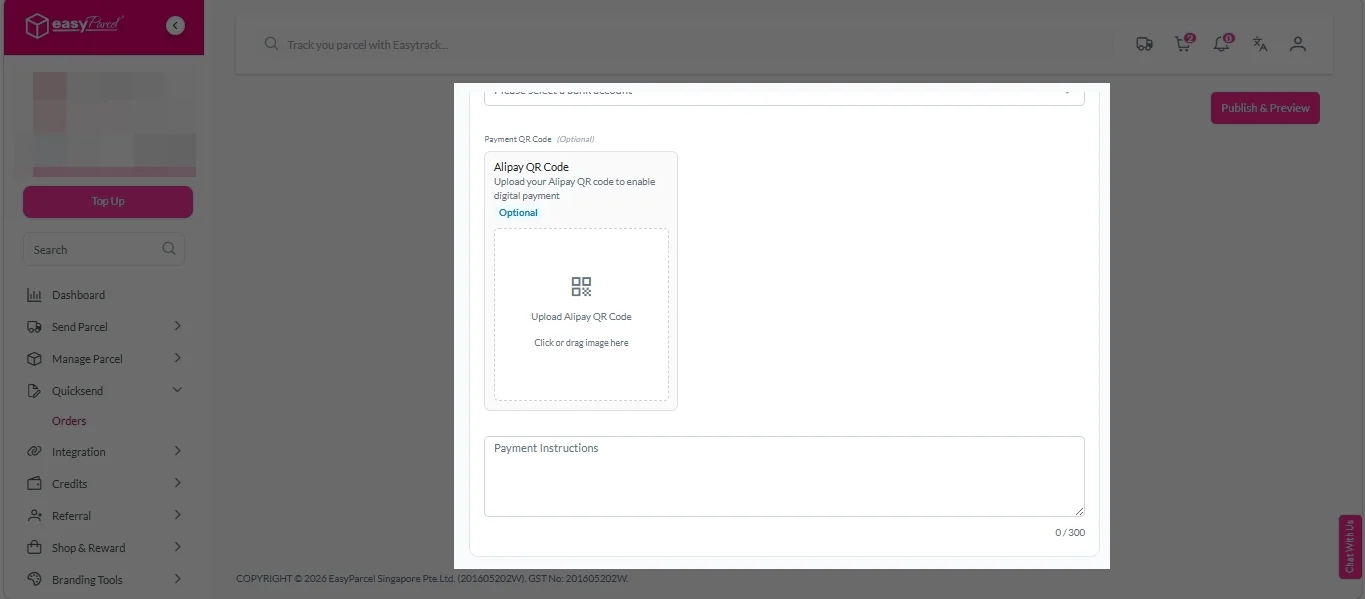
2. Upload Alipay QR code (optional).
3. Enter payment instruction.
Step 9: Submit
1. Double check all the information and click on “Publish & Review” button.
No More Manual Order Entry

Key Benefits of Using NextGen QuickSend
|
Benefit
|
What It Means
|
|---|---|
|
Save Cost
|
Get a free online order form with a shareable link – no Shopify, no coding, no monthly fees.
|
|
Save Time
|
Customer submissions go straight to your EasyParcel dashboard – just click "Fulfill" and ship.
|
|
Reduces mistakes
|
Customers fill their own delivery details and product selection– zero typos, zero wrong deliveries from your end.
|
|
Get Paid Instantly
|
QR code payment built into the form – customers pay immediately, no chasing or back-and-forth.
|
|
Simple sharing
|
Send form link to customers via WhatsApp, IG, FB, or email
|






