Managing shipping manually can slow down your eCommerce operations, especially when your TikTok Shop orders spike after a viral video or live stream. If you’re selling on TikTok Shop and using Seller Own Fleet (SOF), integrating your store with EasyParcel helps automate order import, booking, and tracking — all from one dashboard.
In this blog, will show how to import and fulfill your TikTok Shop orders using EasyParcel step by step.
Table of Contents
Why Integrate TikTok Shop with EasyParcel?
Centralized Management
Manage all your domestic, international from one dashboard—no more logging into multiple courier sites.
Save Hours on Admin
TikTok orders import automatically, eliminating manual data entry so you can focus on growing your business.
Cost-Effectiveness
Compare 60+ couriers instantly and always pick the most affordable option based on your parcel's weight and destination.
Brand Your Deliveries
Customize tracking pages, email, Air Waybill and SMS with your store's message—completely free.
Protect Every Parcel
Add EasyCover parcel protection to safeguard shipments against loss for complete peace of mind.
Get Rewarded for Shipping
Earn points on every money spent and able to redeem exclusive rewards.
Before You Start: Enable Seller Own Fleet (SOF)
Your TikTok Shop must enable Seller Shipping (Self-Arrange Shipping).
If your shop is using Platform Shipping, TikTok will manage the logistics and shipping label generation. In this case:
- Order details may be masked or restricted.
- External tracking numbers may not be allowed.
- Orders cannot be fulfilled through EasyParcel.
Learn how to enable it here.
How to Import and Fulfill TikTok Shop Orders by Using EasyParcel?
Step 1: Login to your EasyParcel Account.

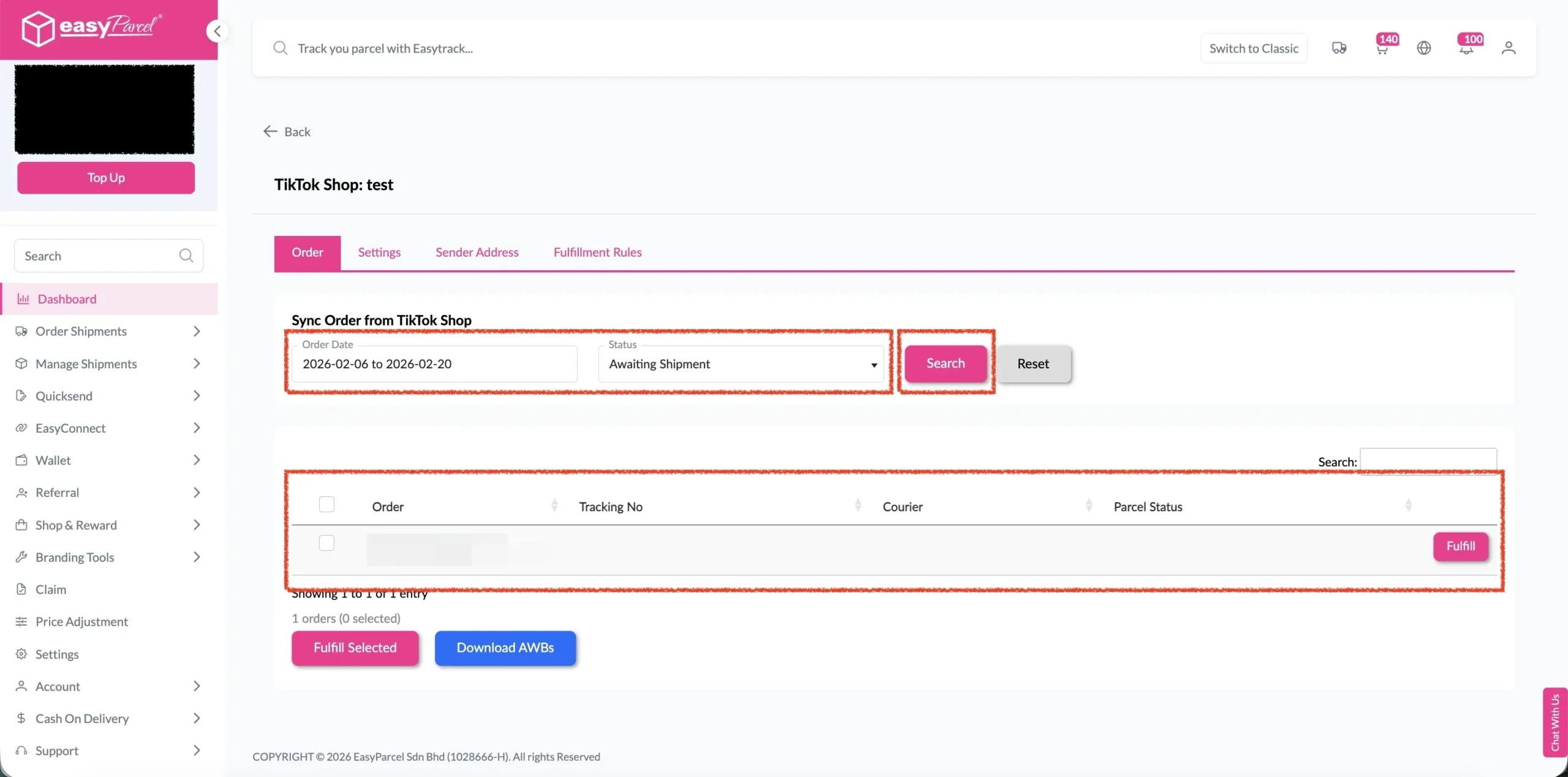
Step 2: Under “Integration”, click on “Installed Ecommerce Apps“, find “TikTok Shop” and click on “Open App” button.
Click on “Order“, select the order date and order status and click on the “Search” button.
The order will be imported and shown in the list below.
Then, click the “Fulfill” button on the order you want to fulfill.
Note: To receive complete and unmasked order details, the order should not be in following status:
- UNPAID
- ON_HOLD
- CANCELLED
- 30 days after COMPLETED
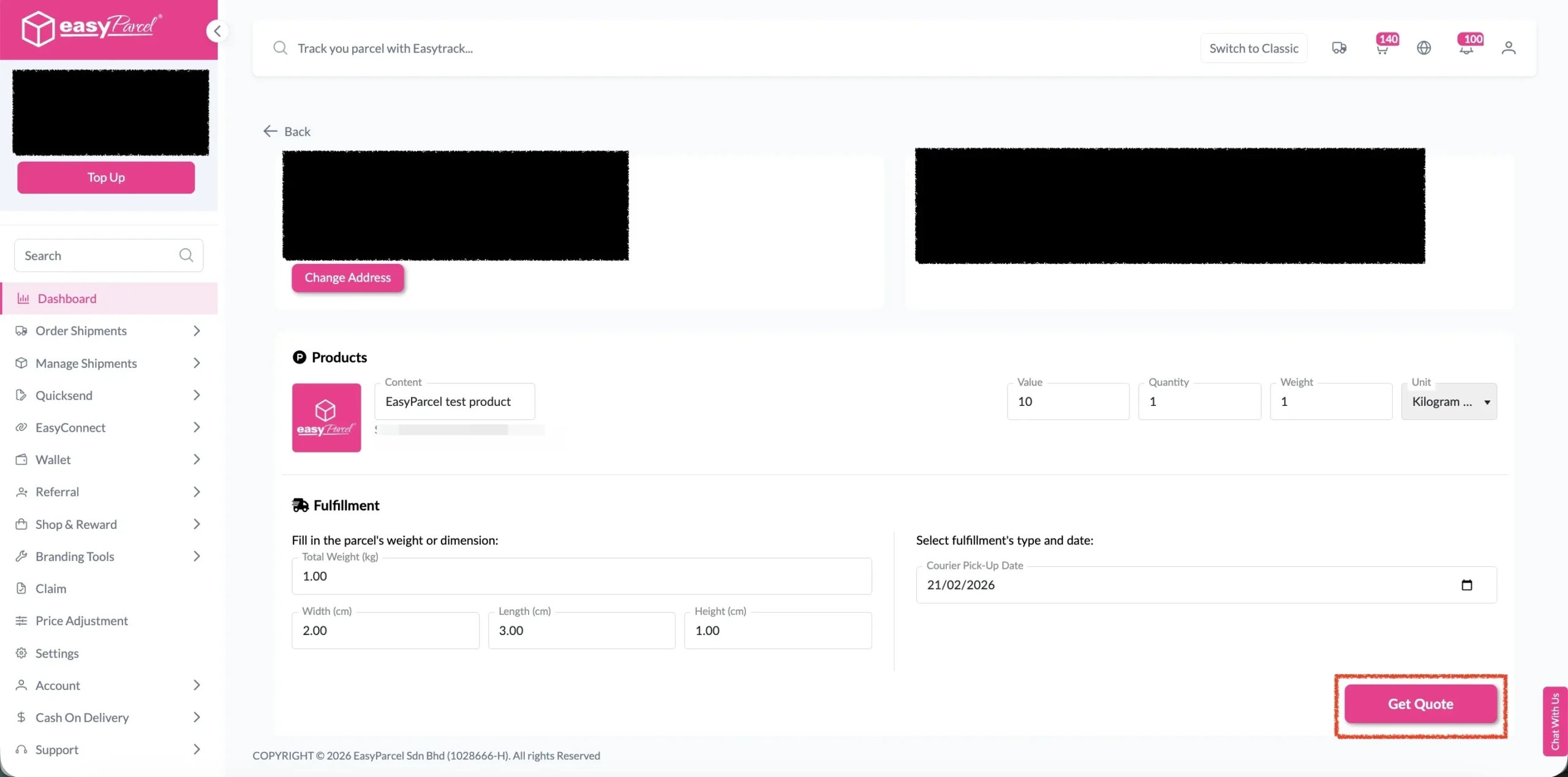
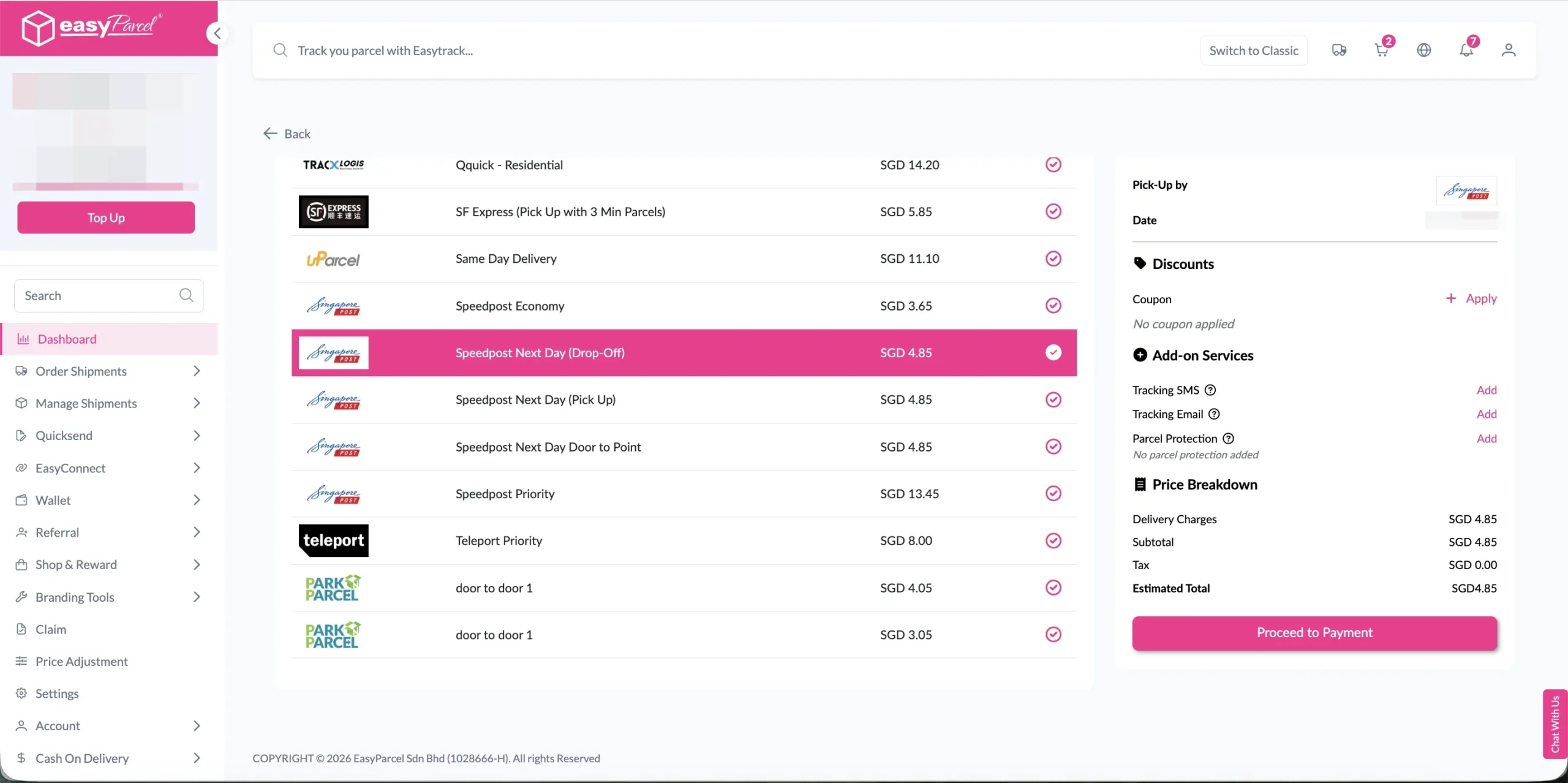
Step 4: Choose the preferred courier option and click on the “Proceed to Payment” button.
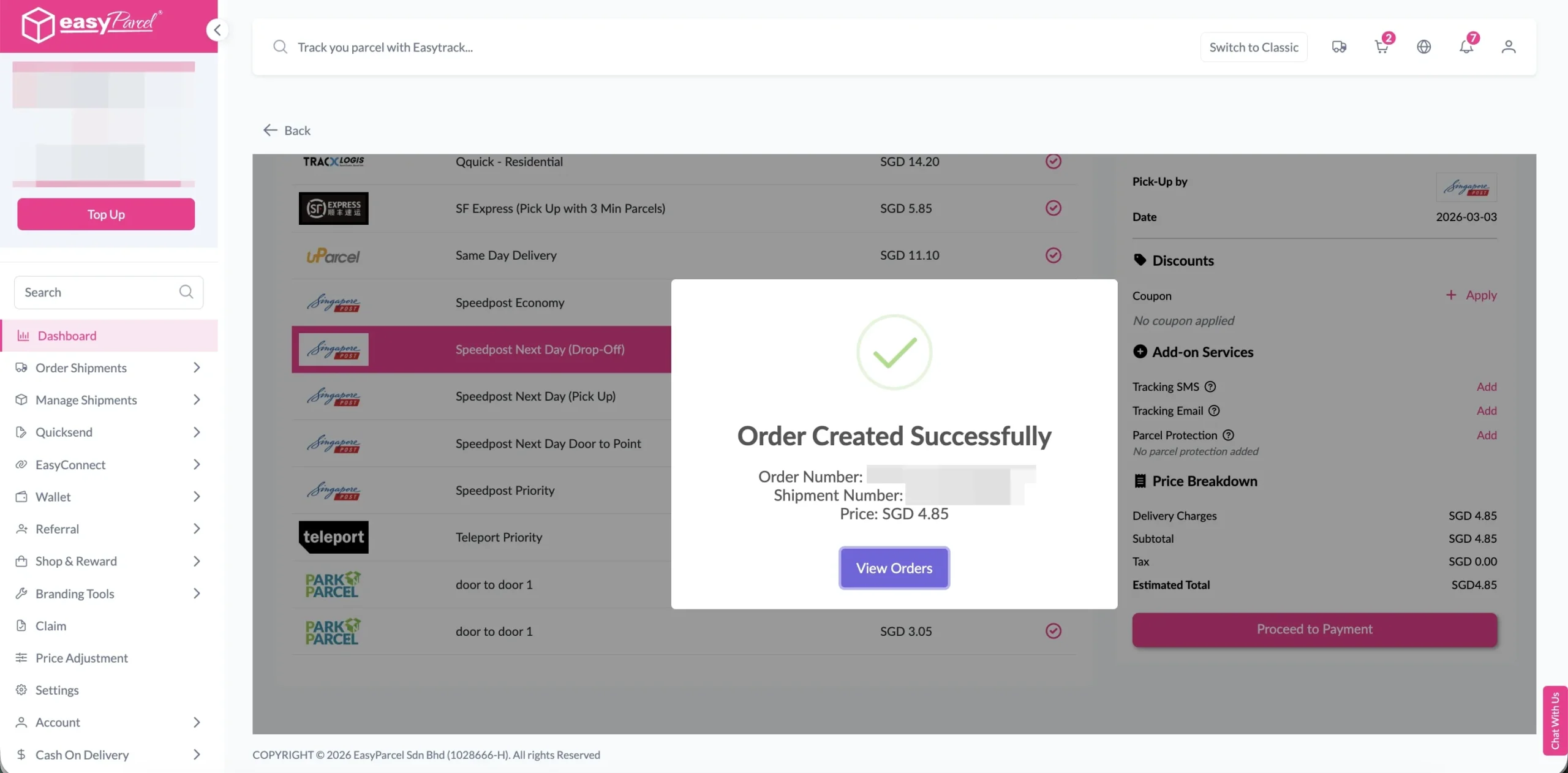
Step 5: The order status, order number, shipment number, and price will be displayed. Click on the “View Orders” button.
Step 6: The fulfilled order will now be displayed on the Order Page.
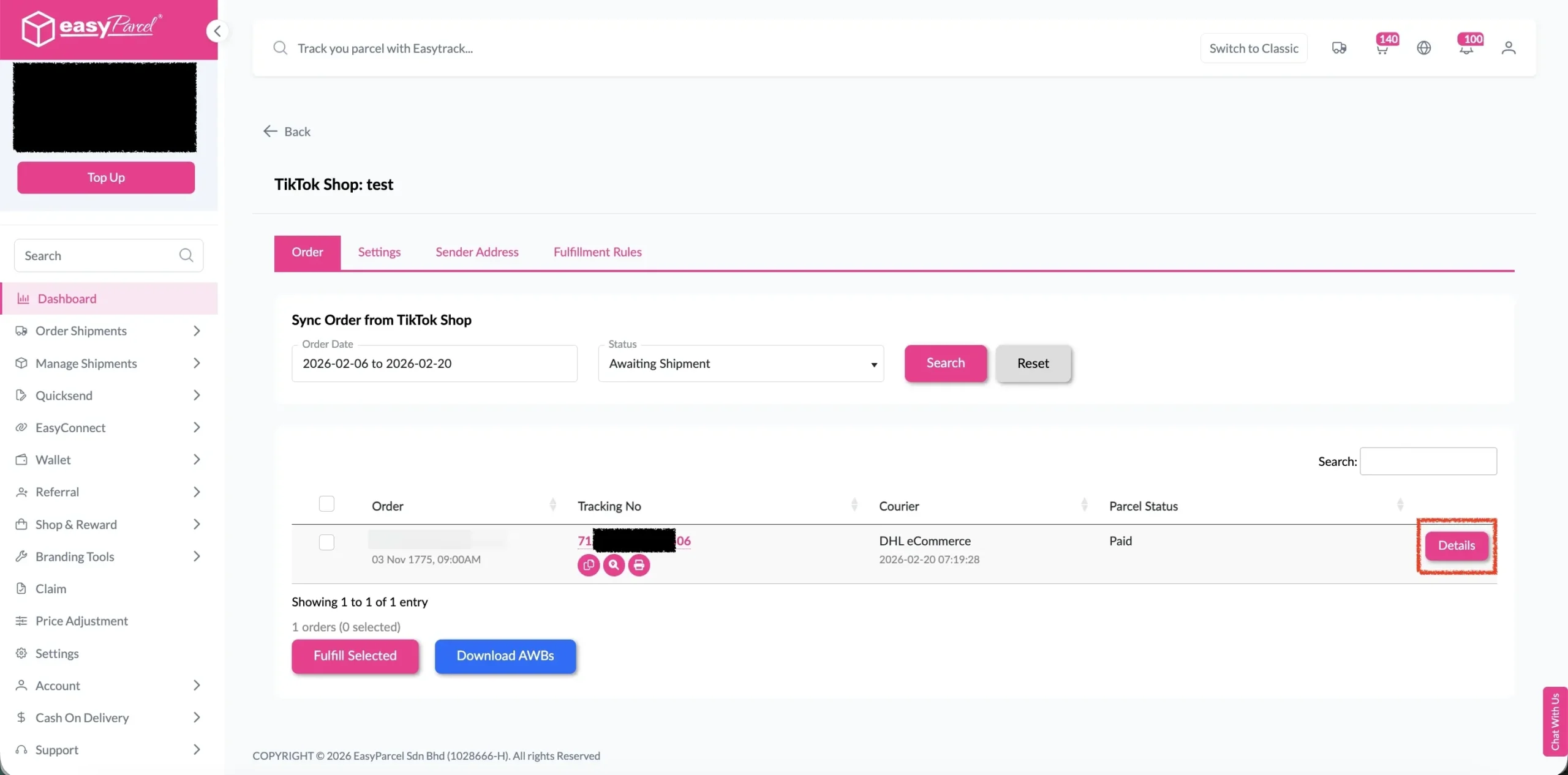
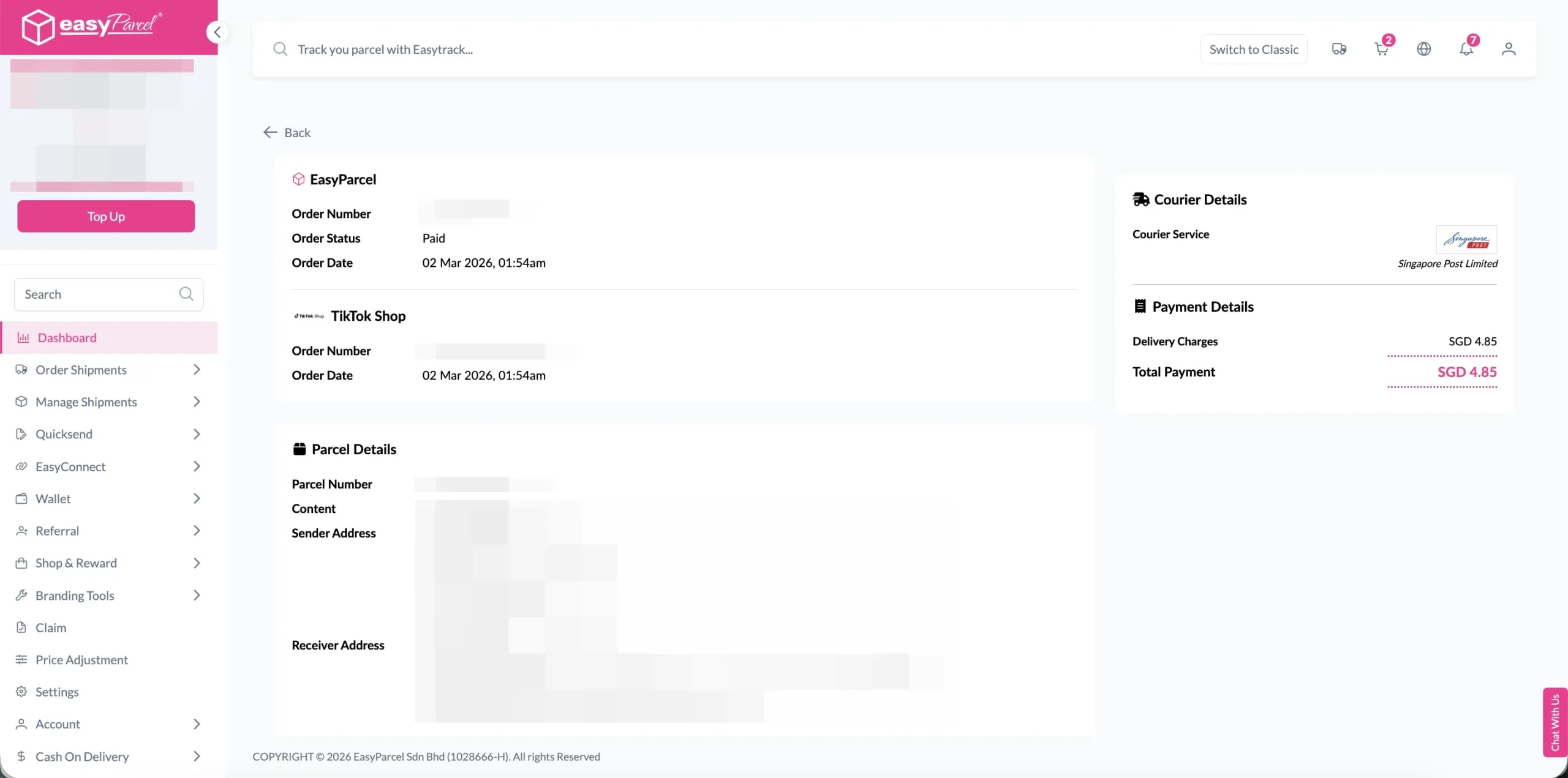
Step 7: Click on the “Details” button. Order details will be displayed on the page.
💡 Best Practices for Import and FulFill TikTok Shop Order by Using EasyParcel
During Courier Selection
- Compare multiple options when available
- Consider delivery speed vs. cost based on customer needs
- Check service availability for the destination
- Verify pickup and delivery windows
After Fulfillment
- Print AWB immediately to avoid delays
- Prepare packages according to courier requirements
- Schedule pickup if not automatic
- Monitor tracking for any issues