
Tutorial: EasyParcel Integration With EasyStore

Our sister, EasyStore will be joining our EasyParcel integration family. With this integration, you will be able to eliminate all the troublesome tasks such as placing orders individually. The orders will be imported automatically and you will be able to ship your parcel anytime. Here is how you can integrate EasyStore with EasyParcel:- 

Table of Contents

Setting Up EasyStore Integration

Step 1: Login to your EasyParcel account. 

send-parcel-nextgen-step-1

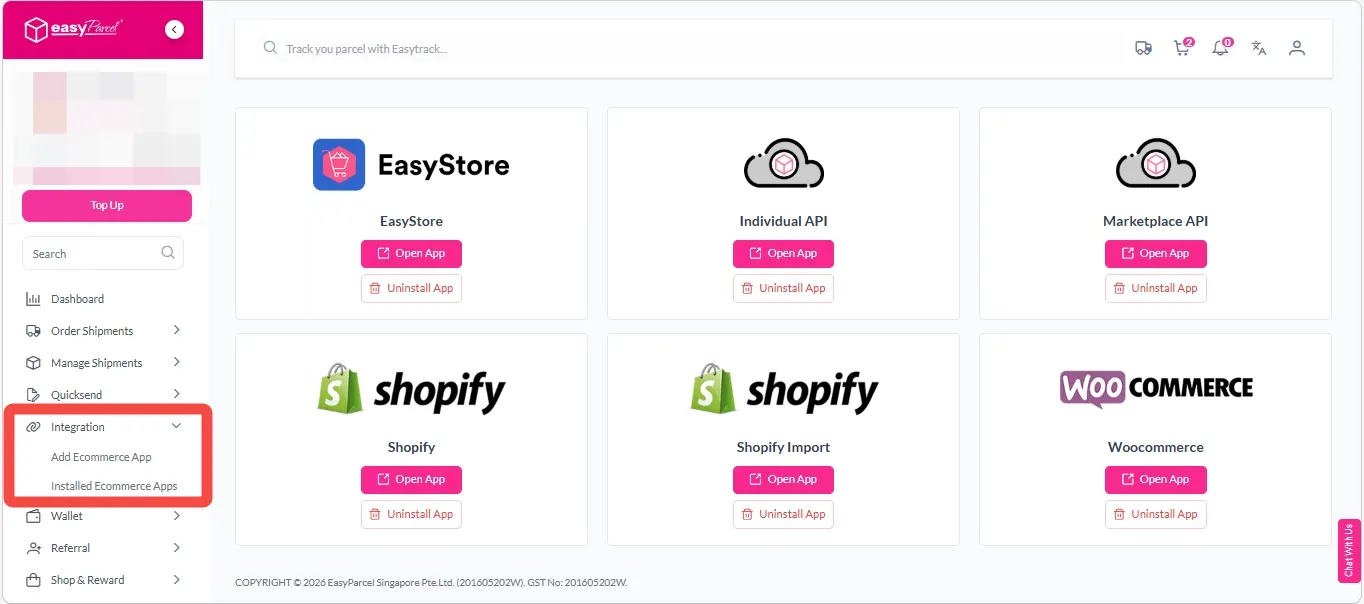
Step 2: Click ‘EasyConnect’. 

EasyStore- Integration (plugin) 1

Step 3: Click ‘Add Ecommerce App’. Find the ‘EasyStore’. After that, click ‘Install App’.

EasyStore- Integration (plugin) 2

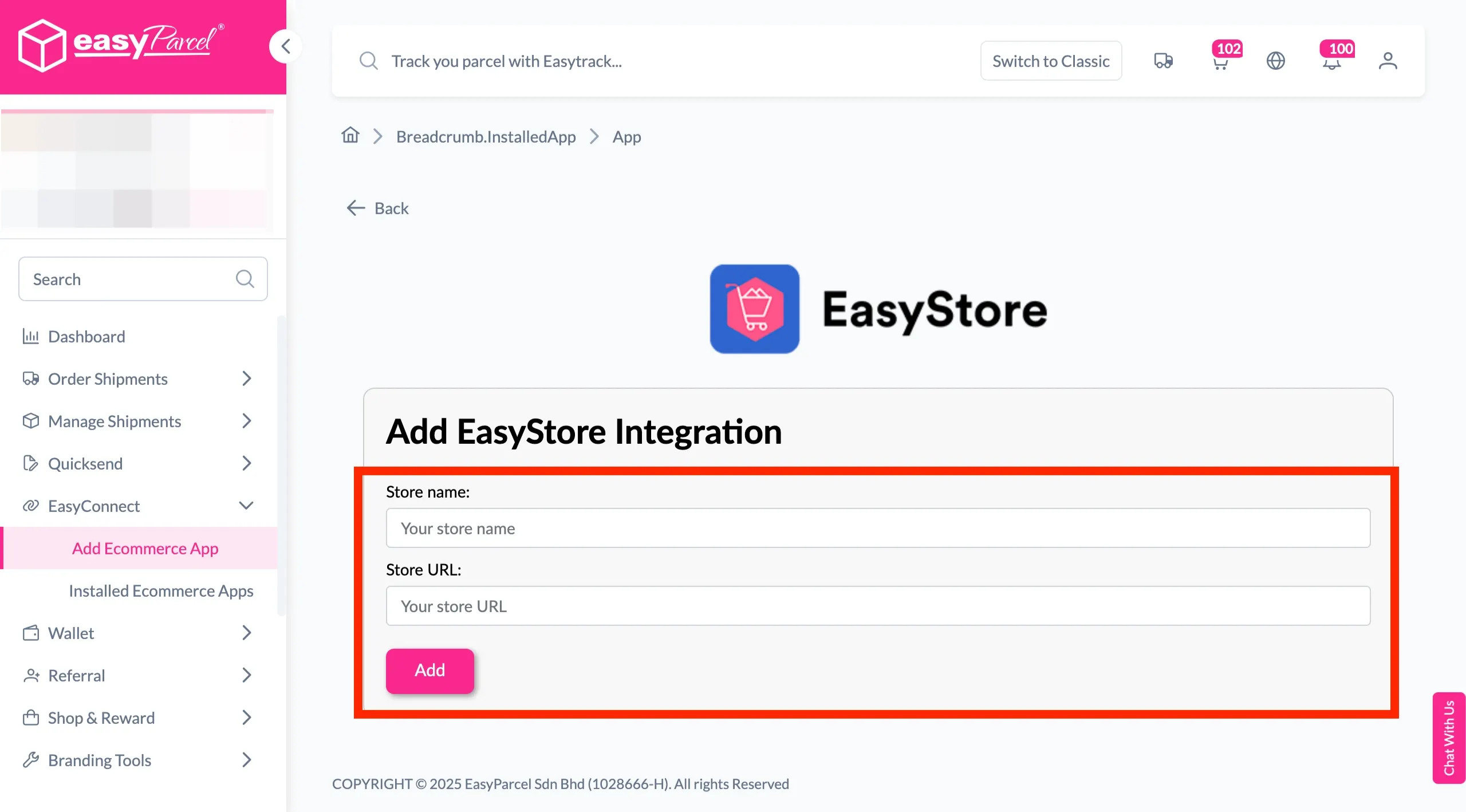
Step 4: Fill in the ‘Store name’ and ‘Store URL’. After that, click ‘Add’.

EasyStore- Integration (plugin) 3

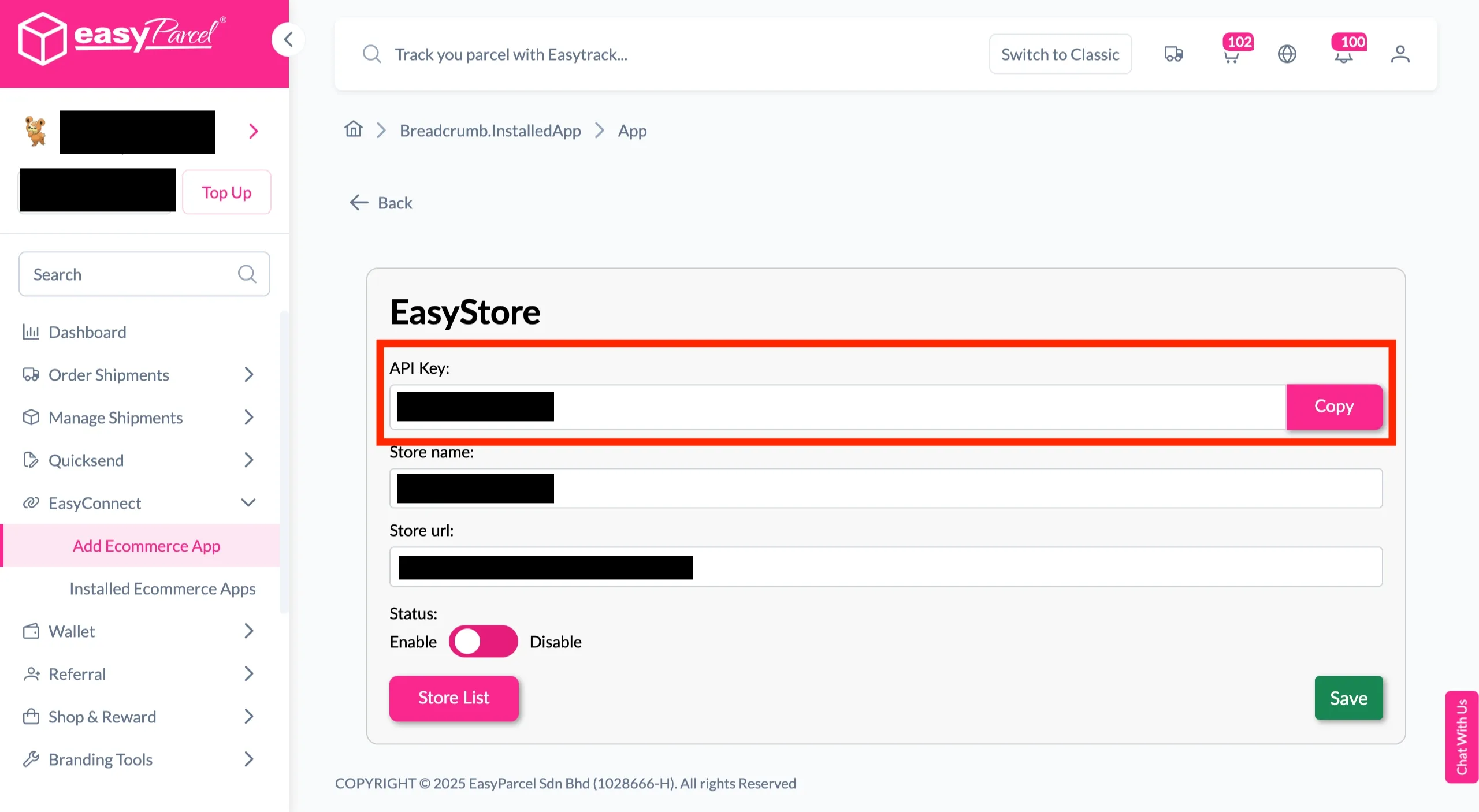
Step 5: Your store API key/Integration ID will be generated. Copy it to integrate with your store.

EasyStore- Integration (plugin) 4

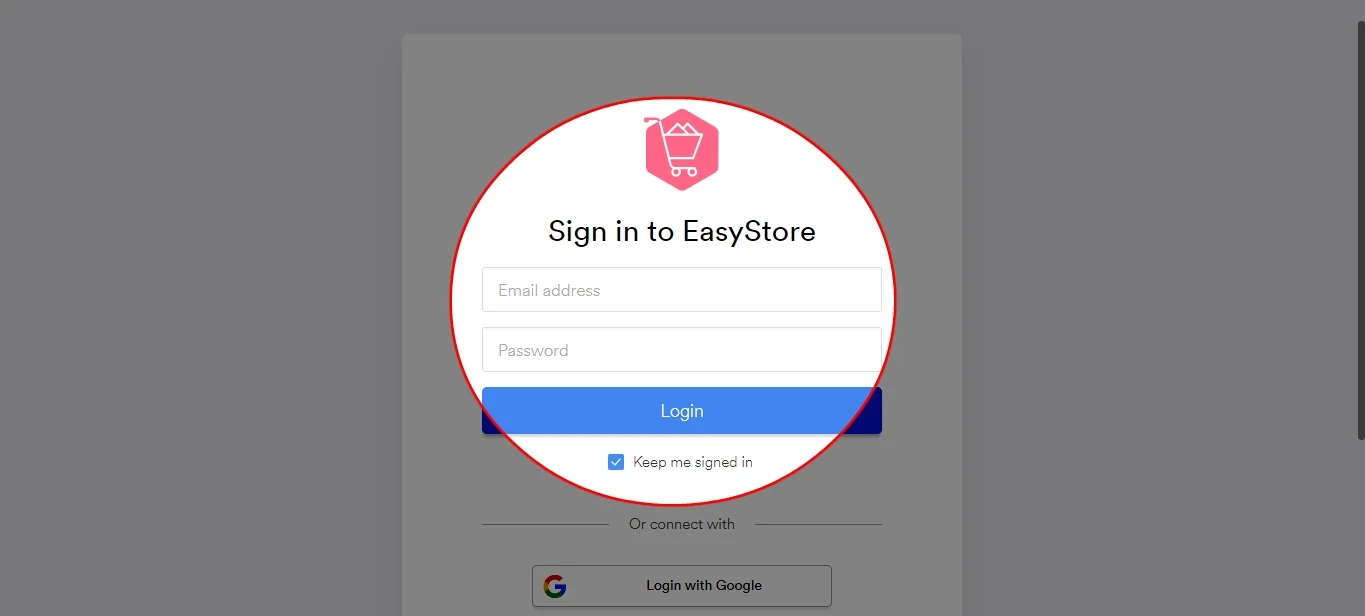
Step 6: Login to your EasyStore account.

EasyStore- Integration (plugin) 5

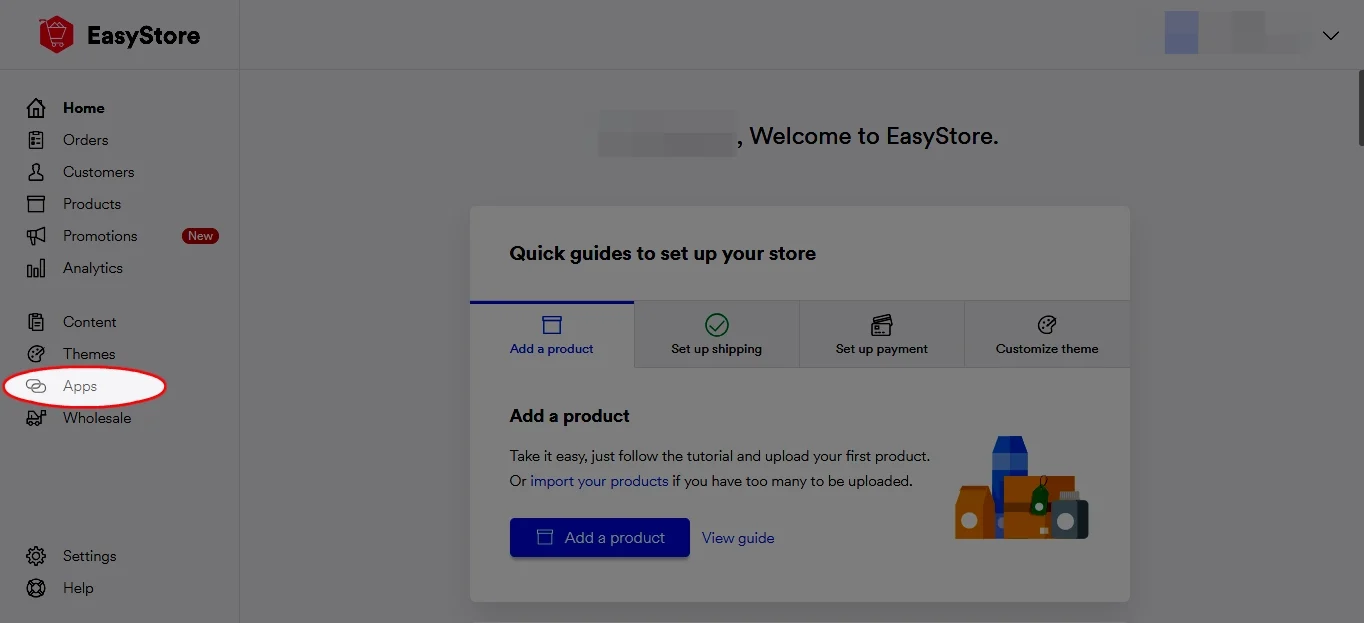
Step 7: Click ‘Apps’.

EasyStore- Integration (plugin) 6

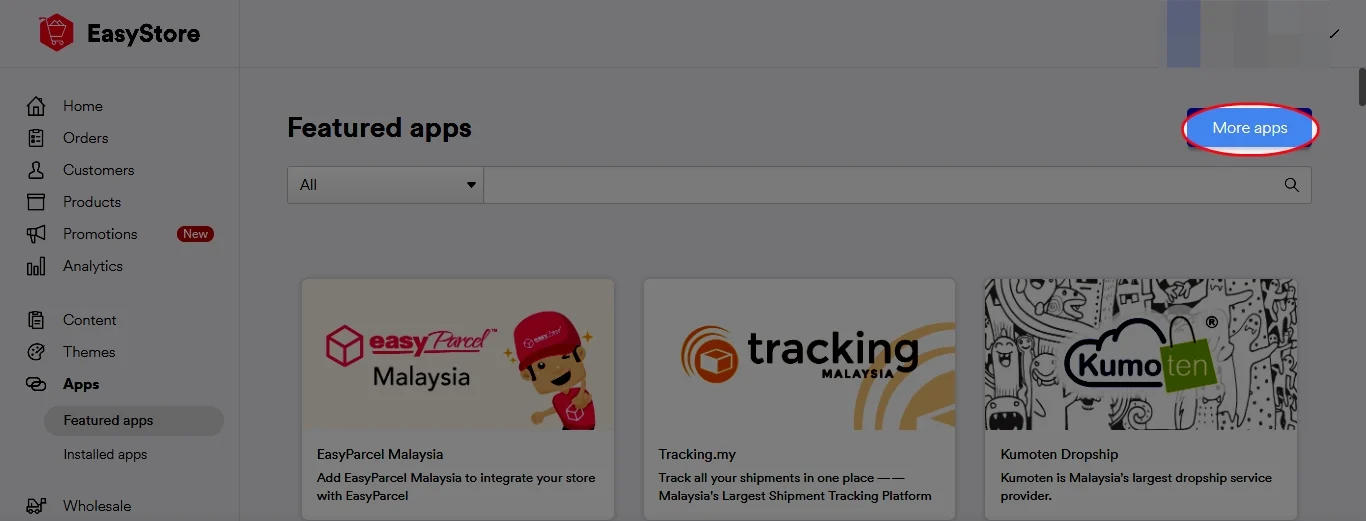
Step 8: Click ‘Browse more apps’.

EasyStore- Integration (plugin) 7

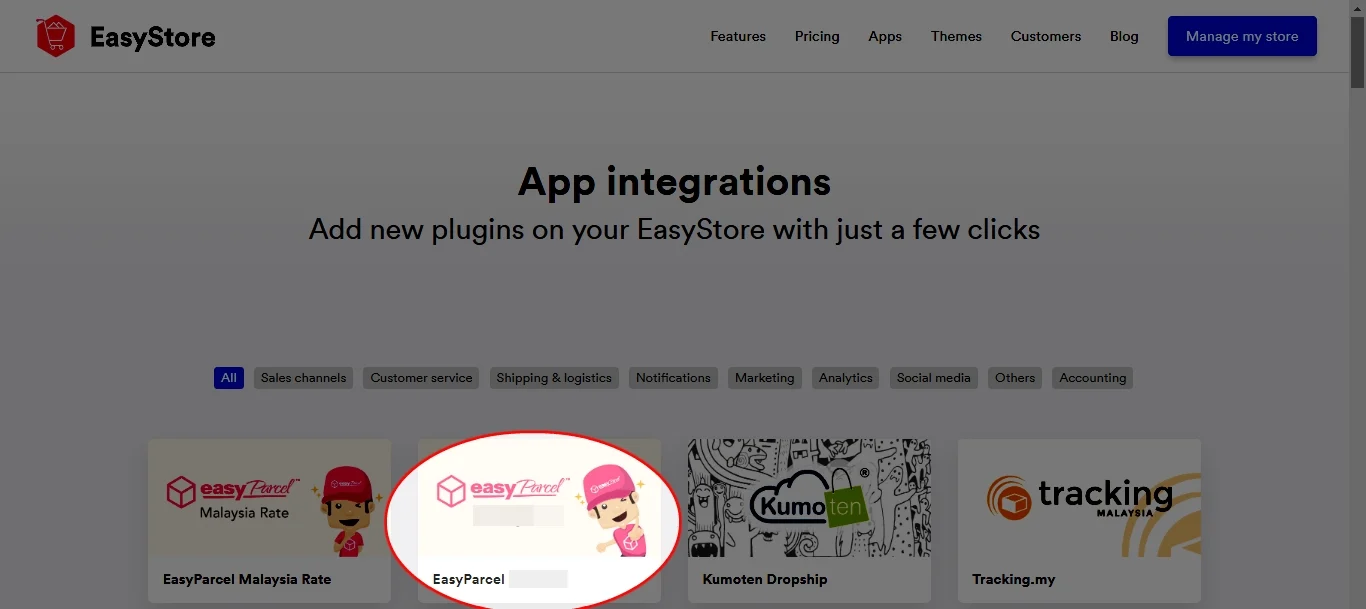
Step 9: Click ‘EasyParcel Singapore’.

EasyStore- Integration (plugin) 8

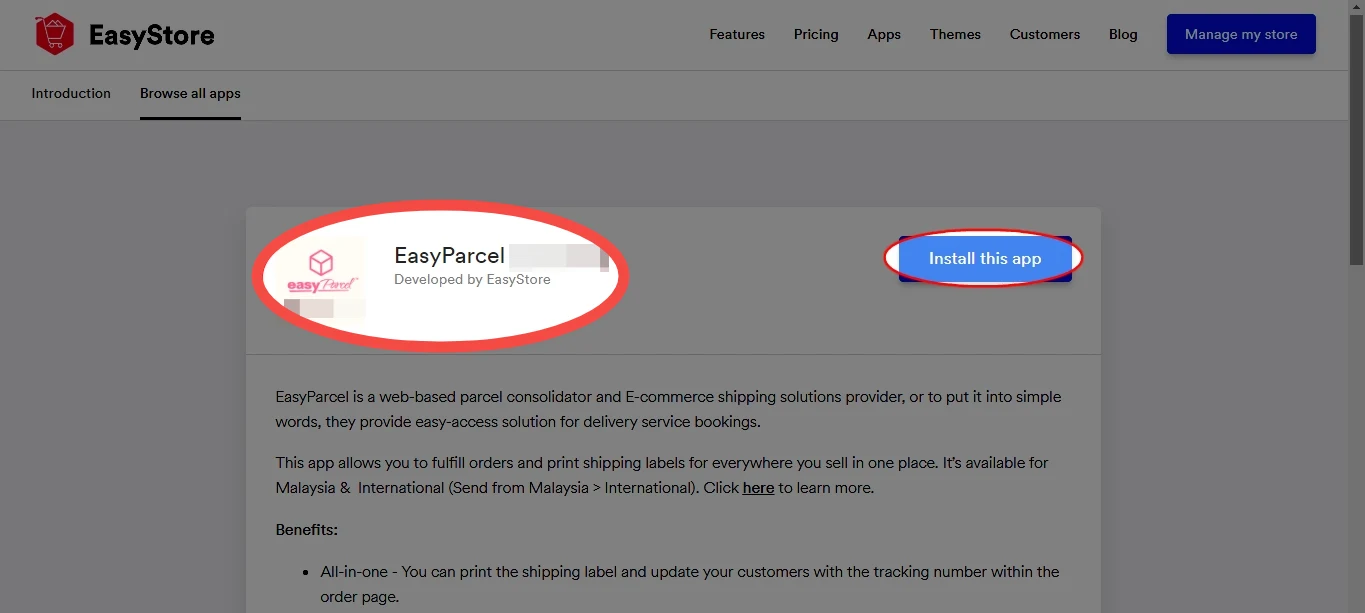
Step 10: Click ‘Install this app’.

EasyStore- Integration (plugin) 9

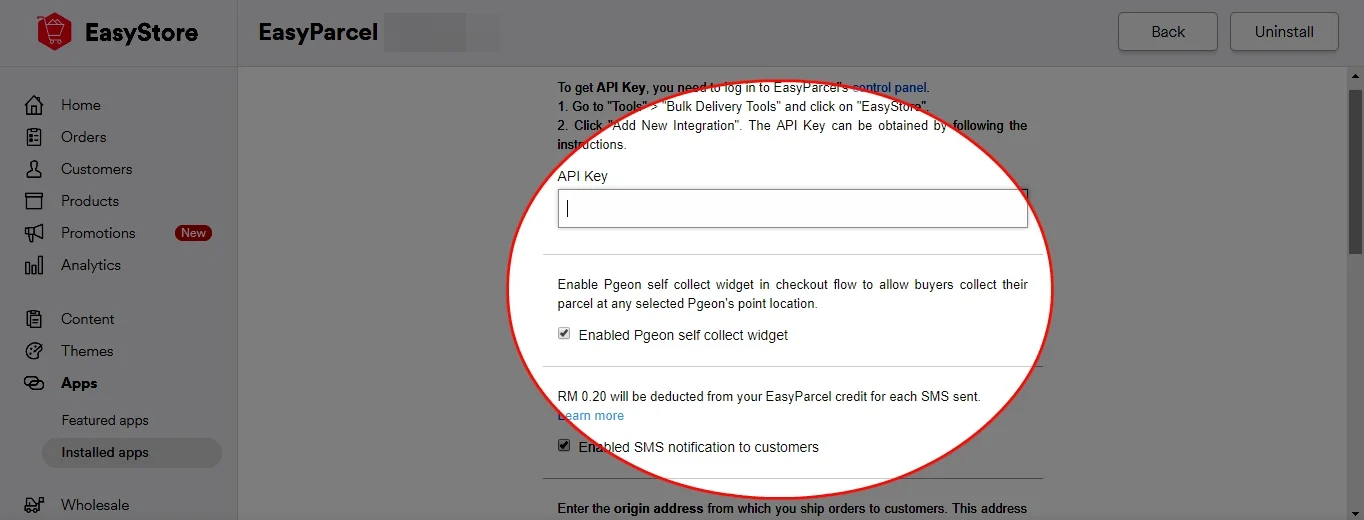
Step 11: Enter your API key (Integration ID) and origin address from which you ship the orders to the customer. Click ‘Save’.

EasyStore- Integration (plugin) 10

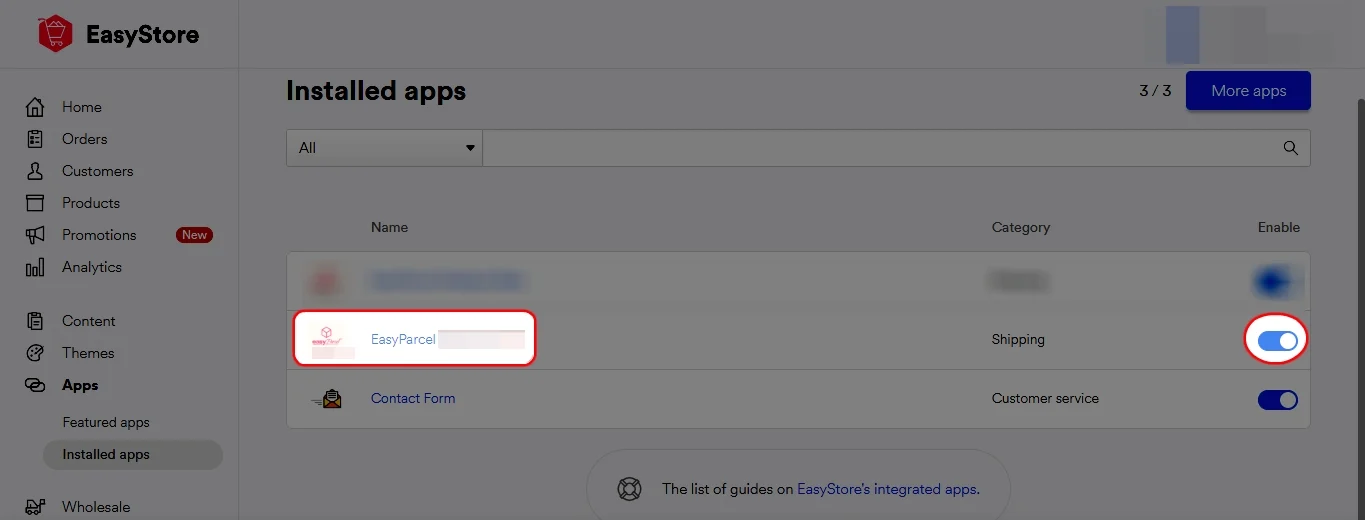
Step 12: Click ‘Installed apps’ and make sure your EasyParcel Singapore is ‘Activated’.

EasyStore- Integration (plugin) 11

Fulfilling EasyStore Order

Step 1: Go to your EasyStore orders page and click on the order number. 

Step 2: Click on the ‘Fulfill’ button and then click on “EasyParcel Fulfillment Singapore”.

Step 3: Check if the item weight is correct. If it’s wrong, click on the pencil button to edit it.

Step 4: Choose a pickup date if you wish to choose a different date from the date shown.

Step 5: Choose your preferred courier service and then click on ‘Fulfill Order’ button.

Step 6: Click on ‘Download your AirWaybill’ button to view and download the air waybill. Remember to print and attach the air waybill to your parcel. You may also click on ‘EasyParcel Portal’ text to go to your EasyParcel all shipments page or click on ‘Return To EasyStore’ button to view or fulfil other EasyStore orders.


Frequently Asked Question (FAQs)

What services does SingPost offer for parcel delivery?
SingPost offers a range of national and international parcel delivery services, including standard and tracked options for sending items locally or overseas. By booking through EasyParcel, you can compare SingPost rates with other couriers to find the best value service for your needs.
How do I ship with SingPost using EasyParcel?
To ship with SingPost via EasyParcel, enter your parcel’s weight, dimensions, and destination on the EasyParcel booking page, then select SingPost from the list of courier options. EasyParcel will generate the shipping label and tracking number for you, making the process smooth and efficient.
🚨 Campaign Spotlight 🚨

Boost Your Rezeki with up to 500,000 Reward Points + S$2,888 Bonus Credits!

Celebrate the festive season with rewards designed to help your business grow stronger and bigger this Raya! 💚✨ With the Raya Power Boost, when you top up, you’ll earn up to S$2,888 Bonus Credits and 500,000 Reward Points, depending on your top-up amount. Don’t miss out — this exclusive Raya Power Boost runs only until 31st March 2026, 11:59PM!

Join 1.5 Million Happy Customers & Start Saving

Create your free account today and receive S$6 shipping coupon to start saving from your very first parcel. Compare courier rates, book in minutes, and start saving immediately.
×



