


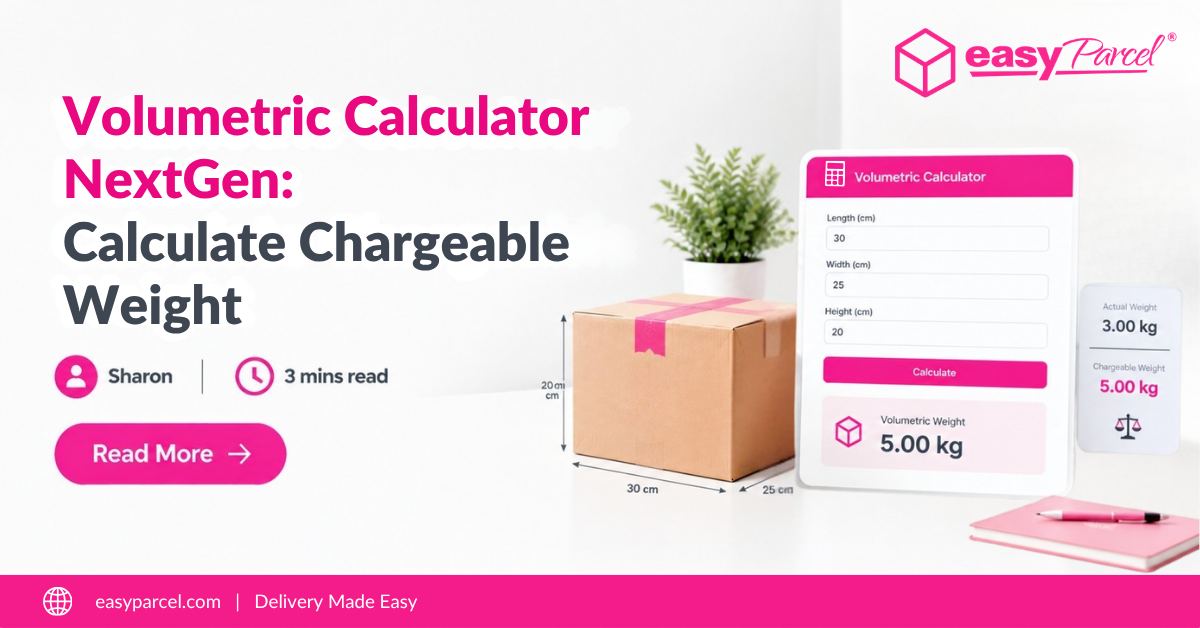
You pack a large, lightweight item – a pillow, a plush toy, or a box of empty space – and expect cheap shipping because it weighs almost nothing. Then the bill arrives, double what you expected. Why? Because couriers charge for volumetric weight, not just actual weight.
Introducing EasyParcel NextGen Volumetric Calculator – a smarter way to calculate chargeable weight before you ship. This blog explains what volumetric weight is, how EasyParcel NextGen Volumetric Calculator works, and how to use it to save money on every shipment.
Table of Contents
What Is Volumetric Weight?
Volumetric weight (also called dimensional weight or DIM weight) is a pricing technique used by couriers. It charges based on how much space your parcel takes up on the plane or truck – not just how much it weighs.
Why Do Couriers Use Volumetric Weight?
A truck can only hold so many parcels. A large, lightweight box (like a pillow) takes up the same space as a small, heavy box (like a laptop charger). The courier loses money if they charge only by actual weight for the pillow.
Volumetric weight ensures couriers are paid fairly for the space your parcel occupies.
Volumetric Weight Formula
The standard formula for volumetric weight is:
Volumetric Weight (kg) = (Length × Width × Height) ÷ 5000
Measurements in centimeters (cm). The divisor 5000 is the industry standard for international shipping.
Actual Weight vs Volumetric Weight – Which One Do You Pay?
Couriers charge whichever is higher – actual weight or volumetric weight.
|
Scenario
|
Actual Weight
|
Parcel Size (cm)
|
Volumetric Weight
|
You Pay
|
|---|---|---|---|---|
|
Small, heavy item
|
5 kg
|
20 x 20 x 20
|
1.6 kg
|
5 kg (actual)
|
|
Large, light item
|
2 kg
|
50 x 40 x 30
|
12 kg
|
12 kg (volumetric)
|
In the second example, you pay for 12 kg even though your parcel only weighs 2 kg. This is why understanding volumetric weight matters.
What Is EasyParcel NextGen Volumetric Calculator?
EasyParcel NextGen Volumetric Calculator is a built-in tool that automatically calculates volumetric weight for your parcel. It compares actual weight vs volumetric weight and shows you exactly what couriers will charge.
Know Your Chargeable Weight Before You Book

How to Use EasyParcel NextGen Volumetric Calculator
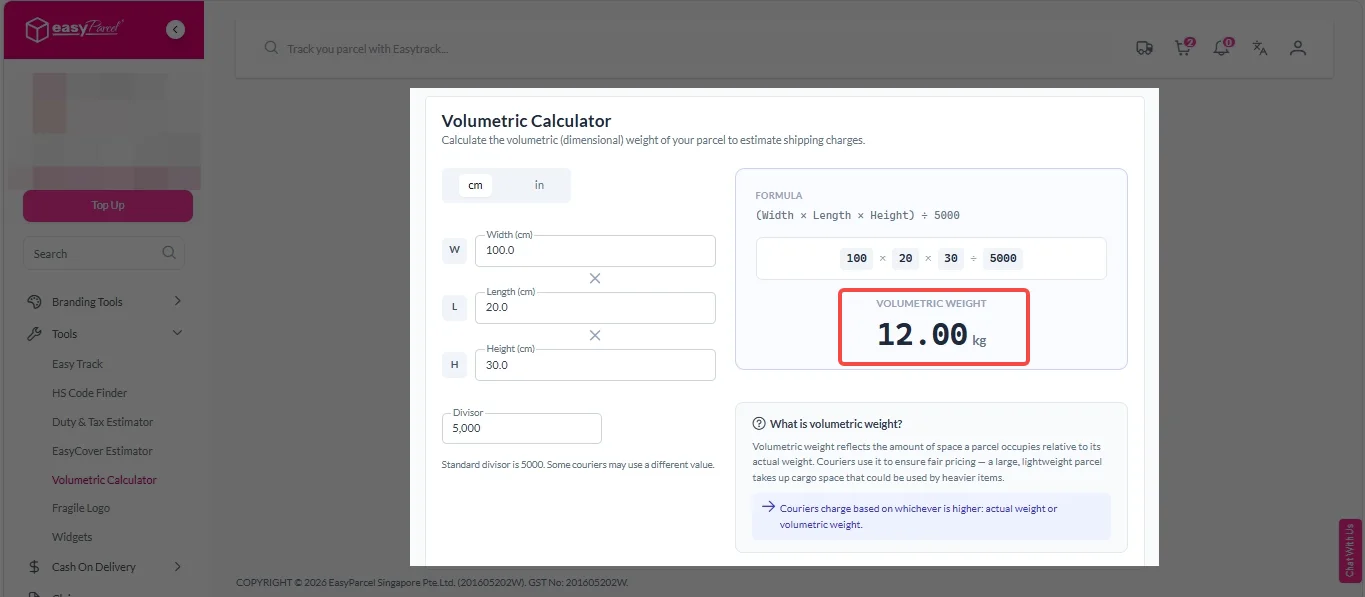
1. Login your EasyParcel account.

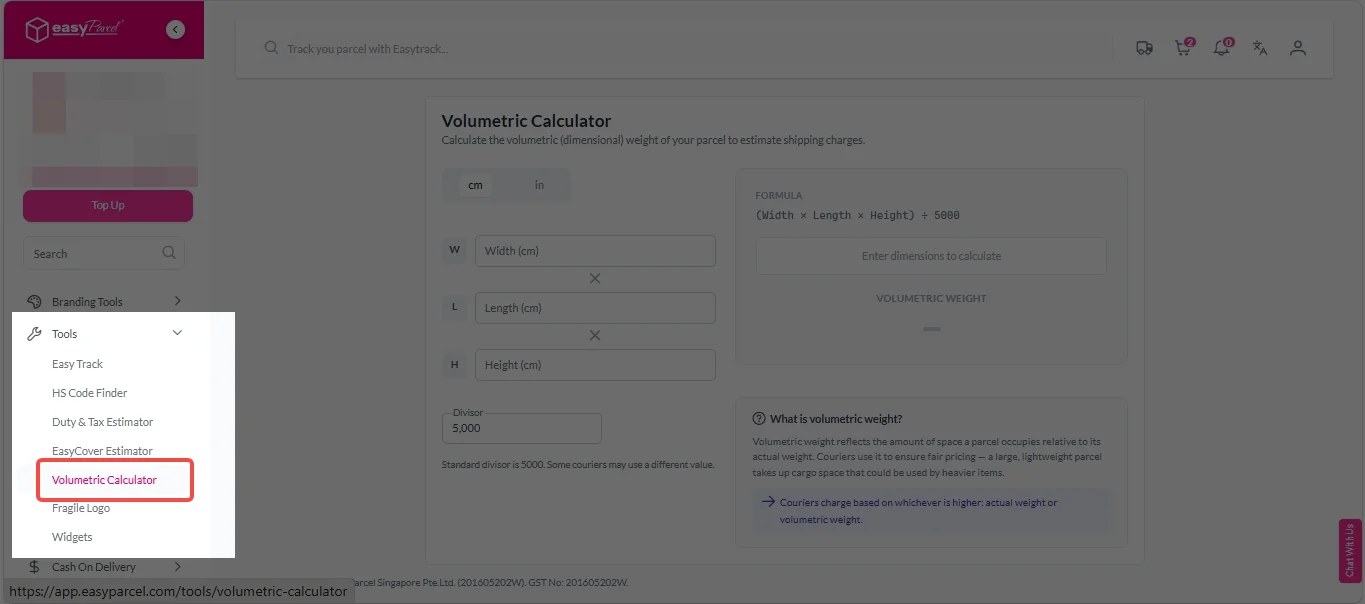
2. Under “Tools”, click on “Volumetric Calculator”.
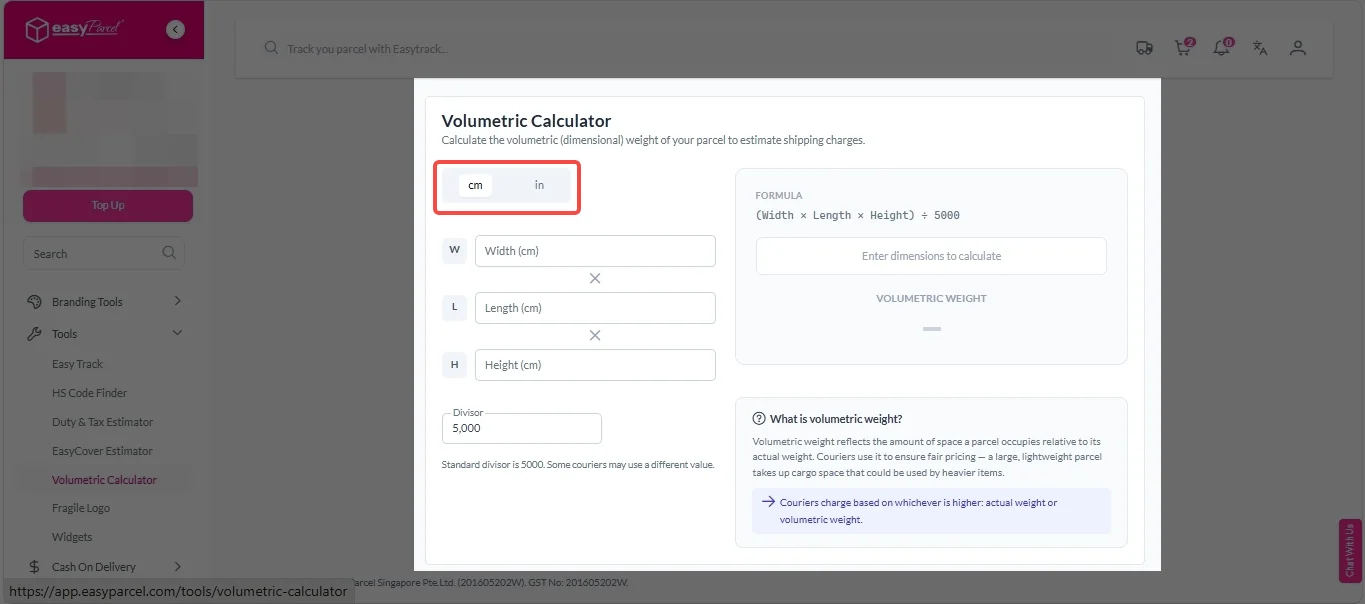
3. Choose your preferred measurement unit – centimeters (cm) or inches (in).
4. Enter width, length, height and divisor.
Note: Standard divisor is 5000. Some couriers may use a different value.
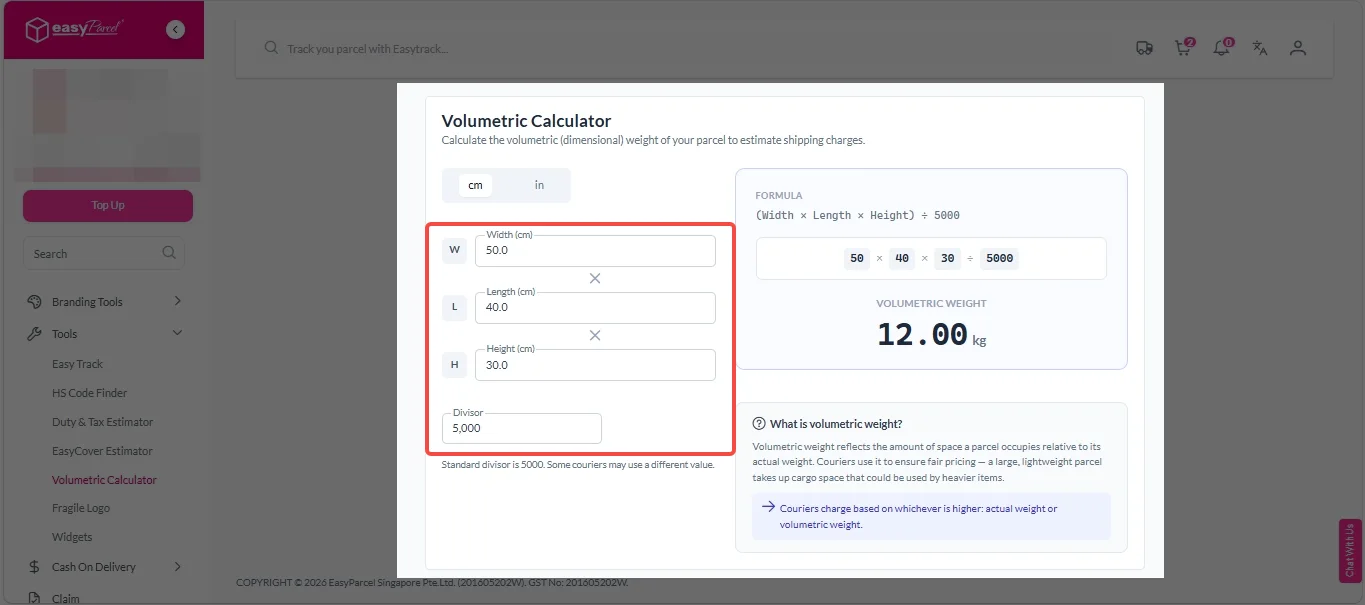
5. The volumetric weight will show as image below.
Benefits of Using NextGen Volumetric Calculator
Reduce Mistake
Automatically calculates volumetric weight for each courier – no manual math, no wrong formula, no errors.
Save Time
Get instant volumetric weight calculations in seconds – no manual formulas needed.
No Hidden Fees
No more shipping quotes that change after pickup – what you see is exactly what couriers will charge.






