If you’re an online seller, business owner, or just someone who deals with a high volume of parcels—this one’s for you. We know how time-consuming and repetitive it can be to key in orders one by one, especially during peak seasons or major sales. But here’s the good news: with EasyParcel, you can skip the hassle and streamline your entire bulk order process with just a few clicks.
Let’s dive into how EasyParcel’s Bulk Upload and Bulk Express features make high-volume shipping faster, simpler, and way more efficient.
What Is Bulk Shipping, and Why Does It Matter
Bulk shipping means sending multiple parcels at once, typically with similar info like sender details, packaging type, or destination. For businesses, this is essential—especially when you’re processing dozens (or even hundreds!) of orders in a short time.
The old way? Manually creating each shipment.
The EasyParcel way? Automate, upload, and ship—all from one dashboard.
Bulk Upload: Your Time-Saving Hero
Tired of entering order details one by one? With Bulk Upload, all you need is a simple CSV file.
Here’s how it works:
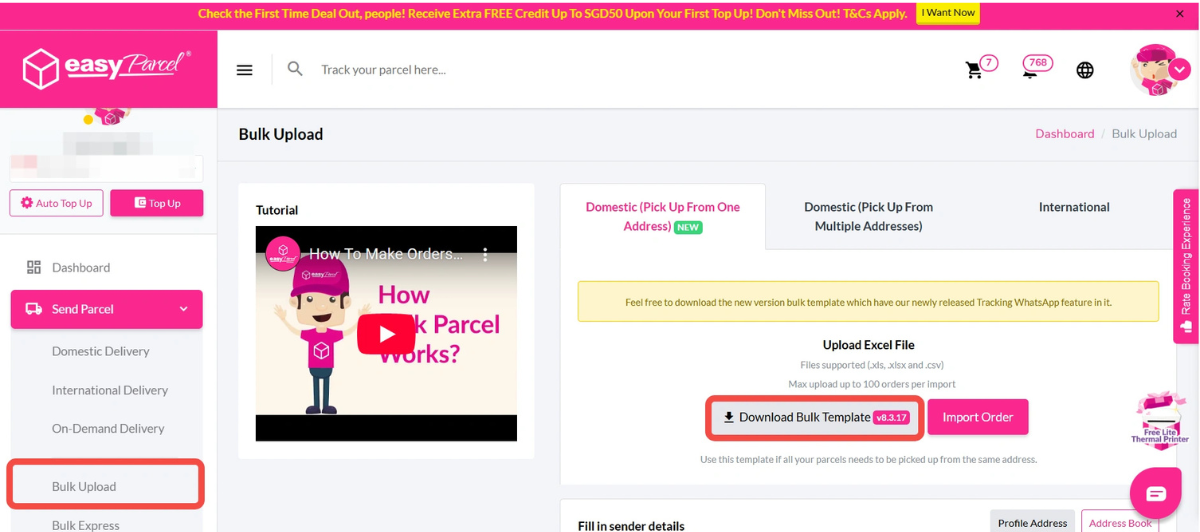
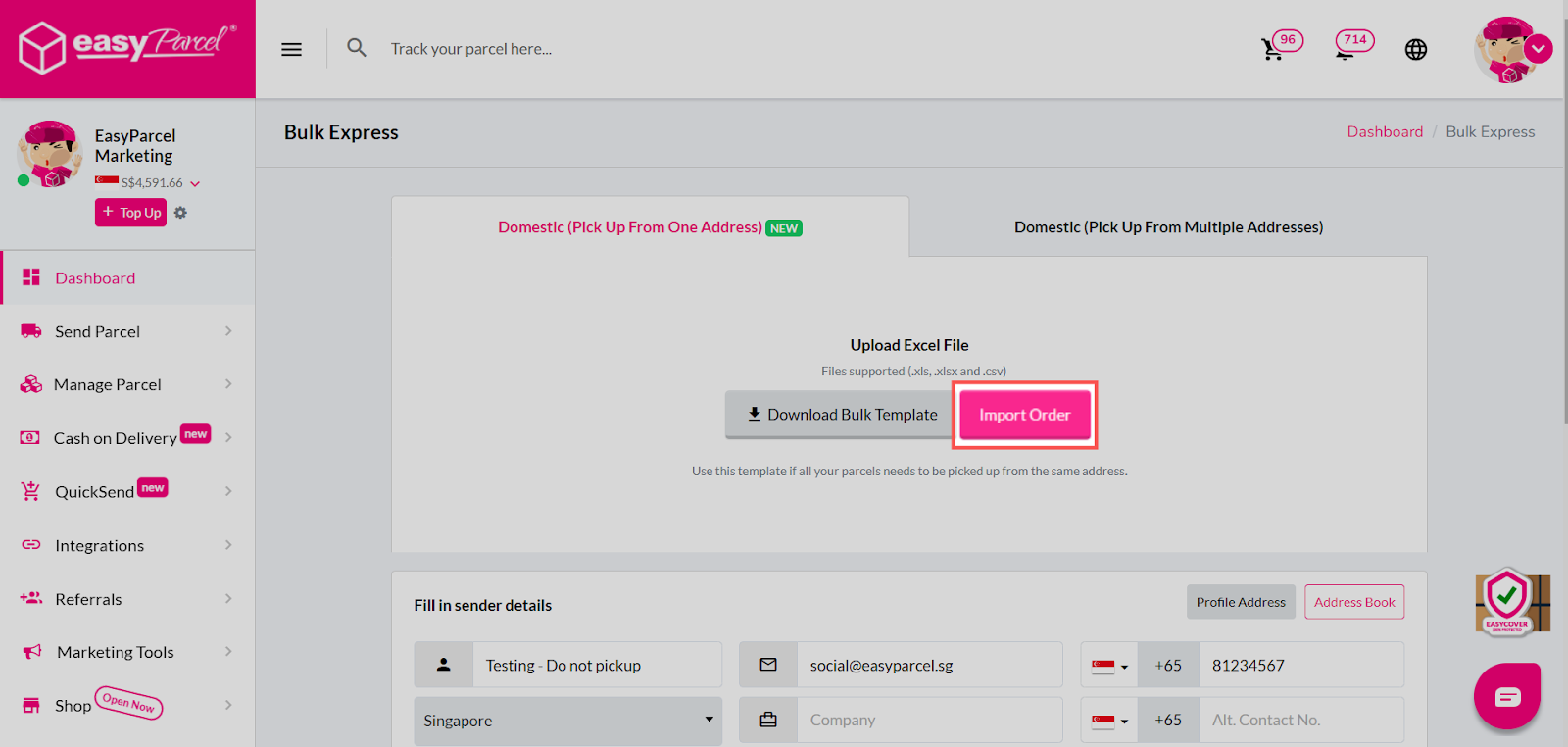
Step 1: Download the CSV Template
Get the ready-made Excel/CSV file from your EasyParcel dashboard, no formatting guesswork needed!
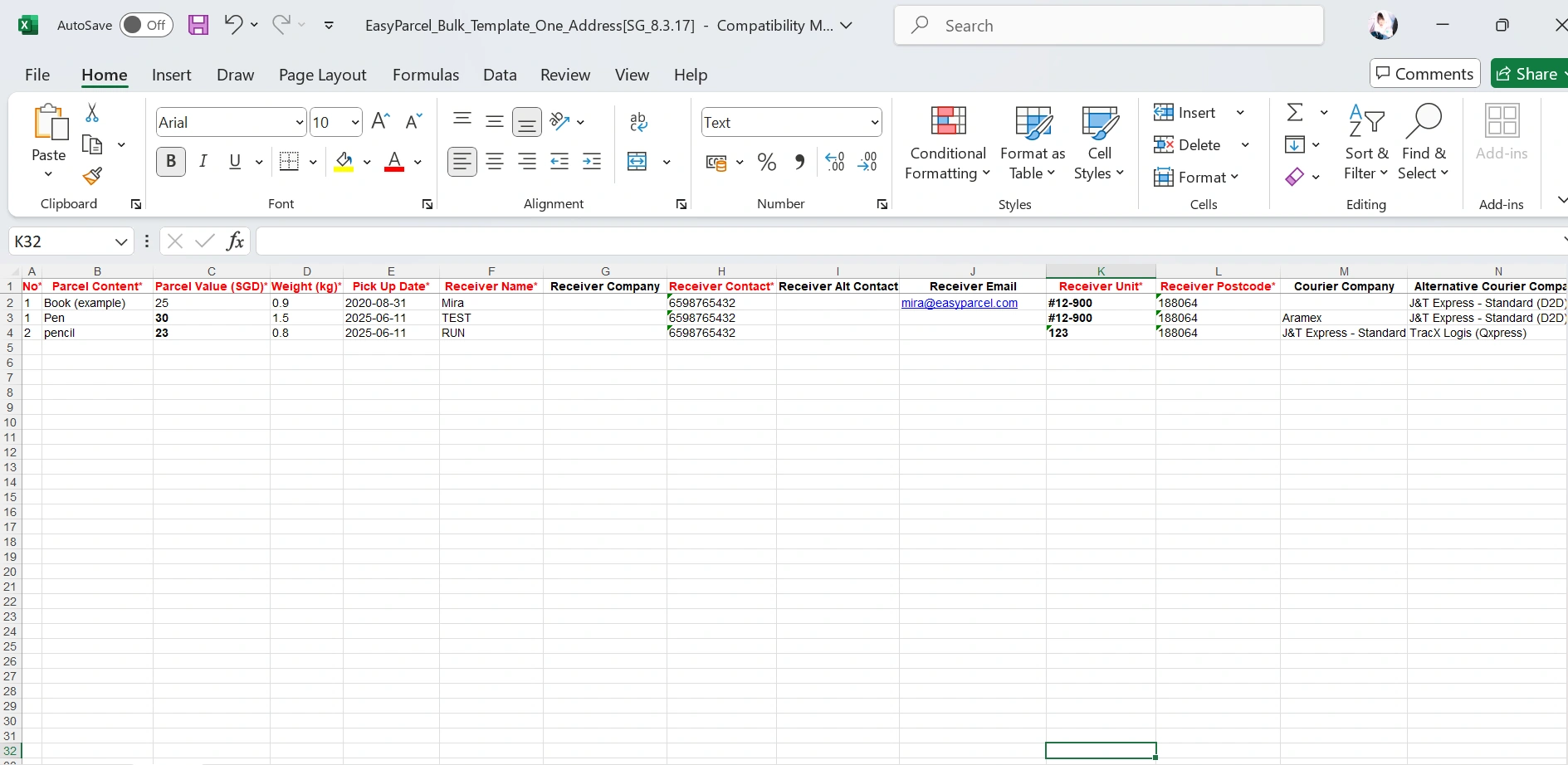
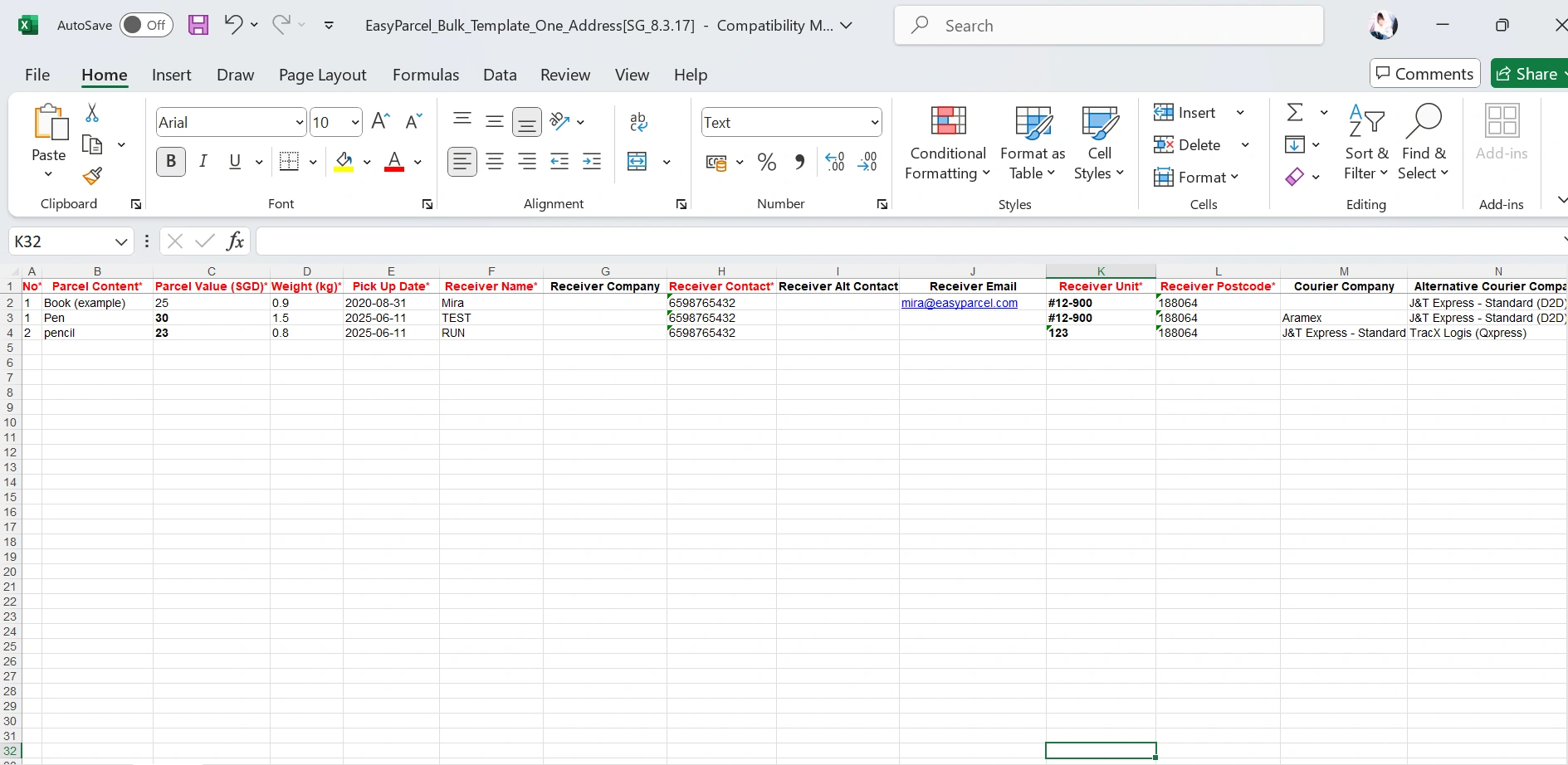
Step 2: Fill in Parcel Details
Enter recipient info like name, address, postcode, parcel weight, and preferred courier. Each row = one parcel.
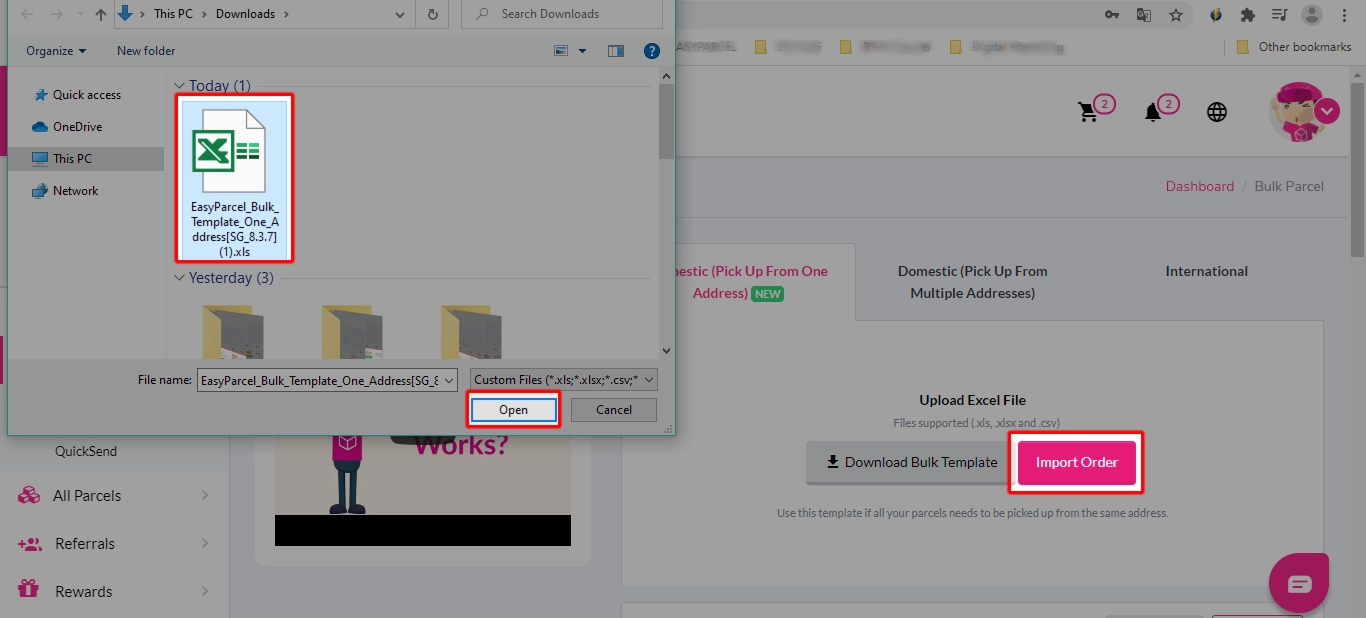
Step 3: Upload to Your CSV File
Once done, upload the completed file to EasyParcel’s system in just a few clicks.
Step 4: Book All Shipments at Once
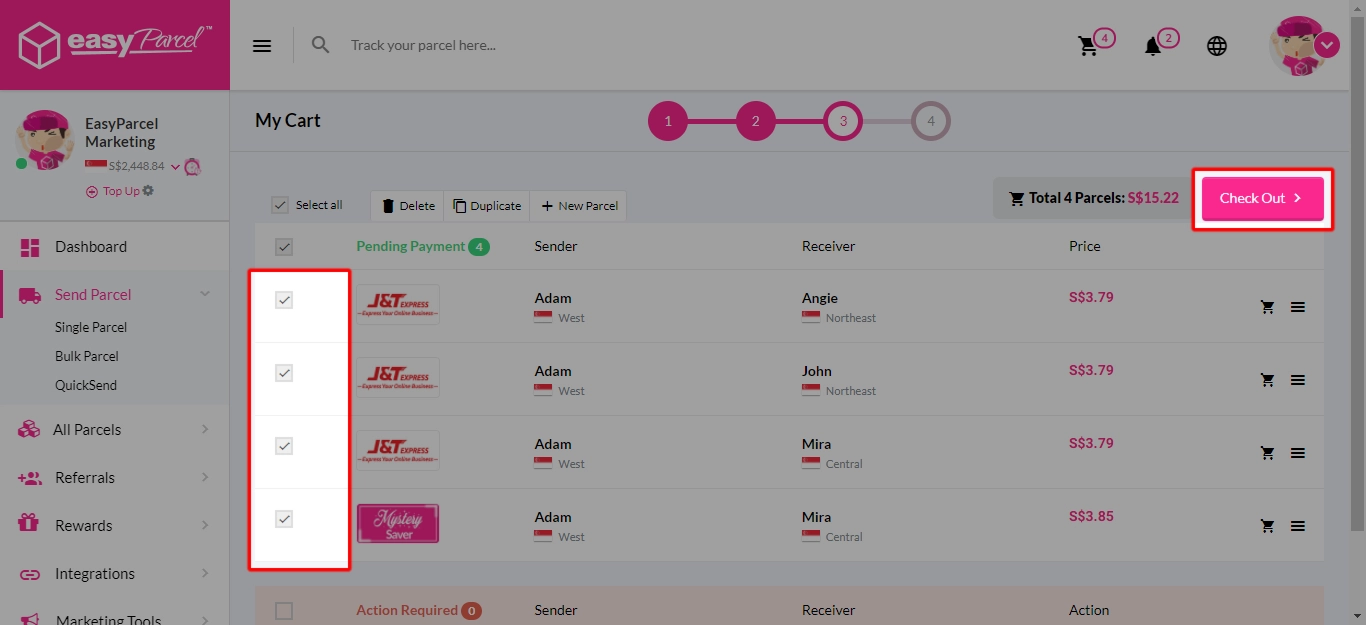
Review your orders, select your orders and click Check Out.
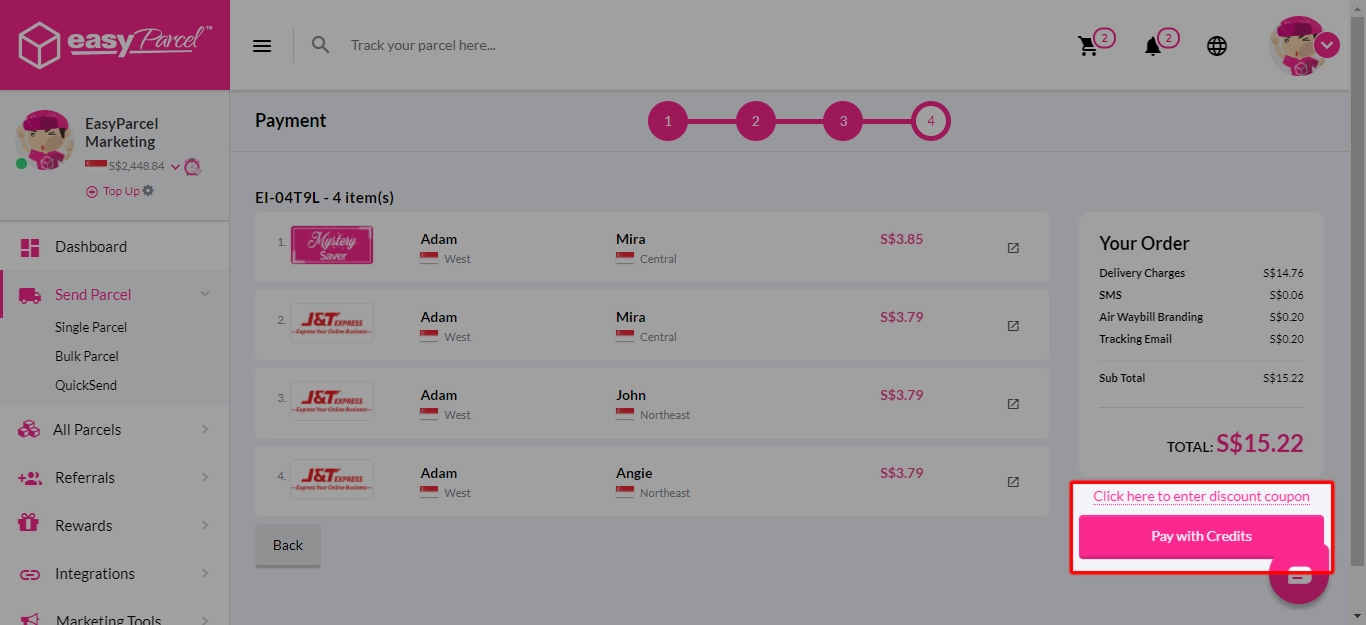
Step 5: Make Payment & Ship
Review your orders, select your orders and click Check Out.
With Bulk Upload, you’re not just saving time, you’re also reducing errors from manual data entry. Less stress, more success.
Need more details? We’ve got you covered – read here.
Bulk Express: Even Faster, Even Smarter
Need to ship parcels to multiple recipients quickly, without selecting couriers one by one?
Bulk Express is a pre-configured option where you:
Step 1: Download the CSV Template
Get the ready-made Excel/CSV file from your EasyParcel dashboard, no formatting guesswork needed!
Step 2: Fill in Recipient Details
Enter basic delivery info like name, address, contact number, and parcel weight for each recipient.
Step 3: Upload the File
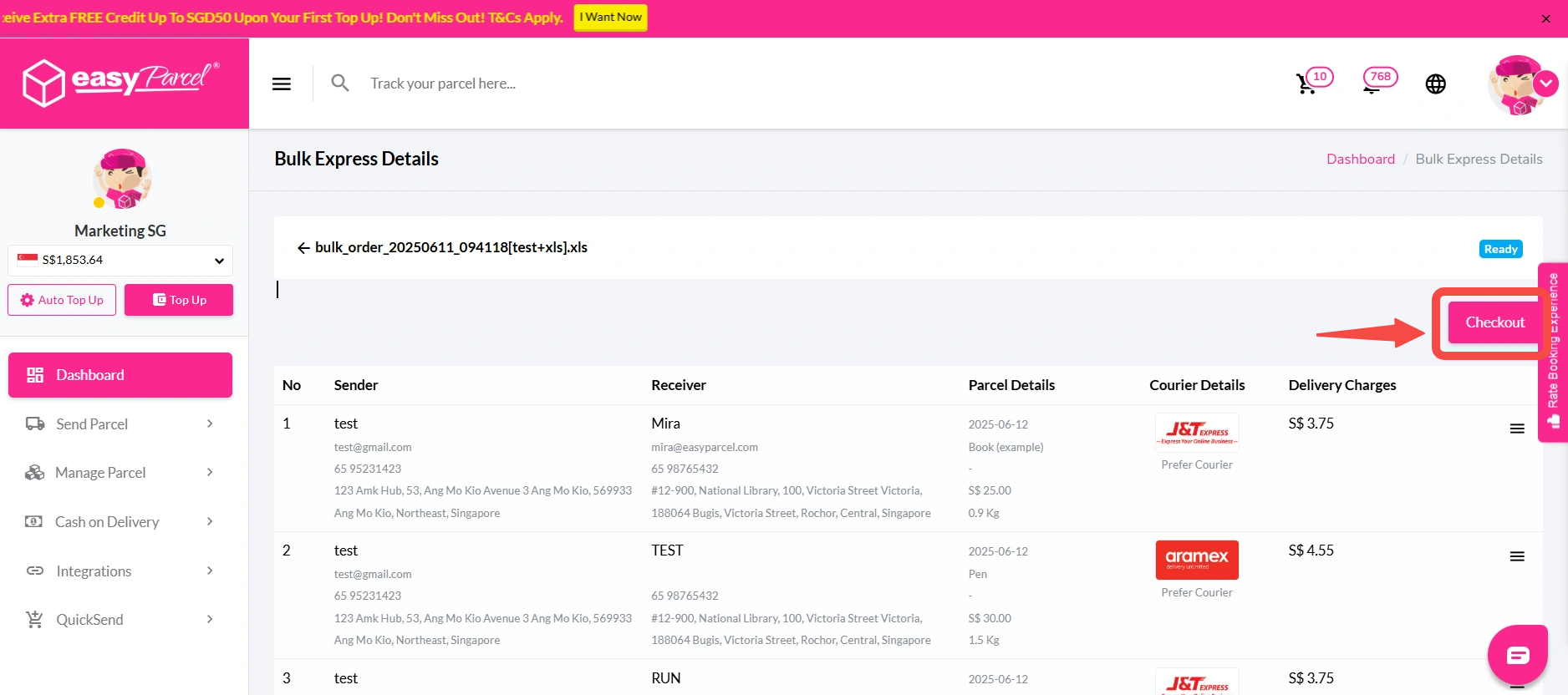
Upload the completed file to EasyParcel’s system in just a few clicks. Once uploaded, you’ll be taken straight to the details page where everything’s auto filled.
Step 4: Make Payment & Ship
Click Pay with Credits to proceed your payments.
It’s the fastest way to dispatch large batches of orders with minimal setup. Great for those who:
🚚Already have a preferred courier
⏩Want a no-fuss solution
🔁Need to process repeat shipments quickly
Curious to learn more? Check it out here!
Simplify Your Bulk Order Management
Handling multiple shipments? Use EasyParcel’s Bulk Upload and Bulk Express tools to book orders faster, compare courier options and manage shipping labels in one convenient platform.
Why Use EasyParcel for Bulk Orders
Bonus Tips for Efficient Bulk Shipping
Want to make your bulk shipping process even smoother? These quick tips can help you save more time, reduce manual work, and streamline your daily operations—especially useful if you ship regularly!
📑Use saved sender setails to auto-fill future orders
🖨️Print label in batches to save time on packing
📆Schedule pickups with supported couriers to avoid post office queues
📌Set default settings for recurring orders (e.g. fixed size, weight, delivery type)
Frequently Asked Question (FAQs)