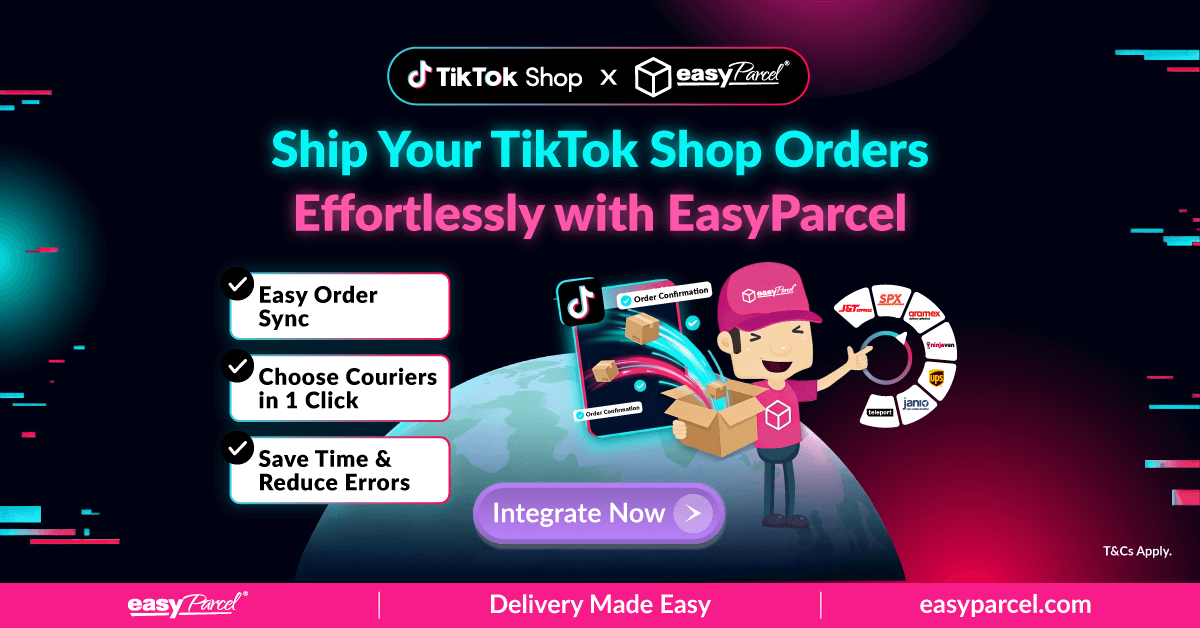
Hey TikTok Shop sellers! Feeling the pressure of managing orders, comparing courier rates, and keeping track of every parcel? We’ve got some exciting news: EasyParcel now integrates with TikTok Shop!
Our brand-new integration makes shipping a breeze—automatically sync your orders, compare rates, book deliveries, and track every parcel in just a few clicks.
Ready to save time, ship smarter, and delight your customers? Connect your TikTok Shop today and see the difference for yourself!
Why Integrate EasyParcel with Your TikTok Shop?
Automatic Order Sync
No more copying order details manually. Your TikTok Shop orders appear directly in EasyParcel.
Instant Courier Comparison
Find the best shipping rates across multiple courier partners in seconds.
Live Tracking for Every Parcel
Keep your customers informed with real-time delivery updates.
Simplified Workflow
Save hours every week by handling all your shipping in one place.
Flexible Delivery Options
Standard, express, or bulk shipments—choose what works best for your business.
Happier Customers, Higher Repeat Sales
Faster, transparent shipping builds trust and loyalty.
Requirements To Start Integrating Your TikTok Shop
Your TikTok Shop must enable Seller Shipping (Self-Arrange Shipping).
If your shop is using Platform Shipping, TikTok will manage the logistics and shipping label generation. In this case:
- Order details may be masked or restricted.
- External tracking numbers may not be allowed.
- Orders cannot be fulfilled through EasyParcel.
As mentioned in How to apply SOF in TikTok Shop , Seller Own Fleet (SOF) is available for invitation only.
Only orders that are set to Shipped by Seller are eligible for fulfillment via EasyParcel.
This is required because:
- EasyParcel requires access to the buyer’s full (unmasked) shipping information.
- You must be allowed to manually update the tracking number back to TikTok Shop.
- Tracking synchronization depends on seller-managed shipping.
How to Setup & Fulfill Your Orders From Your TikTok Shop?
- How To Setup
- How To Fulfill Your Orders
Step 1: Log in to your EasyParcel account
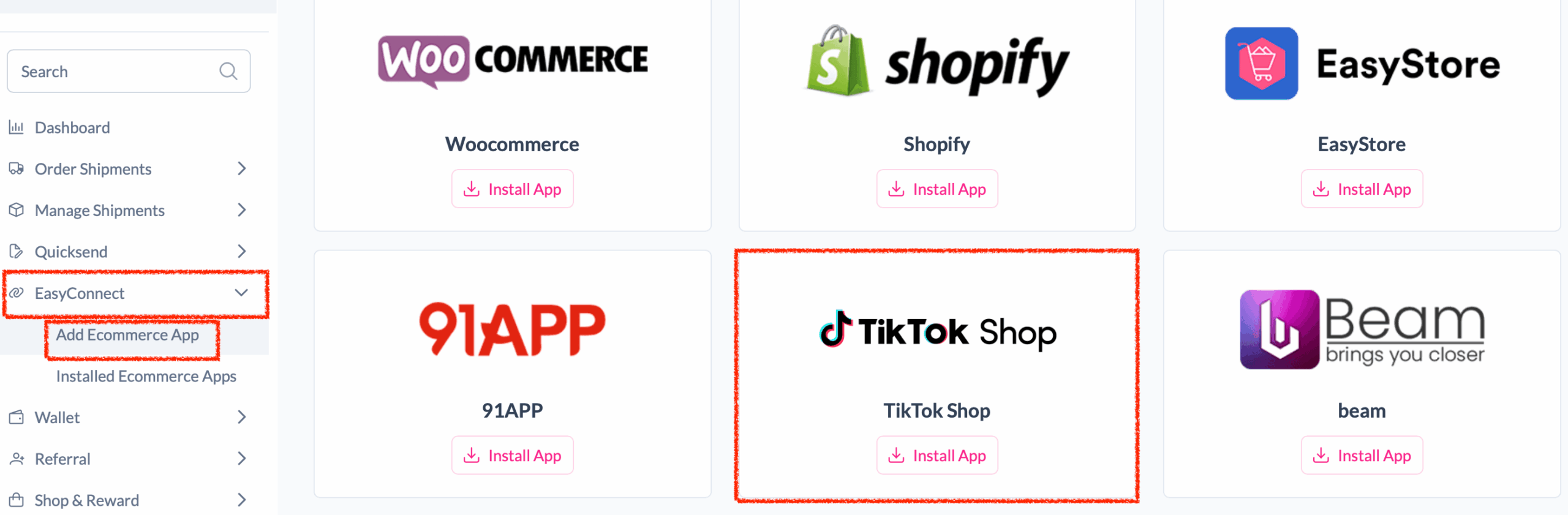
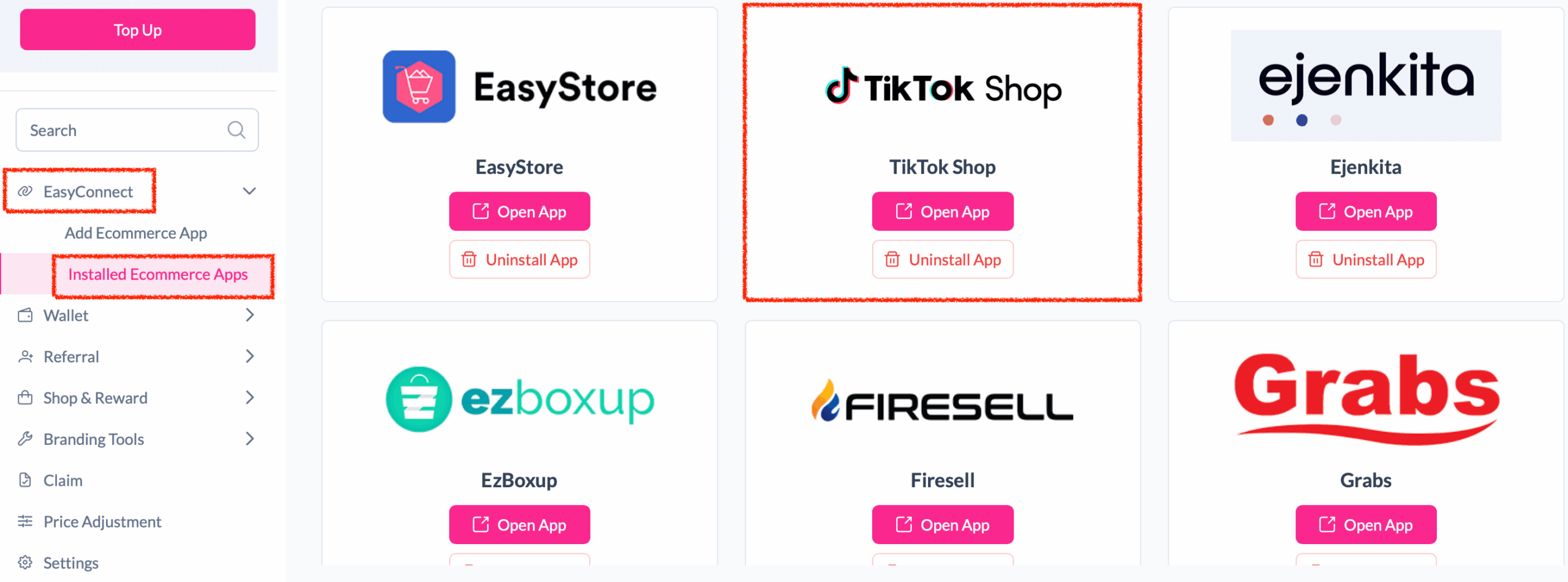
Step 2: After login, click on Add Ecommerce App under EasyConnect section, find TikTok Shop and click on Install App.
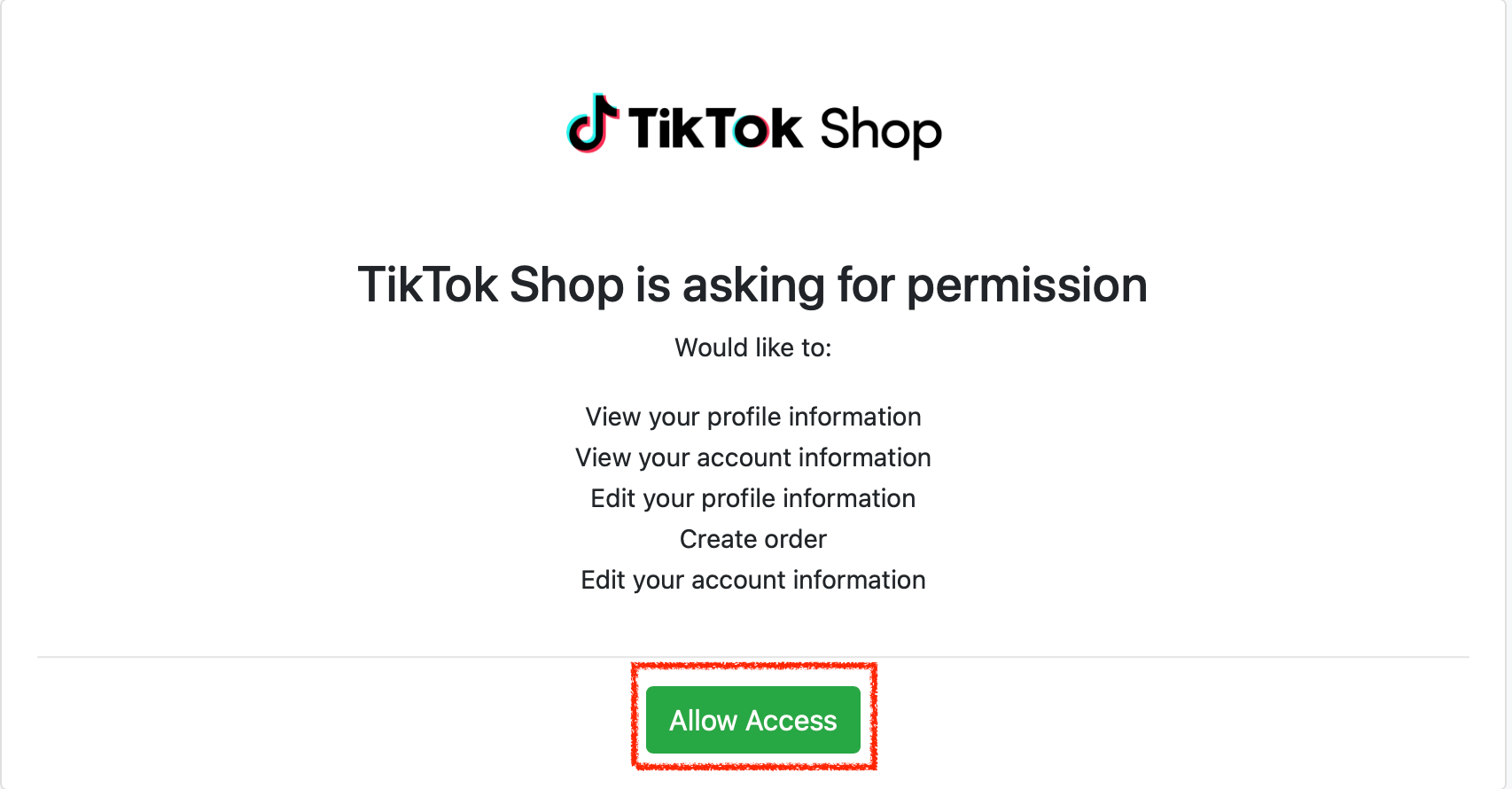
Step 3: Click Allow Access to authorize EasyParcel to access your TikTok Shop store data.
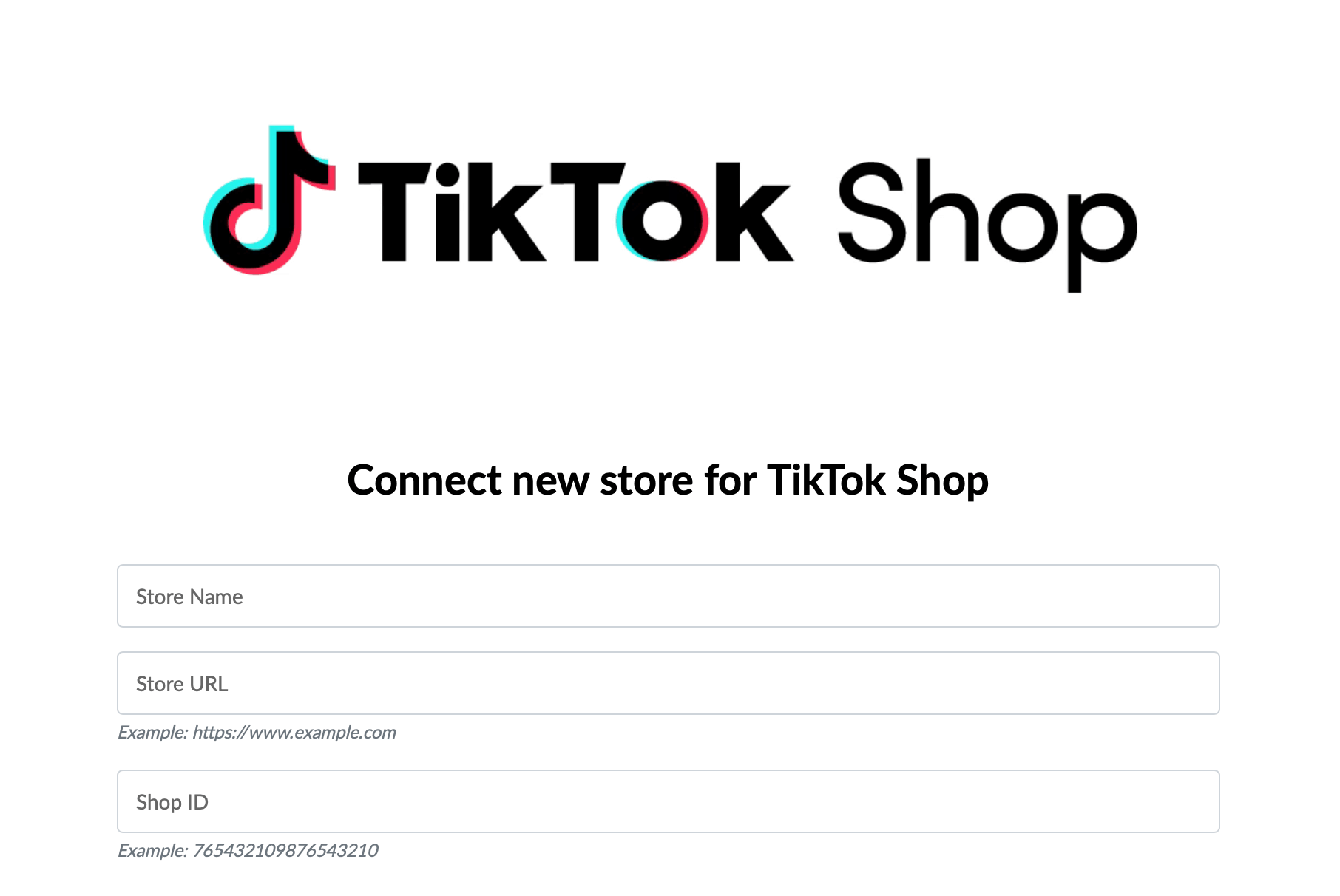
Step 4: Enter your store name, store url and shop id, then click Connect.
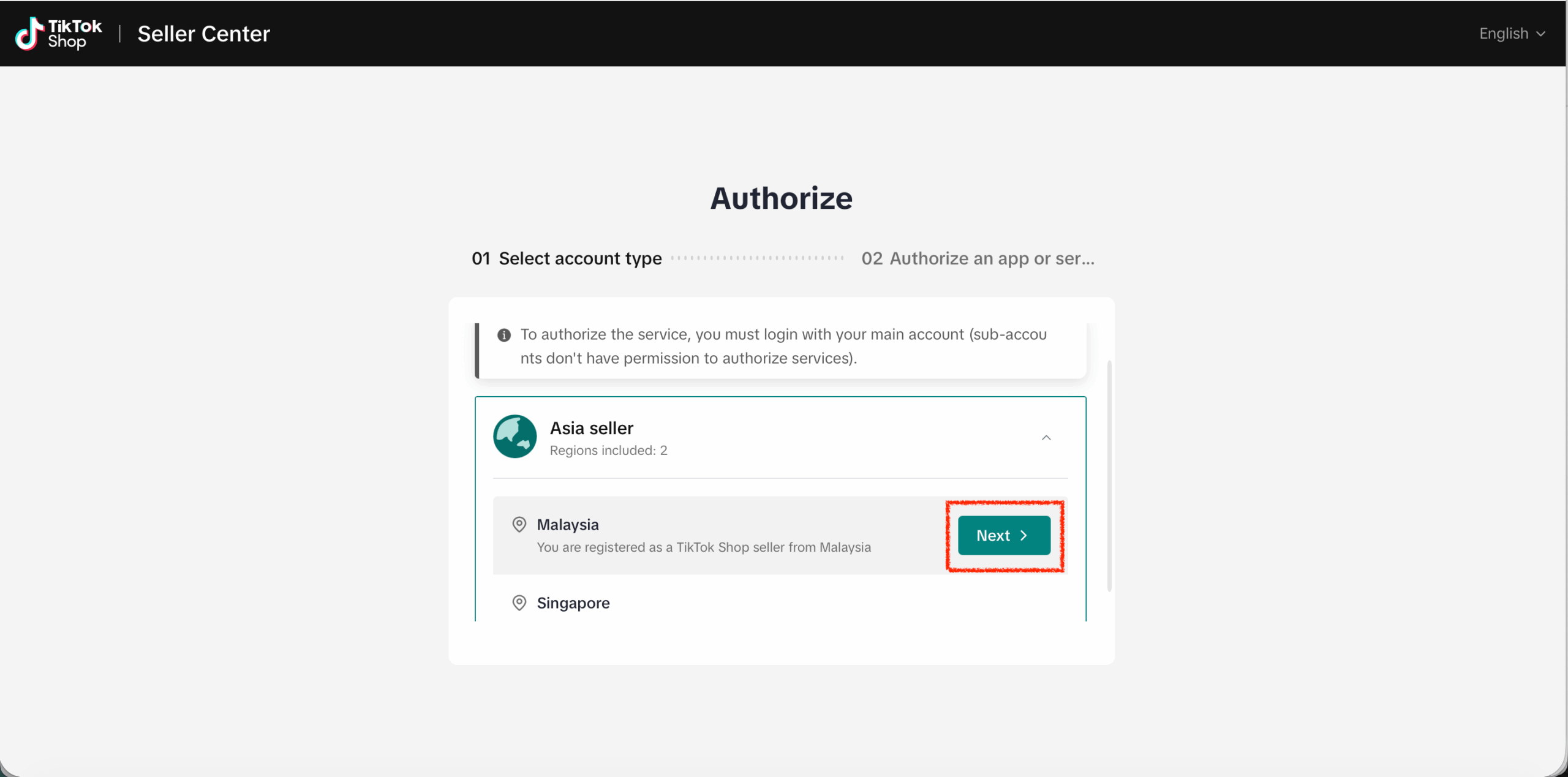
Step 5: You will be redirected to TikTok Shop Seller Centre to authorize the app. First, select the region of the seller account by clicking Next
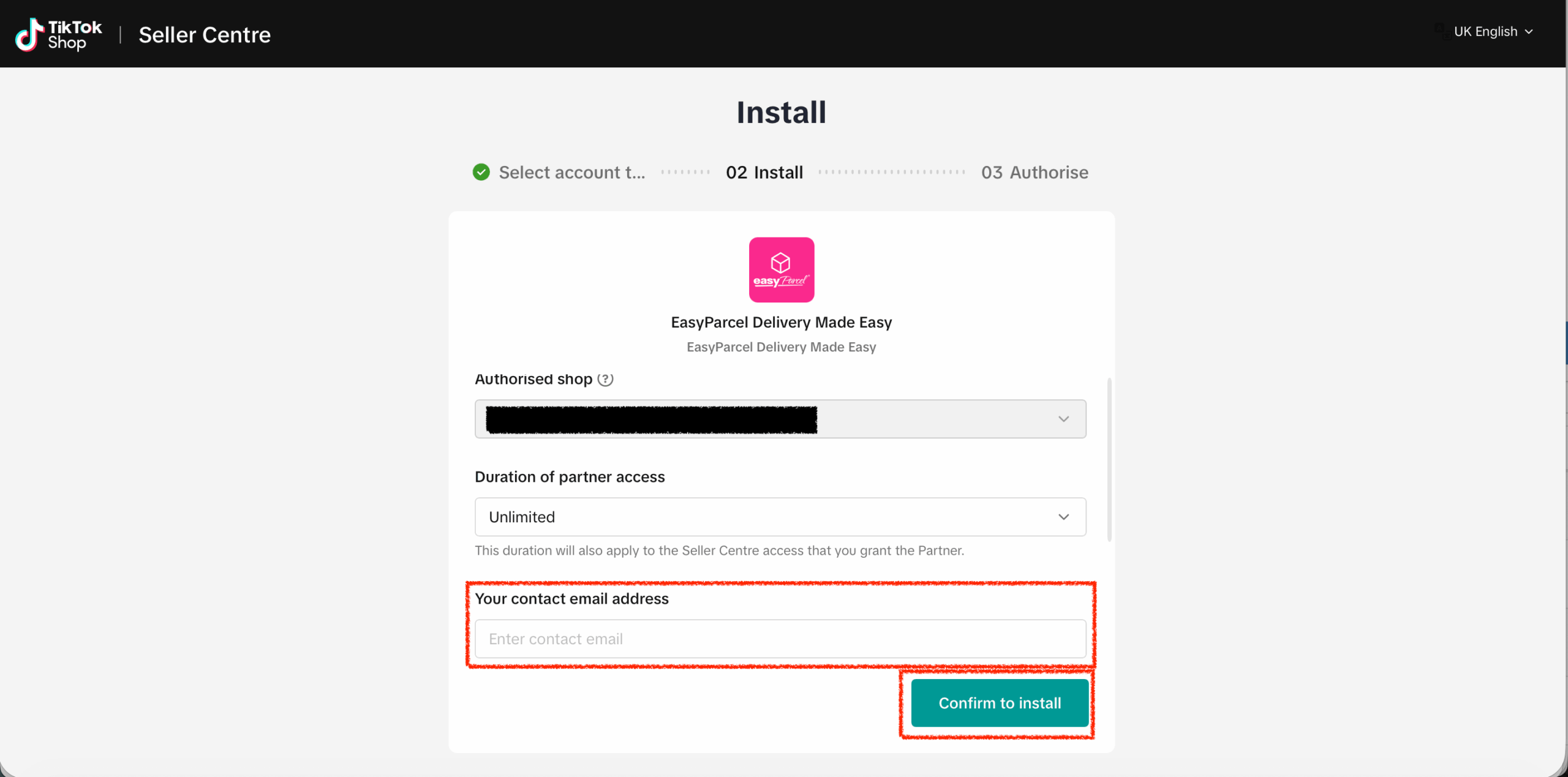
Step 6: Ensure the authorized shop is the shop you wish to connect. Select partner access duration based on your preferences and enter the contact email address. Finally, click Confirm to install
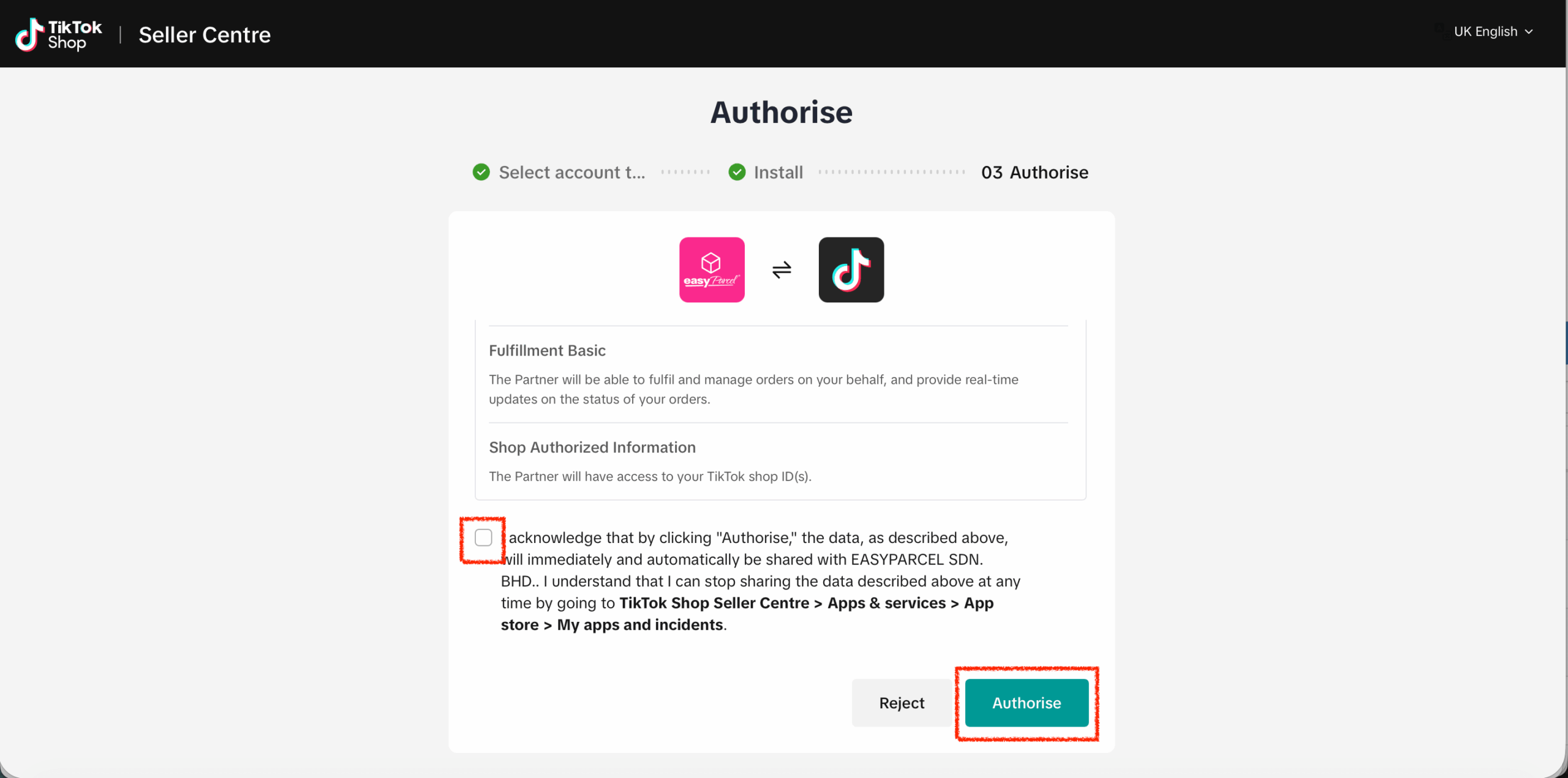
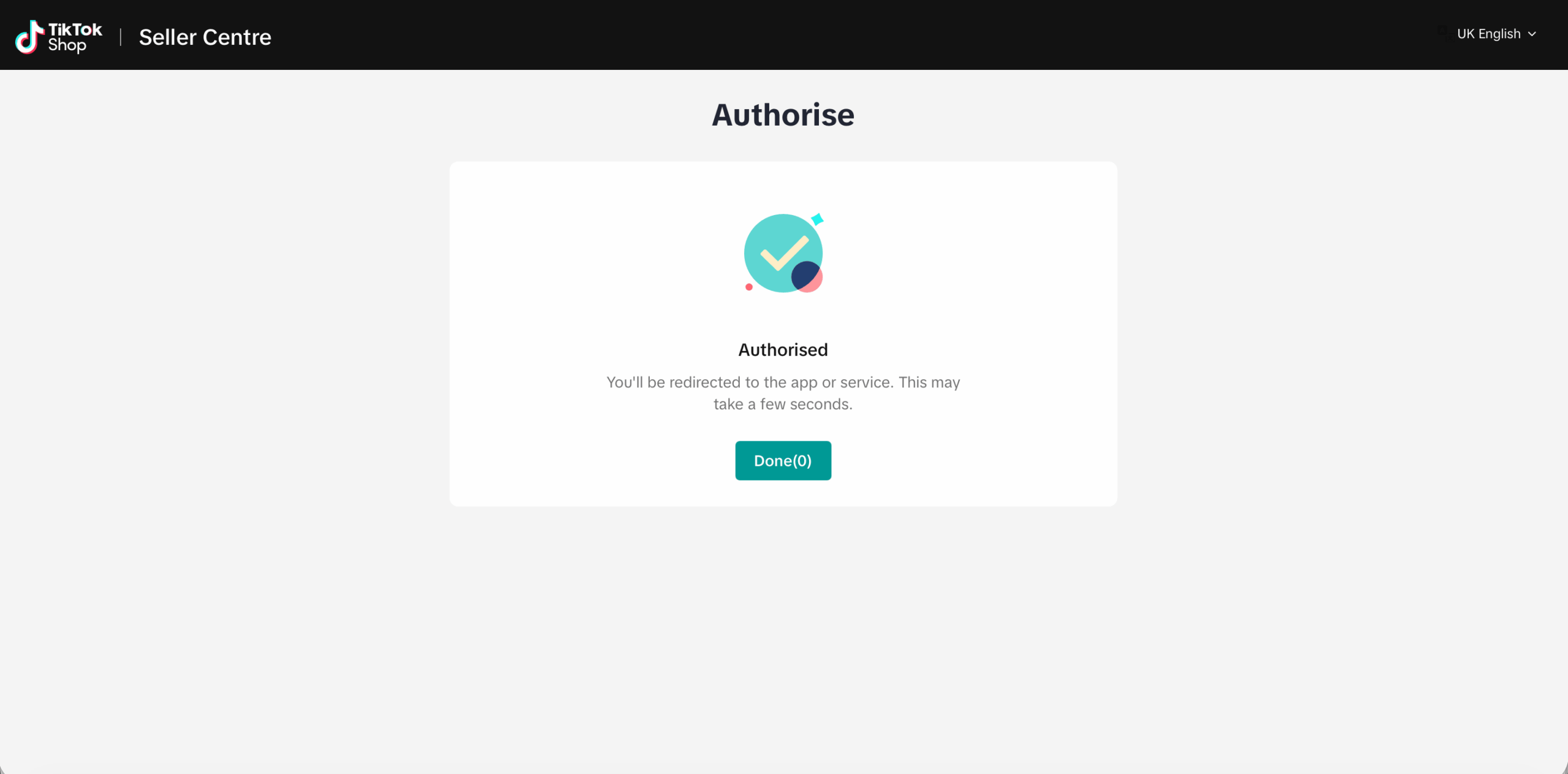
Step 7: Acknowledge the authorization scopes by checking the acknowledge message, then click Authorise
Step 8: Then you will be redirected back to EasyParcel website in 5 seconds, you may also click Done button to redirect immediately.
Setup Integrated App
Step 1: Under EasyConnect, click on Installed Ecommerce Apps, find TikTok Shop you may find your TikTok app successfully installed.
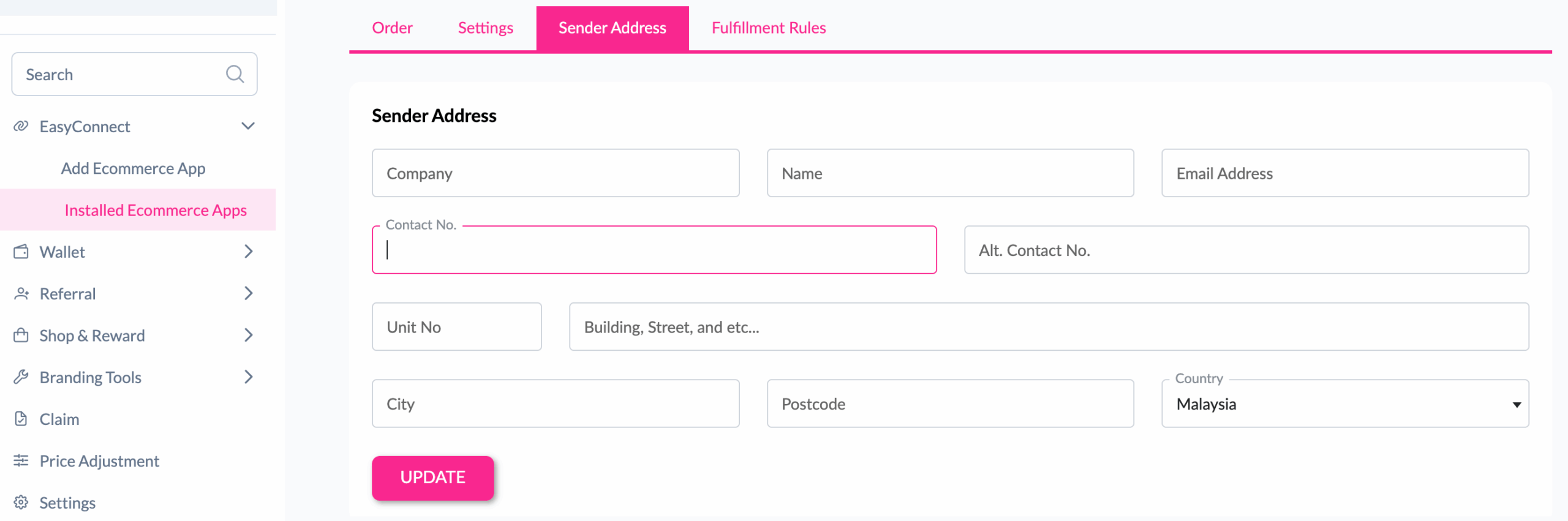
Step 2: In the store, click Sender Address and key in your sender details and click on the Update button.
Done ! You have successfully setup TikTok Shop app in easyparcel.
Step 1: Under “EasyConnect”, click on “Installed Ecommerce Apps”, find “TikTok Shop” and click on “Open App” button. Click on “Order”, select the order date and order status and click on the “Search” button. The order will be imported and shown in the list below. Then, click the “Fulfill” button on the order you want to fulfill.
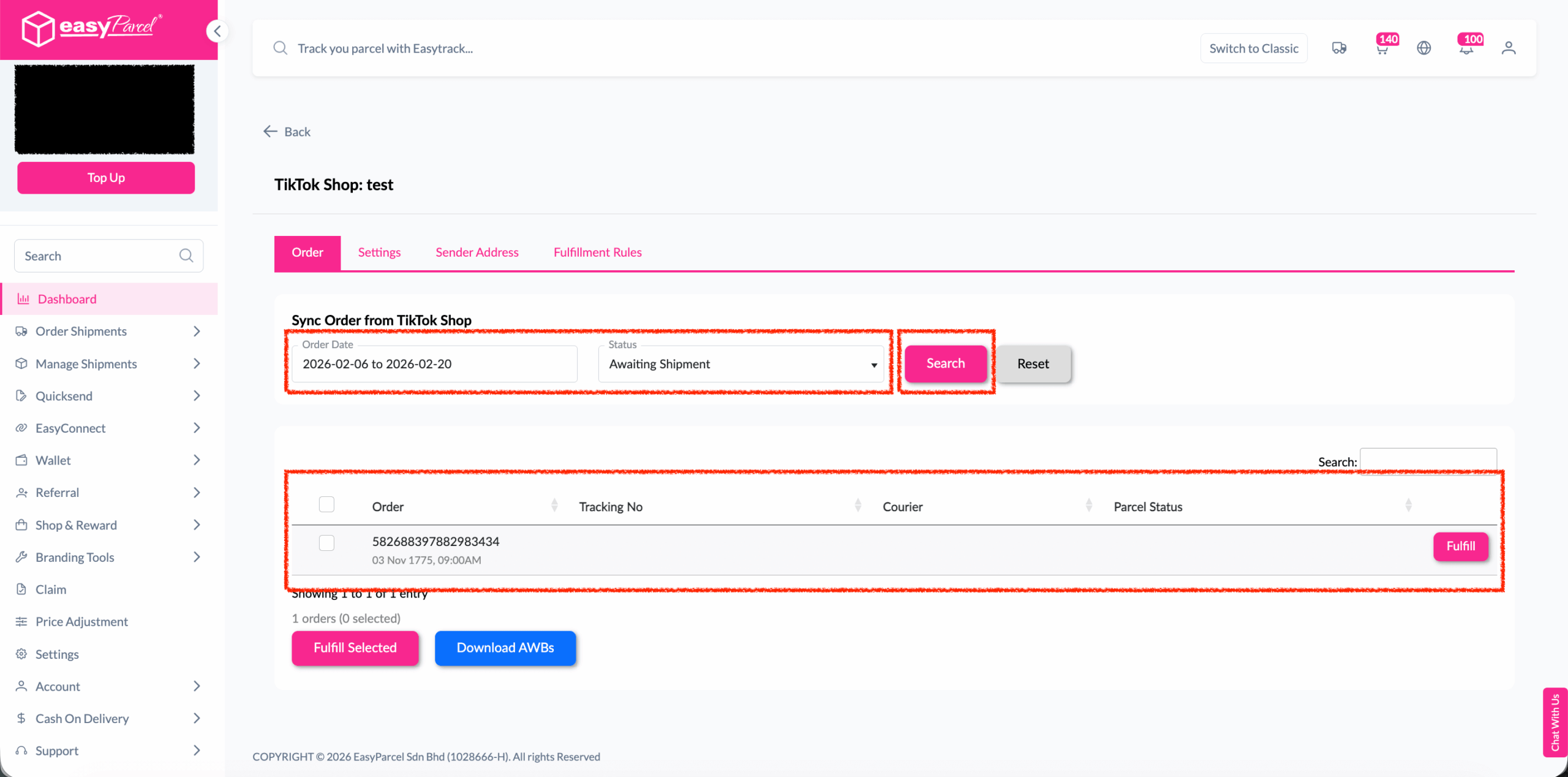
Note: To receive complete and unmasked order details, the order should not be in following status:
- UNPAID
- ON_HOLD
- CANCELLED
- 30 days after COMPLETE
Step 2: After clicking the “Fulfill” button, you can find your order details and click on the “Get Quote” button.
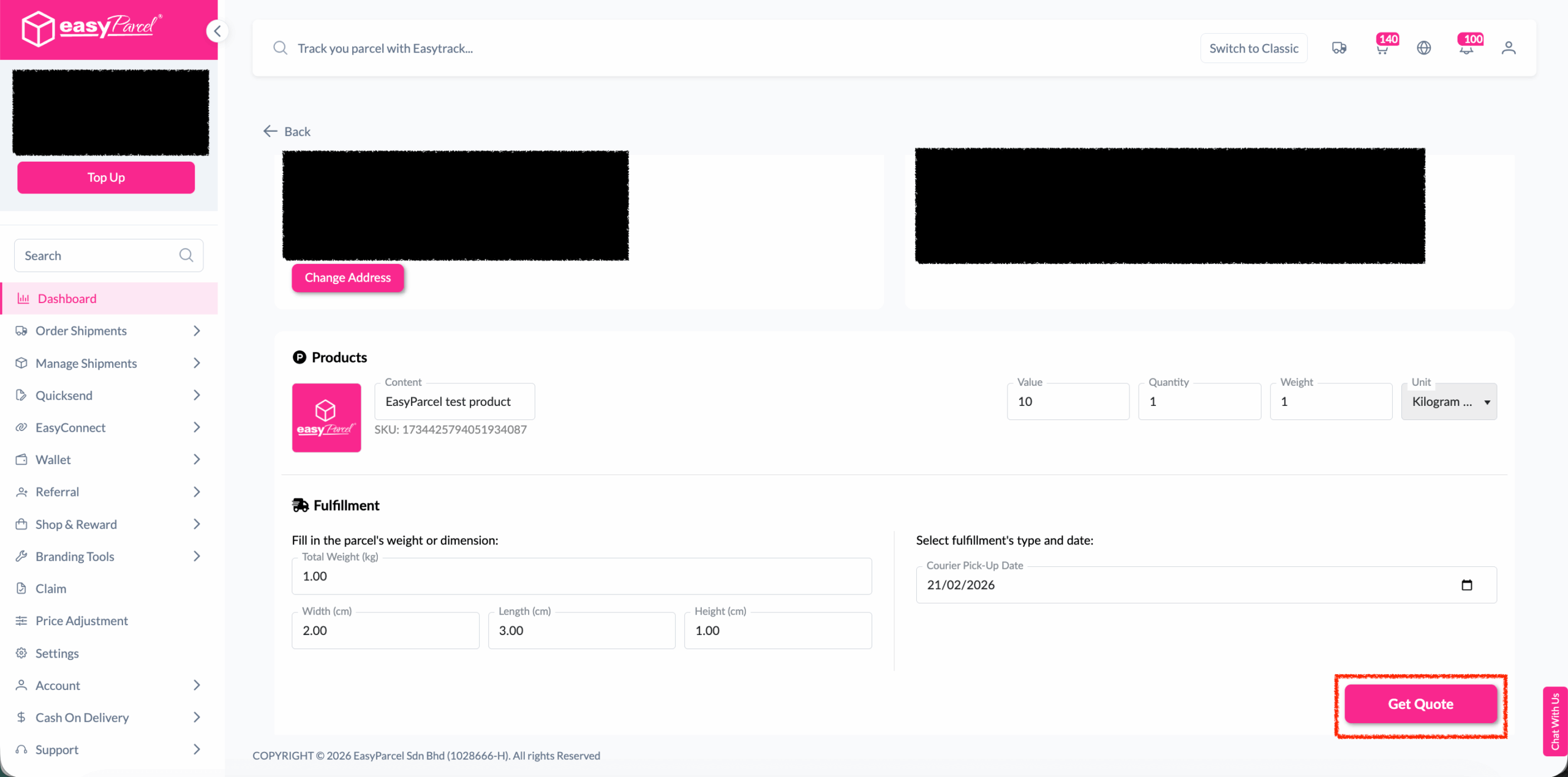
Step 3: Choose the preferred courier option and click on the “Proceed to Payment” button.
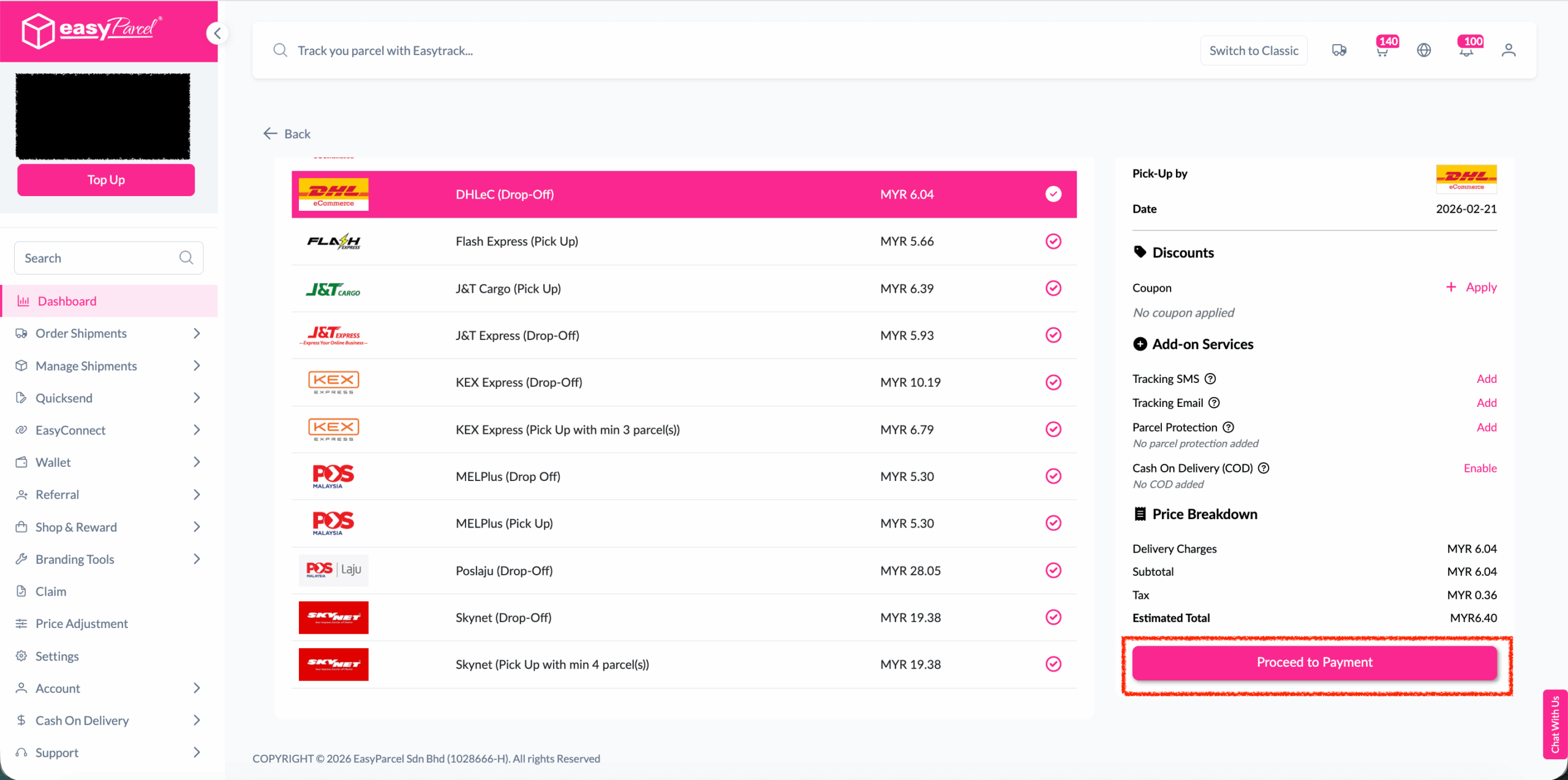
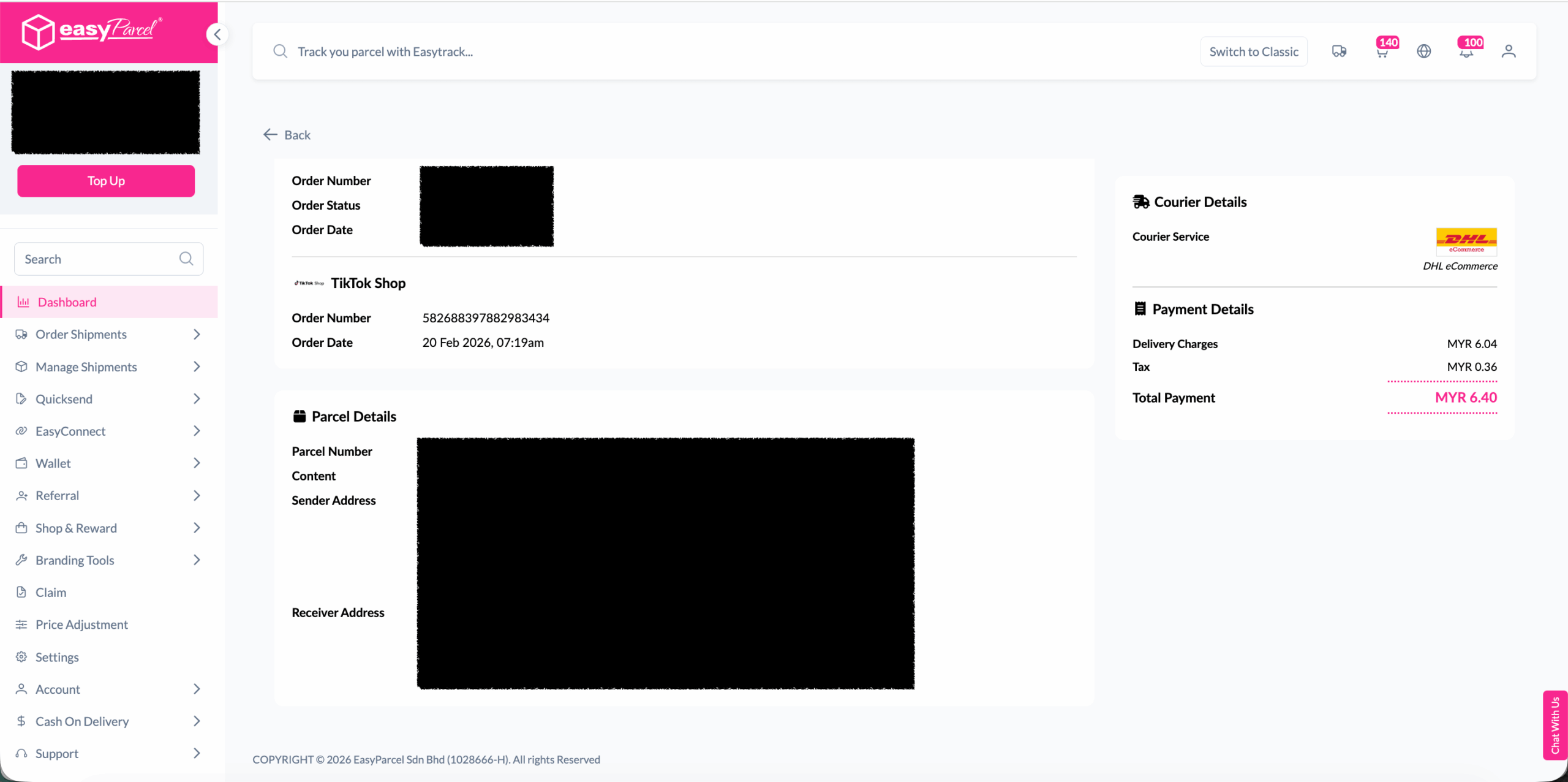
Step 4: The order status, order number, shipment number, and price will be displayed. Click on the “View Orders” button.
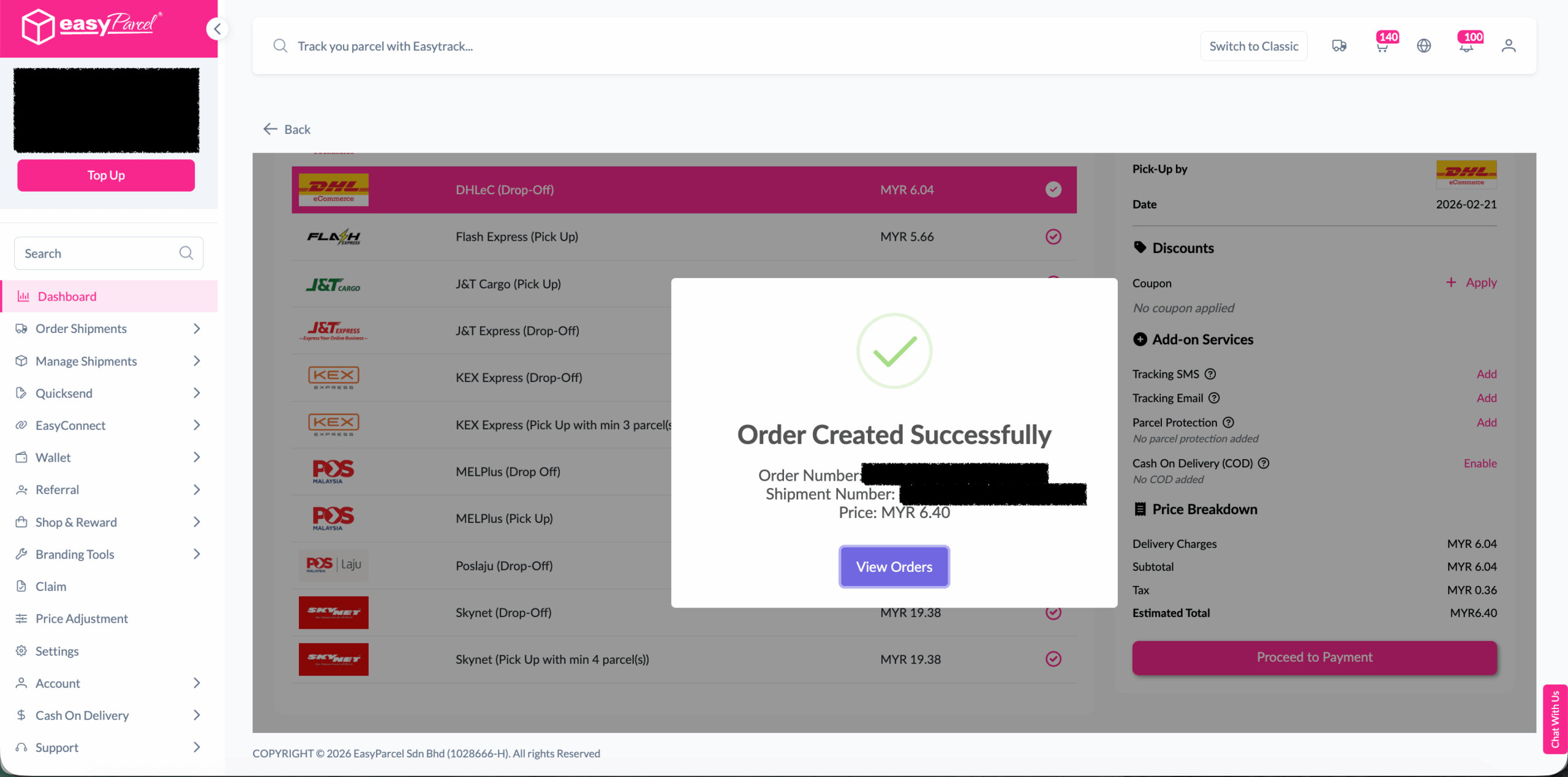
Step 5: The fulfilled order will now be displayed on the Order Page
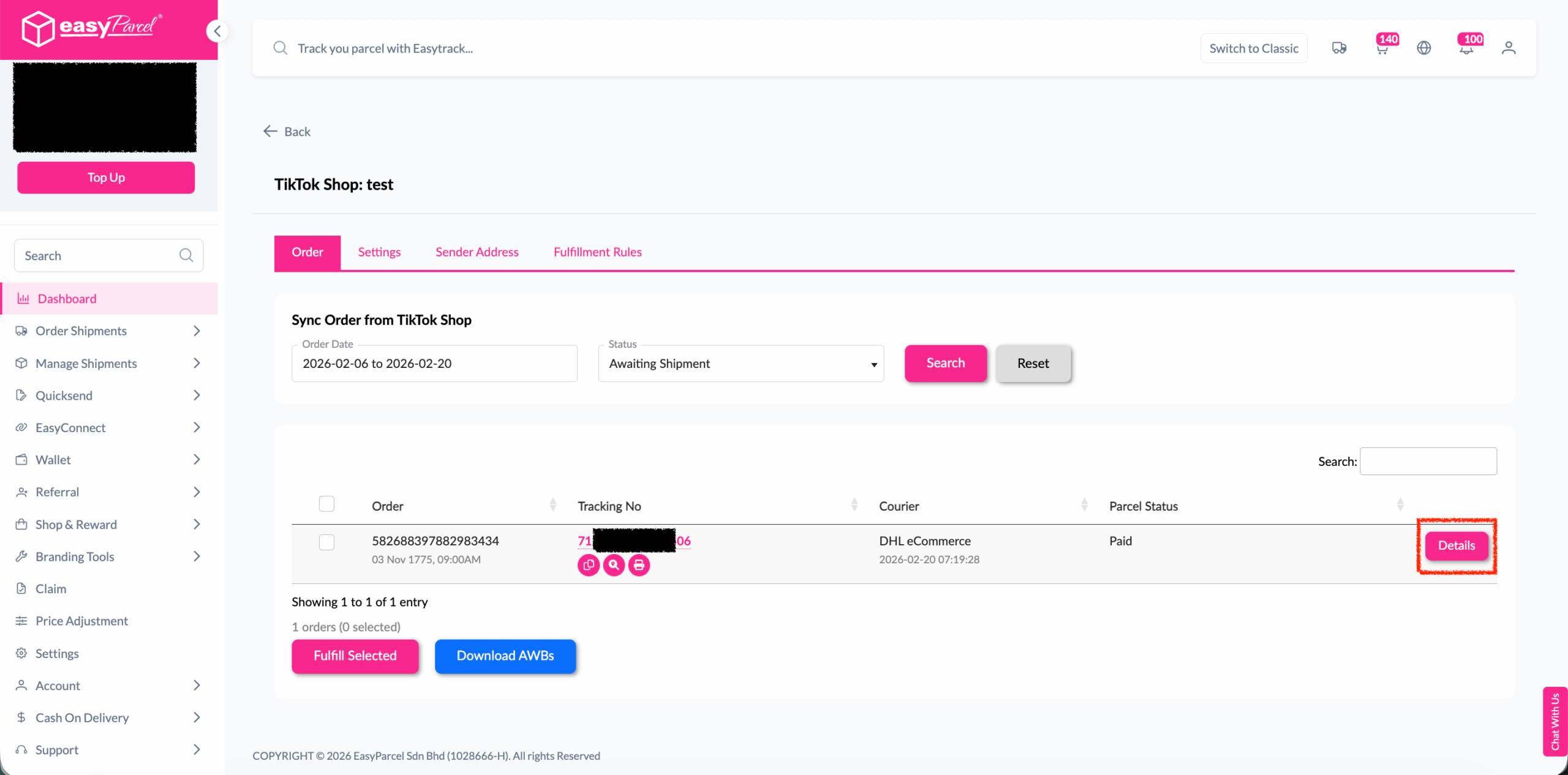
Step 6: Click on the “Details” button. Order details will be displayed on the page
Best Practices For Fulfillment
- Verify inventory availability before confirming fulfillment
- Check address accuracy to prevent delivery failures
- Consider delivery timing for time-sensitive orders
- Review special instructions from customers
- Compare multiple options when available
- Consider delivery speed vs. cost based on customer needs
- Check service availability for the destination
- Verify pickup and delivery windows
- Print AWB immediately to avoid delays
- Prepare packages according to courier requirements
- Schedule pickup if not automatic
- Monitor tracking for any issues
Get Started Today
With the new TikTok Shop integration, shipping your orders has never been easier. Ready to take your TikTok Shop business to the next level? Connect your account and start shipping smarter with EasyParcel today!
Singapore
Thailand
Indonesia