Singapore
 Thailand
 Indonesia
Waiting for multiple parcels and tired of checking different tracking pages? Don’t worry, with EasyParcel’s EasyTrack, you can track up to 15 shipments at once in one place.📦 It’s fast, convenient, and gives you real-time updates in just a few clicks.
Start tracking smarter today! Let’s see how to use EasyTrack step by step.
Contents
What is EasyParcel's EasyTrack?
EasyTrack is a feature by EasyParcel that allows you to track multiple shipments in one place quickly and easily. With this feature, you can enter up to 15 tracking numbers at once. You will receive real-time updates for all your parcels without needing to visit different courier websites.
It supports over 80 courier services such as SPX Express, Poslaju, J&T Express, DHL Express and more. EasyTrack also automatically detects the courier for each tracking number, so you don’t have to select it manually.
Why Use EasyTrack on EasyParcel?
Supports 80+ Couriers
Whether shipping locally or internationally, it connects with many courier services.
Real-time Tracking
Get the latest delivery status instantly, no need to manually refresh multiple courier pages.
Auto-Detection by Tracking Number
The system automatically detects the courier based on the tracking number format, so you don’t need to select it manually.
Save Time
No need to switch between platforms, and you can enter up to 15 tracking numbers at once.
How to Use EasyTrack?
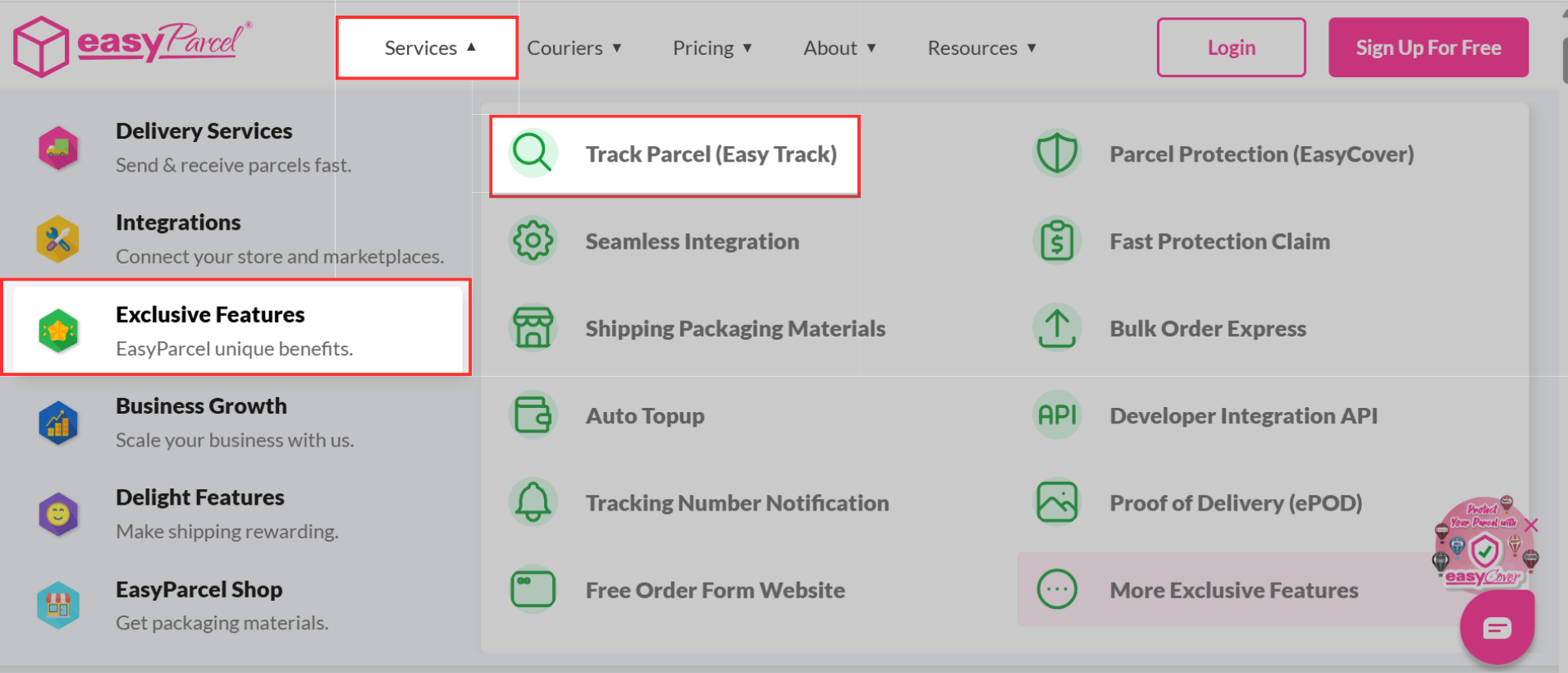
Step 1: Head over to the EasyParcel website, hover over Service and click on Exclusive Features, then click on TrackParcel (Easy Track).
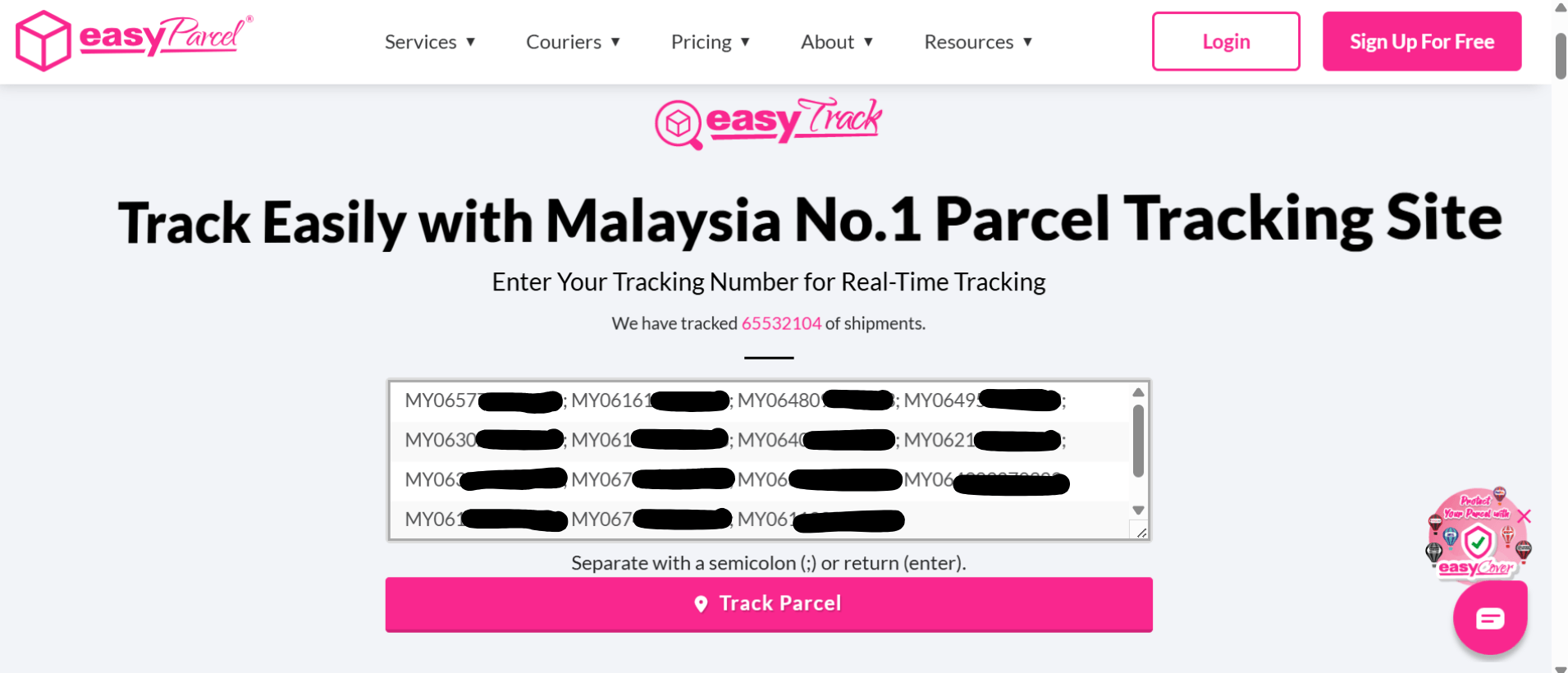
Step 2: You will be directed to the EasyTrack page. Enter your tracking number(s) in the field provided and Track Parcel.
💡Note: You may enter up to 15 tracking numbers. Separate them using a semicolon (;) or press Enter.
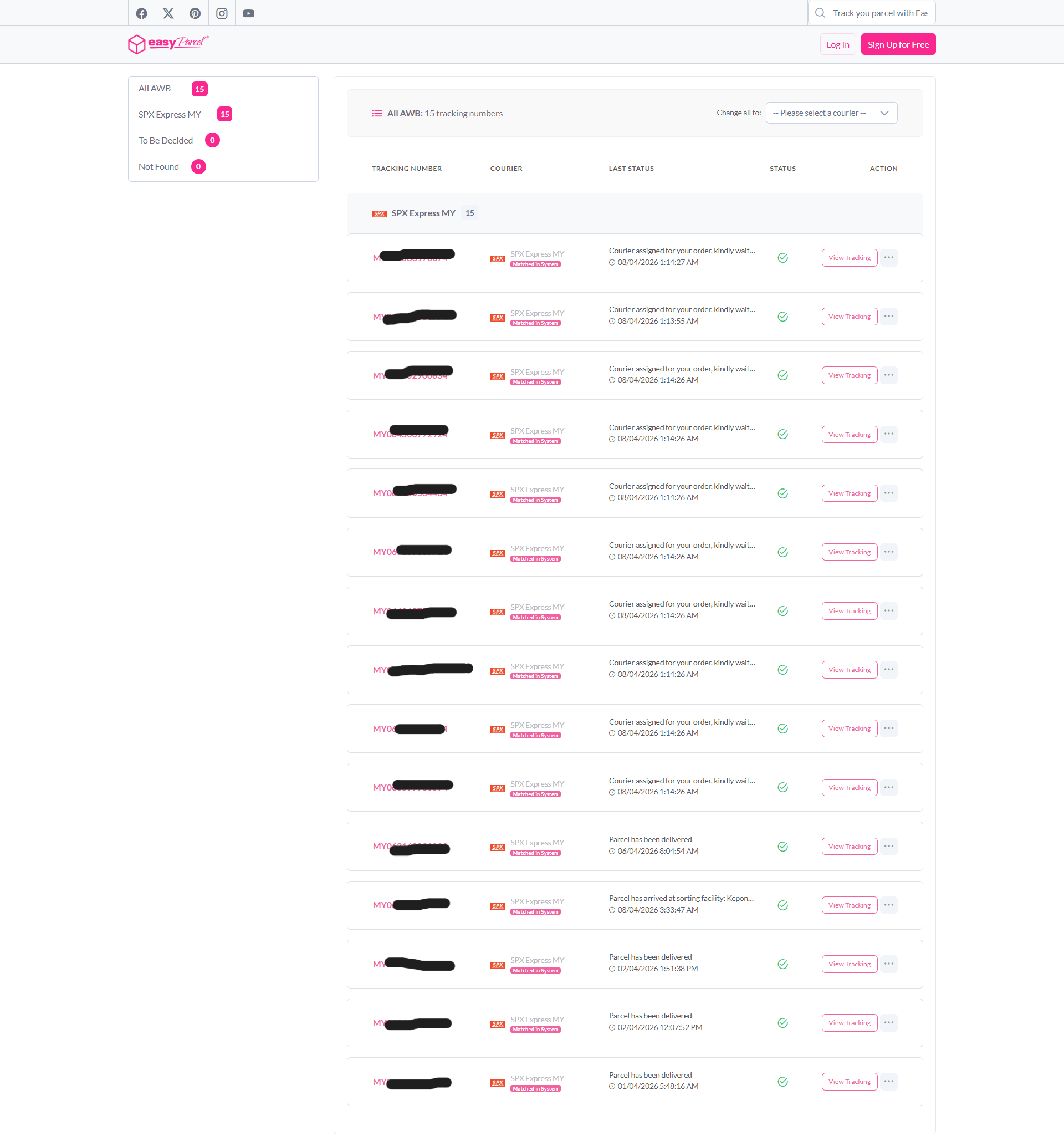
Step 3: Each tracking number is listed on the dashboard. Click on View Tracking to check the delivery status.
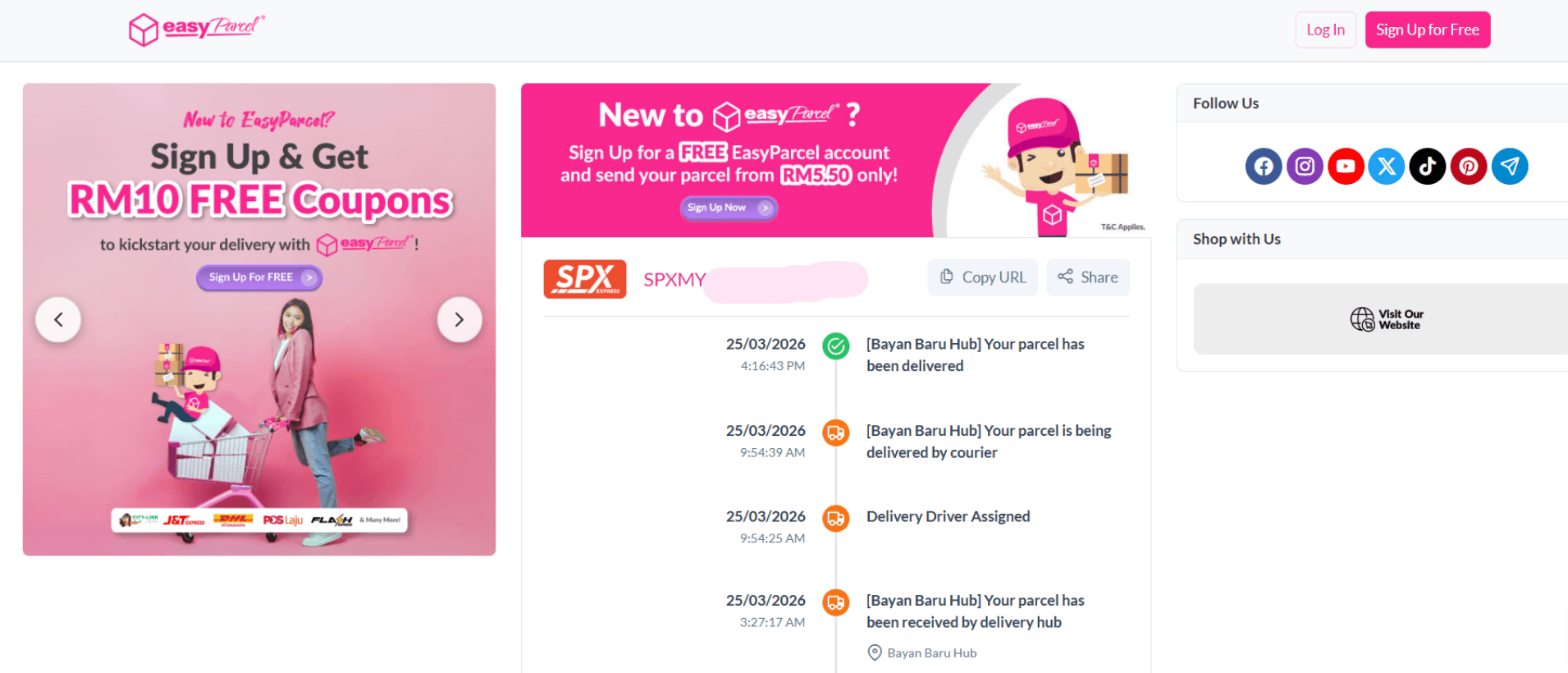
Step 4: A tracking timeline will appear, displaying your parcel’s delivery status and estimated delivery time.
Let’s Track Up to 15 Parcels on EasyParcel
Tracking your parcels with EasyTrack is quick and easy. Track multiple shipments, get real-time updates, and manage everything in one place.
Start using EasyTrack today and monitor all your deliveries smoothly. 🚀
FAQ about EasyTrack
1. Do I need to enter the tracking number in uppercase?
No, you can enter the tracking number in uppercase or lowercase, and the system will process it correctly.
2. Do I need to choose the courier manually?
No, EasyTrack can detect the courier automatically using the tracking number.