EasyParcel Mobile App: Manage Shipments Easily from Your Phone

EasyParcel Mobile App: Manage Shipments Easily from Your Phone

EeasyParcel Mobile App

With the EasyParcel mobile app, just open the app and you can book shipments, track parcels, and manage everything in one place.

It makes shipping quick and easy, whether you’re sending locally or internationally. In this guide, you’ll learn how to get started step by step. ✨

Contents

Key Features of the EasyParcel Mobile App

Ship On-the-Go with 60+ Couriers

Just enter your details, choose a courier, and book your shipment directly in the app for domestic, international, or on-demand delivery.

Instantly Track 80+ Couriers

Stay updated on your delivery status anytime. You can track all your parcels in app and get real-time updates.

Smoother Shipment Flow

Book shipments faster and more easily for both domestic and international deliveries.

Synced Address Book

Access a server-based address book synced with the EasyParcel website, including default pickup, delivery, and billing addresses.

Instant Customer Support

Need help? You can quickly reach out to the support team through the app. Get assistance with your shipments, tracking, or any issues anytime you need.

Bilingual Support

Switch seamlessly between English and Bahasa Malaysia for a more comfortable user experience.

Update Your Profile Easily

Edit your personal details like saved addresses, and payment cards anytime directly in the app.

Instant Topup & Faster Payment

Easily top up your account and make payments directly in the app.

How to Get A Quotation on EasyParcel Mobile App?

Log in or sign up to your EasyParcel’s account, go to home and click on Get a Quotation.
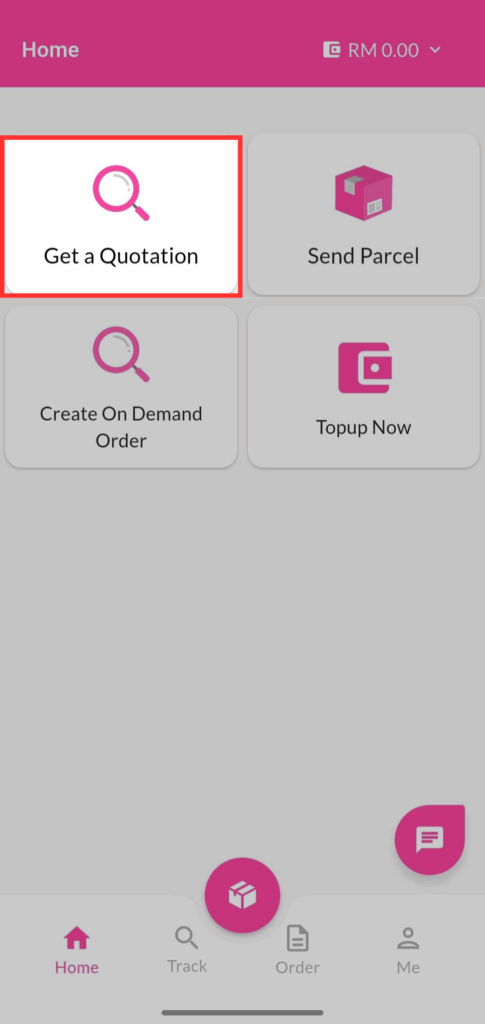
Get a quotation - EasyParcel Mobile App

Fill the details, click on Get a Quotation.
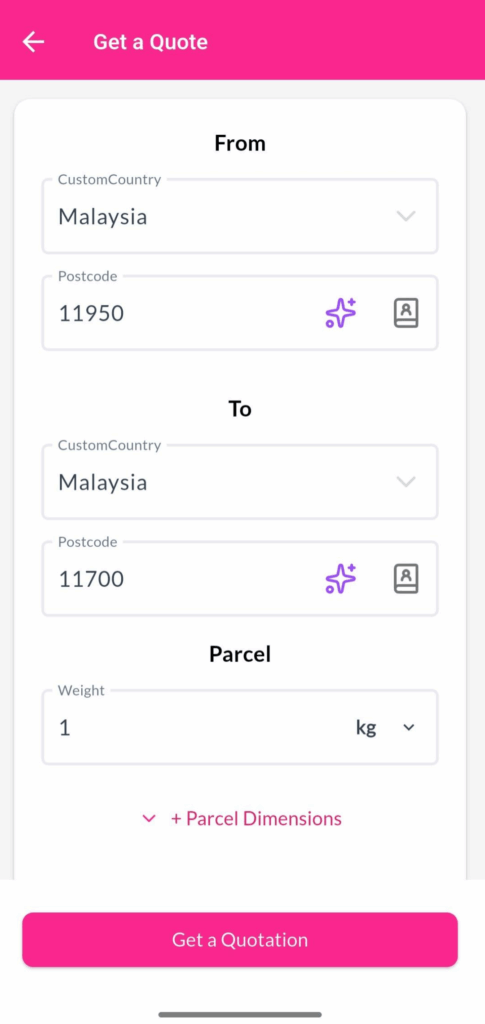
Get a quotation

You can check details of each courier, you can select your preferred option, and click Book Now.
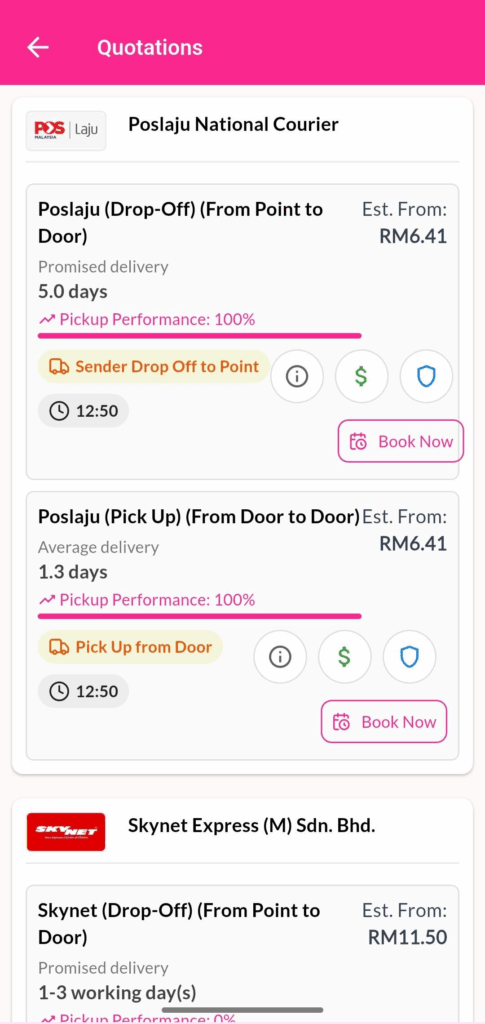
Get a quotation -

How to Send Parcel Domestically & Internationally on EasyParcel Mobile App?

Log in or sign up to your EasyParcel’s account, go to home and click on Send Parcel.
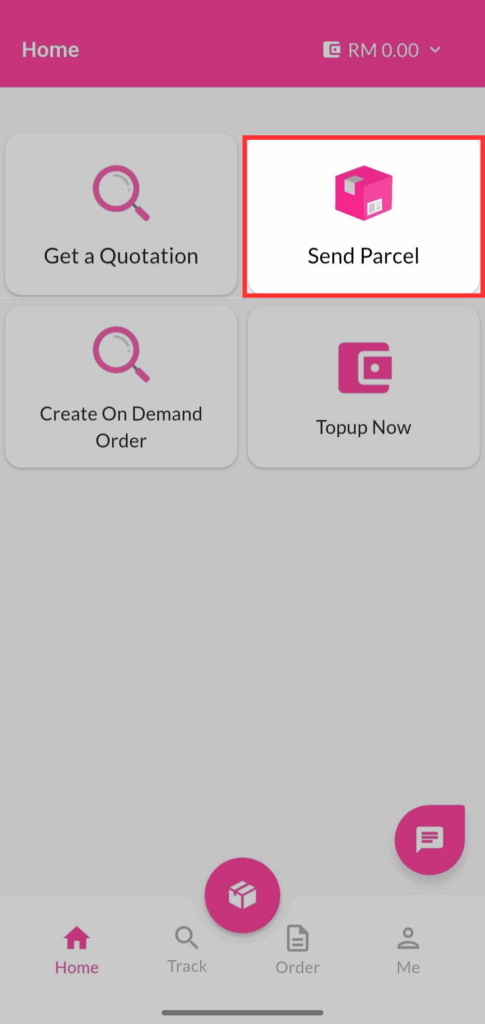
Send Parcel - EasyParcel Mobile App

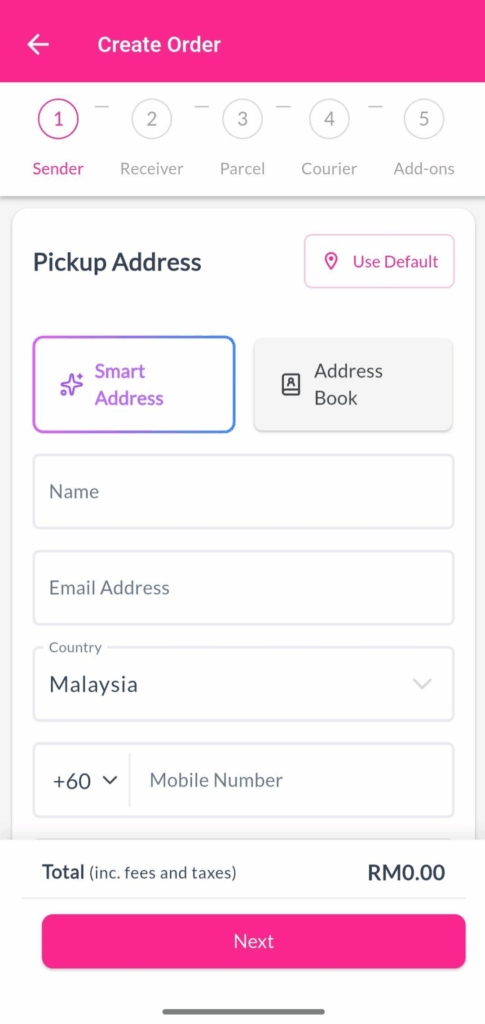
Fill the sender’s details.

Send Parcel

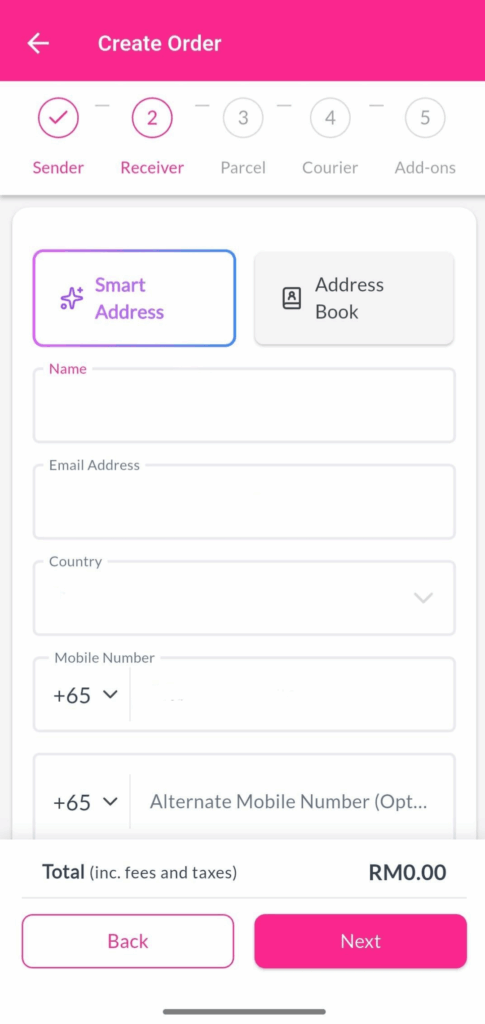
Fill the receiver’s details.

Send Parcel

Fill the your parcel details include actual parcel weight, volumetric weight (Height, Length and Width), parcel content, parcel value and HS Code (for international shipment.)
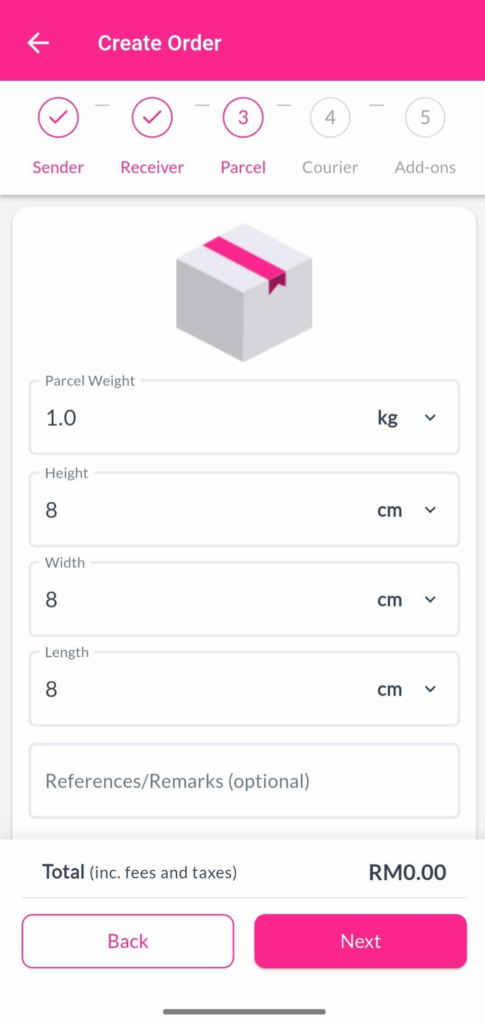
Send Parcel

Select your preferred courier service and click on Book Now.
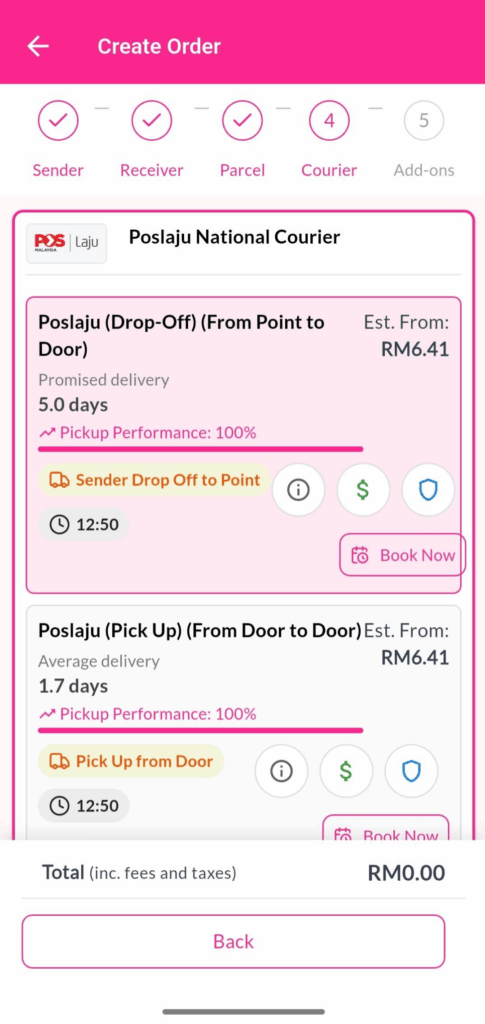
Send Parcel

Check the details and click on Checkout to proceed your payment.
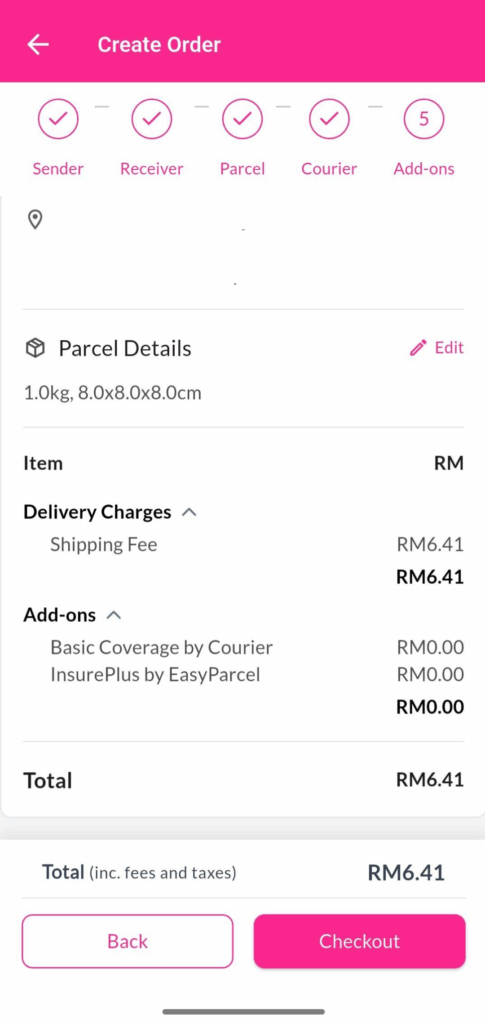
Send Parcel

Go to Order to check your shipments, download AWB and print out.
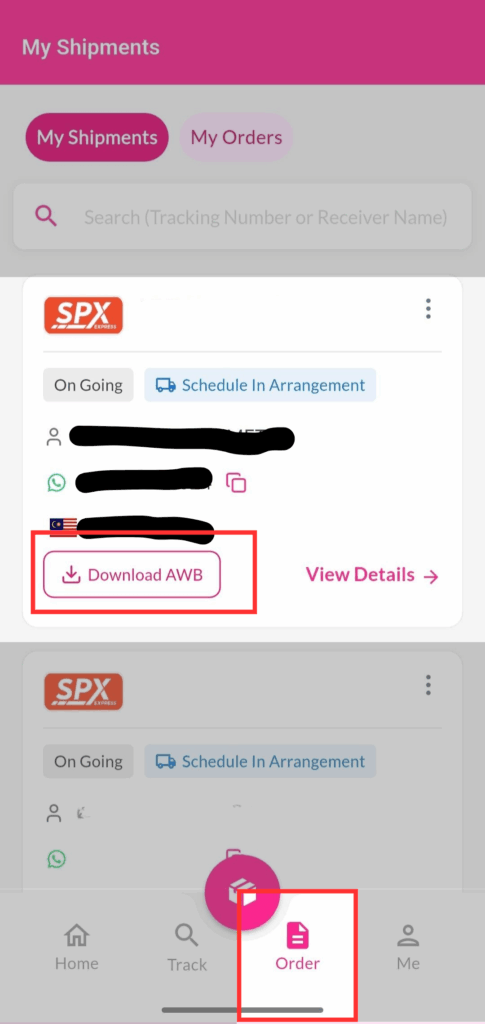
How to Create On-Demand Order on EasyParcel Mobile App?

Log in or sign up to your EasyParcel’s account, go to home and click on Create On Demand Order.
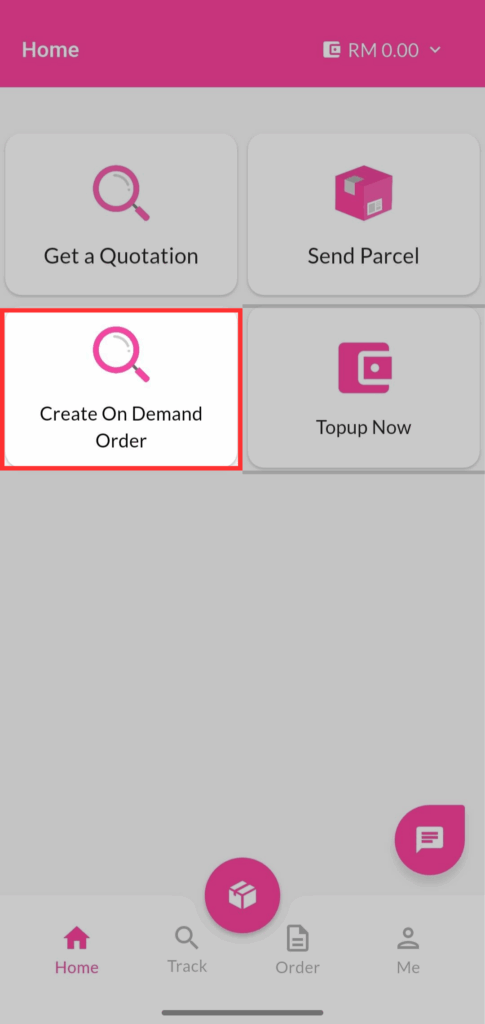
On-Demand - EasyParcel Mobile App

Enter your pick-up location and drop-off location. After that, choose your pick-up time and transportation type, click on Quote.
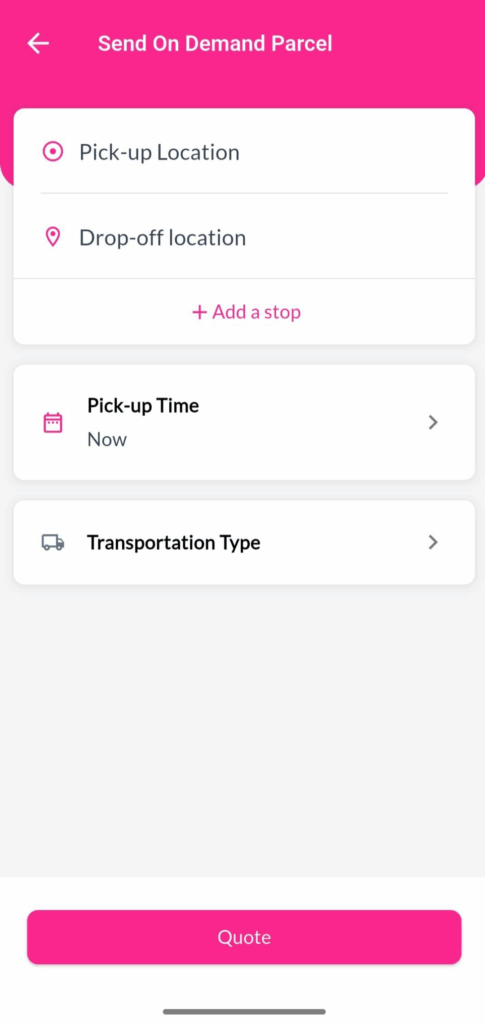
On-Demand - EasyParcel Mobile App

Choose you preferred courier service, click on Book.
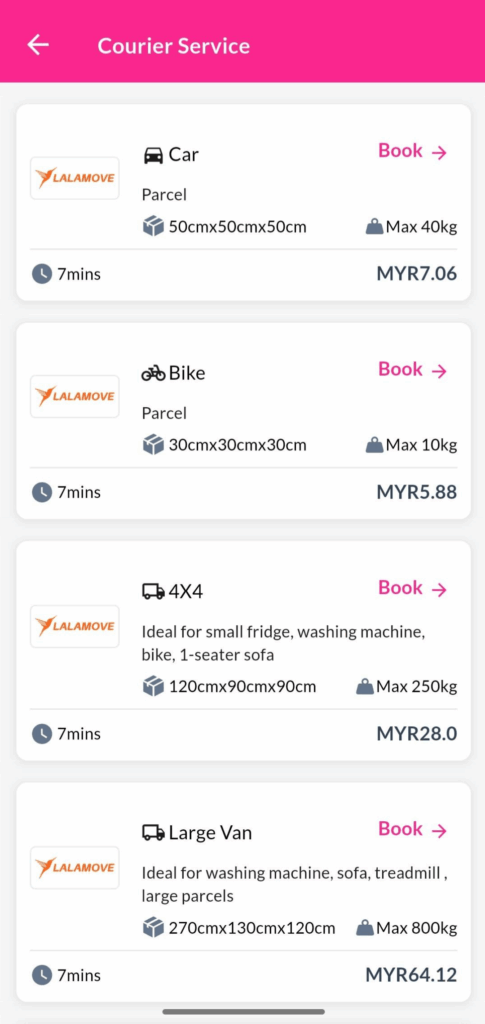
On-Demand - EasyParcel Mobile App

Fill your address details for pick-up location.
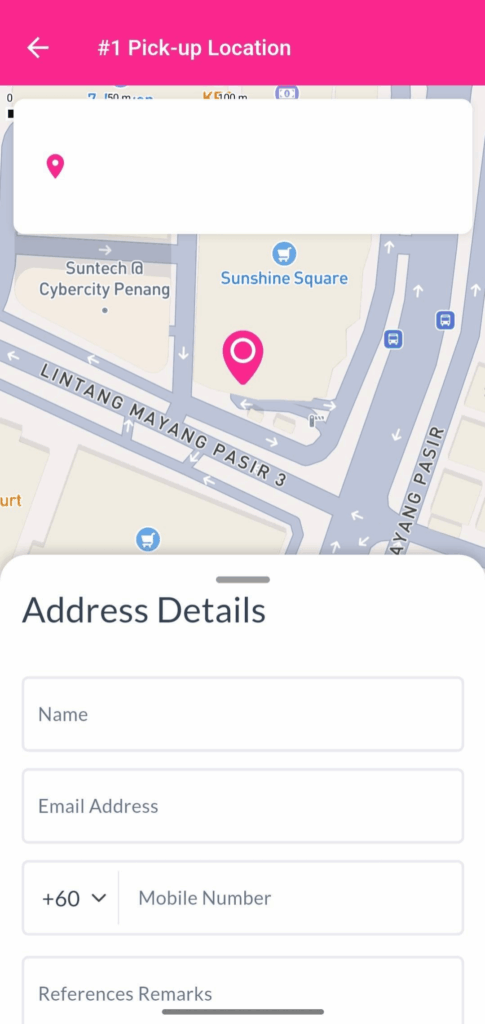
On-Demand - EasyParcel Mobile App

Fill your address details for drop-off location.
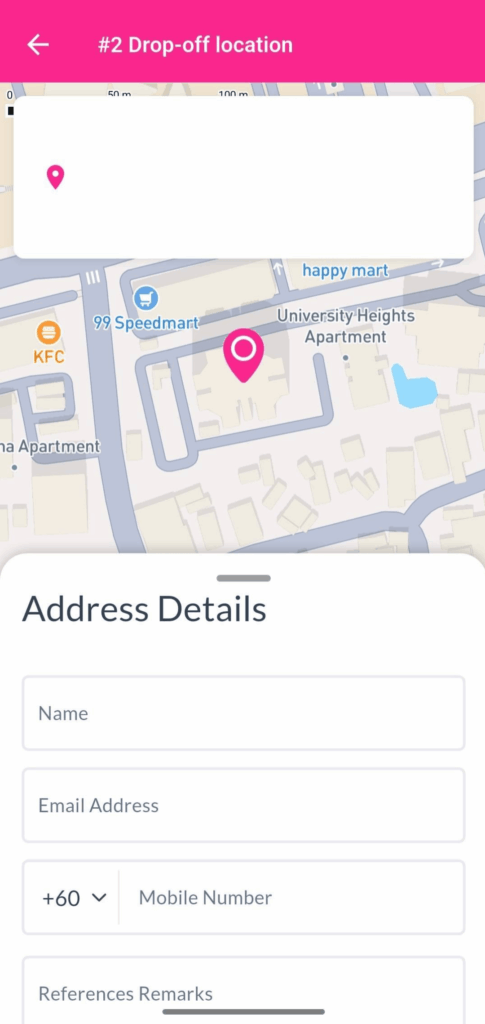
On-Demand - EasyParcel Mobile App

Check you details, then proceed with Pay Now.
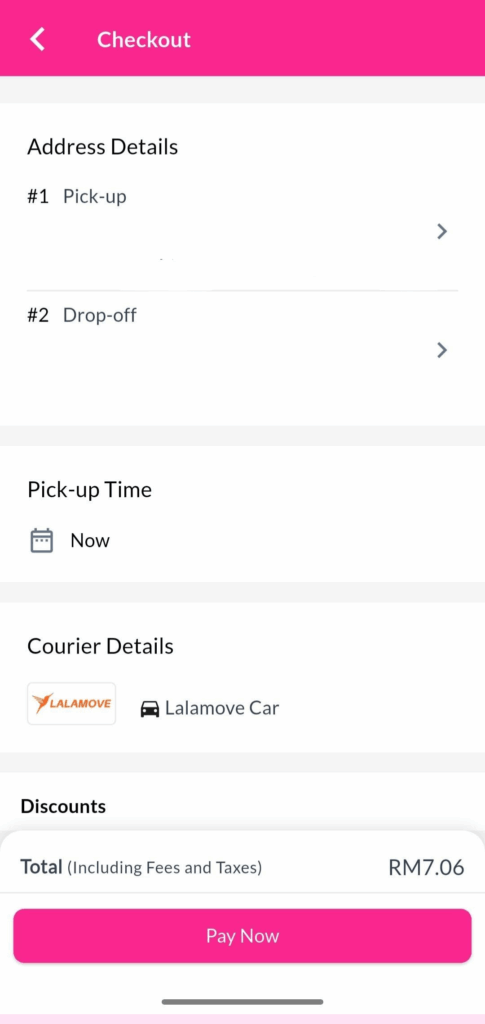
On-Demand - EasyParcel Mobile App

How to Topup on EasyParcel Mobile App?

Log in or sign up to your EasyParcel’s account, go to home and click on Topup Now.
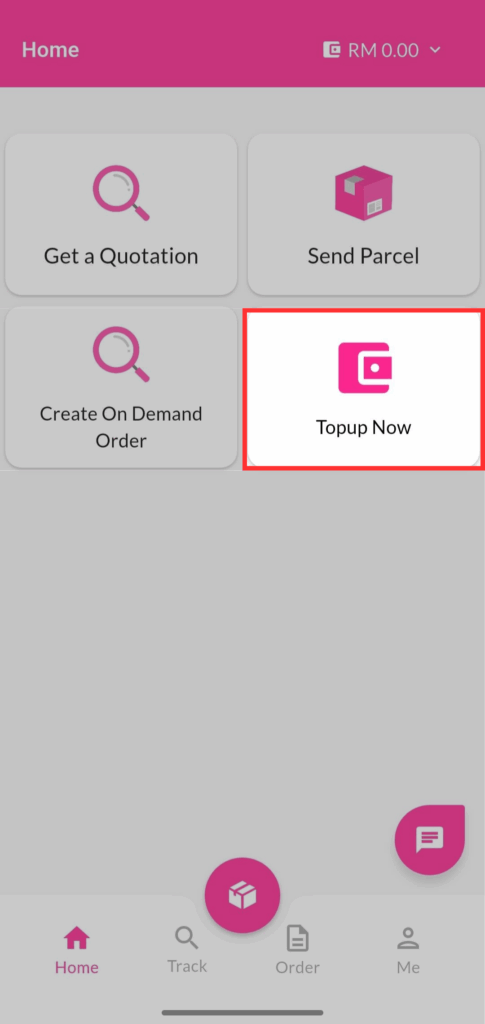
Topup - EasyParcel Mobile App

You can view all features for every EasyParcel Deals. You can top up with minimum RM28 and click Get It Now.
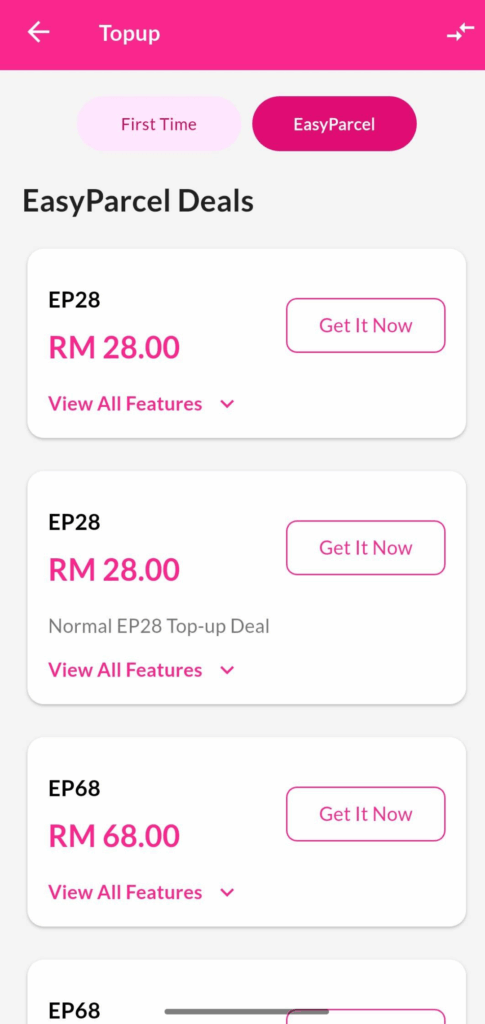
Topup - EasyParcel Mobile App

You can select payment method and proceed with Pay Now.
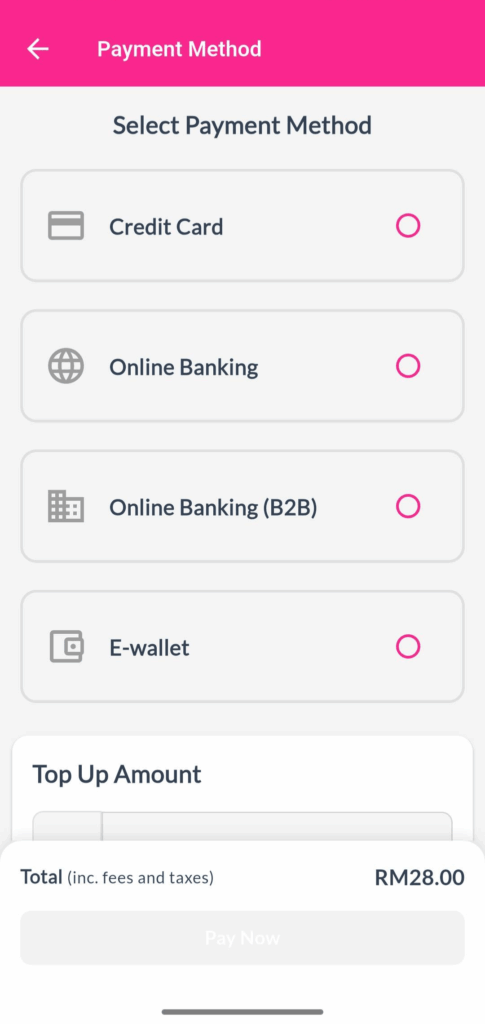
Topup

How to Track My Parcel on EasyParcel Mobile App?

As A Sender

Go to Order, then click on View Details.
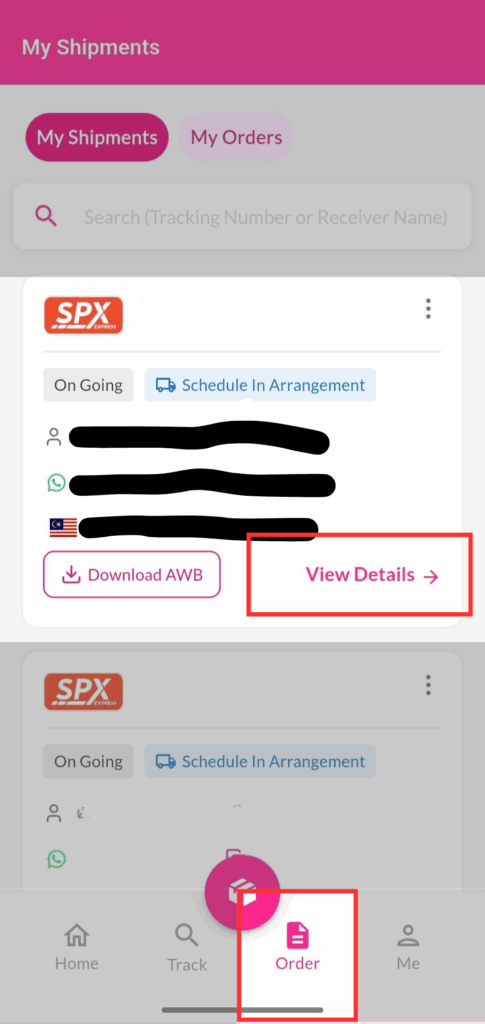
Now you can see the shipment details and tracking details.
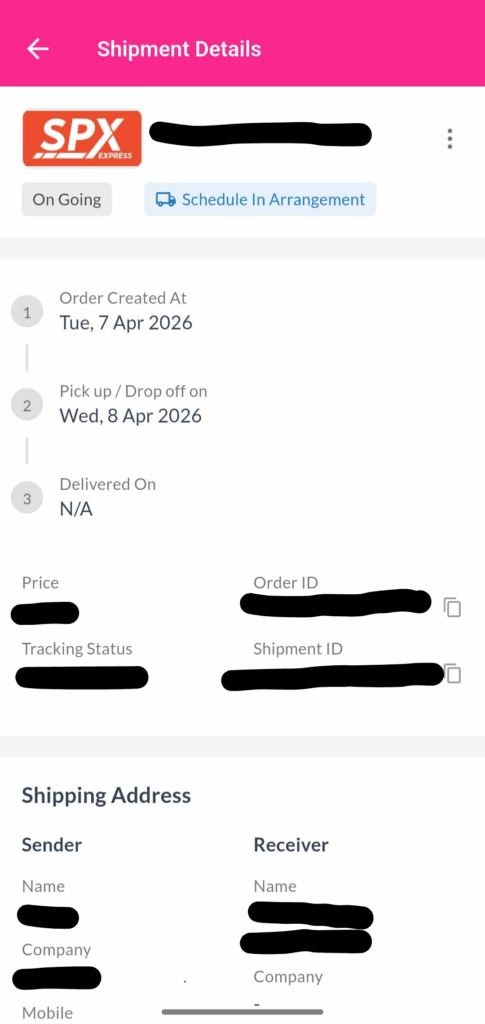
As A Receiver

Go to Track, then click on the button on the right side.
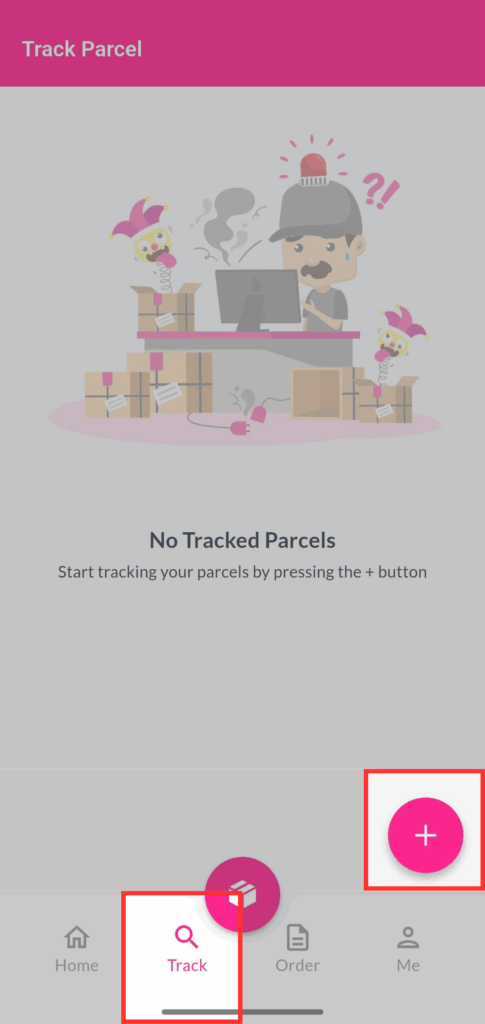
Track parcel - EasyParcel Mobile App

Enter tracking number and select a courier,  then click on Track.
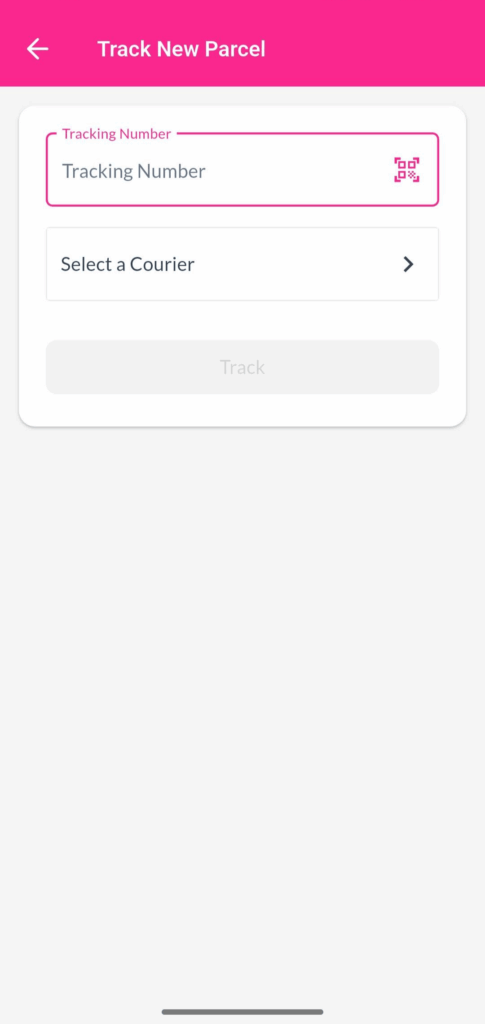
Now you can see the tracking details.
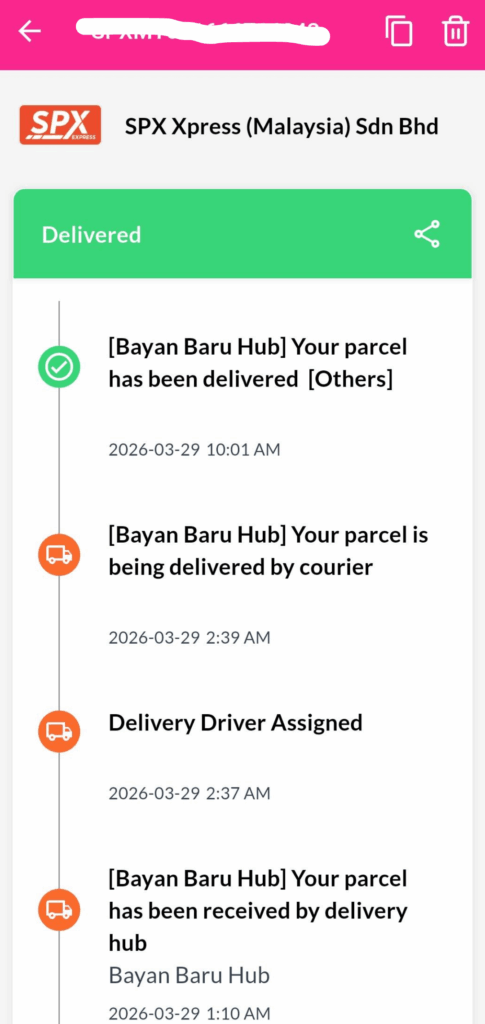
Track parcel - EasyParcel Mobile App

How to Contact Customer Service on EasyParcel Mobile App?

Click on the button on the right side.
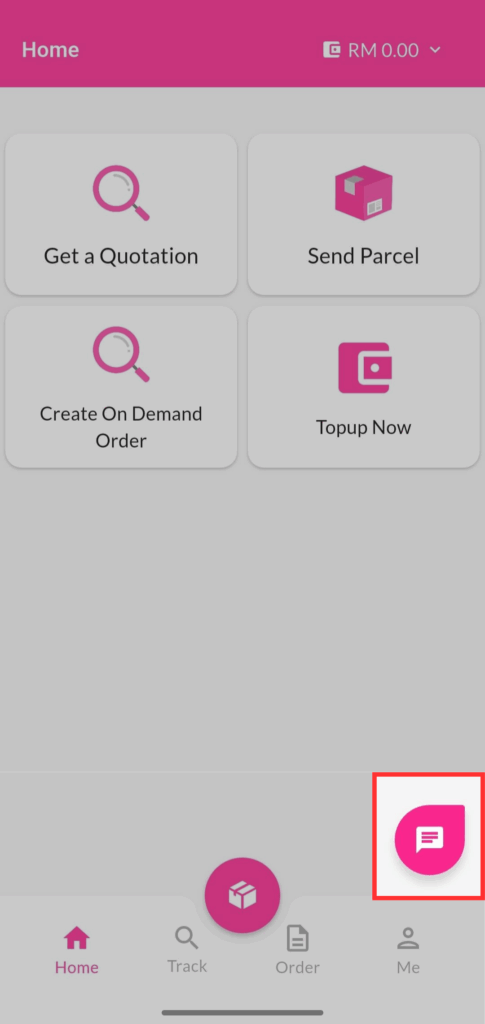
Customer Service - EasyParcel Mobile App

You can easily reach out to our customer support directly from the app for any assistance.
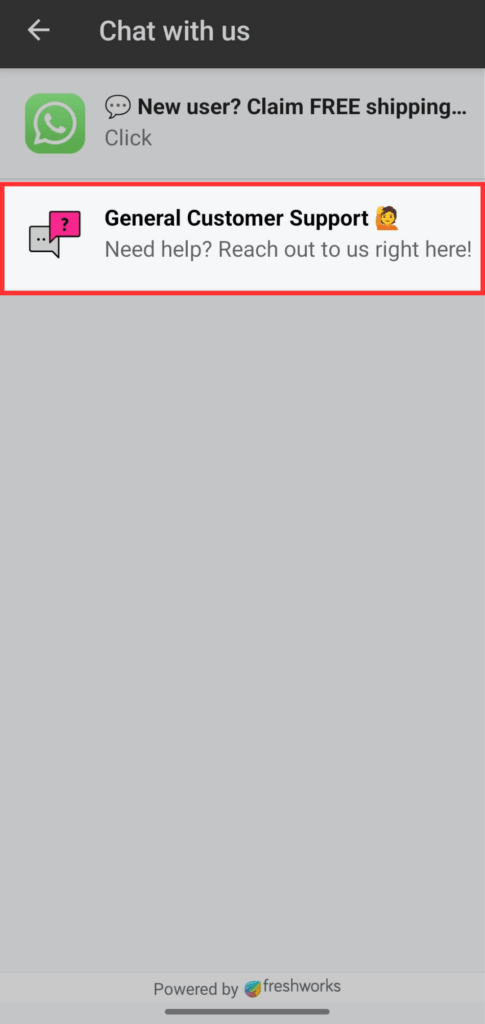
Customer Service - EasyParcel Mobile App

Start Shipping with EasyParcel Mobile App Now

The EasyParcel mobile app makes shipping simple, fast, and convenient. From booking shipments and tracking parcels to managing your deliveries, everything can be done in one place right from your phone.

Start using the EasyParcel app today and enjoy a smoother shipping experience anytime, anywhere. 🚀✨

FAQs

1. Is the EasyParcel app free to download?
Yes! The EasyParcel app is completely free to download from the App Store and Google Play Store.

2. Do I need an account to use the EasyParcel mobile app?
Yes, you need to sign up or log in to use the app and access all  the features.

Ready to simplify your shipping process? But first, sign up for FREE and get RM10 discount coupon to kickstart your delivery!

Join 1.5 Million Happy Customers & Start Saving

Create your free account today and receive RM10 shipping coupon to start saving from your very first parcel. Compare courier rates, book in minutes, and start saving immediately.
×
10.10 Super Rewards Fiesta