Singapore
 Thailand
 Indonesia
Shipping to other countries can be confusing, especially when you need the correct HS code for your products. EasyParcel’s HS Code Finder can helps you quickly find the right code, especially when you are unsure which one to use for your bulk upload.
It makes the process faster and easier by helping you choose the correct code for your items. In this guide, you’ll learn how to use it step by step.
Contents
What is HS Code?
Most HS codes have 6 digits, and countries worldwide use them. This helps different countries follow the same system when checking goods.
Why is HS Code Important ?
Faster Customs Clearance
The correct HS code helps customs quickly identify your product, so your shipment can pass through without delays.
Accurate Duties & Taxes
HS code determine how much tax or duty you need to pay, helping you avoid overpaying or unexpected charges.
Avoid Shipping Delays
Wrong or missing HS code can cause your parcel to be held or rejected by customs.
Compliance with Regulation
Some products require permits or special documents, and HS codes help ensure you follow the correct rules.
What is HS Code Finder on EasyParcel?
HS Code Finder on EasyParcel is a tool that helps you quickly find the correct HS code for your products when shipping internationally.
Simply enter your product name, and the tool will suggest a suitable HS code. It is especially useful when preparing bulk upload and helps reduce errors during international shipping.
For single shipment, EasyParcel also offers a Smart HS Code feature that automatically suggests the correct code, making the process even faster and easier.
How to Use HS Code Finder on EasyParcel?
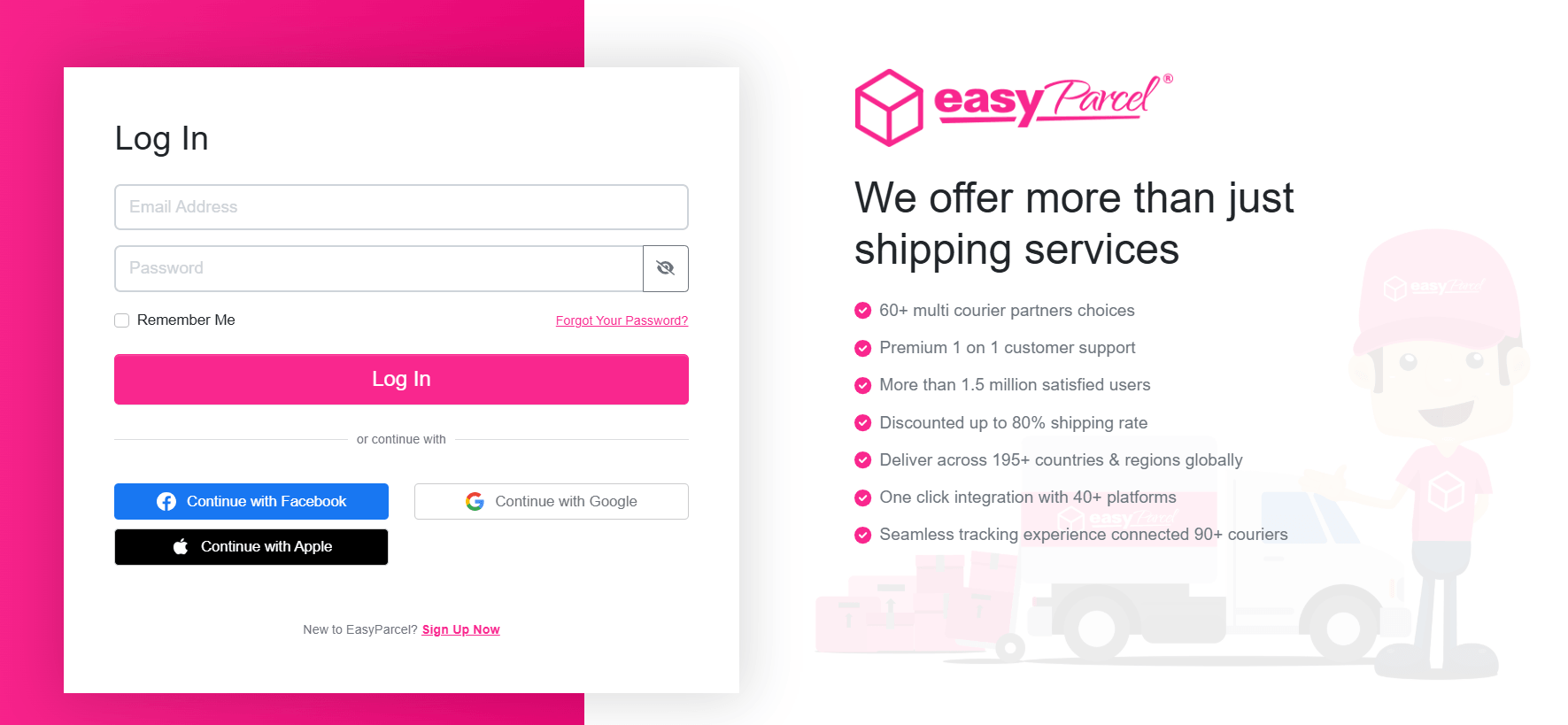
Step 1: Log in or sign up to your EasyParcel’s account.
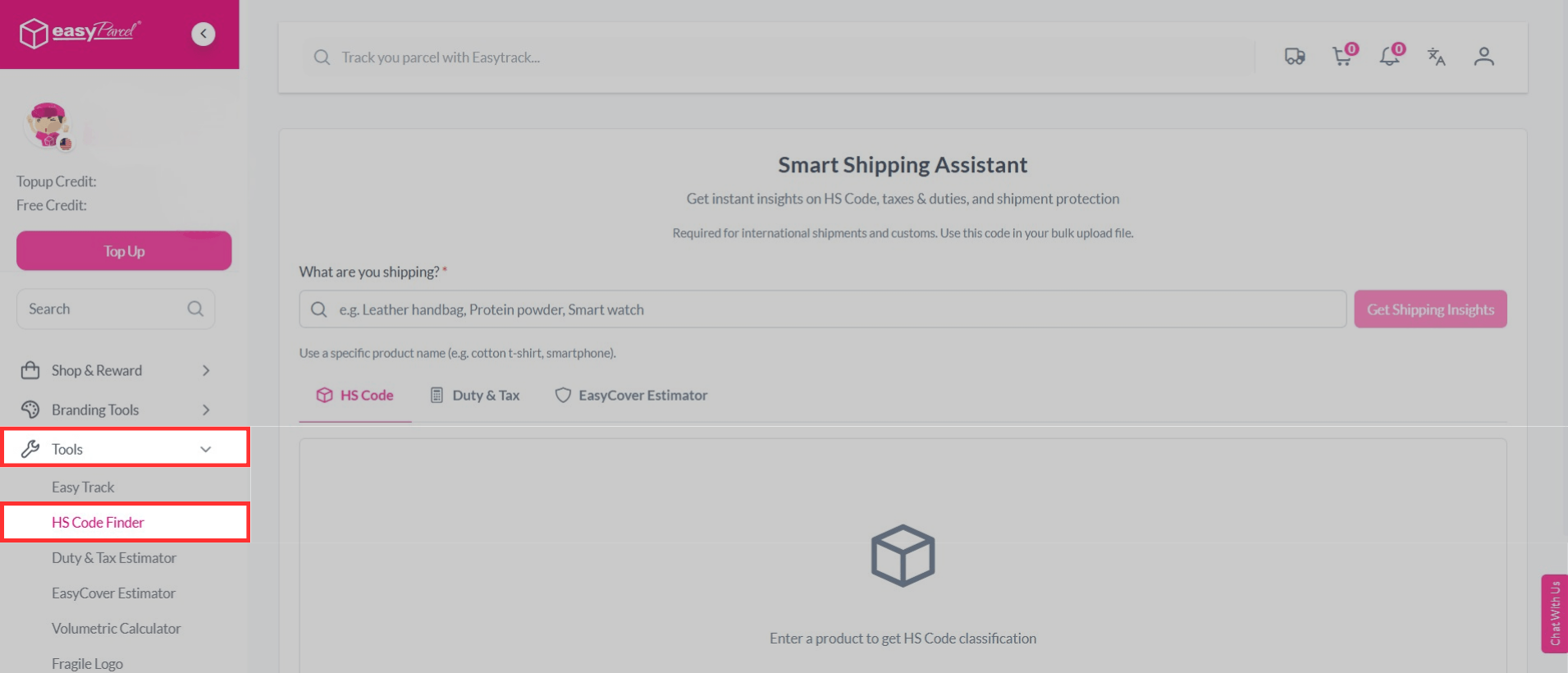
Step 2: On the left-hand sidebar menu, scroll down go to Tools, then click on HS Code Finder.
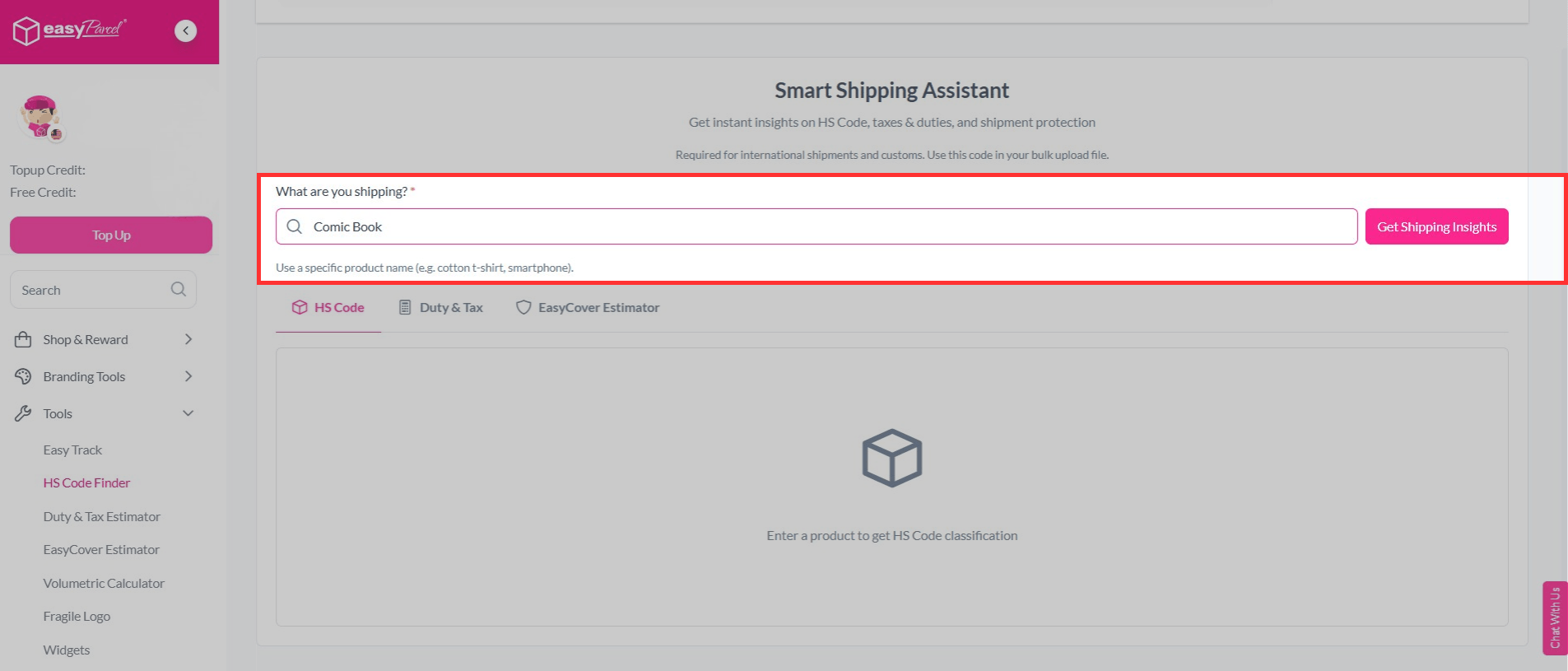
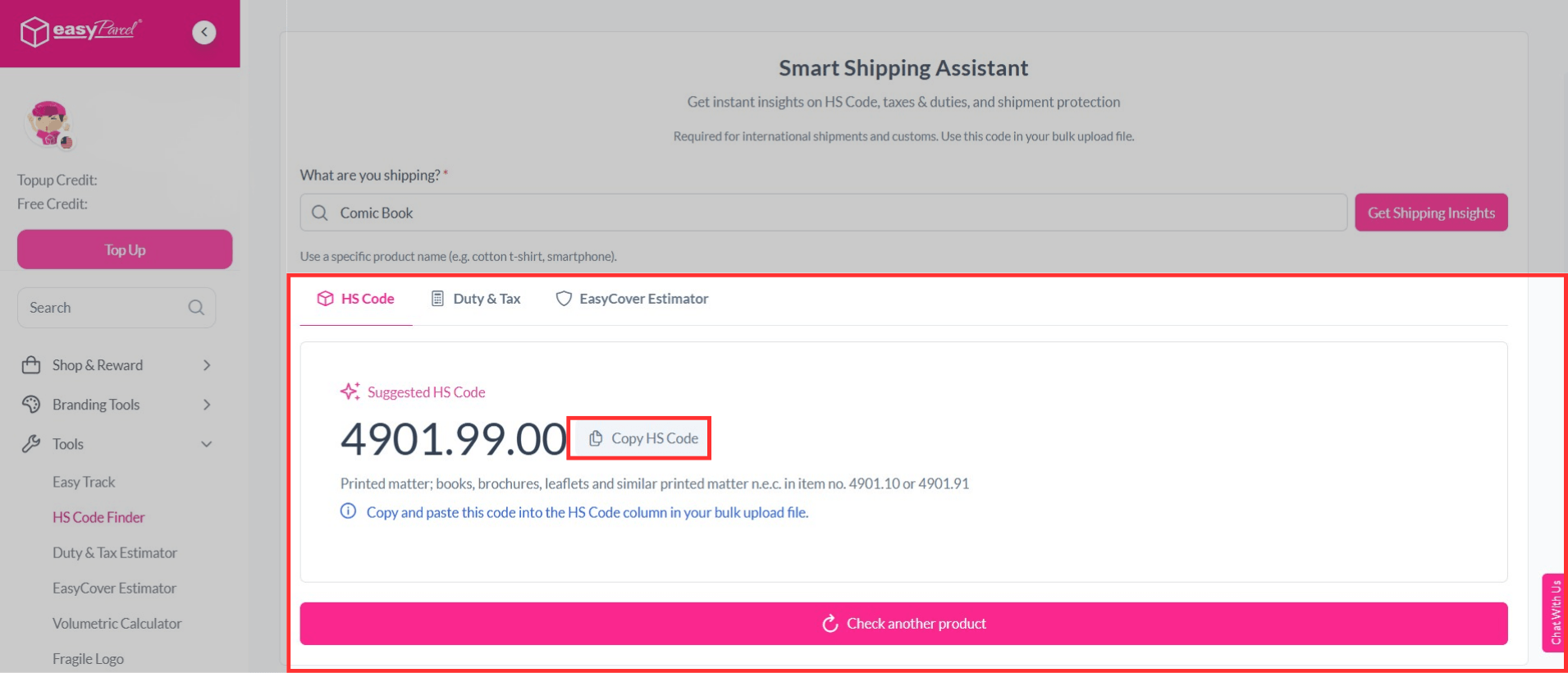
Step 3: Fill in the specific product name (e.g. cotton t-shirt, smartphone), then click on Get Shipping Insights.
Step 4: You will see a suggested HS Code. Simply copy and paste it into the HS Code column in your bulk upload file.
Note: For single shipment, you can use the Smart HS Code feature to get a suggested code automatically.
Let's Use HS Code Finder on EasyParcel
The HS code finder makes international shipping simpler and more efficient. With the right HS code for your products, you can avoid errors especially when managing bulk upload file.
Try it on EasyParcel today and make your shipping experience easier.😆
FAQ about HS Code
1. What happens if I use the wrong HS code?
Using the wrong HS code may lead to issues during customs clearance, incorrect duties and taxes, or may even lead to fines. It’s important to ensure your HS code is accurate before shipping.
2. Can I use the same HS Code for all products?
No, different products have different HS codes. You need to use the correct one for each item.