Singapore
 Thailand
 Indonesia
Not sure how to calculate your parcel dimensional weight? With EasyParcel’s Volumetric Calculator, you can easily estimate it before shipping.
Follow this guide to understand how it works and calculate it. Let’s start! ✨
Contents
What is Volumetric Weight?

Volumetric weight, also known as dimensional weight, is a method couriers use to calculate shipping costs based on the size of a parcel rather than just its actual weight. This means that even if your parcel is lightweight, you may be charged more if it is large and takes up more space during transportation.
Couriers compare the actual weight and volumetric weight of a parcel, and the higher value will be used to determine the shipping cost.
For Example:
Let’s say you’re sending a big but light box:
- Length: 50 cm
- Width: 30 cm
- Height: 50 cm
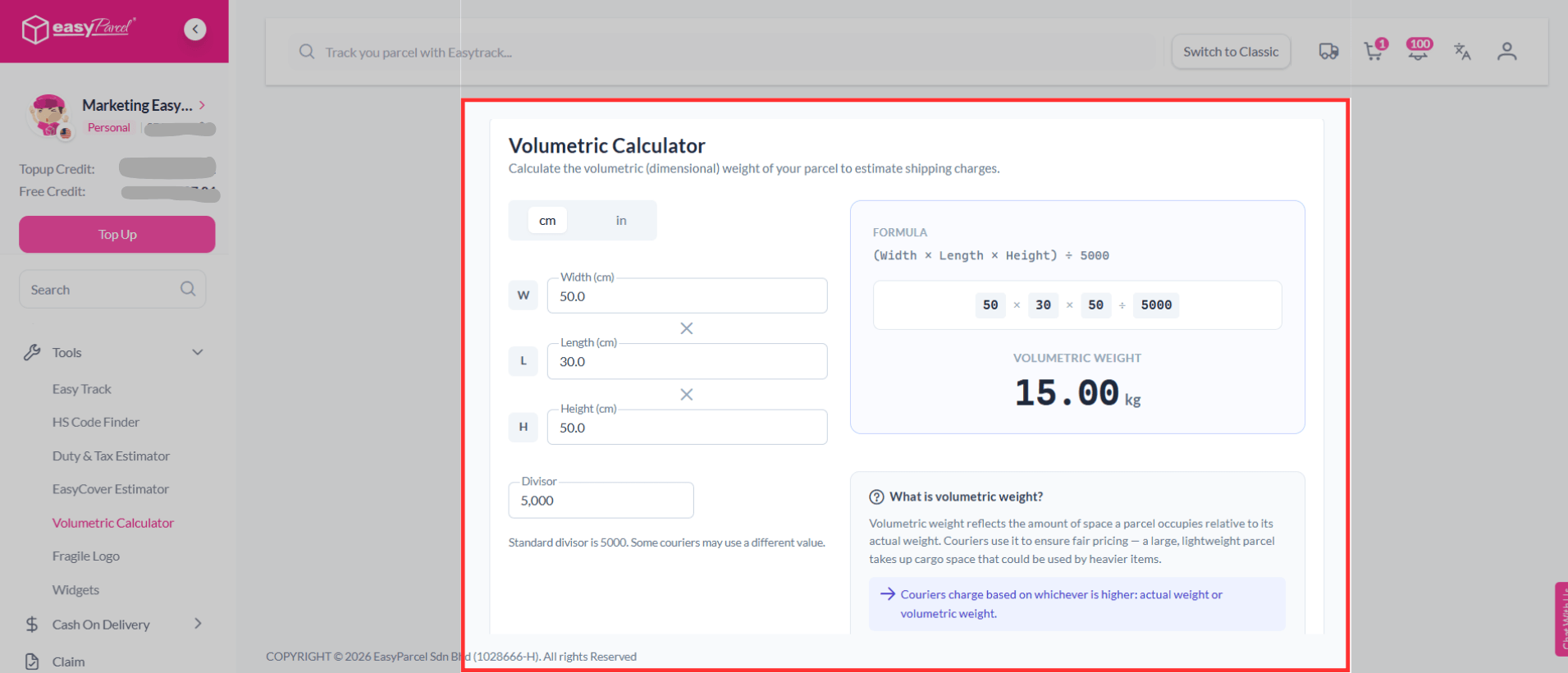
(50 × 30 × 50) ÷ 5000 = 15.0 kg (Volumetric Weight)
Now imagine the actual weight is only 8 kg. Because the volumetric weight is higher, the courier will charge based on 15.0 kg.
What is Volumetric Calculator on EasyParcel?
The Volumetric Calculator on EasyParcel is a tool that helps you calculate your parcel’s volumetric weight based on its dimensions before shipping. By entering your parcel’s length, width, and height, you can quickly determine the chargeable weight used by couriers.
This allows you to better estimate your shipping costs, avoid unexpected charges, and plan your shipments more efficiently.
Why Volumetric Calculator Very Useful?
Accurate Cost Estimation
Calculate your parcel’s chargeable weight in advance so you can better predict the total shipping fee and avoid miscalculations.
Avoid Extra Charges
Avoid extra shipping costs by knowing your parcel’s chargeable weight before booking.
How to Use Volumetric Calculator on EasyParcel?
Step 1: Log in or sign up to your EasyParcel’s account.

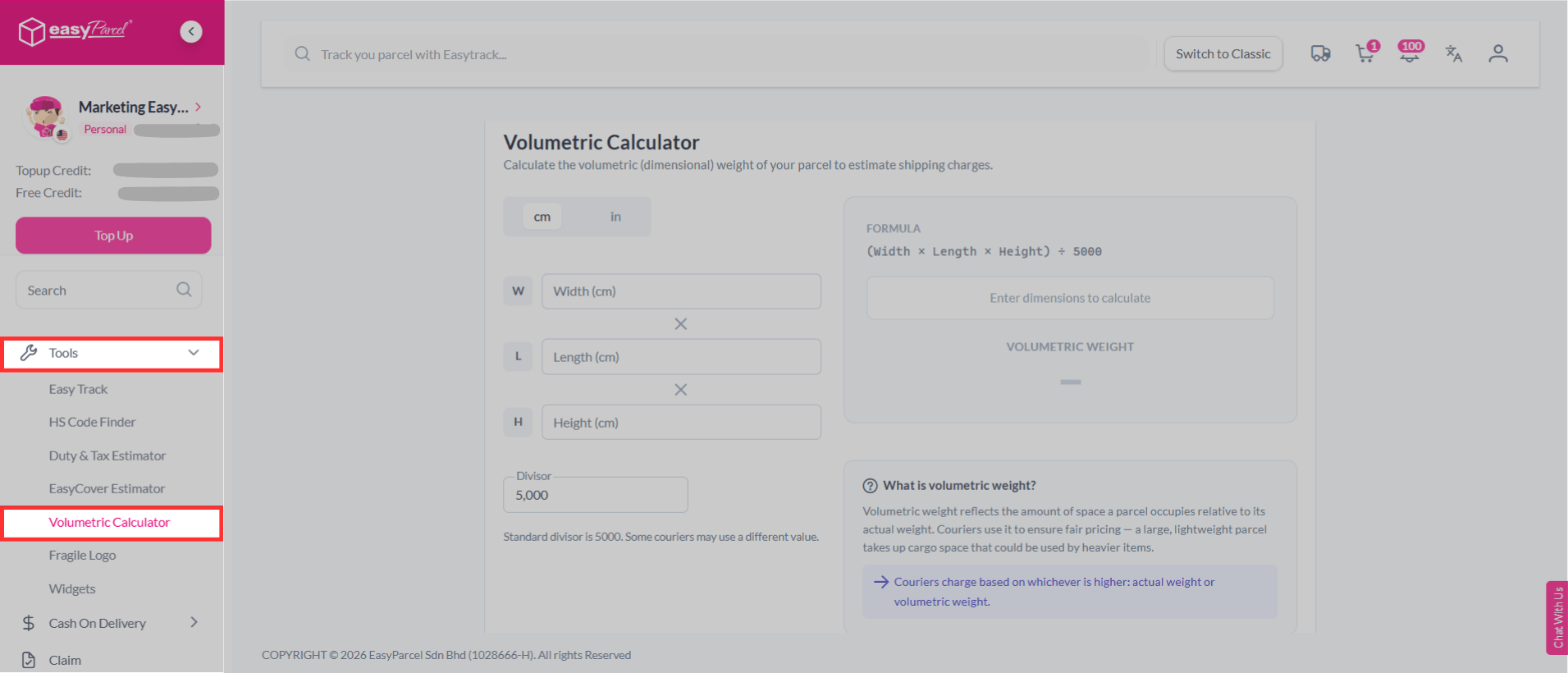
Step 2: On the left-hand sidebar menu, scroll down go to Tools, then click on Volumetric Calculator.
Step 3: Enter your parcel’s width, length and height (in cm). You will get the volumetric weight instantly!
💡Note: Standard divisor is 5000. Some couriers may use a different value.
Only have the measurements in inches? No worries—you can enter them too! You will get the volumetric weight instantly.
💡Note: Standard divisor is 5000. Some couriers may use a different value.
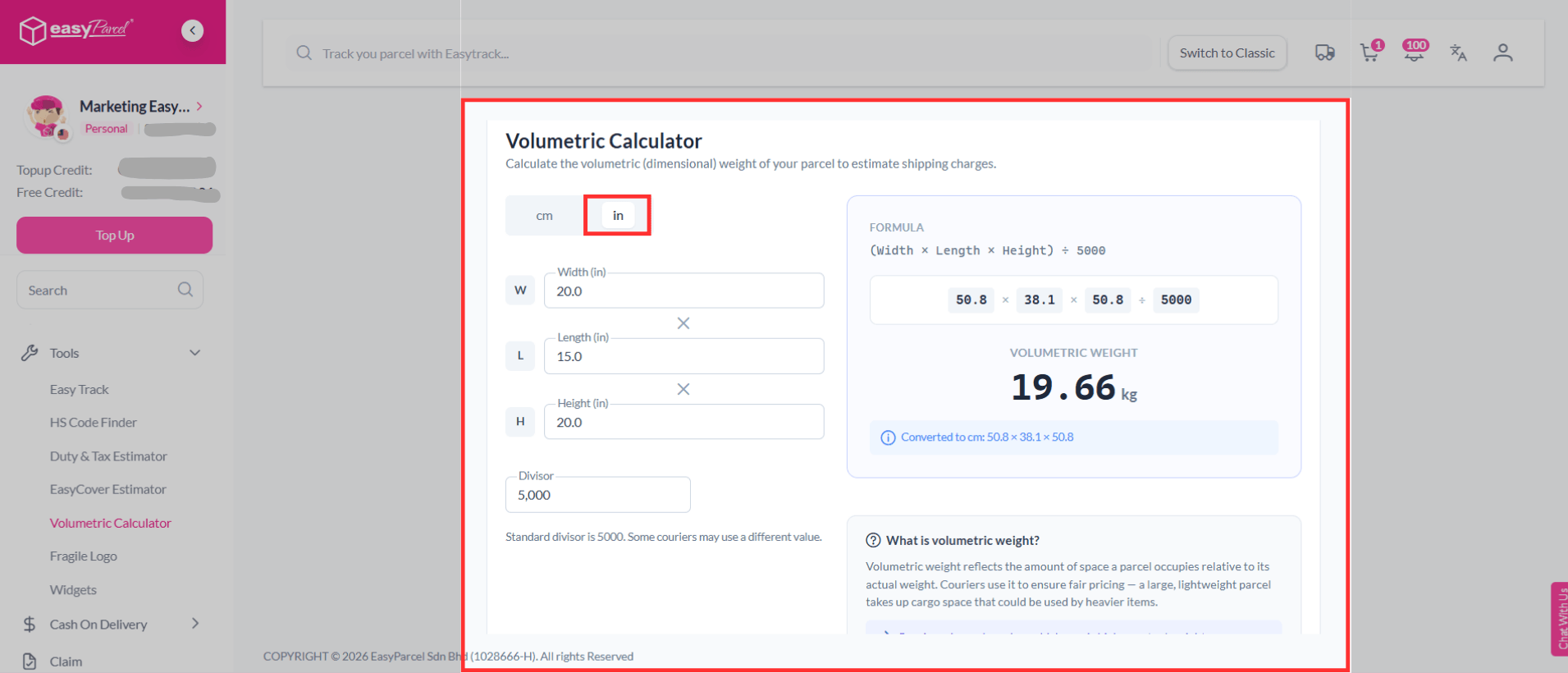
Let's Use Volumetric Calculator on EasyParcel
Volumetric Calculator helps you check your parcel’s weight based on size, so you can better plan your shipping cost and avoid extra charges.
Ready to get started? Try the Volumetric Calculator on EasyParcel today and get your results instantly. 🚀
FAQ about Volumetric Calculator
1. Is the Volumetric Calculator free to use?
Yes, the EasyCover Estimator is free to use. Simply log in to your EasyParcel account to access it.
2. What unit should I use for dimensions?
You can enter your parcel dimensions in cm or inches.
3. Can I reduce my shipping costf?
Yes, you can use smaller box to reduce volumetric weight and lower your shipping fee!