Integration on Next Gen: How To Fulfil Your Orders?

Integration on Next Gen: How To Fulfil Your Orders?

Managing orders efficiently is key to running a smooth business — especially when you’re handling multiple sales channels like ecommerce stores, marketplaces, and manual orders.

In this guide, we’ll walk you through the step-by-step order fulfilment process in EasyParcel’s Next Gen system, so you can ship faster, reduce errors, and stay in control of your deliveries.

What is Order Fulfilment?

Order fulfilment is the process of receiving, processing, packing, and shipping customer orders.

With EasyParcel, you can manage everything in one place — from booking shipments to generating airway bills and tracking parcel.

How to Fulfil Your Orders?

Step 1: Under “Integration”, click on “Installed Ecommerce Apps”, find your store and click on “Open App” button.
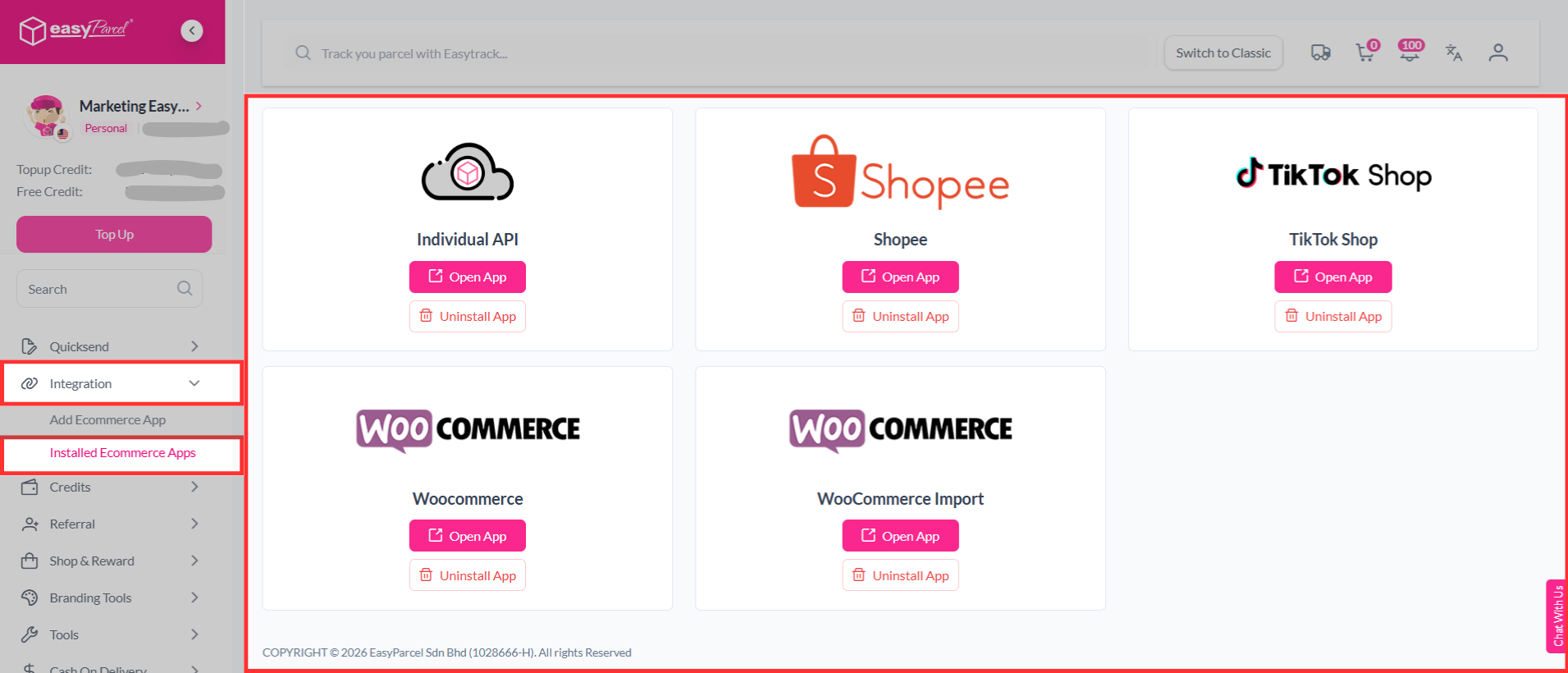
Install ECommerce App

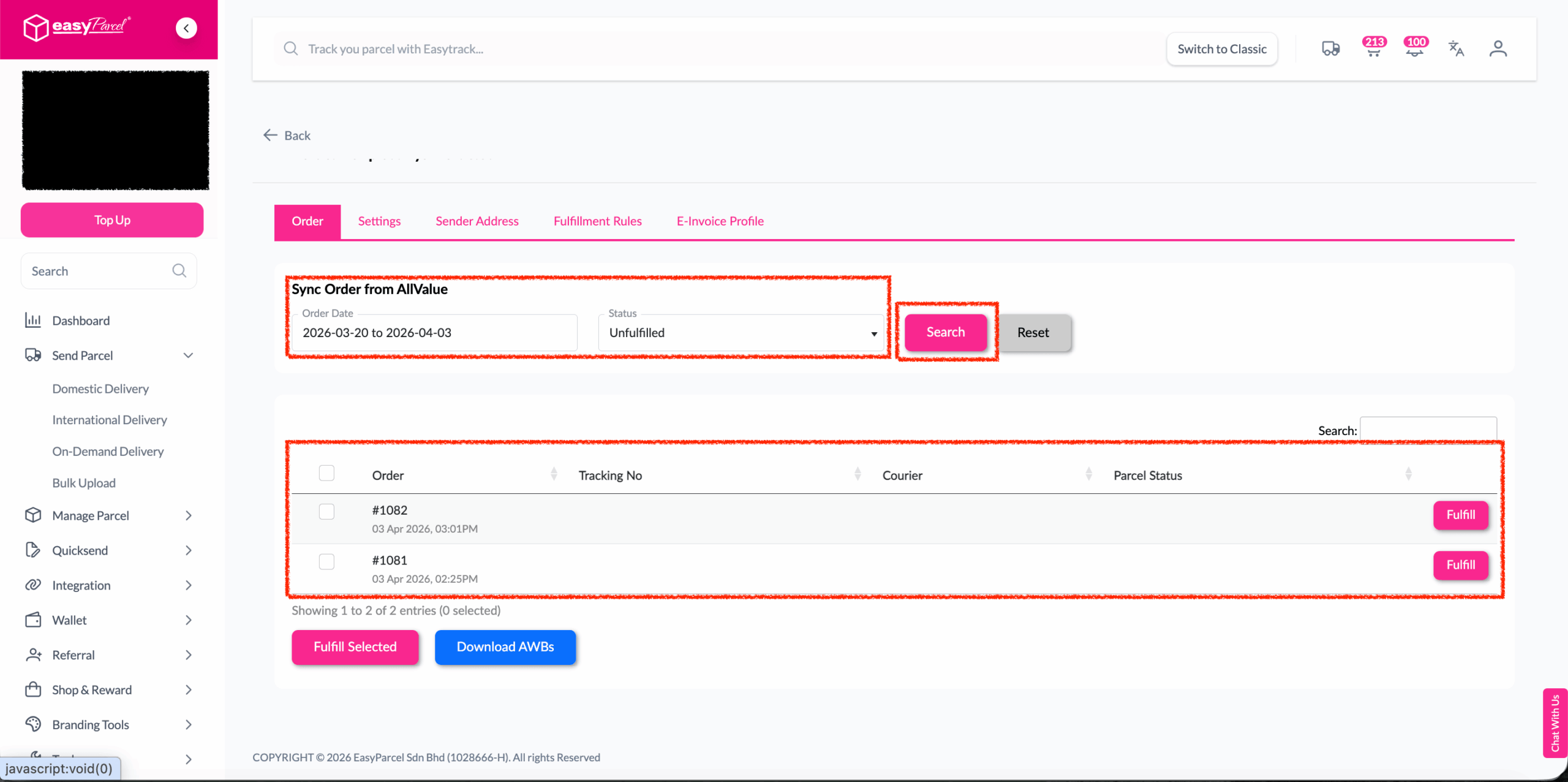
Step 2: Click on “Order”, select the order date and order status and click on the “Search” button. The order will be imported and shown in the list below. Then, click the “Fulfill” button on the order you want to fulfill.
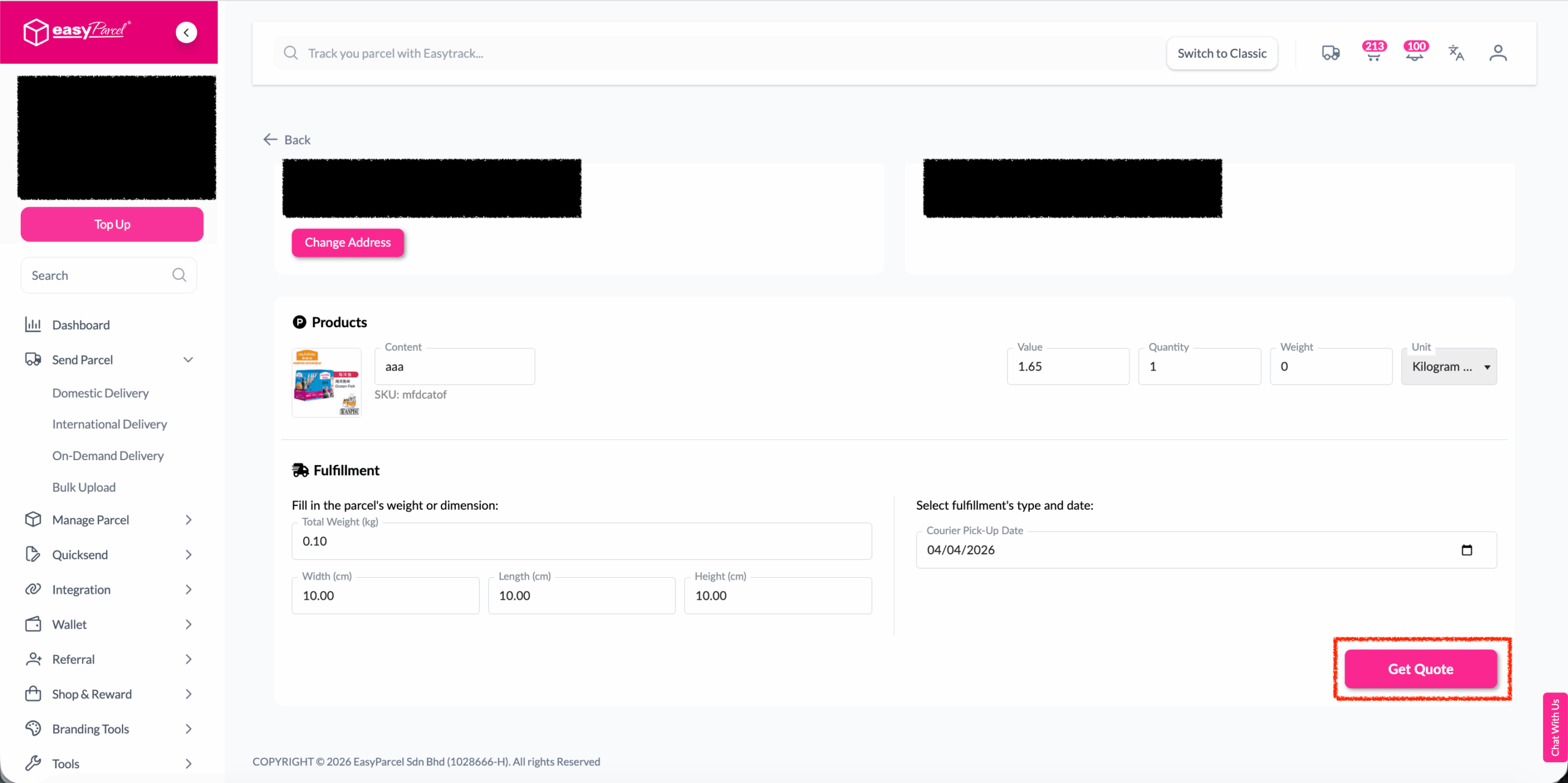
Step 3: After clicking the “Fulfill” button, you can find your order details and click on the “Get Quote” button.
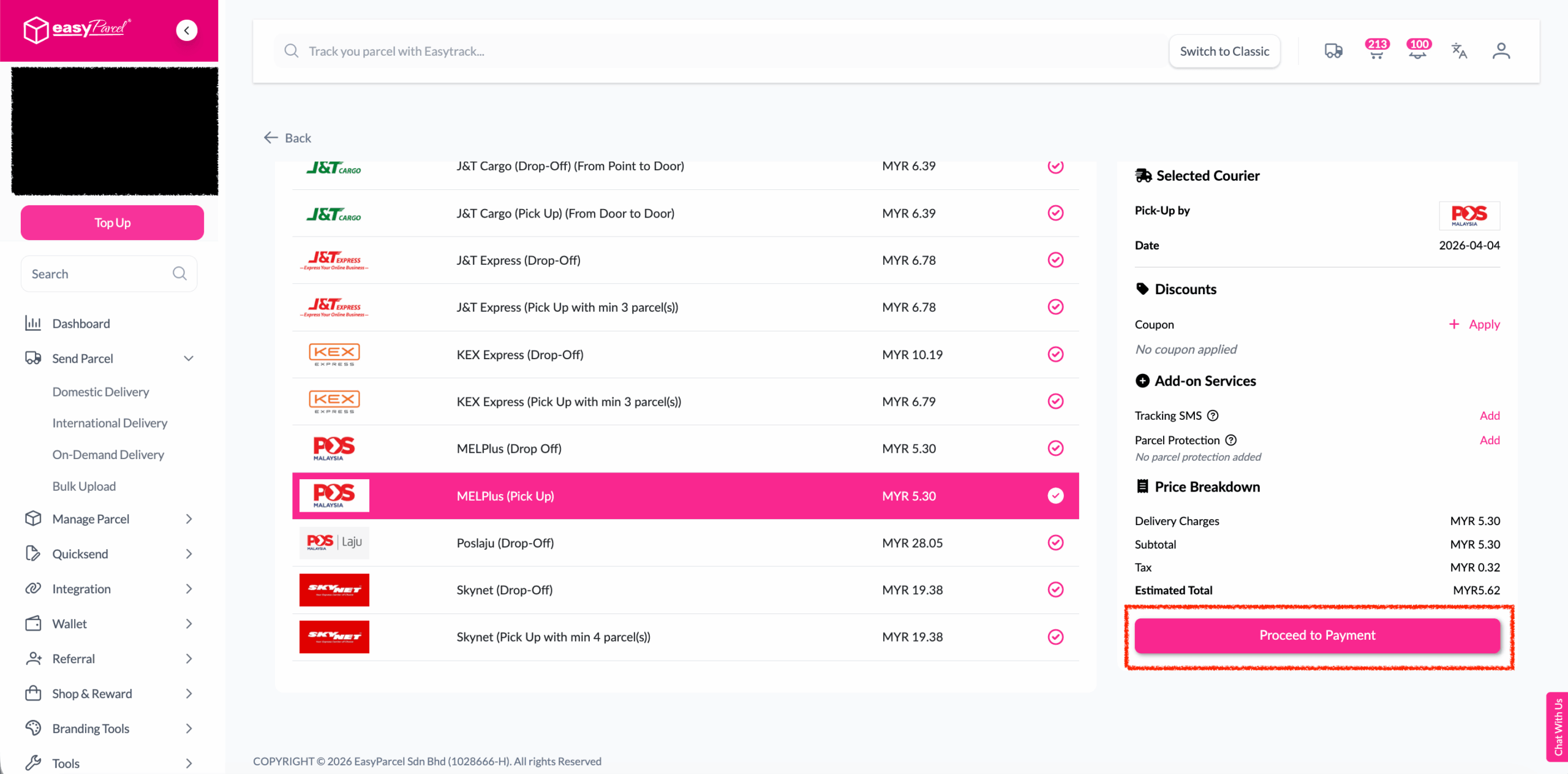
Step 4: Choose the preferred courier option and click on the “Proceed to Payment” button.
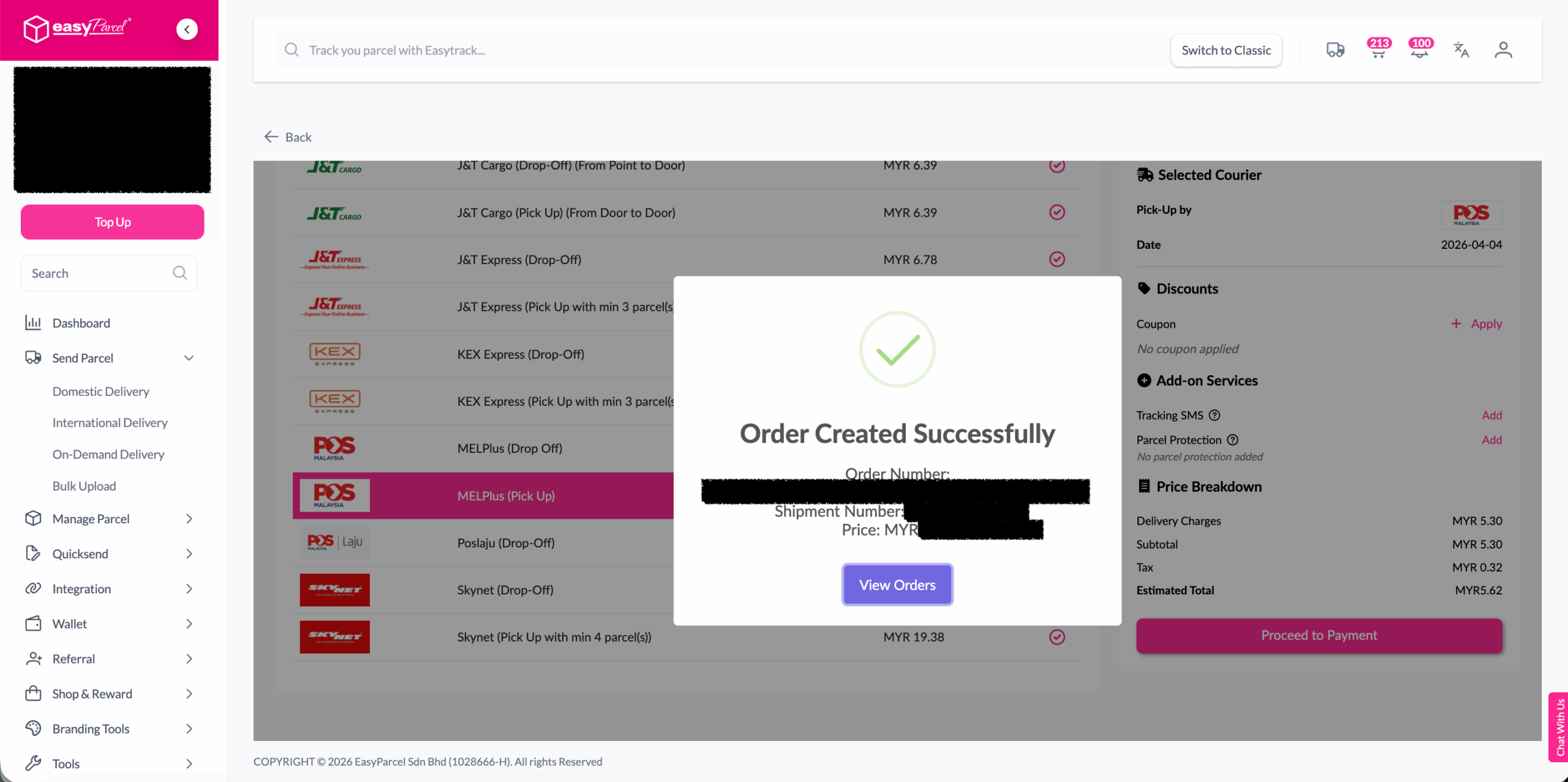
Step 5: The order status, order number, shipment number, and price will be displayed. Click on the “View Orders” button.
Step 6: The fulfilled order will now be displayed on the Order Page.
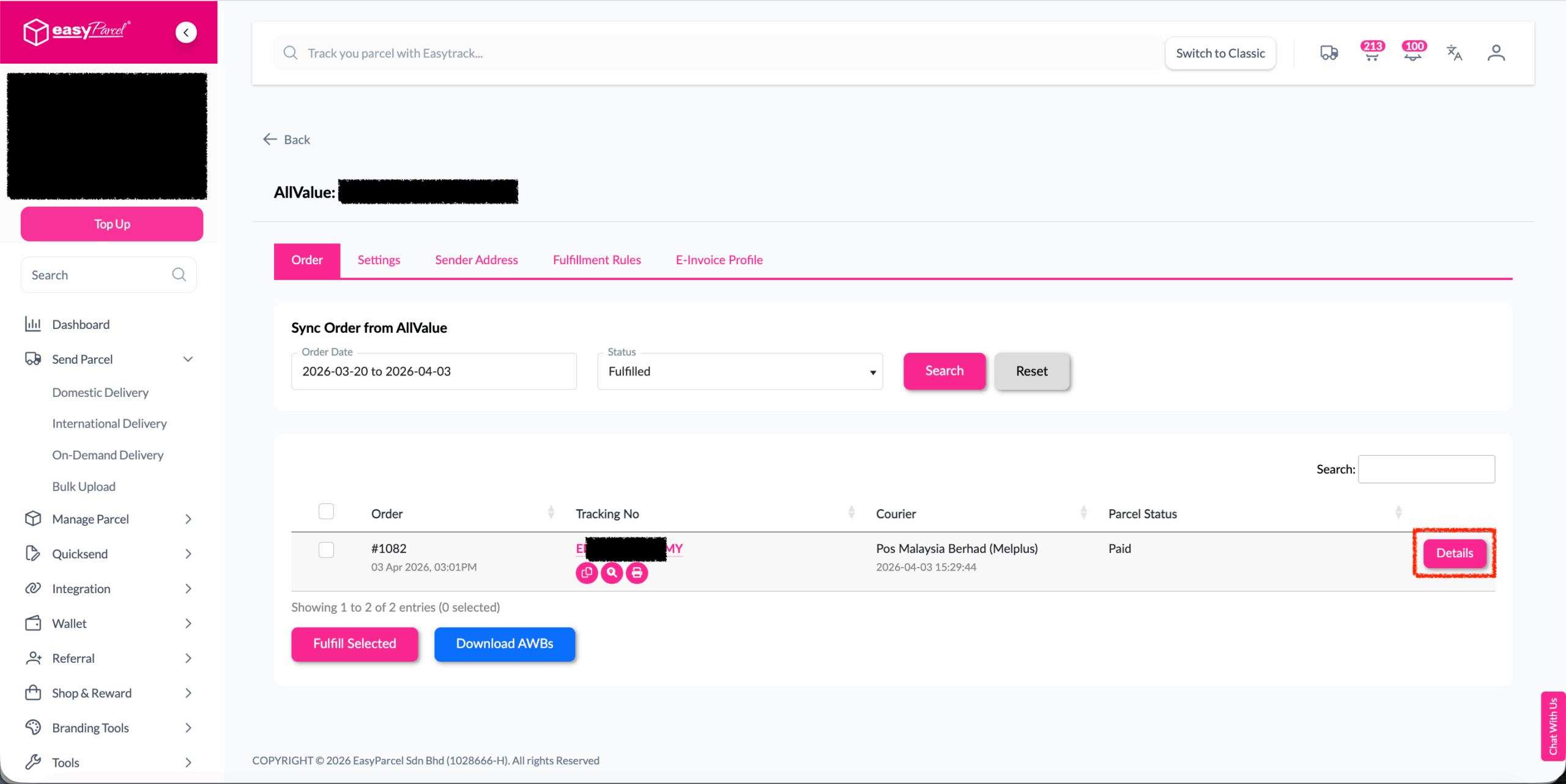
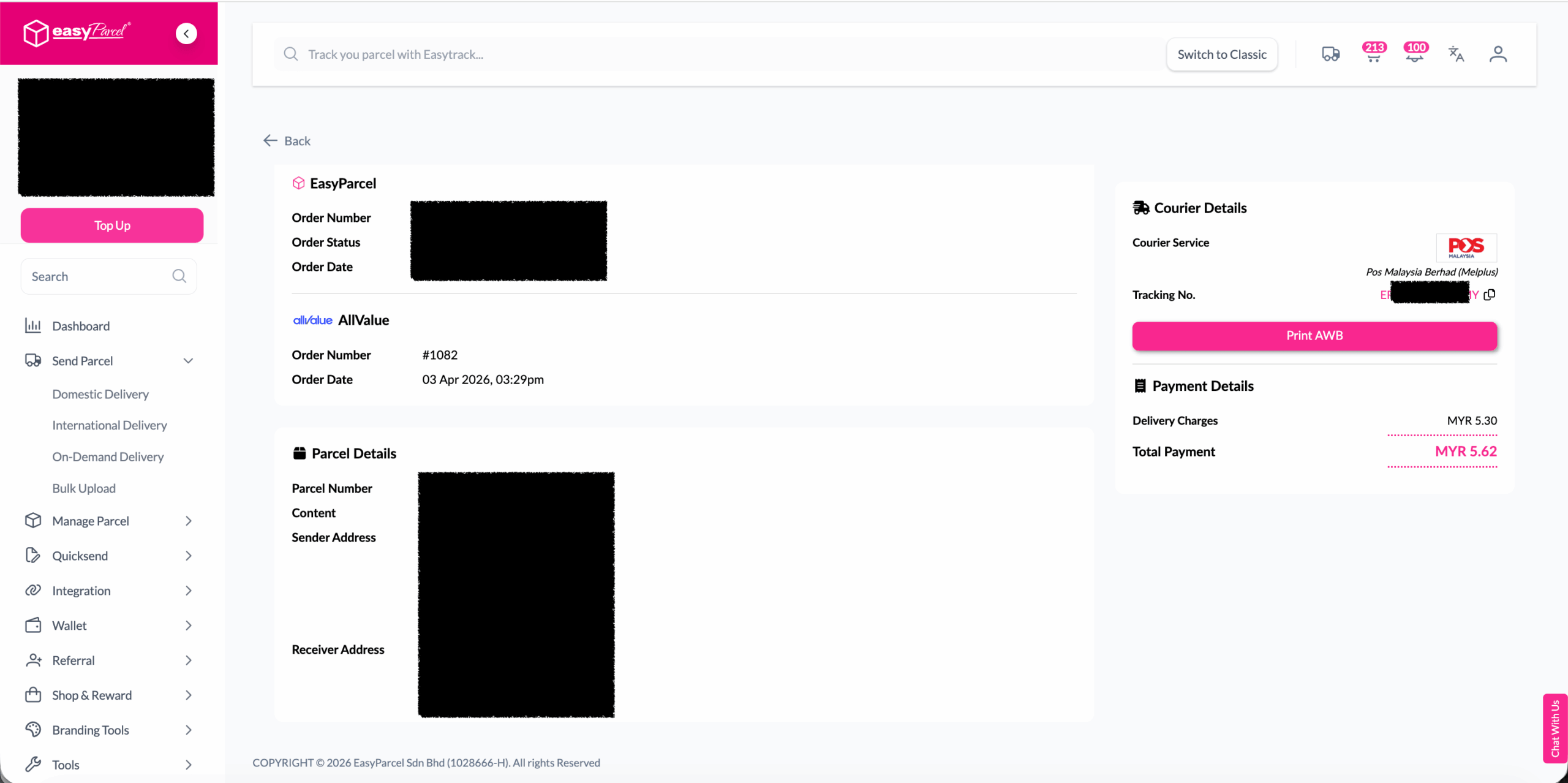
Step 7: Click on the “Details” button. Order details will be displayed on the page.
 

Best Practices For Fulfillment

1. Before Fulfillment
  • Verify inventory availability before confirming fulfillment
  • Check address accuracy to prevent delivery failures
  • Consider delivery timing for time-sensitive orders
  • Review special instructions from customers
2. During Courier Selection
  • Compare multiple options when available
  • Consider delivery speed vs. cost based on customer needs
  • Check service availability for the destination
  • Verify pickup and delivery windows
3. After Fulfillment
  • Print AWB immediately to avoid delays
  • Prepare packages according to courier requirements
  • Schedule pickup if not automatic
  • Monitor tracking for any issues

📞 Need Help? We’re Here for You

If you need assistance with order fulfilment, integration, or your Next Gen dashboard, our Integration Support Team is ready to help. We’ll guide you through setup, troubleshooting, and optimisation to ensure your fulfilment process runs smoothly.

Join 1.5 Million Happy Customers & Start Saving

Create your free account today and receive RM10 shipping coupon to start saving from your very first parcel. Compare courier rates, book in minutes, and start saving immediately.
×
10.10 Super Rewards Fiesta