Efficient Amazon order fulfillment plays a crucial role in delivering a great customer experience. From receiving new orders and preparing parcels to arranging delivery and providing shipment tracking, every step impacts customer satisfaction and seller performance.
Amazon offers several fulfilment methods, including Fulfilment by Amazon (FBA), Amazon Easy Ship (AES) and Self Ship, allowing sellers to choose the option that best suits their business model.
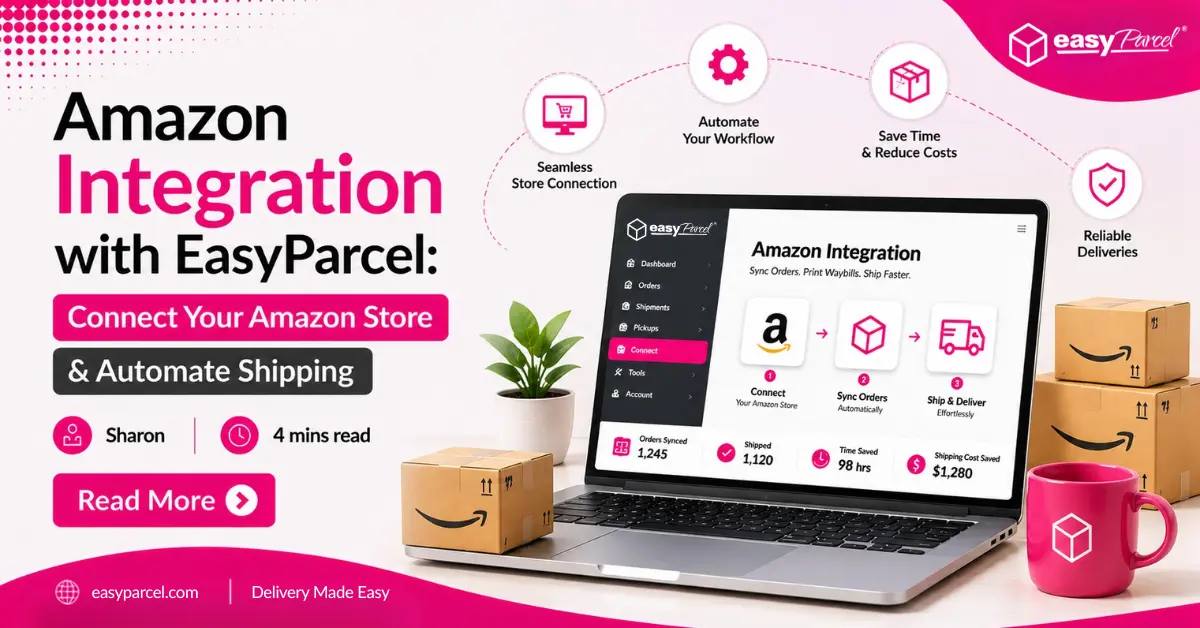
For sellers who prefer to manage their own logistics through Amazon Self Ship, having the right shipping platform is essential. Instead of manually processing orders one by one, EasyParcel helps automate your fulfilment workflow by synchronising Amazon orders, comparing 60+ courier services, generating Air Waybills (AWBs), arranging free doorstep pickup for eligible courier services and tracking shipments—all from a single dashboard.
In this guide, you’ll learn how Amazon order fulfillment works, understand the different fulfilment options available, and discover how EasyParcel helps businesses simplify and scale their Amazon Self Ship operations.
How to Enable Amazon Self Ship
Before connecting Amazon orders to EasyParcel, sellers should first ensure that Self Ship is enabled in Amazon Seller Central.
Step 1: Log in to Amazon Seller Central
Sign in to your Amazon Seller Central account using your seller login details.
Step 2: Go to Shipping Settings
From your dashboard, go to Settings > Shipping Settings.
This is where you can manage your seller-fulfilled shipping options, delivery regions, shipping fees and handling time.
Step 3: Select Self Ship
Choose Self Ship as your preferred fulfillment method where available.
Self Ship is suitable for sellers who want to manage delivery using their own logistics arrangement or a third-party shipping platform such as EasyParcel.
Step 4: Set Your Shipping Template
Configure your shipping template by setting:
- Delivery regions
- Shipping fees
- Handling time
- Delivery promise
- Shipping coverage
This helps customers see accurate delivery information when placing orders.
Step 5: Save Your Settings
Review your shipping details carefully and save your changes.
Once Self Ship is enabled, you can manage packing, shipping and tracking updates using your preferred delivery workflow.
Step 6: Connect Amazon with EasyParcel
After enabling Self Ship, connect your Amazon Seller account with EasyParcel so your Amazon orders can be synced and fulfilled more efficiently.
How to Set Up Amazon Order Fulfillment with EasyParcel
Once Amazon Self Ship is enabled, the next step is connecting your Amazon store with EasyParcel. This allows your Amazon orders to sync into EasyParcel automatically, so you can compare courier services, generate AWBs, arrange pickup and track deliveries from one dashboard.
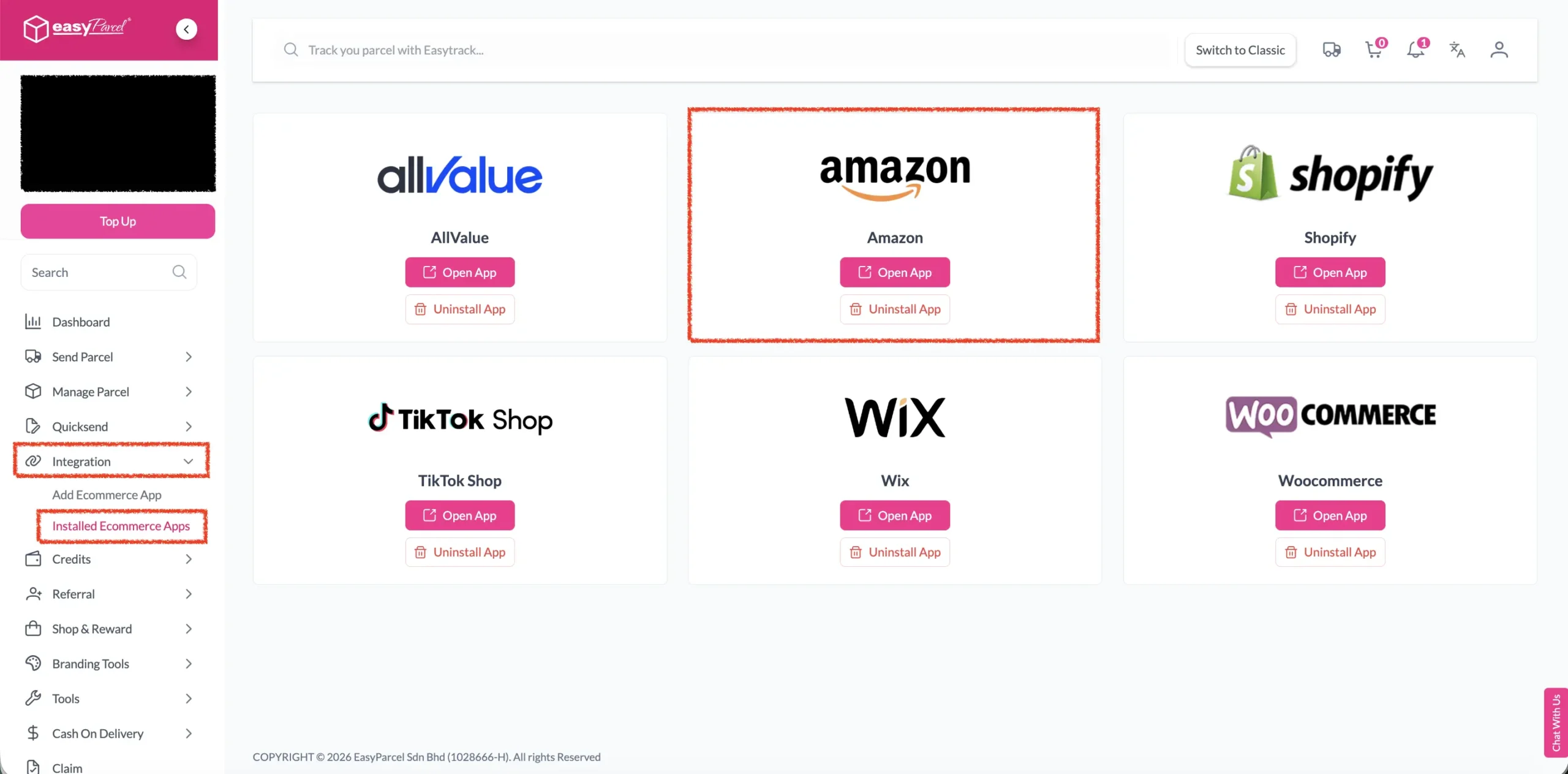
Step 1: Under “Integration”, click on “Installed Ecommerce Apps”, find “Amazon” and click on “Open App” button.
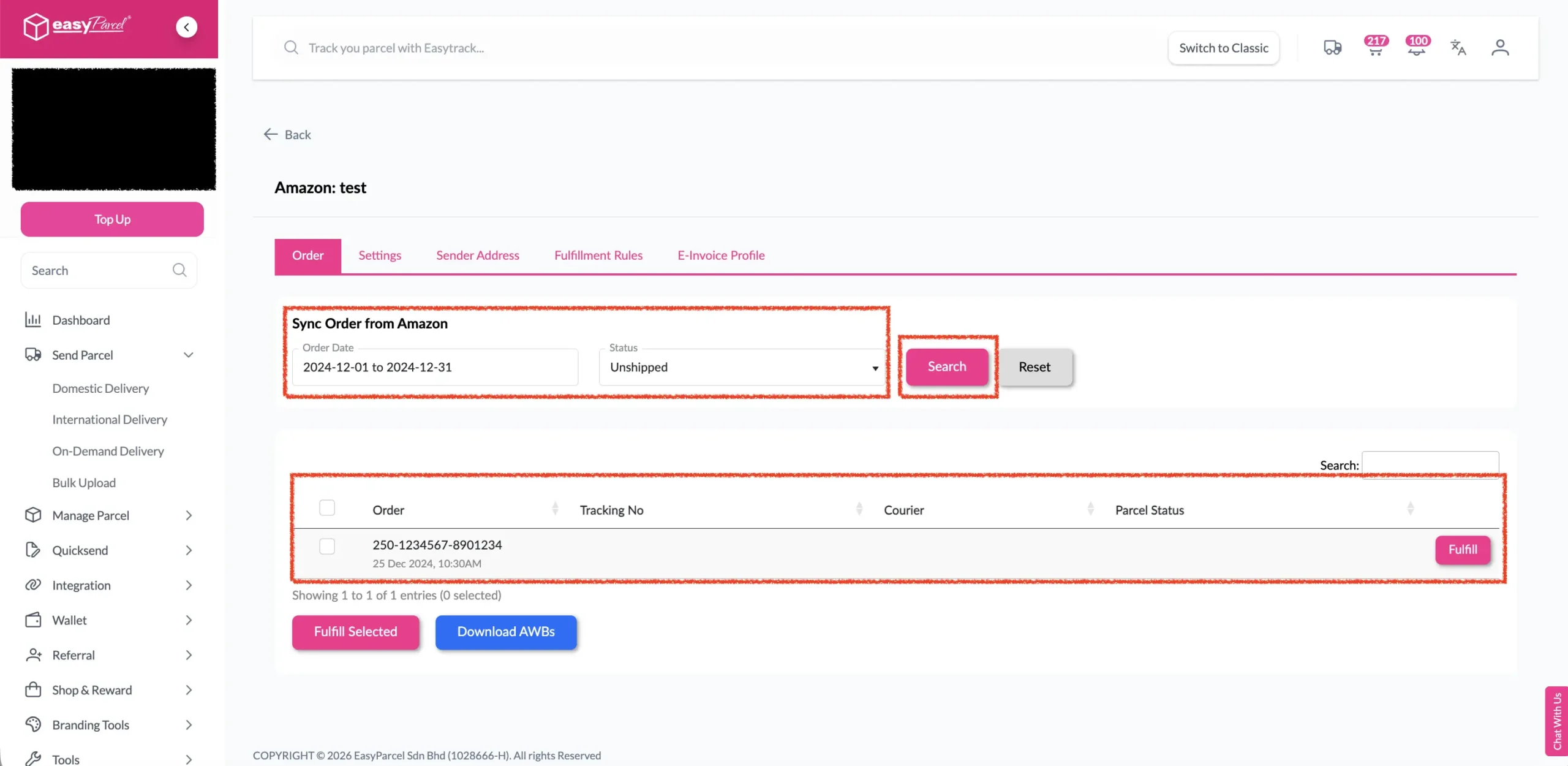
Step 2: Click on “Order”, select the order date and order status and click on the “Search” button. The order will be imported and shown in the list below. Then, click the “Fulfill” button on the order you want to fulfill.
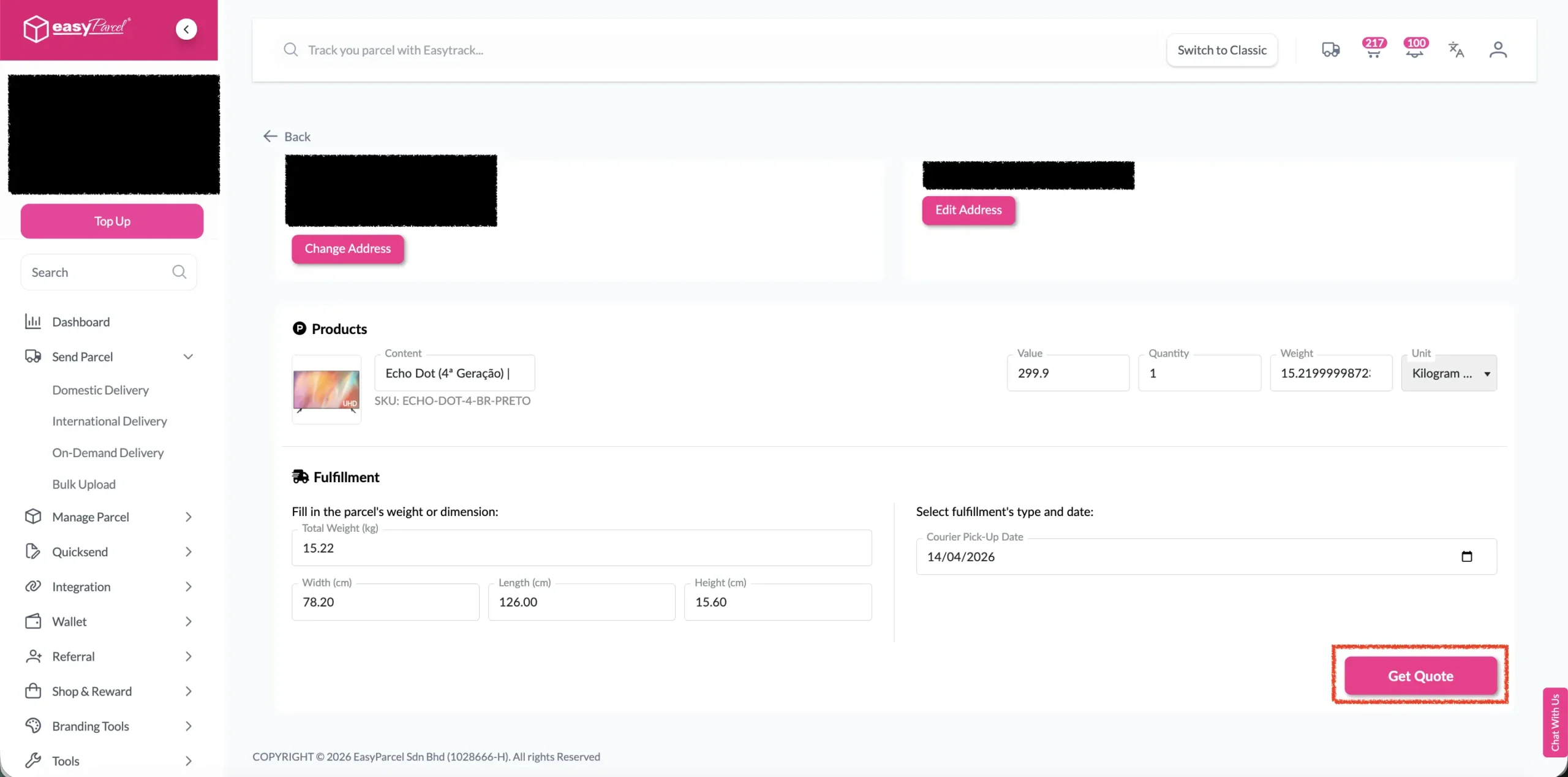
Step 3: After clicking the “Fulfill” button, you can find your order details and click on the “Get Quote” button.
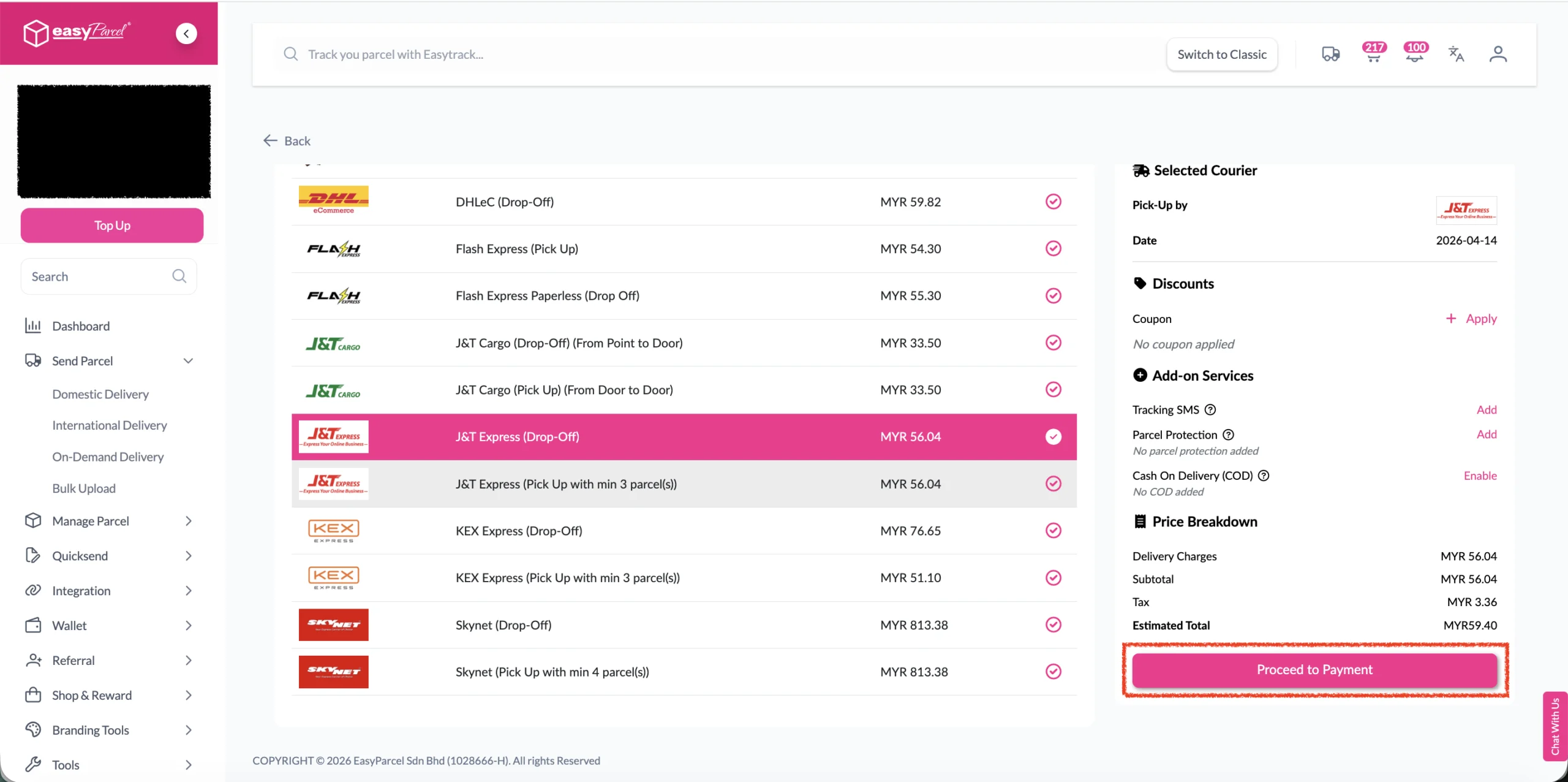
Step 4: Choose the preferred courier option and click on the “Proceed to Payment” button.
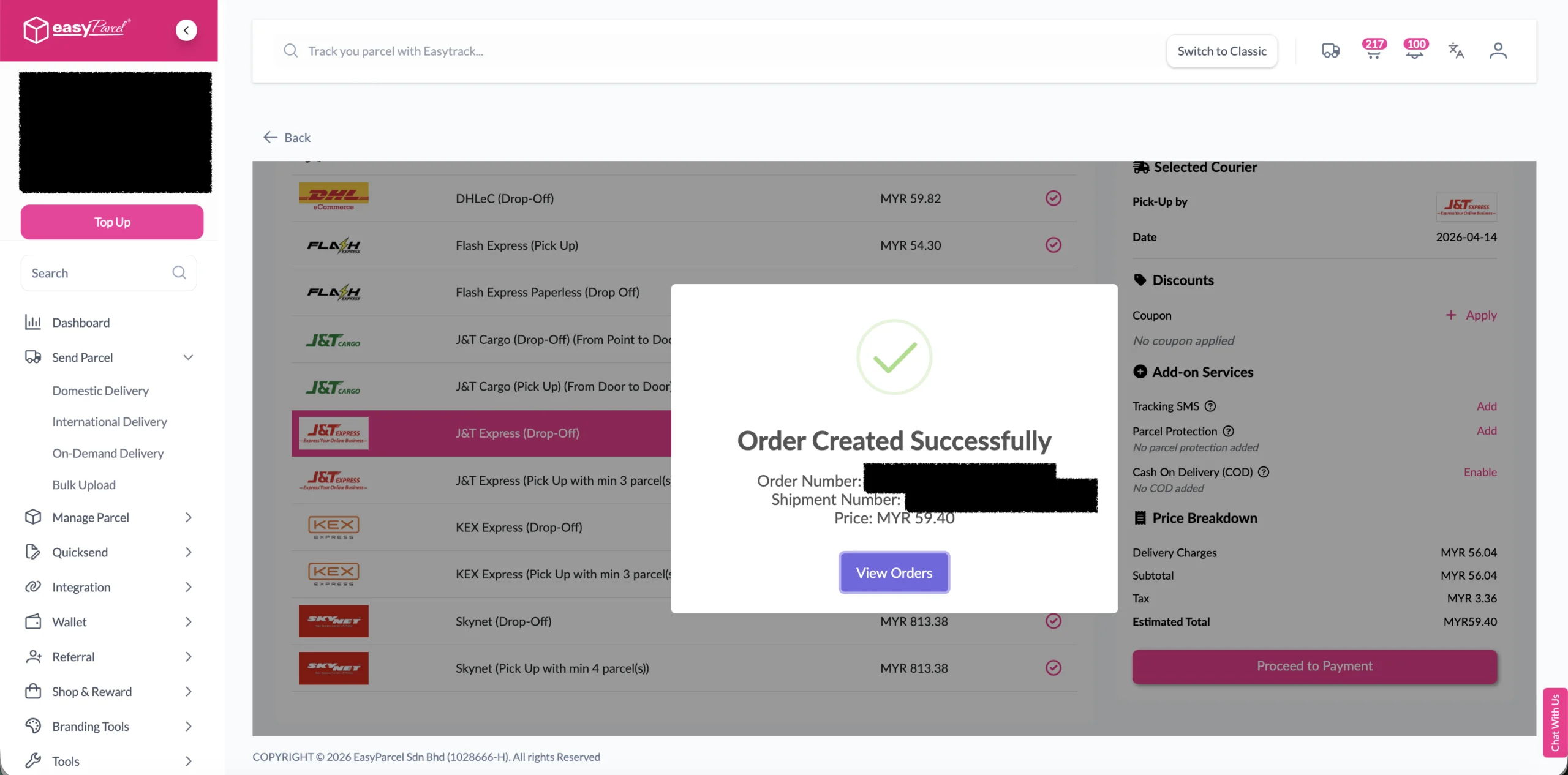
Step 5: The order status, order number, shipment number, and price will be displayed. Click on the “View Orders” button.
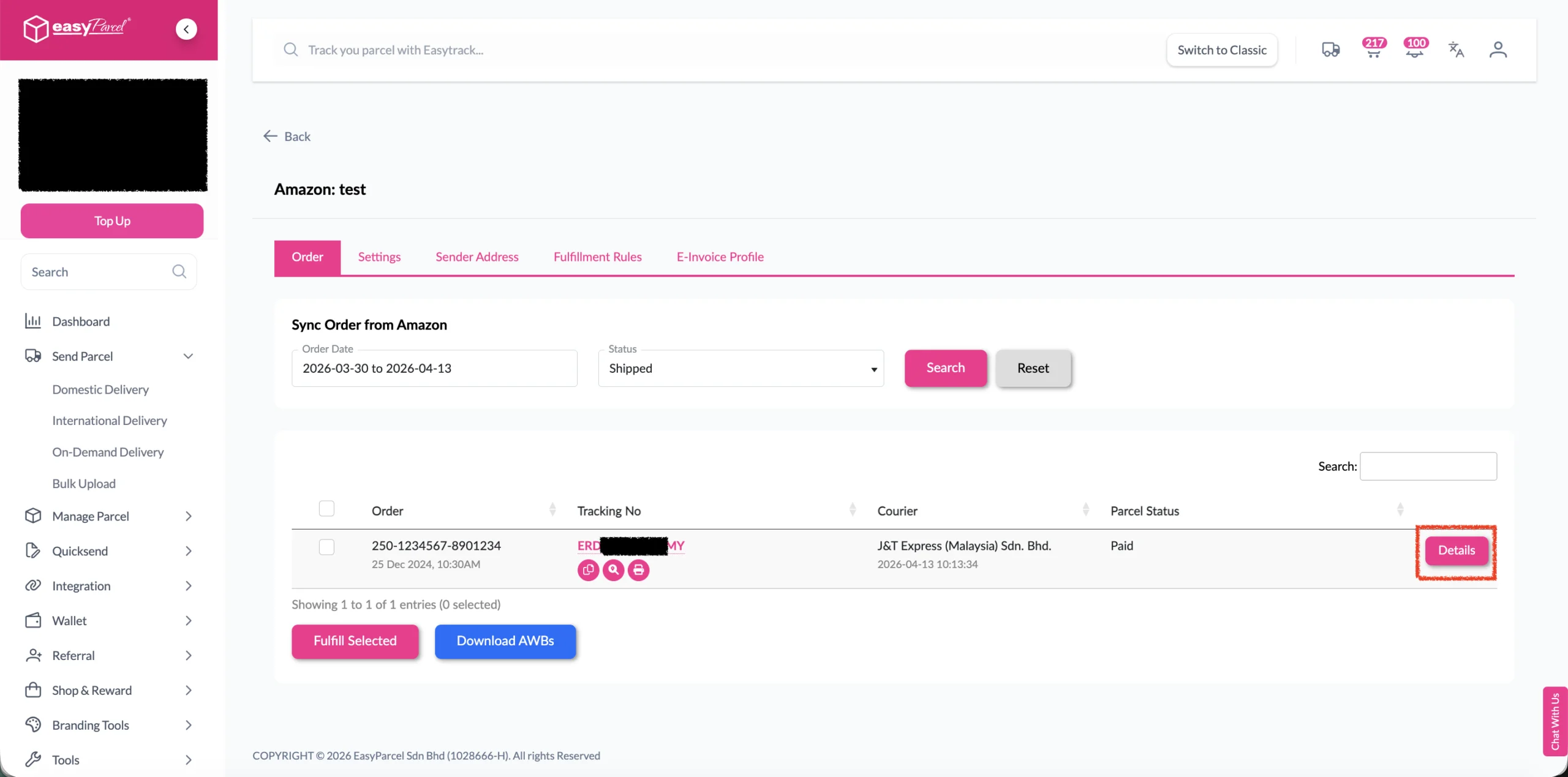
Step 6: The fulfilled order will now be displayed on the Order Page.
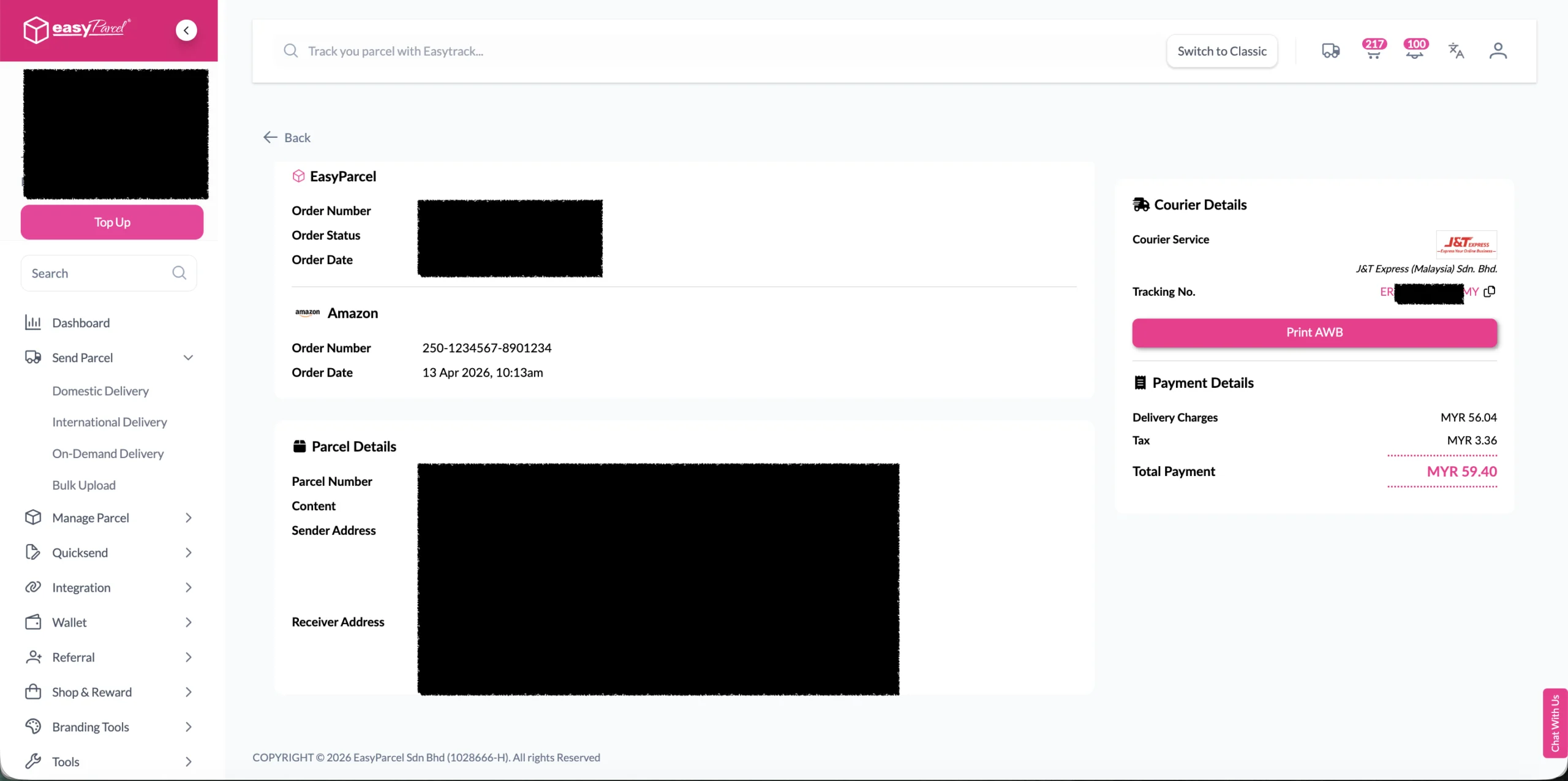
Step 7: Click on the “Details” button. Order details will be displayed on the page.
Simplify Your Amazon Order Fulfillment
Connect your Amazon Seller account with EasyParcel to automatically sync orders, compare 60+ courier services, generate AWBs and manage all your shipments from one convenient dashboard.
Why Fulfill Amazon Orders with EasyParcel?
Frequently Asked Question (FAQs)
Related Blogs