Managing shipping manually can slow down your eBay business, especially when orders spike during promotions or peak seasons. If you’re selling on eBay and handling your own shipping, integrating your store with EasyParcel helps automate order import, booking, and tracking — all from one dashboard.
In this tutorial, we’ll show you exactly how to import and fulfill your eBay orders using EasyParcel step by step.
Table of Contents
What Is EasyParcel?
EasyParcel is an all-in-one shipping platform that connects e-commerce stores to 60+ courier services including FedEx, J&T, Ninja Van, Aramex, and SingPost. Instead of managing separate accounts with each courier, you get one dashboard to compare rates, book shipments, and track deliveries.
For eBay sellers using seller-managed shipping, EasyParcel helps streamline fulfillment—especially during high-volume periods.
Why Integrate eBay with EasyParcel?
One Platform, All Shipments
Handle domestic and international shipment —no more switching between courier websites
Reduce Manual Work
eBay orders sync automatically to EasyParcel —no copying addresses, no manual entry
Best & Cheapest Rates
Compare 60+ couriers side-by-side instantly to find the most affordable option for every parcel
Free Marketing Tools
Add your store's branding totracking pages, SMS, Air Waybill and email —at no extra cost.
Exclusive Parcel Protection
Add EasyCover parcel protection to safeguard valuable shipments
Reward Points for Free Gifts
Accumulate points on every dollar spent and redeem them for free gifts, vouchers, and exclusive rewards.
How to Import and Fulfill eBay Orders by Using EasyParcel?
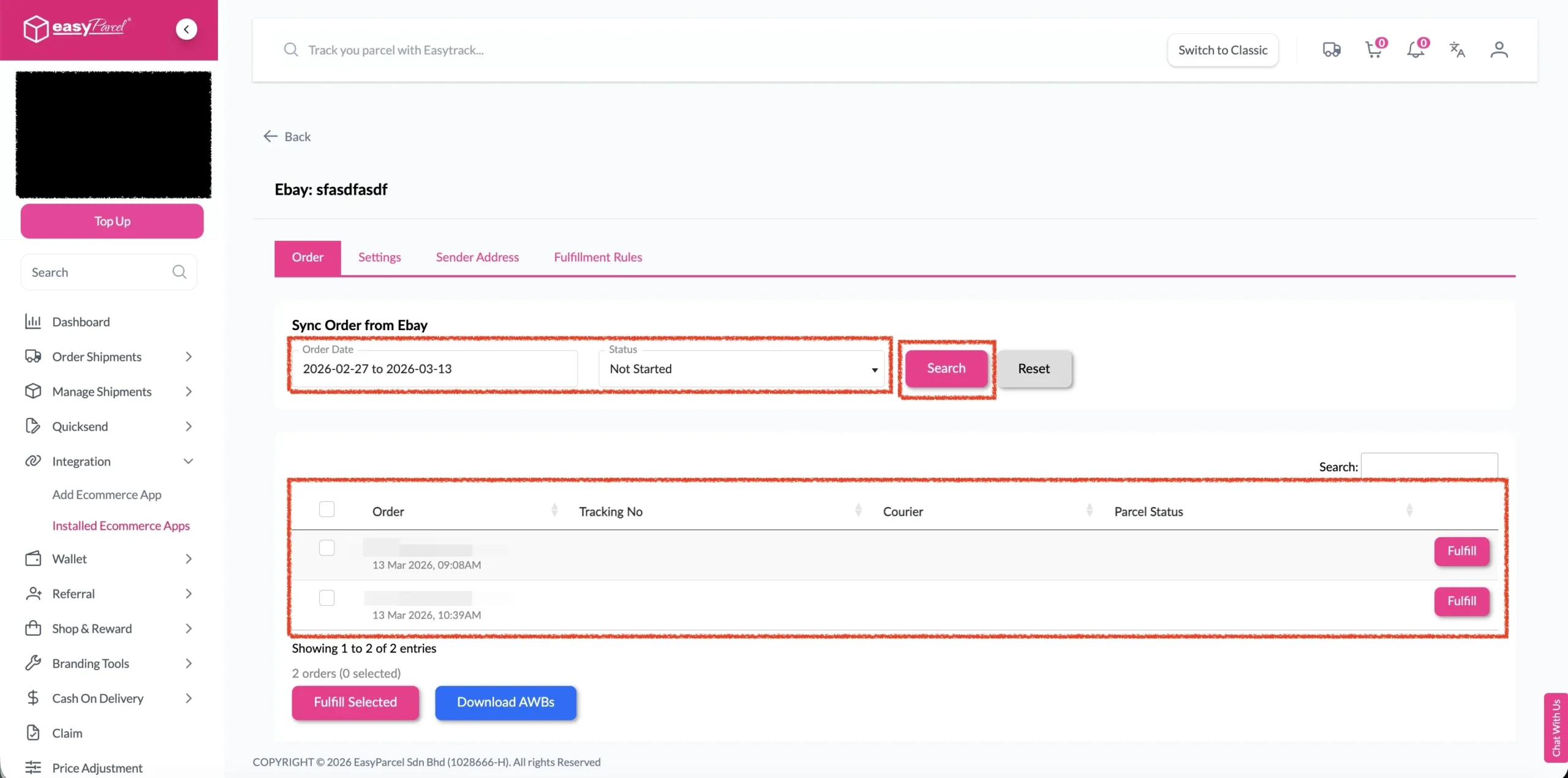
Step 1: Under “Integration”, click on “Installed Ecommerce Apps”, find “Ebay” and click on “Open App” button.
Click on “Order”, select the order date and order status and click on the “Search” button.
The order will be imported and shown in the list below. Then, click the “Fulfill” button on the order you want to fulfill.
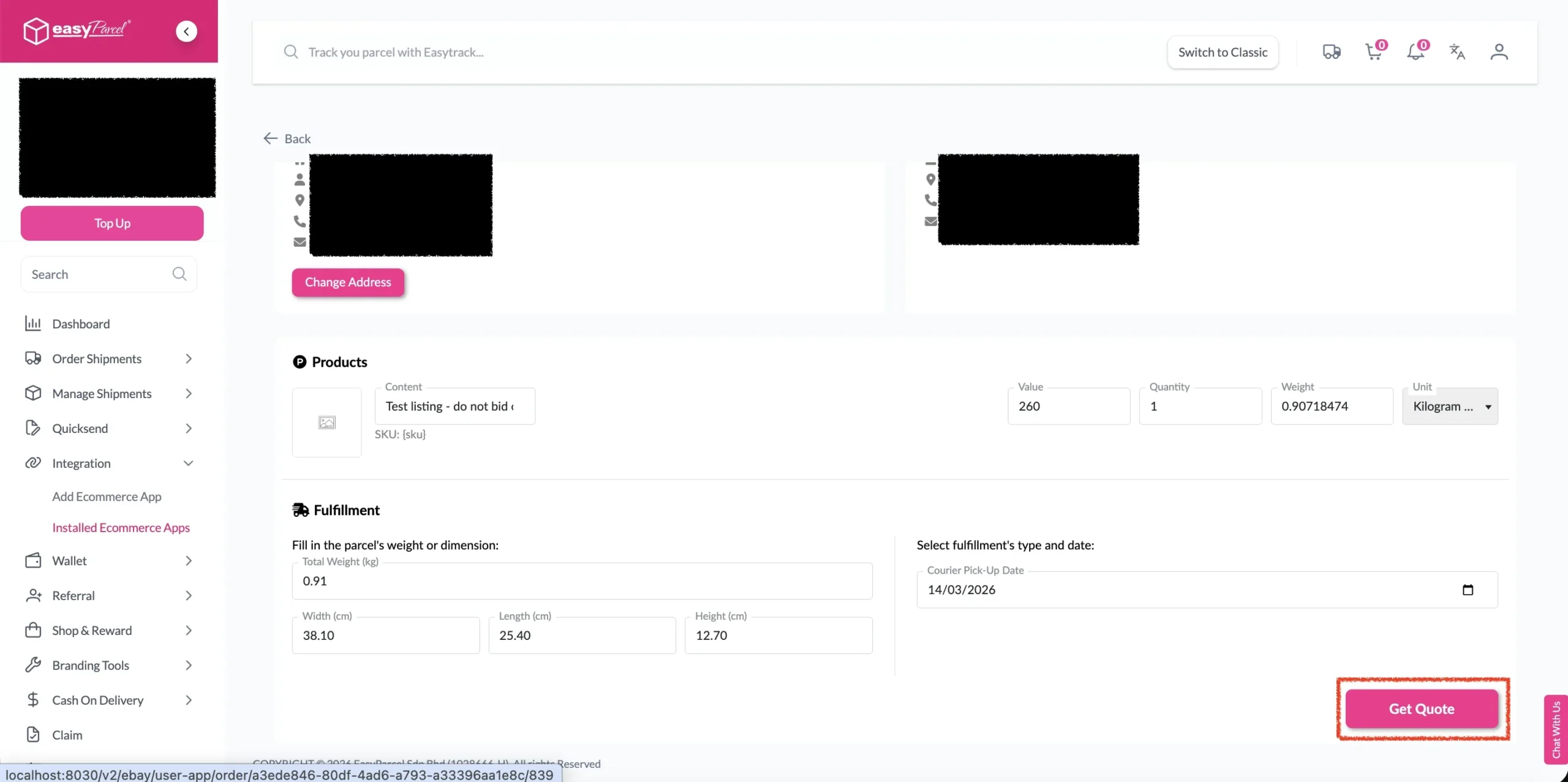
Step 2: After clicking the “Fulfill” button, you can find your order details and click on the “Get Quote” button.
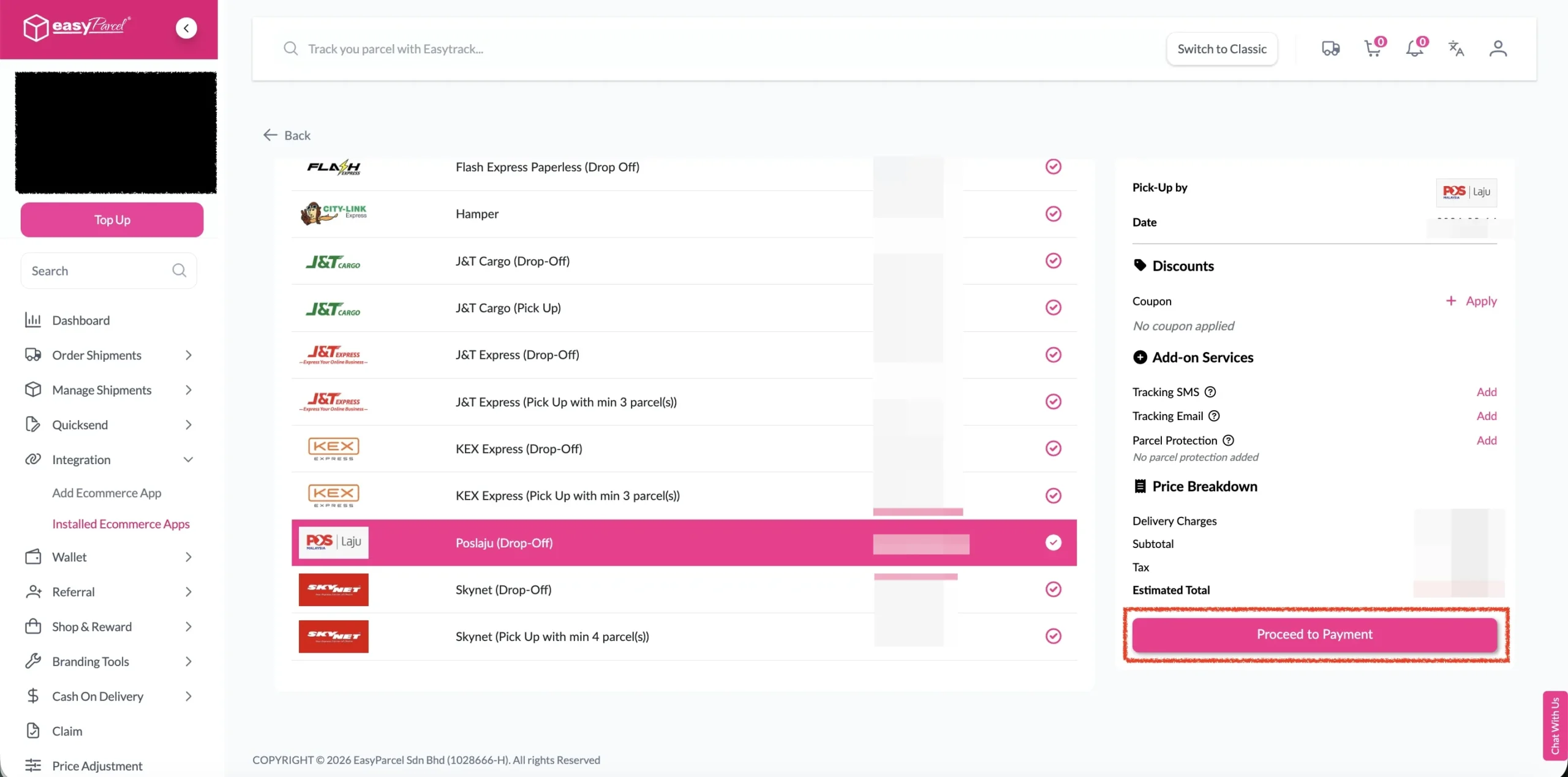
Step 3: Choose the preferred courier option and click on the “Proceed to Payment” button.
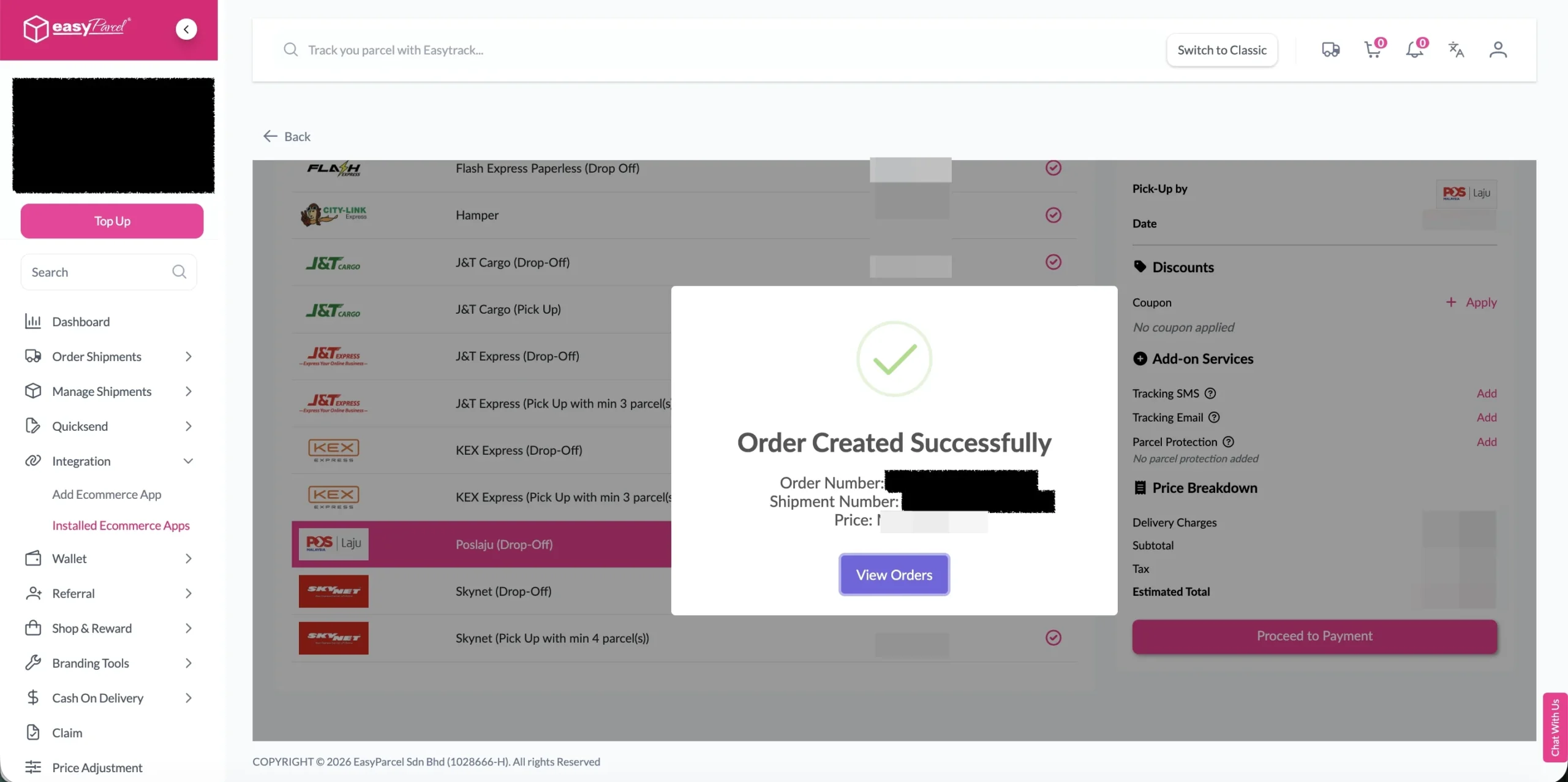
Step 4: The order status, order number, shipment number, and price will be displayed. Click on the “View Orders” button.
Step 5: The fulfilled order will now be displayed on the Order Page.
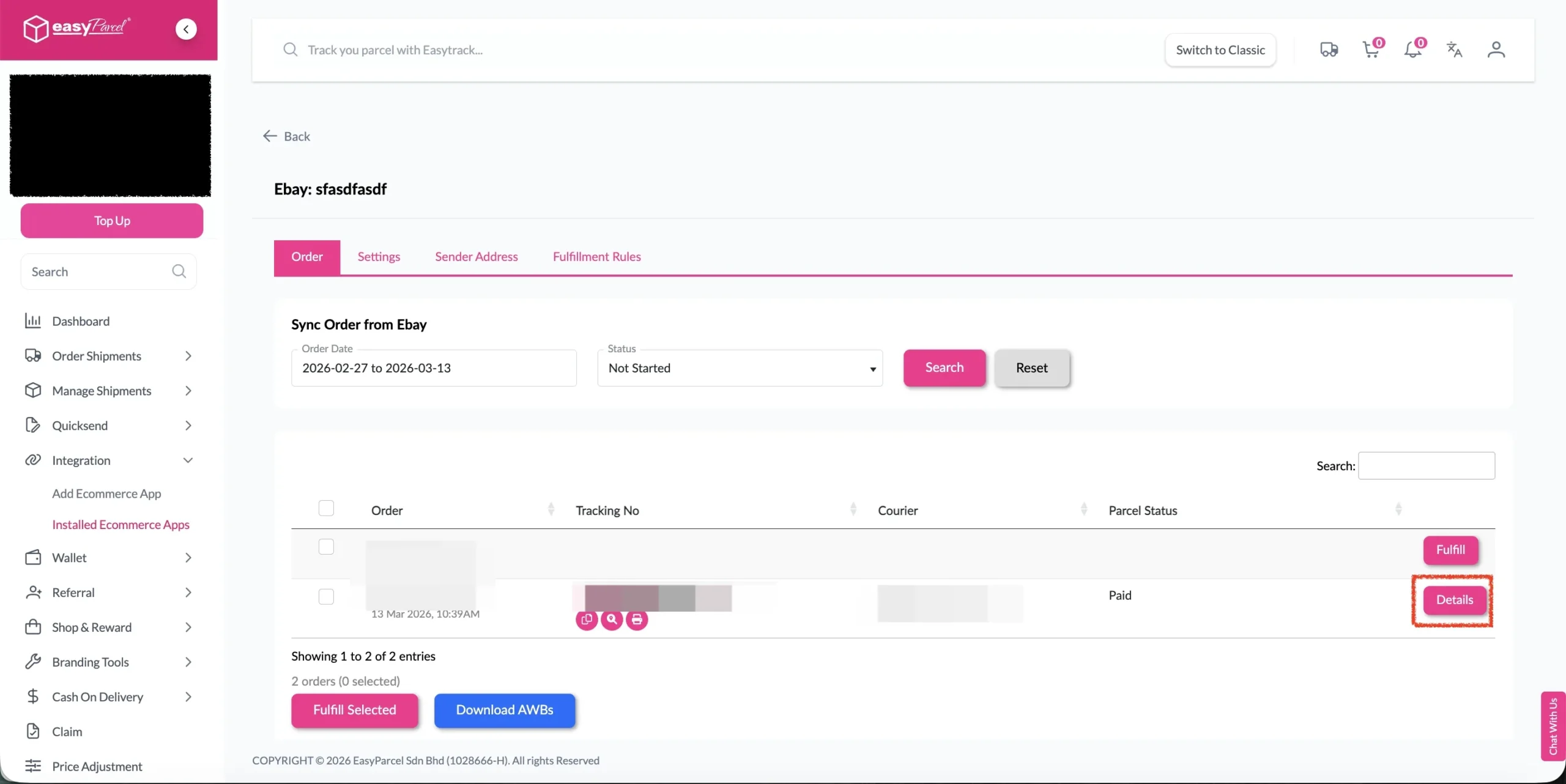
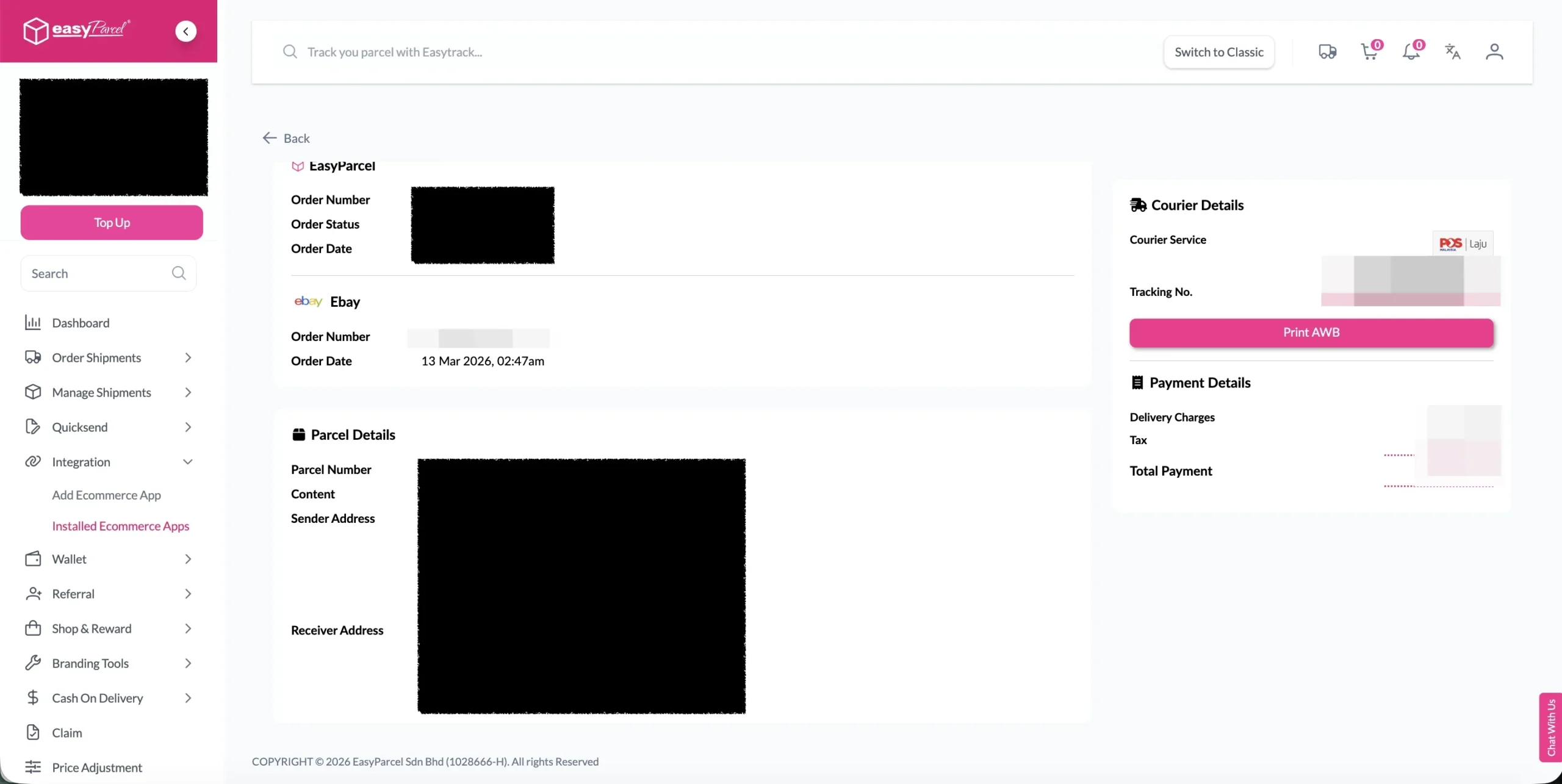
Step 6: Click on the “Details” button. Order details will be displayed on the page.
💡 Best Practices for Import and FulFill eBay Order by Using EasyParcel
Before Fulfillment
- Verify inventory availability before confirming fulfillment
- Check address accuracy to prevent delivery failures
- Consider delivery timing for time-sensitive orders
- Review special instructions from customers
During Courier Selection
- Compare multiple options when available
- Consider delivery speed vs. cost based on customer needs
- Check service availability for the destination
- Verify pickup and delivery windows
After Fulfillment
- Print AWB immediately to avoid delays
- Prepare packages according to courier requirements
- Schedule pickup if not automatic
- Monitor tracking for any issues