Selling on Lazada opens doors to millions of customers across Southeast Asia. Your products get discovered, orders come in, and your business grows. But with that growth comes a challenge: fulfilling all those orders efficiently, especially during campaign seasons like 11.11, 12.12, or peak sales seasons.
If you’re a Lazada seller managing your own shipping, you need a fulfillment solution that keeps pace with your sales spikes. That’s where EasyParcel comes in.
By integrating your Lazada store with EasyParcel, you can transform your shipping workflow from a manual, time-consuming task into a streamlined, automated operation.
Table of Contents
Why Integrate Lazada with EasyParcel?
One Platform, All Shipments
Manage domestic, international deliveries from a unified dashboard—no more logging into multiple courier sites or Lazada's shipping system.
Reduce Manual Work
Lazada orders sync automatically, removing the need for manual data entry and saving hours of time during sales campaigns.
Free Marketing Tools
Promote your brand with every delivery—customize tracking pages, email, Air Waybill and SMS with your store's message at no additional cost.
Earn Reward Points
Accumulate points on every shipping dollar spent and redeem them for free gifts, vouchers, and exclusive rewards.
Best & Cheapest Rates
Instantly compare 60+ couriers side-by-side to secure the most cost-effective option for every parcel based on weight, destination, and delivery speed.
Exclusive Parcel Protection
Safeguard your shipments with EasyCover parcel protection, providing full protection against loss for you and your customers.
How Integrate Lazada store in EasyParcel?
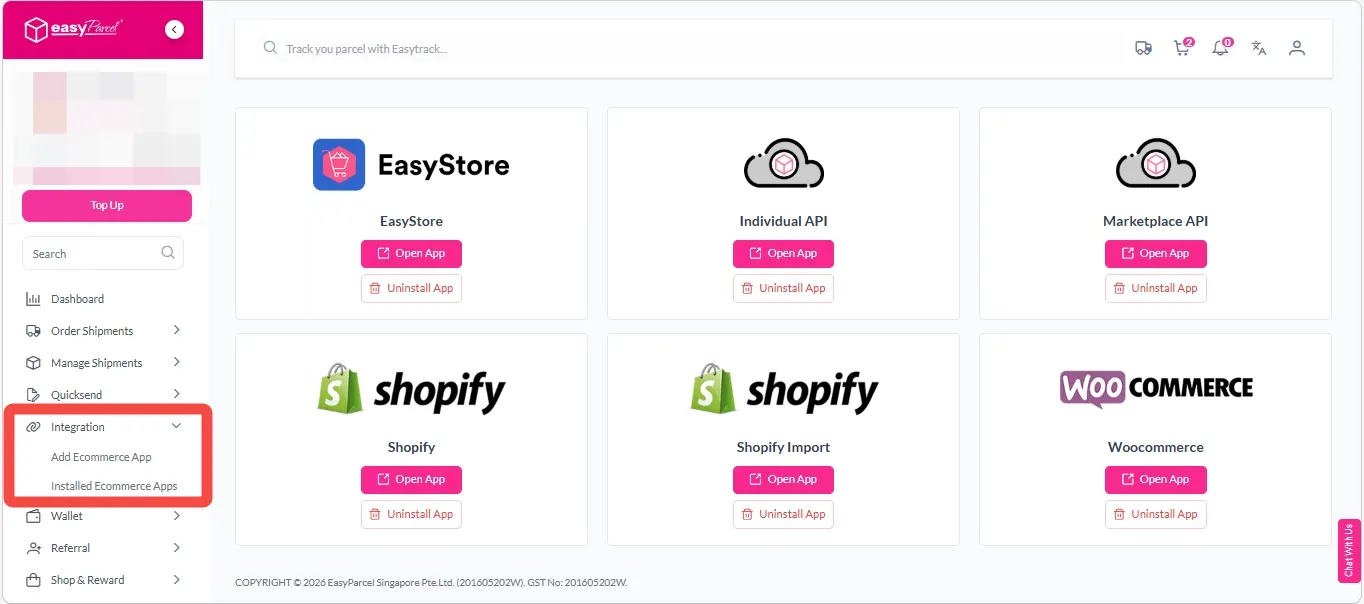
Step 1: Under “Integration” section, click on “Add Ecommerce App”, find “Lazada” and click on “Install App”.
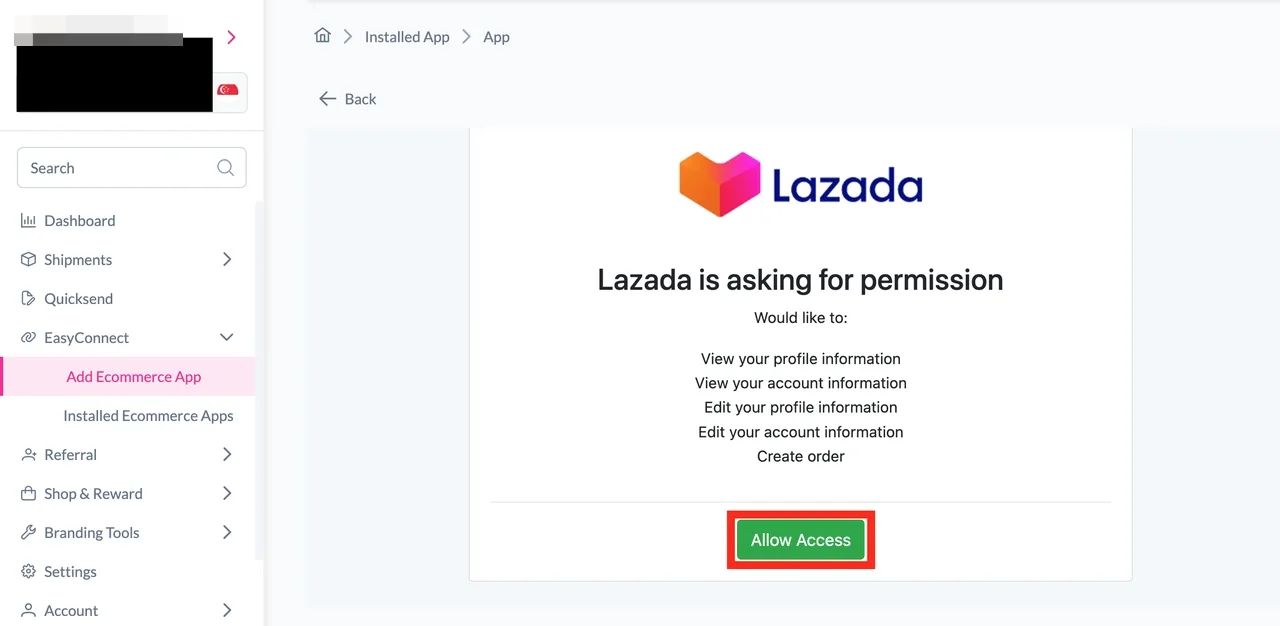
Step 2: Click on the “Allow Access” button.
Step 3: Key in your “Store Name” and “Store URL” and click on the “Connect” button.
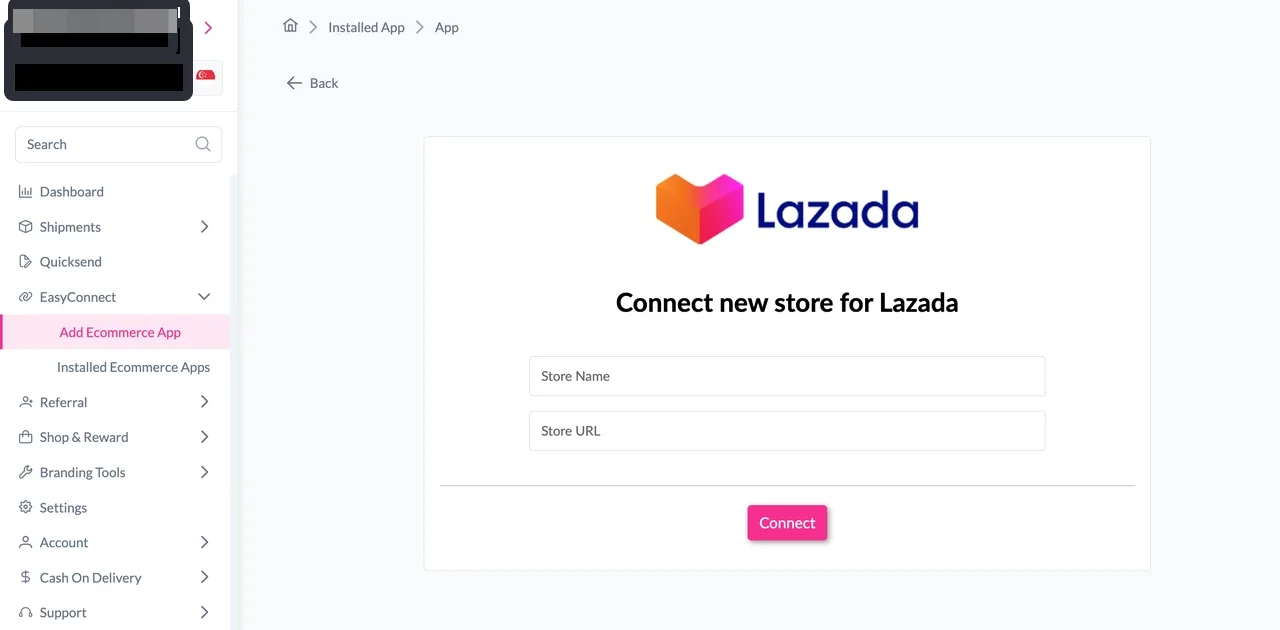
Step 4: Log in into your Lazada account.
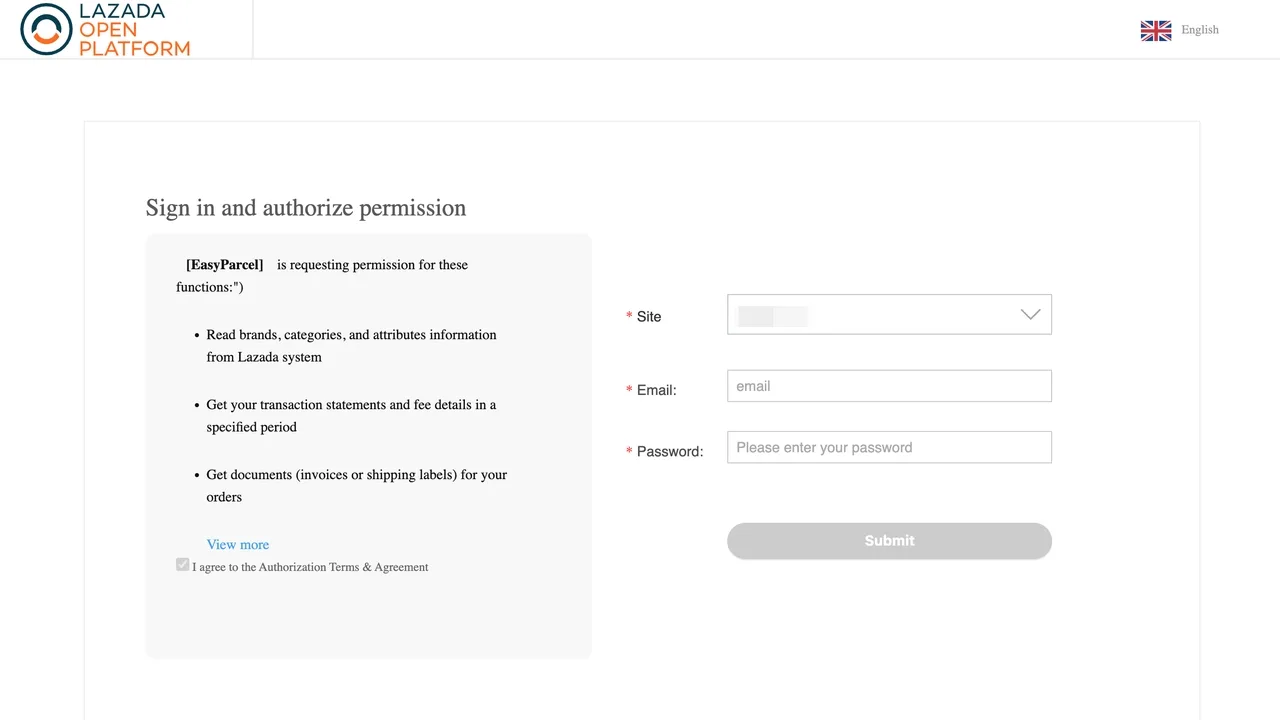
Step 5: Under “Integration”, click on “Installed Ecommerce Apps”, find “Lazada” and click on “Open App” button.
Step 6: In the store, click “Sender Address” and key in your sender details and click on the “Update” button.
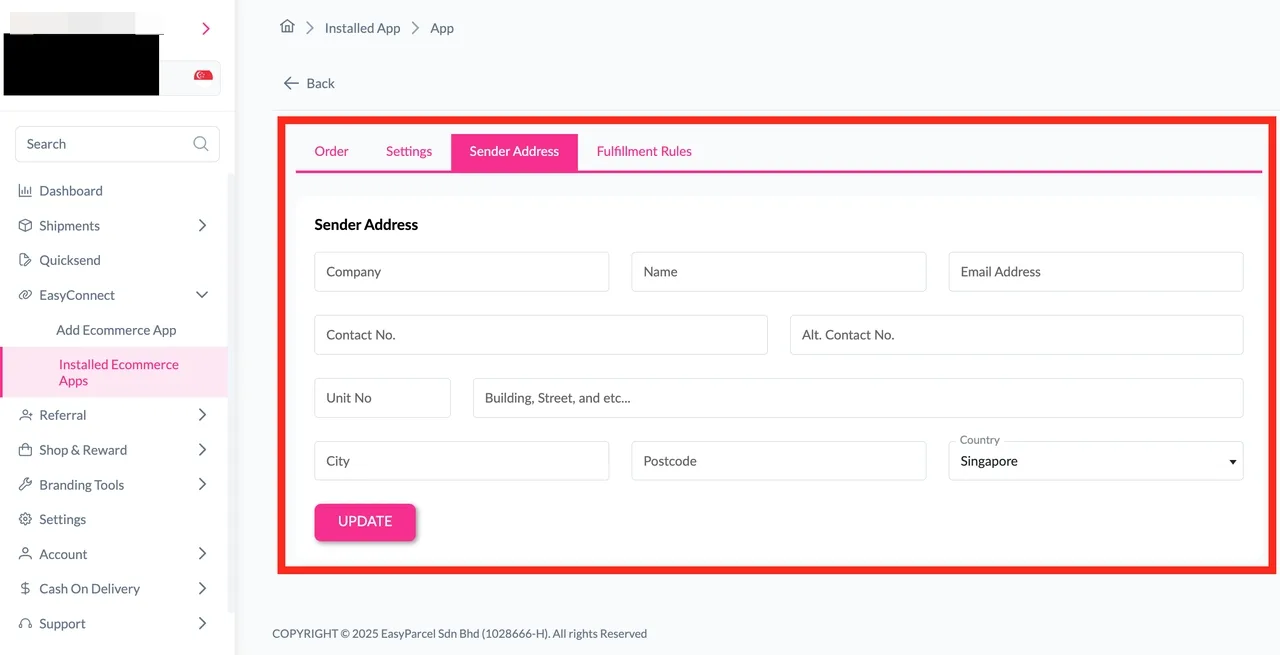
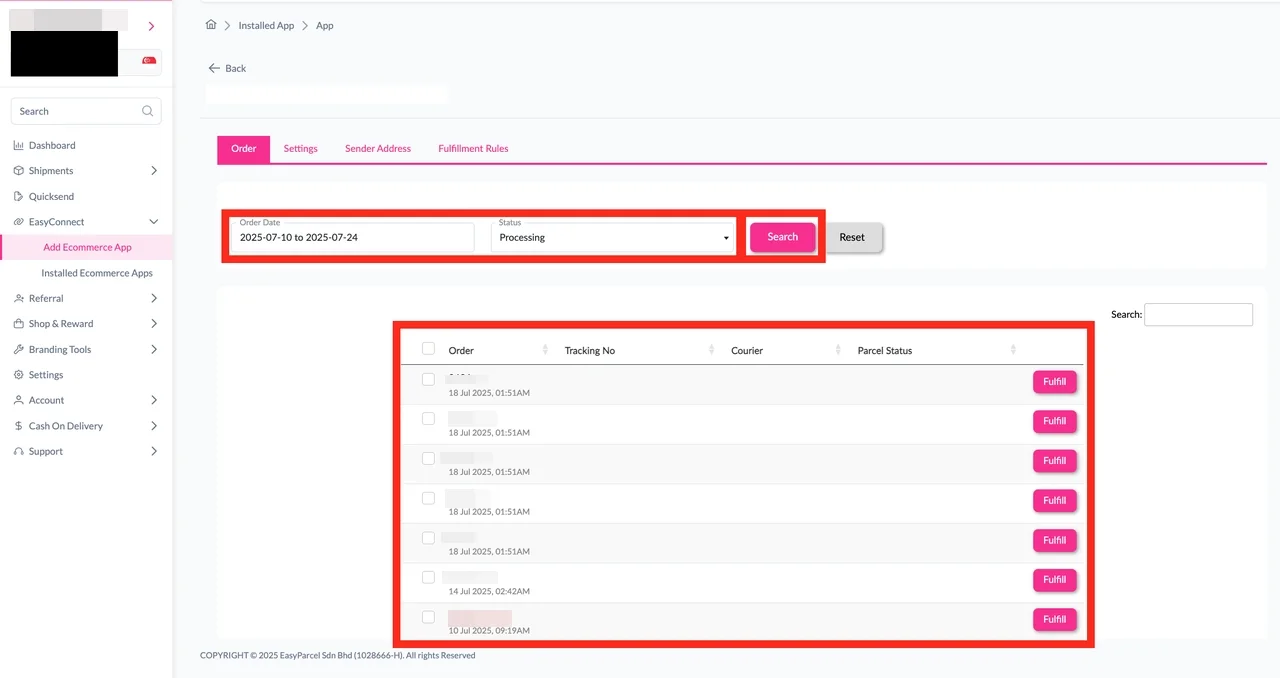
Step 7: Click on “Order”, select the order date and order status and click on the “Search” button. The order will be imported and shown in the list below. Then, click the “Fulfill” button on the order you want to fulfill.