Managing shipping manually can slow down your eCommerce operations, especially during campaign seasons like 9.9, 10.10, or 11.11 when orders spike overnight. If you’re selling on Shopee and handling your own shipping, integrating your store with EasyParcel helps automate order import, booking, and tracking — all from one dashboard.
In this blog, show you how to import and fulfill your Shopee orders using EasyParcel step by step.
For Shopee sellers using seller-managed shipping, EasyParcel is the perfect partner to handle your fulfillment efficiently — especially during peak sales periods.
Earn points on cost spent and redeem them for rewards.
How to Import and Fulfill Shopee Orders by Using EasyParcel?
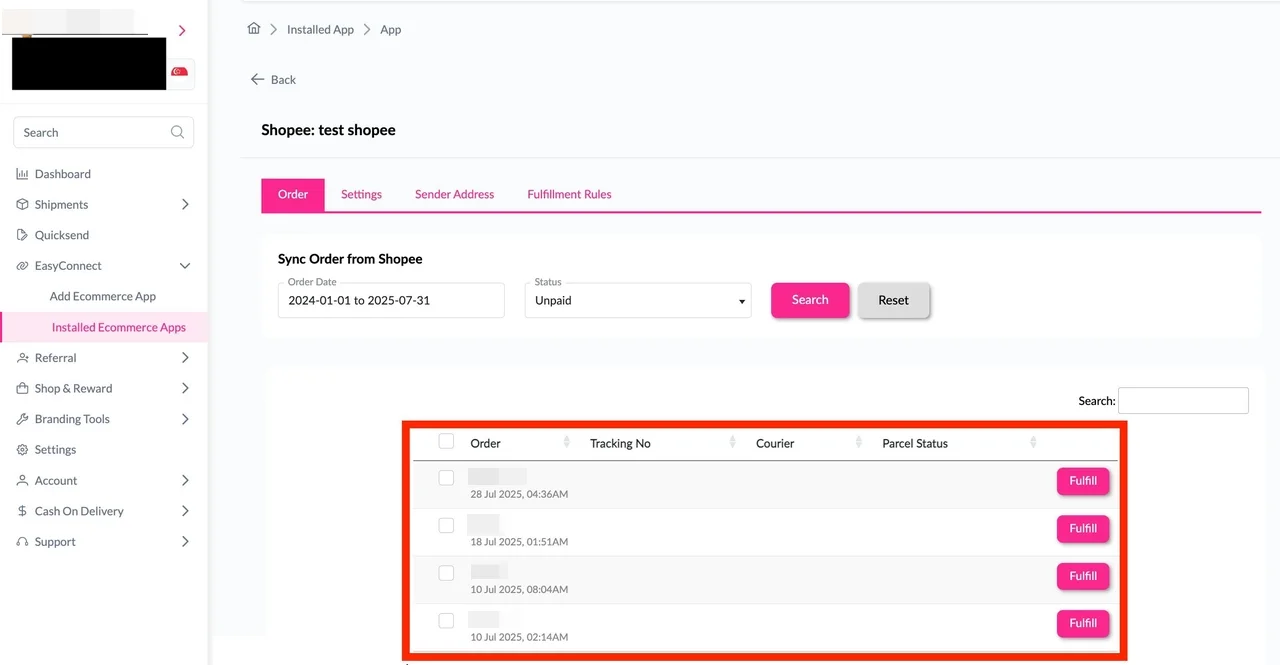
Step 1: Under “Integration”, click on“Installed Ecommerce Apps”, find “Shopee” and click on “Open App” button. Click on “Order”, select the order date and order status and click on the “Search” button. The order will be imported and shown in the list below. Click the “Fulfill” button on the order you want to fulfill.
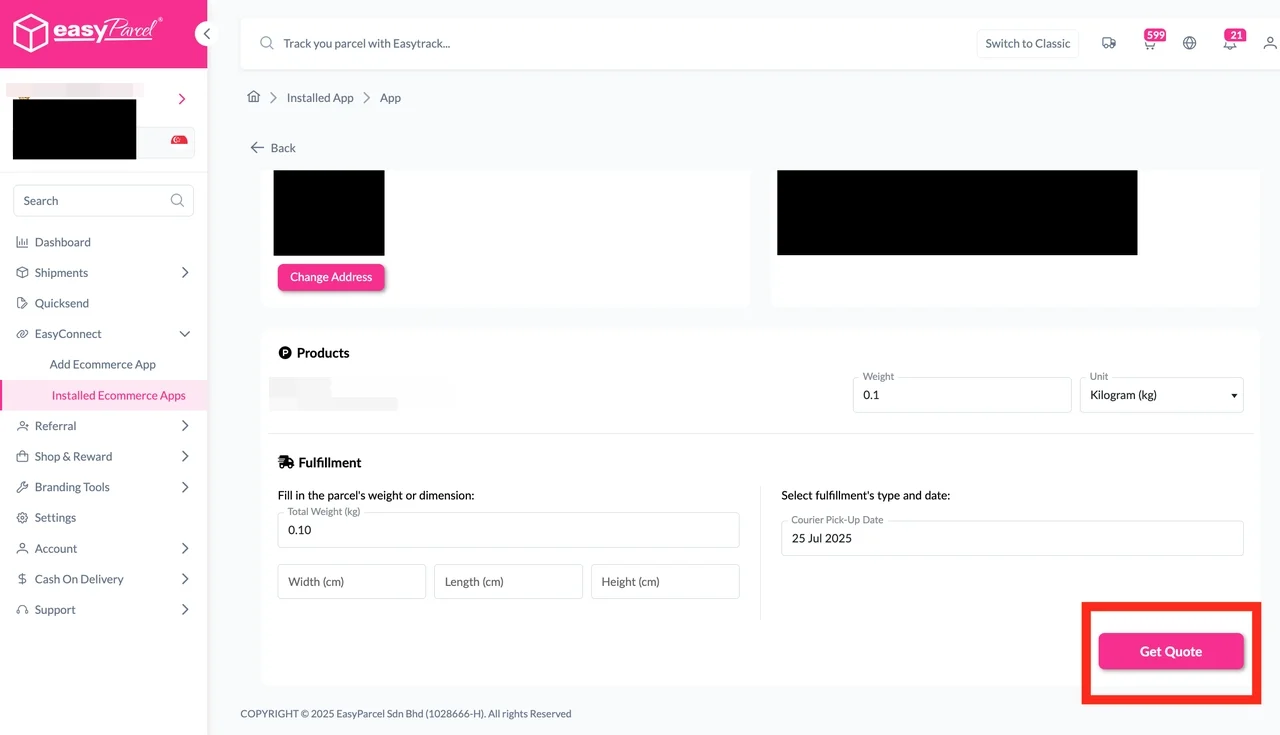
Step 2: After clicking the “Fulfill” button, you can find your order details and click on the “Get Quote” button.
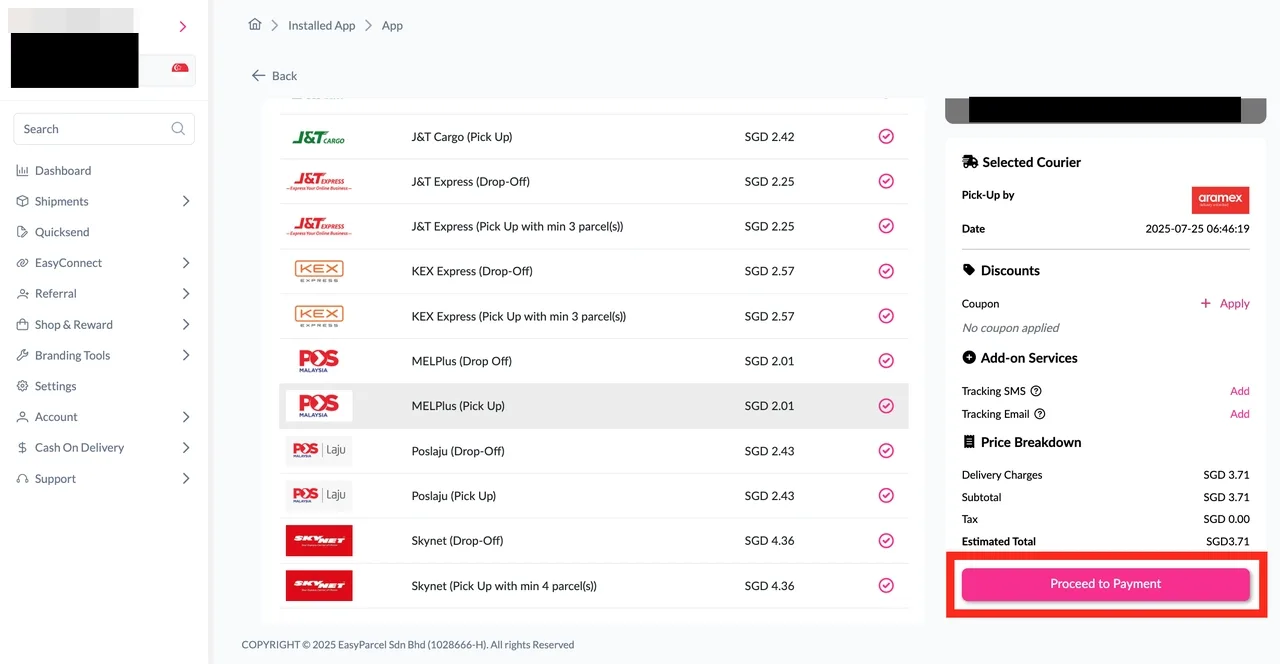
Step 3: Choose the preferred courier option and click on the “Proceed to Payment” button.
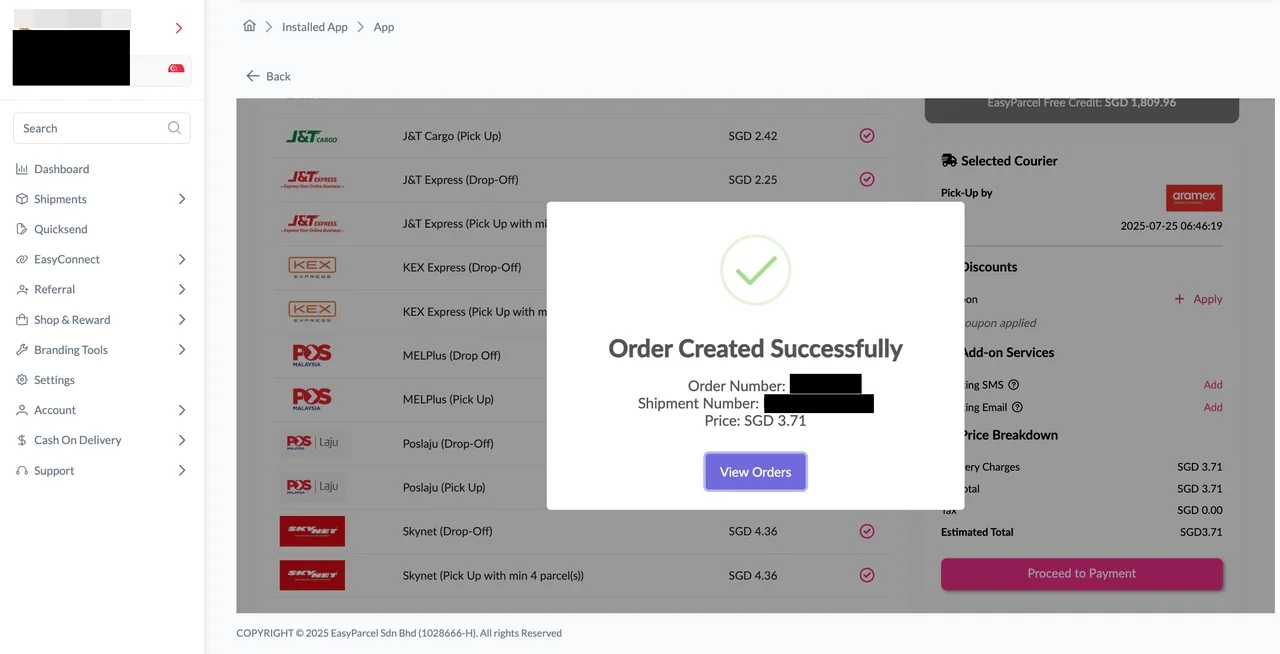
Step 4: The order status, order number, shipment number, and price will be displayed. Click on the “View Orders” button.
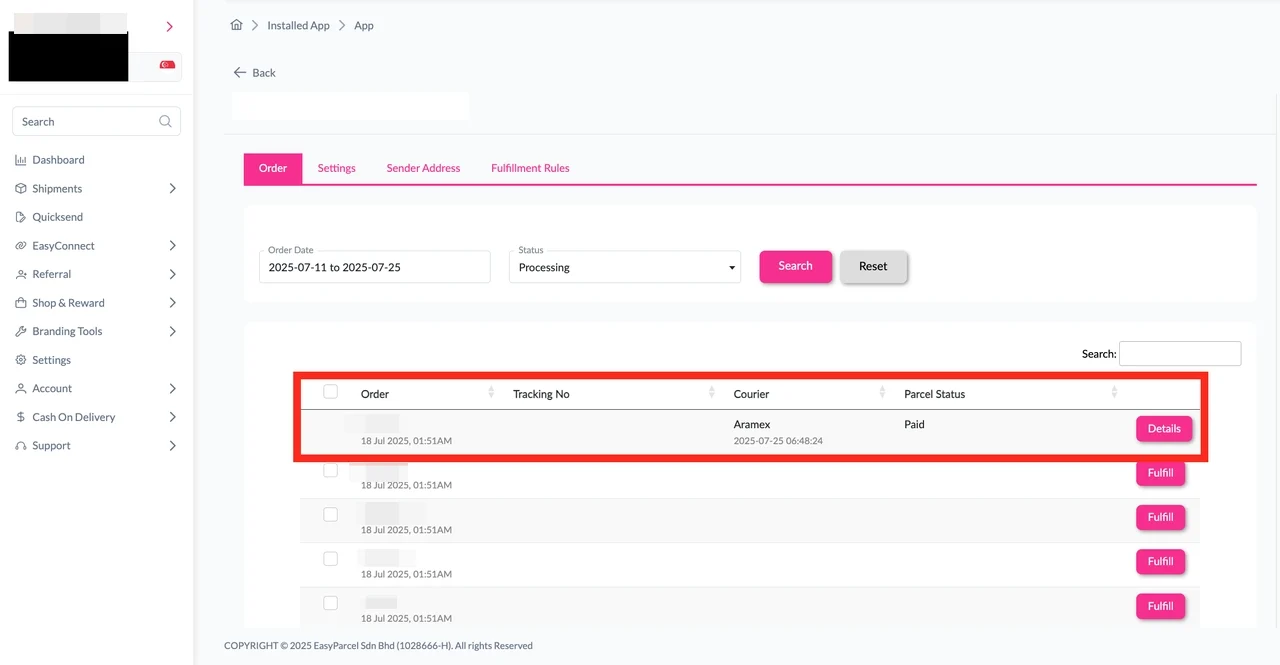
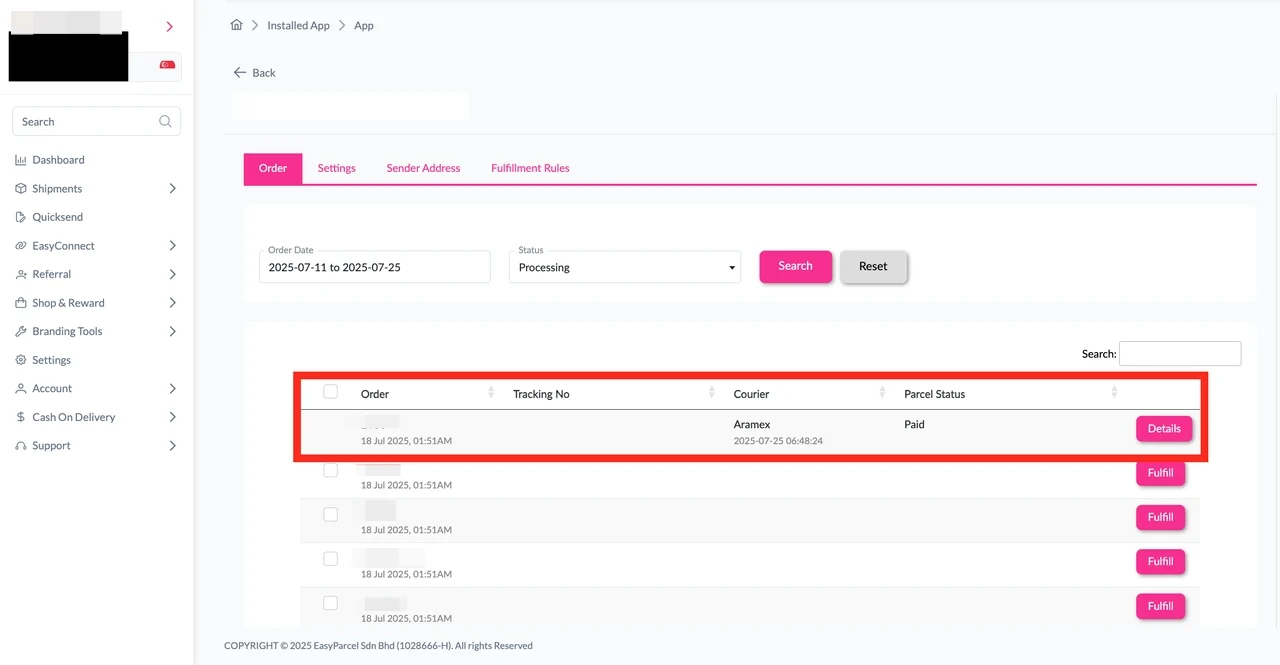
Step 5: The fulfilled order will now be displayed on the Order Page.
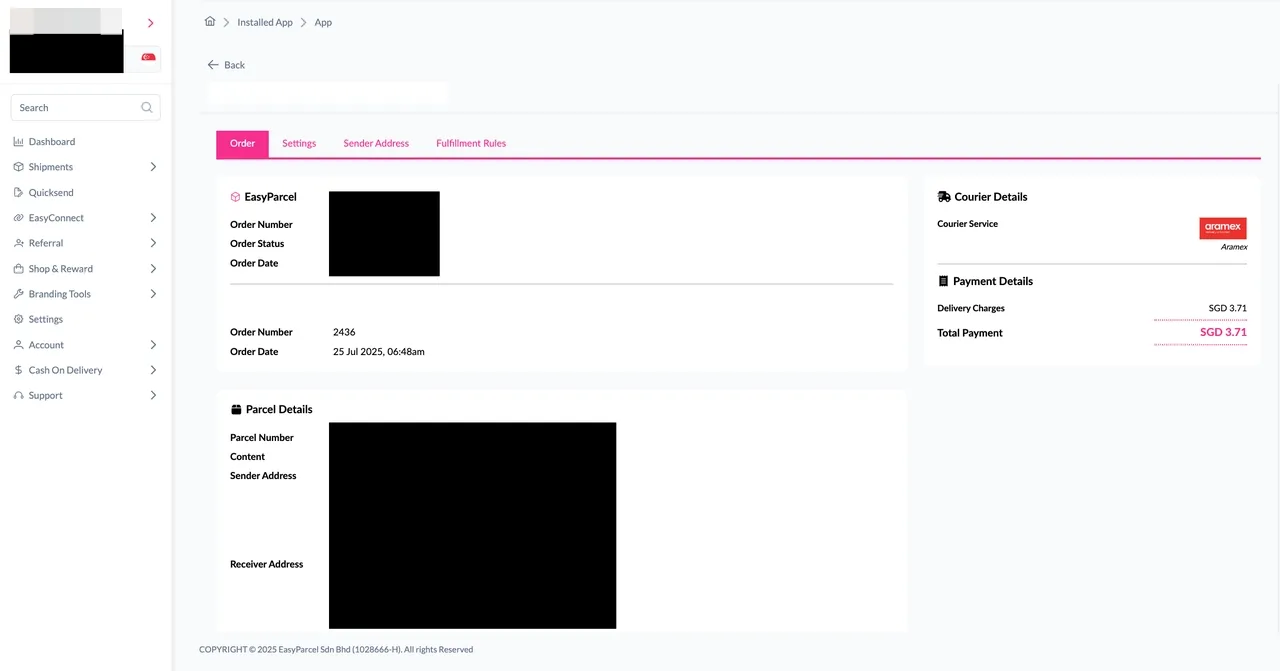
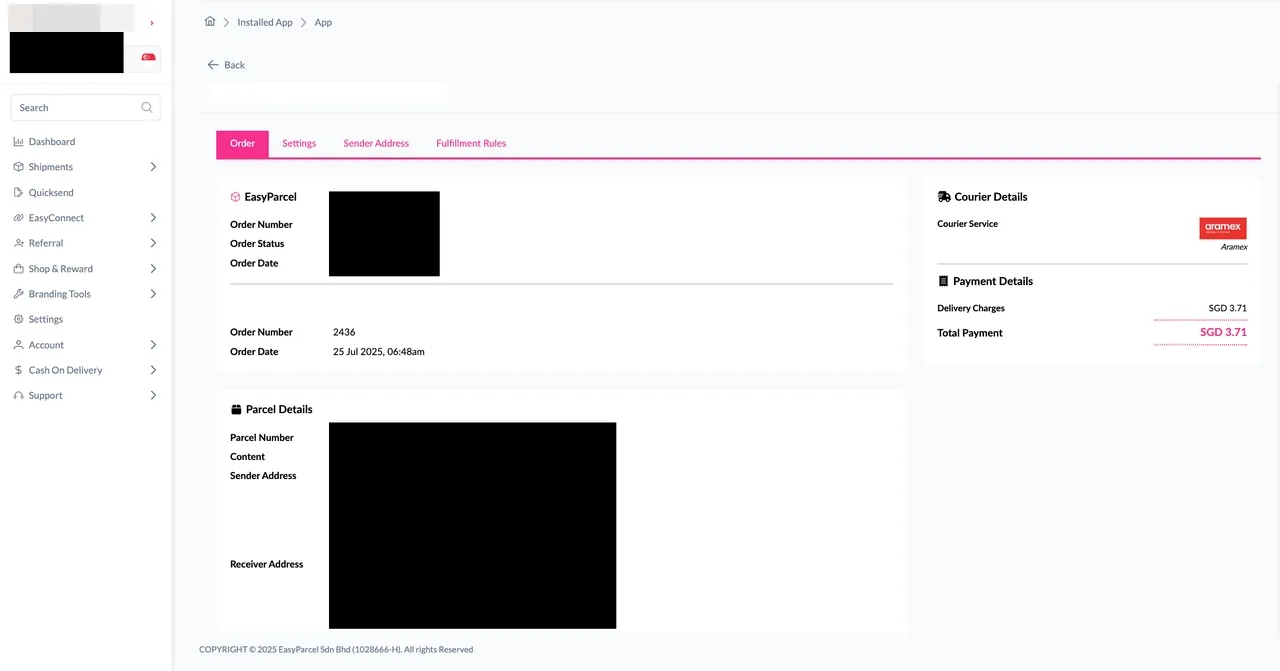
Step 6: Click on the “Details” button. Order details will be displayed on the page.
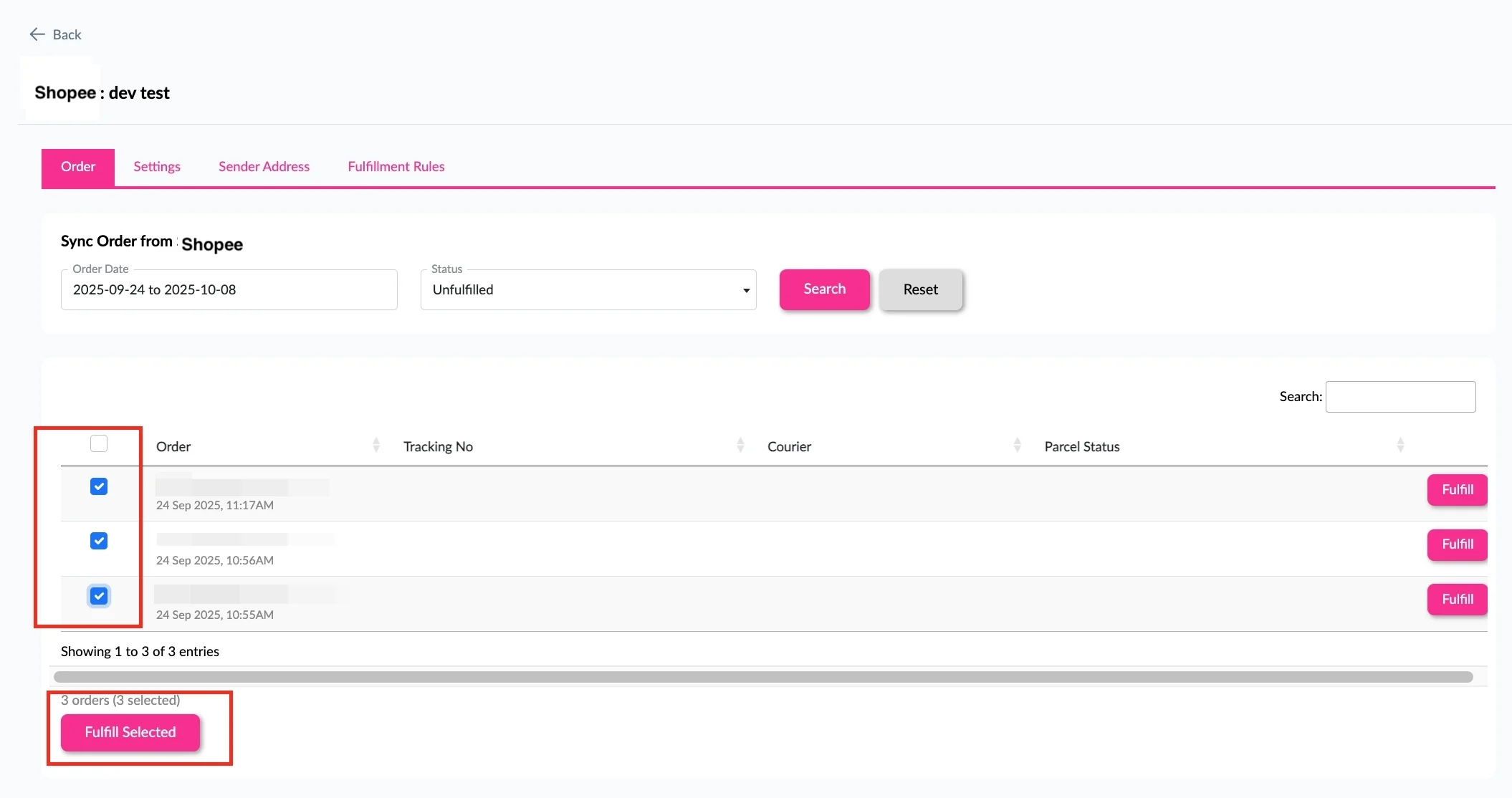
Step 1: Under “Integration”, click on“Installed Ecommerce Apps”, find “Shopee” and click on “Open App” button. Click on “Order”. Select the order date and order status, then click on the “Search” button. The orders will be imported and displayed in the list below. Select the orders you wish to fulfill, then click the “Fulfill Selected” button.
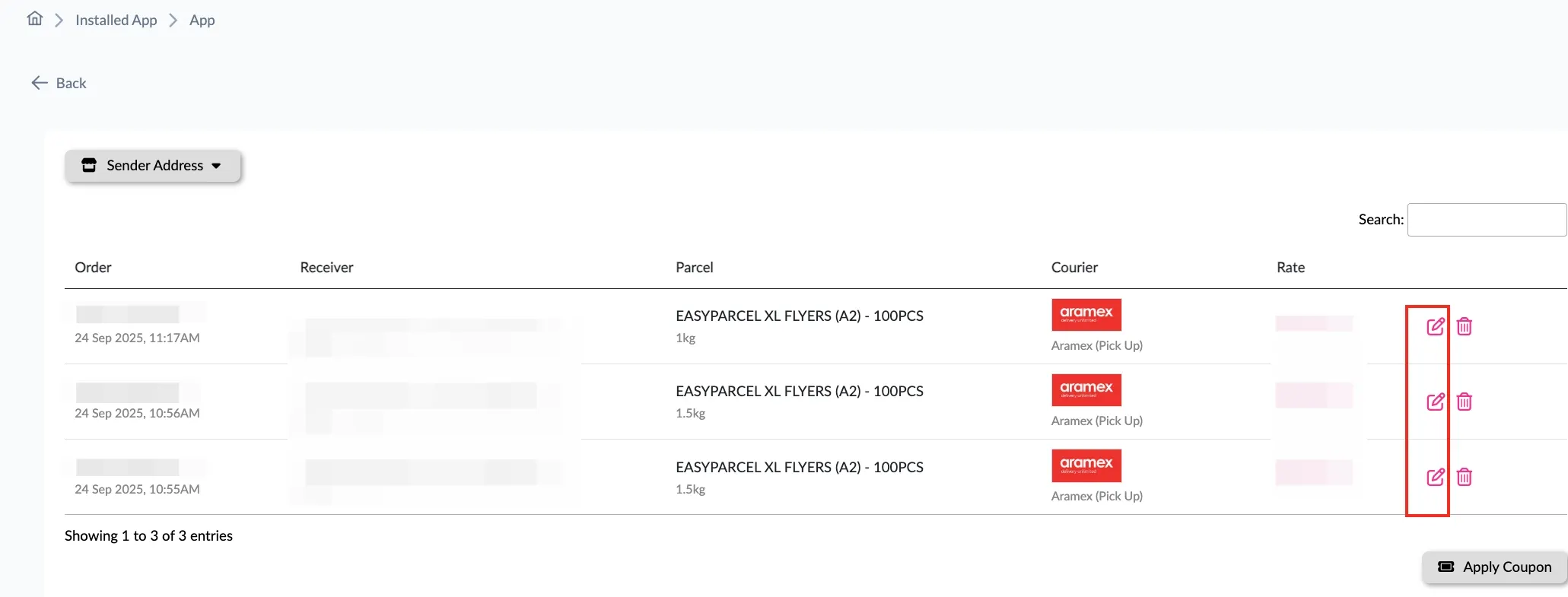
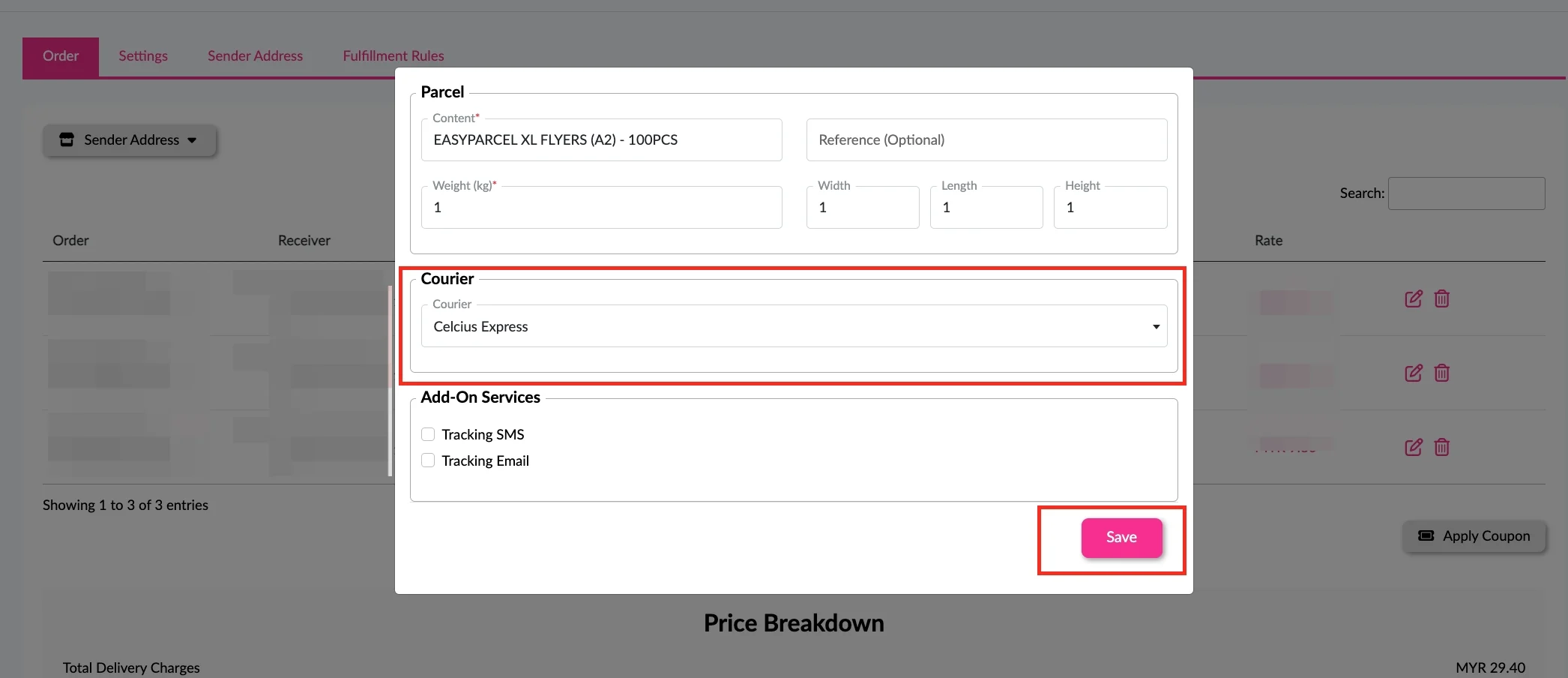
Step 2: Click on the pencil button.
Step 3: Select the courier you prefered and press “Save” button.
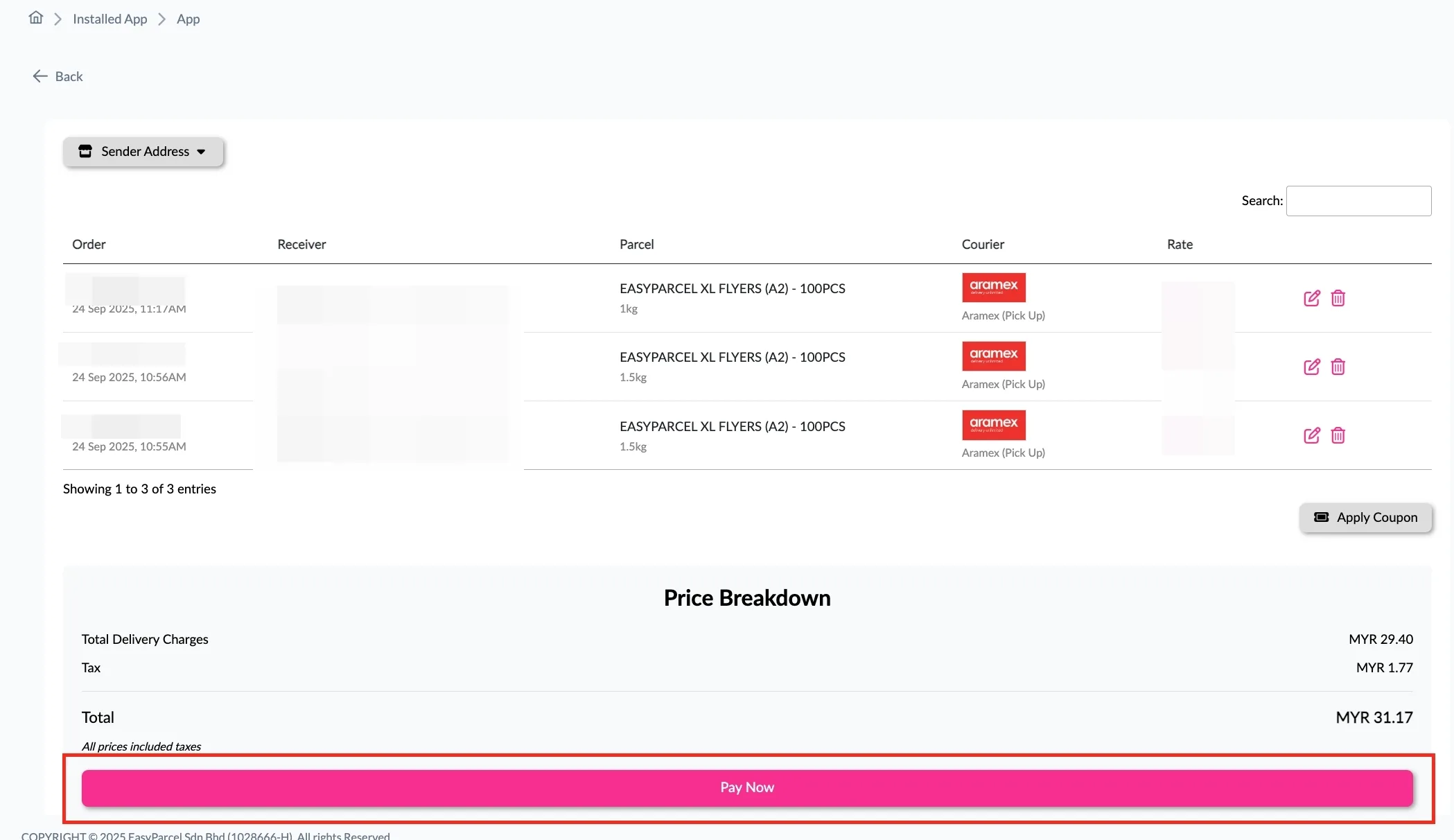
Step 4: The courier will be automatically selected based on your chosen rule (e.g., Cheapest Courier or Specific Courier). Click “Pay Now” to make payment for the selected orders.
Step 5: The fulfilled order will now be displayed on the Order Page.
Step 6: Click on the “Details” button. Order details will be displayed on the page.
How to Set Which Couriers to Use for Shopee Orders
Default setting: The Fulfillment Rules are set to automatically select the cheapest courier for every order that you fulfilled.
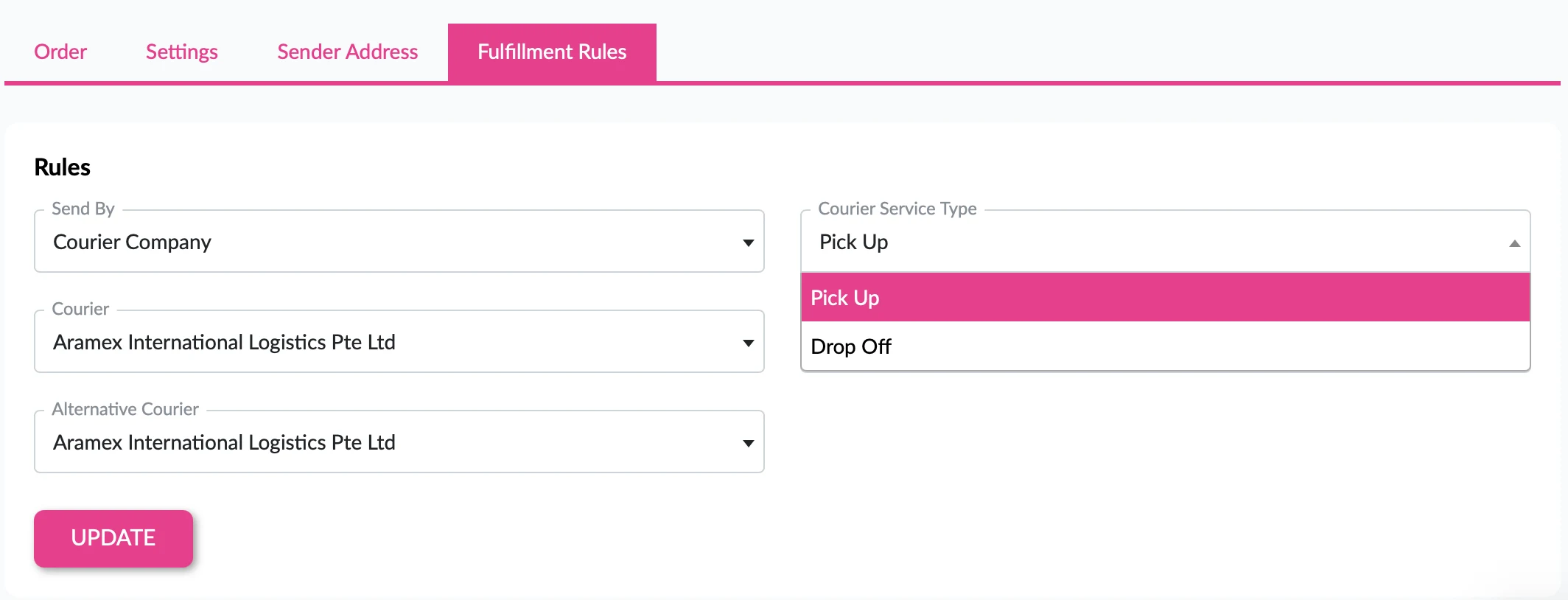
Set Specific Courier Service:
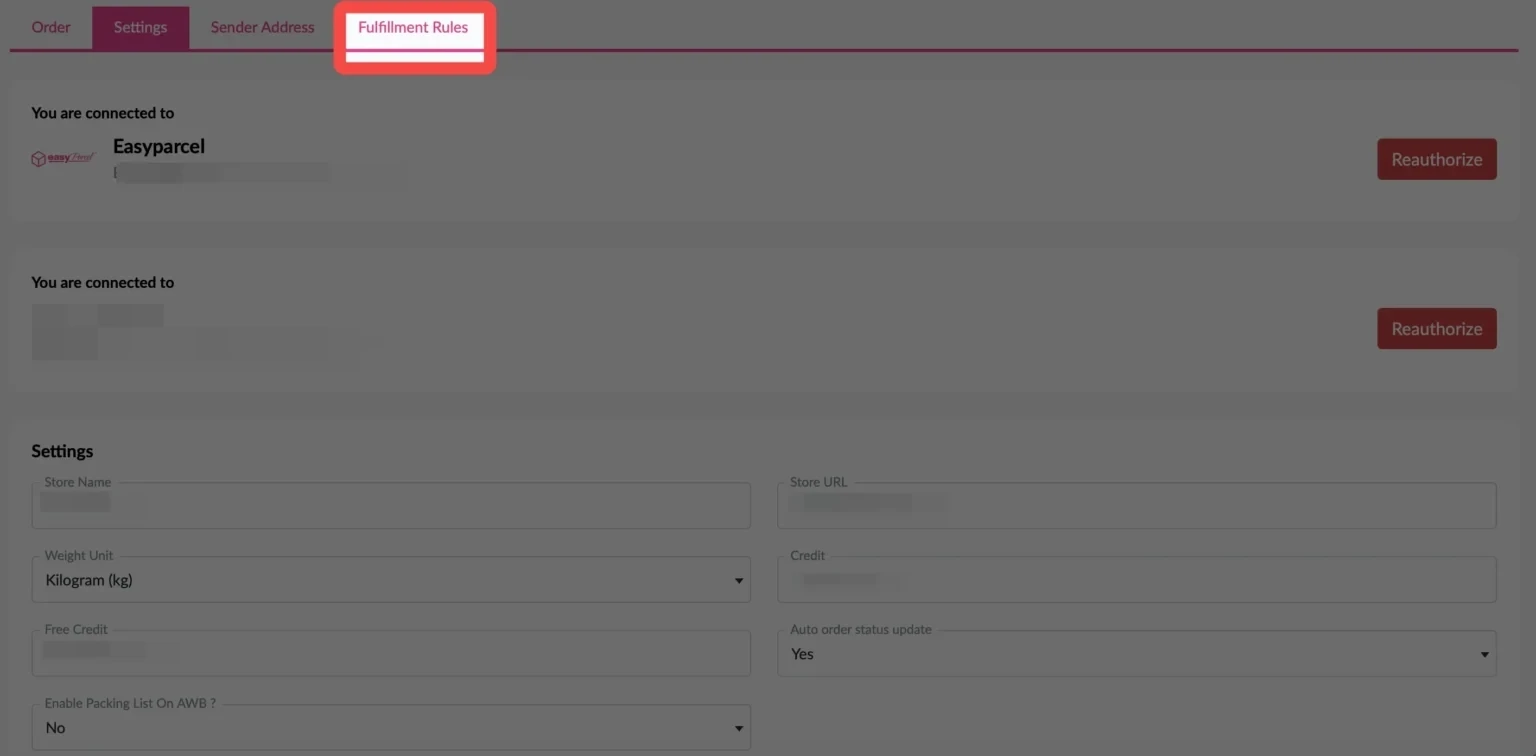
Step 1: Under “Integration”, click on“Installed Ecommerce Apps”, find “Wix” and click on “Open App” button. Click On “Fulfillment Rules” tab.
Step 2:Select your own preferred courier service, then click “Update” button. Once you set your preferred courier services, all orders you fulfil after that will automatically use those couriers.
💡 Best Practices for Import and FulFill Shopee Order by Using EasyParcel
Before Fulfillment
Verify inventory availability before confirming fulfillment
Check address accuracy to prevent delivery failures
Consider delivery timing for time-sensitive orders
Review special instructions from customers
During Courier Selection
Compare multiple options when available
Consider delivery speed vs. cost based on customer needs
Check service availability for the destination
Verify pickup and delivery windows
After Fulfillment
Print AWB immediately to avoid delays
Prepare packages according to courier requirements
Schedule pickup if not automatic
Monitor tracking for any issues
Frequently Asked Question (FAQs)
How to ship as a Shopee seller?
Integrate Shopee with EasyParcel for auto-fulfillment to reduce time waste and prevent shipping mistakes.
Boost Your Rezeki with up to 500,000 Reward Points + S$2,888 Bonus Credits!
Celebrate the festive season with rewards designed to help your business grow stronger and bigger this Raya! 💚✨ With the Raya Power Boost, when you top up, you’ll earn up to S$2,888 Bonus Credits and 500,000 Reward Points, depending on your top-up amount. Don’t miss out — this exclusive Raya Power Boost runs only until 31st March 2026, 11:59PM!
Create your free account today and receive S$6 shipping coupon to start saving from your very first parcel. Compare courier rates, book in minutes, and start saving immediately.