How do I connect Shopee to EasyParcel? Can I automate my order fulfillment? What’s the fastest way to ship during 11.11?
If you’re a Shopee seller asking these questions, you’re in the right place. Integrating your Shopee store with EasyParcel lets you import orders automatically, compare 60+ courier rates instantly, and fulfill shipments in minutes—not hours. This step-by-step guide shows you exactly how to set it up.
Table of Contents
Why Integrate Shopee with EasyParcel?
One Platform, All Shipments
Handle all your domestic, international from a single dashboard—no more switching between courier websites or Shopee's shipping interface.
Reduce Manual Work
Shopee orders sync automatically to EasyParcel, eliminating manual data entry and saving hours of administrative time during campaign seasons.
Best & Cheapest Rates
Compare 60+ couriers side-by-side instantly to find the most affordable shipping option for every parcel.
Free Marketing Tools
Add your store's branding to tracking pages, email, Air Waybill and SMS with every delivery—at no extra cost.
Exclusive Parcel Protection
Protect your shipments with EasyCover parcel protection, offering full coverage against loss or damage for complete peace of mind.
Earn Reward Points
Collect points on every dollar spent on shipping and redeem them for free gifts, vouchers, and exclusive rewards.
How Integrate Shopee Store in EasyParcel?
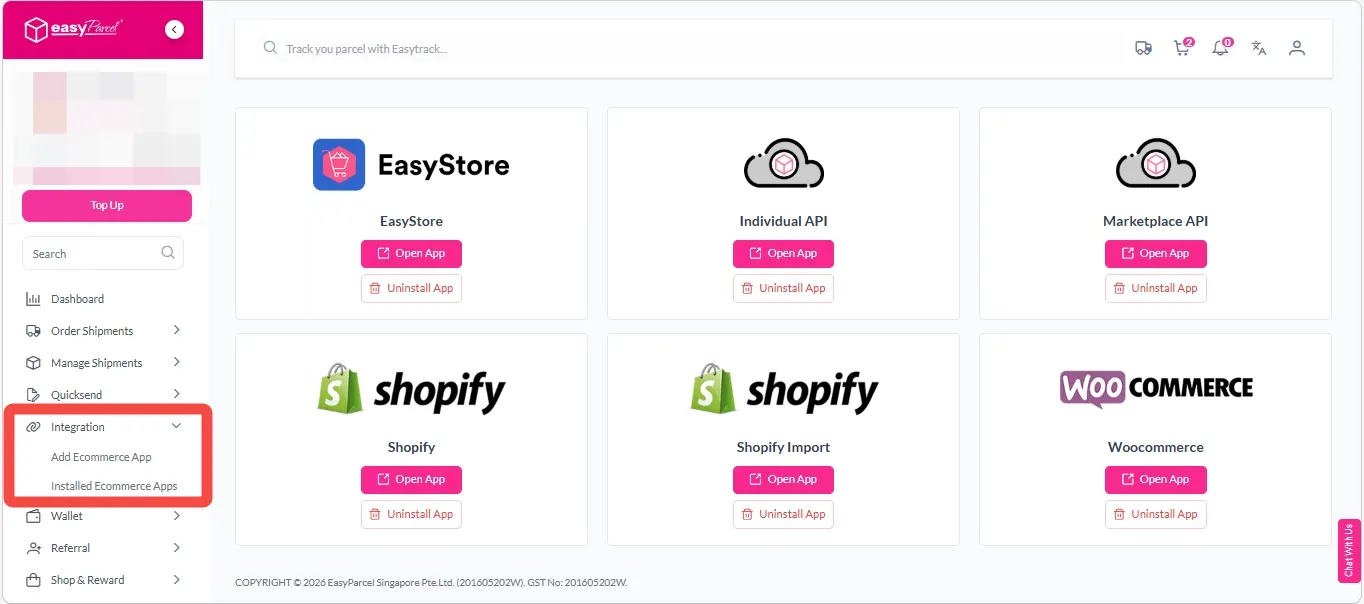
Step 1: Under ‘Integration’ section, click on “Add Ecommerce App”, find “Shopee” and click on “Install App”.
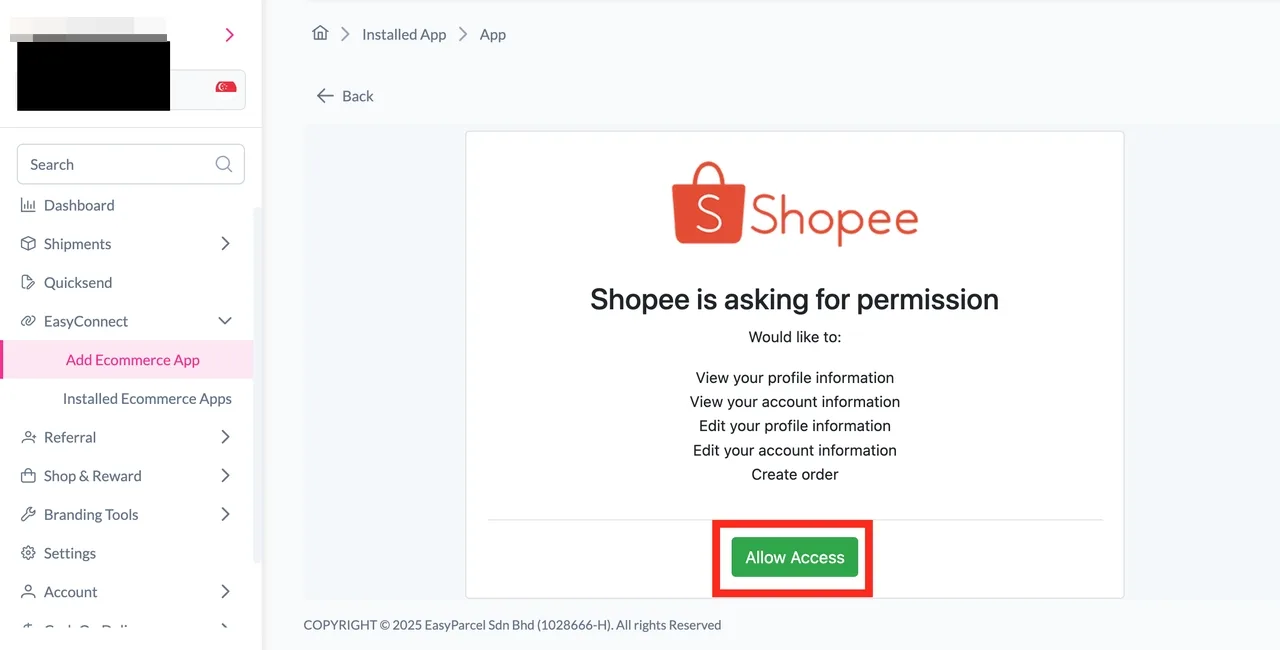
Step 2: Click on the “Allow Access” button.
Step 3: Key in your “Store Name” and “Store URL” and click on the “Connect” button.
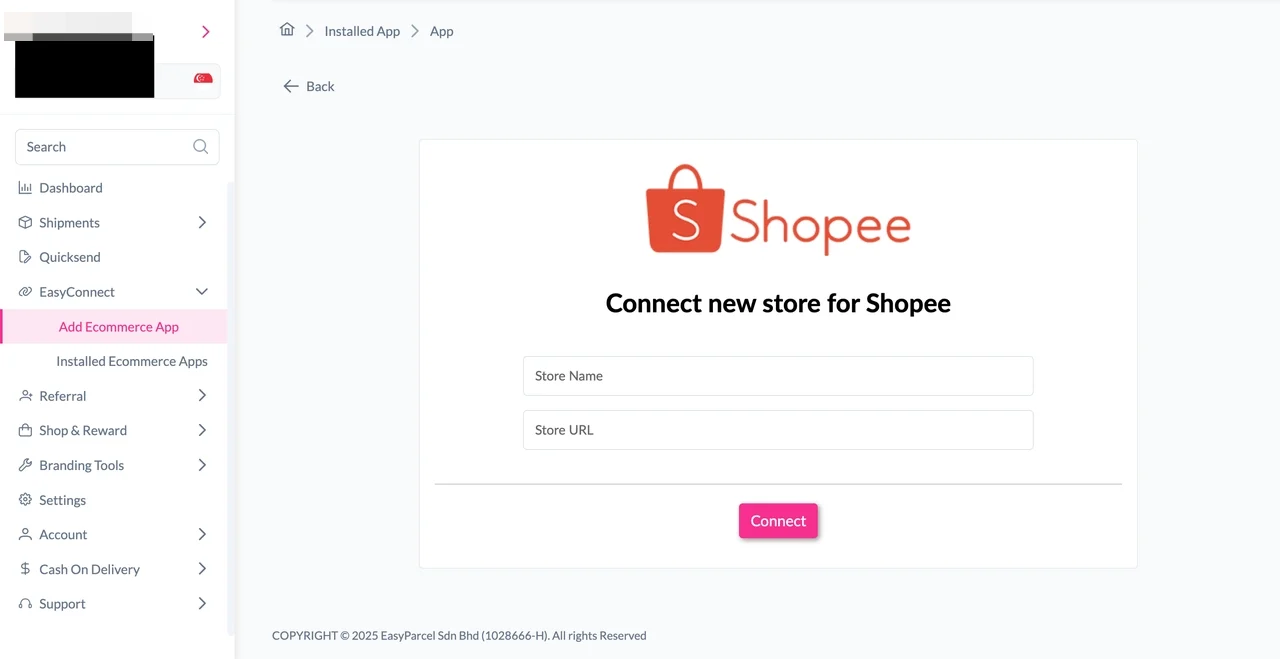
Step 4: Log in into your Shopee account.
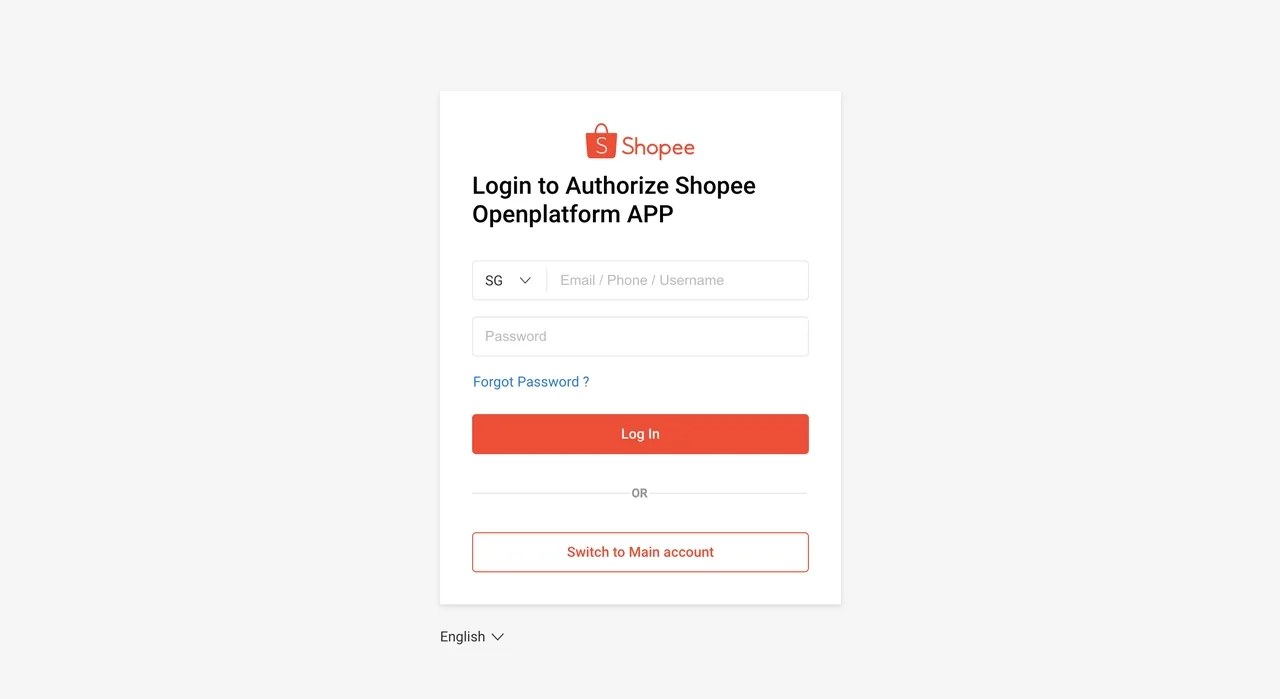
Step 5: Click on “Confirm Authorization” button.
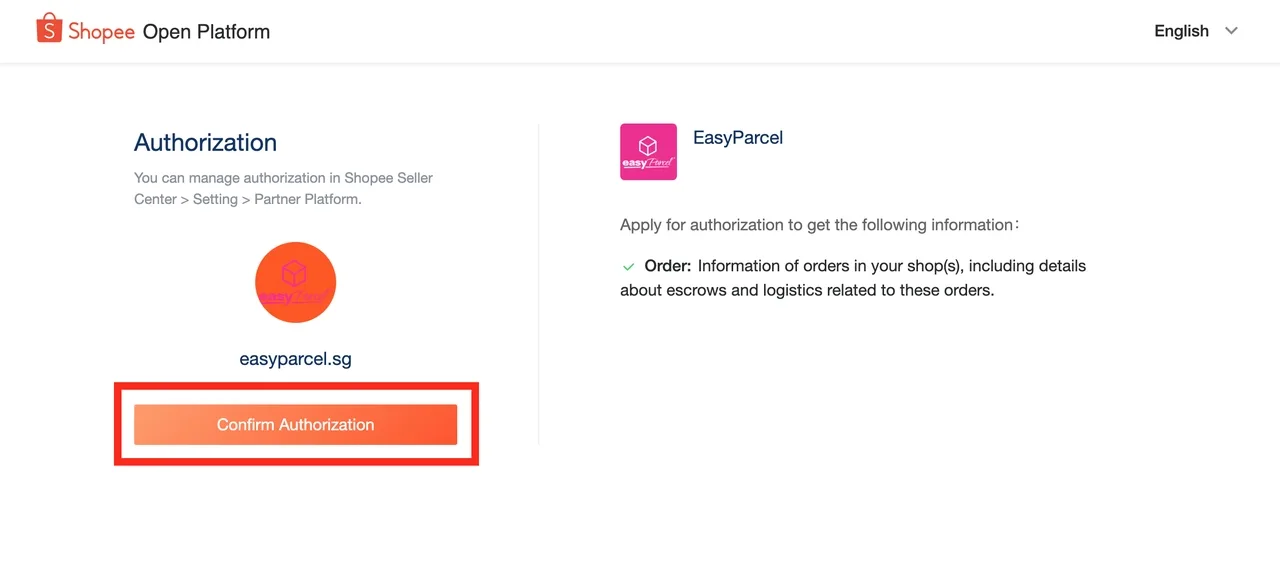
Step 6: Under “Integration”, click on “Installed Ecommerce Apps”, find “Shopee” and click on “Open App” button
Step 7: In the store, click “Sender Address” and key in your sender details and click on the “Update” button.
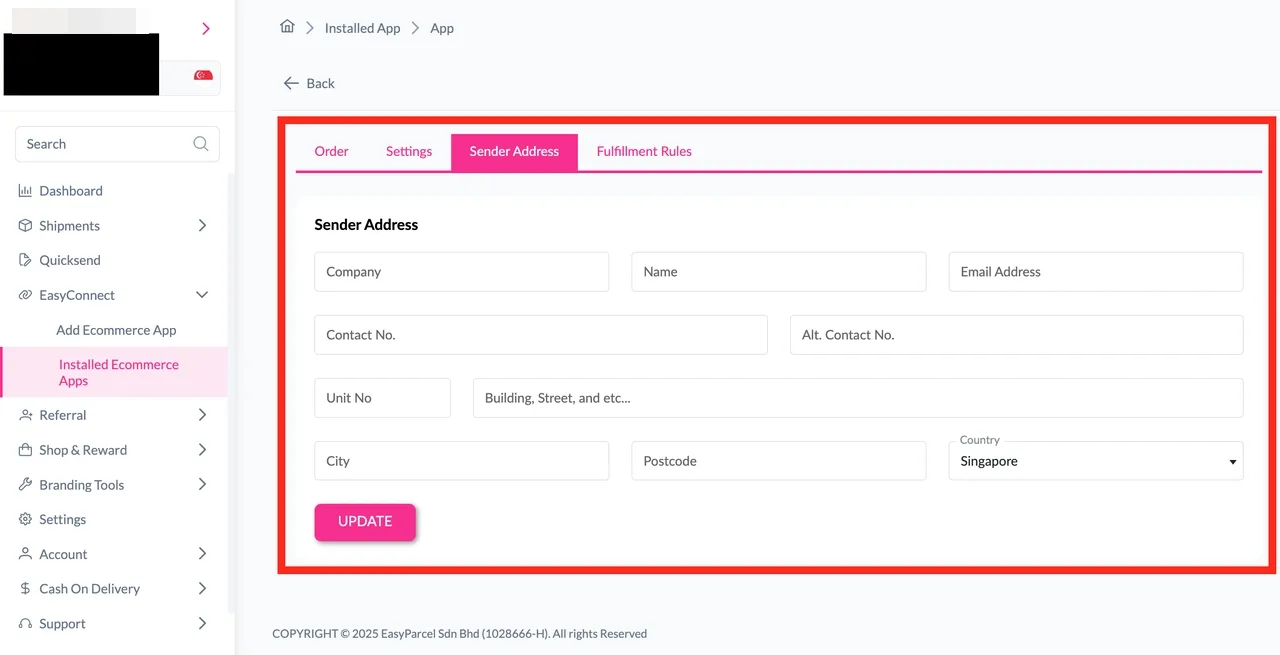
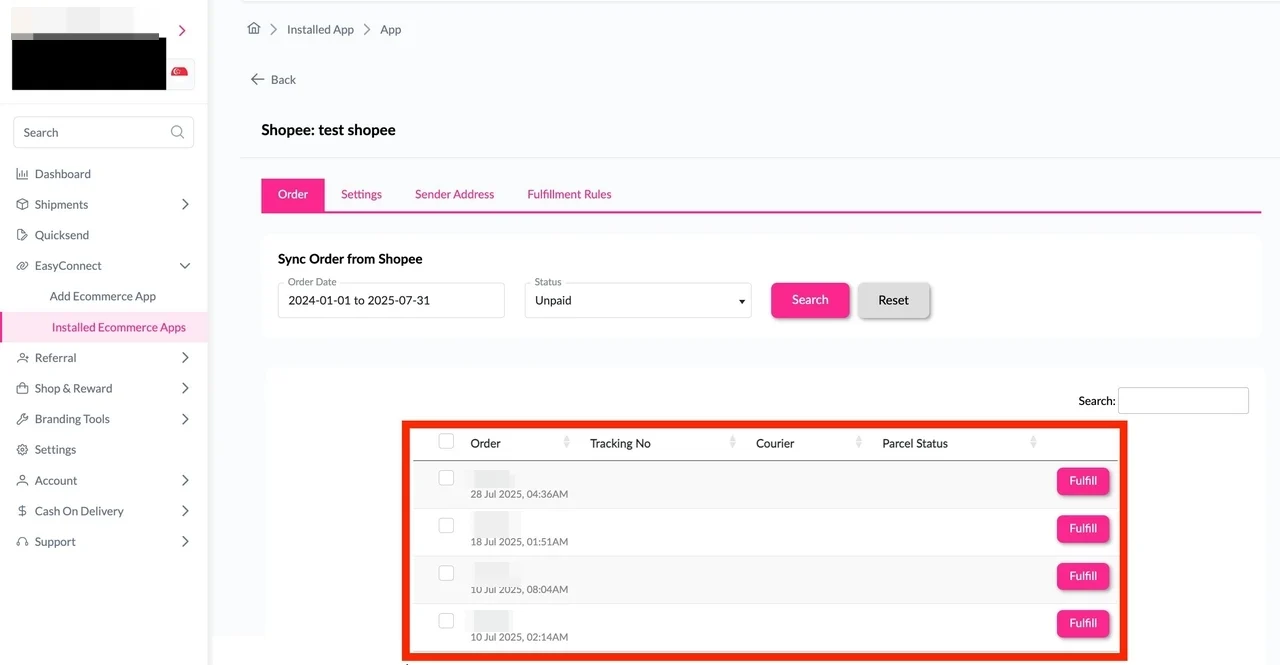
Step 8: Click on “Order”, select the order date and order status and click on the “Search” button. The order will be imported and shown in the list below.
Then, click the “Fulfill” button on the order you want to fulfill.