Did you know that 87% of online shoppers check their parcel’s whereabouts using the tracking number as soon as they make a purchase? Without tracking updates, your customers are left in the dark—and that uncertainty can damage trust in your brand .
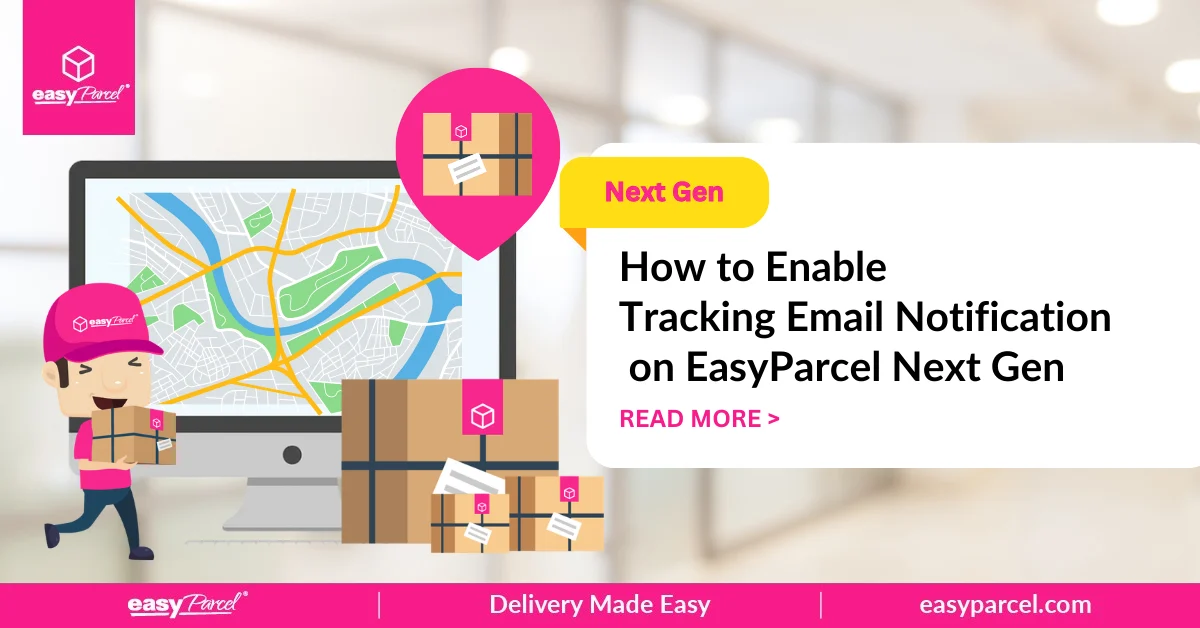
EasyParcel’s Tracking Email feature solves this problem by automatically sending branded, professional email notifications to your receivers. But unlike standard tracking emails, you can customize them with your logo, images, and themes to create a personalized experience that builds customer loyalty.
In this blog, we’ll show you exactly how to enable Tracking Email notifications every time you book a parcel.
Table of Contents
What is Tracking Email?
Tracking Email is an automated notification tool that informs your receivers of the tracking number for every parcel you book through EasyParcel . Instead of sending generic, boring emails, you can customize the message with:
- Your brand logo
- Custom images and themes
- Your unique brand voice
This turns a simple tracking notification into a professional touchpoint that strengthens customer relationships.
Why is Tracking Email important?
About 87% of e-commerce and online users will check their parcel’s whereabouts via the tracking number once they make a purchase. Without it, there would be no insight into where an item is at any given time. By sending them a Tracking Email, this experience will give your receivers satisfaction and will likely create a stronger trust bond with you.
Customise Your Tracking Emails
Add your branding to tracking emails and keep customers updated on deliveries.

How to Enable Tracking Email Notification?
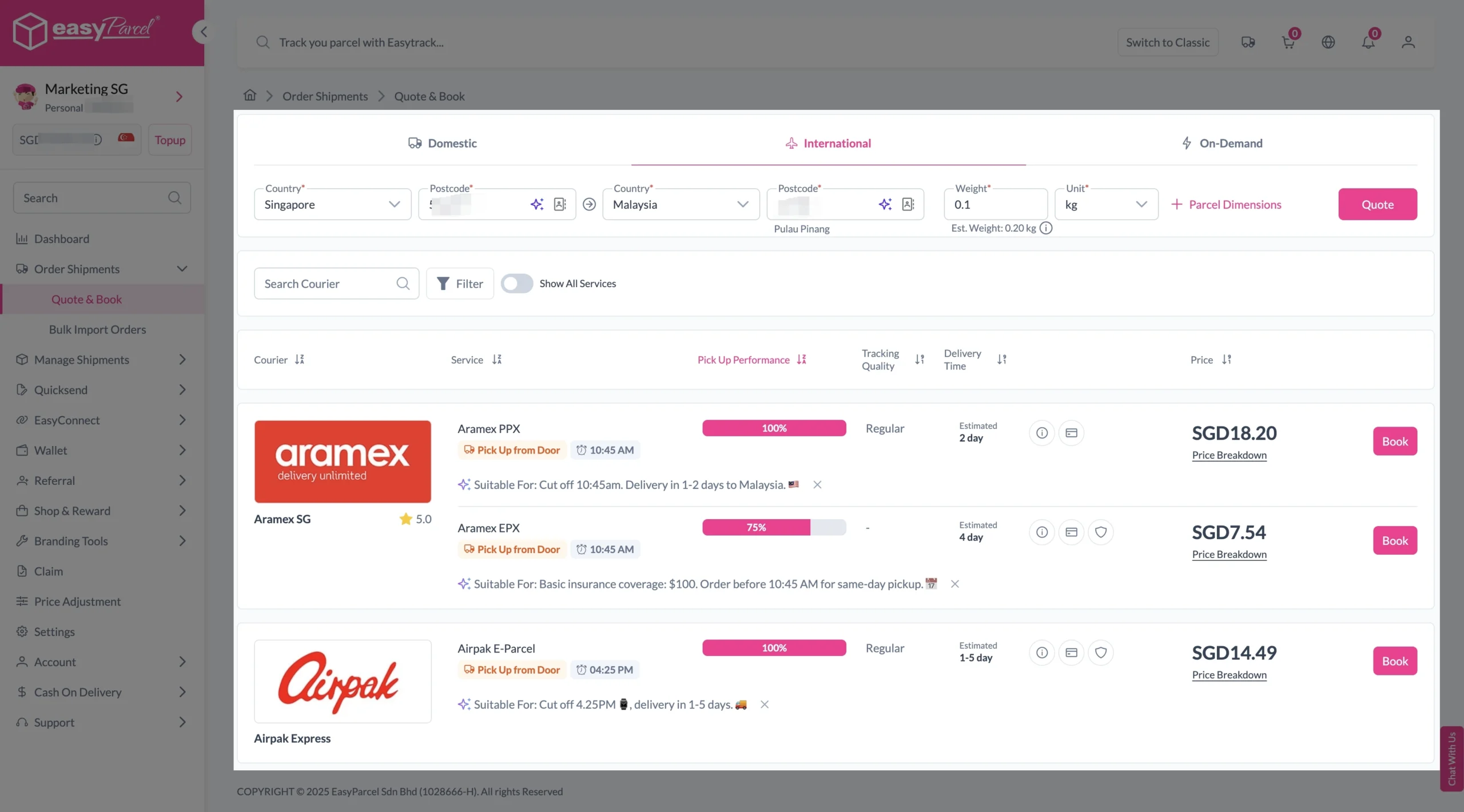
Step 1: Under Order Shipments, click on “Quote & Book”. Enter details and parcel weight, click on “Quote”.
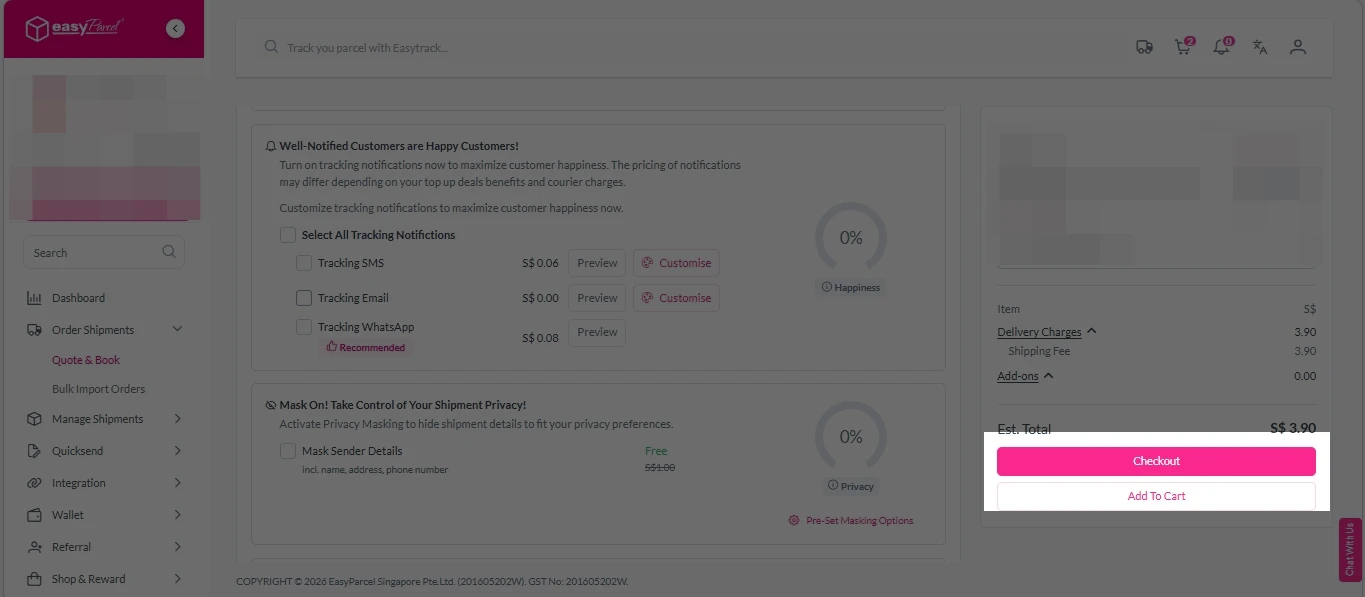
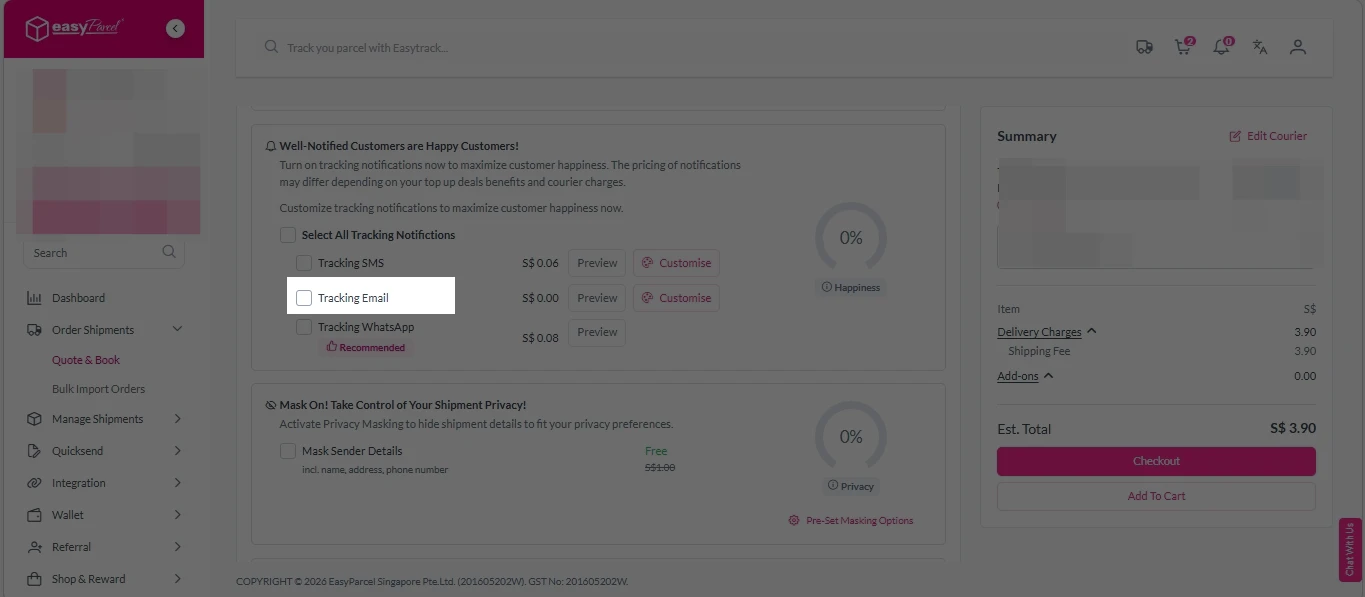
Step 2: Fill in the details, then scroll down to “Well-Notified Customers are Happy Customers!” Section, turn on “Tracking Email” option.
Click “Customize” button to customize it by adding your own logo or banners.
Step 3: Click on “Checkout” to proceed.