Singapore
 Thailand
 Indonesia
Waiting for a rider can feel like watching the clock-especially when you’re sending a time-sensitive document, a fragile parcel, or a COD order that needs a signature at the door. That’s why Lalamove tracking matters: it turns Where is my driver? into clear, real-time visibility so you can plan around pickup, route progress, and arrival.
This guide walks you through how to use Lalamove app tracking, what a lalamove tracking number really is, how to track Lalamove order status if you’re the sender or the recipient, and what to do when a package not updating in transit solution is needed.
Also important: Lalamove is an existing EasyParcel on-demand delivery partner, and this is a direct product tie-in-meaning EasyParcel users can access Lalamove as an on-demand delivery partner option within EasyParcel’s product ecosystem (without implying anything beyond that stated relationship).
Contents
What Lalamove Tracking Shows (and Why It's Useful)
Modern delivery tracking isn’t just a dot moving on a map. Strong lalamove delivery tracking should help you answer three practical questions:
- Has the driver been assigned and started moving?
- Where is the driver right now (and are they on route to me)?
- When will the delivery likely arrive (ETA) and what proof confirms completion?
Depending on your service type and location, Lalamove can provide:
- Real-time courier location updates on the map
- A delivery ETA estimate accuracy indicator that updates as traffic and route conditions change
- Delivery status (e.g., Driver Assigned, Picked Up, In Transit, Delivered)
- Proof of delivery photo verification (where available/selected) and/or delivery completion details
Before You Track: Where to Find Your Tracking Details
Source: Pinterest
1) In the Lalamove App (Sender View)
If you booked the delivery, you typically don’t need a separate lookup tool-your order is already in your account:
- Open Lalamove
- Go to Orders / Activity / History (wording varies by app version)
- Tap the active delivery to open the live tracking screen
2) From the Recipient’s Shared Link
Many senders share live delivery link with recipient so the recipient can follow along without logging into the sender’s account.
If you’re the recipient, check:
3) What Counts as a Lalamove Tracking Number?
People often search for a lalamove tracking number expecting something like a long postal code used by traditional couriers. With on-demand delivery platforms, tracking usually works through:
- An Order ID / Booking ID inside the app, and/or
- A live tracking link that opens the real-time map and status page
So when you need a lalamove tracking number, what you’re really looking for is the booking reference (or the shared tracking link) tied to that specific delivery.
If you’re stuck, jump to the Cannot find tracking ID help section below.
How to Track Your Lalamove Delivery in Real Time (Step-by-Step)
Step 1: Open the Active Order
In the app, open the current booking. You should see:
- Driver details (once assigned)
- Vehicle type
- Pickup and drop-off addresses
- Current delivery status
Step 2: Use the Live Map for Location + Route Awareness
This is the core of Lalamove tracking. The map view typically helps you understand:
- Whether the driver is heading to pickup or already en route to drop-off
- How close they are to your location
- Route changes due to traffic or detours
Tip: If you’re coordinating a meeting point (loading bay, lobby, side gate), use the map plus chat/call to guide the rider-this reduces missed handoffs and delays.
Step 3: Turn On Alerts (So You Don’t Keep Checking)
To avoid refreshing the screen all the time, set up push notification delivery alerts setup on your phone:
- Allow notifications for the Lalamove app
- Ensure battery optimization isn’t preventing background updates
- Keep location permissions enabled if the app requires it for certain views
These push notification delivery alerts are especially useful for:
- Pickup confirmation
- Arriving soon reminders
- Delivered notifications
Step 4: Confirm Delivery Completion Properly
When the status flips to Delivered, don’t stop there if the delivery is high value. Look for:
- Recipient name (if captured)
- Timestamp
- Notes from driver
- Proof of delivery photo verification (when available/selected)
If you’re sending a payment-on-delivery order, also confirm COD delivery status confirmation (more on that below).
Tracking for Senders vs Recipients: What Each Person Should Do
If You’re the Sender
Your priorities are control and documentation:
- Watch pickup time to ensure the item is actually collected
- Monitor route progress to coordinate recipient availability
- Save completed order details for accounting and claims
After delivery, use shipment history and receipts download features (where available) to keep:
- Booking receipt
- Delivery details
- Fee breakdown
If You’re the Recipient
Your priorities are timing and access:
- Use the shared live link to see ETA and prepare for handoff
- Keep your phone reachable for the rider
- If the building has security, provide instructions early
If you didn’t receive a link, ask the sender to resend it or share the booking reference so you can still track Lalamove order status.
Lalamove Delivery Tracking Number Lookup (When You Only Have Partial Info)
Sometimes you’re told It’s Lalamove but receive no link, no screenshot, no reference. For Lalamove delivery tracking number lookup, try this checklist:
- Search your messages for Lalamove, Order, Booking, or a link
- Ask the sender for any of these:
- Booking ID / Order ID (your tracking number equivalent)
- The live tracking link (fastest option)
- A screenshot of the order page showing status + driver assignment
- If you booked it from your own account, verify you’re logged into the correct phone number/account and check order history.
This is the quickest path to solve cannot find tracking ID help issues without escalating.
When Tracking Isn't Updating: Fixes That Work Fast
A stalled status can be stressful, but it’s often solvable. Here’s a practical package not updating in transit solution list before you assume the worst.
1) Refresh the App and Check Connectivity
- Switch between WiFi and mobile data
- Force close and reopen the app
- Update the app to the latest version available on your device store
2) Confirm the Driver Has Actually Picked Up
Some delays occur between driver arrived and picked up, especially if:
- The pickup point is hard to access
- Loading takes longer than expected
- The sender isn’t available at the pickup time
Message or call through the in-app contact options if available.
3) Verify Addresses and Notes
Incorrect drop-off pins or missing unit numbers can cause drivers to pause or reroute. Ensure:
- Building name and unit are included
- Entrance instructions are clear
- Receiver contact number is correct
4) Allow a Short Lag Window
Real-time maps can lag for brief periods due to:
- Network coverage gaps
- Background app restrictions on the driver’s phone
- Temporary GPS inaccuracies
If the dot hasn’t moved for 1015 minutes in a dense area, contact the driver or support.
Best Practices to Improve ETA and Tracking Accuracy
Delivery ETA estimate accuracy improves when bookings include clean, complete details. Use these tips:
- Add landmarks and loading instructions (park at Gate B, call security)
- Avoid ambiguous addresses (include postal code, floor, unit, business name)
- For time-critical jobs, book earlier and communicate pickup readiness
- Ensure the parcel is packed and labeled before the driver arrives
For recipients:
- Keep your phone available
- Send back a confirmation message like I’m ready at lobby when the driver is near
COD Orders: How to Confirm Payment Status and Delivery Completion
Source: Pinterest
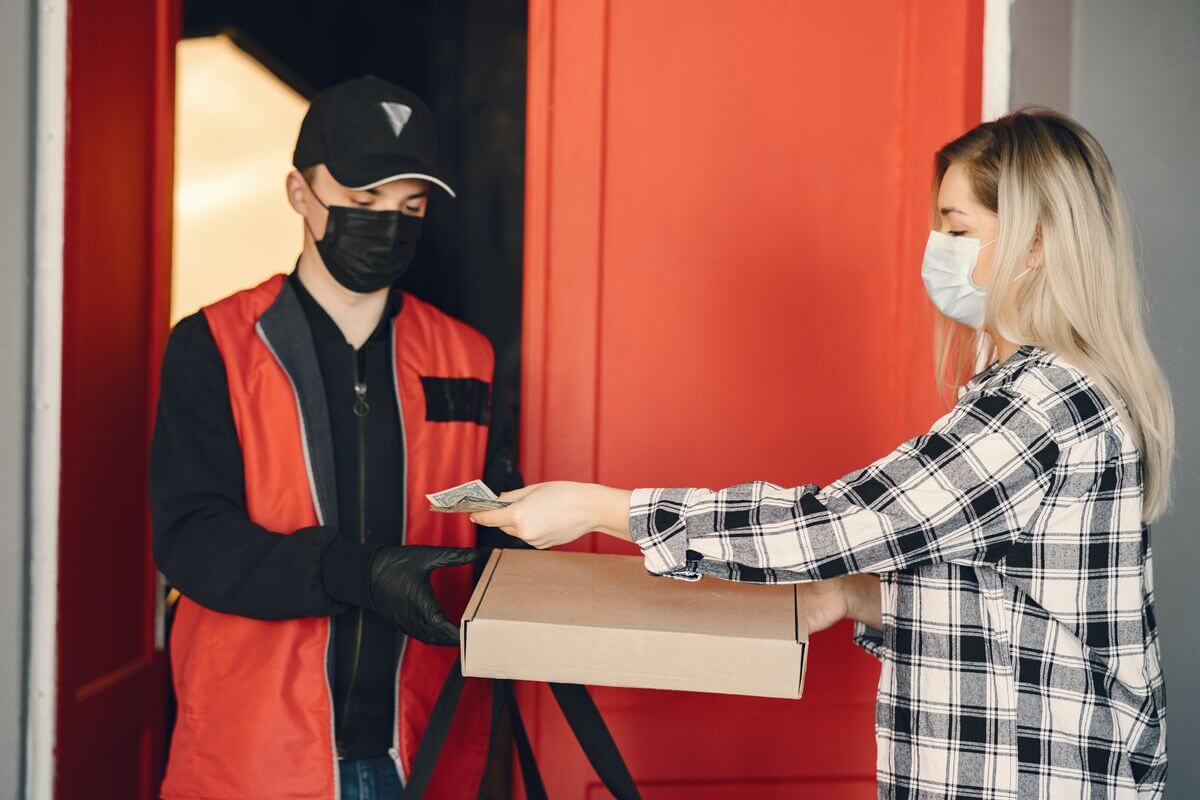
If you’re handling payment on delivery, your tracking checklist should include:
- The delivery status (Delivered alone may not capture payment details)
- Notes or confirmation steps inside the order
- Any receipt/record the platform provides
Because COD flows vary by market and service configuration, always verify what your booking type includes and ensure COD delivery status confirmation is completed in the order record (or through the confirmation method your business uses).
Sharing Tracking With Customers (Small Business-Friendly Workflow)
If you run a shop or do frequent local deliveries, make tracking part of your customer experience:
- Send the live link immediately after booking so customers can share live delivery link with recipient (or you share it with them)
- Tell them what they’ll see: driver assigned, live location, ETA
- Send a short message when the driver is close
- After delivery, share the proof (when available) for trust-building-especially if you use proof of delivery photo verification
This reduces Where is my order? messages and increases confidence.
Lalamove vs GrabExpress Tracking Accuracy: What to Expect

Users often compare Lalamove vs GrabExpress tracking accuracy when choosing a courier. In practice, tracking accuracy is influenced by similar factors across platforms:
- Driver GPS signal and phone settings
- Network coverage on the route
- App refresh intervals
- Map pin accuracy at pickup/drop-off
If your goal is the best delivery apps with live tracking, prioritize the platform that:
- Reliably shares a live link
- Provides clear status milestones
- Offers accessible support channels
- Keeps a good record trail (history, receipts, proof)
For many senders, the best app is the one that gives consistent visibility and fewer exceptions in your specific city and delivery lanes.
For more information about Lalamove vs GrabExpress, click here to learn more.
EasyParcel + Lalamove (and Why Customers Like Booking This Way)
If you’re looking for a smoother way to book on-demand delivery, here’s the key point again: Lalamove is an existing EasyParcel on-demand delivery partner. So if you already use EasyParcel for deliveries, you can choose Lalamove as an on-demand option within the EasyParcel ecosystem-and keep more of your day-to-day delivery work in one place.
Why book Lalamove via EasyParcel?
Customers don’t just want a rider-they want a simple, repeatable workflow. Booking Lalamove through EasyParcel is appealing because it can help you go from Need to send this now to Done, tracked, and recorded with less back-and-forth.
Here are some high-value EasyParcel features that make the experience more customer-friendly (and easier to scale if you’re doing multiple deliveries a day):
- One place to book and manage deliveries: Keep your on-demand bookings and order details organized instead of juggling chats, screenshots, and multiple apps.
- Centralized order history + records: Handy for customer service follow-ups, monthly reconciliation, and rebooking repeat deliveries faster.
- Easy sharing for customers: Pull up the booking details quickly so you can update your buyer (especially when they ask Where is my order?).
- Address book / saved details: If you deliver to repeat customers or the same pickup point often, saved details reduce mistakes and speed up booking.
- Receipts and documentation: Makes it easier to keep delivery records tidy for accounting, internal reporting, or customer disputes.
Tracking tip when you book through EasyParcel: use the tracking method surfaced in your EasyParcel booking flow (order details, link, or reference), and keep the booking reference handy for quick support escalation if there’s an exception.
If you’re doing on-demand deliveries regularly (or you want to look more professional to your customers), signing up for EasyParcel to book Lalamove can be a simple upgrade: you still get the speed of on-demand delivery, plus a more organized booking-and-tracking workflow.
How to Check Lalamove Rate on EasyParcel?
Get Instant Quotes
Send More Parcels at Once
Save time, save cost with less click!
Integrations
Sync all your store orders and experience seamless booking experience in one click
Explore NowChecking the Lalamove rate on EasyParcel is easy. Simply enter your pickup location, delivery location and parcel weight use the rate calculator above . EasyParcel will show the Lalamove delivery rate based on the vehicle type and delivery distance.
When to Contact Support (and What to Prepare)
If the driver can’t be reached, the status is frozen too long, or the delivery seems misrouted, contact Lalamove customer support for missing delivery.
Prepare these details to speed things up:
- Order/booking reference (your effective lalamove delivery tracking number)
- Pickup and drop-off addresses
- Time booked and latest known status
- Driver name/vehicle details (if shown)
- Screenshots of the tracking screen or timeline
Support can help verify the delivery state, attempt driver contact, and advise next steps depending on your cas
Troubleshooting Checklist (Quick Fix It Now Summary)
Use this short list when you need to track Lalamove order status and something doesn’t look right:
- Can’t track? Ask sender to resend the live link (cannot find tracking ID help)
- Status not moving? Refresh app, check connectivity, allow short GPS lag (package not updating in transit solution)
- ETA looks wrong? Confirm address pin + notes; traffic can shift delivery ETA estimate accuracy
- Delivered but uncertain? Check proof of delivery photo verification and timestamps
- COD order? Verify COD delivery status confirmation
- Still unresolved? Escalate to Lalamove customer
Takeaway: Real-Time Tracking = Fewer Surprises, Faster Resolutions
The best way to make lalamove tracking work for you is simple: keep the booking reference or link accessible, enable alerts, and confirm delivery with proof when it matters. Whether you’re a casual sender, a recipient waiting at the lobby, or a business optimizing local logistics, lalamove delivery tracking helps you stay in control-minute by minute, right up to delivery completion and recordkeeping like shipment history and receipts download.
For an easier way to manage your deliveries, book Lalamove through EasyParcel and keep your delivery bookings organized in one place.
Ready to ship with EasyParcel? Sign up for FREE today and enjoy a RM10 discount coupon to kickstart your first delivery!
FAQs
1. What is a Lalamove tracking number?
A Lalamove tracking number is typically the order ID or booking ID that allows you to track your delivery. This can also include a live tracking link shared by the sender.
2. How can I track my Lalamove delivery?
You can track your Lalamove delivery by opening the app and navigating to your orders, using the shared tracking link if you are the recipient, or by checking the SMS or email confirmations for your delivery.
3. Why is my Lalamove tracking not updating?
If your Lalamove tracking is not updating, it may be due to connectivity issues, GPS lag, or delays in the pickup process. Try refreshing the app and checking your internet connection.
4. Can I track my Lalamove delivery without an app?
Yes, if you have the live tracking link shared by the sender, you can track your delivery through a web browser without needing the app.
5. What should I do if my package is not moving in transit?
If your package is not moving in transit, first ensure that the app is refreshed and your internet connection is stable. If the issue persists, you may need to contact Lalamove customer support for further assistance.
6. How accurate is Lalamove’s estimated time of arrival (ETA)?
Lalamove’s ETA can vary depending on traffic, route conditions, and other factors. The app updates the ETA in real-time based on these conditions to provide the most accurate arrival time.
7. Is proof of delivery available for Lalamove orders?
Yes, Lalamove offers proof of delivery in the form of a photo verification or delivery notes, depending on the selected options during booking.
8. How do I handle issues with my Lalamove delivery?
If you encounter any issues with your delivery, such as delays or misrouting, reach out to Lalamove customer support. Have your order reference, addresses, and driver details handy to expedite the process.