Looking to increase your sales by offering more convenient payment options to your customers?💸 EasyParcel’s Cash on Delivery (COD) makes it possible! You customers can simply place order and pay in cash (or via supported payment methods by the courier) when the parcel arrives at their home. It’s that simple!
In this blog, we’ll guide you step by step on how to book Cash on Delivery (COD) using EasyParcel. Let’s dive in!
Contents
What is Cash on Delivery (COD)?
Before we start, let’s have a brief understanding about Cash on Delivery (COD).
Cash on Delivery (COD) is a payment method where customers or receivers pay for their orders upon receiving the parcel from the courier. Instead of paying online before delivery, customers pay the courier when the parcel is delivered to their doorstep.
Why Use EasyParcel’s Cash on Delivery (COD)?
Builds Customer Trust
Your customers feel more confident using COD because they only pay after receiving their parcel.
Increase Your Sales
Your customers only pay when they receive their product, so they feel safer and more confident when shopping online.
Reliable And Secure
Payments are collected upon delivery, giving you and your customers a safe and trustworthy transaction process.
Multiple Courier Options
EasyParcel offer 4 courier services who provide COD services across Malaysia, so you can reach customers anywhere in the country.
How to Book Cash on Delivery (COD) Shipment on EasyParcel?
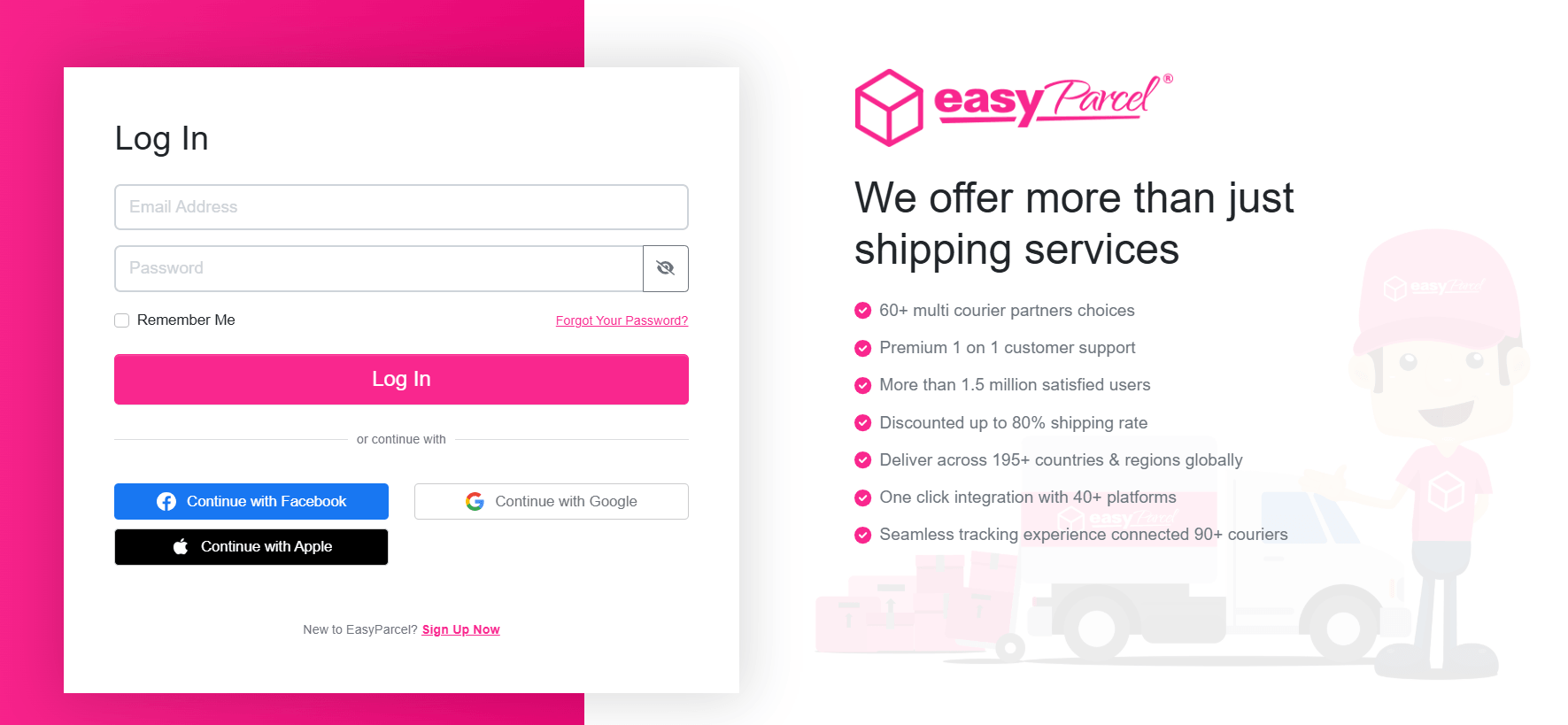
Step 1: Log in or sign up to your EasyParcel’s account.
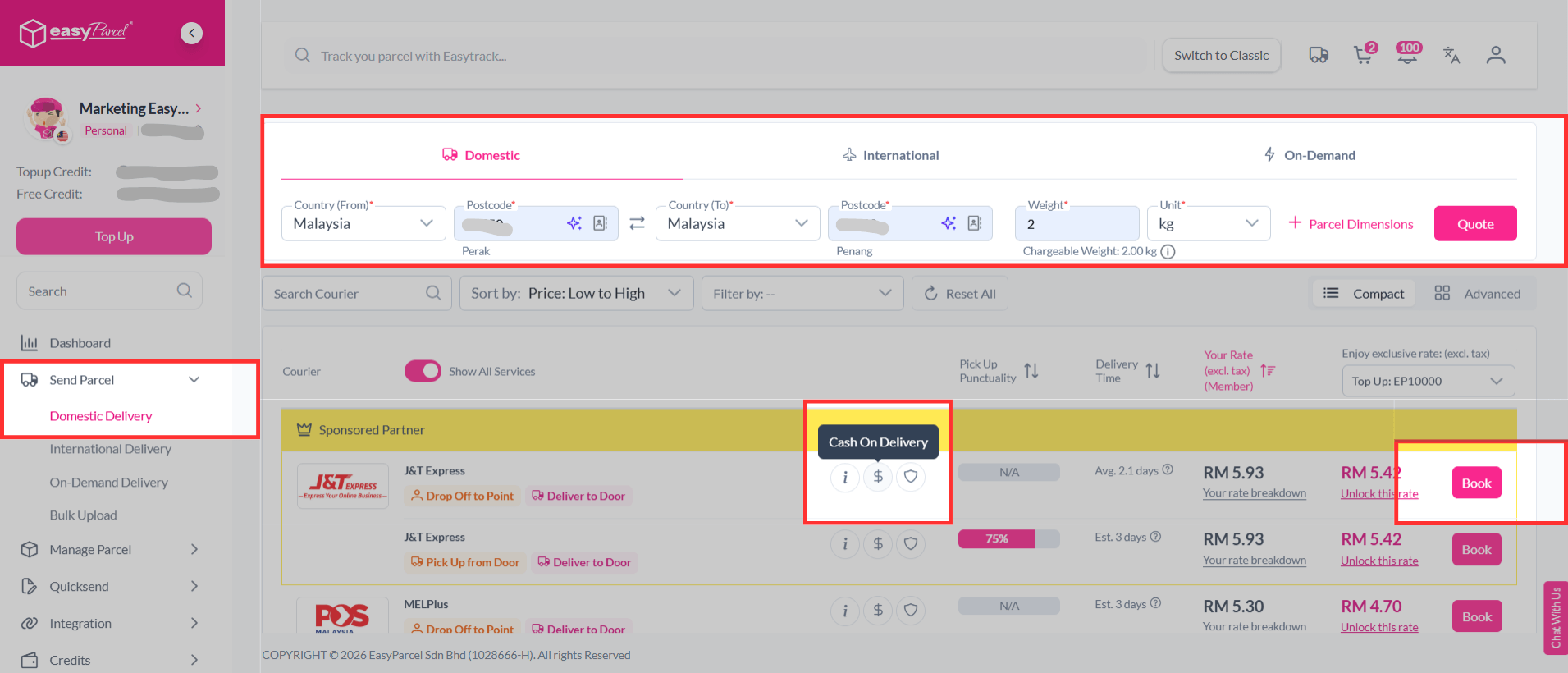
Step 2:Â Create a domestic shipment. Choose a courier that supports Cash On Delivery and click Book.
💡Couriers that support COD service:
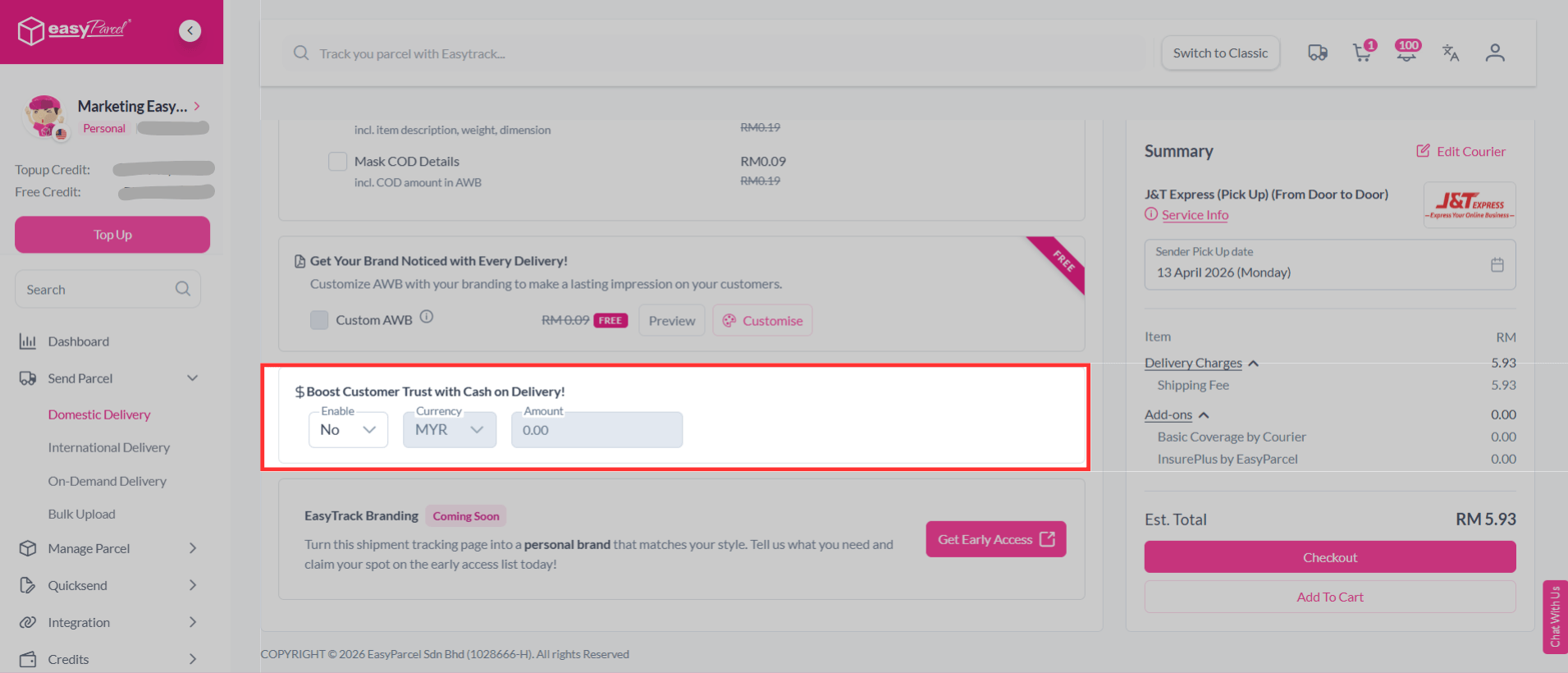
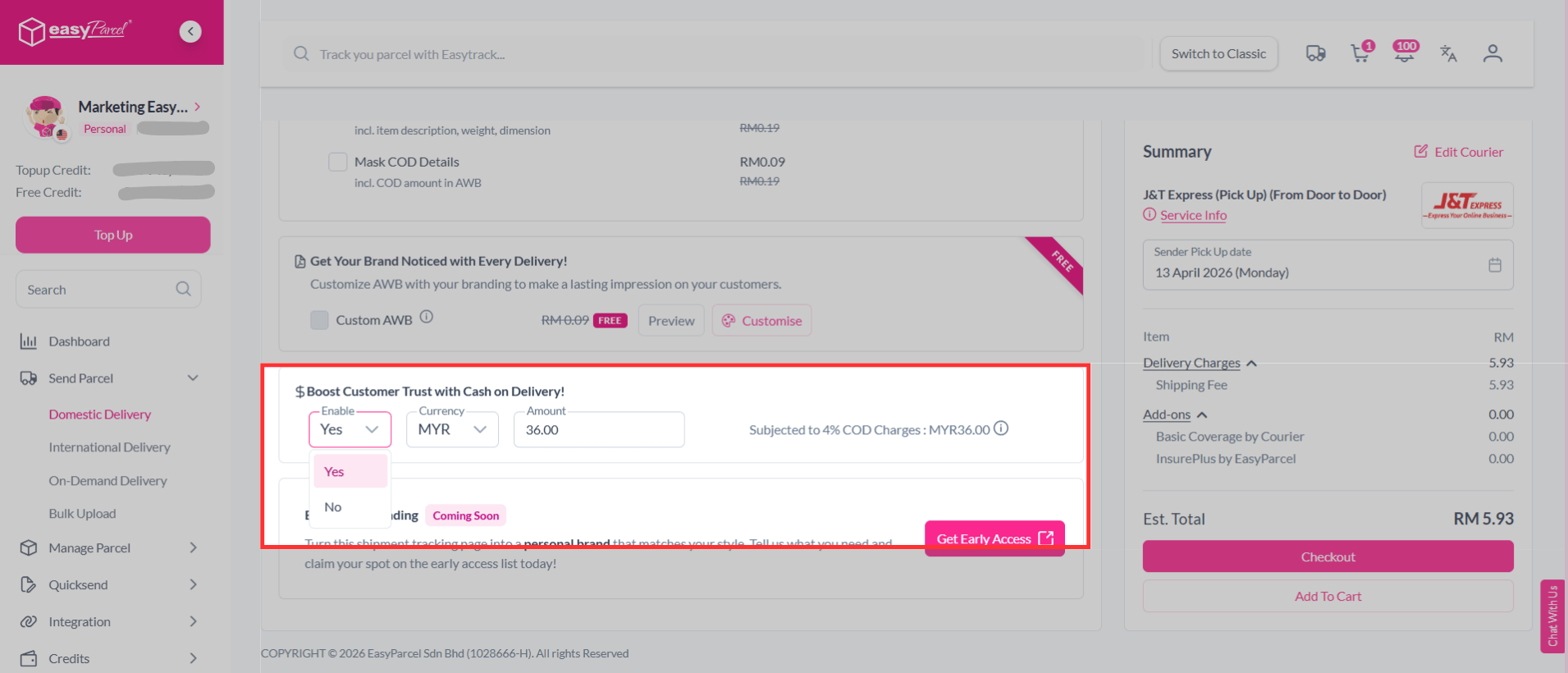
Step 3:Â Enter your details and you will see a COD section.
Step 4:Â Set your COD option to Yes and enter the COD amount that you want to collect from your customer.
Note: No upfront charges. COD charges will only be deducted upon the parcel’s successful delivery.
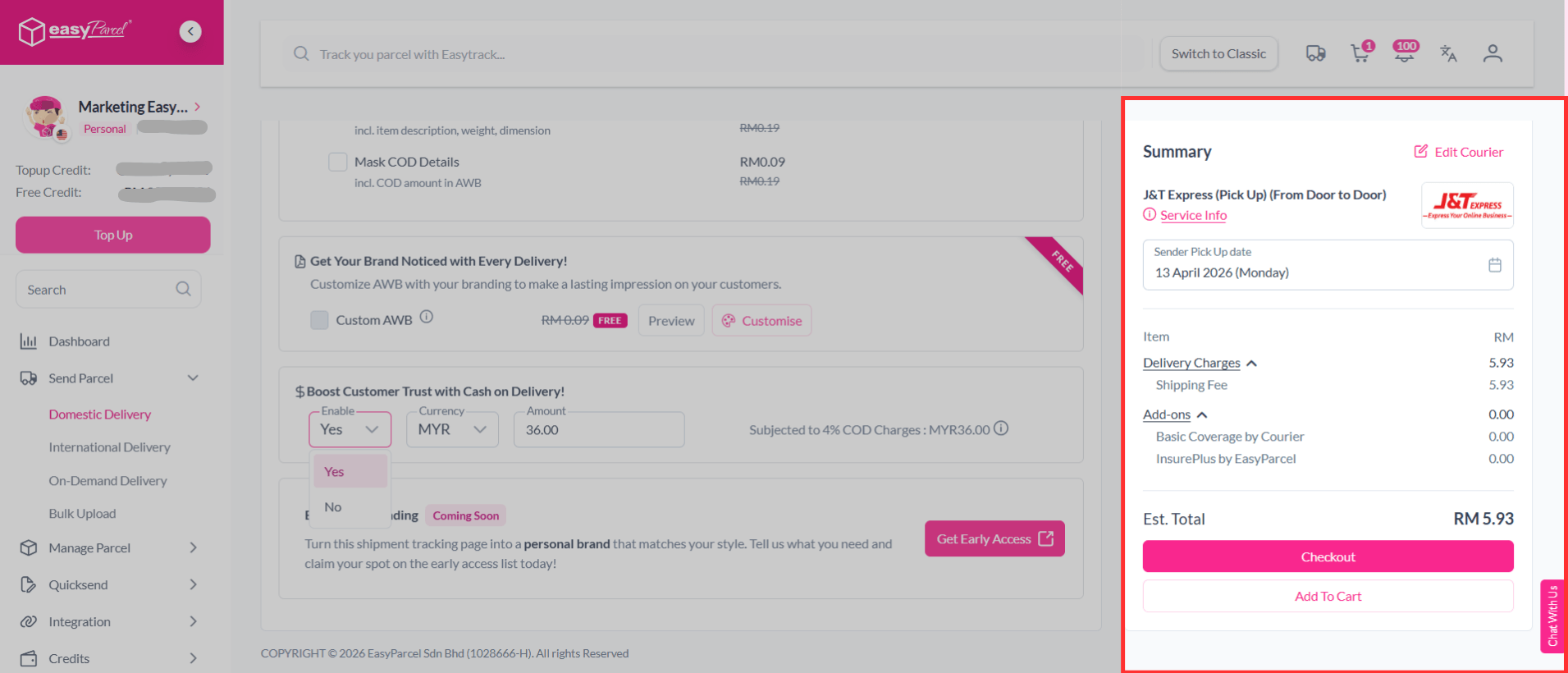
Step 5: That’s it! Proceed with payment as usual to confirm your shipment booking.
How to Track Every Cash on Delivery (COD) Shipment?
- Step 1
- Step 2
- Step 3
- Step 4
Log in or sign up to your EasyParcel’s account.

On the left-hand sidebar menu, scroll down go to Cash On Delivery, then click on COD Shipment Listing. Â Â Â
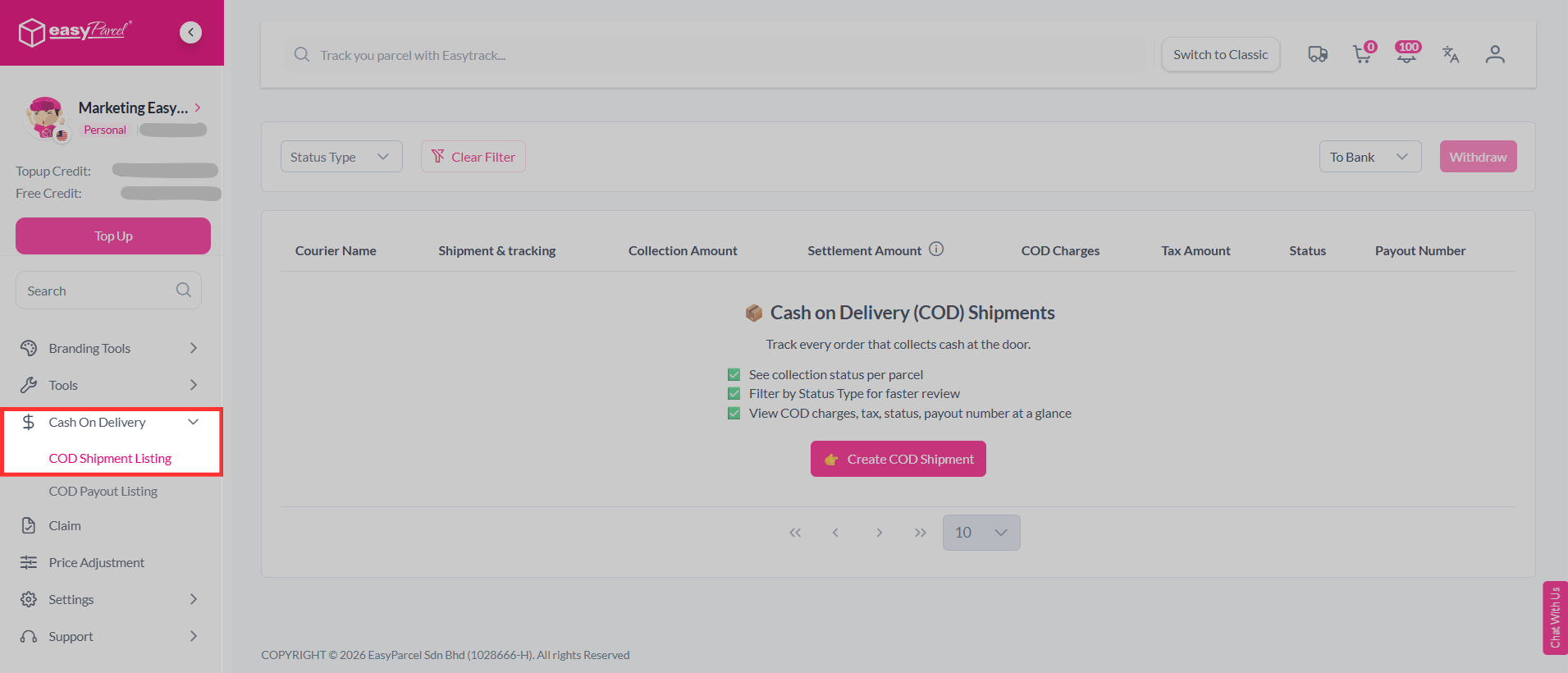
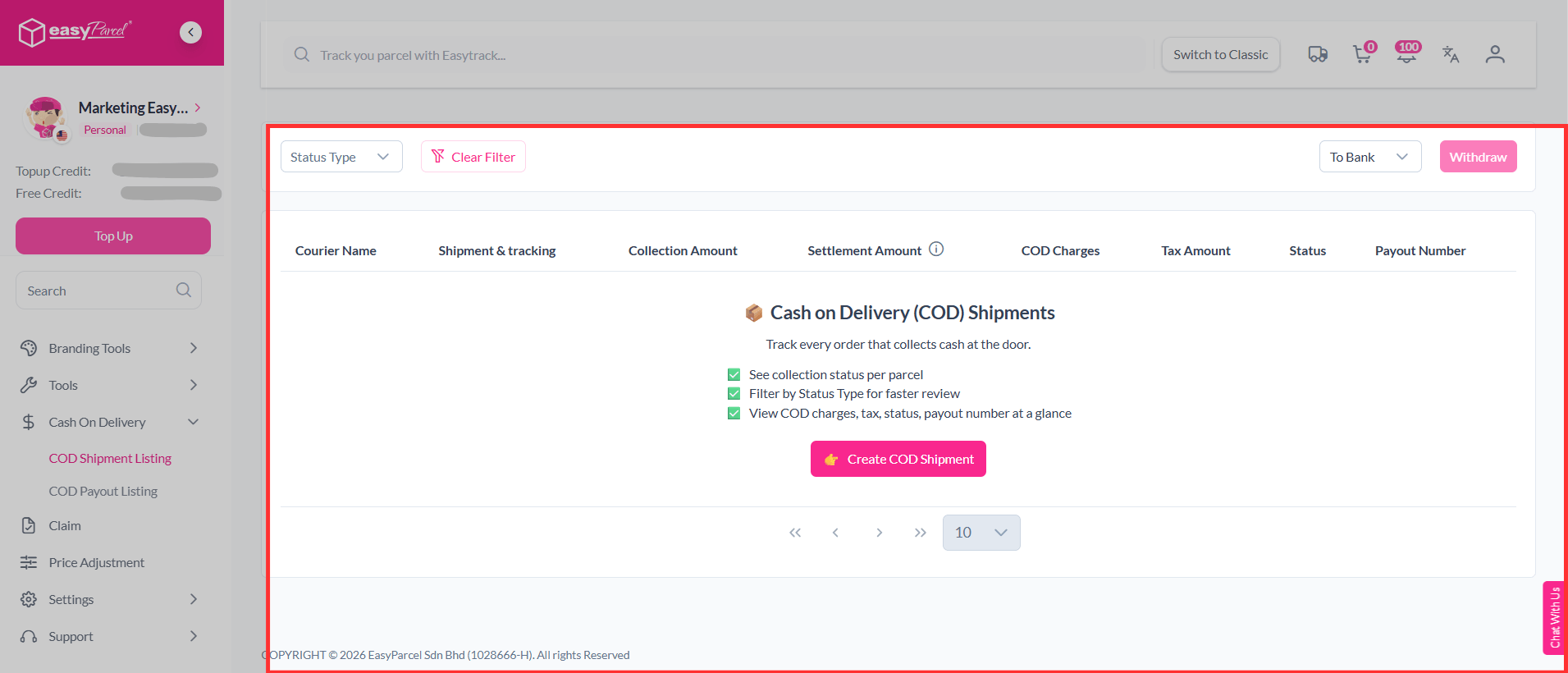
You can track and see the details all of your COD orders.
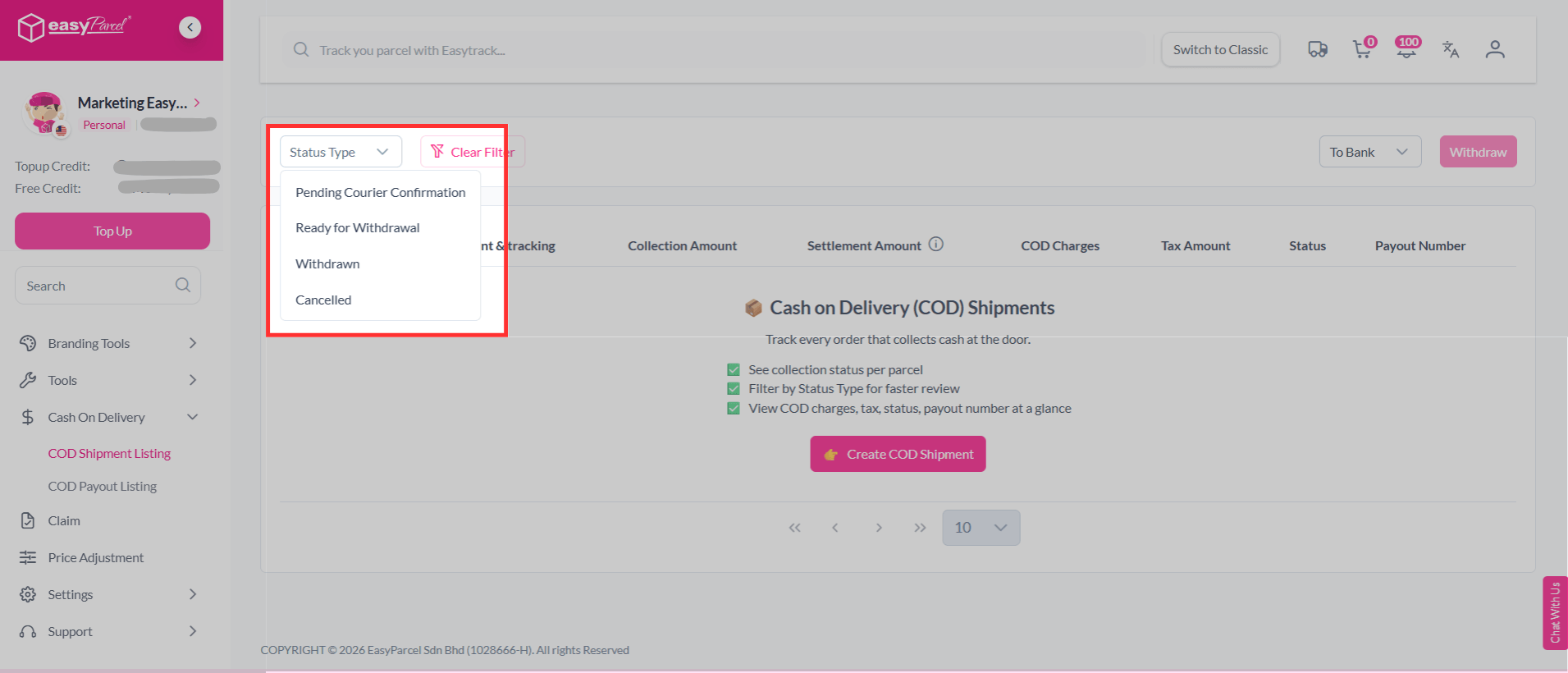
You can also filter by Status Type for faster review.
How to Track Cash on Delivery (COD) Payout?
- Step 1
- Step 2
- Step 3
- Step 4
Log in or sign up to your EasyParcel’s account.

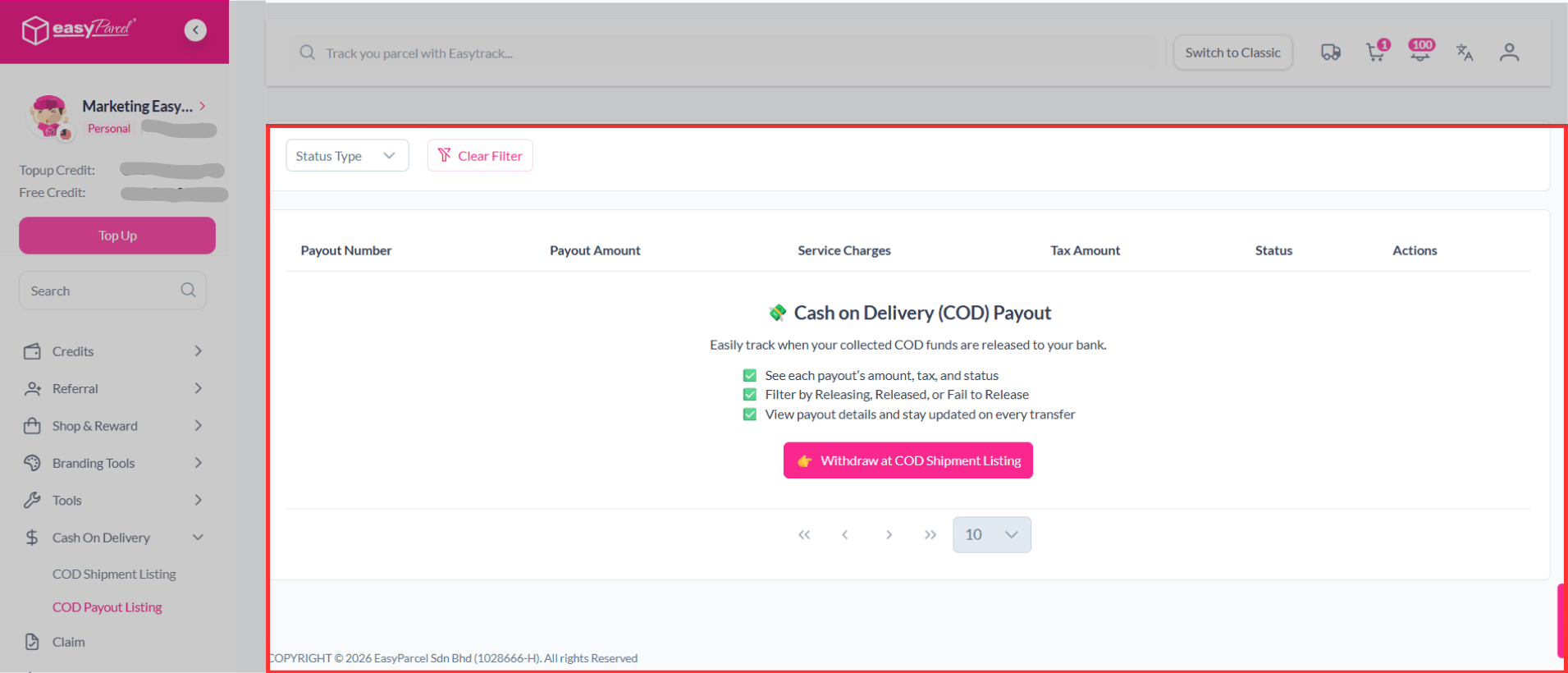
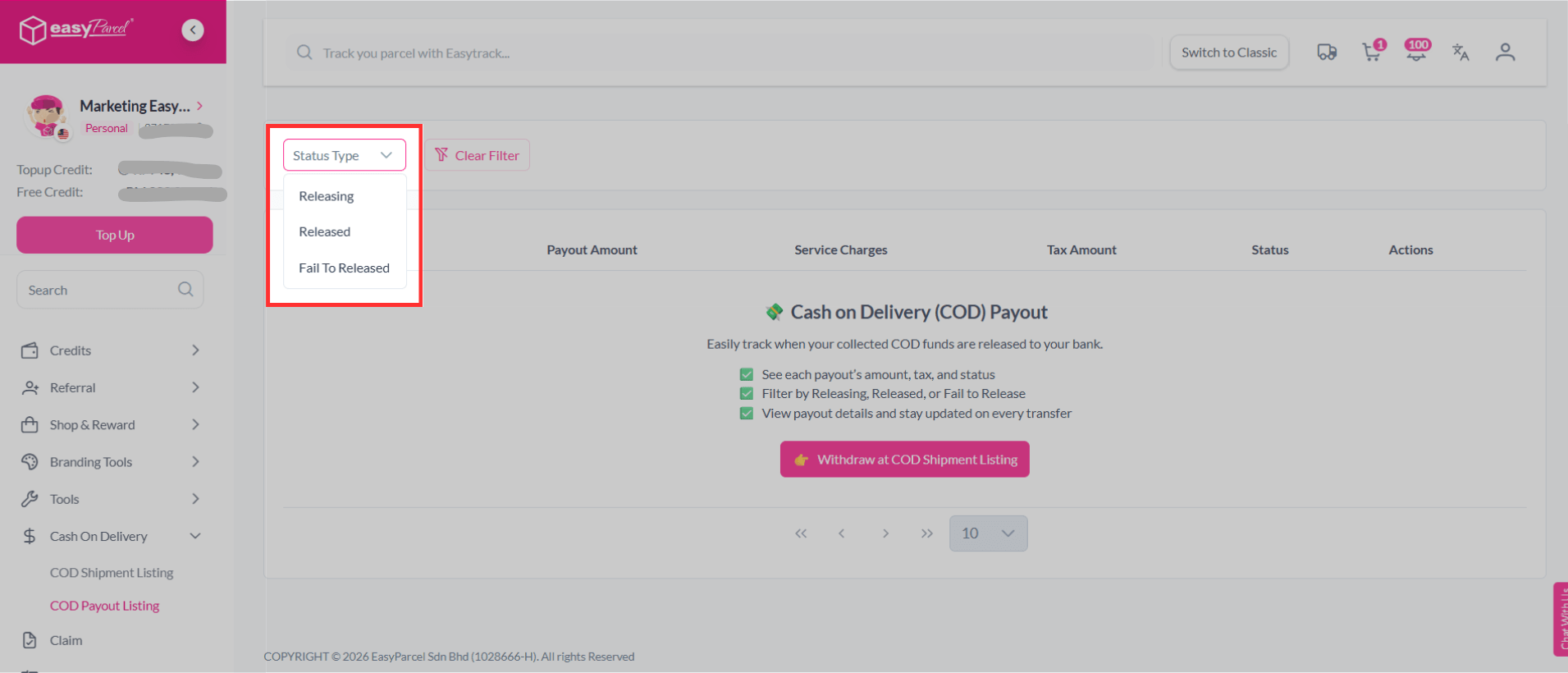
On the left-hand sidebar menu, scroll down go to Cash On Delivery, then click on COD Payout Listing. Â Â Â
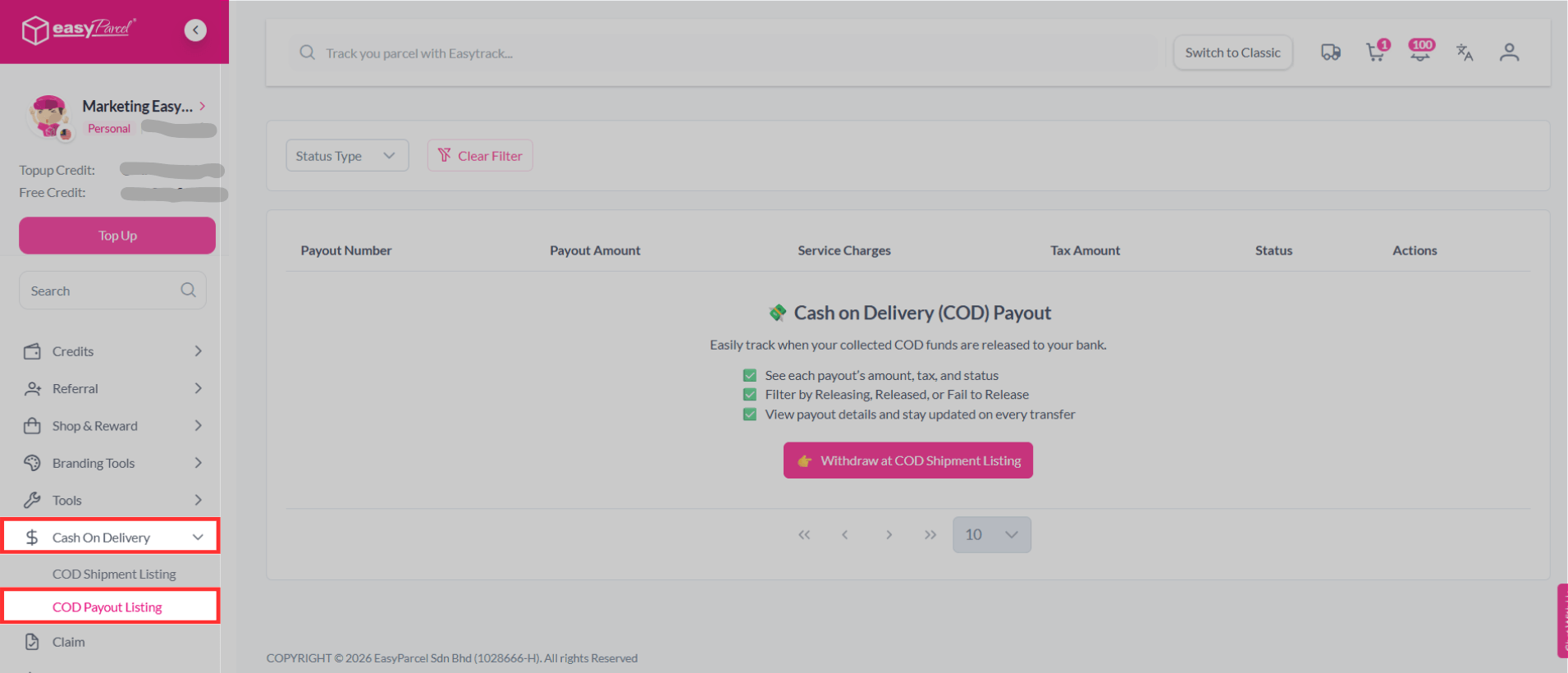
You can see each COD payout details.

You can also filter by Status Type for faster review.
Let’s Use EasyParcel's Cash on Delivery (COD) to Get Started
Cash on Delivery (COD) is a simple and reliable payment method that helps you build trust with your customers.
Ready to get started? Enable your COD option on EasyParcel today and start delivering with confidence. 🚀
FAQs
1. Are COD charges fixed?
COD charges are based on either a fixed rate or a percentage of the COD amount, whichever is higher, depending on the courier.
2. Is there a minimum or maximum amount limit for COD?
Yes, COD limits vary depending on the courier.Â
Singapore
Thailand
Indonesia