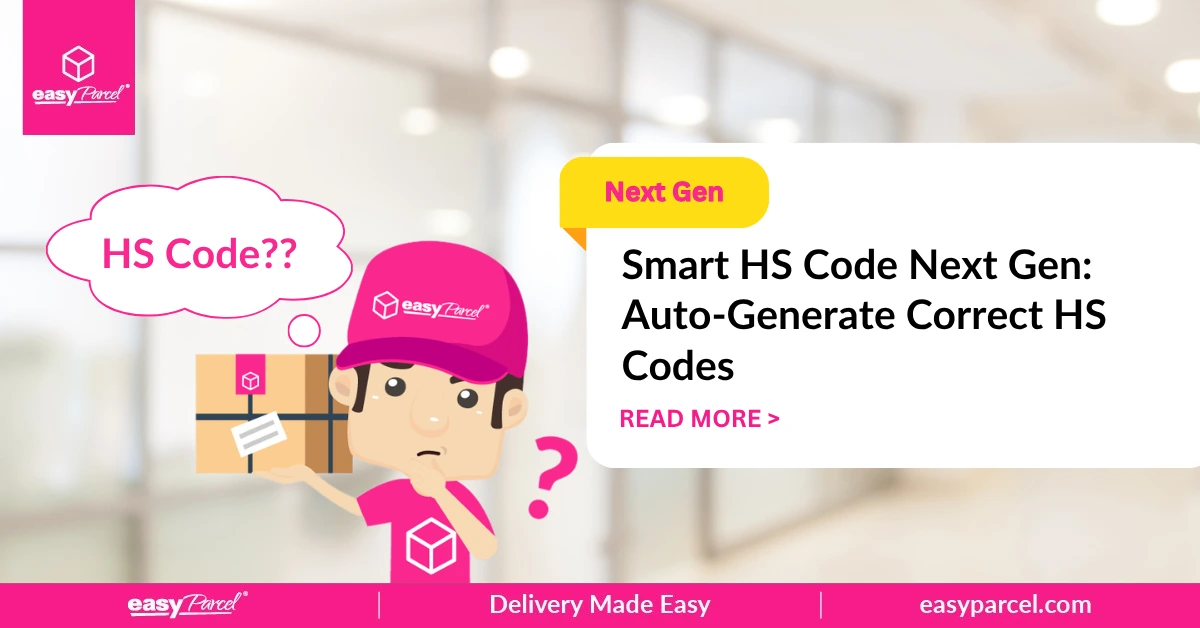
Shipping internationally can be complicated, but one of the most confusing parts for many shippers is the HS code (Harmonized System code). Getting it wrong can lead to customs delays, fines, or even seized goods.
That’s why EasyParcel NextGen introduced Smart HS Code – a feature that automatically generates the correct HS code for your items. No more manual research, no more guessing.
This blog explains what an HS code is, what Smart HS Code does, how to use it, and the benefits for your business.
Table of Contents
What Is an HS Code?
An HS code (Harmonized System code) is a standardized numerical method of classifying traded products. It is used by customs authorities around the world to identify the type of goods being shipped.
|
Aspect
|
Details
|
|---|---|
|
Format
|
6 to 10 digits (first 6 digits are global standard)
|
|
Purpose
|
Determines duties, taxes, and import regulations
|
|
Who uses it
|
Customs authorities worldwide
|
|
Why it matters
|
Wrong codes cause delays, fines, or seizure
|
Example: A cotton t-shirt might have HS code 6109.10. This tells customs it’s a t-shirt made of cotton.
What Is Smart HS Code?
EasyParcel Next Gen simplifies international shipping by allowing users to select an item category during booking, which automatically generates the required Harmonized System (HS) code to prevent customs delays.
The HS code must be entered in the “parcel details” section for international, and it ensures accurate duties/taxes calculations.
How to Use Smart HS Code on EasyParcel NextGen
1. Login to your EasyParcel account.

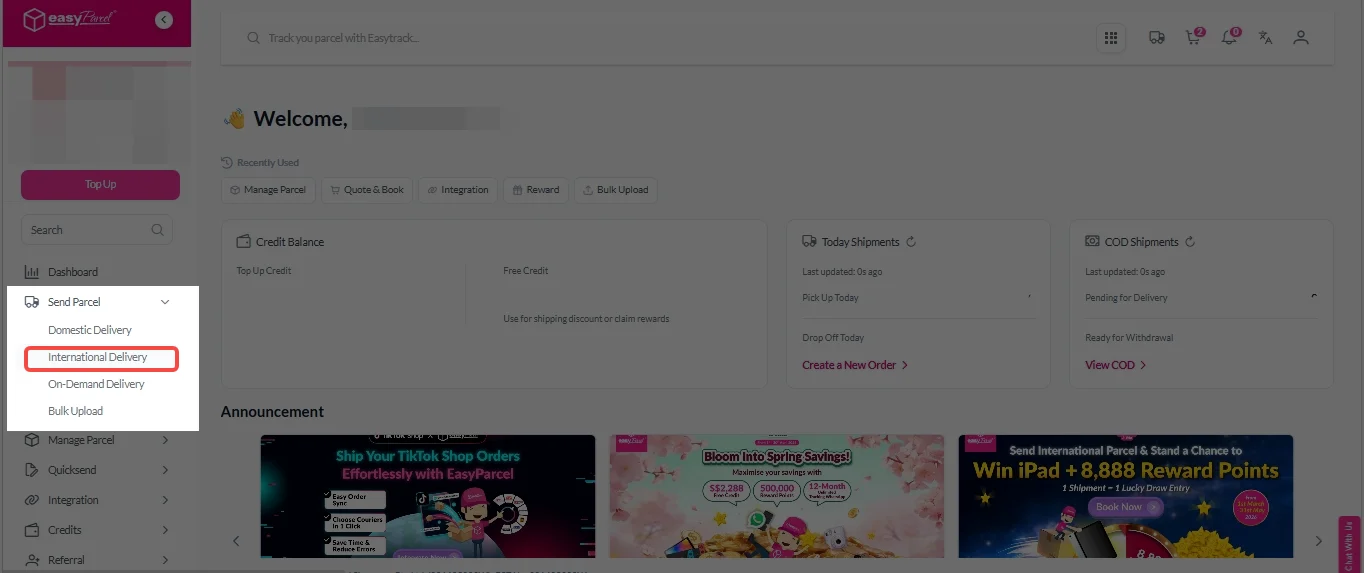
2. Click on “Send Parcel”, select “International Delivery” on the drop-down menu.
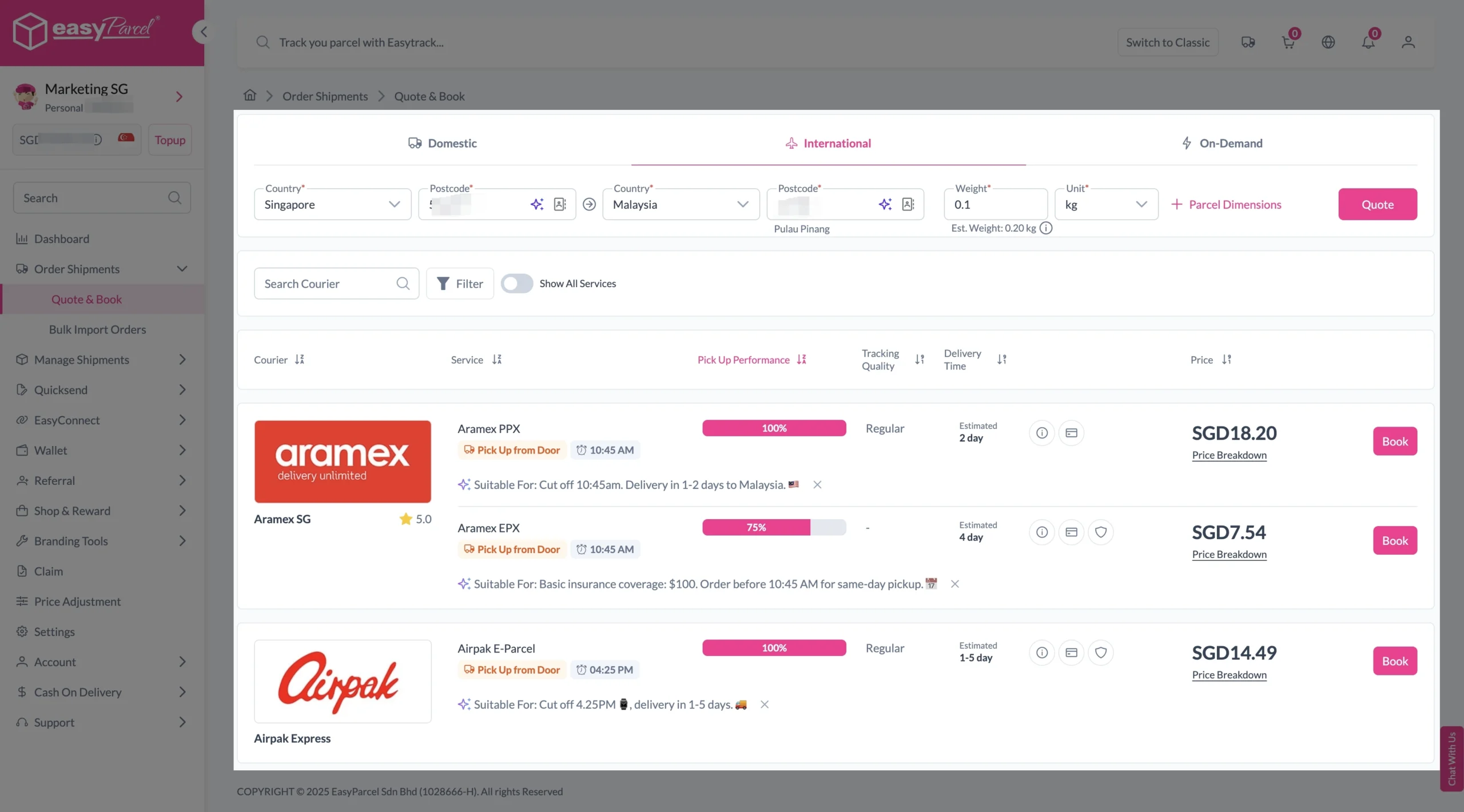
3. Enter origin country with postcode, destination country with postcode and parcel weight. Then, click on “Quote” button. A list of courier rates will appear below, as shown in the image.
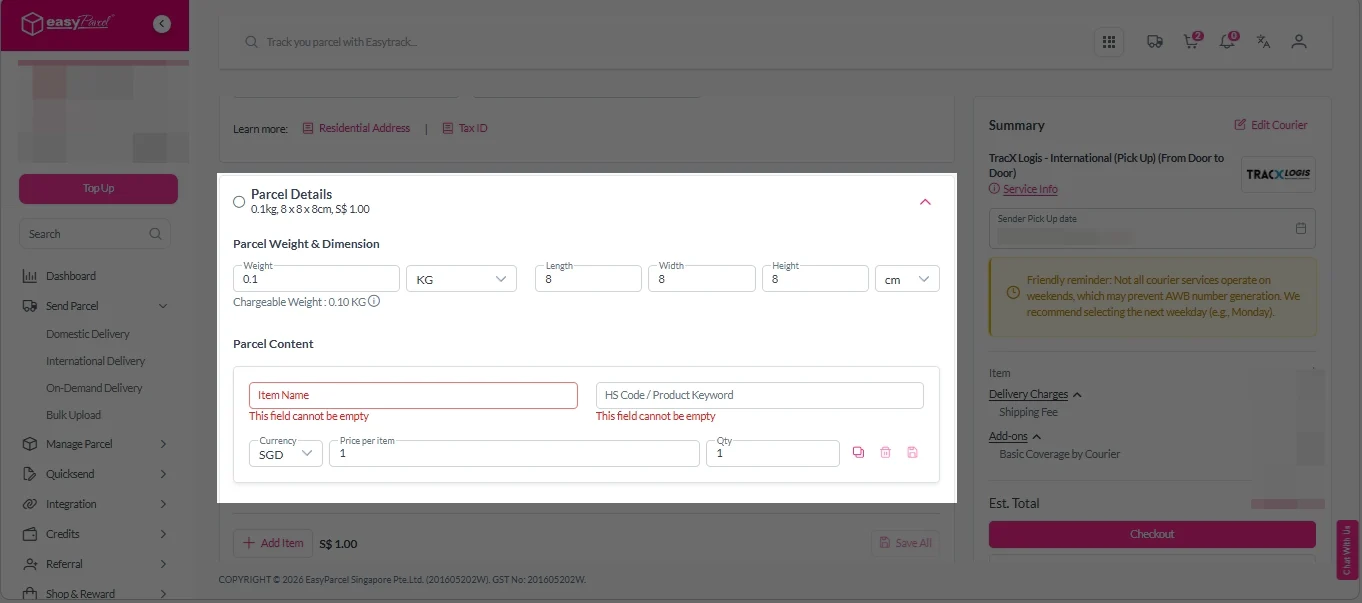
4. Fill in all details included Sender Details, Receiver Details, Parcel Details and Add-On Services.
Sender and Receiver Details:

Parcel Details:
Enter the actual weight, dimension and content of your parcel.
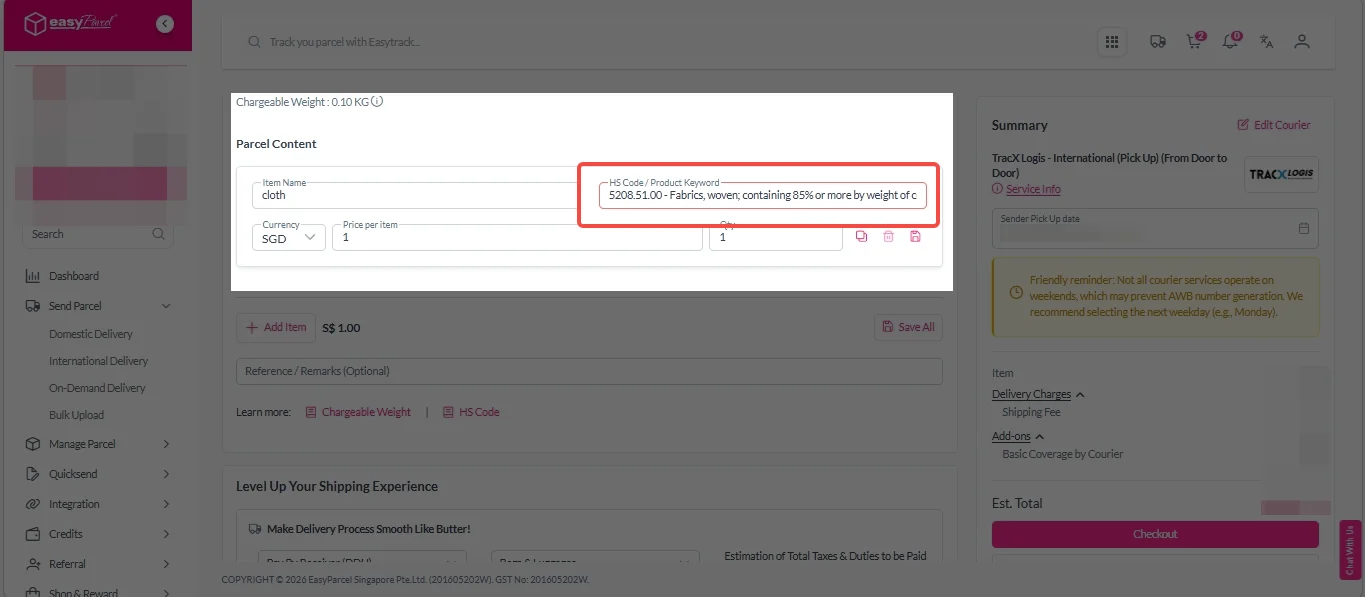
Parcel Content:
i. Fill in your item name.
ii. Choose your item category from the dropdown menu.
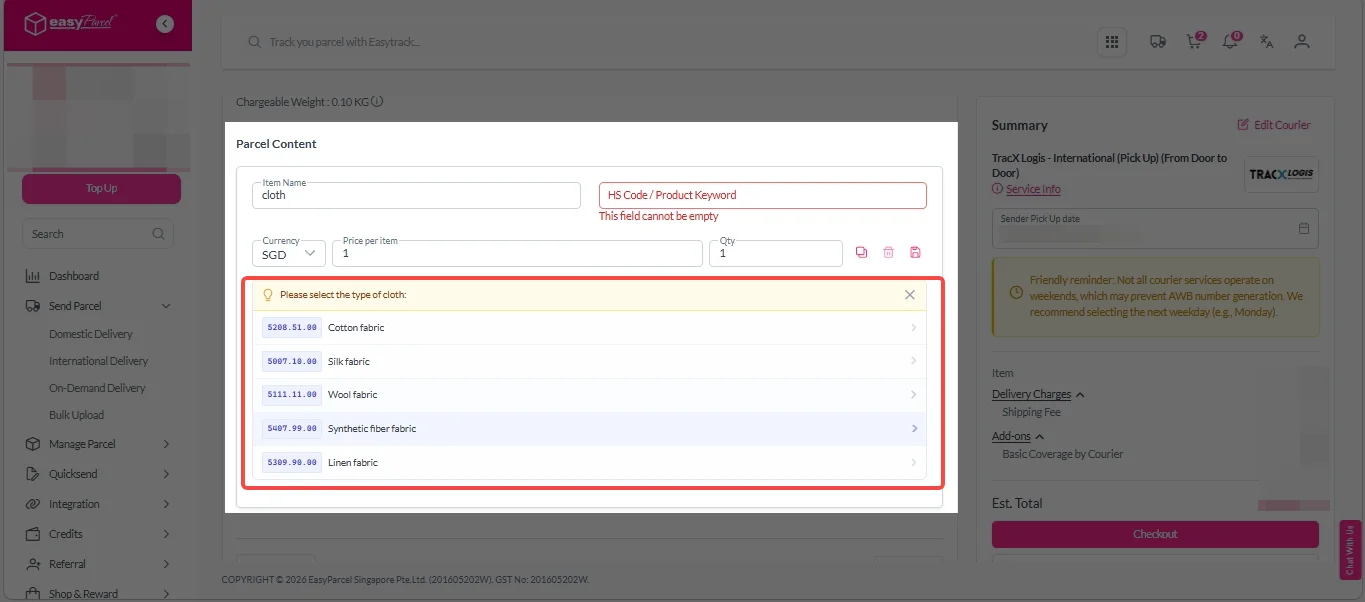
iii. Smart HS Code automatically generates the accurate HS code for you.
Add-On Services:
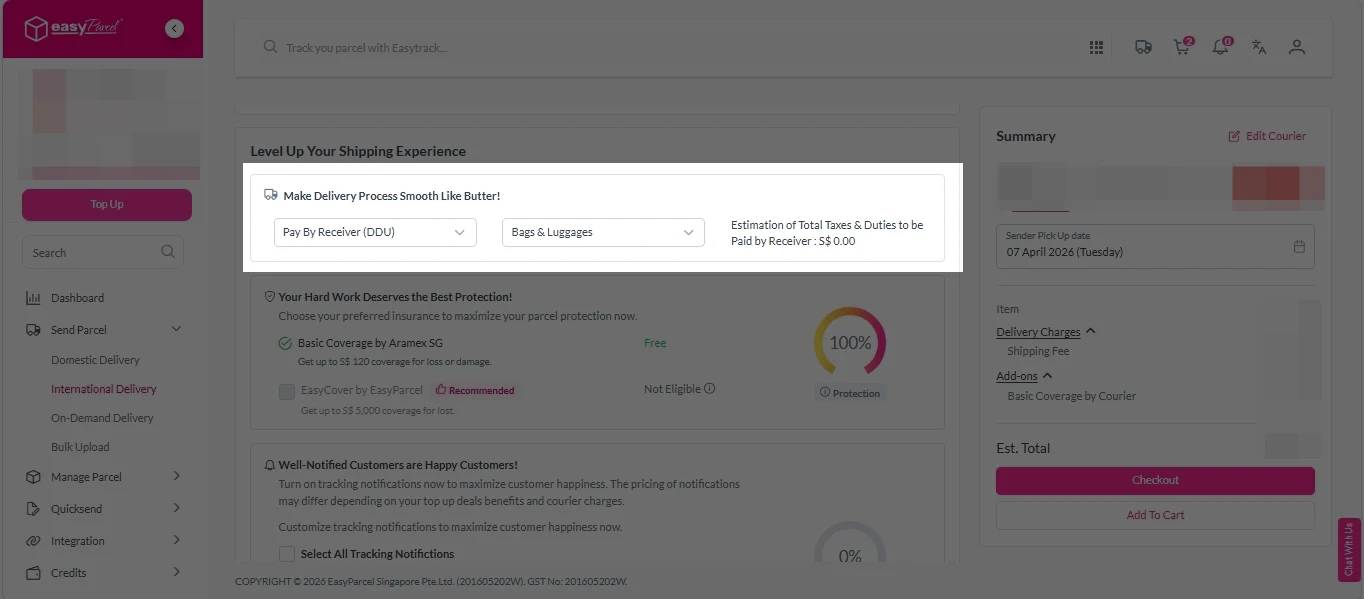
i. Select your preferred duties payment option – Delivered Duty Paid (DDP) or Delivered Duty Unpaid (DDU).
Note: Learn more about DDP and DDU.
ii. Tick the box to add EasyCover for additional protection against loss.
Note: EasyCover availability depends on the courier selected. Learn more about EasyCover.

iii. Choose your preferred notification channel – SMS, Email, or WhatsApp. Click “Preview” to see how it looks, and click “Customise” to add brand message to the notification.
Note: Learn more about Customise Branding Servcies.

iv. Tick the “Mask Sender Details” checkbox. EasyParcel Next Gen will automatically hide your sender information based on your saved privacy settings.
Note: Mask Sender Details only available for certain couriers. Find out what courier is available for Mask Sender Details.

v. Tick the “Custom AWB” checkbox. EasyParcel Next Gen will apply your saved AWB template automatically.
Note: Custom AWB is only available for certain couriers. Find out which couriers support Custom AWB.

5. Double-check all details and click “Checkout”.
6. Double check all details and click “Pay Now” to proceed.

7. Download and print Air Waybill (AWB).
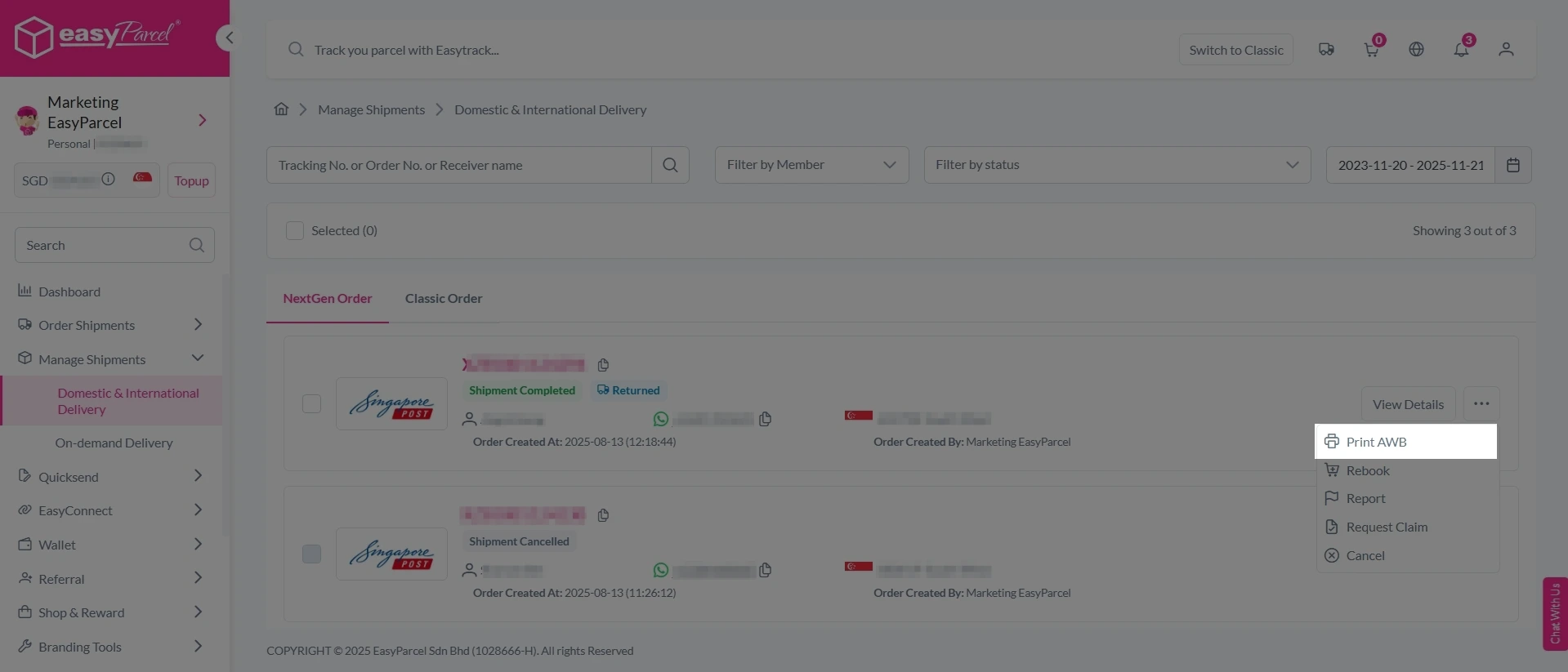
Single AWB
1. Click the three dots icon next to the shipment.
2. Select “Print AWB” from the dropdown menu.
3. A PDF file will automatically download and save.
Bulk Downloads AWB
1. Tick the “Selected” checkbox to choose all your orders.
2. A menu will appear at the bottom of the screen.
3. Click “AWB” to download all AWBs in bulk.

One Click, Correct HS Code.

Benefits of Smart HS Code
|
Benefit
|
How It Helps Your Business
|
|---|---|
|
Saves Time
|
No more 10–15 minutes of manual HS code research. Get the correct code in seconds.
|
|
Reduces Errors
|
Automated system uses verified HS code mappings—no risk of typos or wrong classifications.
|
|
Prevents Customs Delays
|
Correct HS codes mean faster customs clearance. No holds, no investigations.
|
|
Avoids Fines and Penalties
|
Accurate classification eliminates the risk of misdeclaration fines (up to 100% of shipment value).
|
|
Easy for Beginners
|
No prior knowledge of HS codes needed. Just enter your item name.
|
|
Consistent Documentation
|
Every shipment gets the correct code, every time. No variation between shipments.
|
|
Free Feature
|
Smart HS Code is included for free with every EasyParcel NextGen international shipment.
|