

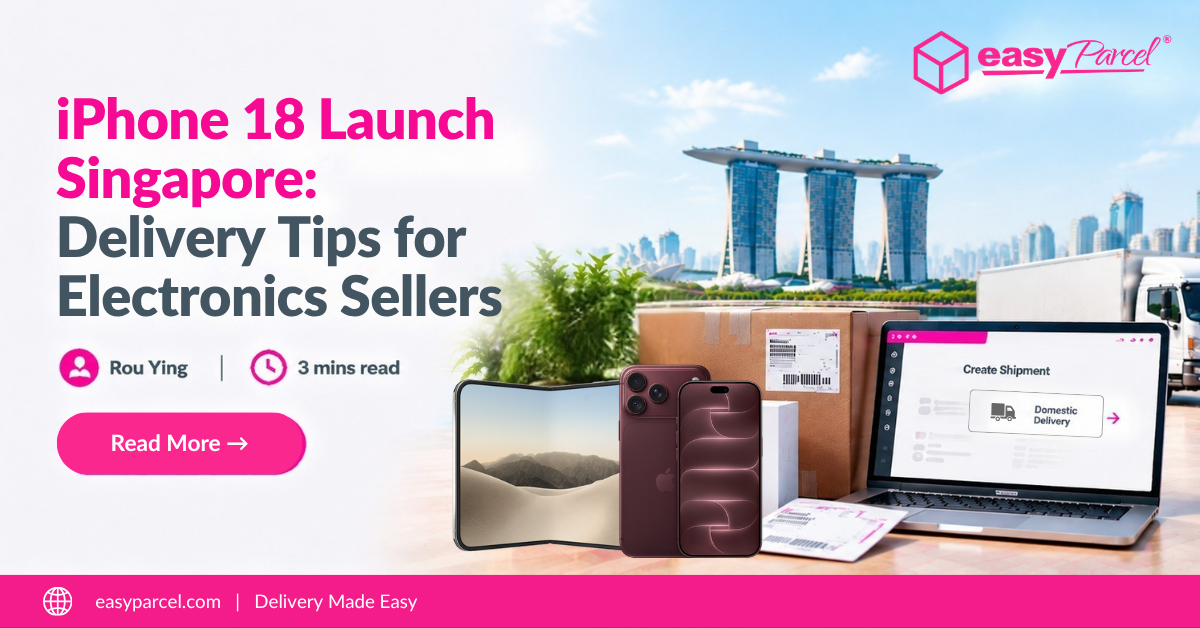
The launch of the iPhone 18 series in Singapore has attracted attention from technology enthusiasts and electronics sellers. As customers look forward to the latest smartphone upgrades, demand for mobile phones, accessories, and related electronics products may also increase.
For sellers handling electronics shipments, preparing an efficient delivery process helps ensure products reach customers smoothly. EasyParcel supports domestic deliveries within Singapore, allowing you to compare courier options and manage shipments more easily.
Table of Contents
iPhone 18 Singapore: Growing Opportunities for Electronics Sellers
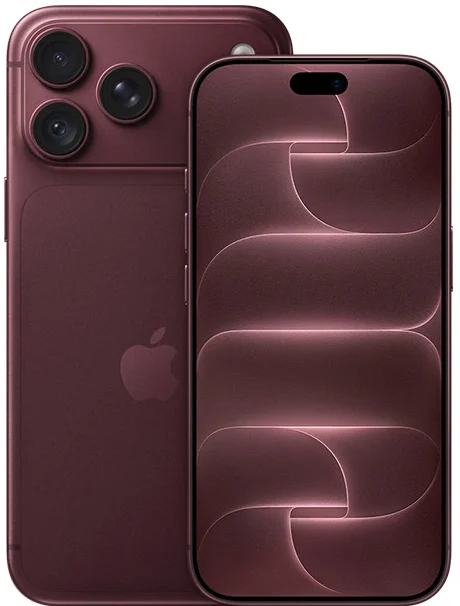
The iPhone 18 series in Singapore introduces new smartphone models designed for different user preferences. The lineup includes the iPhone 18 Pro, iPhone 18 Pro Max, and iPhone Duo, each offering unique features that appeal to different customer groups.

iPhone 18 Pro
The iPhone 18 Pro is a premium smartphone model designed for users who want advanced performance, professional-level features, and a high-quality camera experience in a traditional smartphone design.
iPhone 18 Pro Max
The iPhone 18 Pro Max offers a larger display and enhanced battery performance compared with the Pro model. It is designed for users who prefer a bigger screen and a more premium smartphone experience.

iPhone Duo
The iPhone Duo introduces a foldable design with a larger display experience, offering users a new way to use their smartphone for viewing content, multitasking, and everyday activities.
|
Model
|
Key Features
|
Suitable For
|
|---|---|---|
|
iPhone 18 Pro
|
Premium performance, advanced camera features, and traditional smartphone design
|
Users looking for a high-end smartphone experience
|
|
iPhone 18 Pro Max
|
Larger display, enhanced battery performance, and premium features
|
Users who prefer a bigger screen and powerful device
|
|
iPhone Duo
|
Foldable design with a larger display experience
|
Users interested in new smartphone designs
|
How EasyParcel Supports Domestic Deliveries in Singapore
For sellers handling electronics orders in Singapore, having a smooth delivery process helps ensure products reach customers safely and efficiently.
EasyParcel helps simplify domestic deliveries within Singapore by allowing businesses to:
Compare Courier Options
Find suitable delivery solutions by comparing courier services and available delivery options through one platform.
Generate Shipping Labels Automatically
Simplify your shipping process by generating AWB and shipping labels automatically, helping you prepare parcels faster.
Explore Parcel Protection
Explore EasyCover for extra protection against parcel loss on eligible shipments, subject to terms and conditions.
Track Deliveries Easily
Keep customers updated by monitoring parcel status from pickup to delivery with EasyTrack.
Ready to Simplify Your Local Deliveries?
Whether you sell smartphones, accessories, or other electronics products, EasyParcel helps you manage domestic deliveries in Singapore with ease.
How to Book a Domestic Delivery with EasyParcel
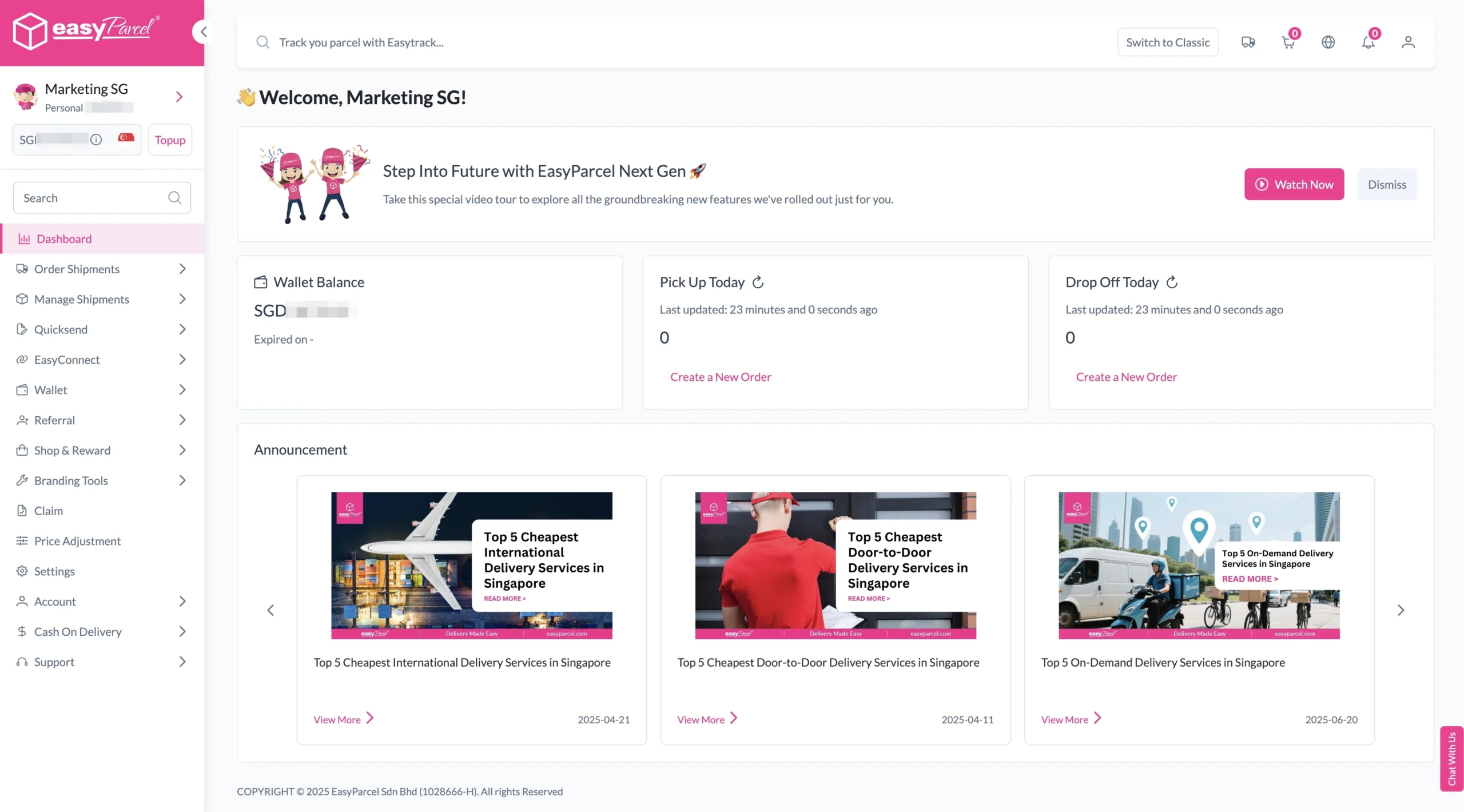
1. Log in EasyParcel account.
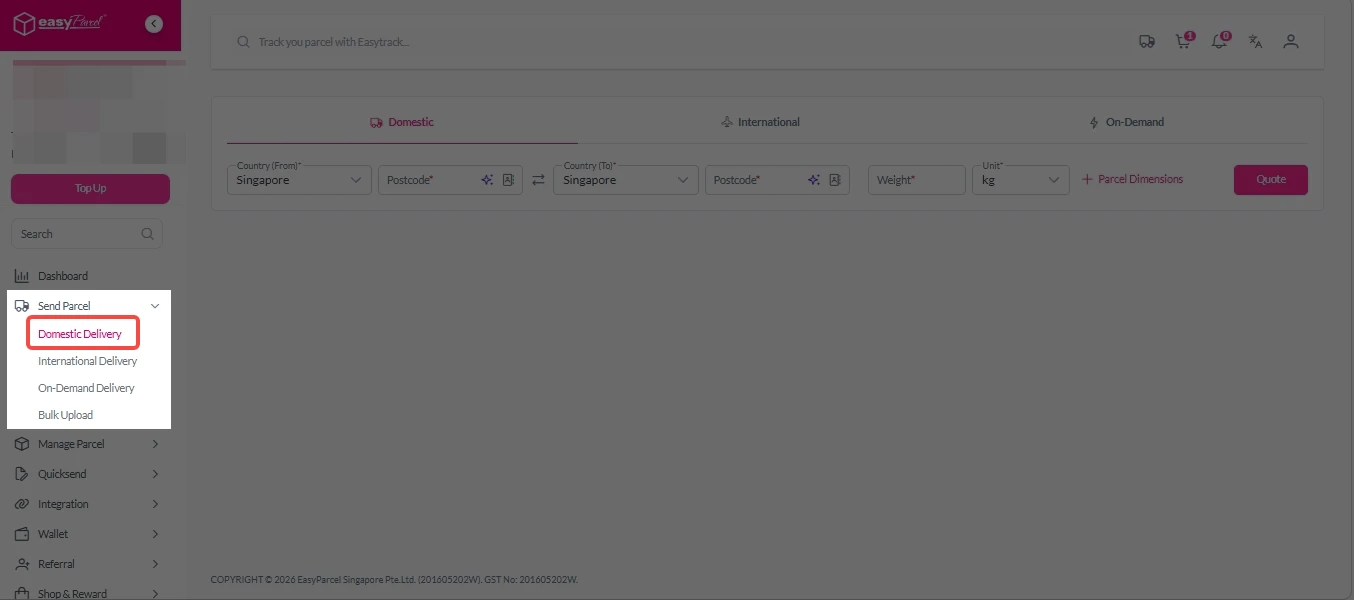
2. Under “Send Parcel”, click on “Domestic Delivery”.
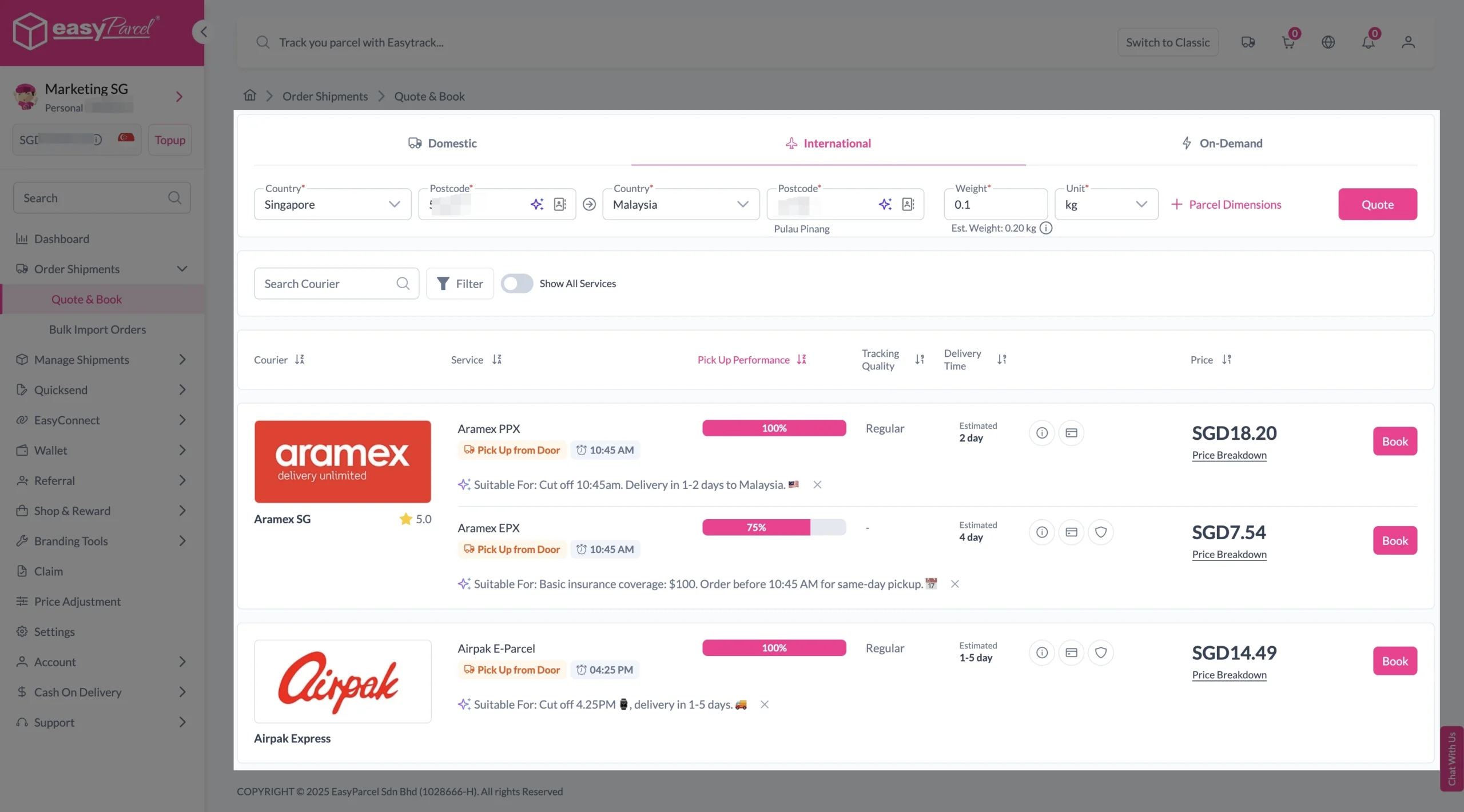
3. Enter details (sender country with postcode, destination country with postcode and parcel weight) and click on “Quote”.
Choose your preferred courier and click “Book Now.”
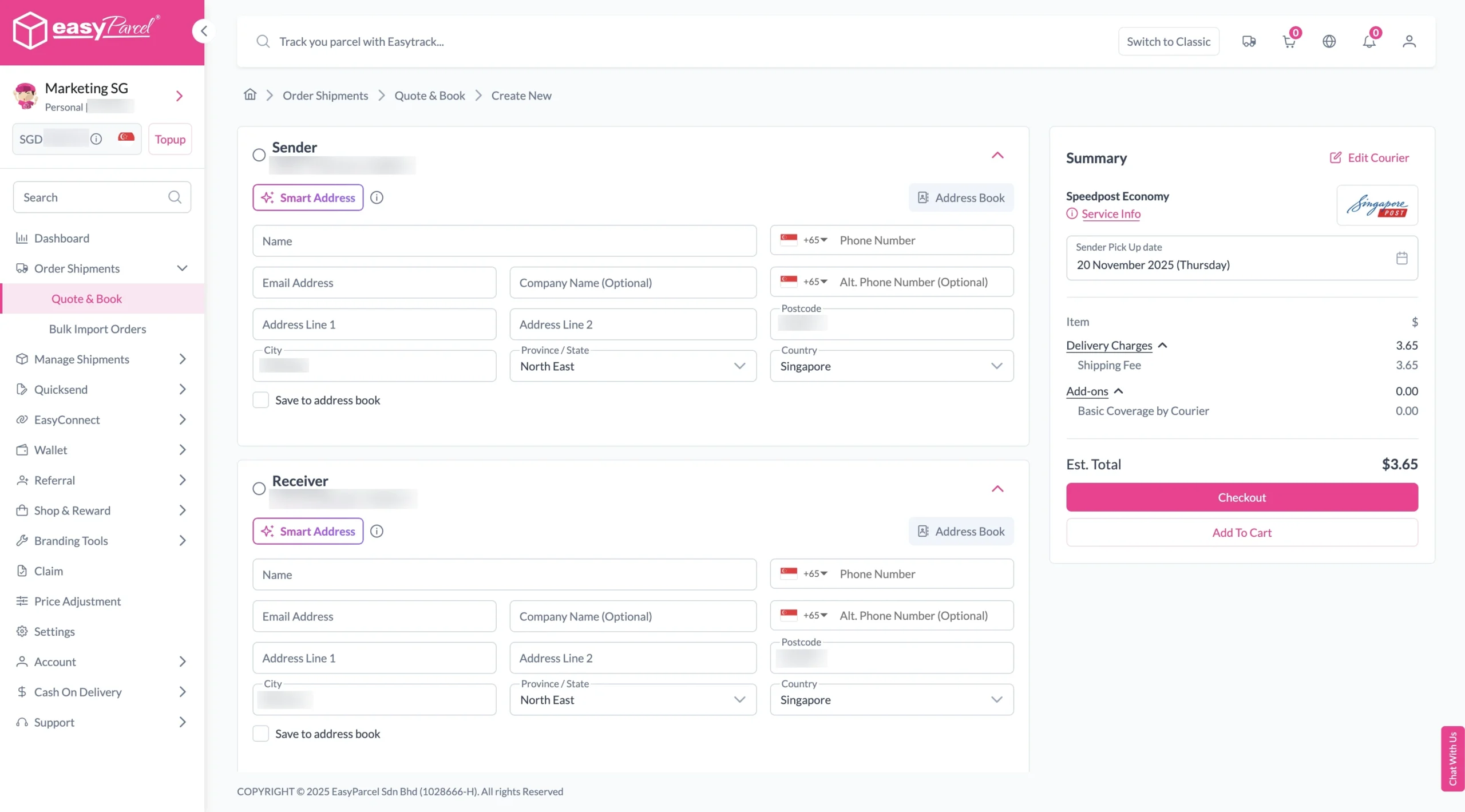
4. Fill in all details included Sender Details, Receiver Details, Parcel Details and Add-On Services.
Sender and Receiver Details:
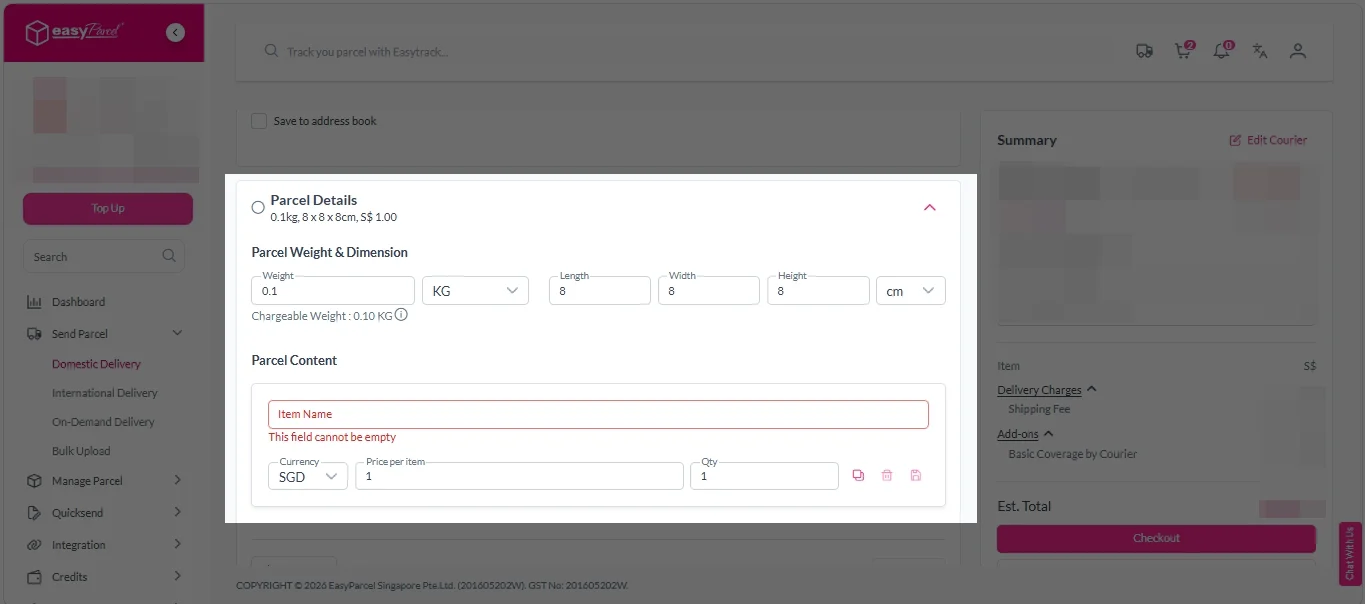
Parcel Details:
Enter the actual weight, dimension and content of your parcel.
Parcel Content:
Fill in your item name, price per item, and quantity.
Add-On Services:
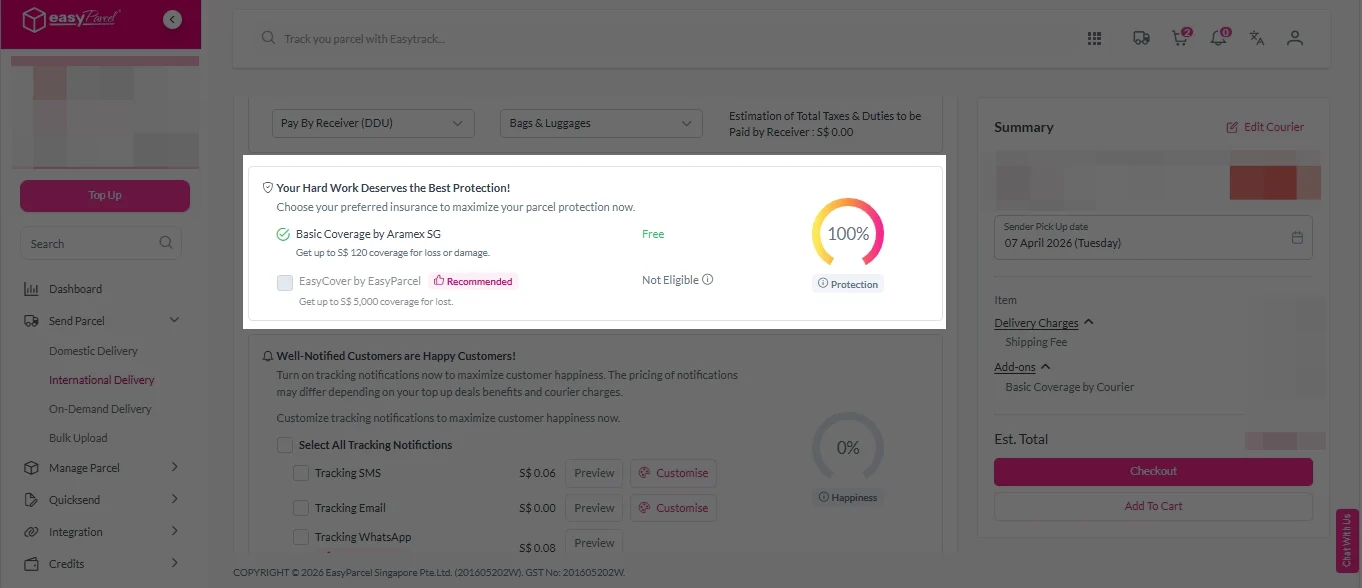
i. Tick the box to add EasyCover for additional protection against loss.
Note: EasyCover availability depends on the courier selected. Learn more about EasyCover.
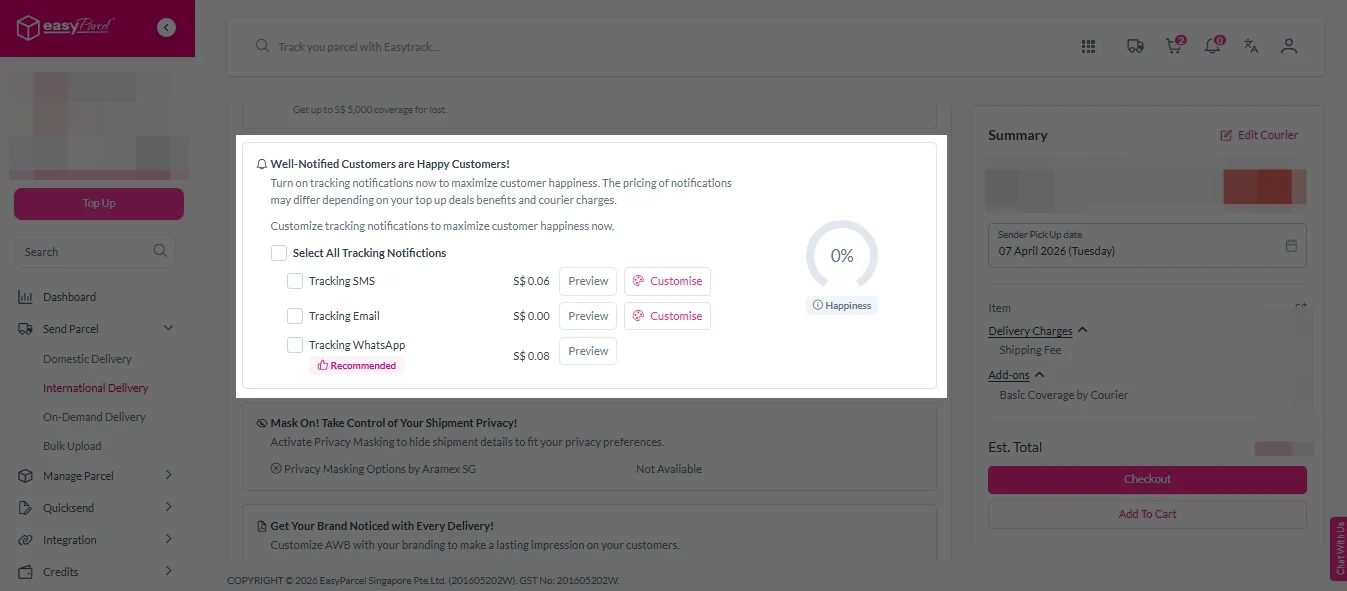
ii. Choose your preferred notification channel – SMS, Email, or WhatsApp. Click “Preview” to see how it looks, and click “Customise” to add brand message to the notification.
Note: Learn more about Customise Branding Servcies.
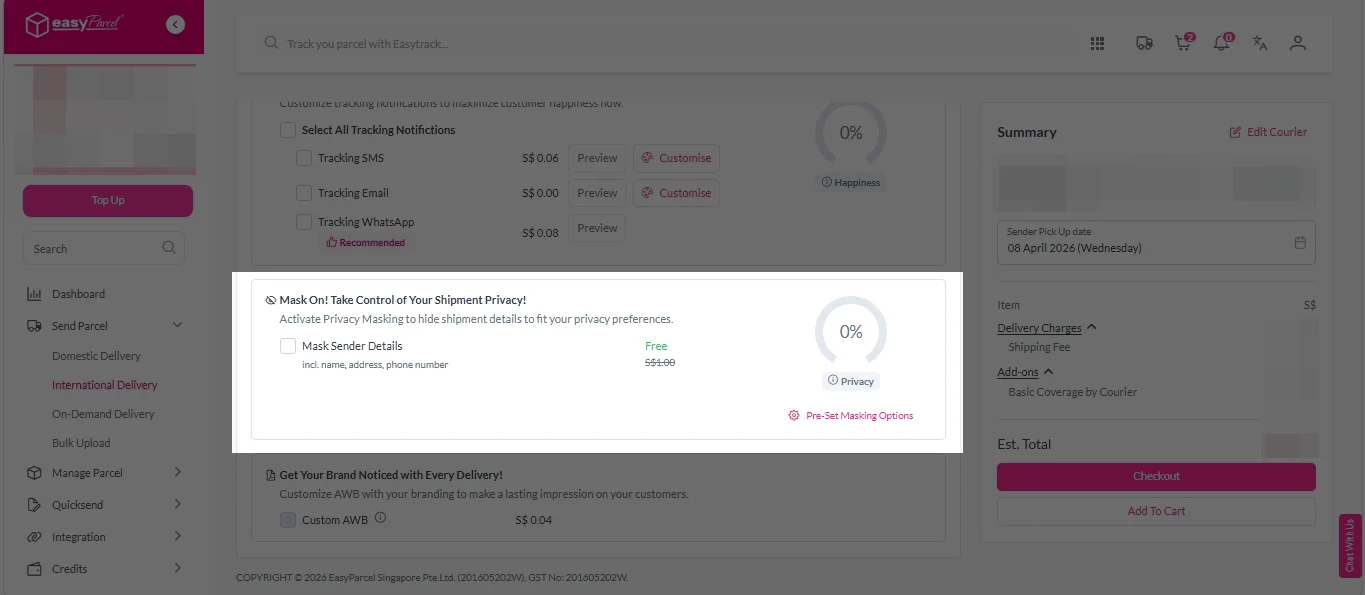
iii. Tick the “Mask Sender Details” checkbox. EasyParcel Next Gen will automatically hide your sender information based on your saved privacy settings.
Note: Mask Sender Details only available for certain couriers. Find out what courier is available for Mask Sender Details.
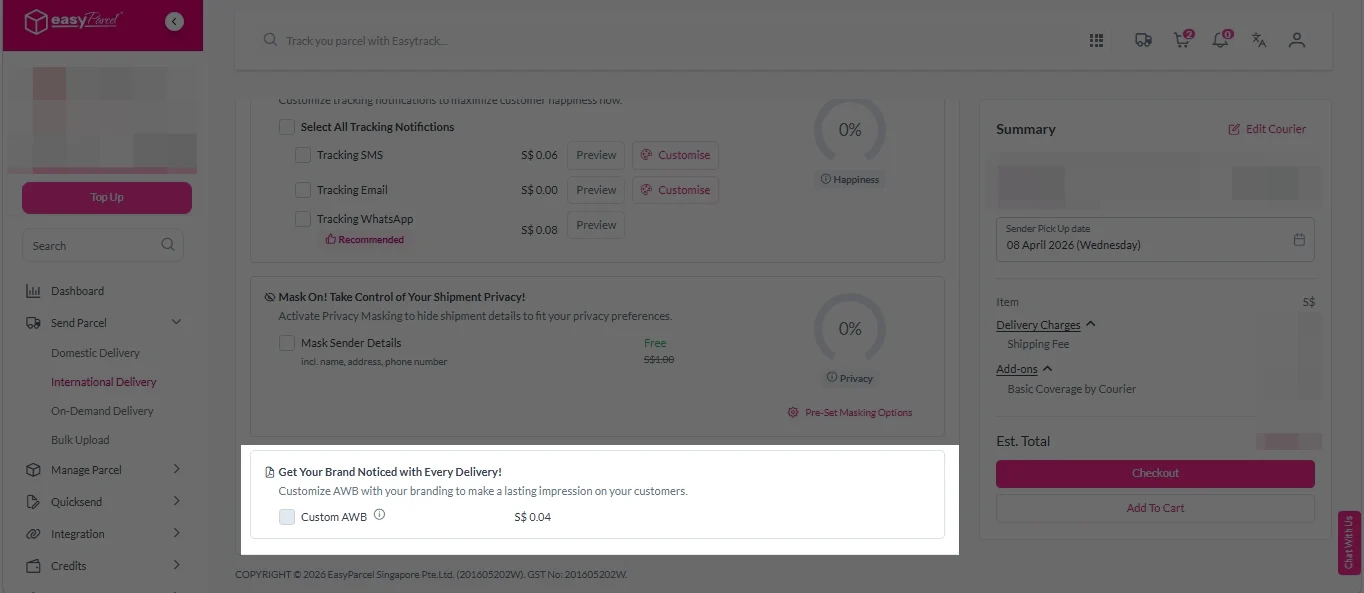
iv. Tick the “Custom AWB” checkbox. EasyParcel Next Gen will apply your saved AWB template automatically. After completing all details, click on “Checkout” button.
Note: Custom AWB is only available for certain couriers. Find out which couriers support Custom AWB.
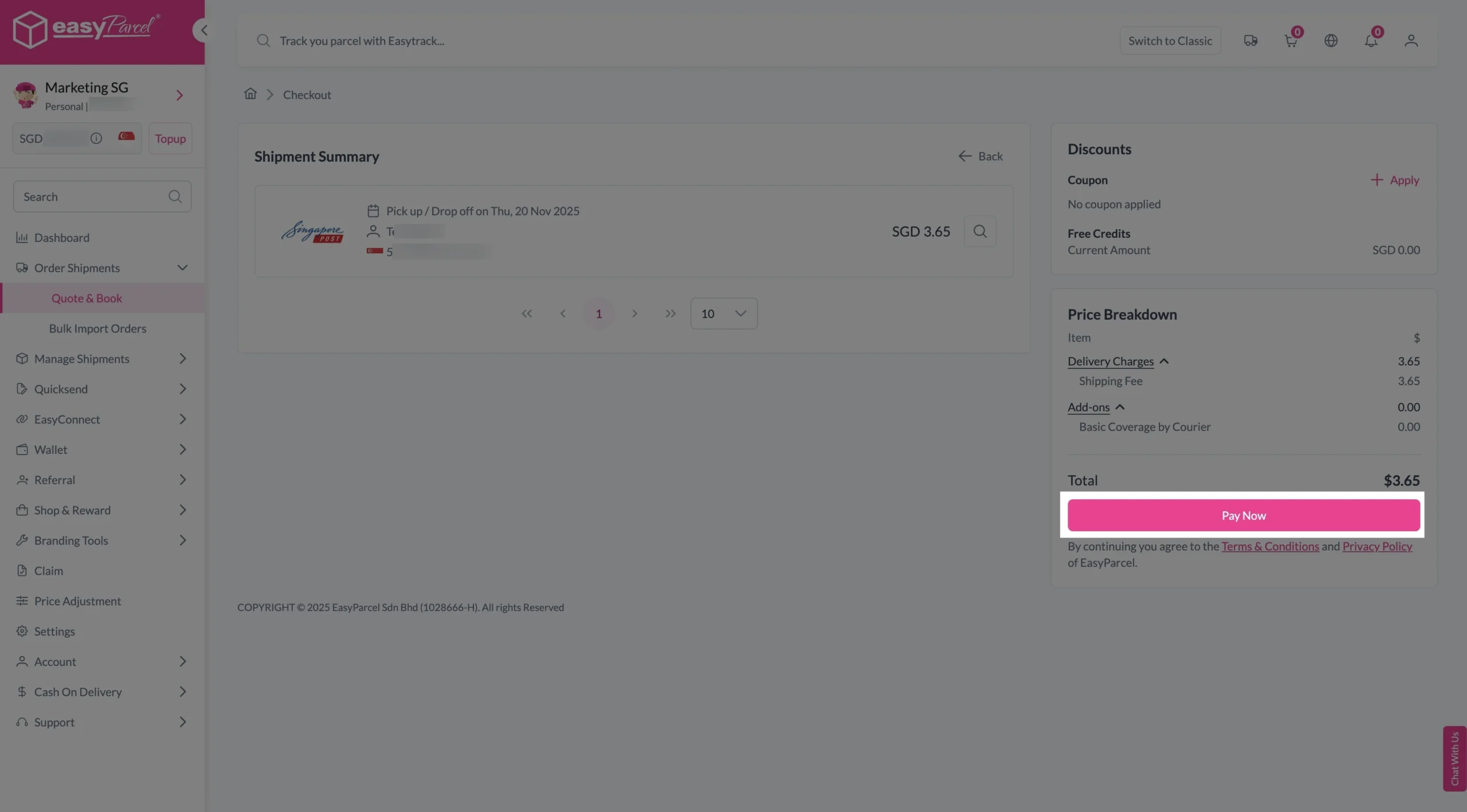
5. Double check all the details and click on “Pay Now” to make payment.
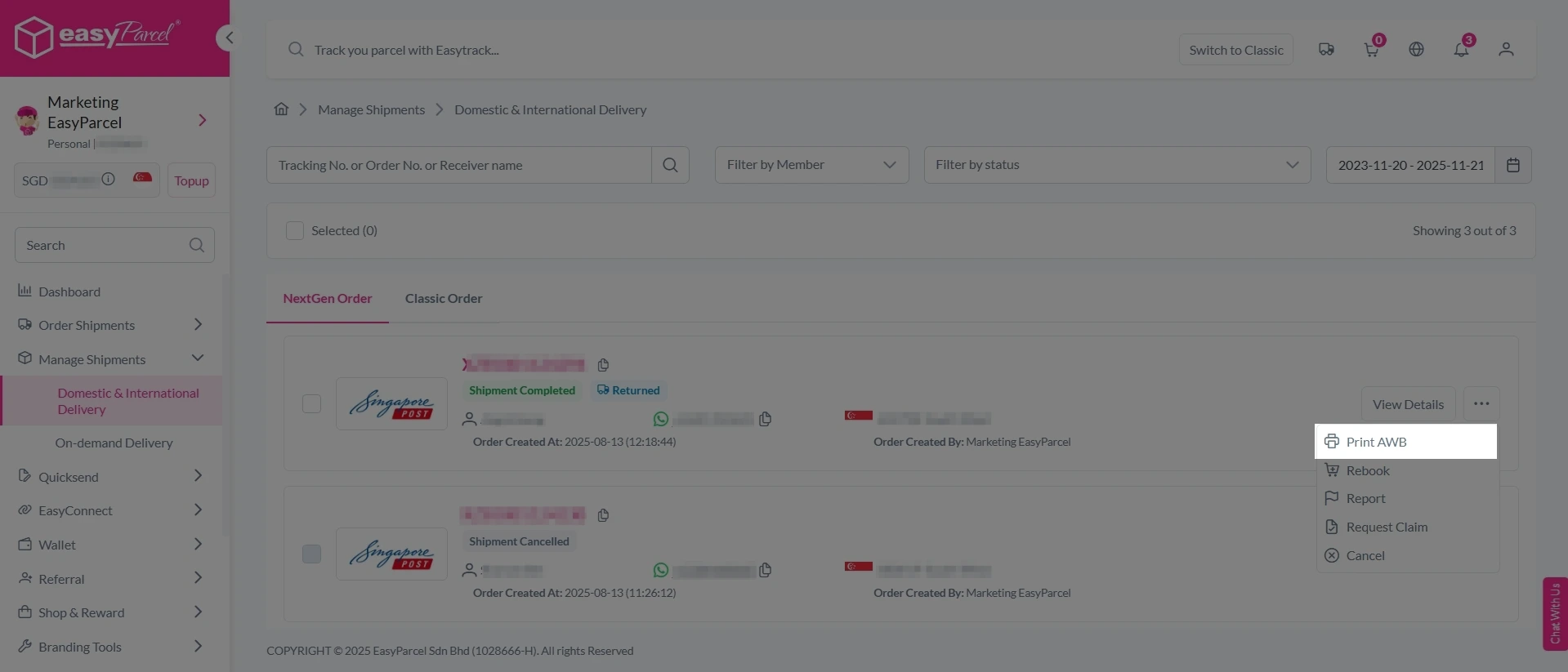
6. Download and print Air Waybill (AWB).
Single AWB
1. Click the three dots icon next to the shipment.
2. Select “Print AWB” from the dropdown menu.
3. A PDF file will automatically download and save.
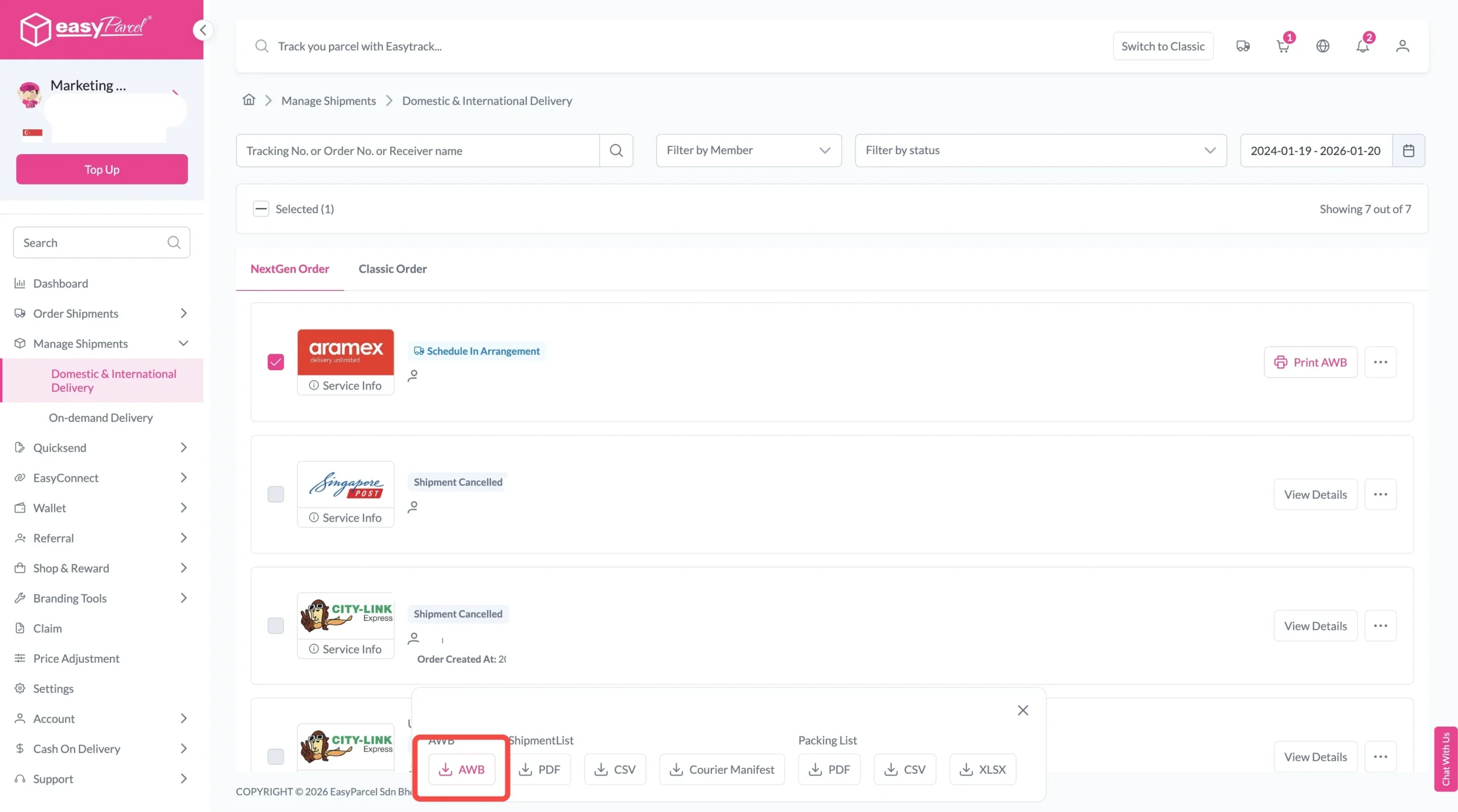
Bulk Downloads AWB
1. Tick the “Selected” checkbox to choose all your orders.
2. A menu will appear at the bottom of the screen.
3. Click “AWB” to download all AWBs in bulk.
Tips for Managing Electronics Orders During Peak Demand
When trends like iPhone 18 series launch in Singapore increase customer interest, sellers may experience higher order volumes. Preparing your delivery process in advance can help you handle more orders smoothly while creating a better experience for your customers.
Keep Order Details Organised
During busy sales periods, managing multiple customer orders can become challenging. Keeping accurate shipment details and customer information organised helps businesses reduce mistakes and prepare parcels more efficiently.
Choose Suitable Delivery Services
Different businesses may have different delivery requirements depending on their order volume, product type, and customer expectations. Comparing different local delivery options helps sellers select suitable options for their local shipments.
Prepare Products with Proper Packaging
Electronics items require extra care during delivery to reduce the risk of damage. Using proper packaging materials such as protective wrapping, cushioning, and suitable boxes helps keep products secure throughout the delivery process.