How do I fulfil Squarespace orders with EasyParcel?
To fulfil Squarespace orders with EasyParcel, first integrate your Squarespace store with your EasyParcel account. Once your orders are synced, import the orders into EasyParcel, compare available courier services, choose your preferred pickup or drop-off option, complete payment, print the Air Waybill (AWB), prepare your parcel, and track every shipment from a single dashboard.
Fulfil Your Squarespace Orders Faster with EasyParcel
Once you’ve connected your Squarespace store to EasyParcel, fulfilling customer orders becomes faster and more efficient. Instead of manually entering shipping details for every order, EasyParcel automatically imports your Squarespace orders into one central dashboard, allowing you to compare courier services, book shipments, generate Air Waybills (AWBs), and track deliveries with just a few clicks.
Whether you’re processing a handful of daily orders or managing a growing eCommerce business, EasyParcel helps streamline your fulfilment workflow by reducing manual tasks and giving you access to multiple domestic and international courier services from a single platform. In this step-by-step tutorial, you’ll learn how to fulfil Squarespace orders using EasyParcel—from importing orders to booking shipments and tracking parcels until delivery.
How do I import and fulfill my Squarespace orders by using EasyParcel?
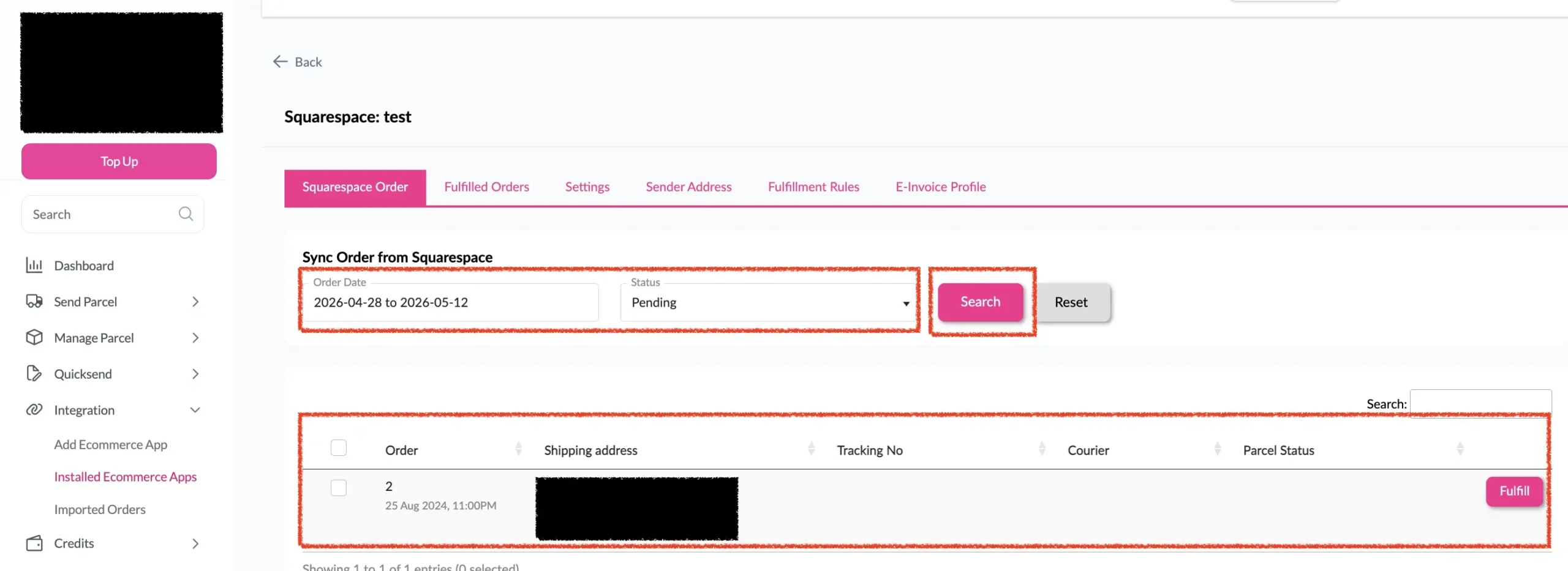
Step 1: Under “Integration”, click on “Installed Ecommerce Apps”, find “Squarespace” and click on “Open App” button. Click on “Order”, select the order date and order status and click on the “Search” button. The order will be imported and shown in the list below. Then, click the “Fulfill” button on the order you want to fulfill.
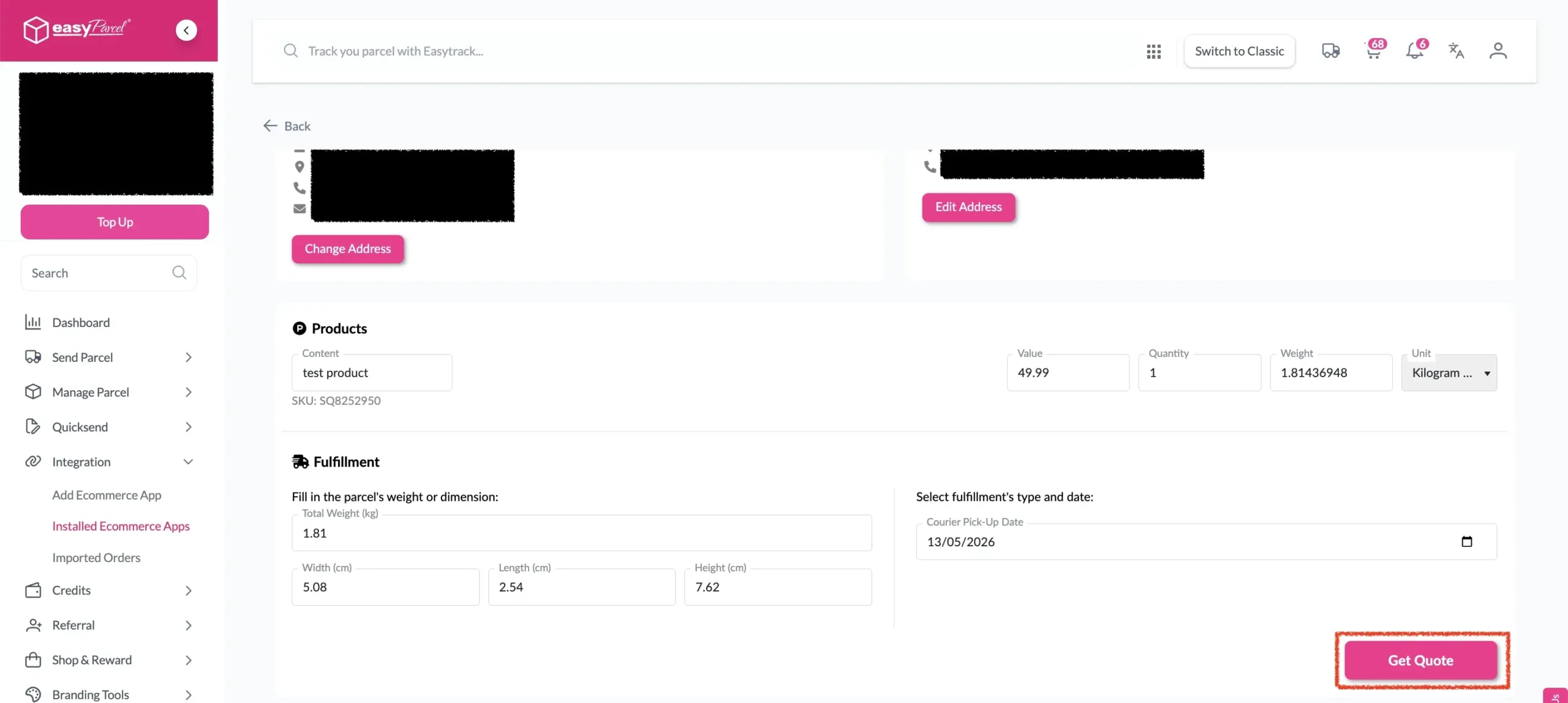
Step 2: After clicking the “Fulfill” button, you can find your order details and click on the “Get Quote” button.
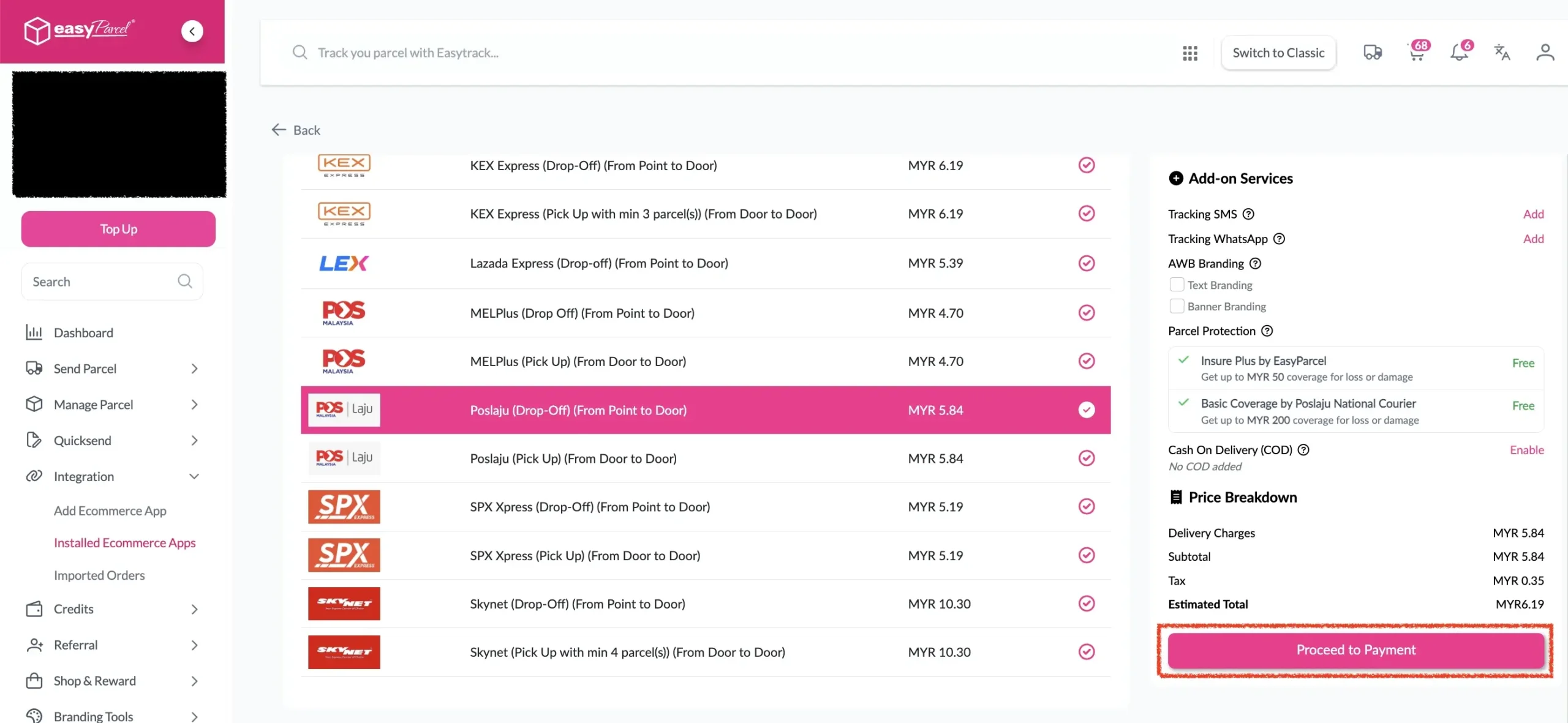
Step 3: Choose the preferred courier option and click on the “Proceed to Payment” button.
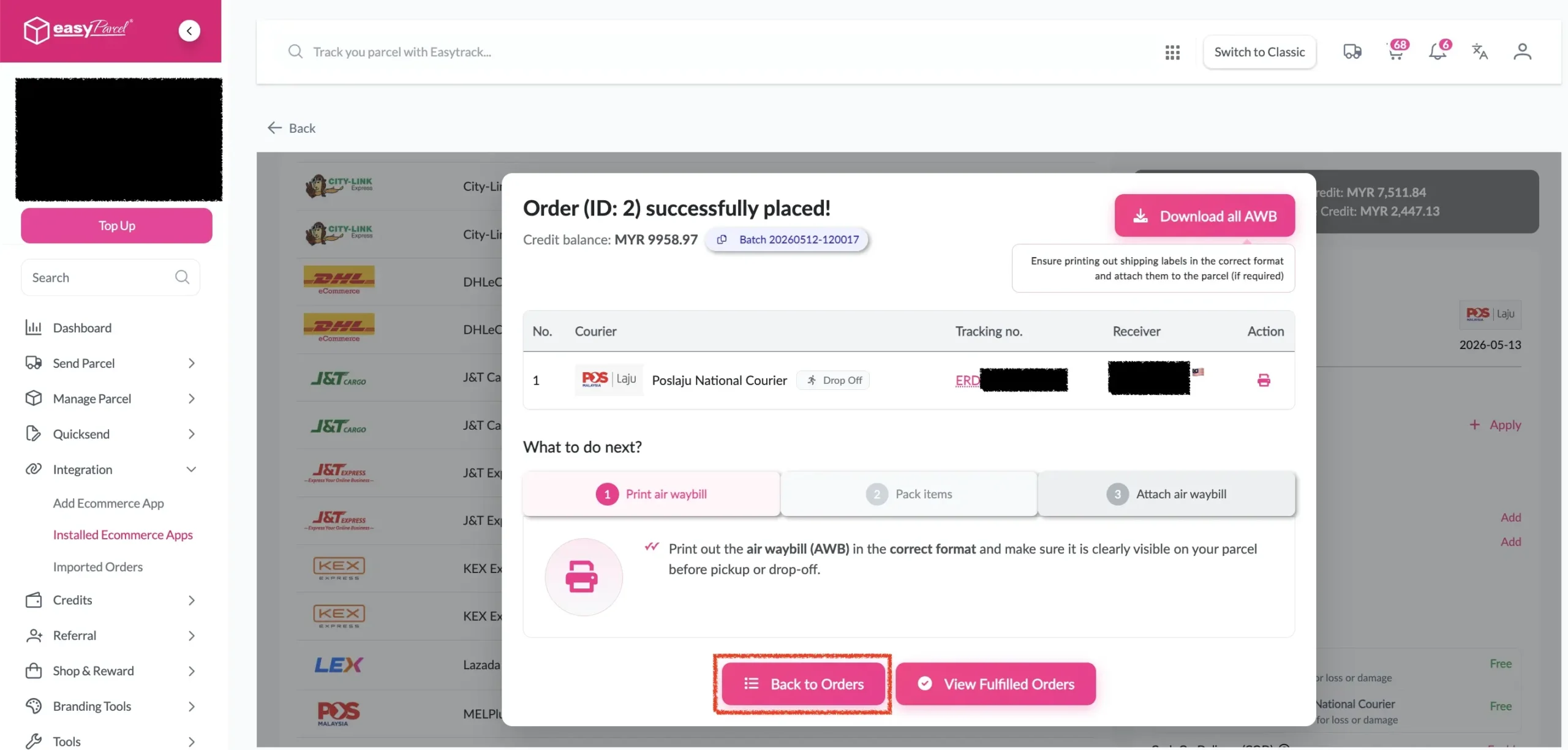
Step 4: The parcel details will be displayed. Click on the “Back to Orders” button.
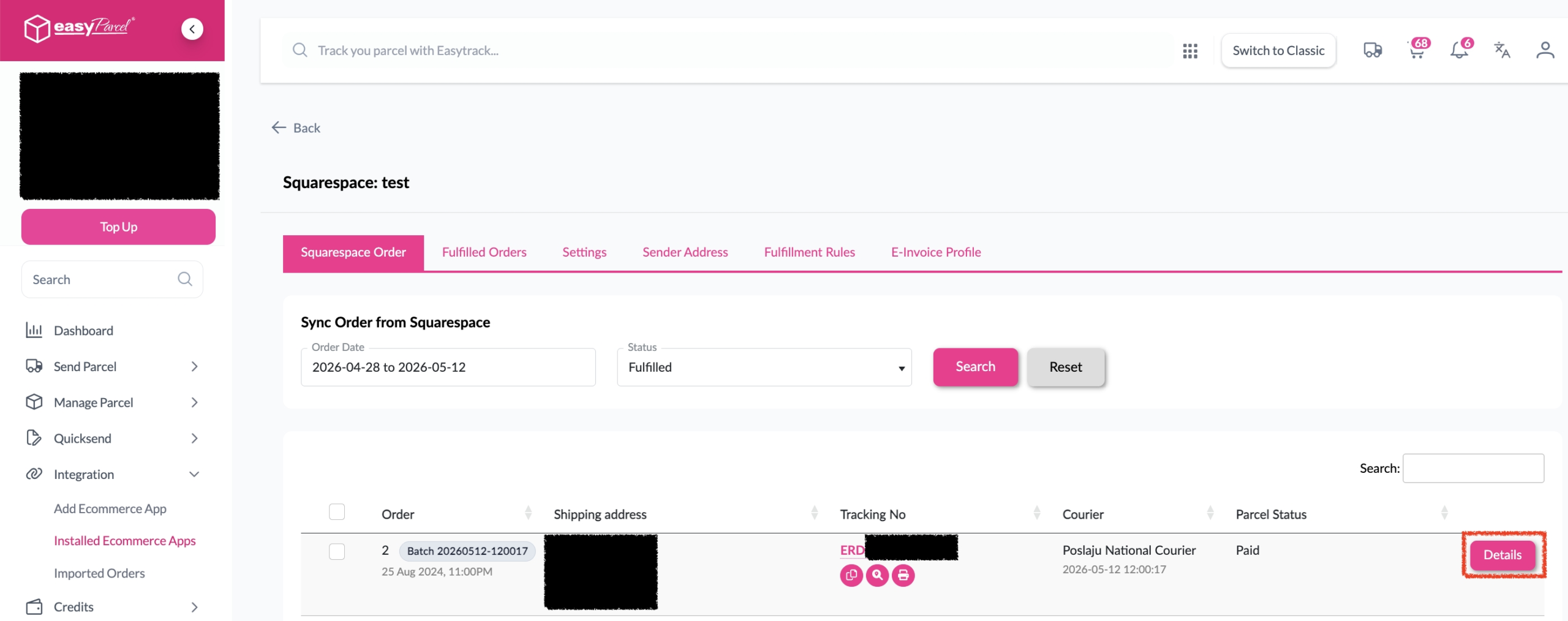
Step 5: The fulfilled order will now be displayed on the Order Page.
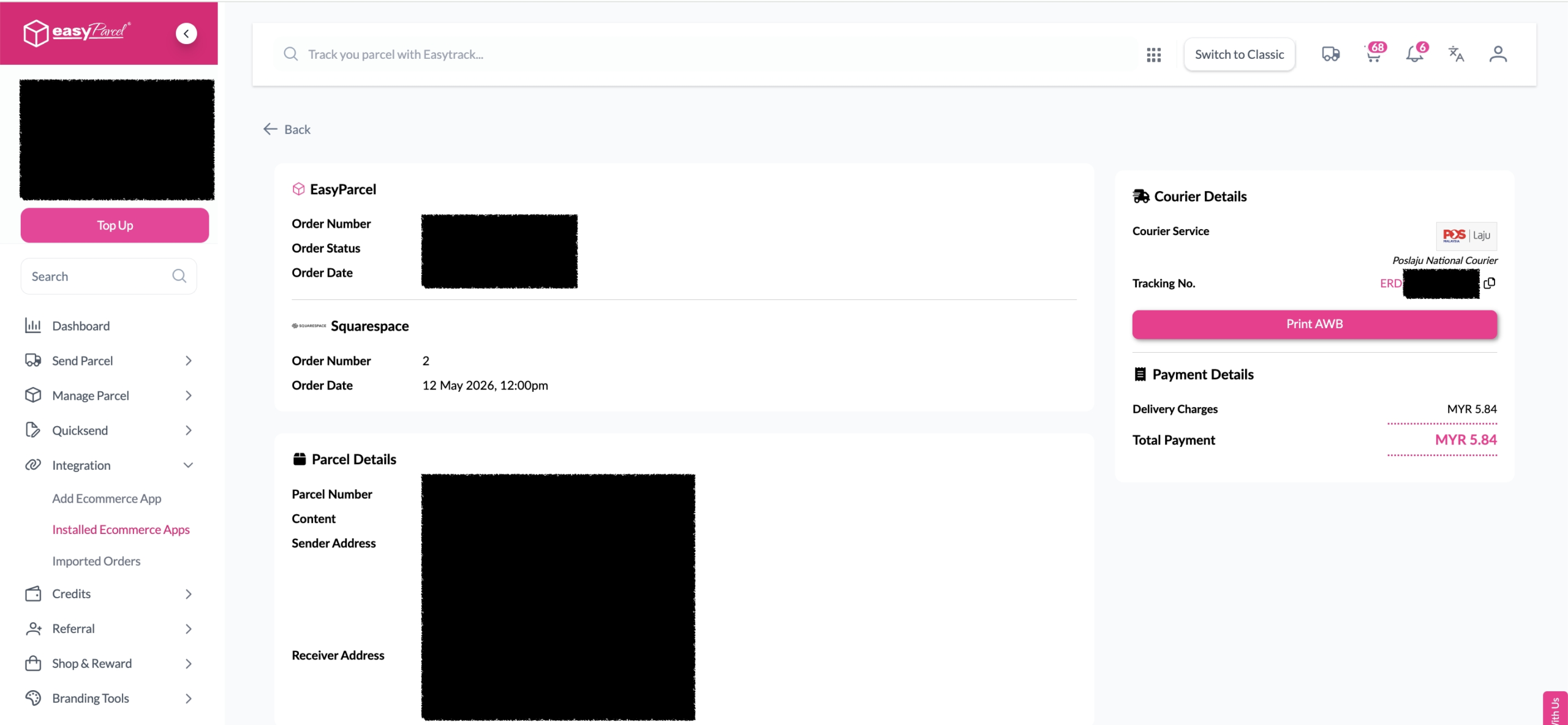
Step 6: Click on the “Details” button. Order details will be displayed on the page.
Best Practices
Before Fulfillment
- Verify inventory availability before confirming fulfillment
- Check address accuracy to prevent delivery failures
- Consider delivery timing for time-sensitive orders
- Review special instructions from customers
During Courier Selection
- Compare multiple options when available
- Consider delivery speed vs. cost based on customer needs
- Check service availability for the destination
- Verify pickup and delivery windows
After Fulfillment
- Print AWB immediately to avoid delays
- Prepare packages according to courier requirements
- Schedule pickup if not automatic
- Monitor tracking for any issues
Ship Your Squarespace Orders with Ease
Start fulfilling your Squarespace orders faster with EasyParcel. Compare courier services, book shipments, print AWBs, and track every parcel from one platform.
Why Fulfill Squarespace Orders with EasyParcel?
Frequently Asked Question (FAQs)
Related Blogs