Connect Your Squarespace Store to EasyParcel for Faster & Smarter Shipping
Managing online orders manually can quickly become time-consuming as your Squarespace store grows. Copying customer details, comparing courier rates, creating shipping labels, and updating tracking information one order at a time can slow down your fulfilment process and increase the risk of errors.
By integrating Squarespace with EasyParcel, you can simplify your shipping workflow by automatically importing your store orders into EasyParcel. From there, you can compare courier services, book domestic or international shipments, print Air Waybills (AWBs), and track every delivery from a single platform. This integration helps businesses save time, reduce manual work, and provide a smoother post-purchase experience for customers.
In this step-by-step guide, you’ll learn how to connect your Squarespace store with EasyParcel, authorise the integration, sync your orders, and start booking shipments in just a few minutes. Whether you’re a new Squarespace merchant or an established online business looking to streamline fulfilment, this tutorial will help you get started quickly.
How do I integrate Squarespace with EasyParcel?
To integrate Squarespace with EasyParcel, connect your Squarespace account through the EasyParcel Integrations page, authorise access, and sync your store orders automatically. Once connected, you can compare courier services, book shipments, print AWBs, and track deliveries from a single dashboard, making order fulfilment faster and more efficient.
Integrate your Squarespace store with EasyParcel
Step 1: Log in to your EasyParcel account.
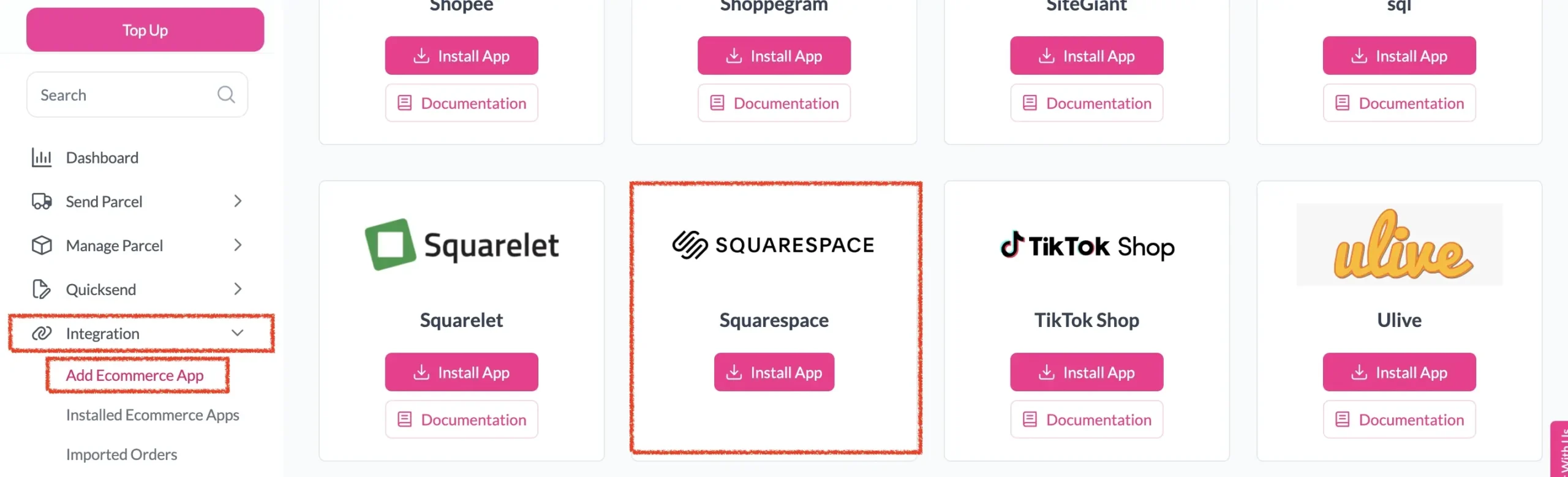
Step 2: After login, click on Add Ecommerce App under Integration section, find Squarespace and click on Install App.
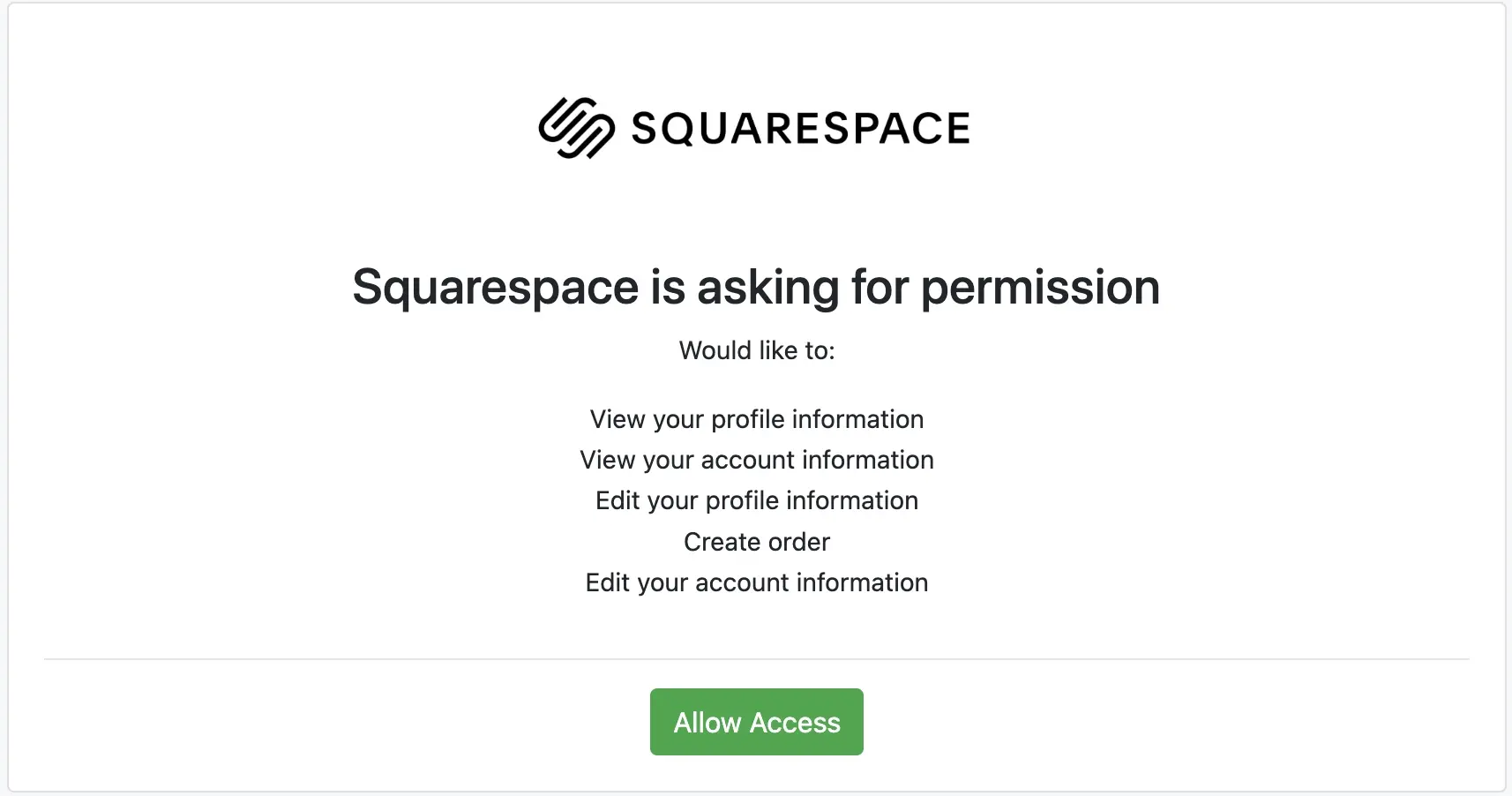
Step 3: Click Allow Access to authorize EasyParcel to access your Squarespace store data.
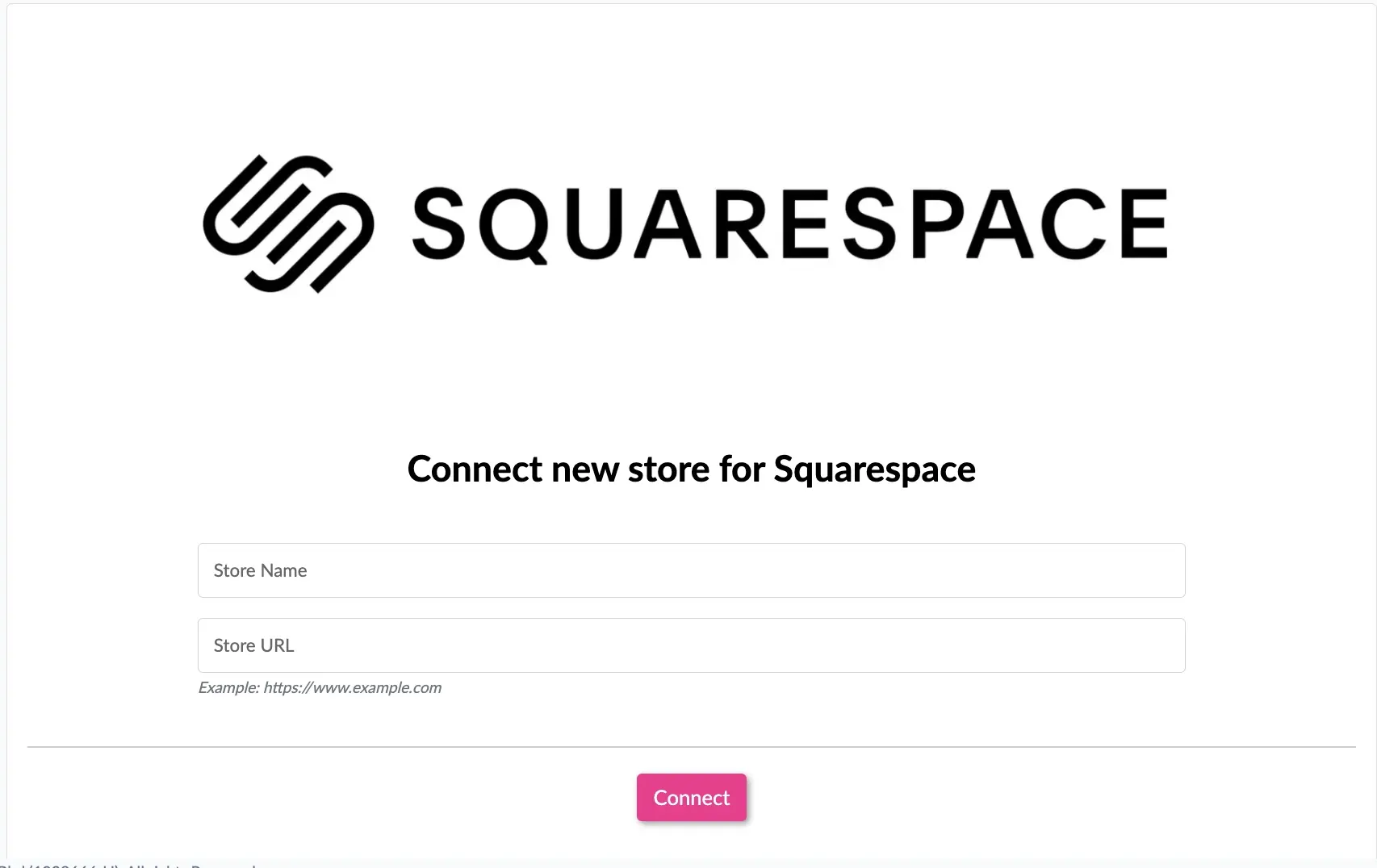
Step 4: Enter your store name and store url, then click Connect.
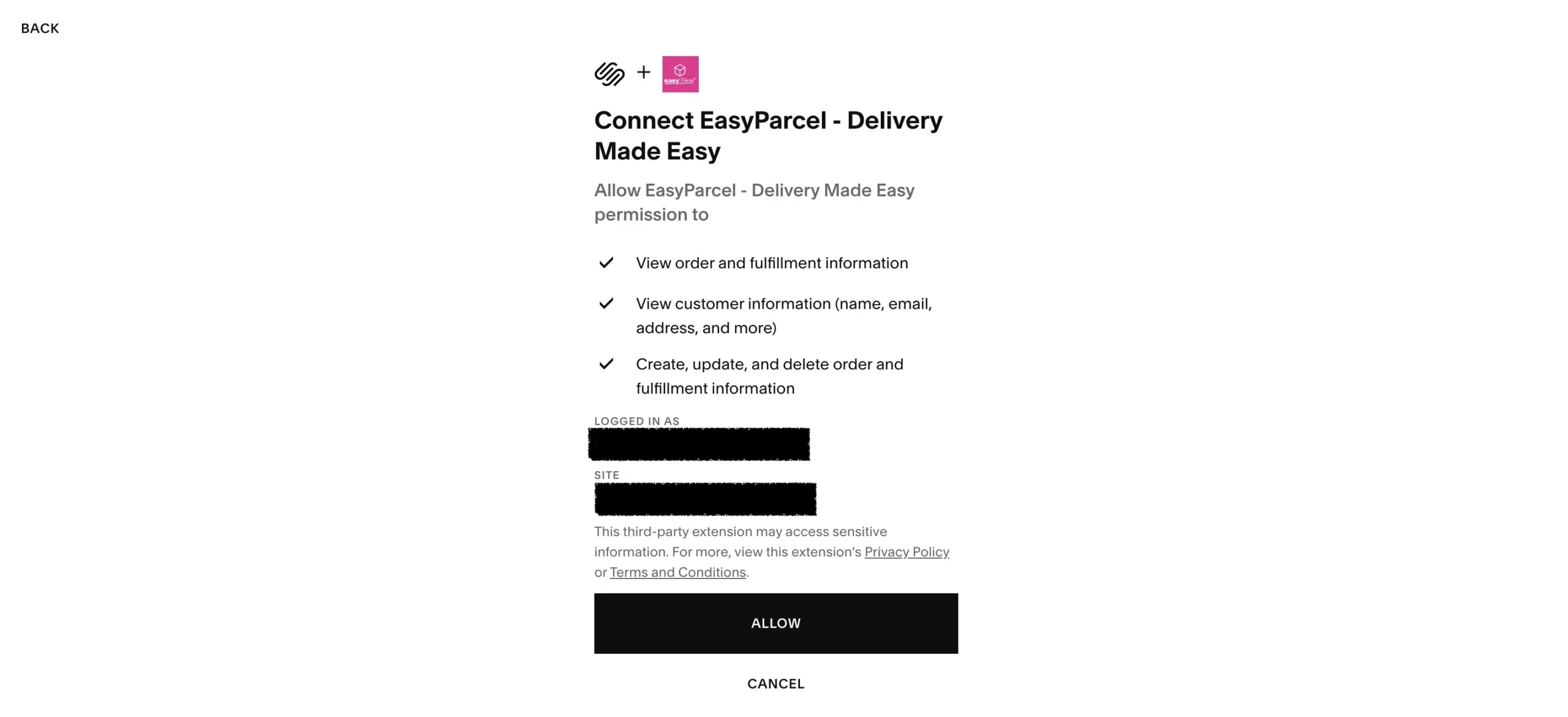
Step 5: You will be redirected to Squarespace to grant app permissions. Click Allow to grant easyparcel the permissions.
Ship Your Squarespace Orders with Ease
Start fulfilling your Squarespace orders faster with EasyParcel. Compare courier services, book shipments, print AWBs, and track every parcel from one platform.
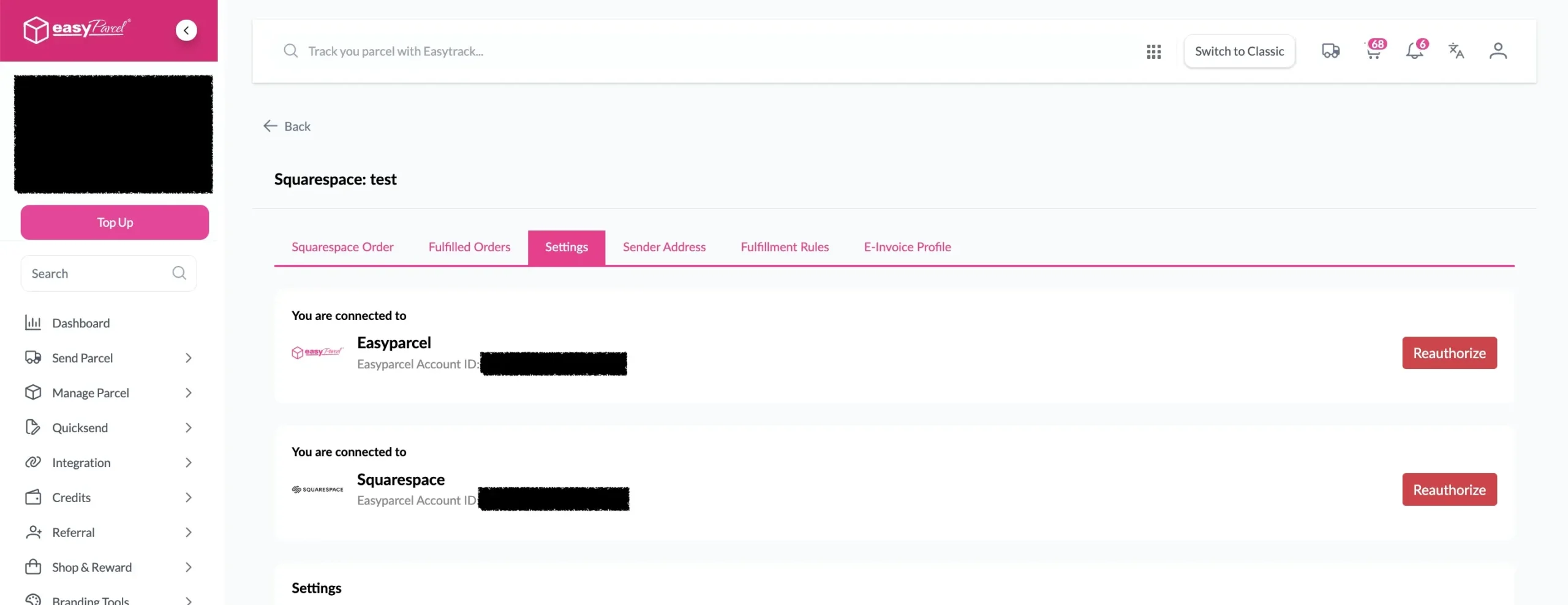
Step 6: You will be redirected back to EasyParcel, now the integration is complete.
Setup Integrated App
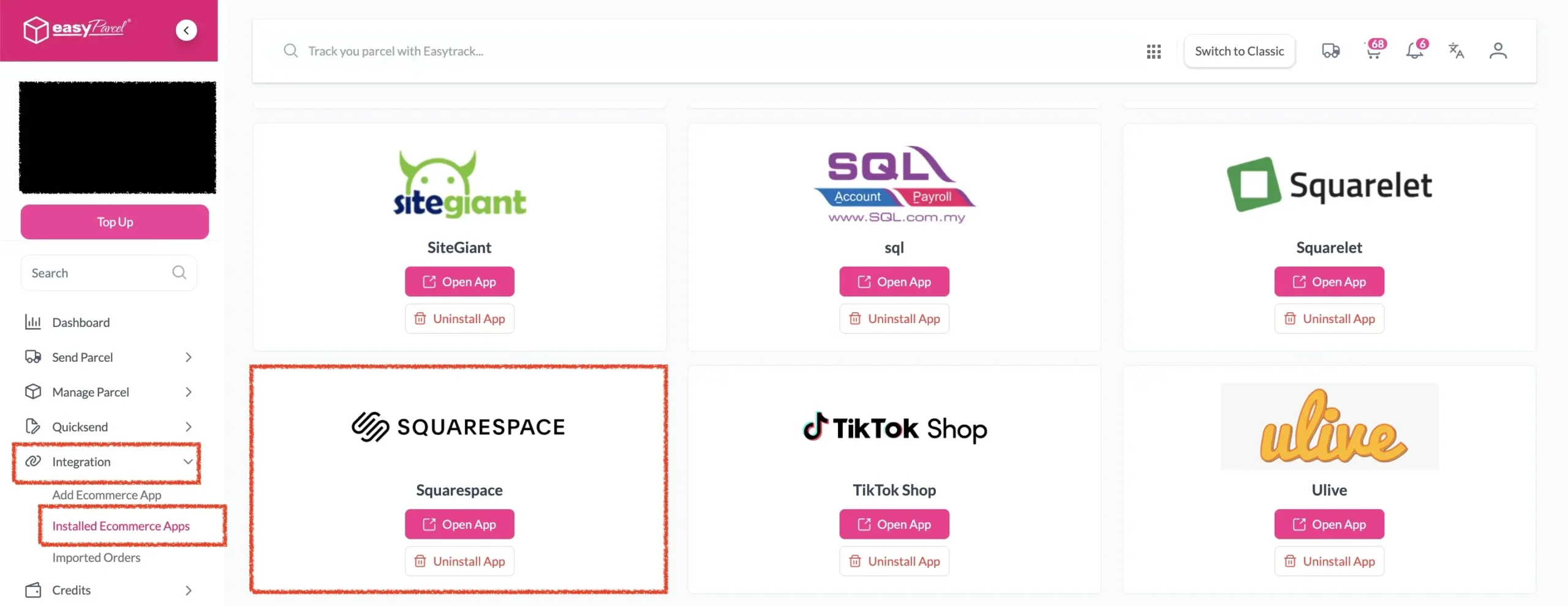
Step 1: Under Integration, click on Installed Ecommerce Apps, find Squarespace you may find your Squarespace app successfully install.
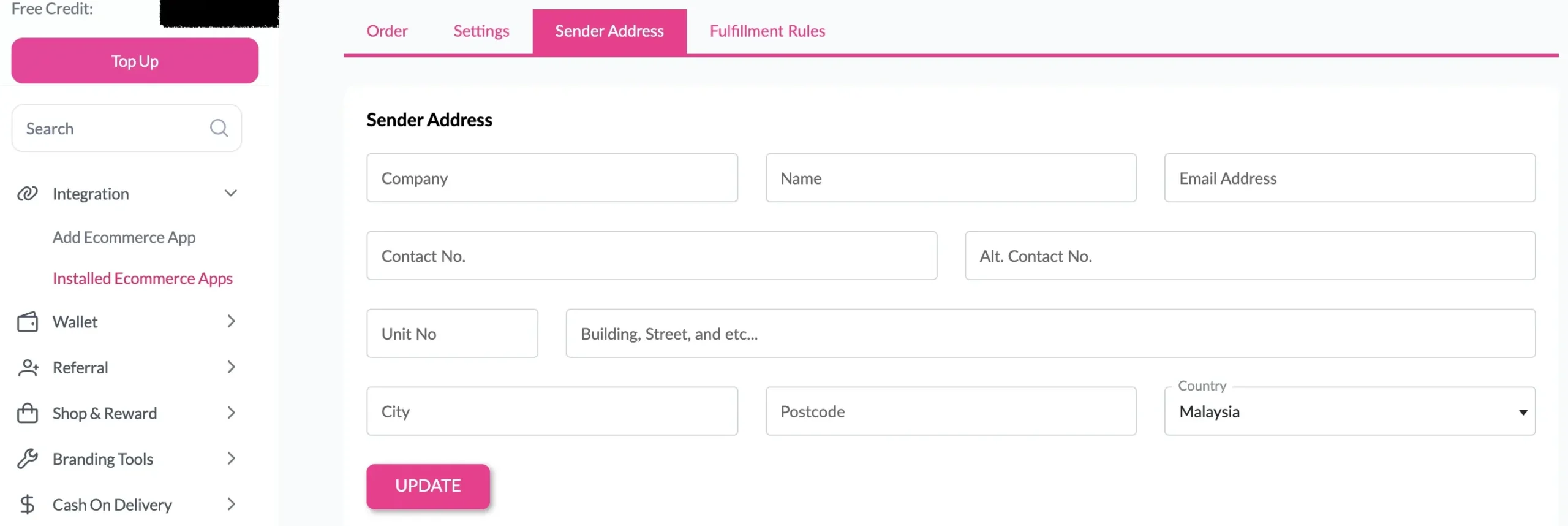
Step 2: In the store, click Sender Address and key in your sender details and click on the Update button.
Congratulations! You’ve successfully integrated your Squarespace store with EasyParcel. Now, learn how to fulfil your Squarespace orders and start booking shipments seamlessly.
Frequently Asked Questions (FAQs)
Related Blogs