I used to spend hours manually checking shipping rates across multiple courier websites, comparing weight tables, service types, and fuel surcharges. Packages that seemed small would sometimes cost more than I expected, and I never knew if I was getting the best deal. That changed when I started using EasyParcel courier calculation tool — now I can determine shipping costs accurately in just a few minutes, whether it’s domestic or international.
In this blog, I’ll share the key components of courier calculation, the step-by-step guide, and the benefits.
Table of Contents
Key Components and Formula of Courier Calculation
Through my experience shipping hundreds of parcels, I’ve learned that courier charges are determined by a combination of factors. Understanding these was the first step to accurate estimation:
Actual Weight vs Volumetric Weight: Couriers charge based on the higher of actual or volumetric weight. I learned this the hard way when a lightweight but bulky box cost me double what I expected.
- Volumetric Weight Formula:

- Destination Zone: Domestic vs international shipments, and different zones, influence pricing significantly. Shipping to Malaysia costs much less than shipping to the US, even for the same weight.
- Service Type: Standard, express, or same-day services carry different rates. I now match the service to my customer’s urgency—not every package needs express delivery.
- Fuel Surcharge: A variable fee applied by most couriers. I used to miss this until I saw unexpected charges on my bill.
- Additional Fees: Optional services like insurance, cash-on-delivery (COD), or remote area delivery can add to the final cost.
How to Use Courier Calculation Tool
Step 1: Enter Details
If Domestic Delivery
1. Click on “Domestic” tab.
2. Enter sender and receiver address with postcode.
3. Enter parcel weight.
4. Click on “Quote & Book” to proceed.
If International Delivery
1. Click on “International” tab.
2. Enter sender and receiver country with postcode.
3. Enter parcel weight.
4. Click on “Quote & Book” to proceed.
If On-Demand Delivery
1. Click on “On-Demand” tab.
2. Enter pick-up address and drop-off points.
3. Select preferred pick-up date and time, and transport.
4. Click on “Quote” to proceed.
Get Instant Quotes
Send More Parcels at Once
Save time, save cost with less click!
Integrations
Sync all your store orders and experience seamless booking experience in one click
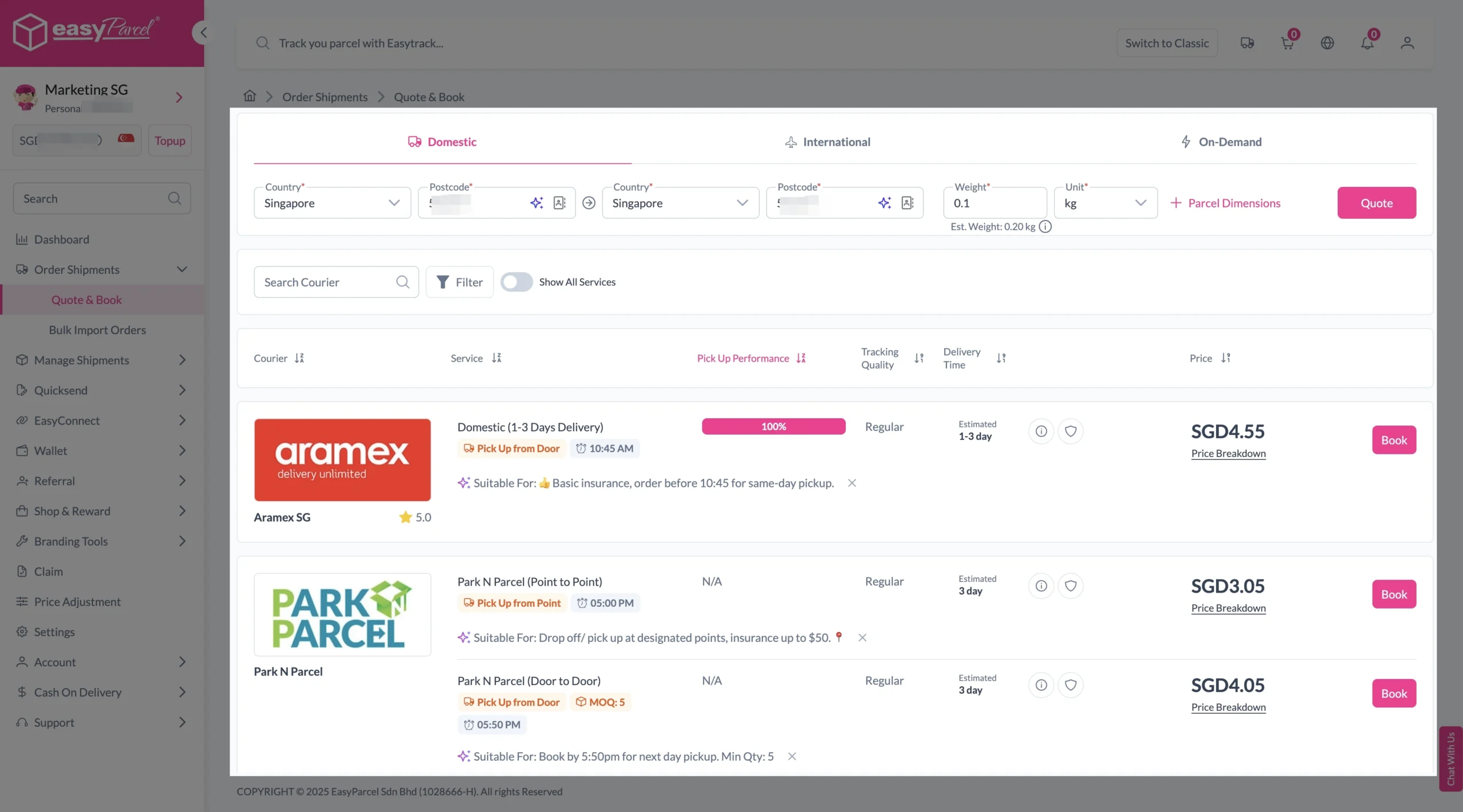
Explore NowStep 2: Compare the rates of different courier services and click “Book” on your preferred option.
Step 3: Fill in all details
Domestic Delivery
1. Fill in all details included Sender Details, Receiver Details, Parcel Details and Add-On Services.
Sender and Receiver Details:

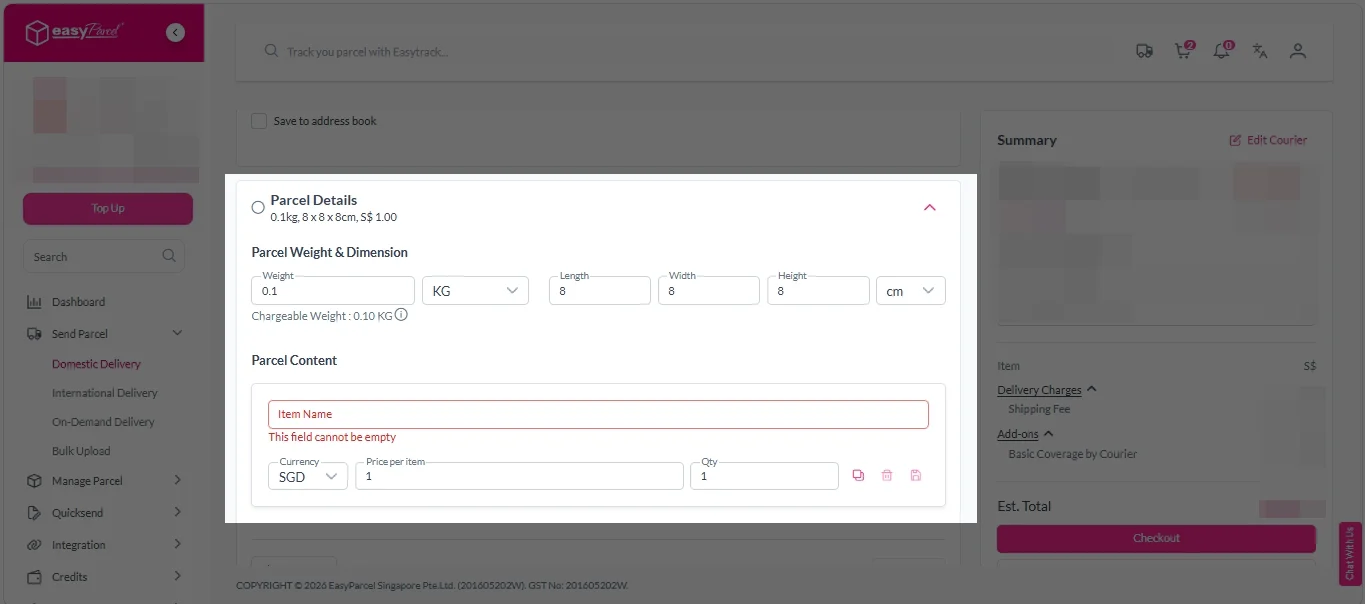
Parcel Details:
Enter the actual weight, dimension and content of your parcel.
Parcel Content:
Fill in your item name, price per item, and quantity.
Add-On Services:
i. Tick the box to add EasyCover for additional protection against loss.
Note: EasyCover availability depends on the courier selected. Learn more about EasyCover.

ii. Choose your preferred notification channel – SMS, Email, or WhatsApp. Click “Preview” to see how it looks, and click “Customise” to add brand message to the notification.
Note: Learn more about Customise Branding Servcies.

iii. Tick the “Mask Sender Details” checkbox. EasyParcel Next Gen will automatically hide your sender information based on your saved privacy settings.
Note: Mask Sender Details only available for certain couriers. Find out what courier is available for Mask Sender Details.

iv. Tick the “Custom AWB” checkbox. EasyParcel Next Gen will apply your saved AWB template automatically.
Note: Custom AWB is only available for certain couriers. Find out which couriers support Custom AWB.

2. Double check all details and click on “Checkout”.
International Delivery
1. Fill in all details included Sender Details, Receiver Details, Parcel Details and Add-On Services.
Sender and Receiver Details:
Parcel Details:
Enter the actual weight, dimension and content of your parcel.
Parcel Content:
Fill in your item name. Then, choose your item category from the dropdown menu. The HS code will be auto generated based on your selection.
Note: Learn more about Smart HS Code.
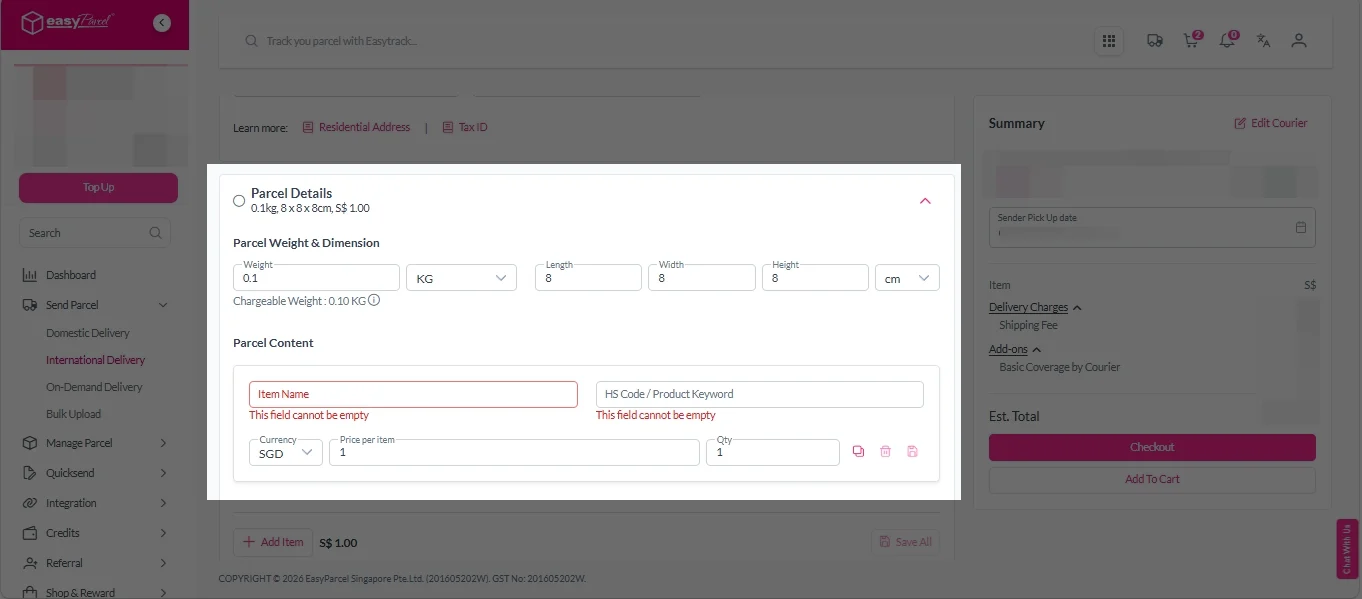
Add-On Services:
i. Select your preferred duties payment option – Delivered Duty Paid (DDP) or Delivered Duty Unpaid (DDU).
Note: Learn more about DDP and DDU.
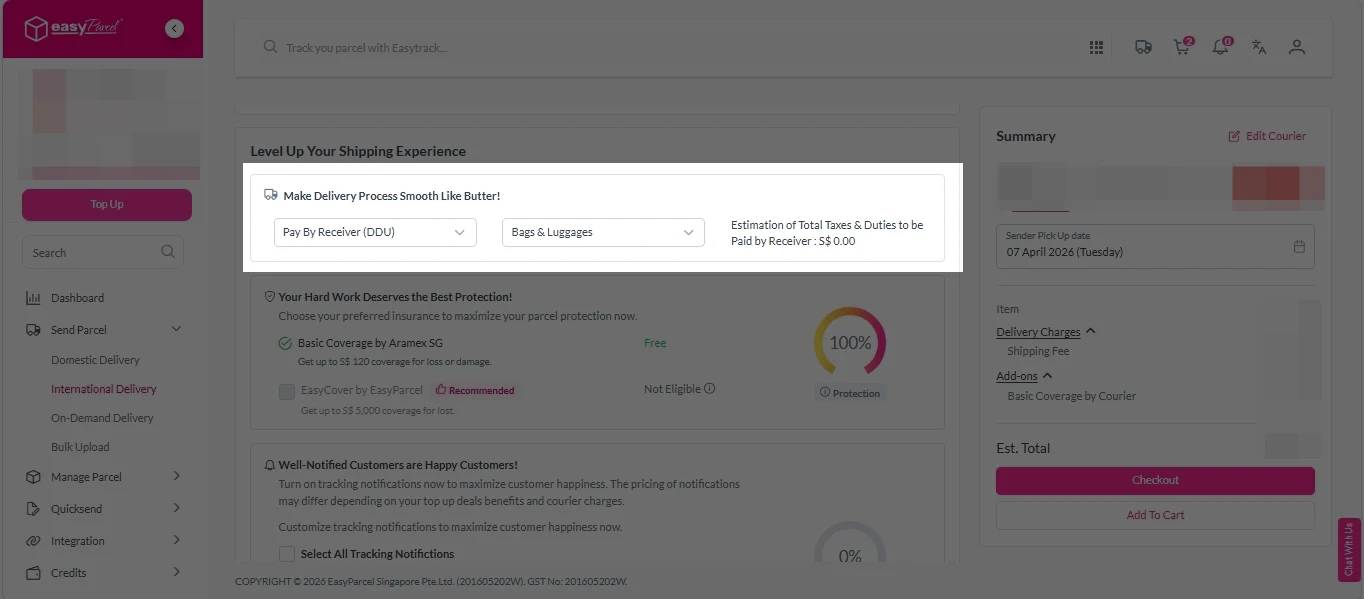
ii. Tick the box to add EasyCover for additional protection against loss.
Note: EasyCover availability depends on the courier selected. Learn more about EasyCover.
iii. Choose your preferred notification channel – SMS, Email, or WhatsApp. Click “Preview” to see how it looks, and click “Customise” to add brand message to the notification.
Note: Learn more about Customise Branding Servcies.
iv. Tick the “Mask Sender Details” checkbox. EasyParcel Next Gen will automatically hide your sender information based on your saved privacy settings.
Note: Mask Sender Details only available for certain couriers. Find out what courier is available for Mask Sender Details.
v. Tick the “Custom AWB” checkbox. EasyParcel Next Gen will apply your saved AWB template automatically.
Note: Custom AWB is only available for certain couriers. Find out which couriers support Custom AWB.
2. Double check all details and click on “Checkout”.
On Demand Delivery
1. Check “Pickup date & time”.
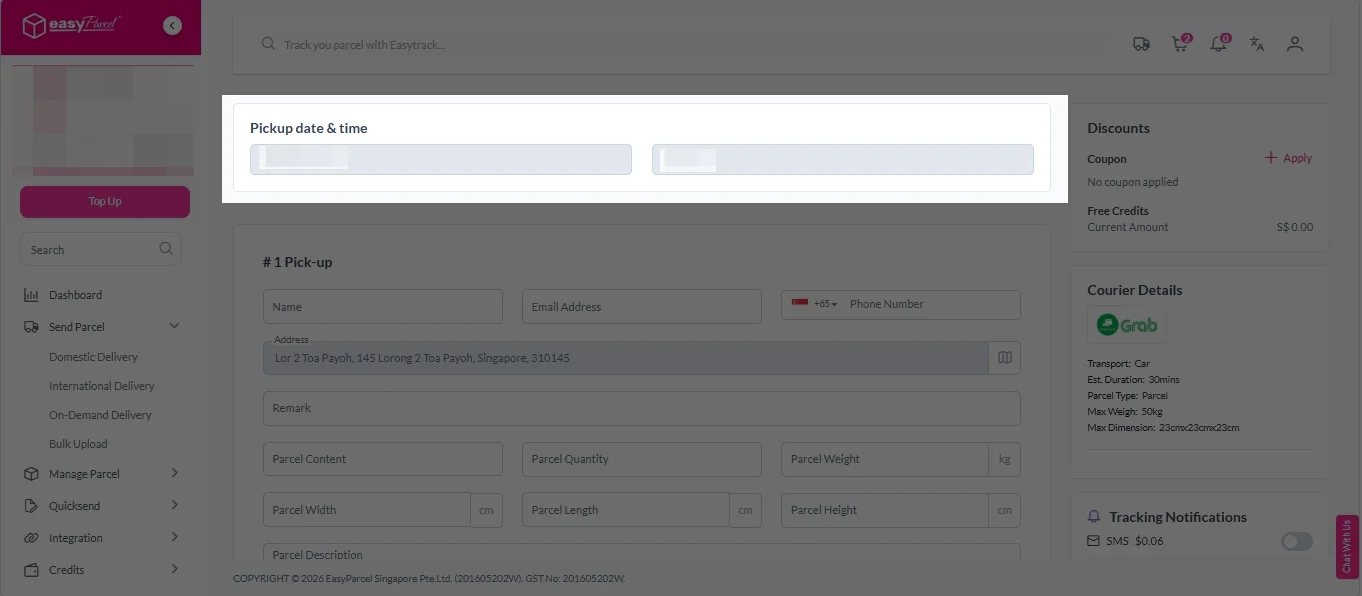
2. Fill in all the details.
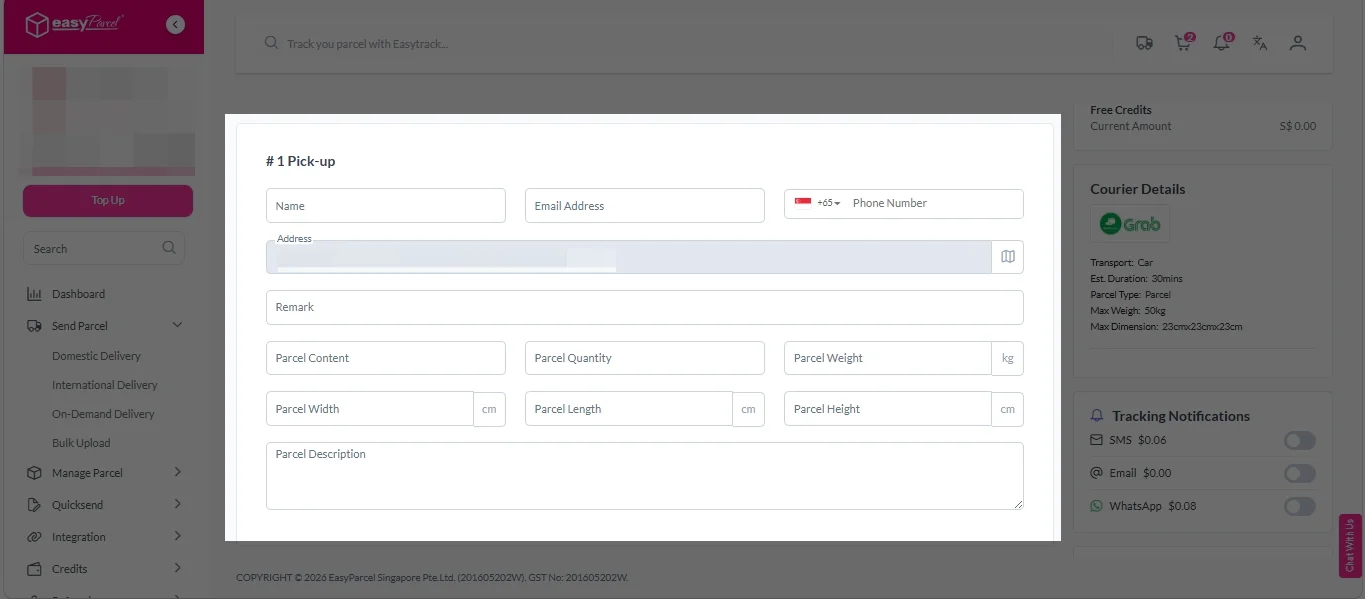
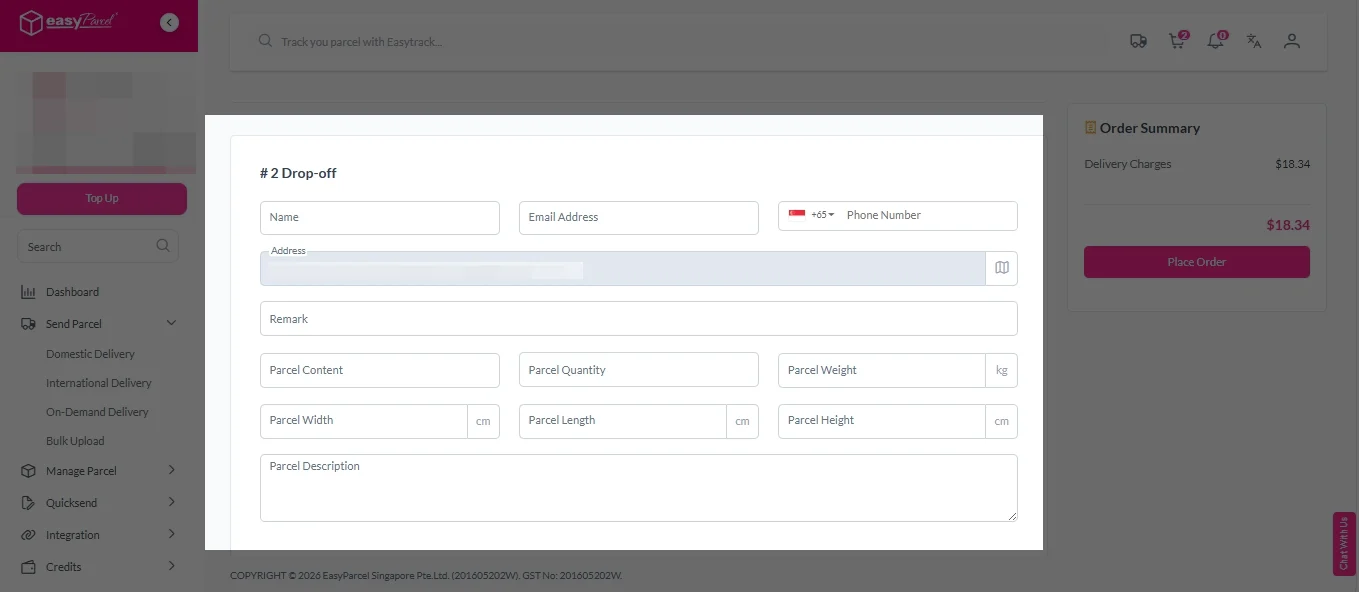
3. (Optional) Click “Apply” to add discount coupon.
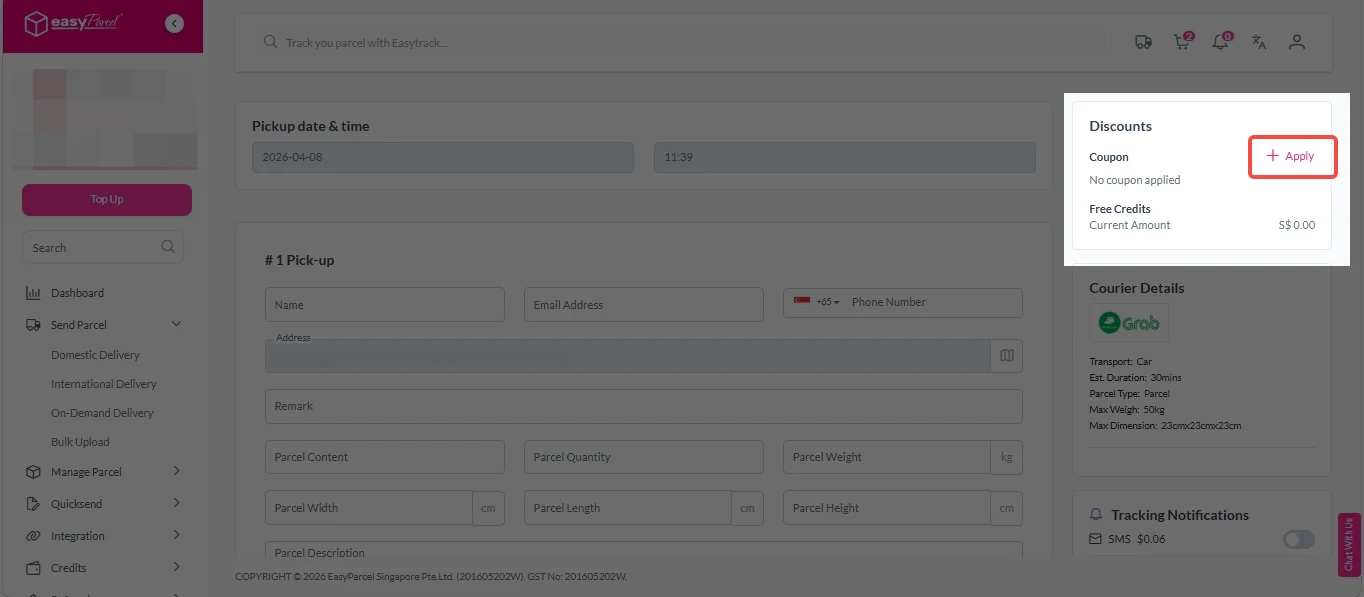
4. (Optional) Under “Tracking Notifications”, choose your preferred notification channel – SMS, Email, or WhatsApp.
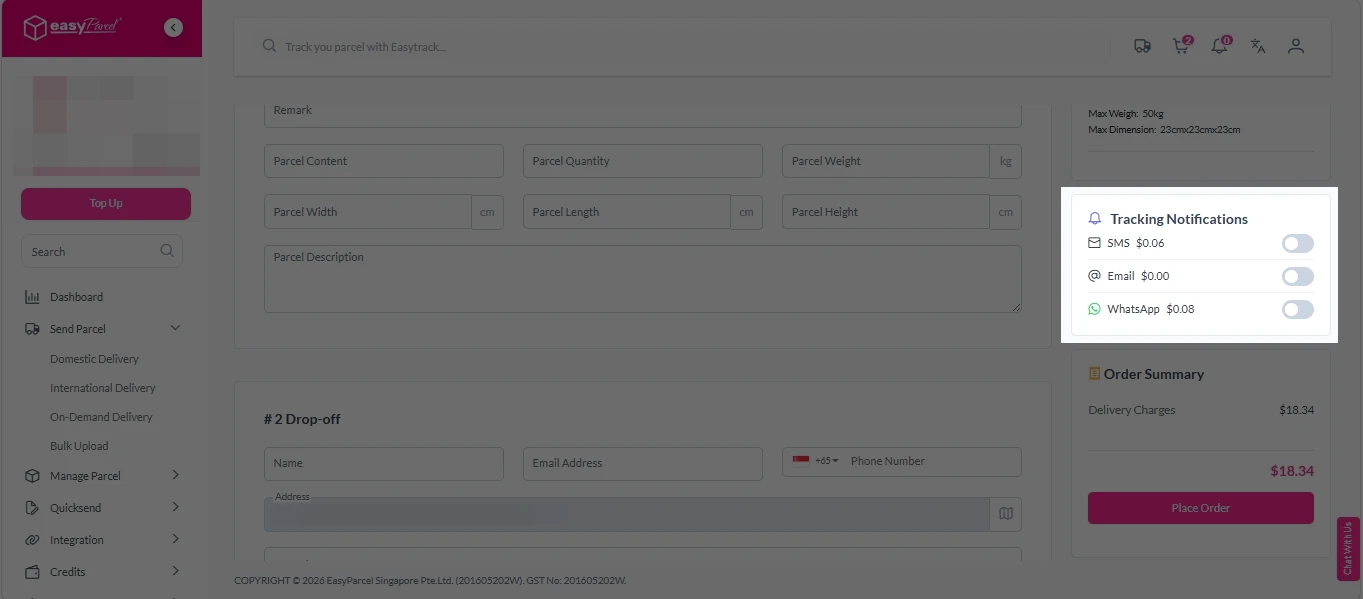
5. Double check all details and click on “Place Order”.
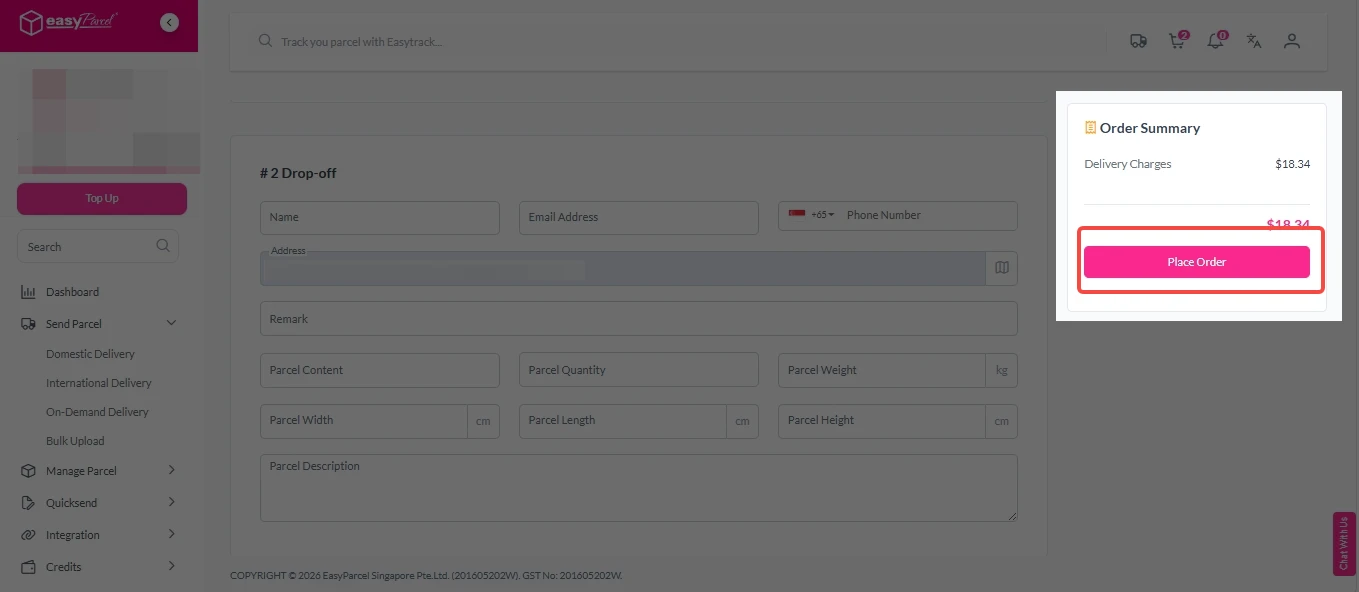
Step 4: Double check all the details and click on “Pay Now” to make payment.

Step 5: Your shipment has been booked successfully.
To download and print AWB, you can go to “Manage Shipments”.
Single AWB
- Click the three dots icon next to the shipment.
- Select “Print AWB” from the dropdown menu.
- A PDF file will automatically download and save.
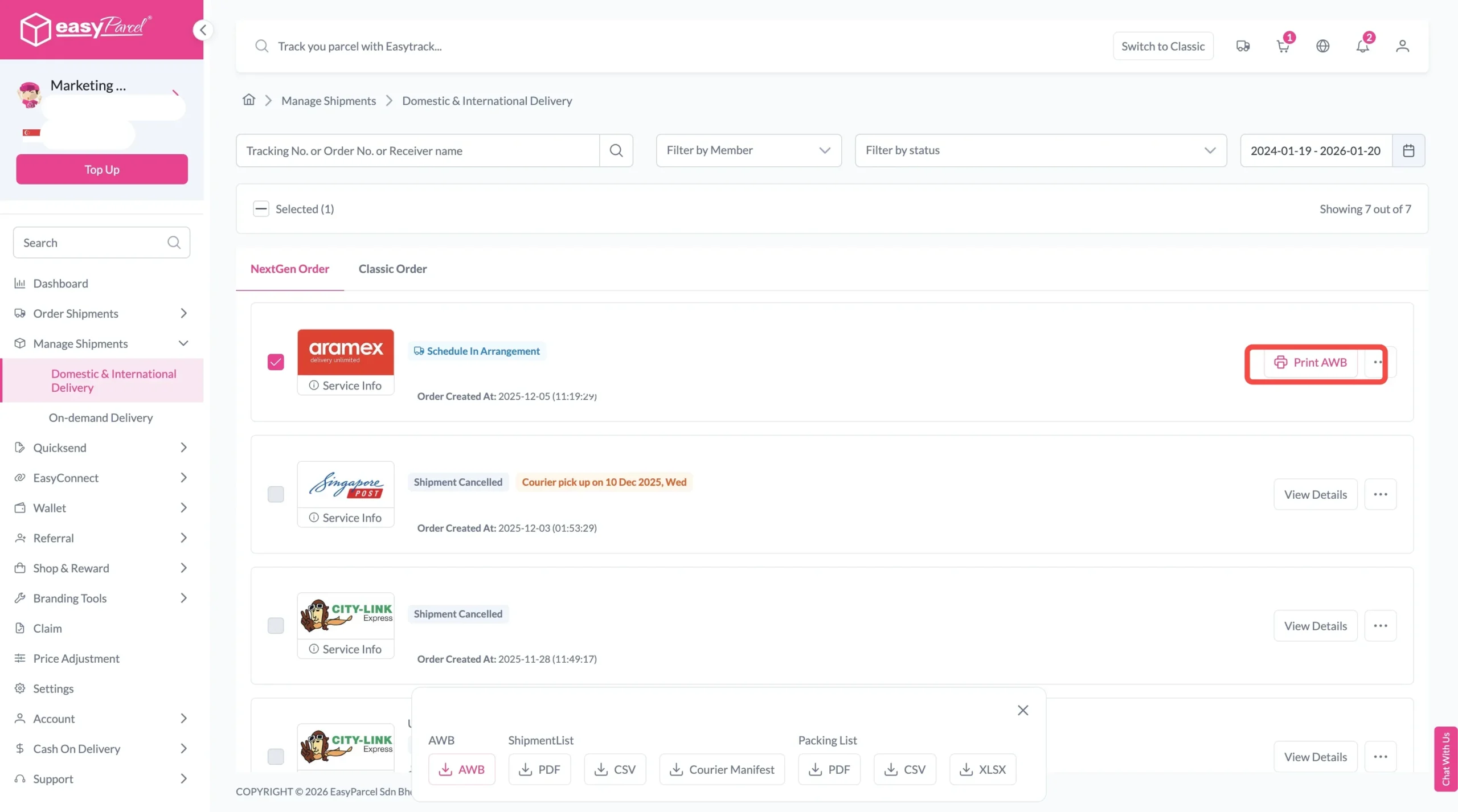
Bulk AWB
For bulk downloads AWB:
- Tick the “Selected” checkbox to choose all your orders.
- A menu will appear at the bottom of the screen.
- Click “AWB” to download all AWBs in bulk.

Key Benefits of Using EasyParcel Courier Calculation Tool
Save Cost
Last month alone, I saved S$45 by comparing rates. The tool consistently shows me cheaper options I would have missed.
Convenient
Using Courier Calculation Tool, check courier fees process from 15 minutes per shipment to under 2 minutes. That's hours back in my week.
Avoid Hidden Fees
The volumetric weight calculation has saved me from at least 5 unexpected charges.