Your customer just placed an order. Now they keep asking: “Where is my parcel?” Replying takes time.
Tracking SMS solves this – customers get automatic tracking alerts via SMS. And with free SMS Singapore top-up packages, you can automate customer updates at zero cost.
This blog covers what Tracking SMS is, why your business needs it, and how to get free SMS.
Table of Contents
What Is Tracking SMS?
Tracking SMS is an automated notification tool that sends your customers their parcel tracking number directly to their mobile phone.
How it works:
- You book a shipment on EasyParcel
- You enable Tracking SMS during booking
- Your customer receives an SMS with their tracking number and link
- They click and track – no need to message you
Key feature: You can customise the message to match your brand voice. And with free SMS Singapore promotional packages, you can enjoy this feature without extra cost.
Why Your Business Needs Tracking SMS
|
Benefit
|
What It Means for You
|
|---|---|
|
Reduce customer questions
|
Customers track themselves – your team handles fewer inquiries
|
|
Affordable
|
Starting from S$0.08 per SMS, or get free SMS Singapore with top-up packages
|
|
Build trust and loyalty
|
Real-time updates show customers you care about their experience
|
|
Guaranteed reach
|
SMS open rates are higher than email – your brand is seen every time
|
|
Professional brand image
|
Customise SMS with your brand voice – no generic courier messages
|
For business owners: Tracking SMS turns shipping from a headache into a customer service advantage. And with free SMS Singapore deals, there’s no reason not to use it.
How to Enable Tracking SMS
Step 1: Login your EasyParcel account.

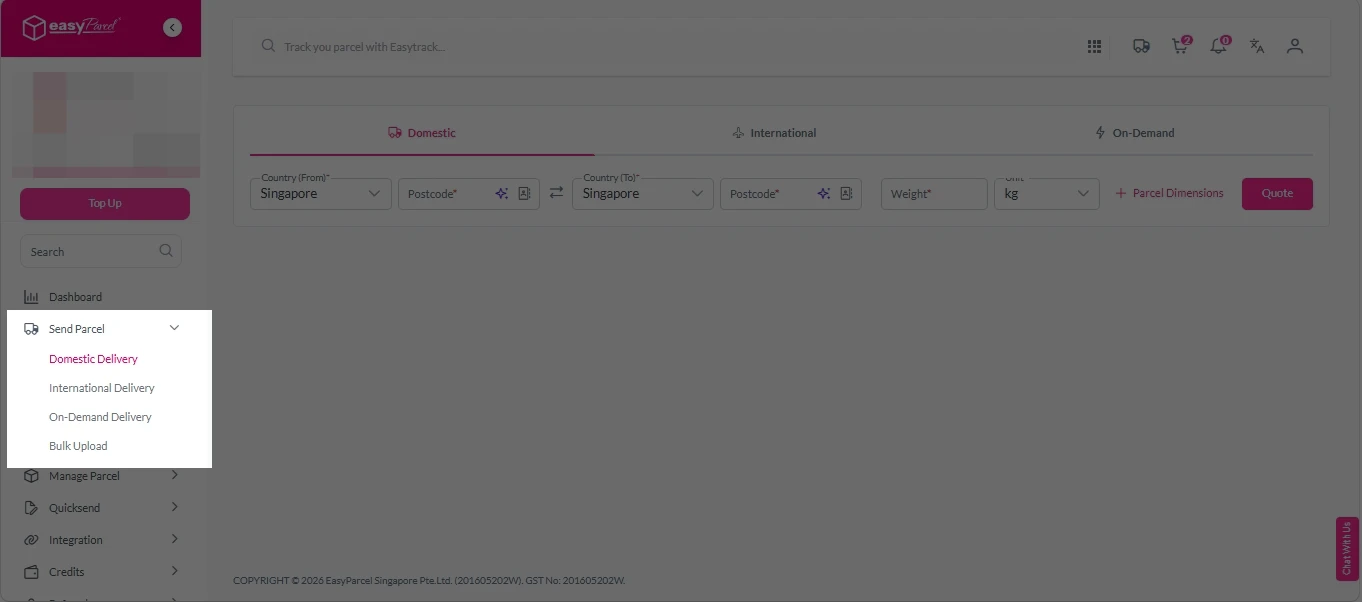
Step 2: Under “Send Parcel”, choose either “Domestic Delivery“ (for shipments within Singapore), “International Delivery“ (for shipments overseas) or “On-Demand Delivery“ (for urgent shipments).
Step 3: Enter Shipment Details.
Domestic Delivery
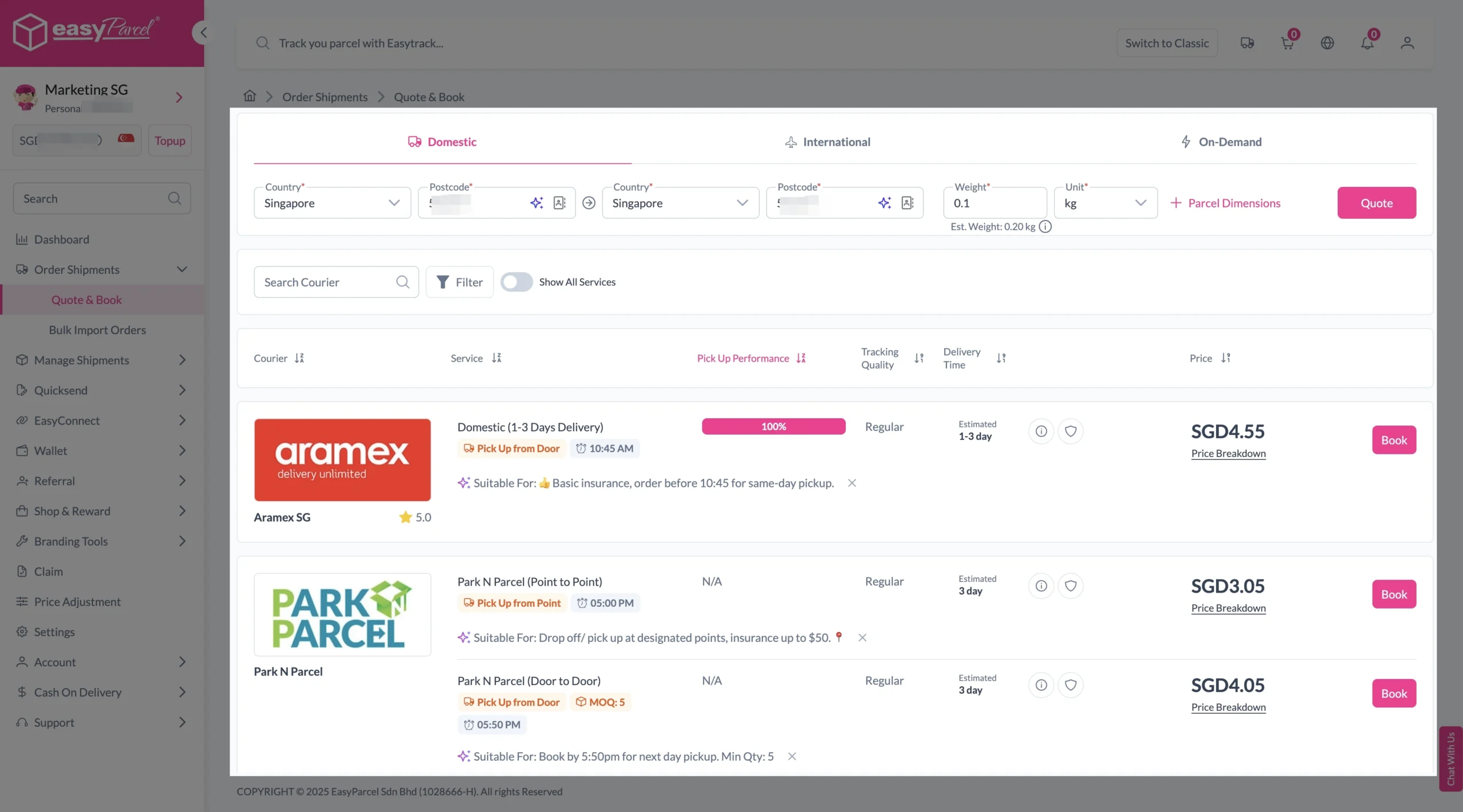
1. Fill in the origin and destination postcode.
2. Provide the parcel weight.
3. (Optional) Add parcel dimensions for a more accurate shipping rate.
4. Click the “Quote” button.
5. A list of courier rates will appear below, as shown in the image.
6. Choose your preferred courier and click “Book Now.”
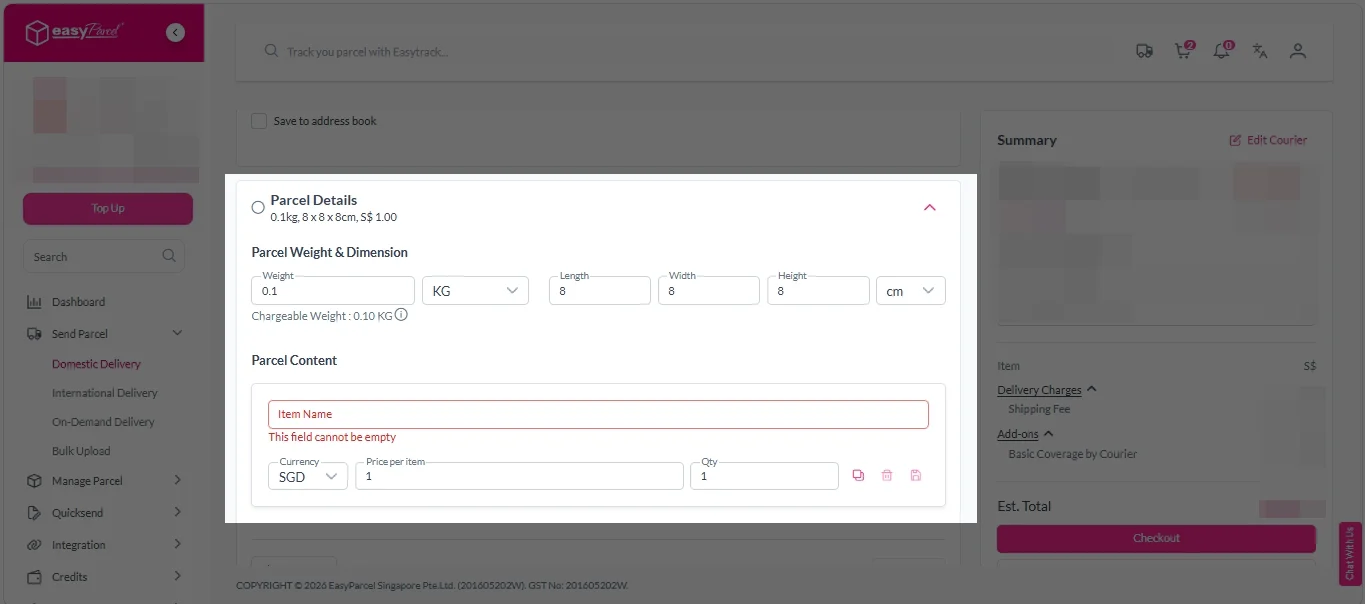
7. Fill in all details included Sender Details, Receiver Details, Parcel Details and Add-On Services.
Sender and Receiver Details:

Parcel Details:
Enter the actual weight, dimension and content of your parcel.
Parcel Content:
Fill in your item name, price per item, and quantity.
Add-On Services:
i. Tick the box to add EasyCover for additional protection against loss.
Note: EasyCover availability depends on the courier selected. Learn more about EasyCover.

ii. Choose your preferred notification channel – SMS, Email, or WhatsApp. Click “Preview” to see how it looks, and click “Customise” to add brand message to the notification.
Note: Learn more about Customise Branding Servcies.

iii. Tick the “Mask Sender Details” checkbox. EasyParcel Next Gen will automatically hide your sender information based on your saved privacy settings.
Note: Mask Sender Details only available for certain couriers. Find out what courier is available for Mask Sender Details.

iv. Tick the “Custom AWB” checkbox. EasyParcel Next Gen will apply your saved AWB template automatically.
Note: Custom AWB is only available for certain couriers. Find out which couriers support Custom AWB.

8. Double check all details and click on “Checkout”.
International Delivery
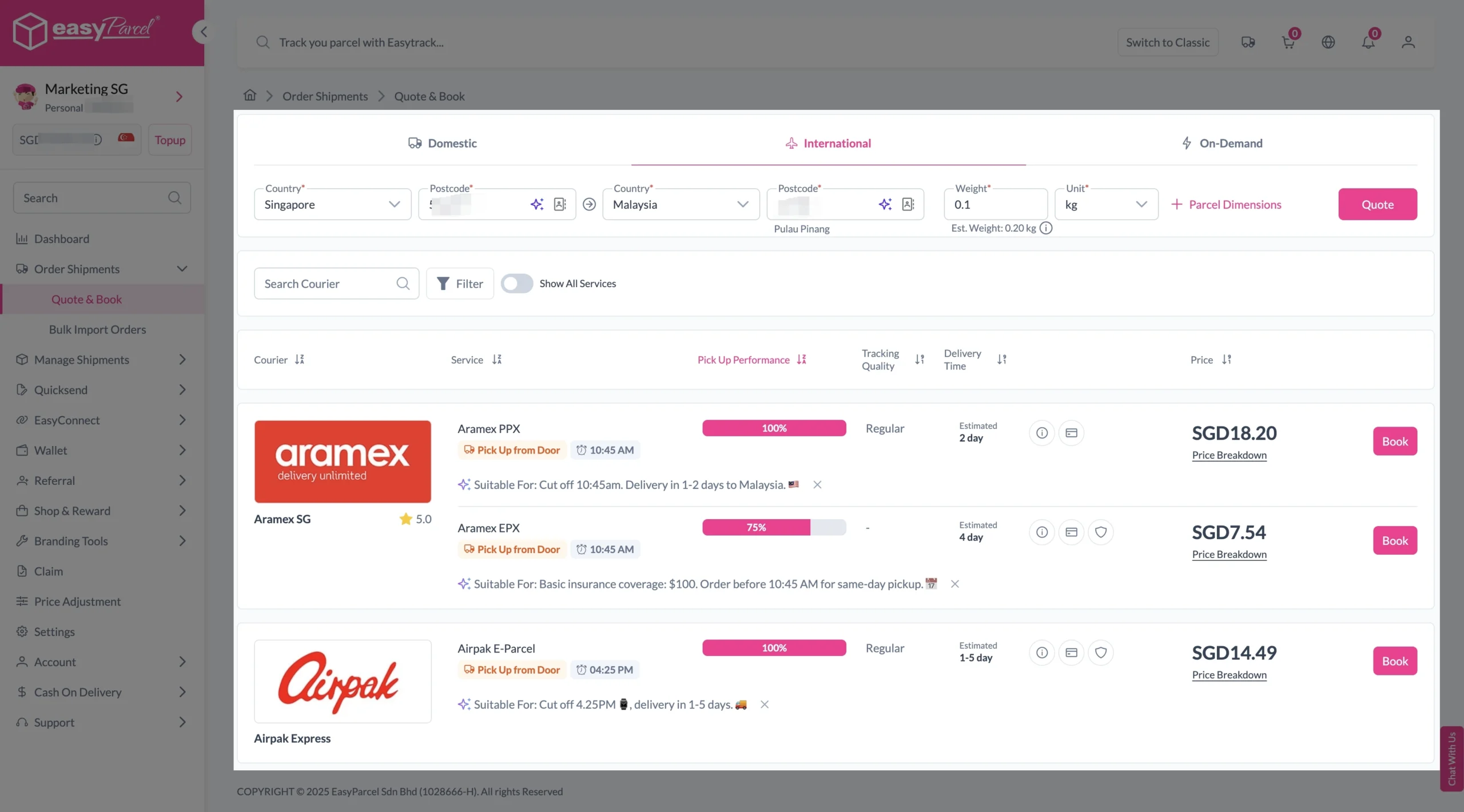
1. Fill in the origin postcode.
2. Enter the destination country and postcode.
3. Provide the parcel weight.
4. (Optional) Add parcel dimensions for a more accurate shipping rate.
5. Click the “Quote” button.
6. A list of courier rates will appear below, as shown in the image.
7. Choose your preferred courier and click “Book Now.”
8. Fill in all details included Sender Details, Receiver Details, Parcel Details and Add-On Services.
Sender and Receiver Details:
Parcel Details:
Enter the actual weight, dimension and content of your parcel.
Parcel Content:
Fill in your item name. Then, choose your item category from the dropdown menu. The HS code will be auto generated based on your selection.
Note: Learn more about Smart HS Code.
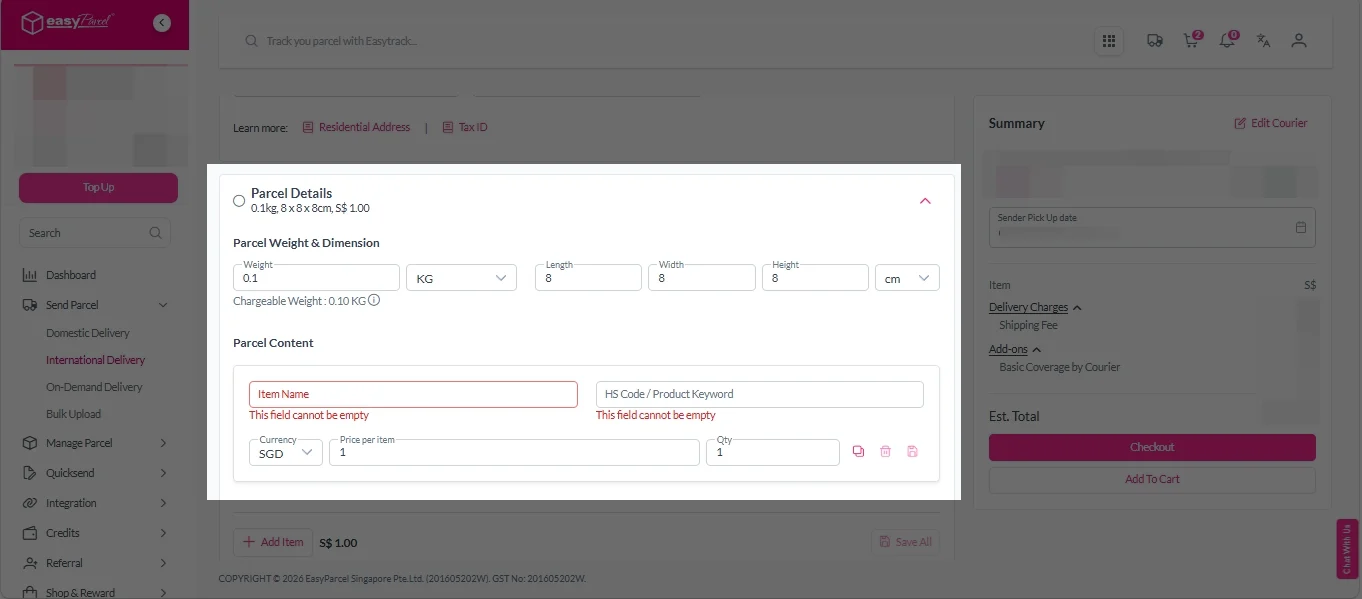
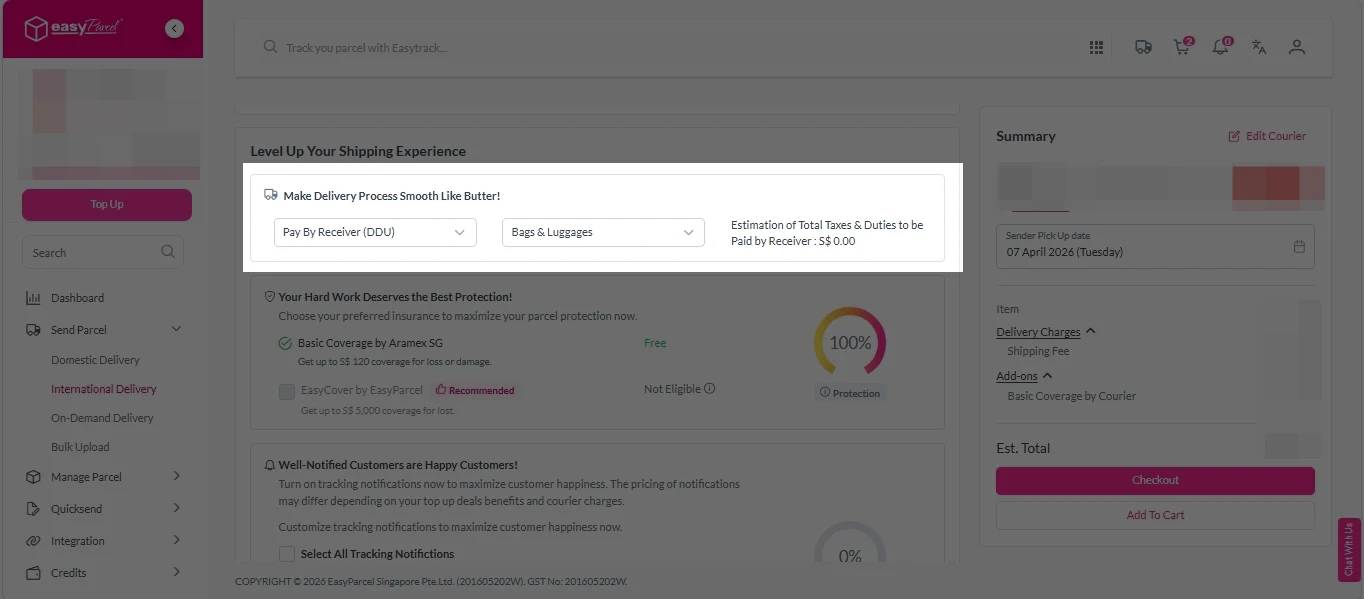
Add-On Services:
i. Select your preferred duties payment option – Delivered Duty Paid (DDP) or Delivered Duty Unpaid (DDU).
Note: Learn more about DDP and DDU.
ii. Tick the box to add EasyCover for additional protection against loss.
Note: EasyCover availability depends on the courier selected. Learn more about EasyCover.
iii. Choose your preferred notification channel – SMS, Email, or WhatsApp. Click “Preview” to see how it looks, and click “Customise” to add brand message to the notification.
Note: Learn more about Customise Branding Servcies.
iv. Tick the “Mask Sender Details” checkbox. EasyParcel Next Gen will automatically hide your sender information based on your saved privacy settings.
Note: Mask Sender Details only available for certain couriers. Find out what courier is available for Mask Sender Details.
v. Tick the “Custom AWB” checkbox. EasyParcel Next Gen will apply your saved AWB template automatically.
Note: Custom AWB is only available for certain couriers. Find out which couriers support Custom AWB.
9. Double check all details and click on “Checkout”.
On Demand Delivery
1. Fill in the exact address of your pick-up location.
2. Enter the addresses of up to 9 drop-off points.
3. Select your preferred pick-up date and time.
4. Choose the transport type.
5. Click the “Quote” button to get the rates.
6. Choose your preferred courier and click “Book Now.”
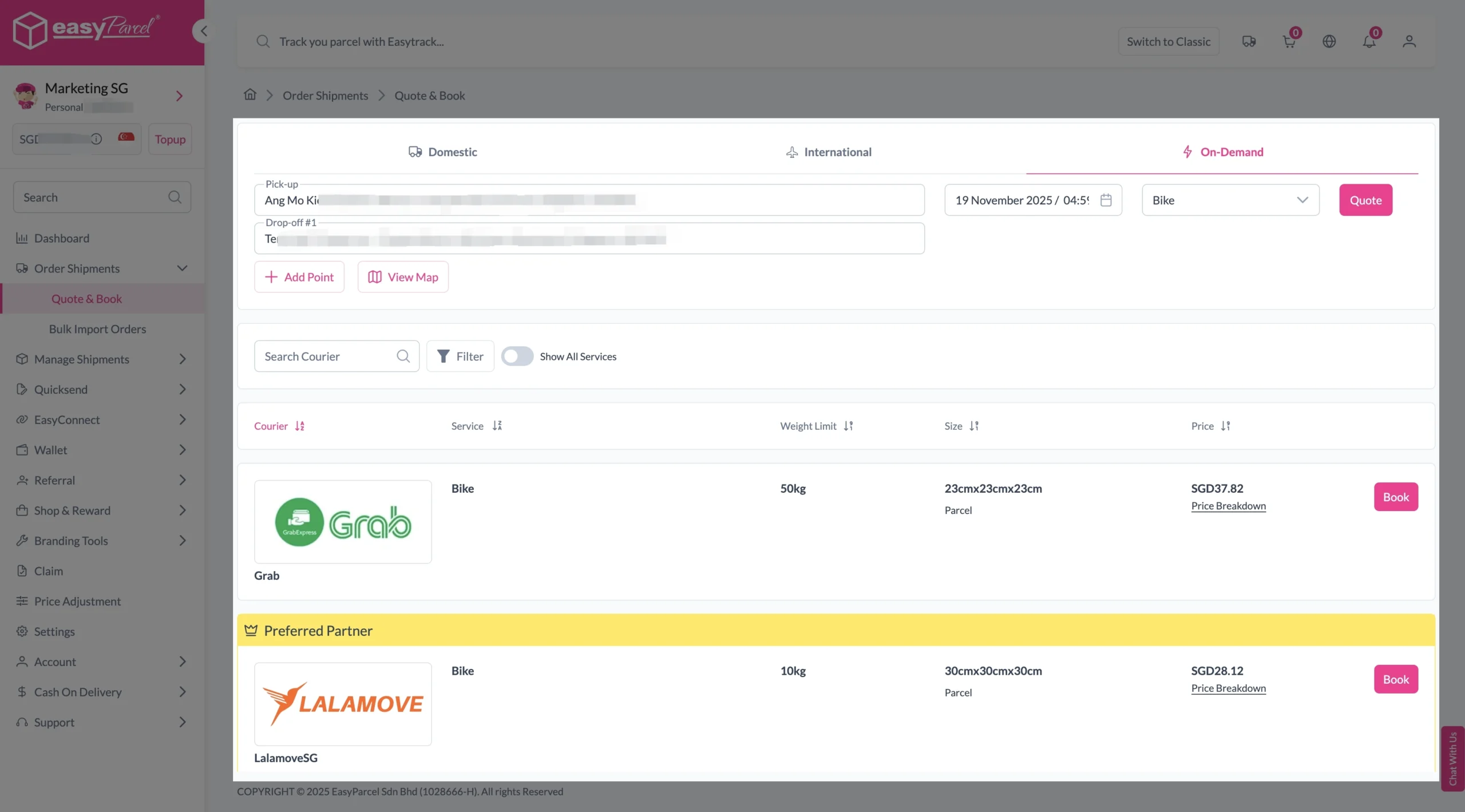
7. Check “Pickup date & time”.
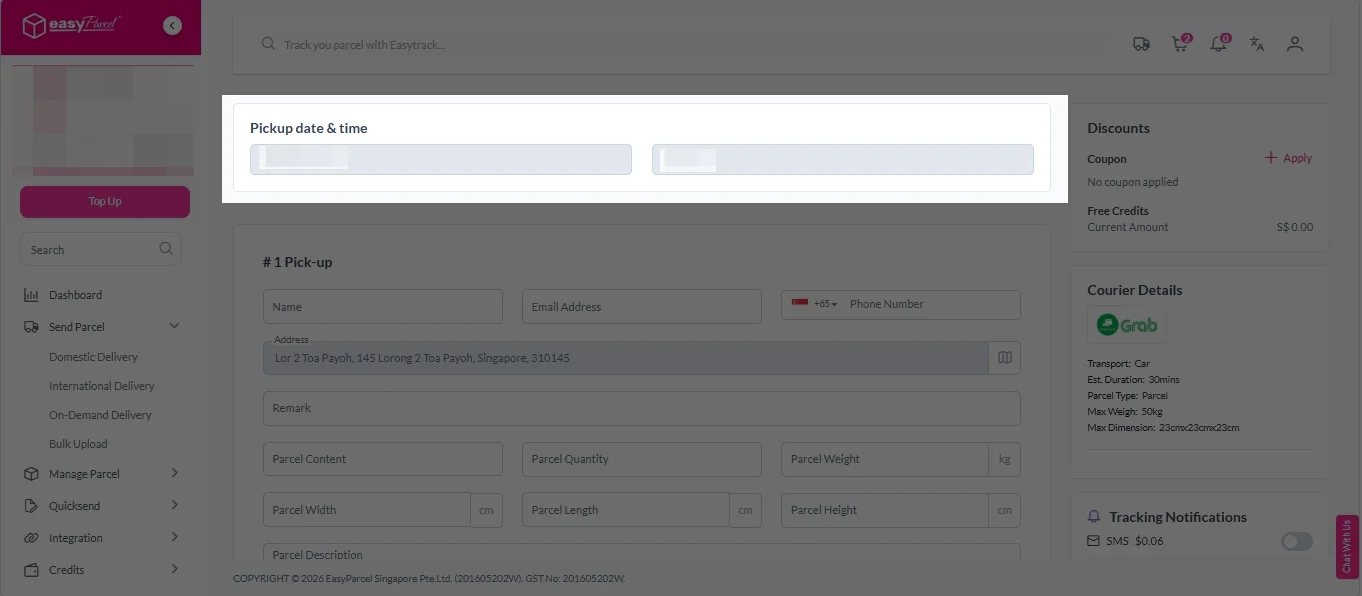
8. Fill in all the details.
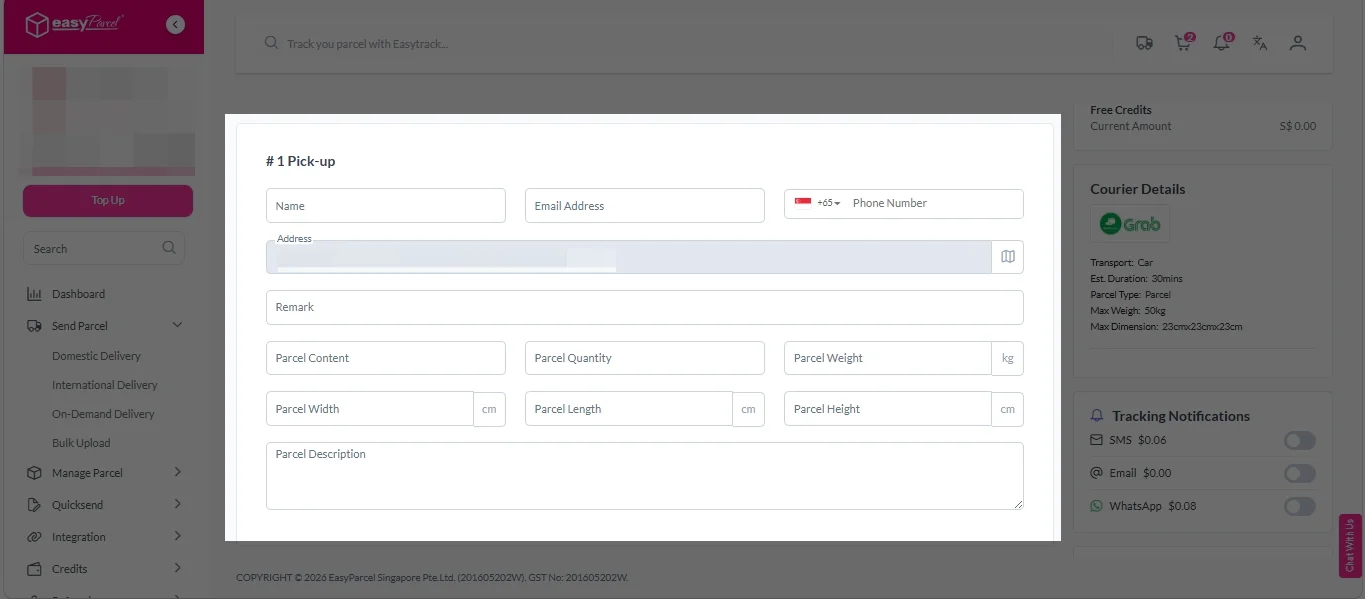
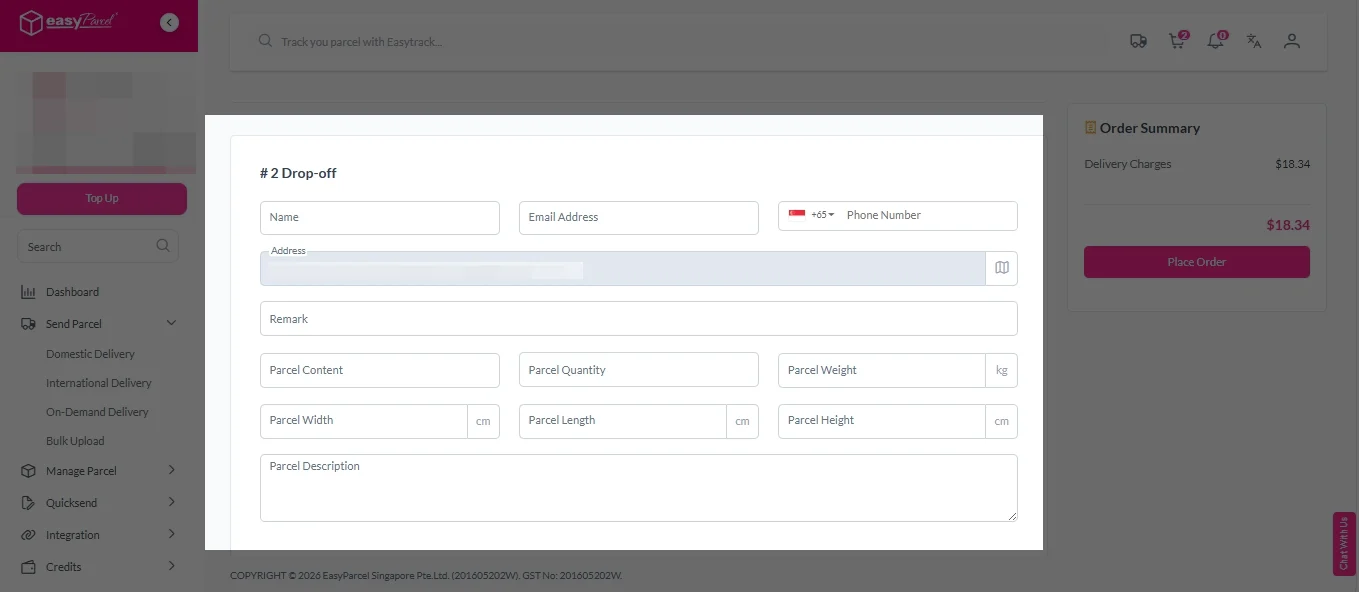
9. (Optional) Click “Apply” to add discount coupon.
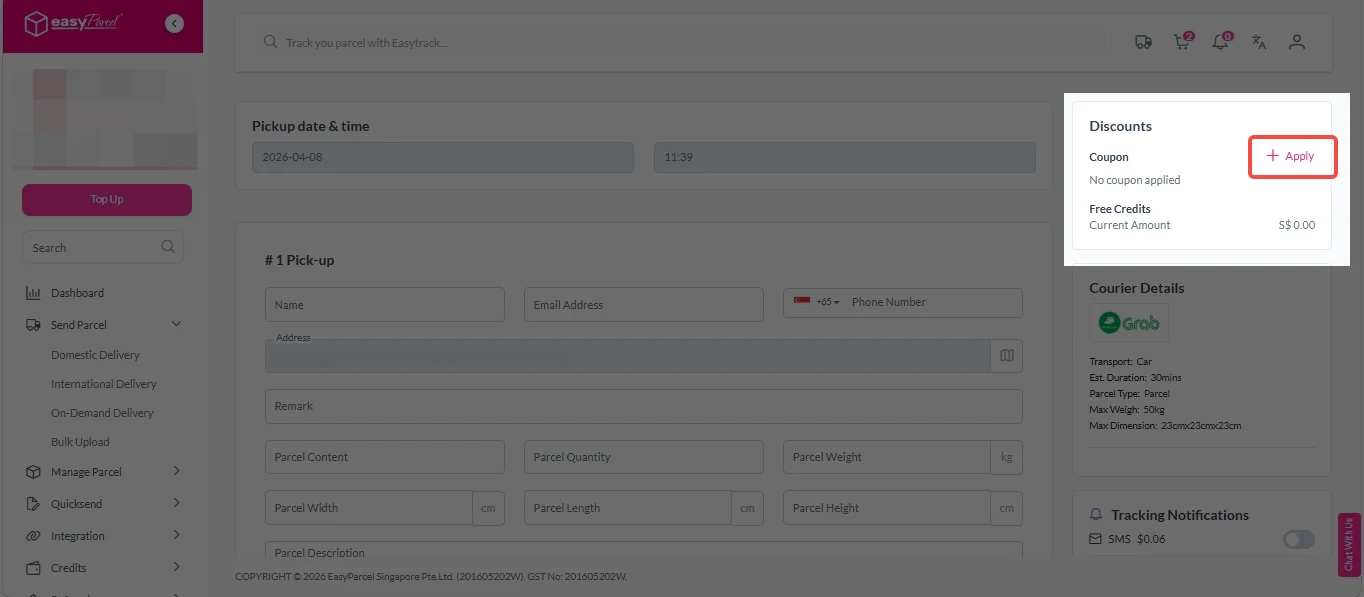
10. (Optional) Under “Tracking Notifications”, choose your preferred notification channel – SMS, Email, or WhatsApp.
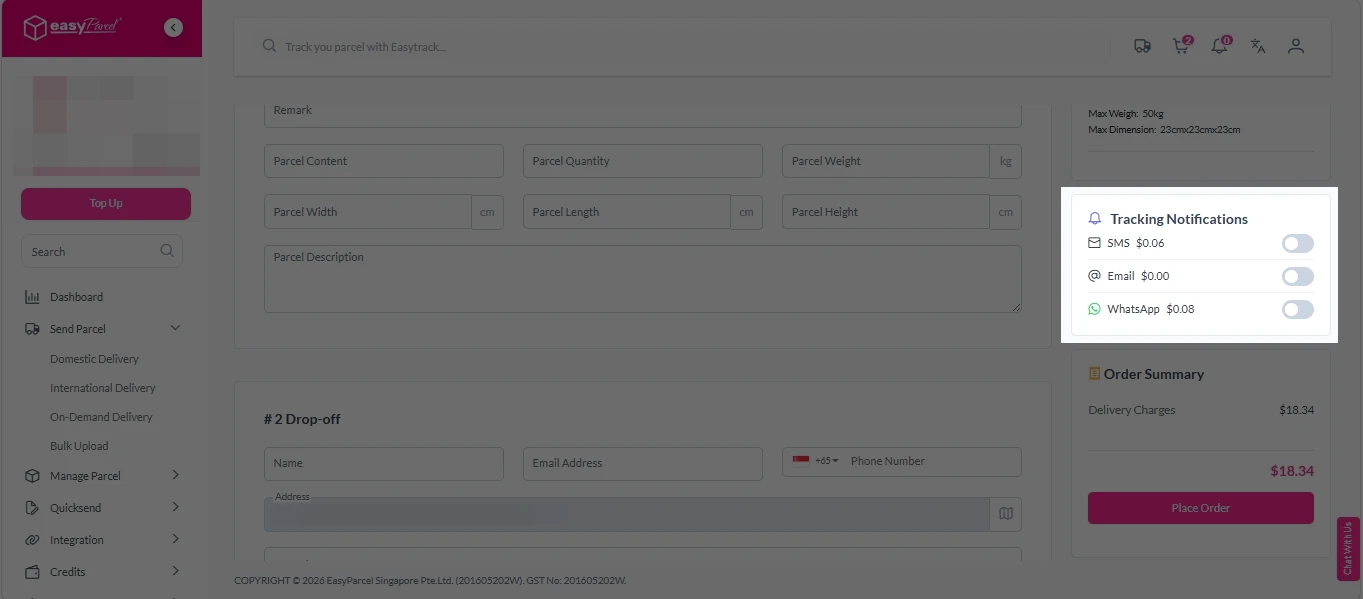
11. Double check all details and click on “Place Order”.
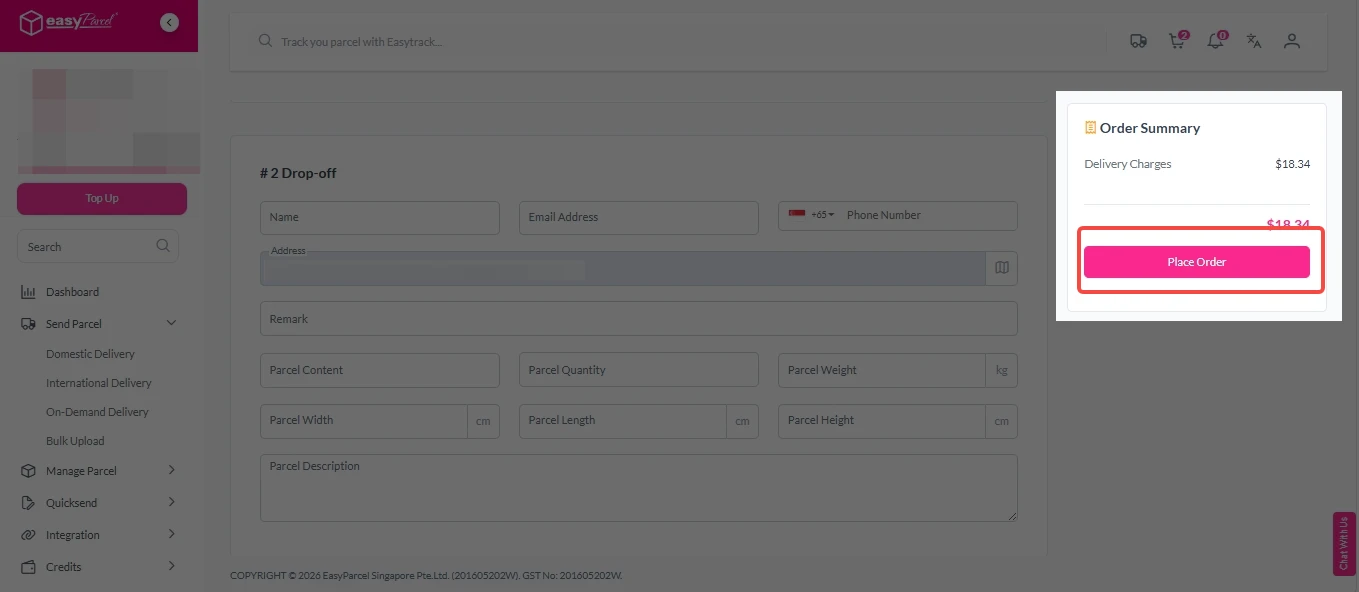
Step 4: Double check all the details and click on “Pay Now” to make payment.

Step 5: Your shipment has been booked successfully.
To download and print AWB, you can go to “Manage Shipments”.
Single AWB
- Click the three dots icon next to the shipment.
- Select “Print AWB” from the dropdown menu.
- A PDF file will automatically download and save.
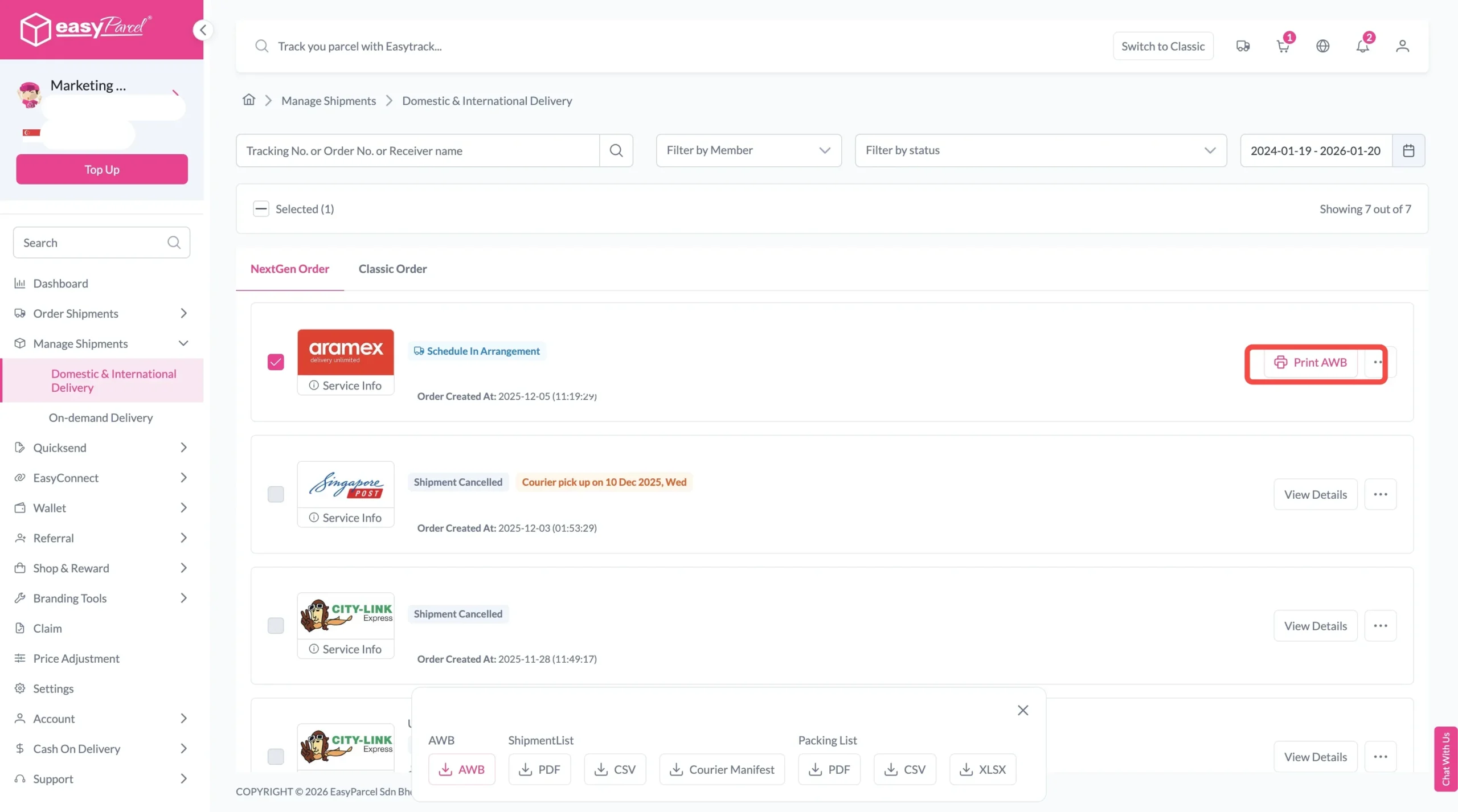
Bulk AWB
For bulk downloads AWB:
- Tick the “Selected” checkbox to choose all your orders.
- A menu will appear at the bottom of the screen.
- Click “AWB” to download all AWBs in bulk.

Get Free Tracking SMS Singapore

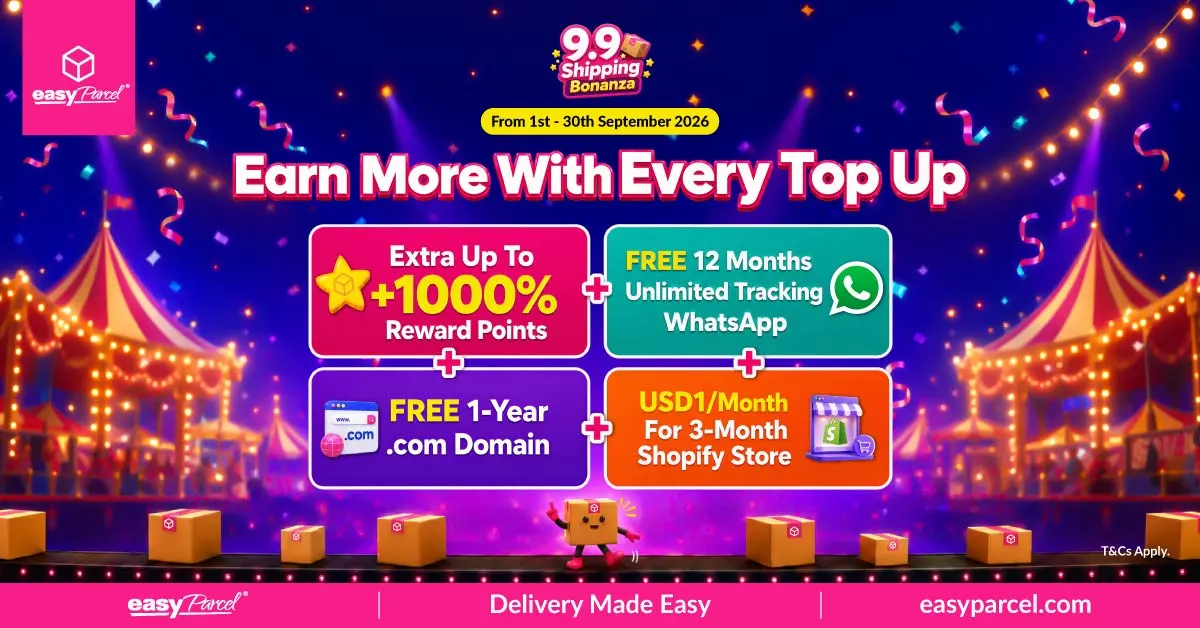
Top-Up Packages with Free SMS Singapore
Want free SMS Singapore for your business? EasyParcel offers exclusive top-up packages that include free Tracking SMS credits.
Current Special Deals
|
Package
|
Delivery Promo Rate
|
Promo Rate Duration
|
Tracking SMS
|
Free Gift
|
|---|---|---|---|---|
|
EP99 Welcome Bonus Deal
|
|
6 months
|
FREE (3 months)
|
|
|
EP299 Welcome Bonus Deal
|
|
12 months
|
FREE (6 months)
|
|
|
EP999 Welcome Bonus Deal
|
|
12 months
|
FREE (12 months)
|
|
How to Get Free SMS Singapore
Step 1: Login your EasyParcel account.
Step 2: Click “Credits” and click on “Top Up” or click the “Top Up“ button below your credit balance box.
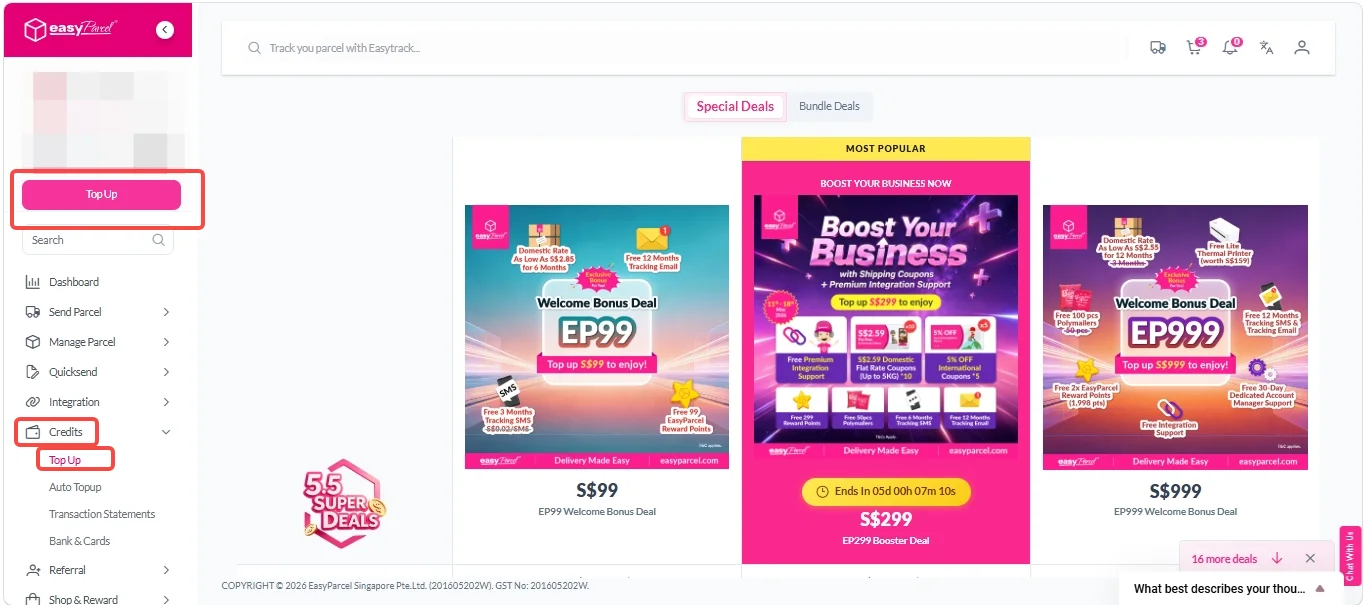
The middle package shown above is a limited-time promotion – it will disappear after the end date, so act fast if you see a deal that suits your business.
Step 3: On the Top Up page, select your preferred top up package.
Click “Get It Now” button of your preferred package.
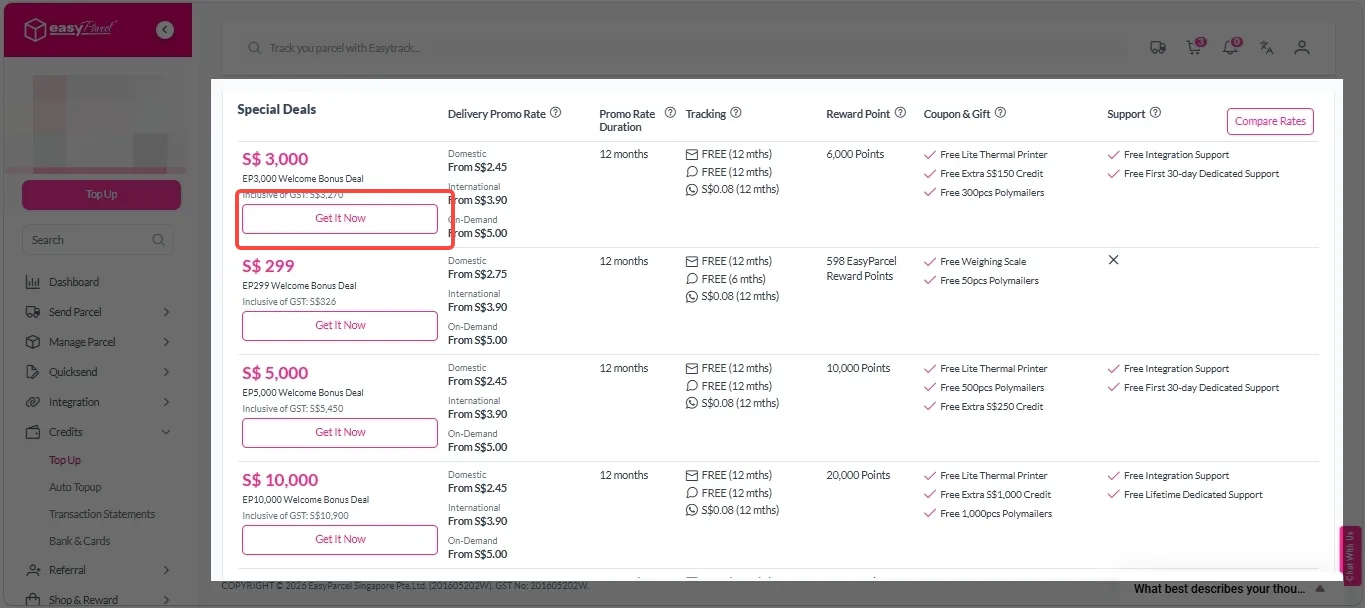
Step 4: Make payment.
- Select Credit/Debit Card payment and choose your card.
- Fill in the Billing Address and details.
- Click “Pay Now” and the credits will auto credited to your account.
If you not yet add your credit/debit card, click “Add New Card“, fill in the Billing Details and click “Pay Now“. You will be redirected to another page to fill in your card details. Fill in the card details and click “Pay” button.

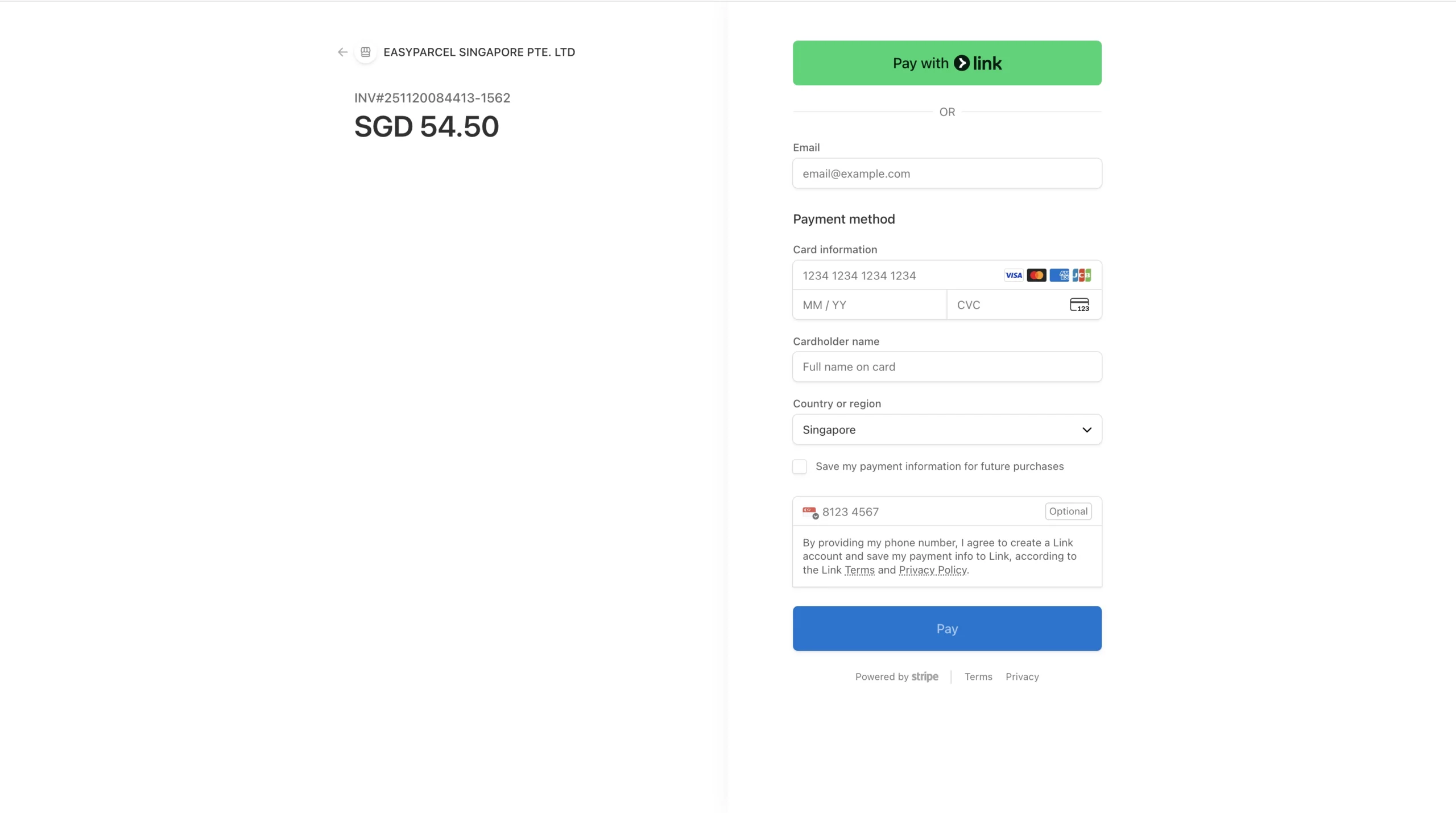
2. View more Top Up Terms & Conditions. at the bottom of the page.
Custom Tracking SMS – Make It Your Brand
With EasyParcel, you are not stuck with generic messages. You can customise your Tracking SMS to match your brand voice.
What you can customise:
- Sender name (use your brand name)
- Message content (add your brand tone and promotions)
Example custom SMS:
“Hi [Customer Name], your order from [Your Brand] is on its way! Thanks for shopping with us!”
Why customisation matters: A branded SMS builds recognition and trust. And when you get free SMS Singapore through promotional packages, you are building your brand at zero cost.