Qxpress Delivery Is Now TracX Logis: Services & Rates

Qxpress-Delivery-Is-Now-TracX-Logis-Services-_-Rates

Table of Contents

Qxpress Delivery Is Now TracX Logis: Which Service Should You Choose?

Searching for Qxpress delivery in Singapore?

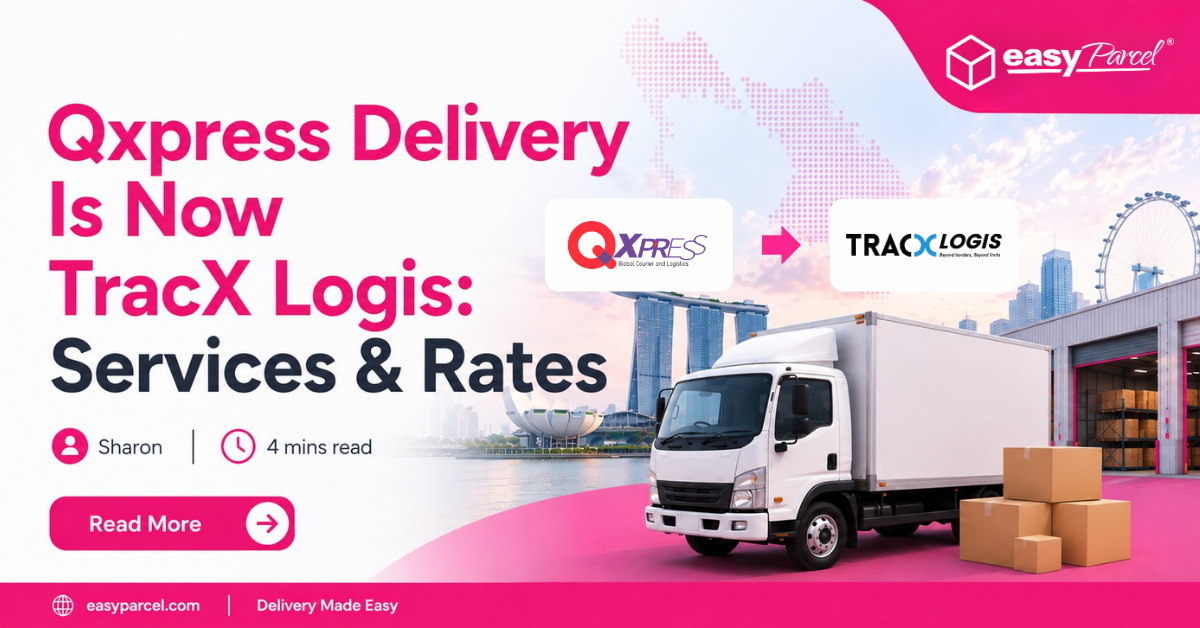
There’s one important update you should know: Qxpress is now known as TracX Logis.

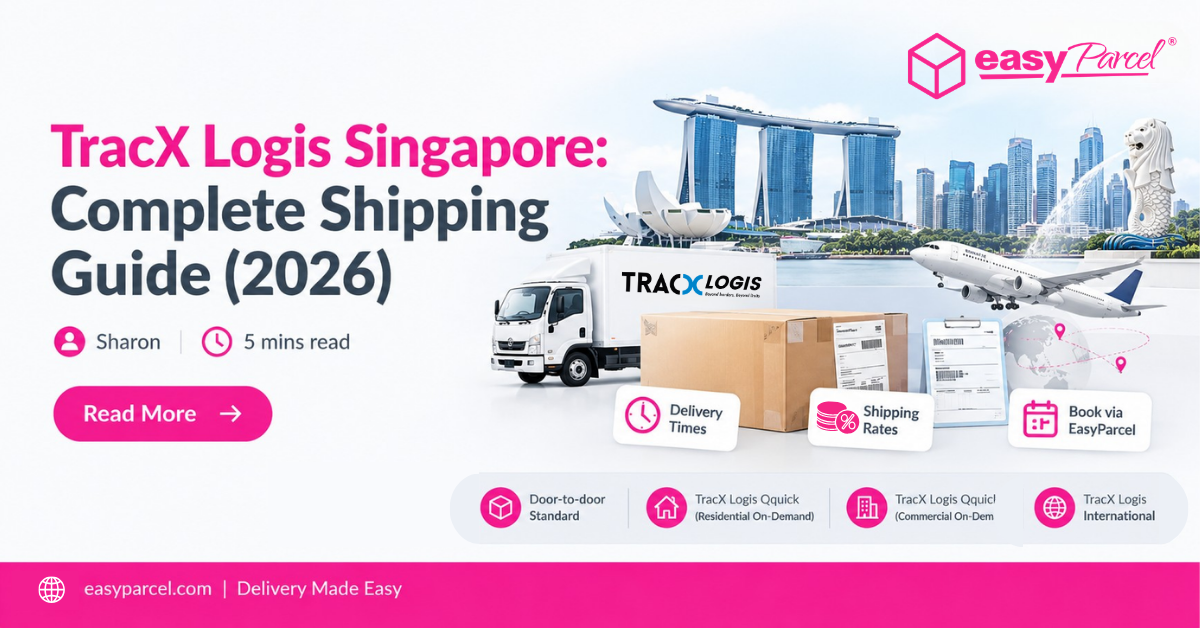
The courier services are now offered under the TracX Logis name on EasyParcel, covering everything from affordable standard local delivery to same-day delivery and international shipping. EasyParcel’s current courier page confirms that TracX Logis is formerly Qxpress.

So, which TracX Logis service should you choose?

Let’s compare the four options.

Qxpress Delivery Is Now TracX Logis

If you’ve previously used Qxpress, don’t be confused when you see TracX Logis while searching for a courier.

Qxpress → TracX Logis

EasyParcel now lists the courier under its new TracX Logis name. The current service range covers standard domestic delivery, same-day residential and commercial delivery, and international shipping.

That means you can still find a delivery solution whether you’re:

  • Sending an everyday parcel within Singapore
  • Running a home-based business
  • Shipping from an office or warehouse
  • Looking for same-day delivery
  • Sending parcels internationally

4 TracX Logis (Formerly Qxpress) Delivery Services

Here’s a quick comparison of the four current services listed by EasyParcel.

TracX Logis ServiceDelivery TimeMax WeightRate FromBest For
Door-to-door Standard1–2 working days30kgS$3.65Regular local parcels
Qquick Residential On-DemandSame day, 2pm–6pm20kgS$13.80Urgent parcels from residential addresses
Qquick Commercial On-DemandSame day, 2pm–6pm20kgS$13.80Urgent business shipments
TracX Logis International3–8 working days*30kgS$3.90Overseas parcels

*EasyParcel’s comparison table currently states 3–8 working days for International; actual delivery depends on destination and shipment conditions.

All four have a maximum dimension of 300cm according to EasyParcel’s current comparison table.

Which TracX Logis Service Should You Choose?

Here’s the easiest way to decide:

Want affordable local delivery?

Choose Door-to-door Standard from S$3.65.

Sending urgently from home?

Choose Qquick Residential On-Demand.

Sending urgently from a business address?

Choose Qquick Commercial On-Demand.

Sending overseas?

Choose TracX Logis International.

In other words:

Standard → Regular Local Delivery
Residential Qquick → Same-Day Home Pickup
Commercial Qquick → Same-Day Business Pickup
International → Overseas Delivery

Still Searching for Qxpress Delivery?

You don’t need to look for a separate Qxpress courier anymore.

Qxpress is now TracX Logis, and its delivery services can be booked through EasyParcel Singapore.

Why Book TracX Logis Through EasyParcel?

Instead of contacting the courier manually, you can manage the delivery through EasyParcel.

compare-rate

Compare Before Booking

Enter your parcel information to see available rates and compare TracX Logis against other eligible courier services.

icon- Doorstep Pick-Up& Drop-Off Options​

Send Without Leaving Your Location

TracX Logis offers pickup services, making it convenient for home-based sellers, businesses and regular senders.

parcel-tracking-easytrack

Track Every Shipment

Monitor your TracX Logis parcel online from pickup through delivery.

parcel-protection

Extra Protection for Eligible Parcels

Add optional EasyCover for eligible shipments, covering loss only up to S$5,000, subject to eligibility and applicable terms.

How to Book Qxpress via EasyParcel

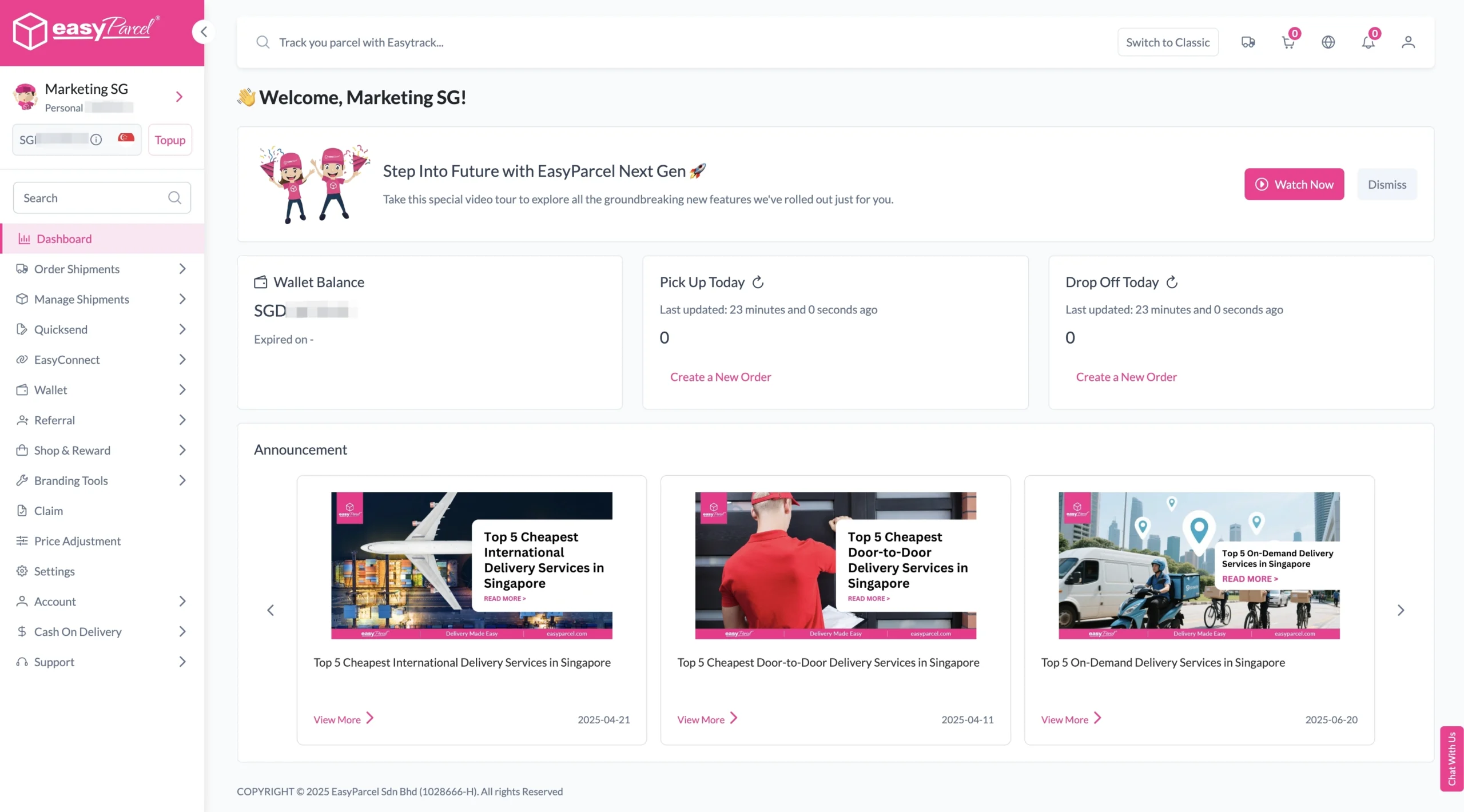
Step 1: Login your EasyParcel account. 

send-parcel-nextgen-step-1

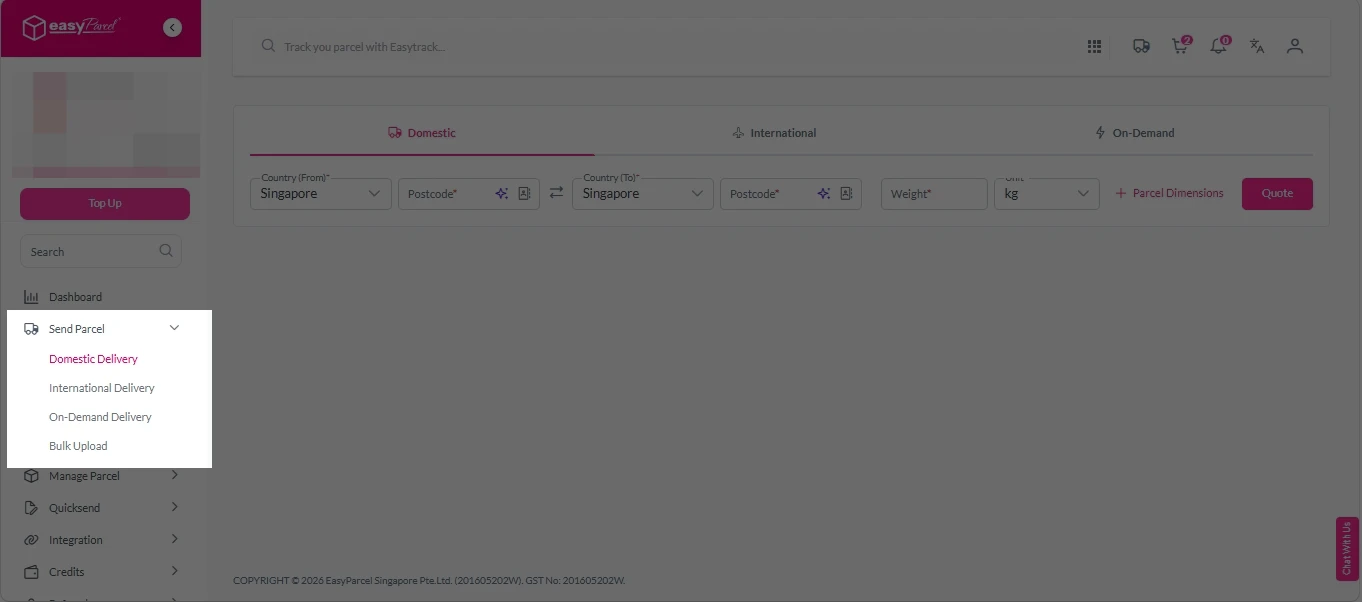
Step 2: Under “Send Parcel”, choose either Domestic Delivery (for shipments within Singapore) or International Delivery (for shipments overseas). 

Next gen- Send Parcel 1

Step 3: Enter Shipment Details. 

Domestic Delivery

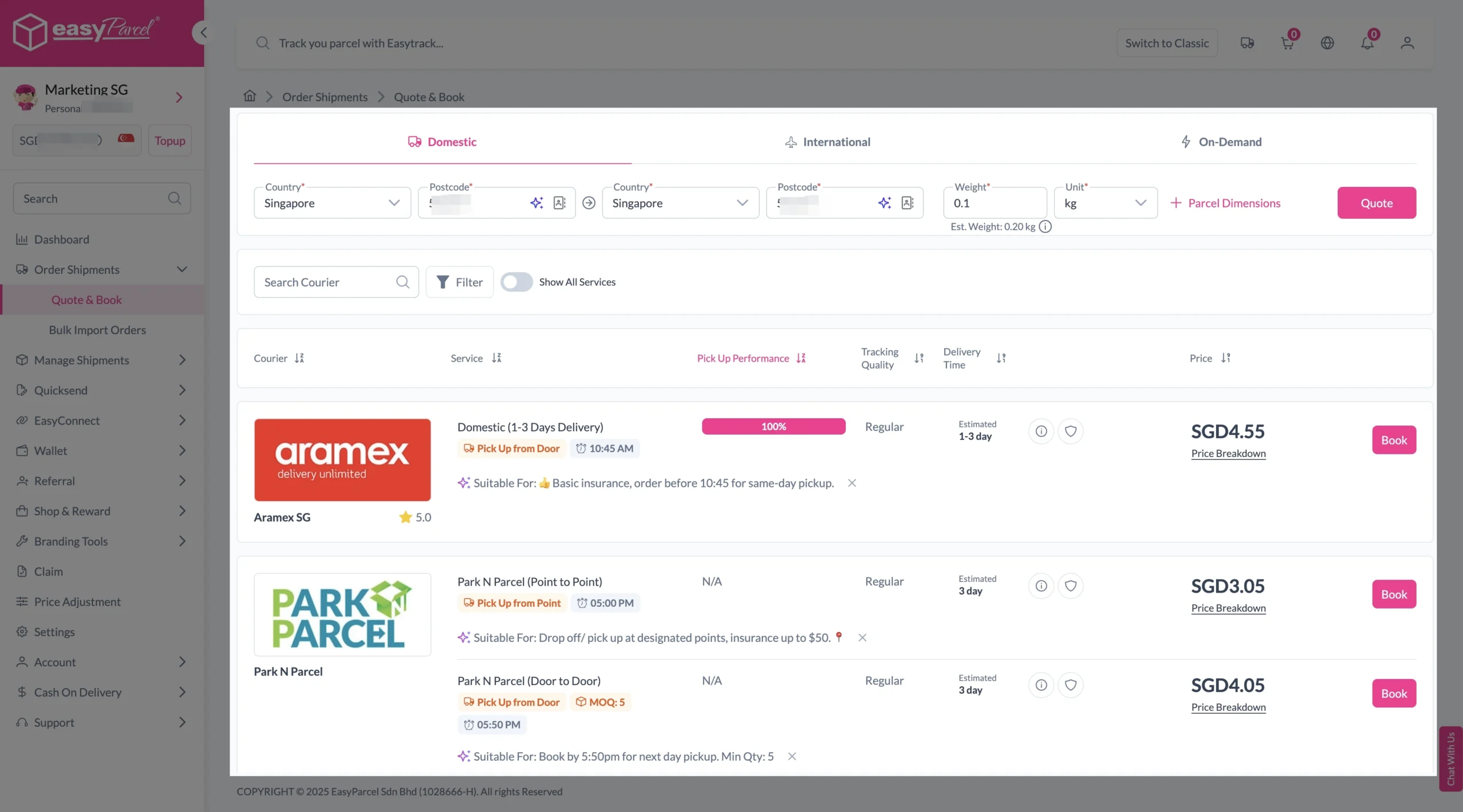
1. Fill in the origin and destination postcode.
2. Provide the parcel weight.
3. (Optional) Add parcel dimensions for a more accurate shipping rate.
4. Click the “Quote” button.
5. A list of courier rates will appear below, as shown in the image.
6. Choose your preferred SingPost service and click “Book Now.”

send-parcel-nextgen-step-3-domestic

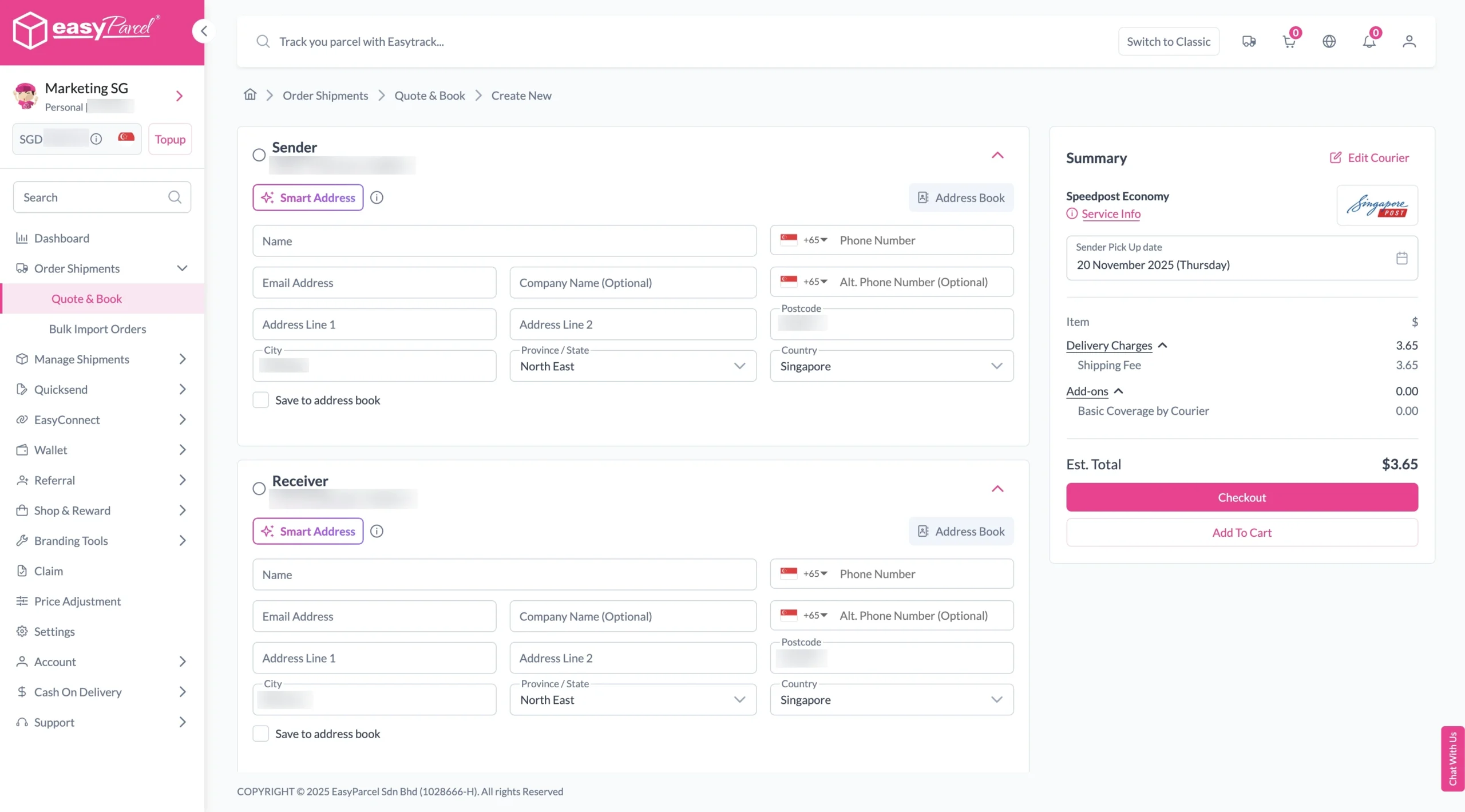
7. Fill in all details included Sender Details, Receiver Details, Parcel Details and Add-On Services.
Sender and Receiver Details: 

send-parcel-nextgen-step-4

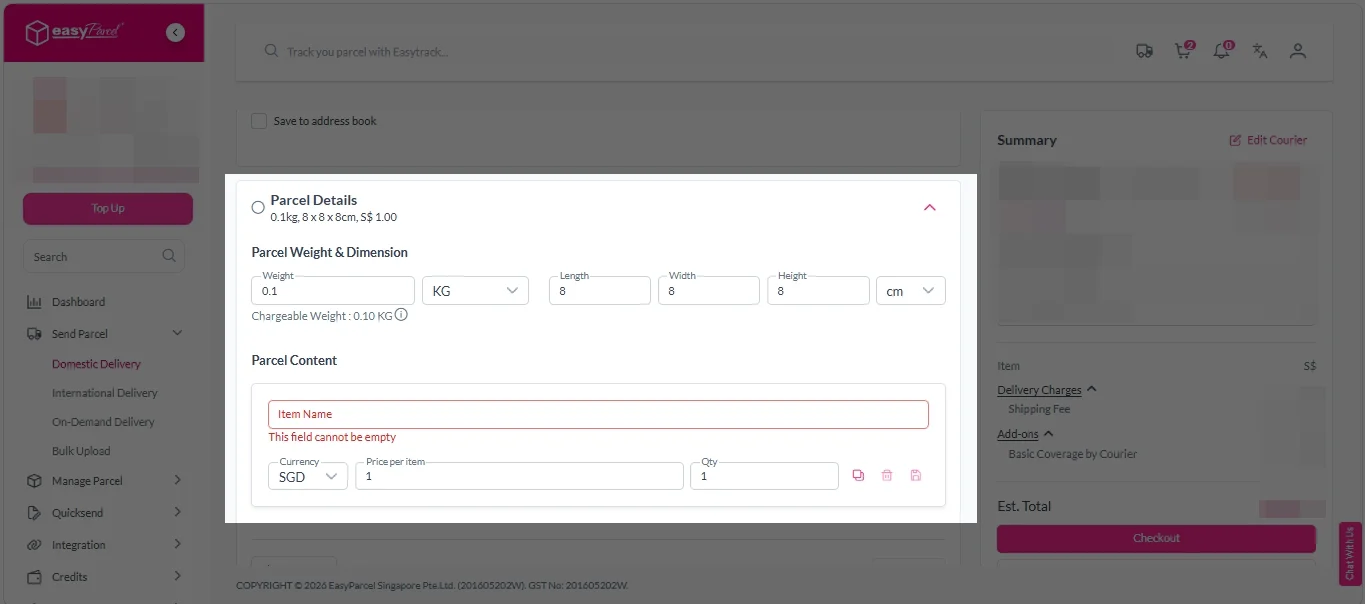
Parcel Details: 
Enter the actual weight, dimension and content of your parcel. 
Parcel Content:
Fill in your item name, price per item, and quantity. 

Domestic delivery - parcel details

Add-On Services: 
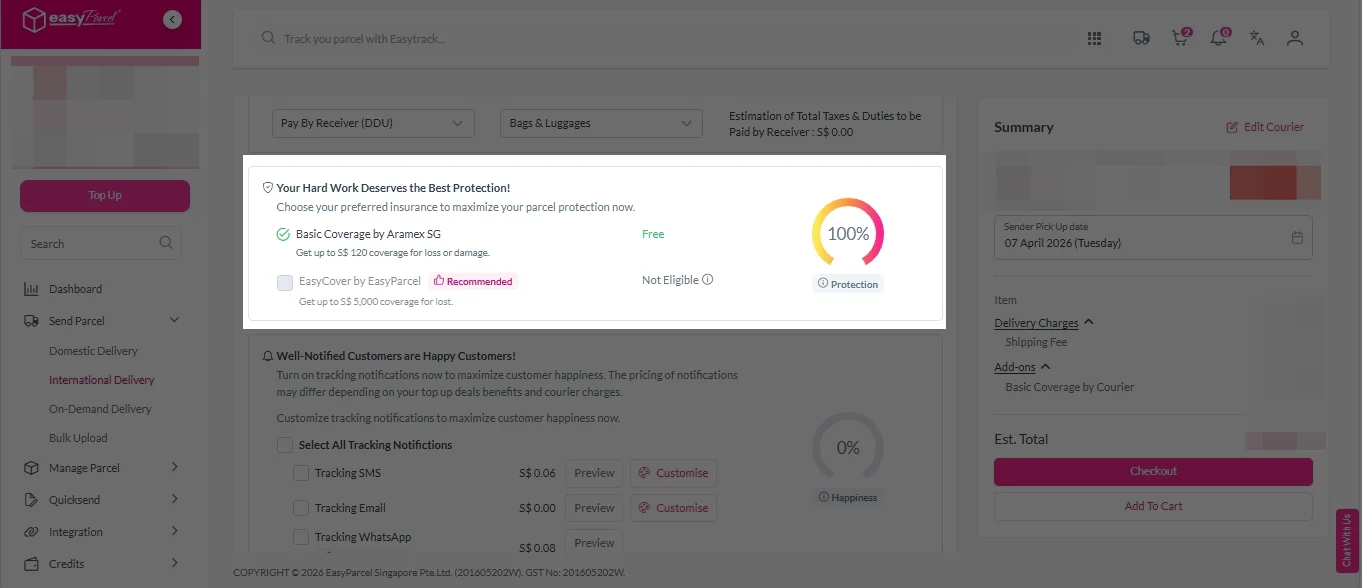
i. Tick the box to add EasyCover for additional protection against loss.
Note: EasyCover availability depends on the courier selected. Learn more about EasyCover

add on services 2

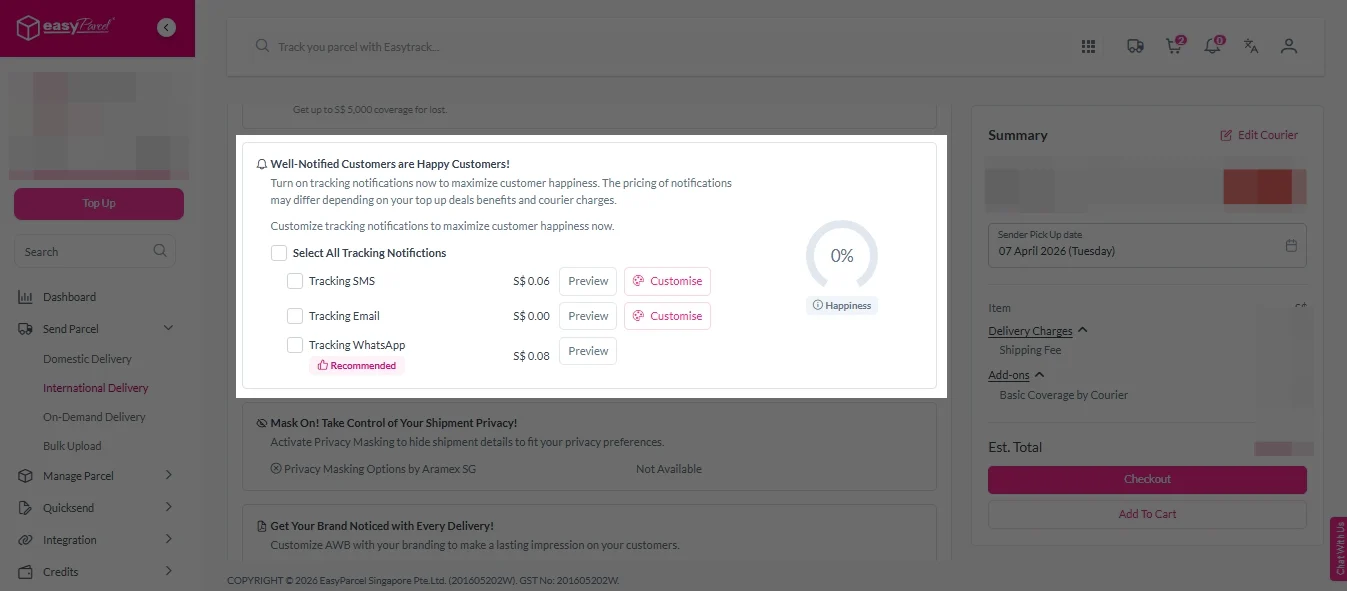
ii. Choose your preferred notification channel – SMS, Email, or WhatsApp. Click “Preview” to see how it looks,  and click “Customise” to add brand message to the notification.
Note: Learn more about Customise Branding Servcies

add on services 3

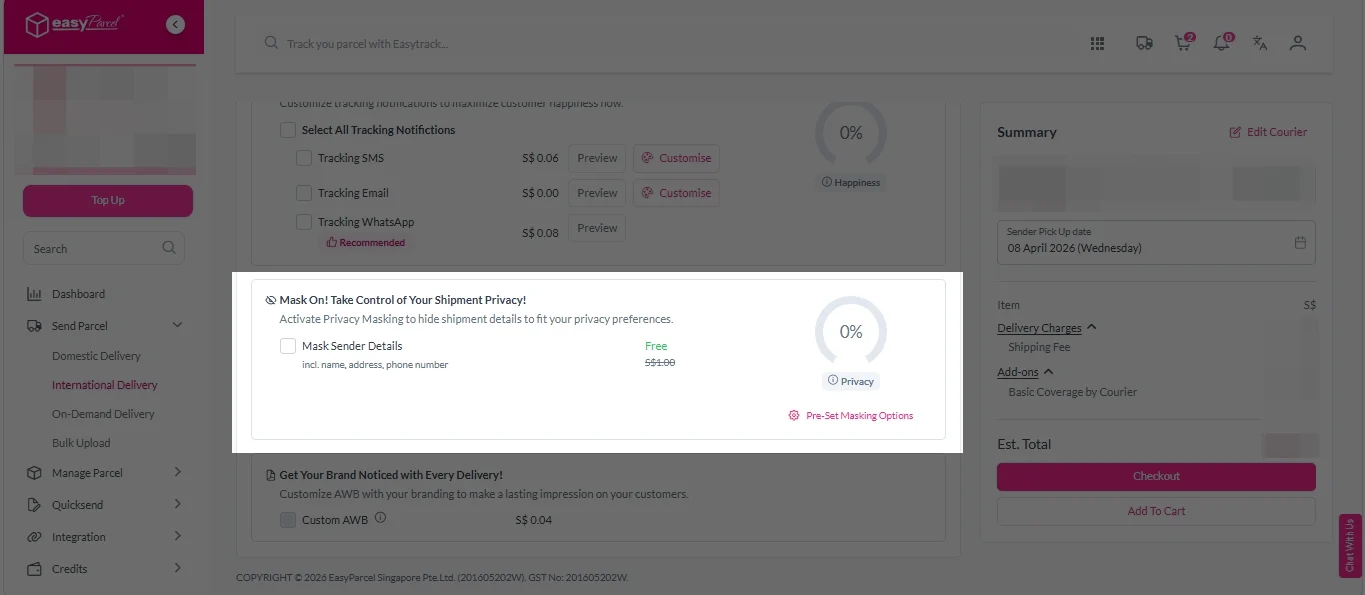
iii. Tick the “Mask Sender Details” checkbox. EasyParcel Next Gen will automatically hide your sender information based on your saved privacy settings
Note: Mask Sender Details only available for certain couriers. Find out what courier is available for Mask Sender Details.

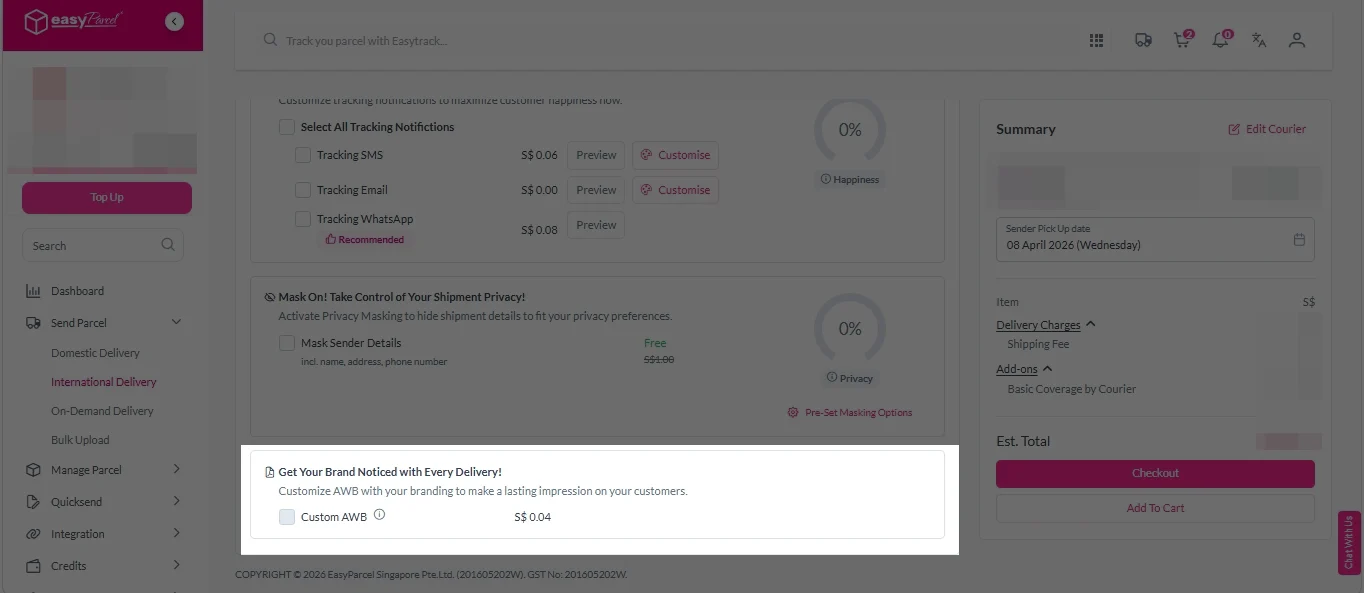
iv. Tick the “Custom AWB” checkbox. EasyParcel Next Gen will apply your saved AWB template automatically. 
Note: Custom AWB is only available for certain couriers. Find out which couriers support Custom AWB

custom awb 1

8. Double check all details and click on “Checkout”. 

send-parcel-nextgen-step-4

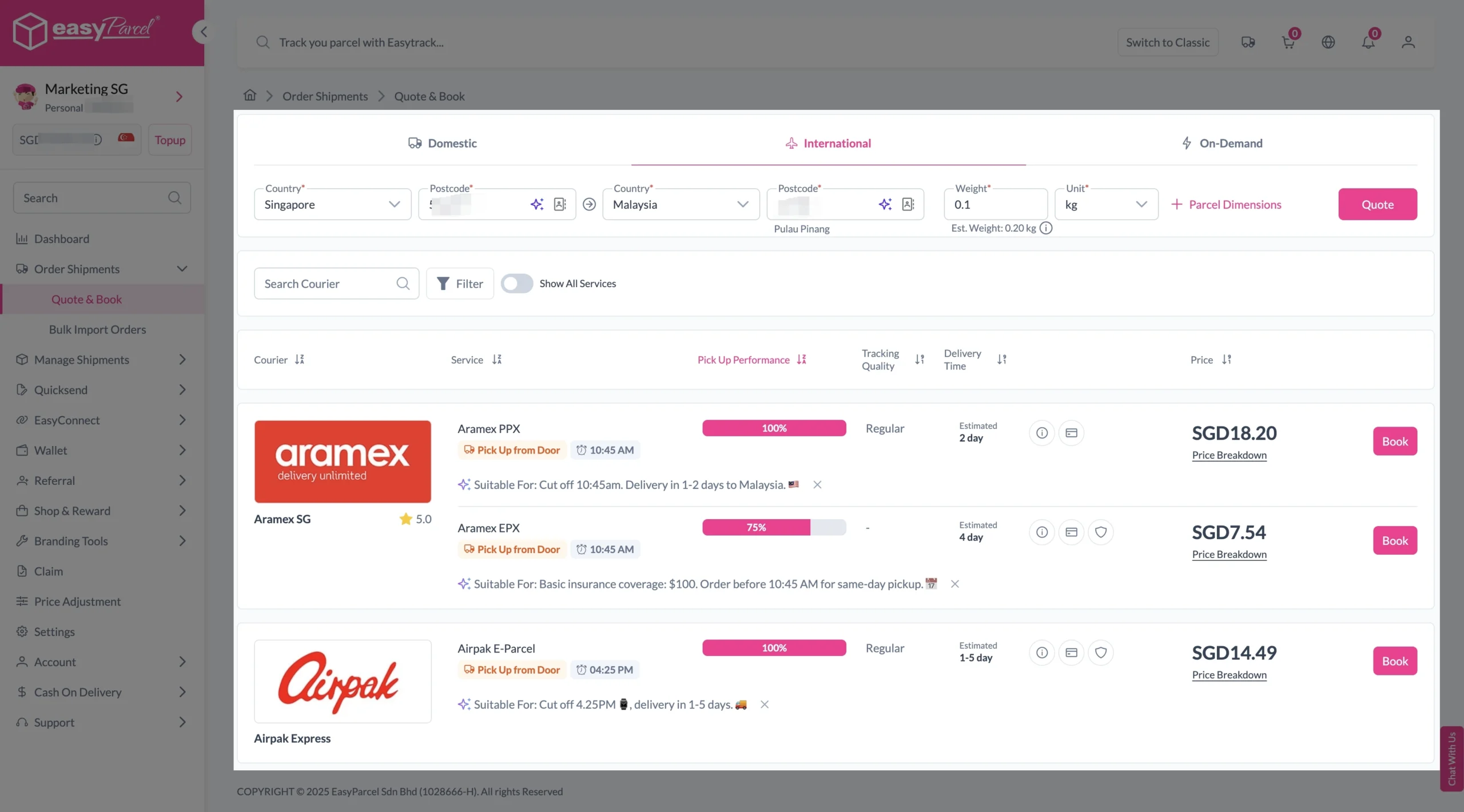
1. Fill in the origin postcode.
2. Enter the destination country and postcode.
3. Provide the parcel weight.
4. (Optional) Add parcel dimensions for a more accurate shipping rate.
5. Click the “Quote” button.
6. A list of courier rates will appear below, as shown in the image.
7. Choose your preferred SingPost service and click “Book Now.”

send-parcel-nextgen-step-3-international

8. Fill in all details included Sender Details, Receiver Details, Parcel Details and Add-On Services.
Sender and Receiver Details: 

send-parcel-nextgen-step-4

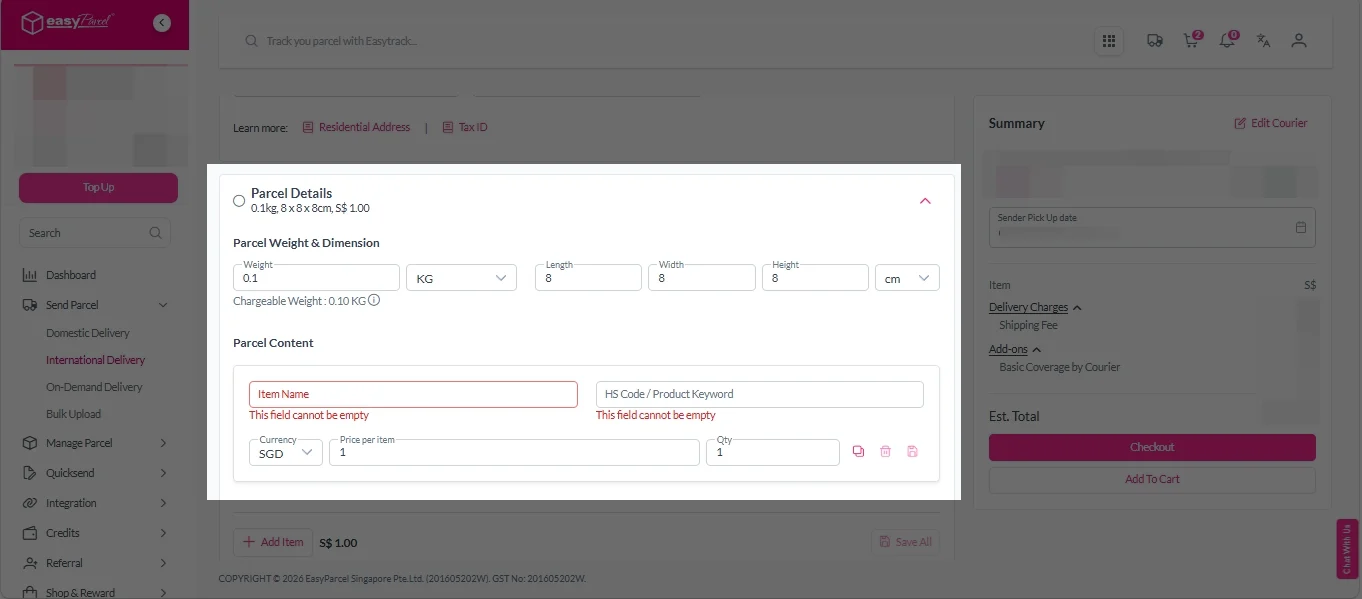
Parcel Details: 
Enter the actual weight, dimension and content of your parcel. 
Parcel Content:
Fill in your item name. Then, choose your item category from the dropdown menu. The HS code will be auto generated based on your selection.

Note: Learn more about Smart HS Code.

International- Parcel Details

Add-On Services: 
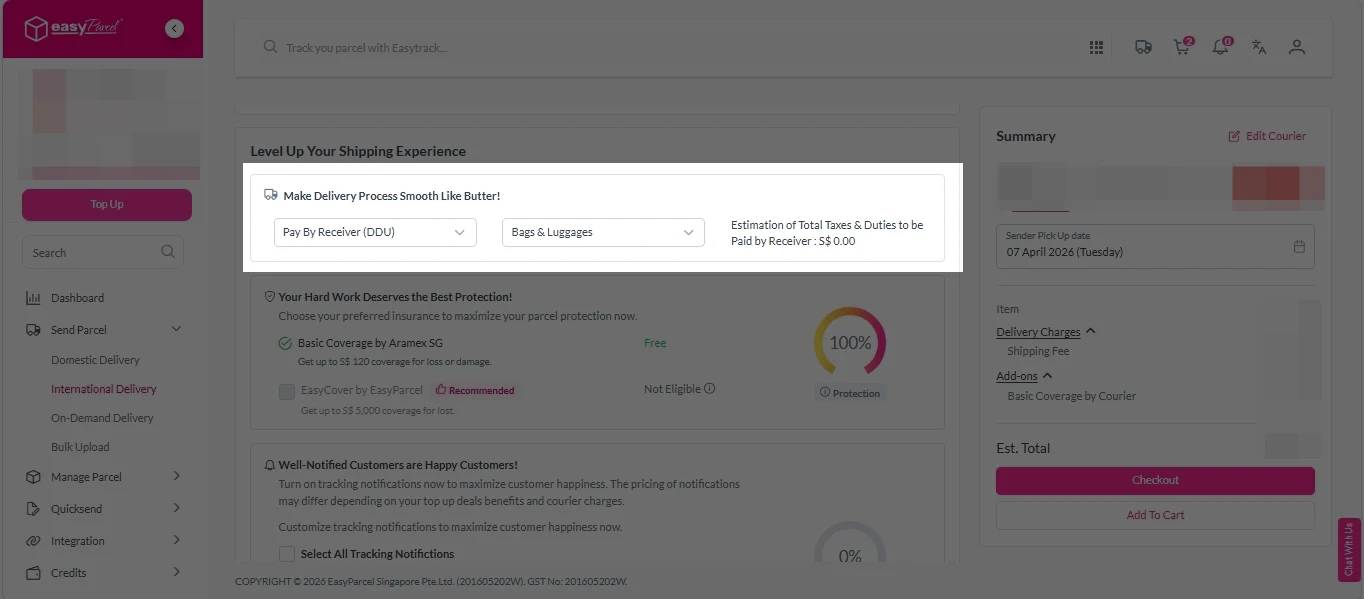
i.  Select your preferred duties payment option – Delivered Duty Paid (DDP) or Delivered Duty Unpaid (DDU)
Note: Learn more about DDP and DDU.

add on services 1

ii. Tick the box to add EasyCover for additional protection against loss.
Note: EasyCover availability depends on the courier selected. Learn more about EasyCover

add on services 2

iii. Choose your preferred notification channel – SMS, Email, or WhatsApp. Click “Preview” to see how it looks,  and click “Customise” to add brand message to the notification.
Note: Learn more about Customise Branding Servcies

add on services 3

iv. Tick the “Mask Sender Details” checkbox. EasyParcel Next Gen will automatically hide your sender information based on your saved privacy settings
Note: Mask Sender Details only available for certain couriers. Find out what courier is available for Mask Sender Details.

v. Tick the “Custom AWB” checkbox. EasyParcel Next Gen will apply your saved AWB template automatically. 
Note: Custom AWB is only available for certain couriers. Find out which couriers support Custom AWB

custom awb 1

9. Double check all details and click on “Checkout”. 

send-parcel-nextgen-step-4

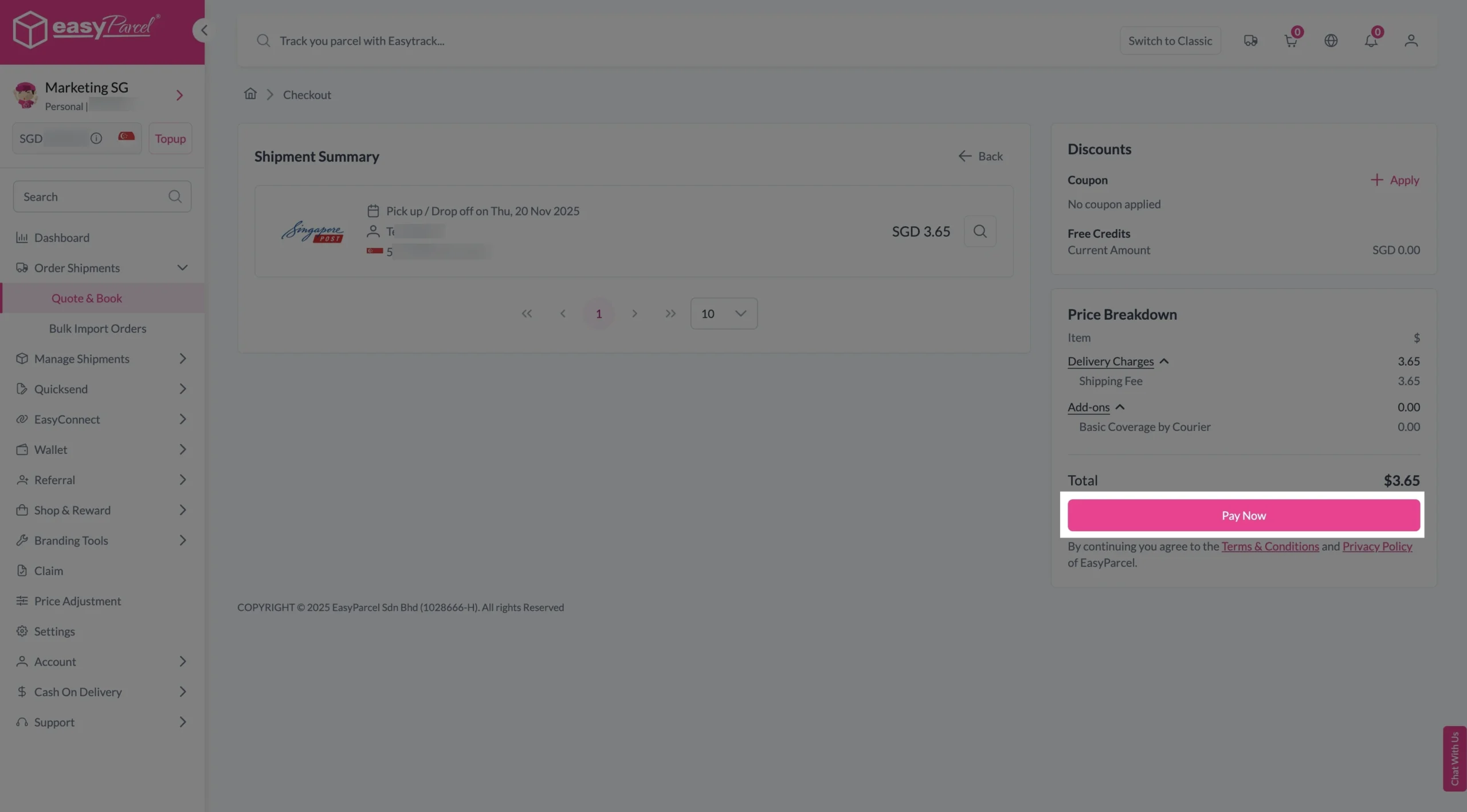
Step 4: Double check all the details and click on “Pay Now” to make payment. 

send-parcel-nextgen-step-5

Step 5: Your shipment has been booked successfully.
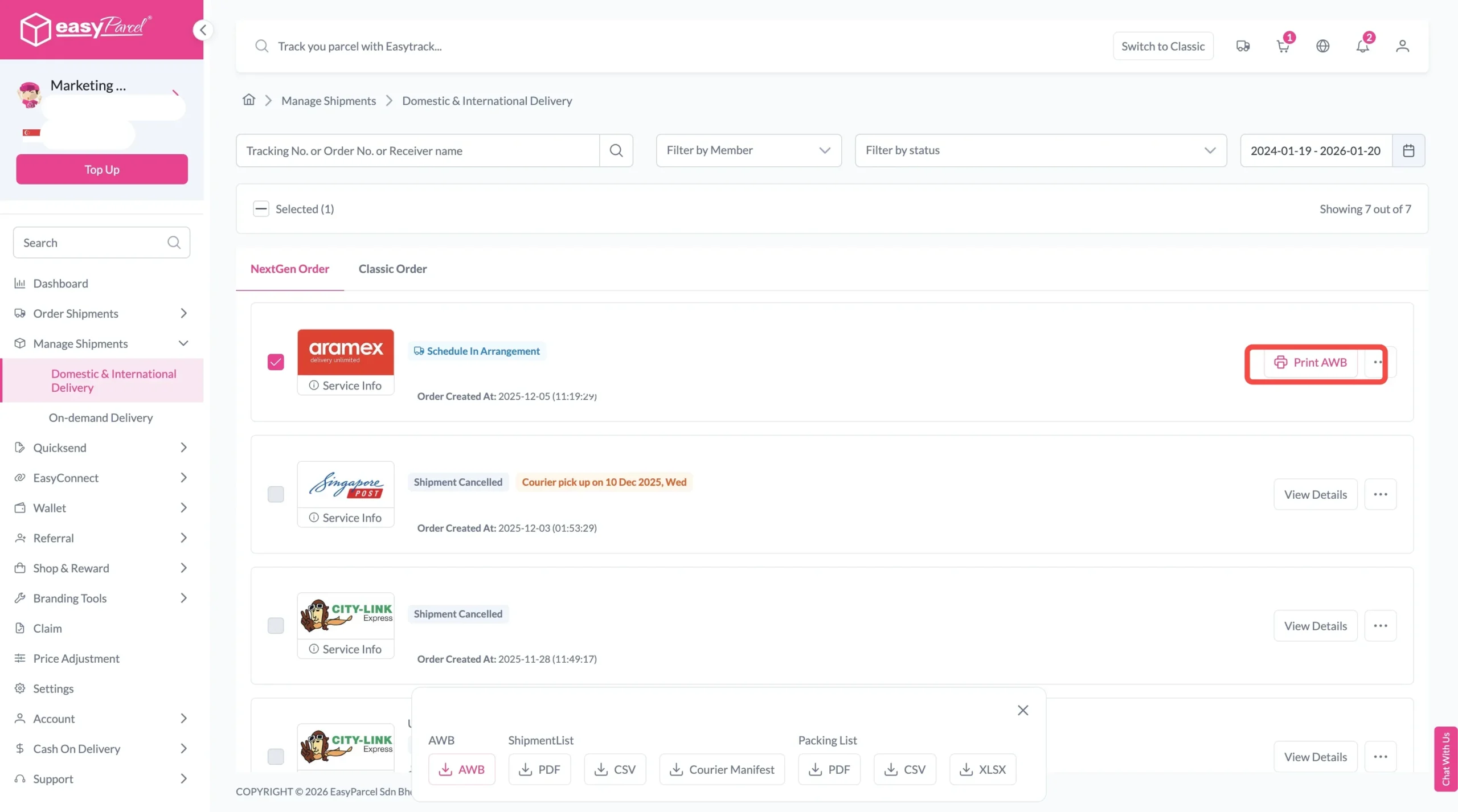
To download and print AWB, you can go to “Manage Shipments”. 

Single AWB
  1. Click the three dots icon next to the shipment.
  2. Select “Print AWB” from the dropdown menu.
  3. A PDF file will automatically download and save.
download AWB (2)

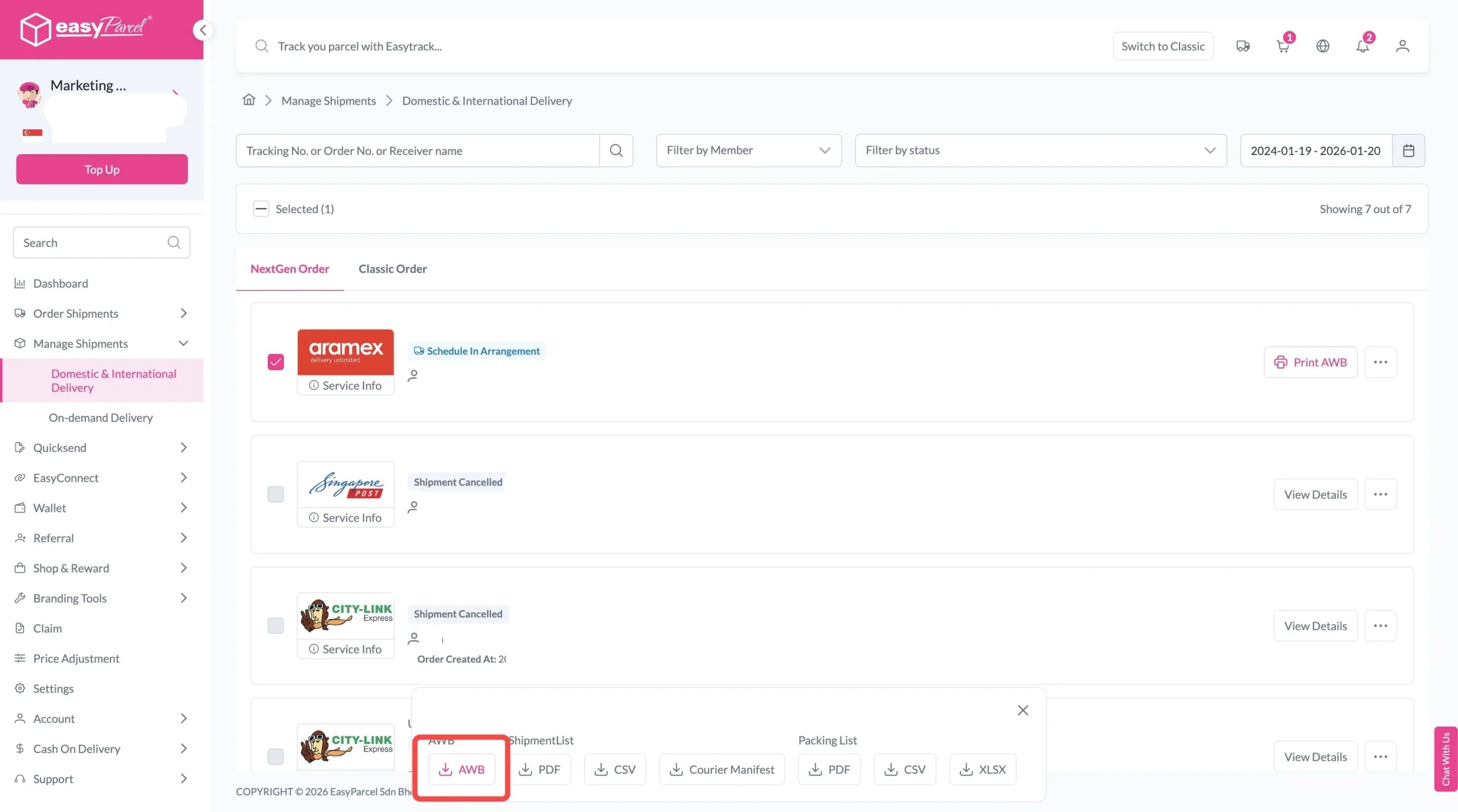
For bulk downloads AWB:

  1. Tick the “Selected” checkbox to choose all your orders.
  2. A menu will appear at the bottom of the screen.
  3. Click “AWB” to download all AWBs in bulk.
download AWB

Final Thoughts

If you’ve been searching for Qxpress delivery, remember the new name: TracX Logis.

You now have four main options on EasyParcel:

📦 Door-to-door Standard – From S$3.65
🏠 Qquick Residential On-Demand – From S$13.80
🏢 Qquick Commercial On-Demand – From S$13.80
🌏 TracX Logis International – From S$3.90

Instead of choosing based on price alone, consider where you’re sending from, where the parcel is going, and how urgently it needs to arrive. Then compare the latest available quotation on EasyParcel before booking.

Frequently Asked Questions

Is Qxpress still available in Singapore?
Qxpress is now known as TracX Logis. If you are searching for Qxpress delivery on EasyParcel Singapore, look for TracX Logis when comparing and booking courier services.
What TracX Logis services are available on EasyParcel?
EasyParcel currently lists four main TracX Logis services: Door-to-door Standard, Qquick Residential On-Demand, Qquick Commercial On-Demand, and TracX Logis International. The best option depends on whether you need regular local delivery, urgent same-day delivery, or international shipping.
How much does Qxpress delivery cost now under TracX Logis?
Current EasyParcel rates start from S$3.65 for TracX Logis Door-to-door Standard, S$13.80 for Qquick Residential On-Demand, S$13.80 for Qquick Commercial On-Demand, and S$3.90 for TracX Logis International. Actual rates may vary according to your shipment details and route.
What is the difference between Qquick Residential and Commercial On-Demand?
Qquick Residential On-Demand is designed for pickups from residential addresses, while Qquick Commercial On-Demand is intended for pickups from business or commercial locations. Both are same-day delivery options, subject to booking cut-off times, coverage and service availability.
How long does TracX Logis delivery take?
TracX Logis Door-to-door Standard generally takes around 1 to 2 working days. Qquick Residential and Commercial On-Demand are designed for same-day delivery, while TracX Logis International is generally estimated at around 3 to 8 working days, subject to destination, customs clearance and shipment conditions.
Does TracX Logis provide doorstep pickup?
Yes. Selected TracX Logis services provide doorstep pickup. Pickup availability and collection arrangements depend on the selected service, pickup location, booking time and shipment details.
Can I use TracX Logis for international delivery?
Yes. TracX Logis International supports overseas parcel delivery to selected countries and territories. Availability, shipping rates and estimated delivery times depend on the destination and parcel details.
How do I book Qxpress delivery through EasyParcel?
Enter your shipment details on EasyParcel and look for TracX Logis among the available courier services. Choose the most suitable service, complete your sender and recipient information, make payment, print the automatically generated Air Waybill, prepare your parcel for pickup, and track the shipment through EasyTrack.

Quote & Book 24/7 with EasyParcel APP

Download the EasyParcel App to track Qxpress and other courier parcels anytime, anywhere.

Related Blogs

Join 1.5 Million Happy Customers & Start Saving

Create your free account today and receive S$6 shipping coupon to start saving from your very first parcel. Compare courier rates, book in minutes, and start saving immediately.
×