

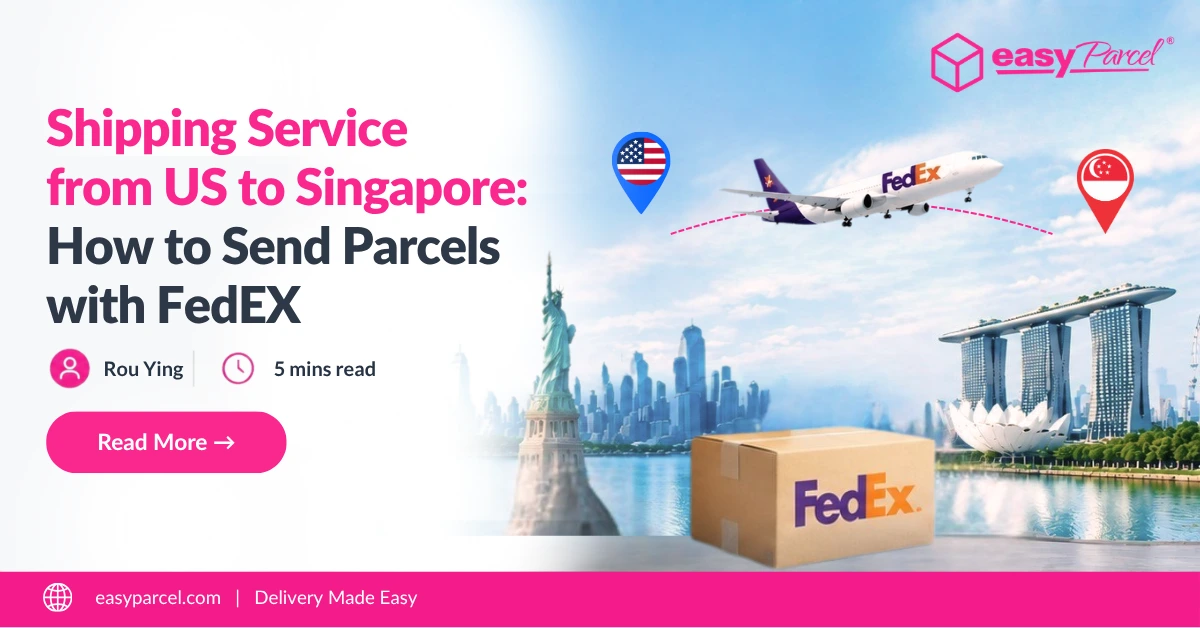
Shipping parcels from the US to Singapore requires a reliable international shipping service to ensure smooth delivery. From choosing the right courier to understanding shipping costs and delivery options, businesses need a solution that fits their shipment needs.
With FedEx shipping services, businesses can send parcels from the US to Singapore with reliable tracking and international delivery support. Through EasyParcel, users can access FedEx services and manage their shipments more conveniently.
Table of Contents
FedEx Shipping Services from US to Singapore
When shipping parcels from the US to Singapore, EasyParcel provides access to available FedEx international shipping services to suit different delivery needs. Users can choose from different FedEx options based on their preferred delivery speed and budget.
Whether you need faster delivery for urgent shipments or a more affordable option for less time-sensitive parcels, selecting the right FedEx service helps businesses manage their international shipments more effectively.
|
FedEx Service
|
Description
|
||
|---|---|---|---|
|
A reliable express shipping option for time-sensitive shipments with fast international delivery
|
|||
|
A premium express service designed for urgent shipments that require earlier delivery times
|
|||
|
A cost-effective shipping option for less urgent parcels
|
Why Use EasyParcel for US to Singapore Shipping?
Auto-Generated Shipping Documents
Generate required shipping documents such as Air Waybill (AWB) and commercial invoices after booking your shipment
Custom Shipping Tools for Businesses
Improve customer experience with features such as branded tracking pages, tracking notifications , and shipping tools
Bulk Shipment Management
Manage multiple shipments efficiently with bulk tools designed to simplify order processing
Track Your Parcel Online
Monitor your parcel status through EasyTrack and stay updated throughout the delivery journey
Instant Rate Comparison
Compare available shipping rates instantly and choose a suitable FedEx service based on your budget and delivery needs
Ready to Ship from US to Singapore?
Book your FedEx shipment with EasyParcel and simplify your international delivery.

How to Ship from US to Singapore with EasyParcel
Sending a parcel from the US to Singapore with EasyParcel is simple. Follow the steps below to enter your shipment details, select an available FedEx service, and complete your booking.
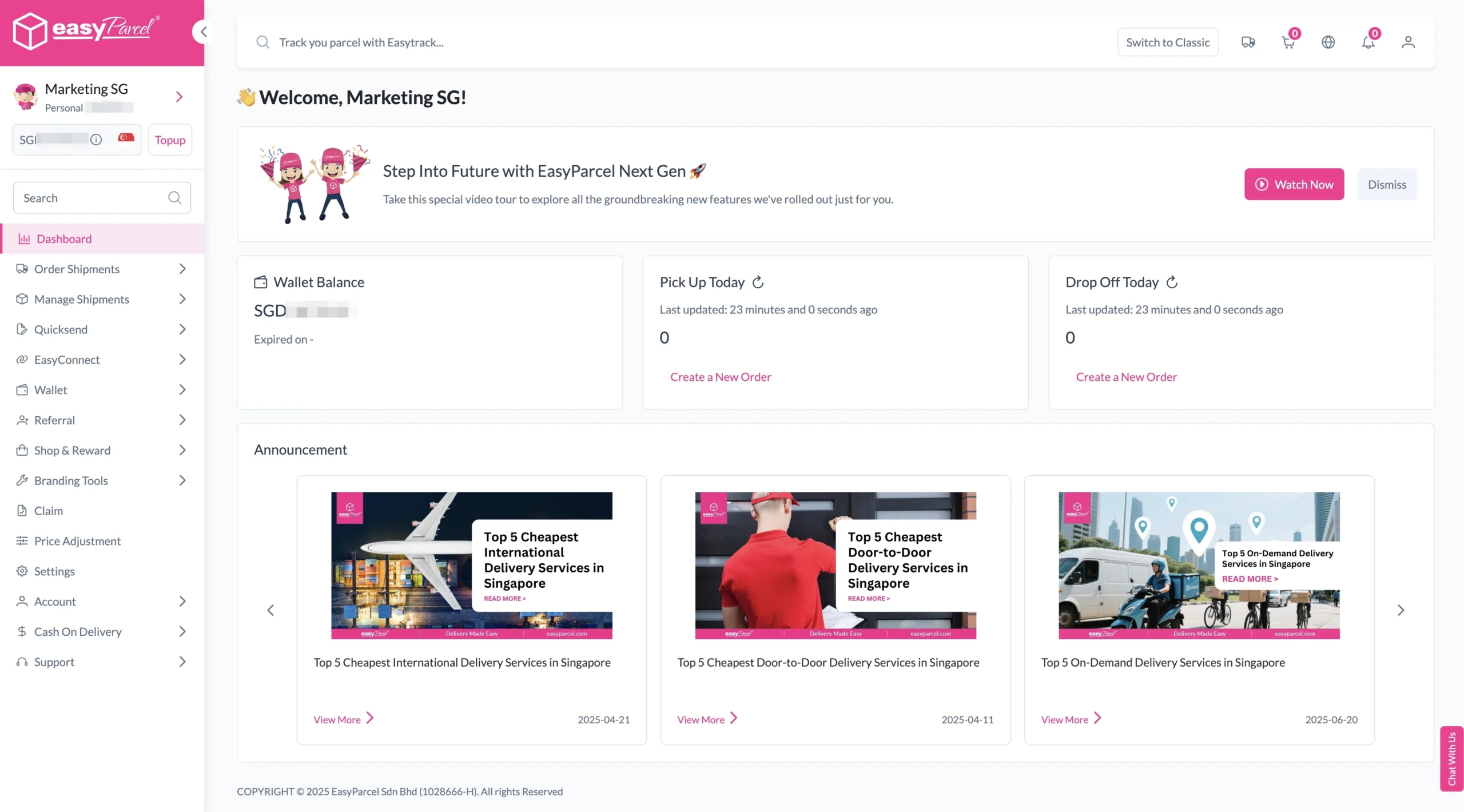
1. Log in EasyParcel account.
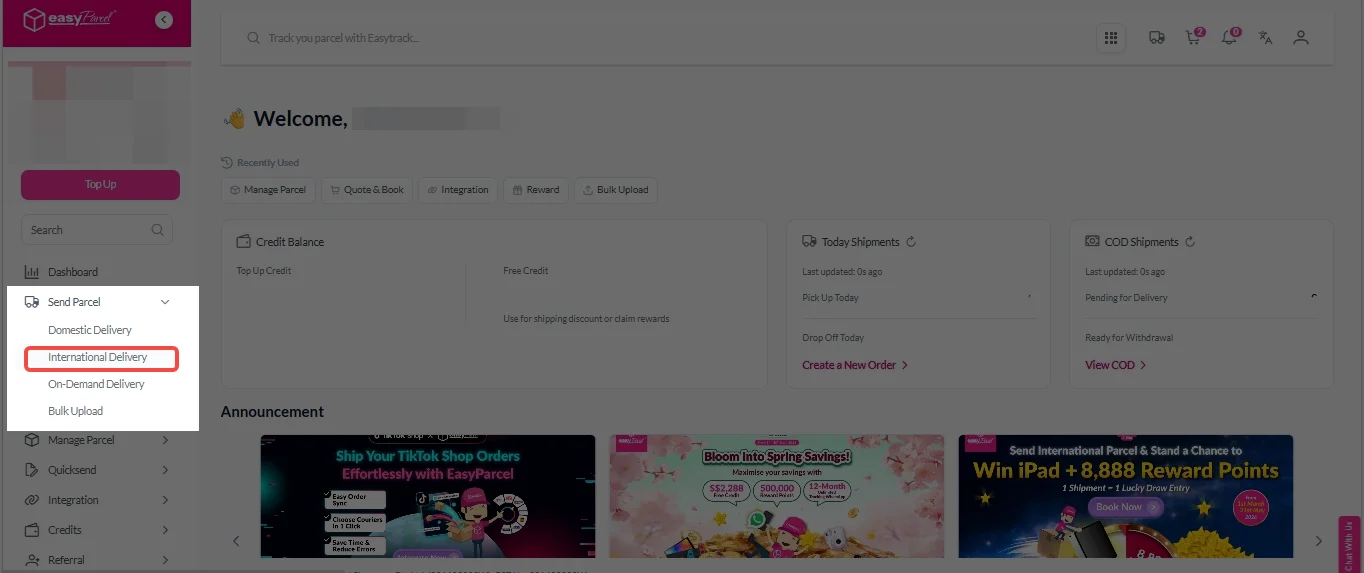
2. Under “Send Parcel”, Click on “International Delivery”.
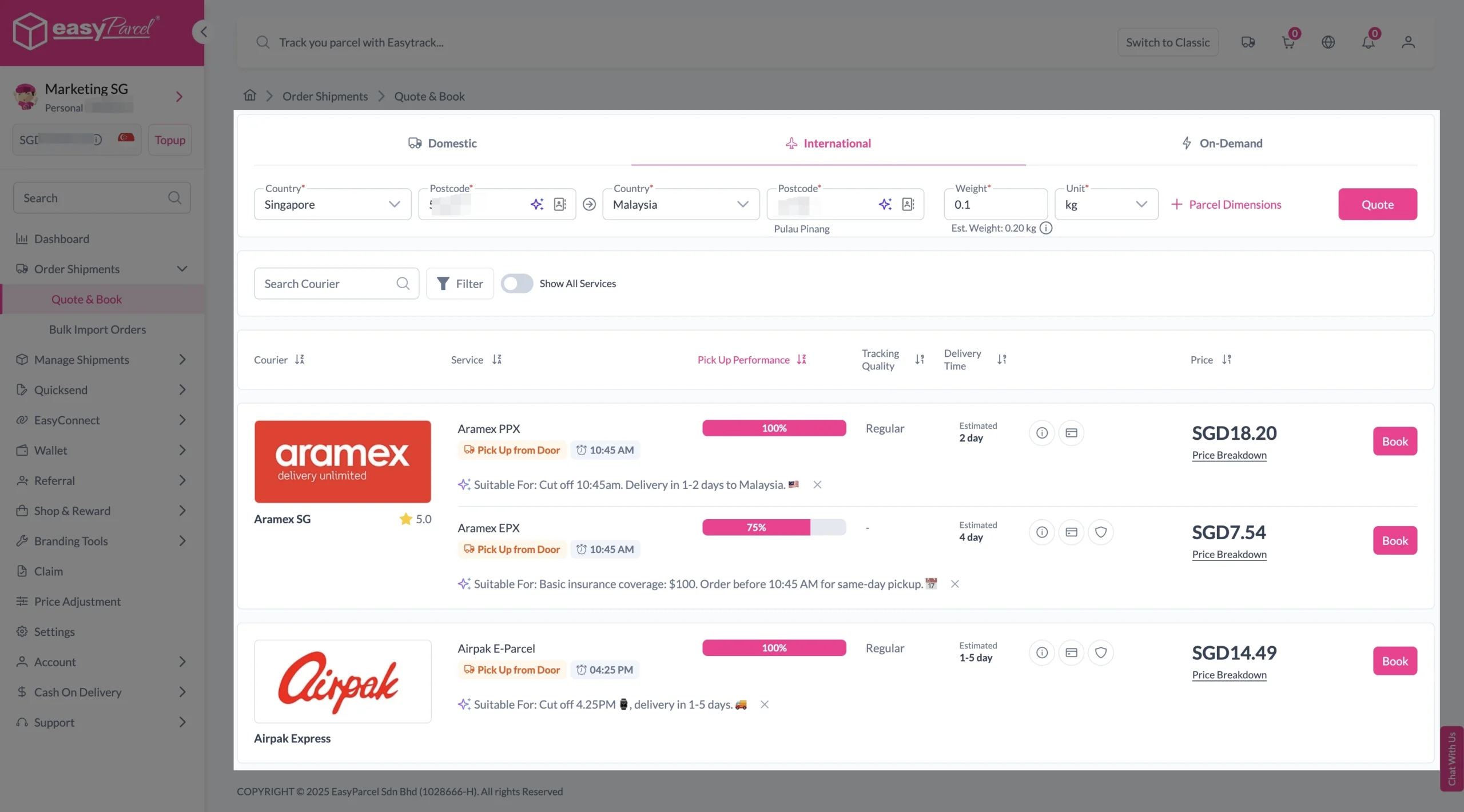
3. Enter details (sender country with postcode, destination country with postcode and parcel weight) and click on “Quote”.
Choose your preferred courier and click “Book Now.”
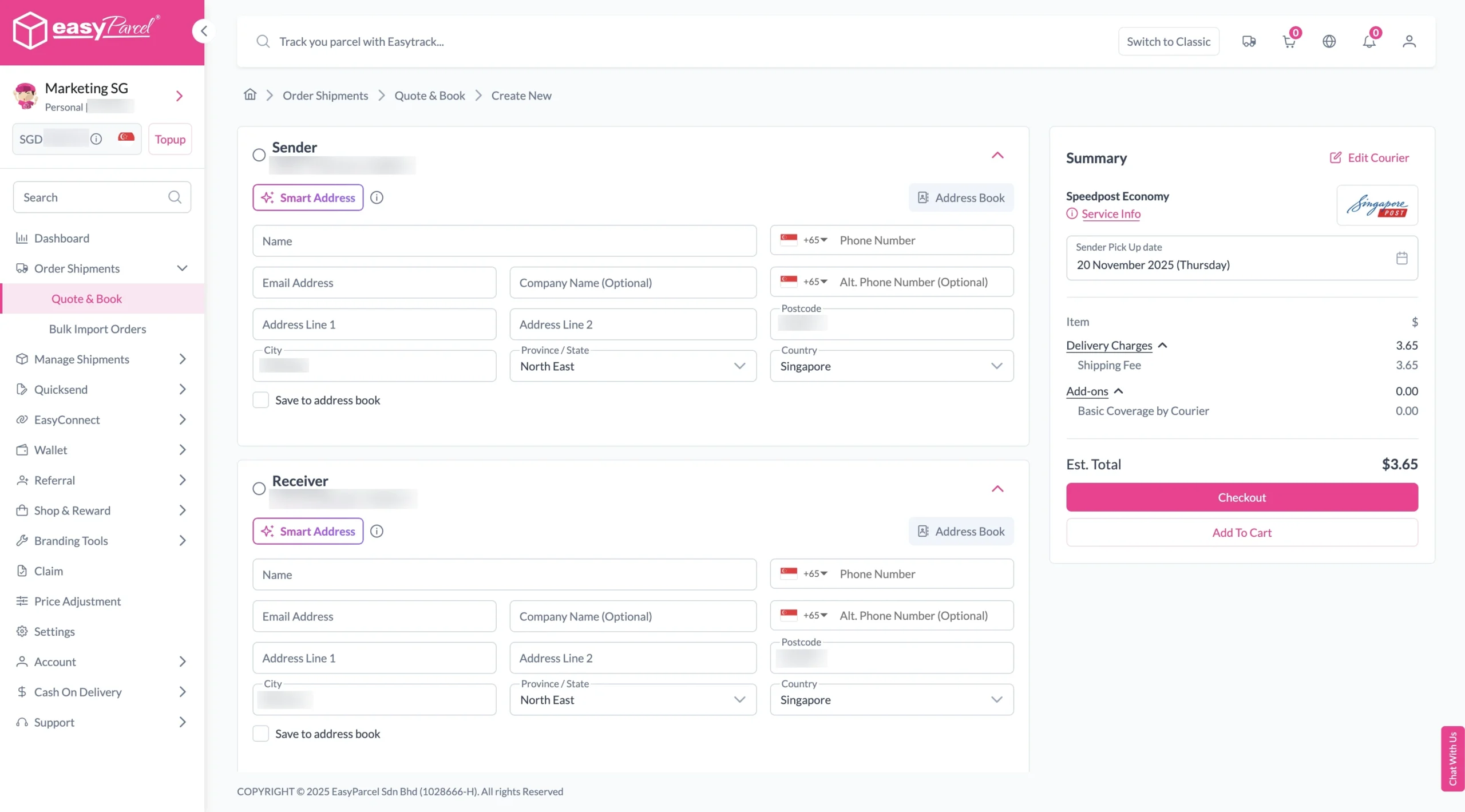
4. Fill in all details included Sender Details, Receiver Details, Parcel Details and Add-On Services.
Sender and Receiver Details:
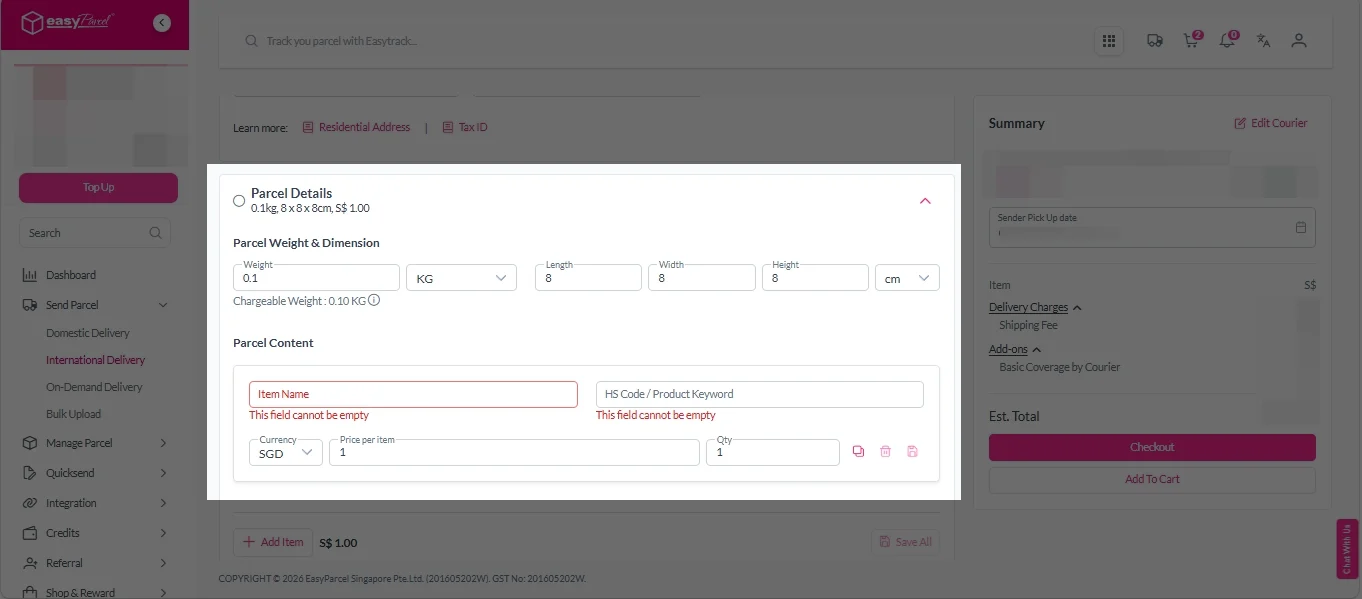
Parcel Details:
Enter the actual weight, dimension and content of your parcel.
Parcel Content:
Fill in your item name. Then, choose your item category from the dropdown menu. The HS code will be auto generated based on your selection.
Note: Learn more about Smart HS Code.
Add-On Services:
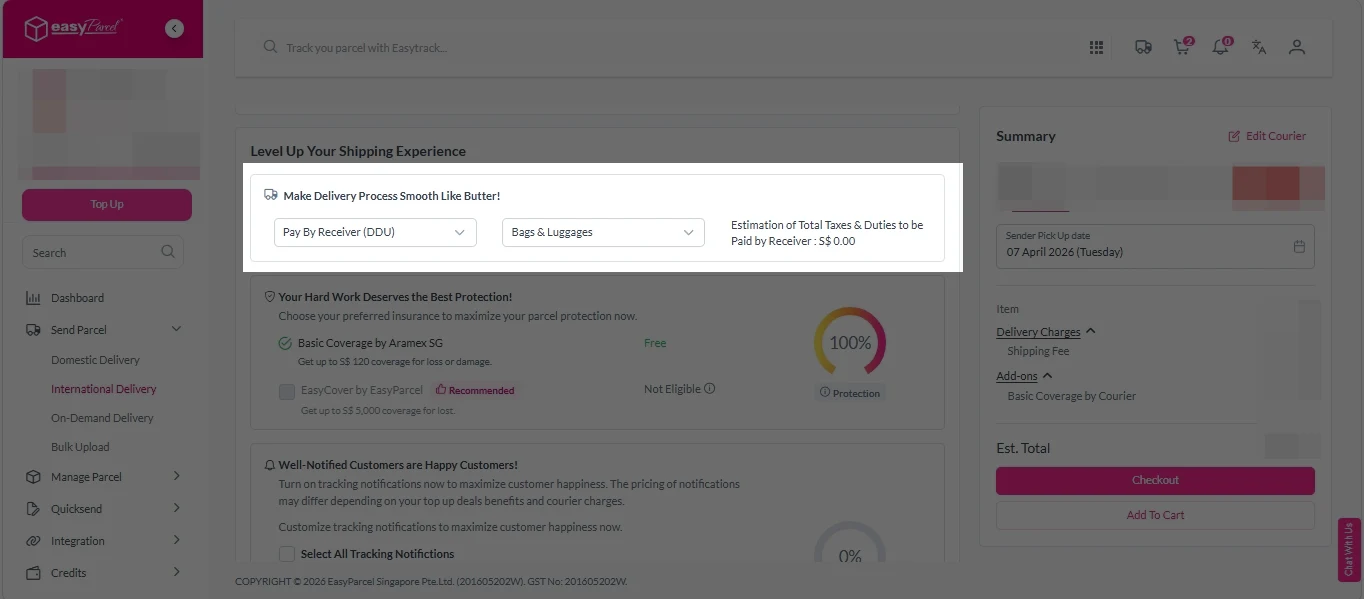
i. Select your preferred duties payment option – Delivered Duty Paid (DDP) or Delivered Duty Unpaid (DDU).
Note: Learn more about DDP and DDU.
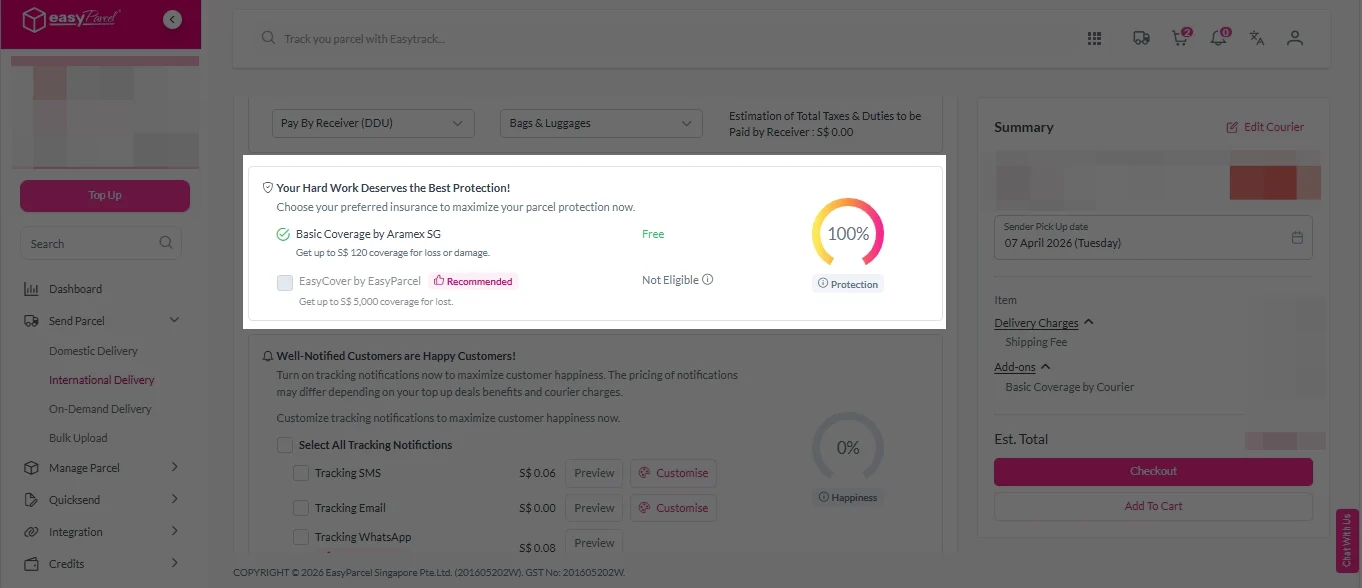
ii. Tick the box to add EasyCover for additional protection against loss.
Note: EasyCover availability depends on the courier selected. Learn more about EasyCover.
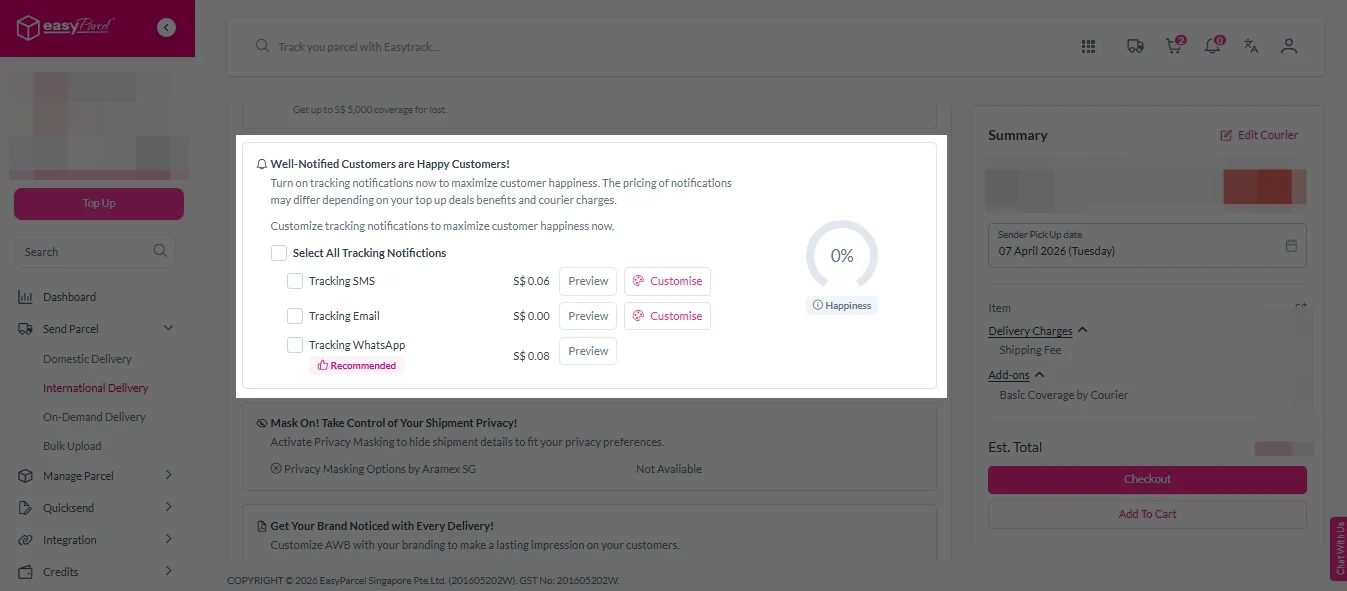
iii. Choose your preferred notification channel – SMS, Email, or WhatsApp. Click “Preview” to see how it looks, and click “Customise” to add brand message to the notification.
Note: Learn more about Customise Branding Servcies.
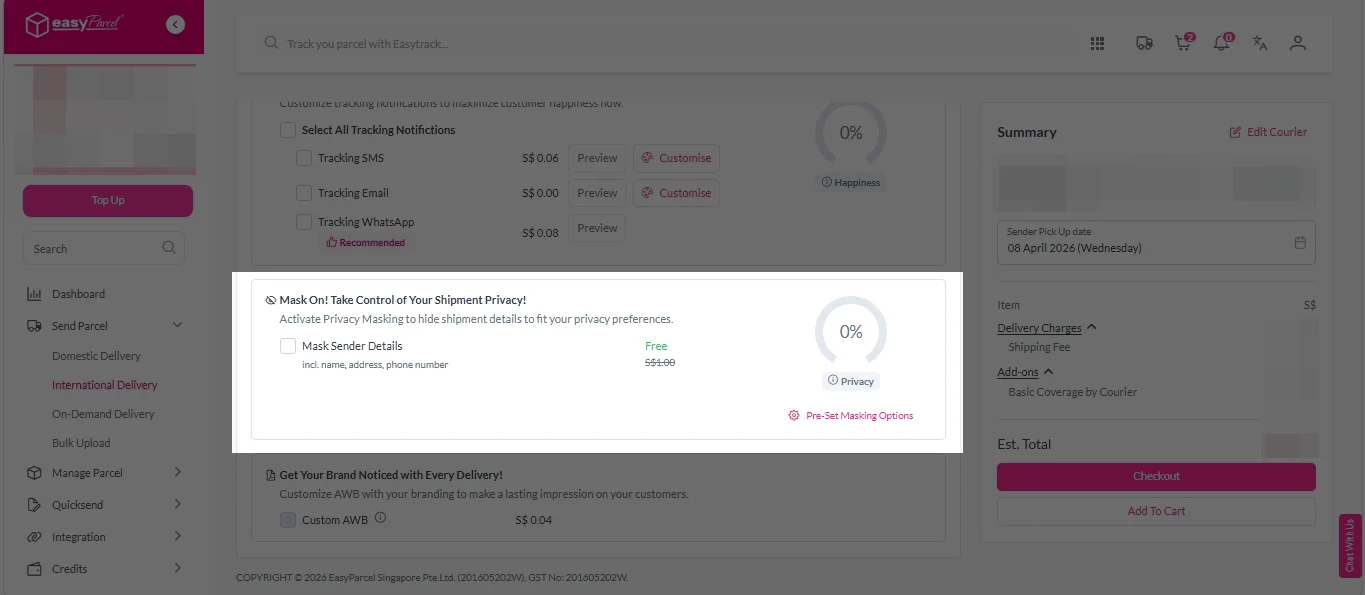
iv. Tick the “Mask Sender Details” checkbox. EasyParcel Next Gen will automatically hide your sender information based on your saved privacy settings.
Note: Mask Sender Details only available for certain couriers. Find out what courier is available for Mask Sender Details.
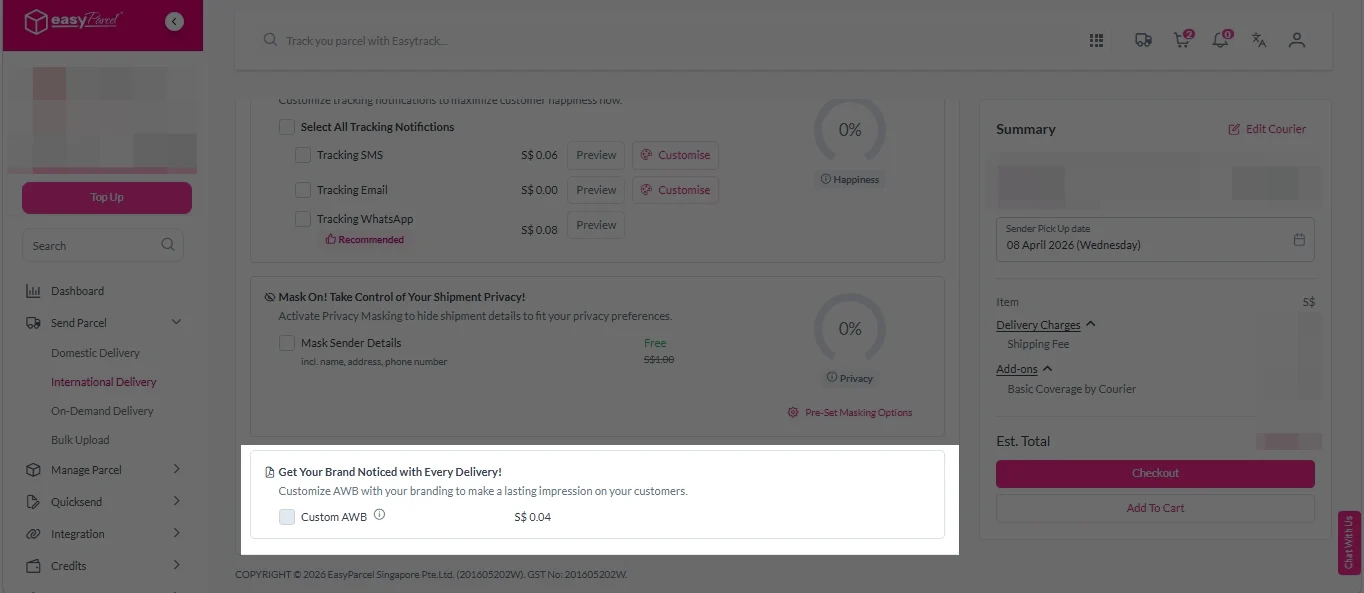
v. Tick the “Custom AWB” checkbox. EasyParcel Next Gen will apply your saved AWB template automatically. After completing all details, click on “Checkout” button.
Note: Custom AWB is only available for certain couriers. Find out which couriers support Custom AWB.
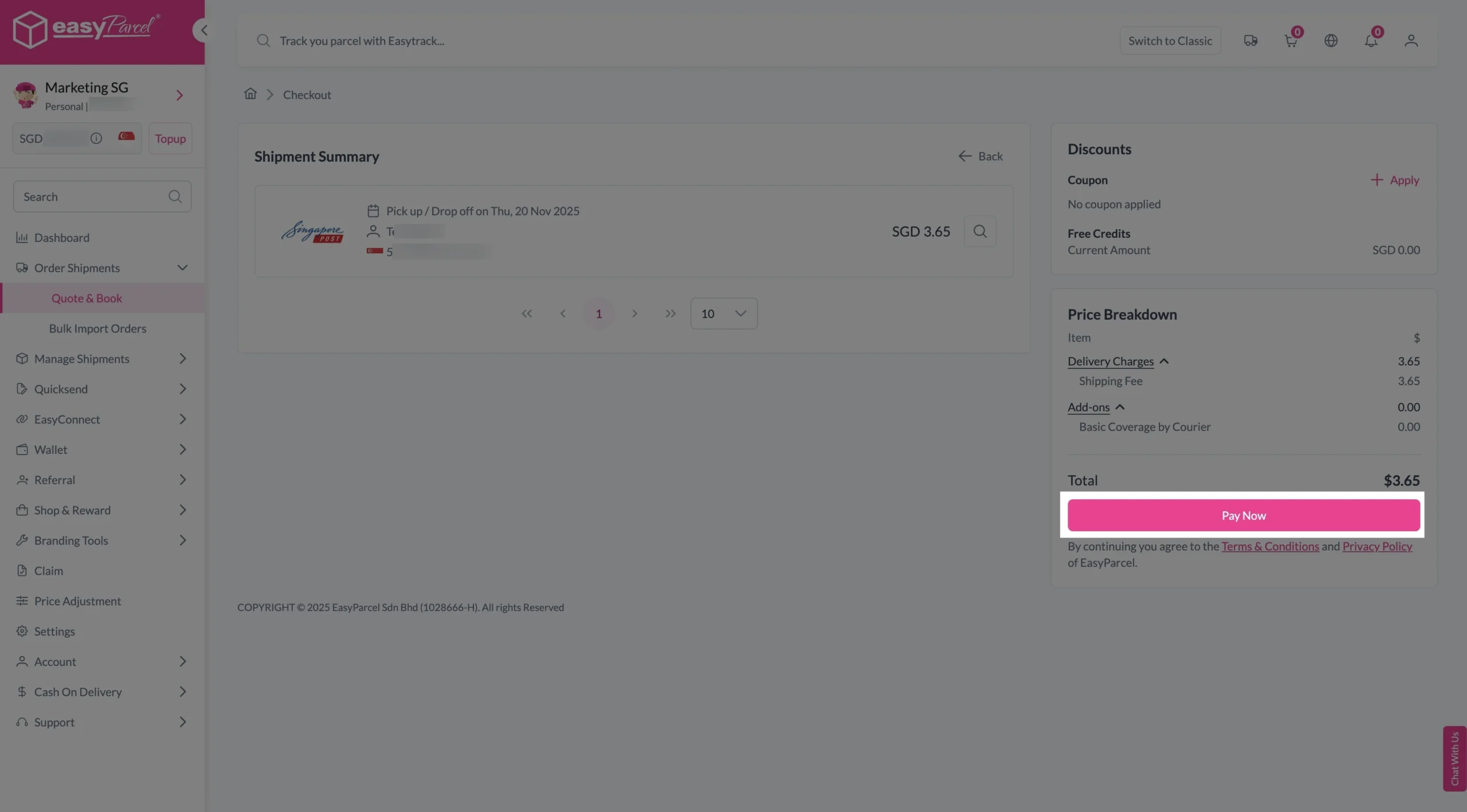
5. Double check all the details and click on “Pay Now” to make payment.
6. Download and print Air Waybill (AWB).
Single AWB
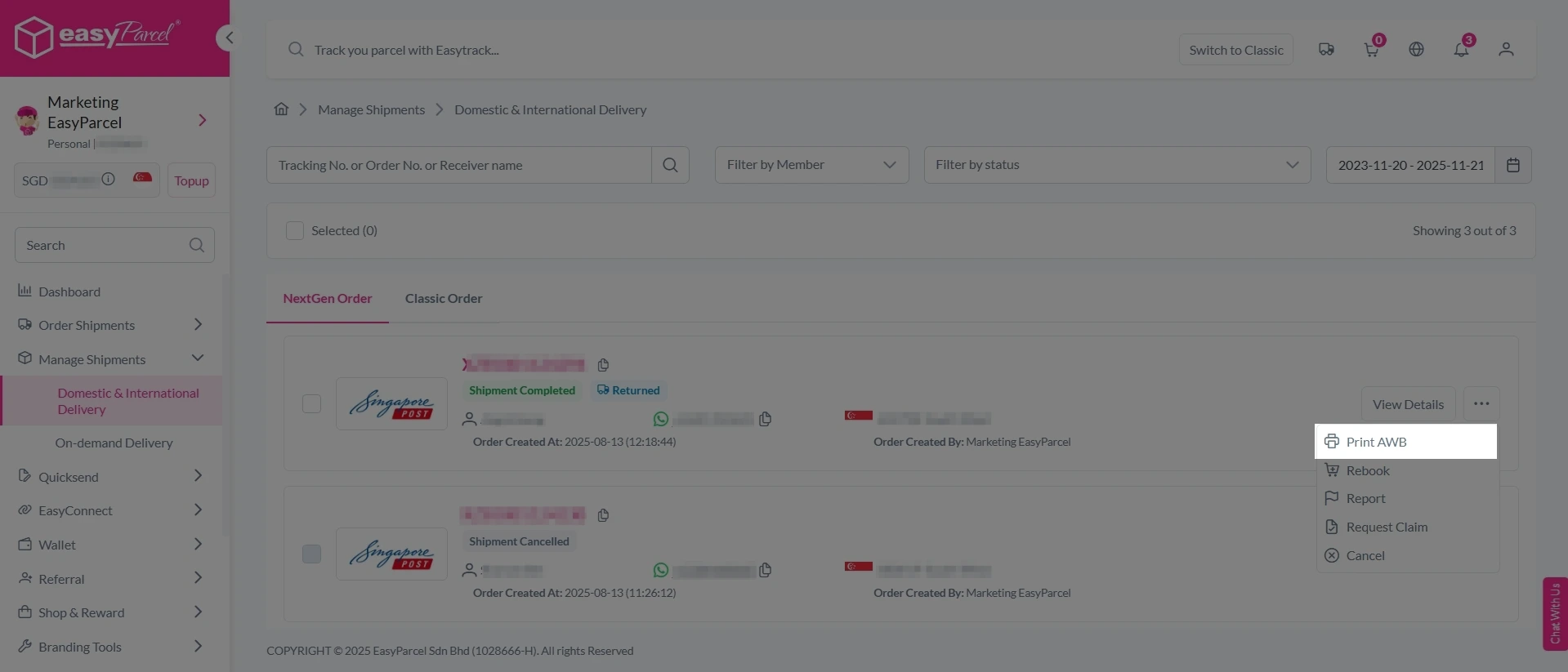
1. Click the three dots icon next to the shipment.
2. Select “Print AWB” from the dropdown menu.
3. A PDF file will automatically download and save.
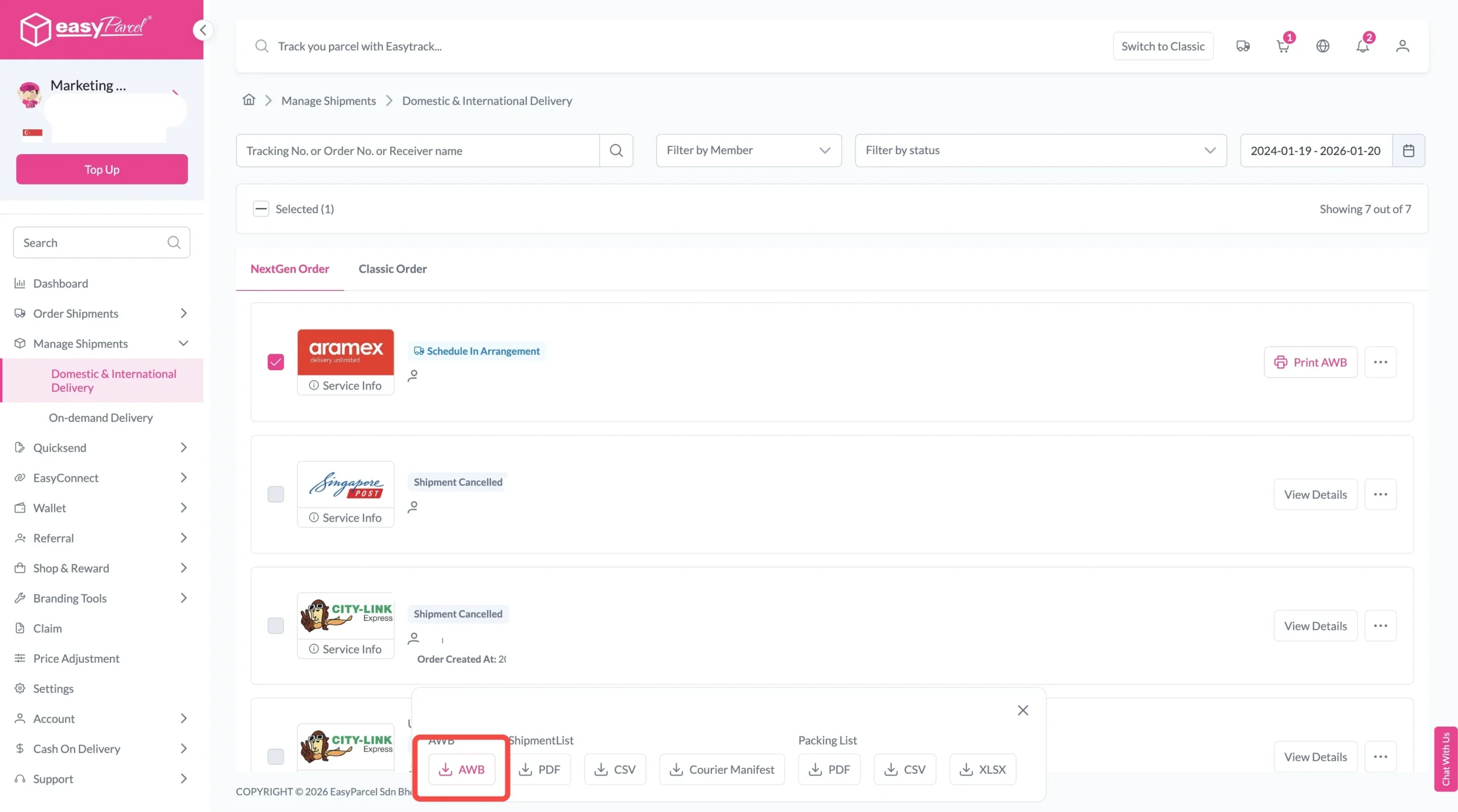
Bulk Downloads AWB
1. Tick the “Selected” checkbox to choose all your orders.
2. A menu will appear at the bottom of the screen.
3. Click “AWB” to download all AWBs in bulk.
Tips for Smooth US to Singapore Shipping
Check Prohibited Items
Make sure your items are allowed for international shipment.
Prepare Accurate Documents
Provide the required shipping and customs information correctly.
Pack Your Parcel Properly
Use suitable packaging to protect your items during transit.
Check Shipment Details
Double-check the recipient address, parcel weight, and dimensions before booking.