Shipping parcels internationally can feel overwhelming, especially when dealing with customs regulations, courier choices, and delivery timelines. If you’re looking to ship to China from Singapore, whether for business or personal reasons, having the right shipping partner makes all the difference.
EasyParcel simplifies international shipping by giving you access to trusted courier services, transparent pricing, and an easy-to-use platform—all in one place. This guide walks you through the process step by step, so you can ship with confidence and peace of mind.
Table of Contents
Step-by-Step Guide: How to Ship to China from Singapore
1. Log in EasyParcel account.

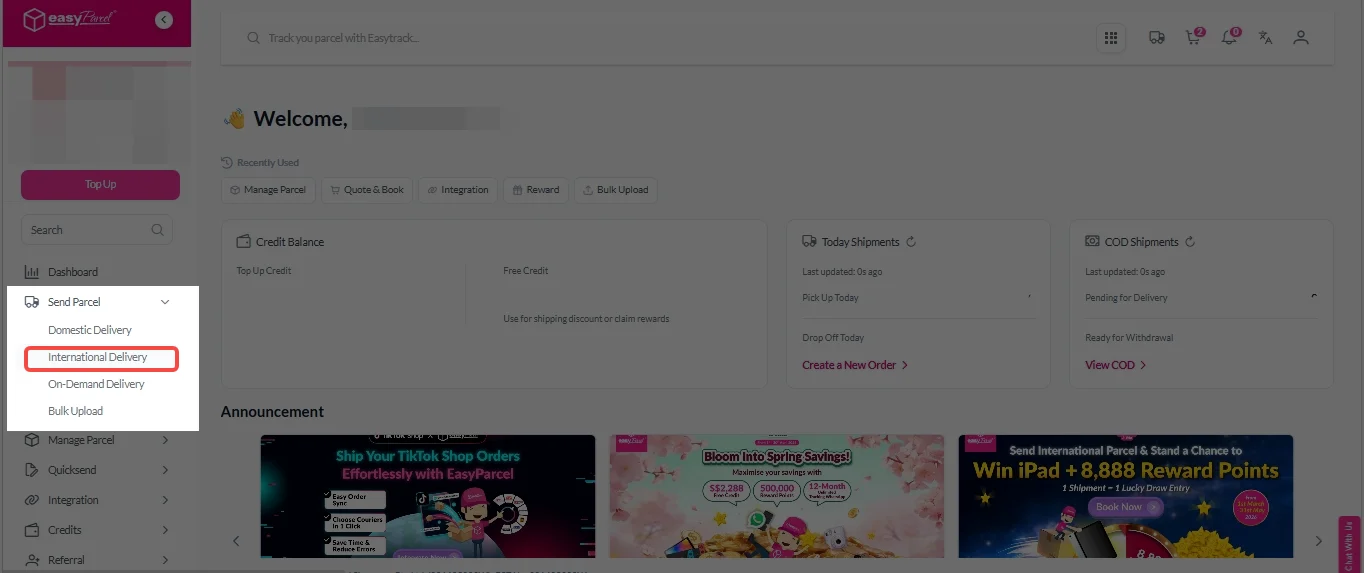
2. Under “Send Parcel”, Click on “International Delivery”.
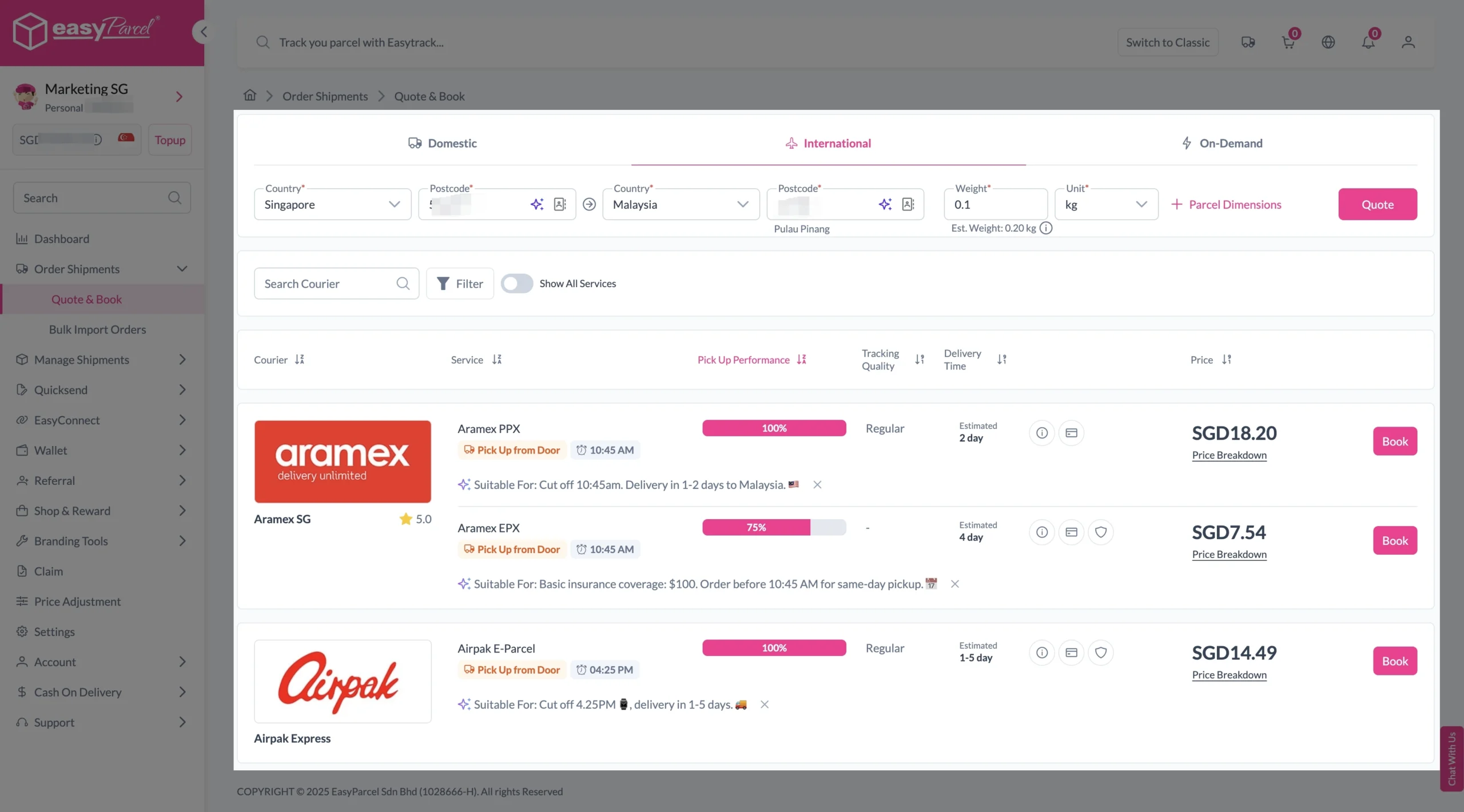
3. Enter details (sender country with postcode, destination country with postcode and parcel weight) and click on “Quote”.
Choose your preferred courier and click “Book Now.”
4. Fill in all details included Sender Details, Receiver Details, Parcel Details and Add-On Services.
Sender and Receiver Details:

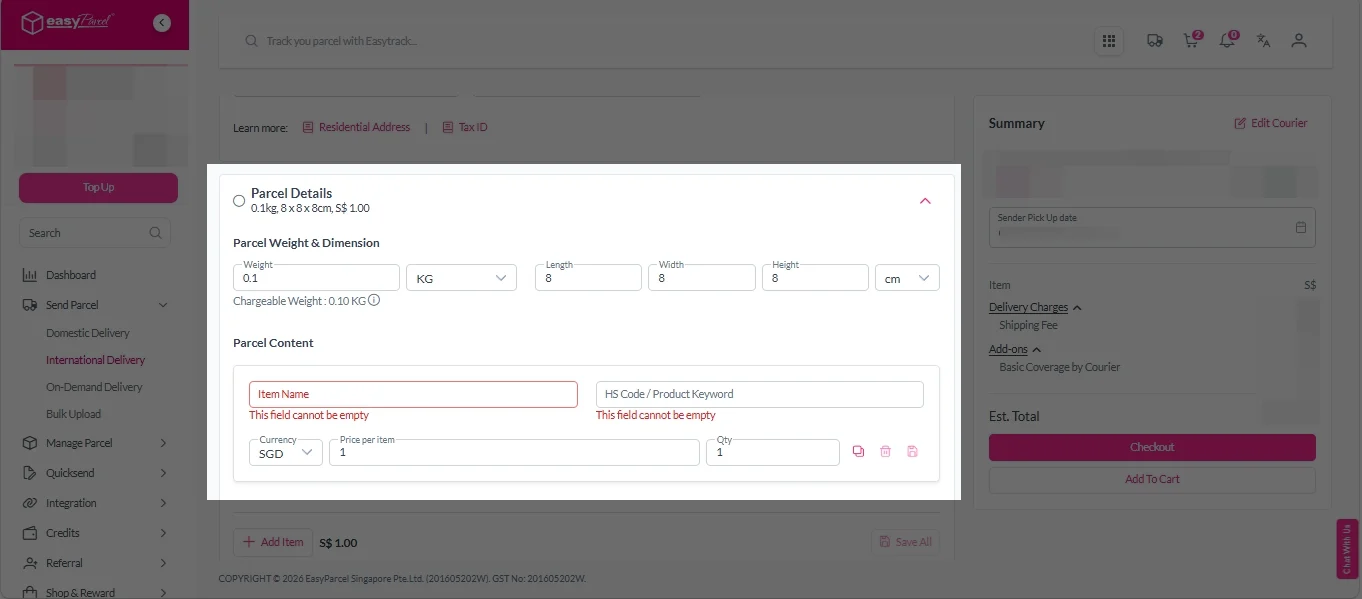
Parcel Details:
Enter the actual weight, dimension and content of your parcel.
Parcel Content:
Fill in your item name. Then, choose your item category from the dropdown menu. The HS code will be auto generated based on your selection.
Note: Learn more about Smart HS Code.
Add-On Services:
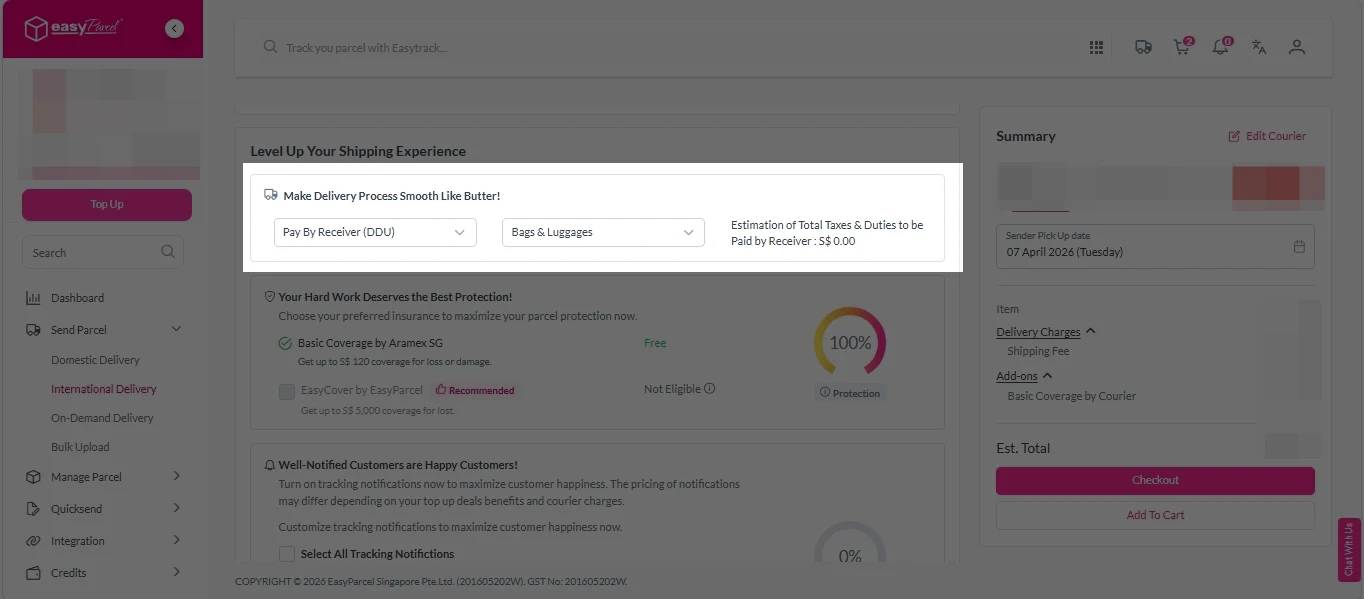
i. Select your preferred duties payment option – Delivered Duty Paid (DDP) or Delivered Duty Unpaid (DDU).
Note: Learn more about DDP and DDU.
ii. Tick the box to add EasyCover for additional protection against loss.
Note: EasyCover availability depends on the courier selected. Learn more about EasyCover.

iii. Choose your preferred notification channel – SMS, Email, or WhatsApp. Click “Preview” to see how it looks, and click “Customise” to add brand message to the notification.
Note: Learn more about Customise Branding Servcies.

iv. Tick the “Mask Sender Details” checkbox. EasyParcel Next Gen will automatically hide your sender information based on your saved privacy settings.
Note: Mask Sender Details only available for certain couriers. Find out what courier is available for Mask Sender Details.

v. Tick the “Custom AWB” checkbox. EasyParcel Next Gen will apply your saved AWB template automatically. After completing all details, click on “Checkout” button.
Note: Custom AWB is only available for certain couriers. Find out which couriers support Custom AWB.

Ship from Singapore to China with Ease
Compare available international shipping rates, choose a suitable delivery option, and book your parcel to China online with EasyParcel Singapore.

5. Double check all the details and click on “Pay Now” to make payment.

6. Download and print Air Waybill (AWB).
Single AWB
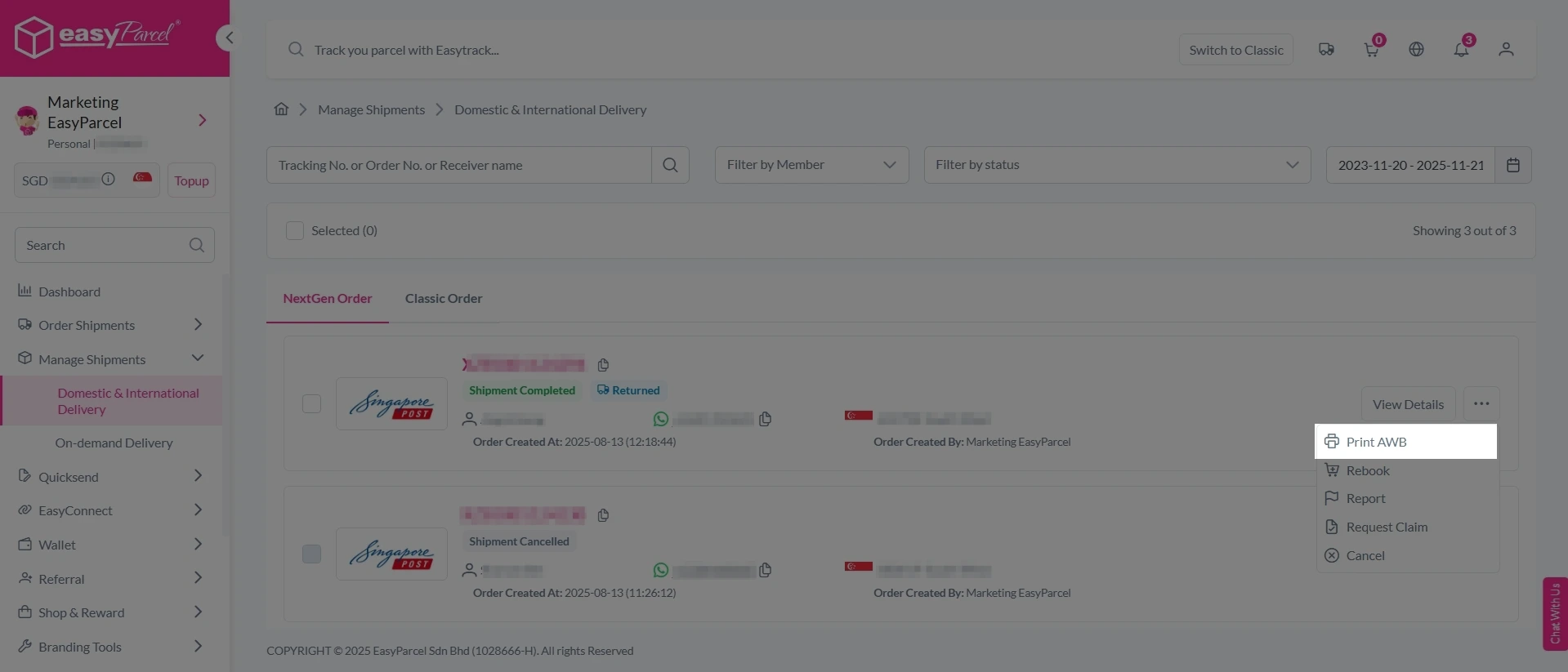
1. Click the three dots icon next to the shipment.
2. Select “Print AWB” from the dropdown menu.
3. A PDF file will automatically download and save.
Bulk Downloads AWB
1. Tick the “Selected” checkbox to choose all your orders.
2. A menu will appear at the bottom of the screen.
3. Click “AWB” to download all AWBs in bulk.

Ready to Deliver?
Here are the simple steps to book shipment via EasyParcel:
1. Click “International” tab.
2. Enter Details: Enter the origin postcode and destination country with postcode.
3. Enter Parcel Weight: Specify the parcel’s weight. Please note: the weight will be determined by either the actual weight or the volumetric weight (VW), whichever is higher. You can use our Volumetric Calculator to determine the volumetric weight.
4. Get a Quote: Once you’ve filled in all the parcel details, click the ‘Quote & Book’ button.
Send More Parcels at Once
Save time, save cost with less click!
Integrations
Sync all your store orders and experience seamless booking experience in one click
Explore NowWhy Use EasyParcel to Ship to China from Singapore
Multiple International Courier Options
EasyParcel partners with trusted international couriers, giving access to multiple delivery services for shipments from Singapore to China. This allows senders to choose the best option based on speed, coverage, and budget.
EasyCover for Added Parcel Protection
EasyParcel offers EasyCover, , an optional parcel protection feature that helps safeguard shipments against loss during delivery.
Door-to-Door Delivery Services
Parcels are collected from the sender’s location and delivered directly to the recipient’s address in China. This reduces manual handling and ensures a smooth shipping experience.
Real-Time Tracking
EasyParcel provides tracking number via SMS or email or WhatsApp. Senders can check updates anytime through EasyParcel’s tracking page for better shipment visibility.
Seamless Platform Integration
EasyParcel integrates with eCommerce platforms such as Shopify and WooCommerce, allowing shipment details to sync automatically. This reduces manual entry and helps ensure accurate delivery and customs information.