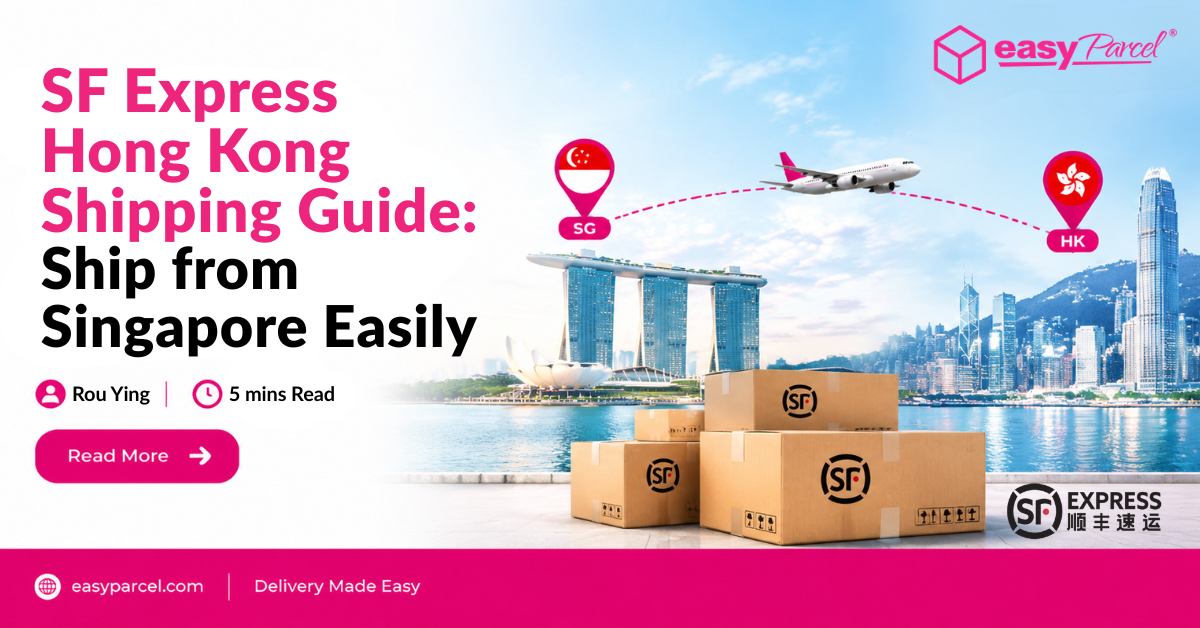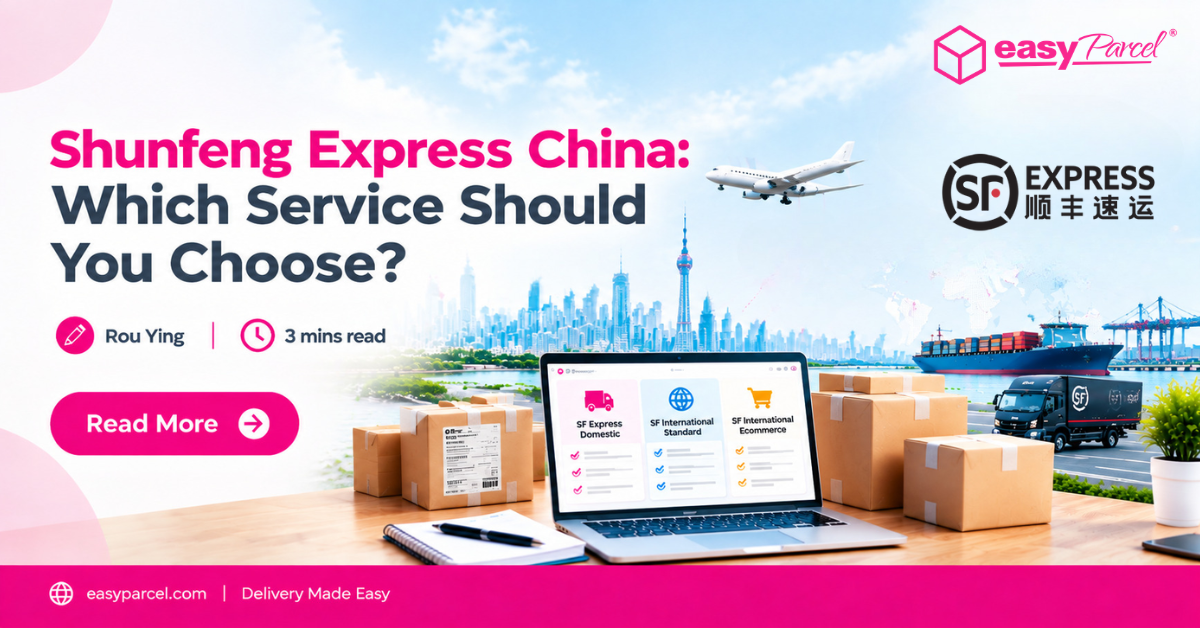
Shunfeng Express, also known as SF Express, offers different delivery services for local, international and eCommerce shipments. But with multiple options available, which service should you choose?
This guide compares the SF Express services available on EasyParcel and helps you find the option that best fits your shipping needs.
Table of Contents
SF Express Services Available on EasyParcel
If you are looking for Shunfeng Express China shipping options, you may come across different SF Express services depending on your delivery needs.
Currently, EasyParcel Singapore offers three SF Express services:
SF Express Domestic
For parcels delivered within Singapore.
SF International Standard
For international shipments that require a standard international delivery service.
SF International Ecommerce
For Singapore businesses and online sellers shipping cross-border eCommerce parcels to Malaysia.
SF Express Services Compared
|
Feature
|
SF Express Domestic
|
SF International Standard
|
SF International Ecommerce
|
|||
|---|---|---|---|---|---|---|
|
Best for
|
Local deliveries
|
Regular international shipments
|
||||
|
Delivery Duration
|
1–3 working days
|
1 – 3 working days
|
||||
|
Max Weight
|
25kg
|
30kg
|
30kg
|
|||
|
Max Dimension
|
200 × 80 × 70cm
|
200 × 80 × 70cm
|
200 × 80 × 70cm
|
|||
|
Free Pick Up
|
✓
|
✓
|
✓
|
|||
|
Online Tracking
|
✓
|
✓
|
✓
|
|||
|
Parcel Protection
|
✓
|
✓
|
✓
|
|||
|
Starting Price
|
From S$5.85
|
From S$27.92
|
From S$5.00
|
|||
Rates and delivery times may vary depending on your shipment details, destination and applicable courier charges.
Check the latest rate when making your booking.
Ready to Find the Right SF Express Service?
Now that you know the differences between the available SF Express services, enter your shipment details to check the available options and find the service that suits your delivery needs.
Which SF Express Service Should You Choose?
|
If you need to...
|
Recommended Service
|
|---|---|
|
Send a parcel within Singapore
|
|
|
Send a regular international shipment
|
|
|
Ship eCommerce orders from Singapore to Malaysia
|
How to Book SF Express
Once you have chosen the SF Express service that suits your shipment, you can easily book it through EasyParcel. Below are the Domestic and International booking steps:
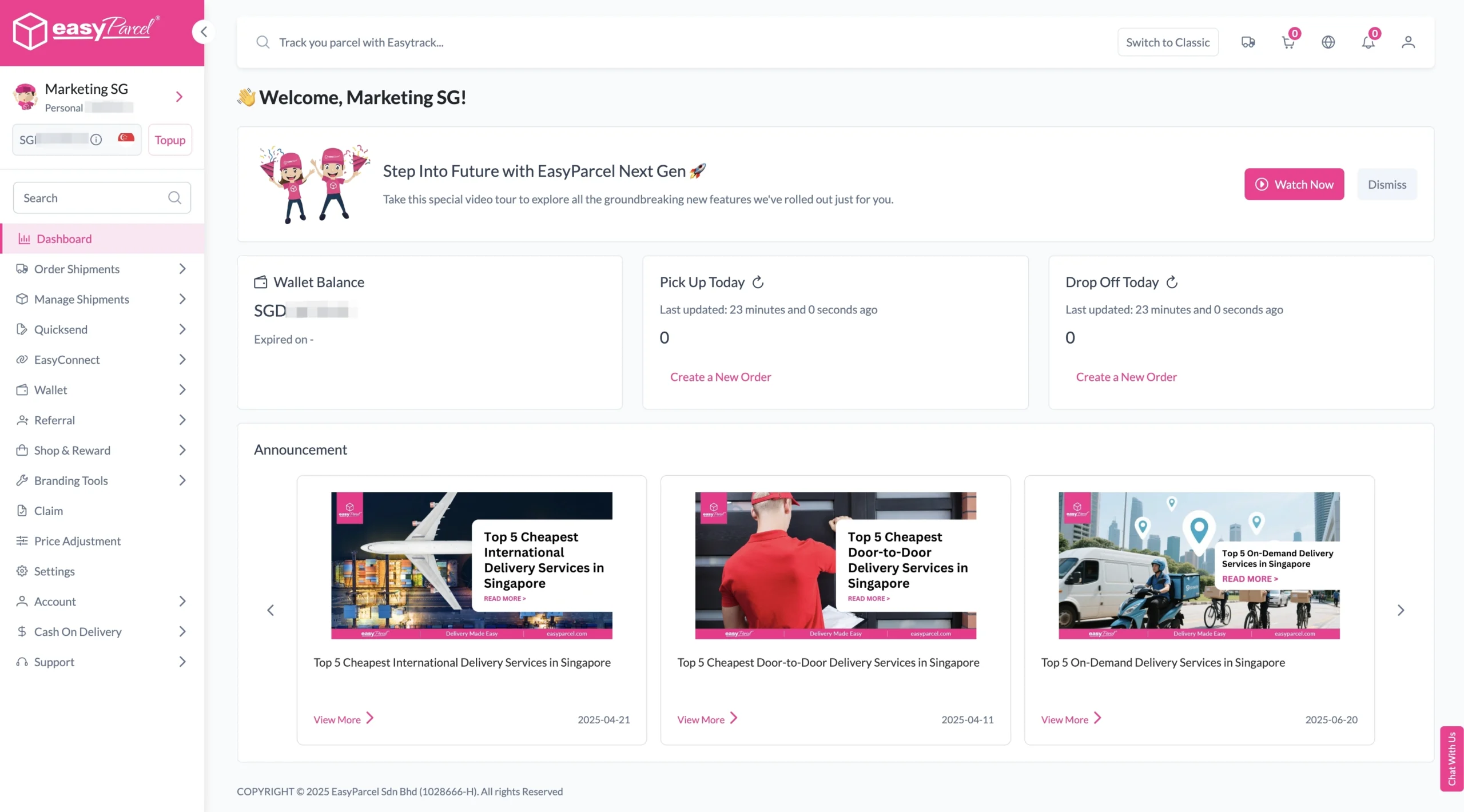
Step 1: Login your EasyParcel account.
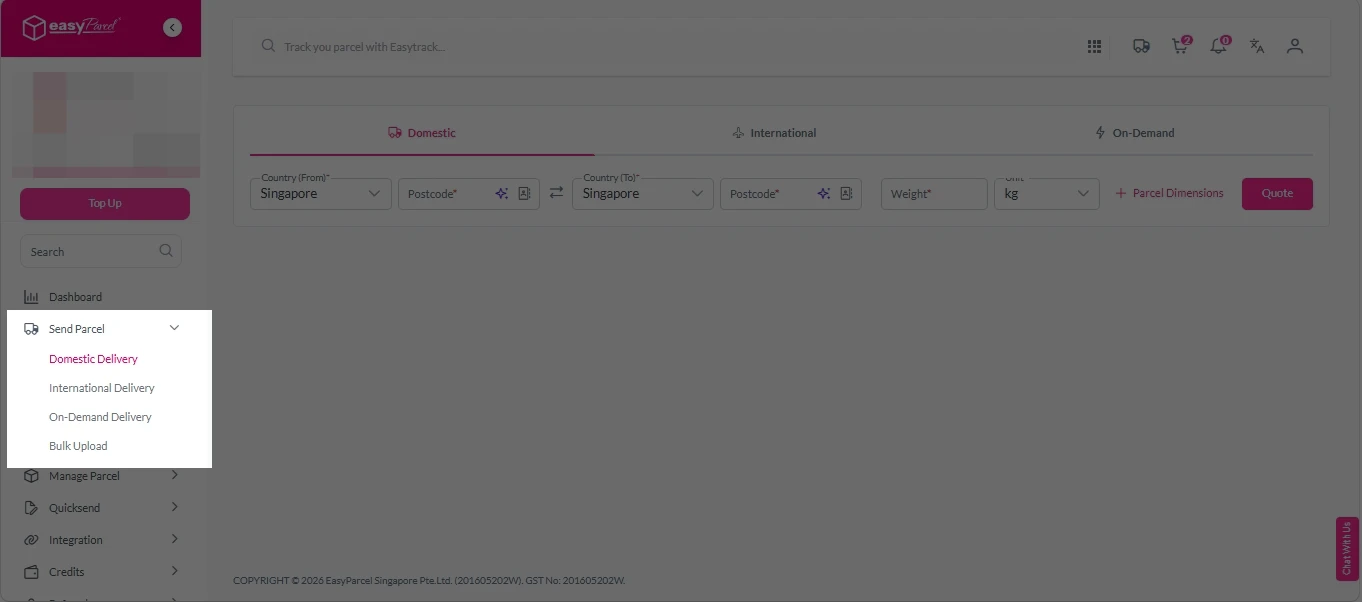
Step 2: Under “Send Parcel”, choose either “Domestic Delivery“ (for shipments within Singapore) or “International Delivery“ (for shipments overseas).
Step 3: Enter Shipment Details.
Domestic Delivery
1. Fill in the origin and destination postcode.
2. Provide the parcel weight.
3. (Optional) Add parcel dimensions for a more accurate shipping rate.
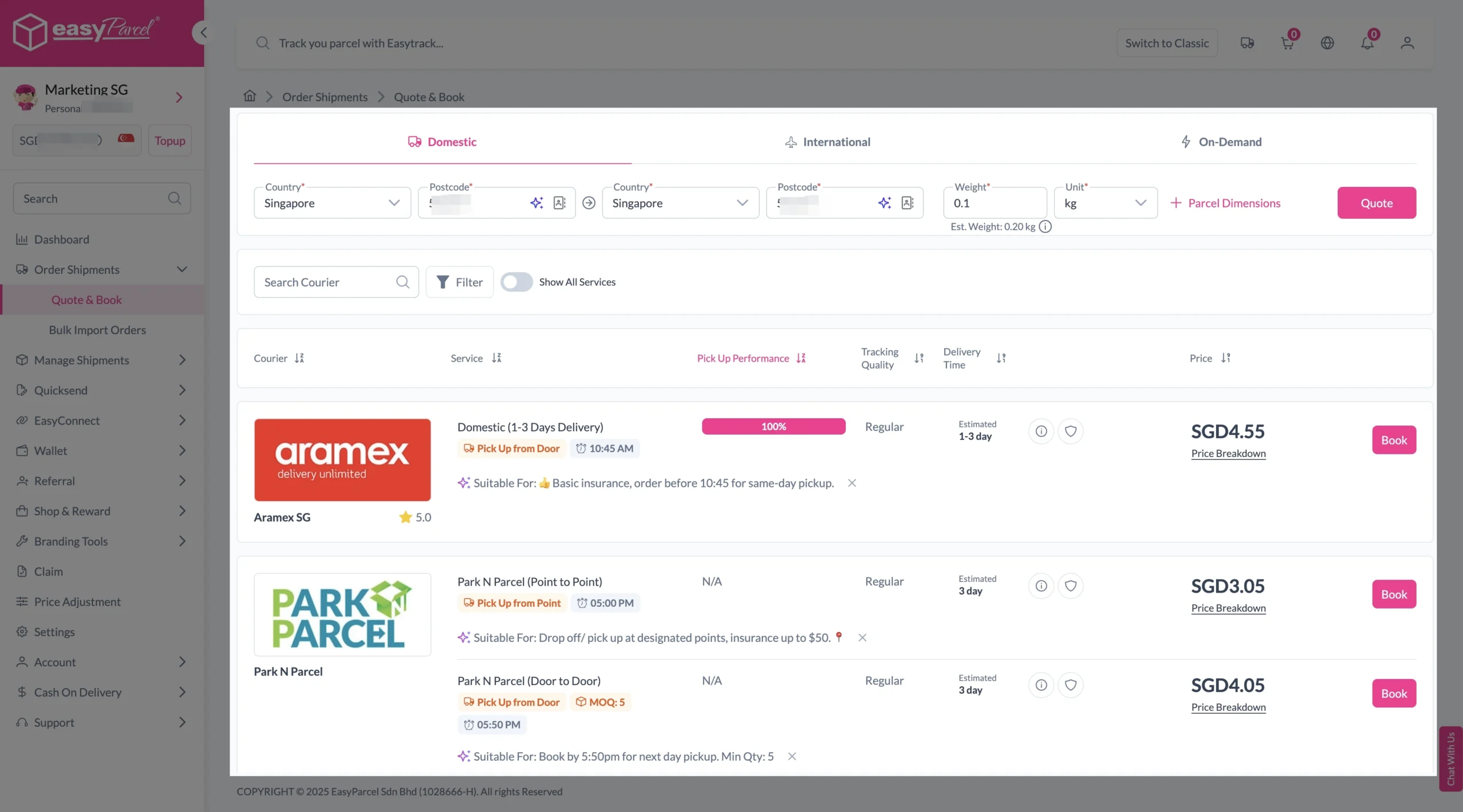
4. Click the “Quote” button.
5. A list of courier rates will appear below, as shown in the image.
6. Choose your preferred SingPost service and click “Book Now.”
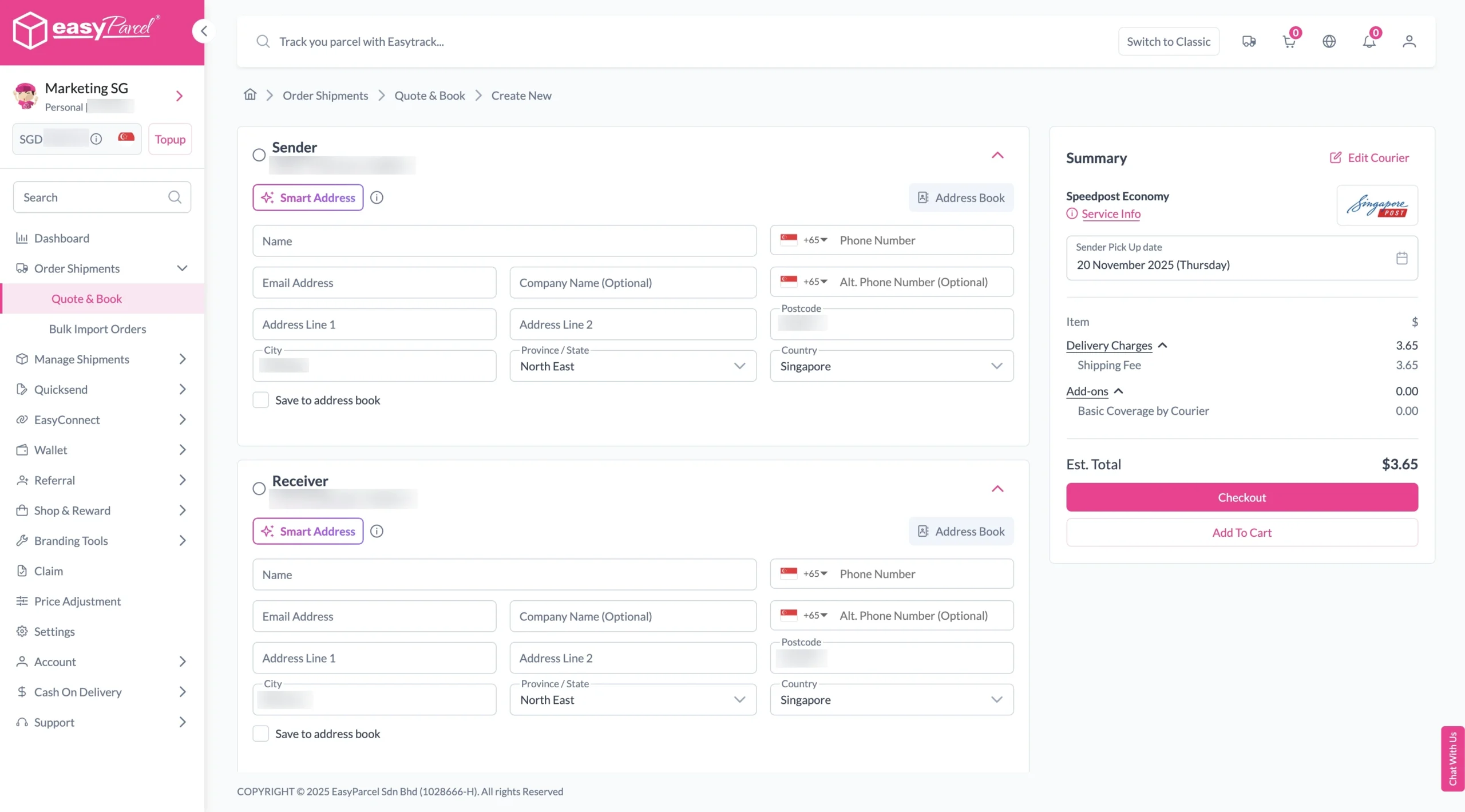
7. Fill in all details included Sender Details, Receiver Details, Parcel Details and Add-On Services.
Sender and Receiver Details:
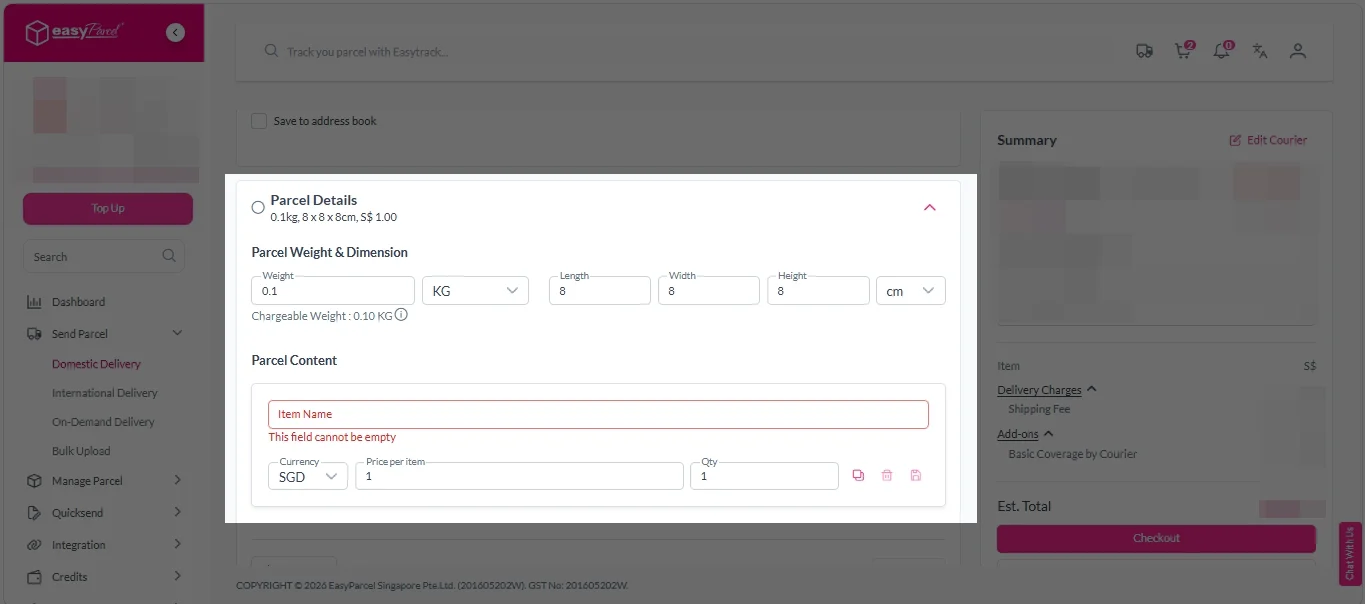
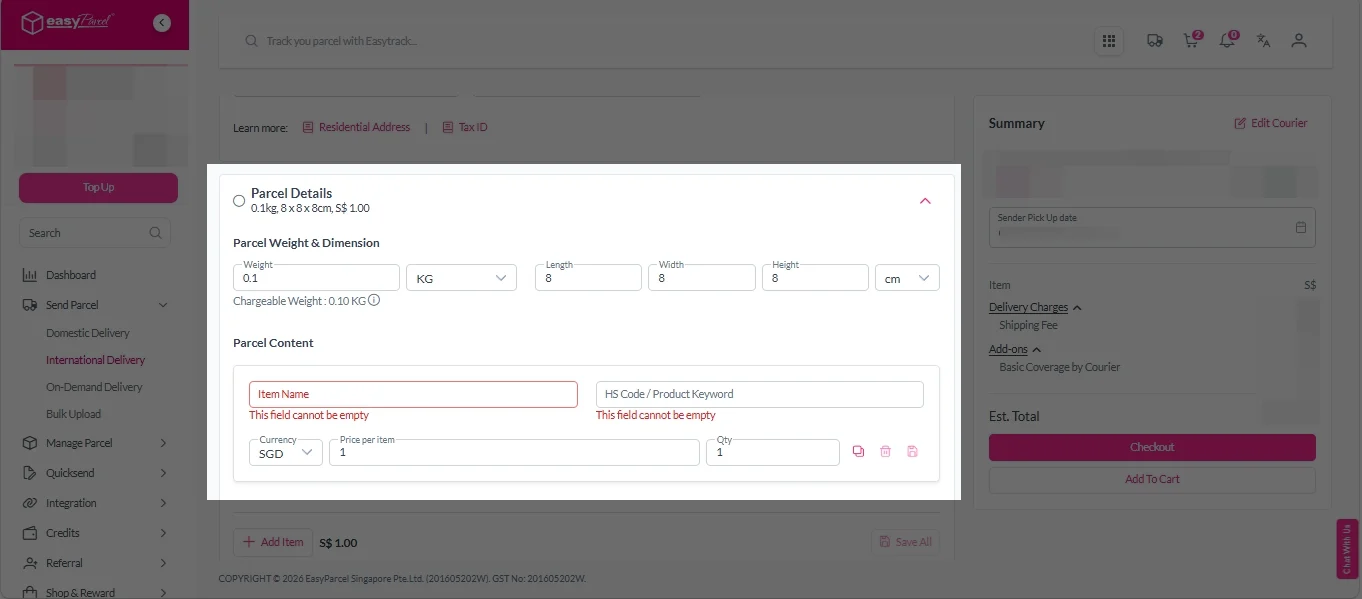
Parcel Details:
Enter the actual weight, dimension and content of your parcel.
Parcel Content:
Fill in your item name, price per item, and quantity.
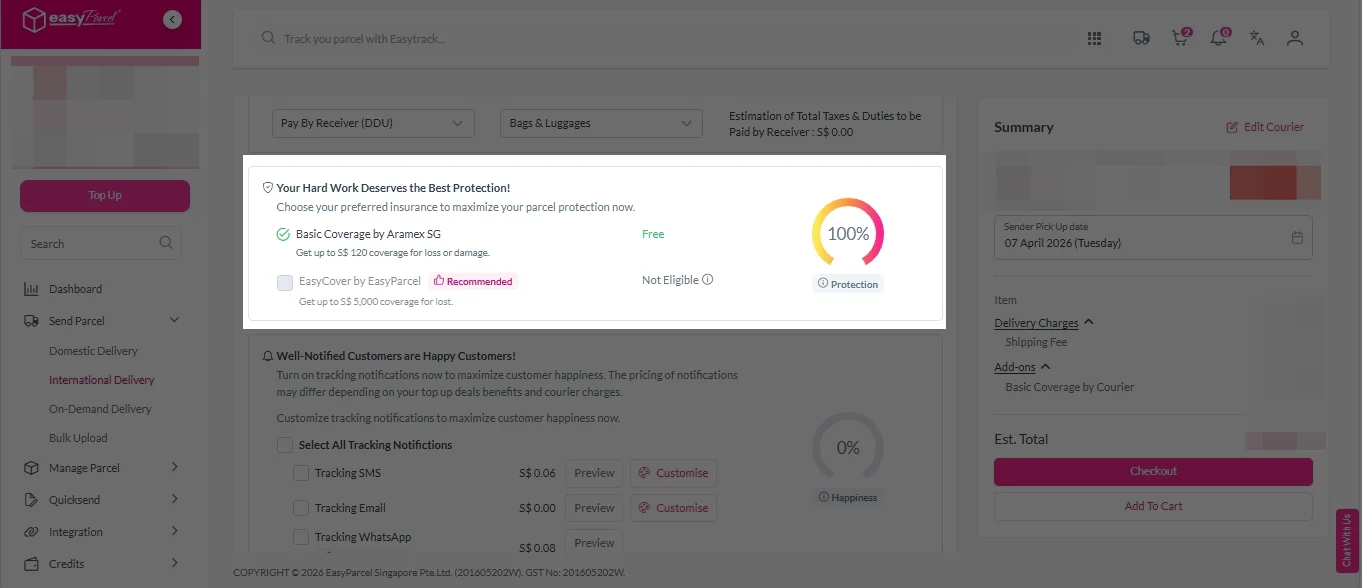
Add-On Services:
i. Tick the box to add EasyCover for additional protection against loss.
Note: EasyCover availability depends on the courier selected. Learn more about EasyCover.
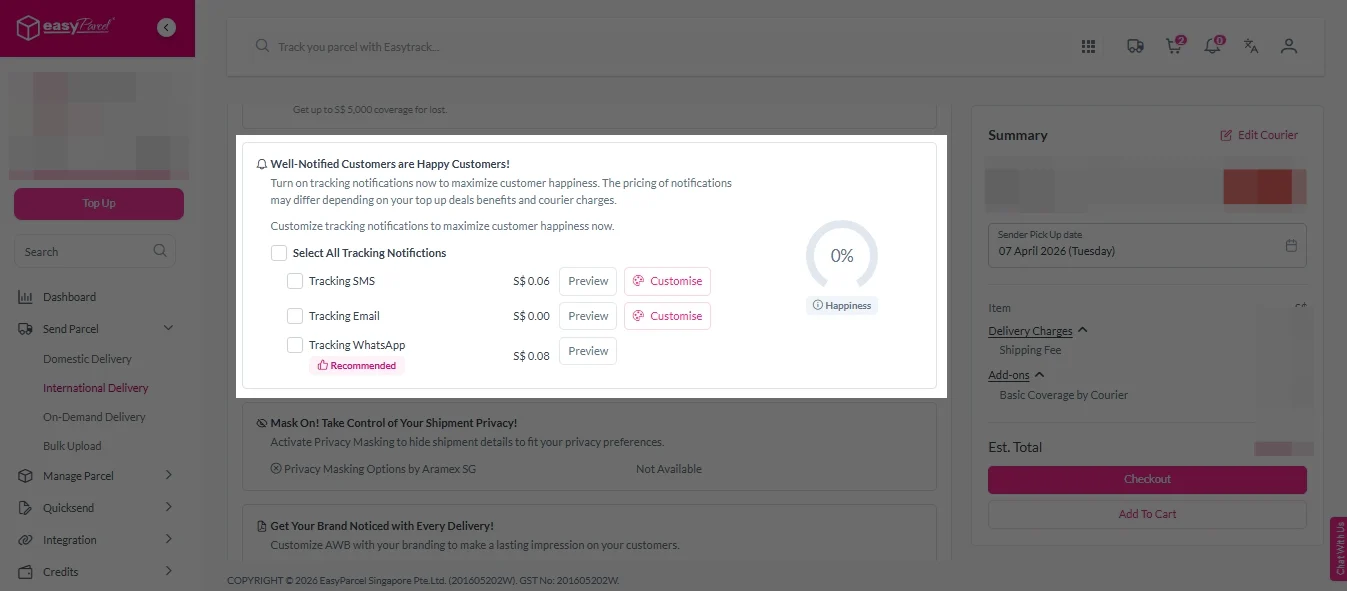
ii. Choose your preferred notification channel – SMS, Email, or WhatsApp. Click “Preview” to see how it looks, and click “Customise” to add brand message to the notification.
Note: Learn more about Customise Branding Servcies.
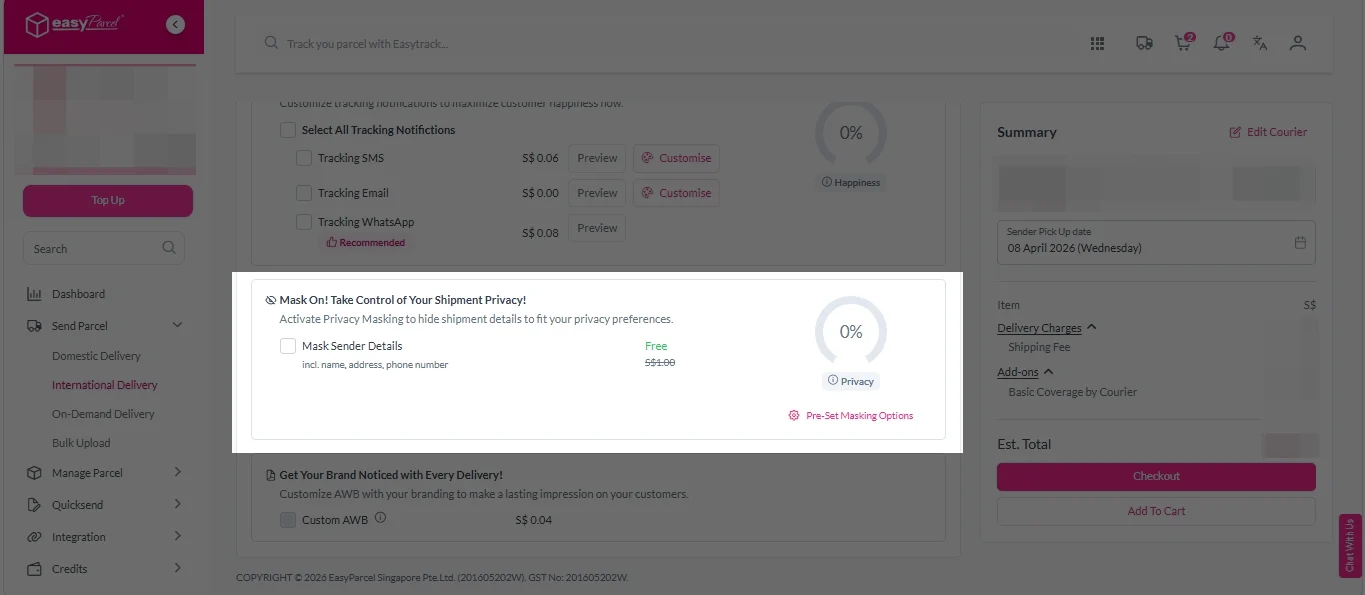
iii. Tick the “Mask Sender Details” checkbox. EasyParcel Next Gen will automatically hide your sender information based on your saved privacy settings.
Note: Mask Sender Details only available for certain couriers. Find out what courier is available for Mask Sender Details.
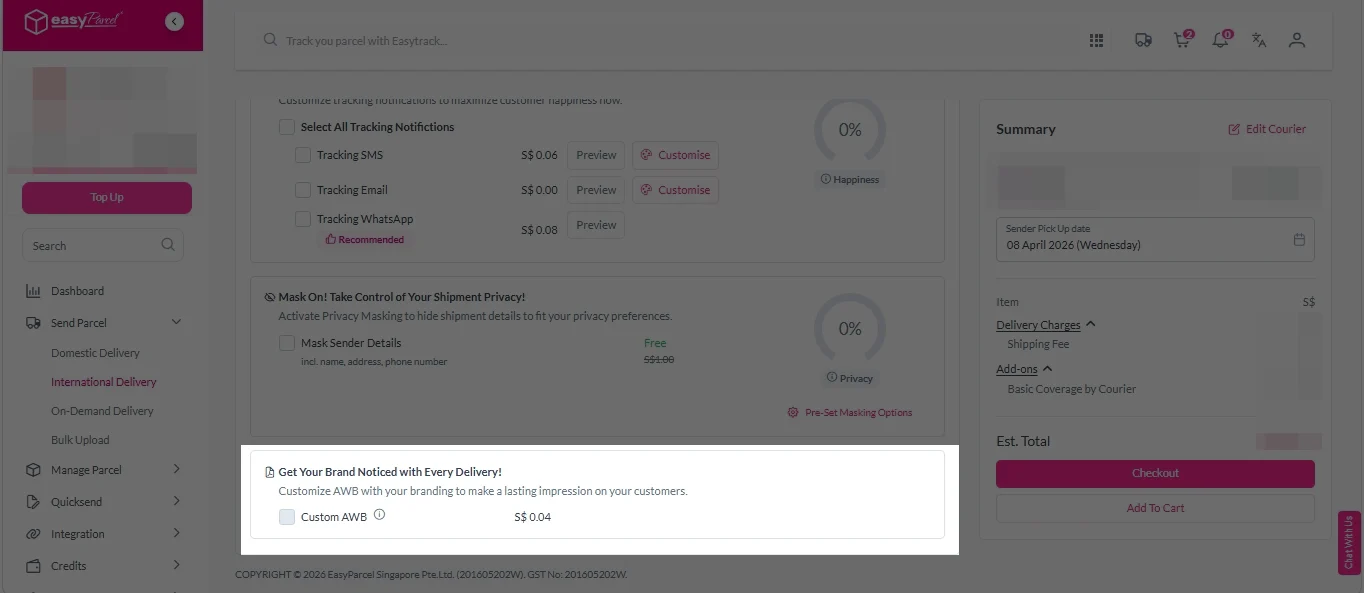
iv. Tick the “Custom AWB” checkbox. EasyParcel Next Gen will apply your saved AWB template automatically.
Note: Custom AWB is only available for certain couriers. Find out which couriers support Custom AWB.
8. Double check all details and click on “Checkout”.
International Delivery
1. Fill in the origin postcode.
2. Enter the destination country and postcode.
3. Provide the parcel weight.
4. (Optional) Add parcel dimensions for a more accurate shipping rate.
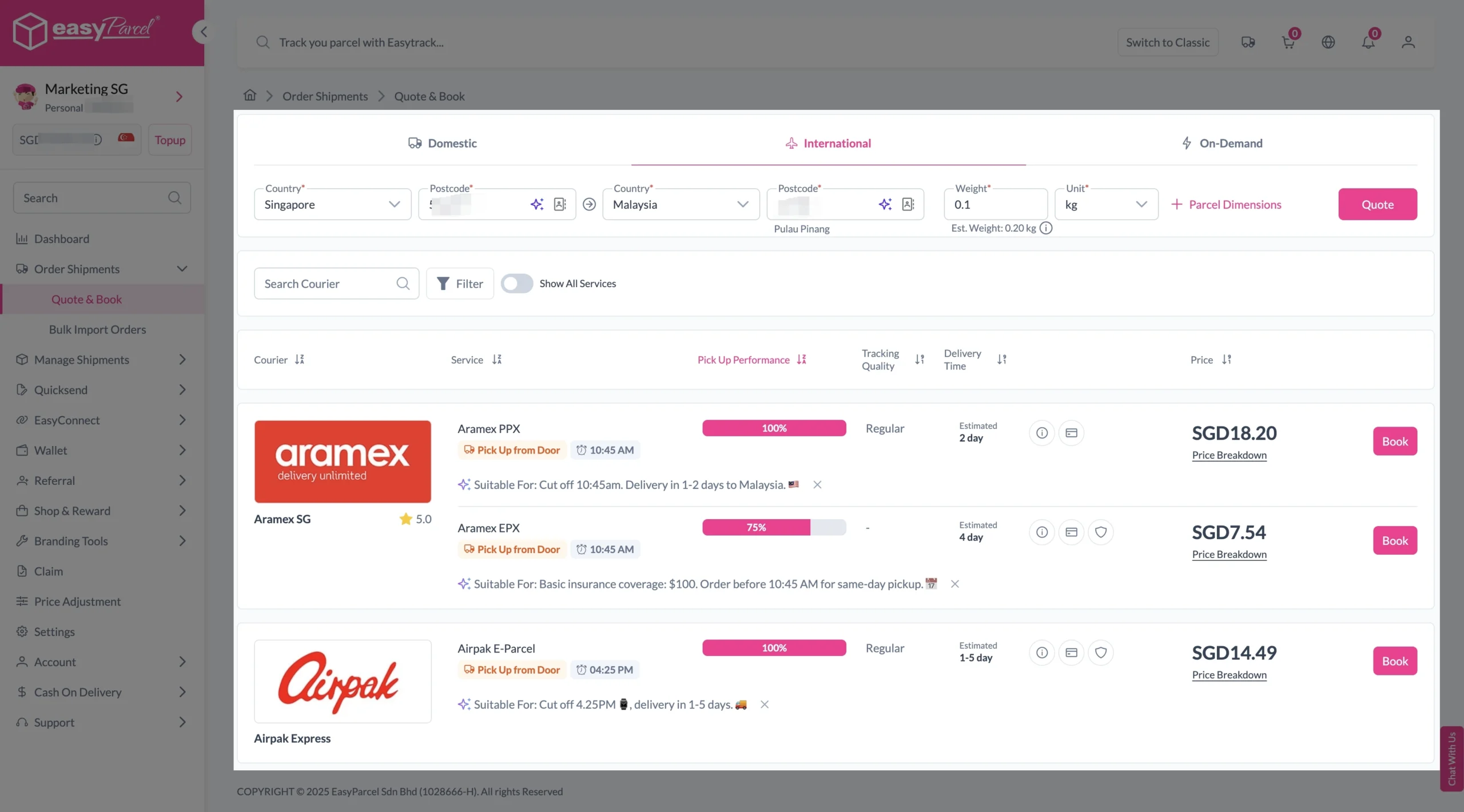
5. Click the “Quote” button.
6. A list of courier rates will appear below, as shown in the image.
7. Choose your preferred SingPost service and click “Book Now.”
8. Fill in all details included Sender Details, Receiver Details, Parcel Details and Add-On Services.
Sender and Receiver Details:
Parcel Details:
Enter the actual weight, dimension and content of your parcel.
Parcel Content:
Fill in your item name. Then, choose your item category from the dropdown menu. The HS code will be auto generated based on your selection.
Note: Learn more about Smart HS Code.
Add-On Services:
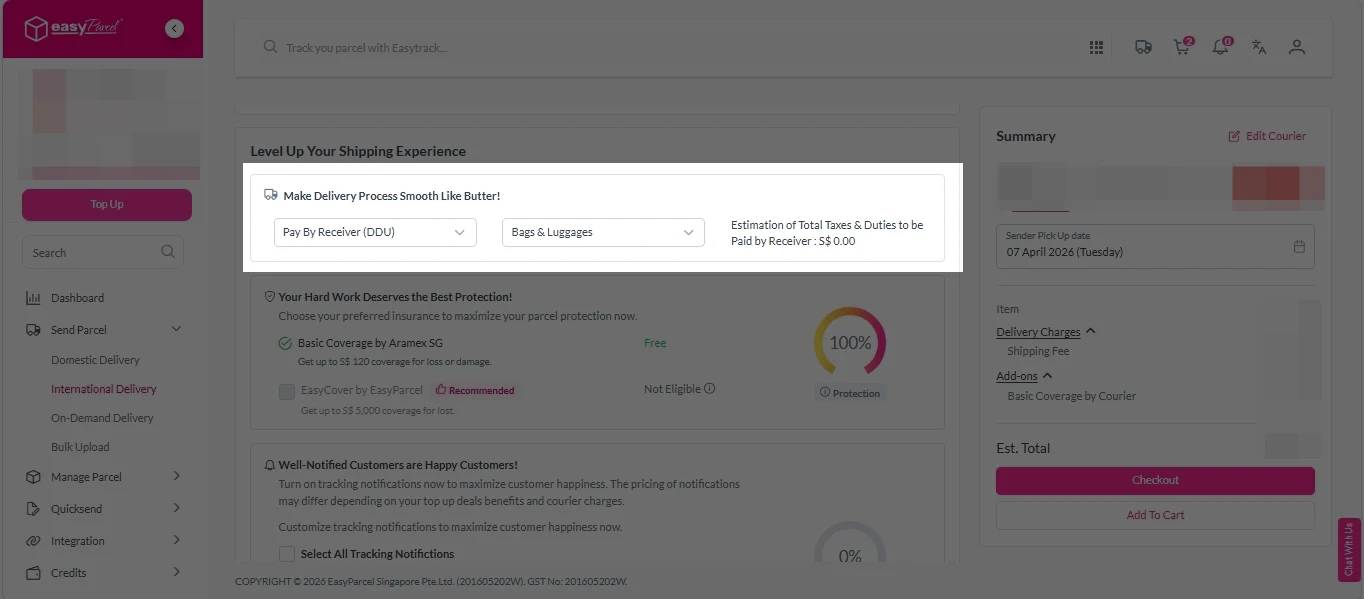
i. Select your preferred duties payment option – Delivered Duty Paid (DDP) or Delivered Duty Unpaid (DDU).
Note: Learn more about DDP and DDU.
ii. Tick the box to add EasyCover for additional protection against loss.
Note: EasyCover availability depends on the courier selected. Learn more about EasyCover.
iii. Choose your preferred notification channel – SMS, Email, or WhatsApp. Click “Preview” to see how it looks, and click “Customise” to add brand message to the notification.
Note: Learn more about Customise Branding Servcies.
iv. Tick the “Mask Sender Details” checkbox. EasyParcel Next Gen will automatically hide your sender information based on your saved privacy settings.
Note: Mask Sender Details only available for certain couriers. Find out what courier is available for Mask Sender Details.
v. Tick the “Custom AWB” checkbox. EasyParcel Next Gen will apply your saved AWB template automatically.
Note: Custom AWB is only available for certain couriers. Find out which couriers support Custom AWB.
9. Double check all details and click on “Checkout”.
Step 4: Double check all the details and click on “Pay Now” to make payment.
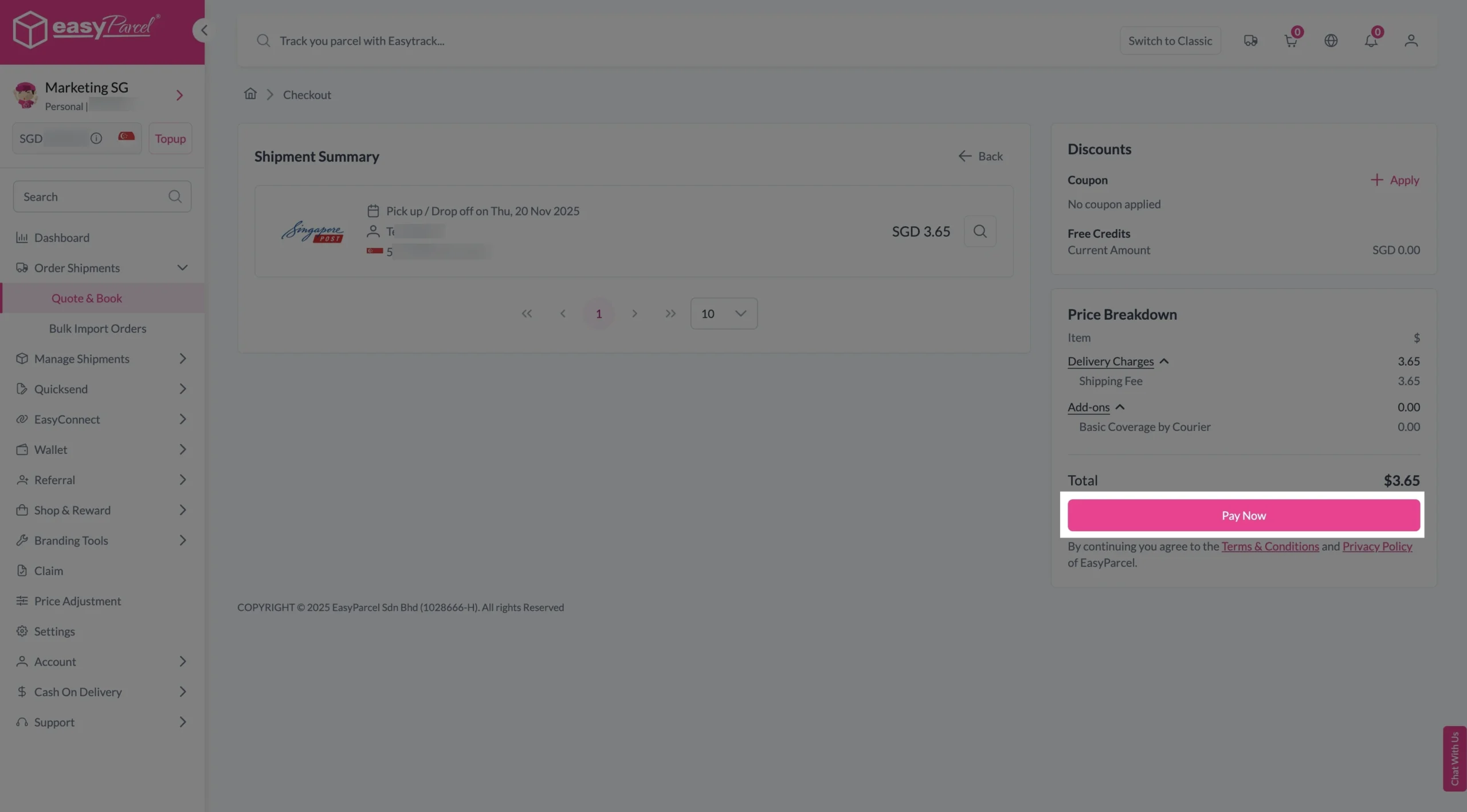
Step 5: Your shipment has been booked successfully.
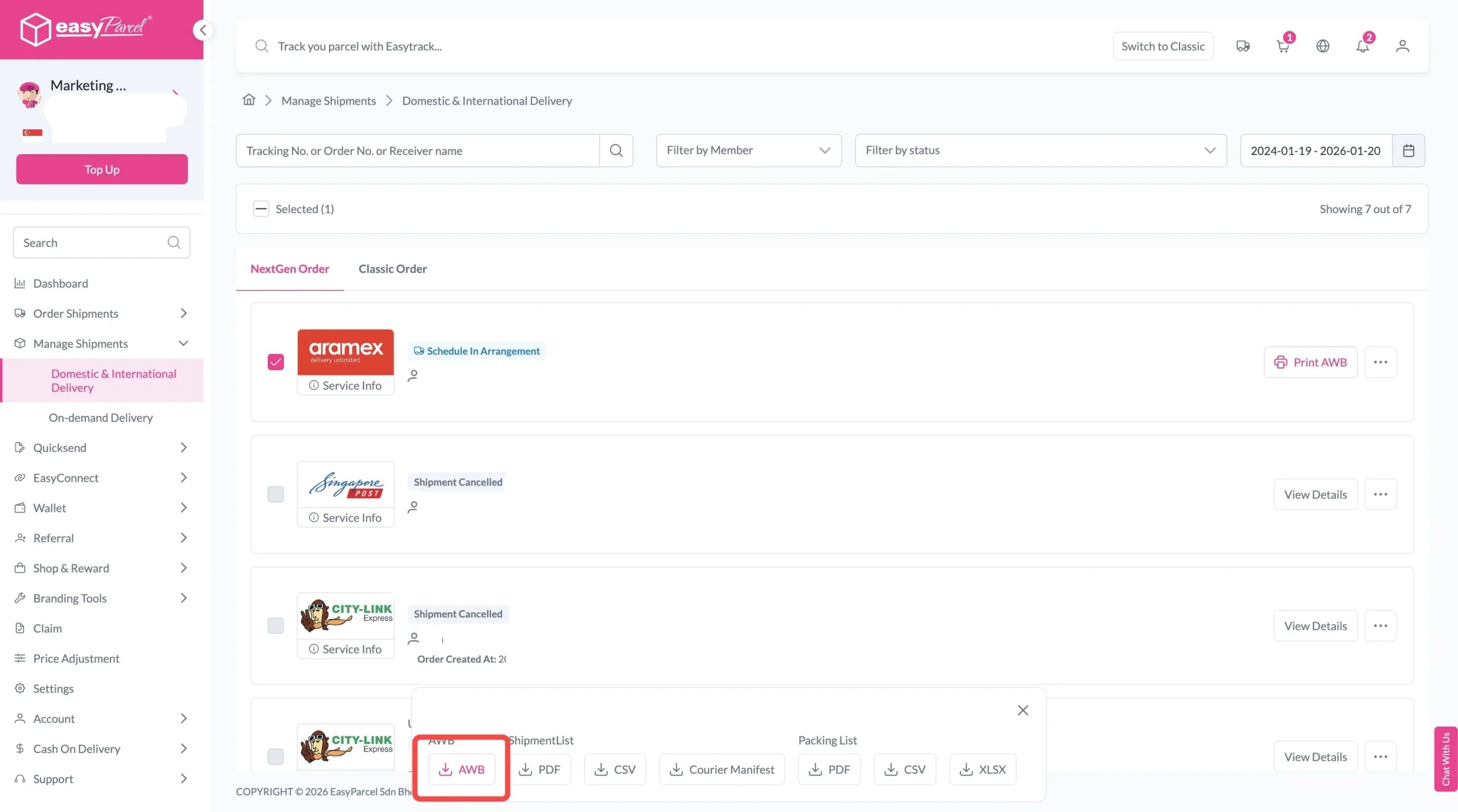
To download and print AWB, you can go to “Manage Shipments”.
Single AWB
- Click the three dots icon next to the shipment.
- Select “Print AWB” from the dropdown menu.
- A PDF file will automatically download and save.
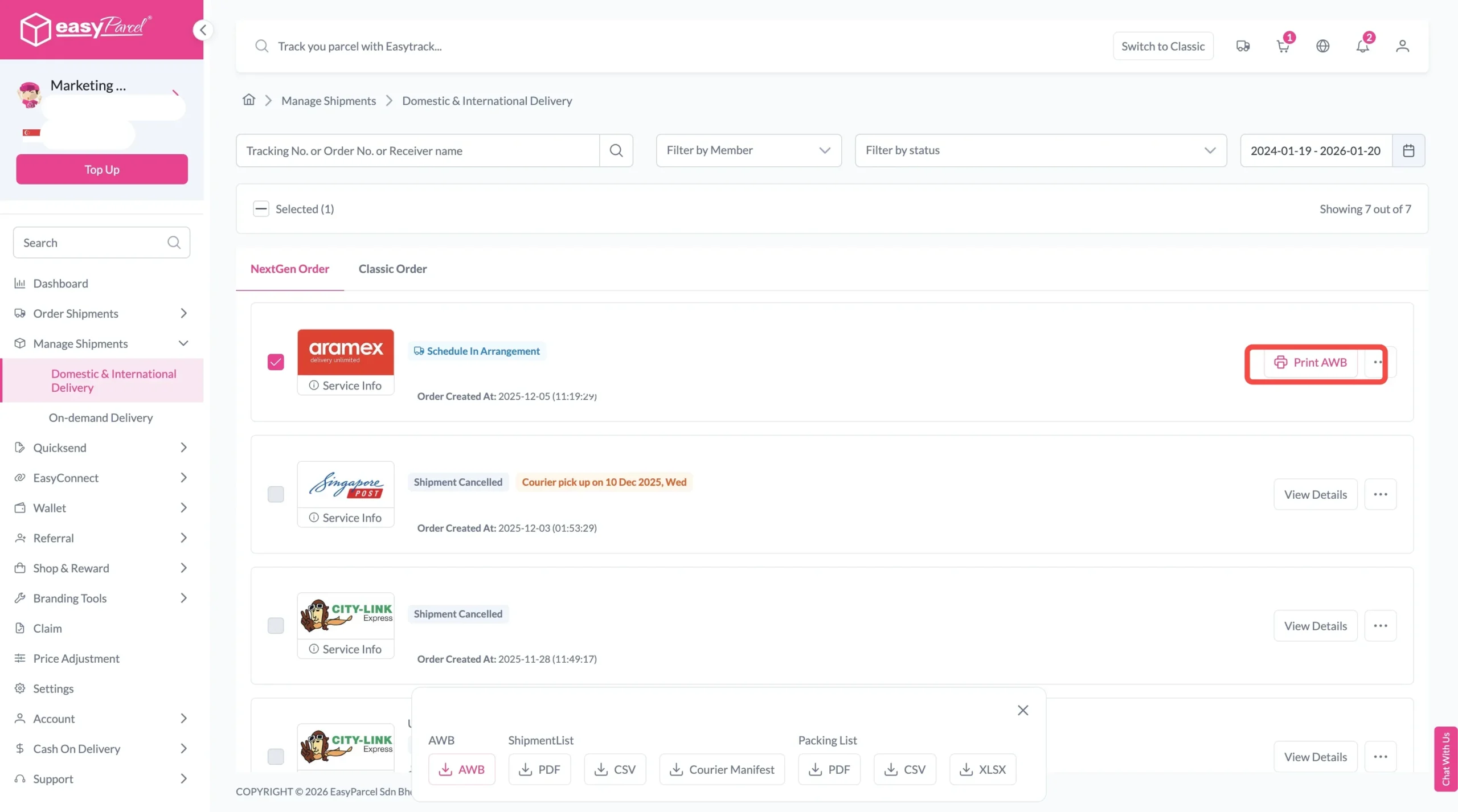
Bulk AWB
For bulk downloads AWB:
- Tick the “Selected” checkbox to choose all your orders.
- A menu will appear at the bottom of the screen.
- Click “AWB” to download all AWBs in bulk.