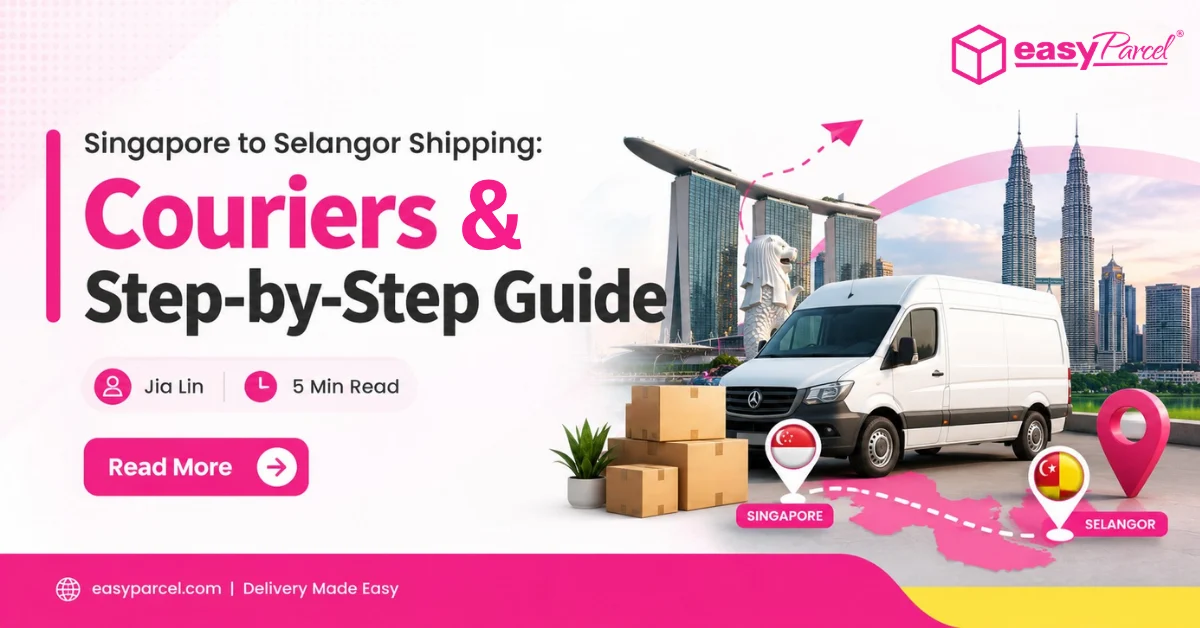
Singapore to Selangor Shipping: Couriers & Step-by-Step Guide

Singapore to Selangor Shipping Couriers & Step-by-Step Guide

Sending a parcel from Singapore to Selangor – whether to Kuala Lumpur, Petaling Jaya, Shah Alam, or Klang – is a common route for ecommerce sellers, small businesses, and individuals.

This blog covers the available couriers for Singapore to Selangor shipping, estimated delivery times, and a step-by-step booking guide.

Table of Contents

Available Couriers for Singapore to Selangor

Courier Partner
Service Type
Delivery Duration
Price From
Action
tracxlogis TracX Logis
TracX Logis International
3 – 8 working days after collection
from S$3.90
ninjavan-logo-fast-courier-service NinjaVan
NinjaVan International
2-5 working days to West Malaysia
4-10 working days to East Malaysia
(subjected to custom clearance)
from S$11.90
SF_Express-fast-courier-service SF Express
SF International Standard
1 – 3 working days
(subjected to custom clearance speed)
from S$27.72
SF International Ecommerce
from S$4.75
aramex-internationally-abroad-courier-fast Aramex
Aramex Economy
1 – 2 working days to Malaysia
(subjected to custom clearance)
from S$8.25
Aramex Priority
Subjected to custom clearance
from S$20.16
janio-delivery-logo-fast-courier-service Janio
Janio International
4 working days to West Malaysia
(subjected to custom clearance)
from S$10.70
ups-international-delivery UPS
UPS Worldwide Express Saver®
1 - 3 working days
from S$20.00
UPS Worldwide Expedited
3 - 5 working days, by end of day
from S$20.88
UPS Worldwide Express
1 - 3 working days, typically by 10:30am or noon
from S$24.23
Teleport Teleport
Teleport Pink
Next day
from S$8.00
Airpak-logo Airpak
Airpak E-Parcel
1-5 working days (subjected to custom clearance)
from S$15.60
citylink-international-delivery-ship- abroad-courier City-Link
City-Link Express Delivery
3-5 working days after collection
from S$5.50
SingPost-domestic-delivery-fast-courier-service SingPost
Speedpost Priority International
Depends on the destination country.
from S$26.50
Speedpost Express International
from S$29.28
fedex-international-shipping-delivery-courier-service-logo FedEx
FedEx International Connect Plus
1 - 2 working days
from S$28.90
FedEx International Priority
Depends on location and parcel weight
FedEx International Priority Express
FedEx International Economy
2- 5 working days

Affordable Shipping to Selangor – From S$3.90

Compare cost-effective couriers on EasyParcel – from TracX Logis and City-Link to Ninja Van and more – then book in minutes and track in real-time.

Step-by-Step Guide to Book Singapore to Selangor Shipment

1. Log in EasyParcel account. 

send-parcel-nextgen-step-1

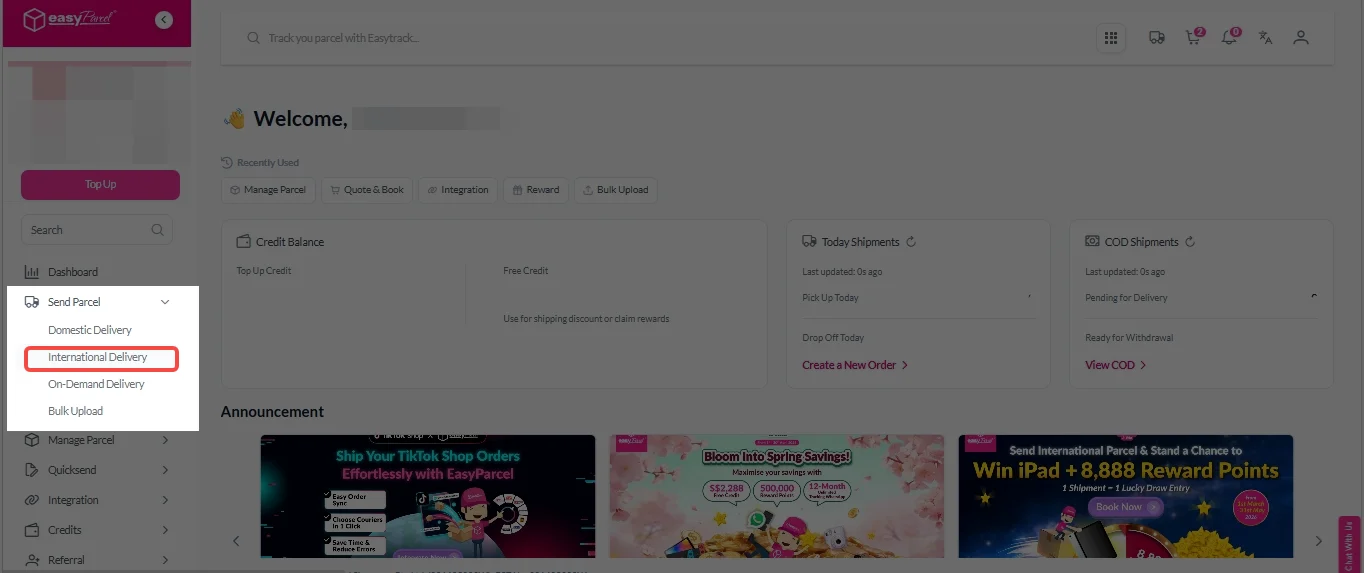
2. Under “Send Parcel”, Click on “International Delivery”

latest international delivery

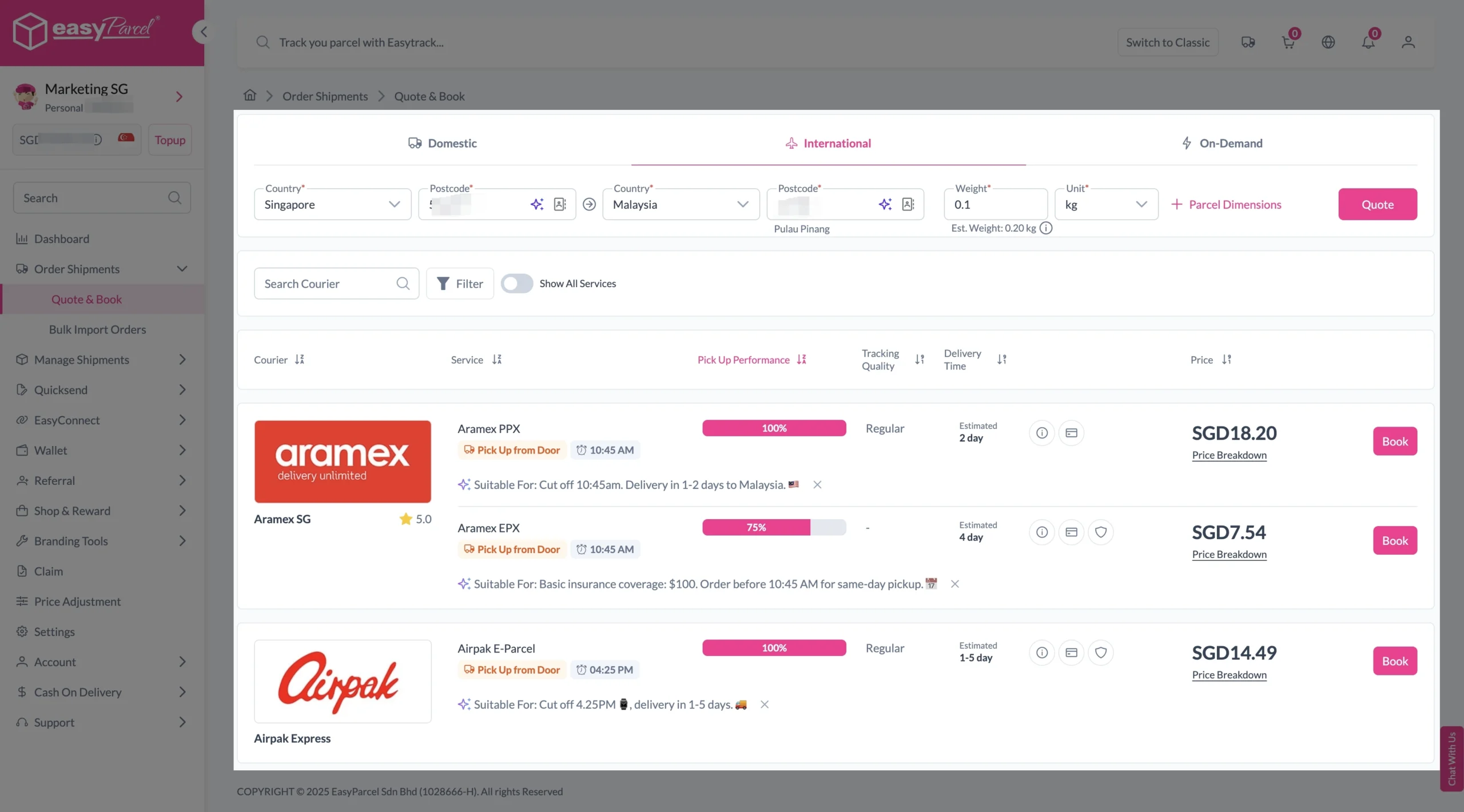
3. Enter details (sender country with postcode, destination country with postcode and parcel weight) and click on “Quote”. 

Choose your preferred courier and click “Book Now.”

send-parcel-nextgen-step-3-international

4. Fill in all details included Sender Details, Receiver Details, Parcel Details and Add-On Services.
Sender and Receiver Details: 

send-parcel-nextgen-step-4

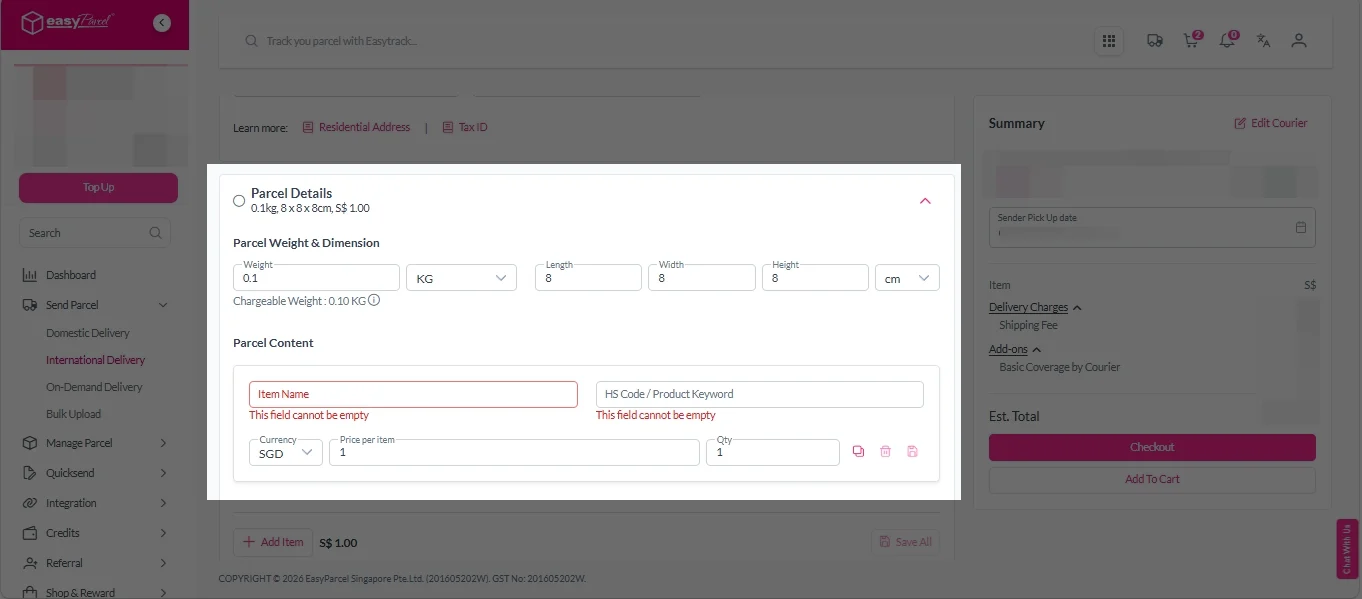
Parcel Details: 
Enter the actual weight, dimension and content of your parcel. 
Parcel Content:
Fill in your item name. Then, choose your item category from the dropdown menu. The HS code will be auto generated based on your selection.

Note: Learn more about Smart HS Code.

International- Parcel Details

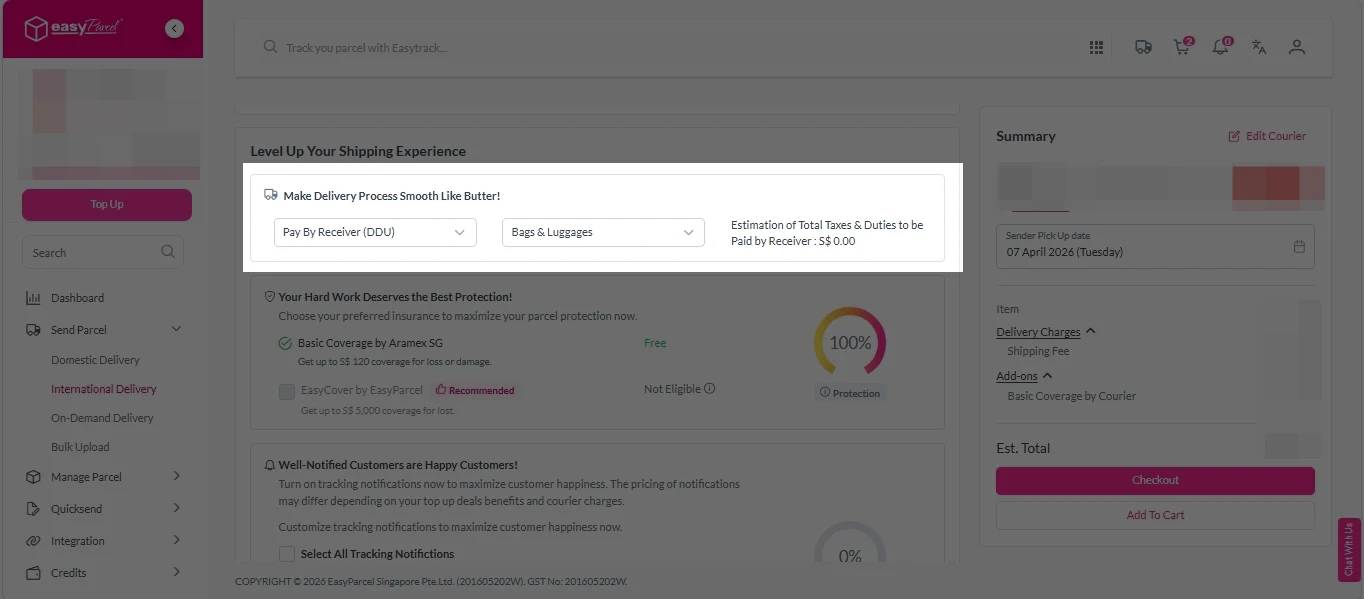
Add-On Services: 
i.  Select your preferred duties payment option – Delivered Duty Paid (DDP) or Delivered Duty Unpaid (DDU)
Note: Learn more about DDP and DDU.

add on services 1

ii. Tick the box to add EasyCover for additional protection against loss.
Note: EasyCover availability depends on the courier selected. Learn more about EasyCover

add on services 2

iii. Choose your preferred notification channel – SMS, Email, or WhatsApp. Click “Preview” to see how it looks,  and click “Customise” to add brand message to the notification.
Note: Learn more about Customise Branding Servcies

add on services 3

iv. Tick the “Mask Sender Details” checkbox. EasyParcel Next Gen will automatically hide your sender information based on your saved privacy settings
Note: Mask Sender Details only available for certain couriers. Find out what courier is available for Mask Sender Details.

v. Tick the “Custom AWB” checkbox. EasyParcel Next Gen will apply your saved AWB template automatically. After completing all details, click on “Checkout” button. 
Note: Custom AWB is only available for certain couriers. Find out which couriers support Custom AWB

custom awb 1

5. Double check all the details and click on “Pay Now” to make payment. 

send-parcel-nextgen-step-5

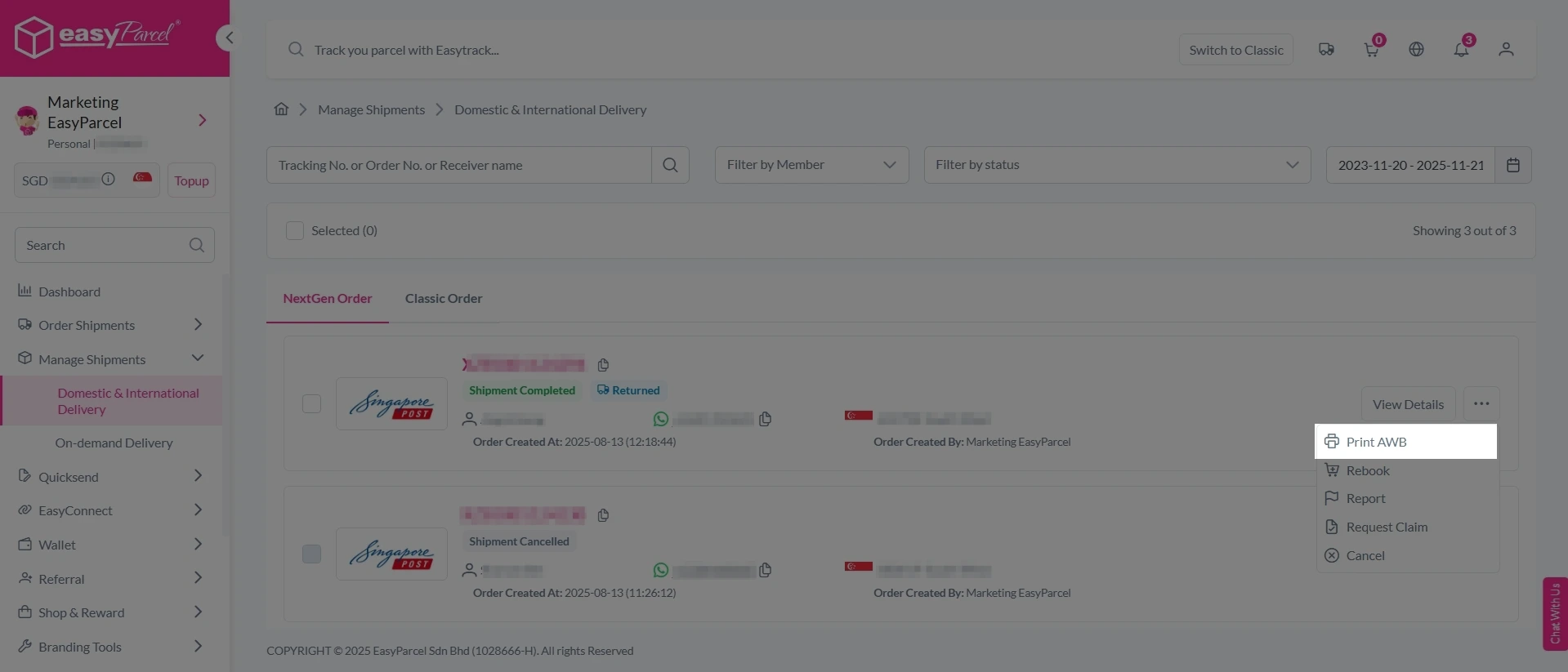
6. Download and print Air Waybill (AWB). 

Single AWB

1. Click the three dots icon next to the shipment.
2. Select “Print AWB” from the dropdown menu.
3. A PDF file will automatically download and save.

send-parcel-nextgen-step-6

1. Tick the “Selected” checkbox to choose all your orders.
2. A menu will appear at the bottom of the screen.
3. Click “AWB” to download all AWBs in bulk.

download AWB

Frequently Asked Question (FAQs)

How much does it cost to ship from Singapore to Malaysia?
TracX Logis International Delivery starts from S$3.90 – one of the most cost-effective options on EasyParcel.
How long does it take to ship from Singapore to Malaysia?
Teleport Pink Delivery offers next-day delivery to Malaysia.

Join 1.5 Million Happy Customers & Start Saving

Create your free account today and receive S$6 shipping coupon to start saving from your very first parcel. Compare courier rates, book in minutes, and start saving immediately.
×