Running a small business that ships internationally taught me one critical lesson: shipping costs can make or break your profit margin. At first, I used to manually check rates on multiple courier websites — tedious, time-consuming, and prone to errors. That’s when I discovered EasyParcel’s Courier Cost Calculator. It instantly compares shipping rates across multiple couriers, taking parcel weight, dimensions, and destination into account.
Table of Contents
What Is a Courier Cost Calculator?
A courier cost calculator is a tool I rely on to estimate and compare shipping fees across multiple courier services before booking a shipment. Before using it, I used to manually check different courier websites and calculate costs myself — which was time-consuming and sometimes inaccurate. Now, I simply enter my parcel details — weight, dimensions, and destination — and get an instant side-by-side comparison.
From my real experience, using a courier cost calculator helps me:
Choose the most cost-effective courier without second-guessing my decision.
See delivery times and pricing clearly, even for international shipments.
Reduce mistakes caused by incorrect weight calculations or address errors, which previously led to extra charges or failed deliveries.
For businesses handling multiple shipments or bulk orders, this tool isn’t just convenient — it becomes part of daily operations.
How to Use Courier Cost Calculator
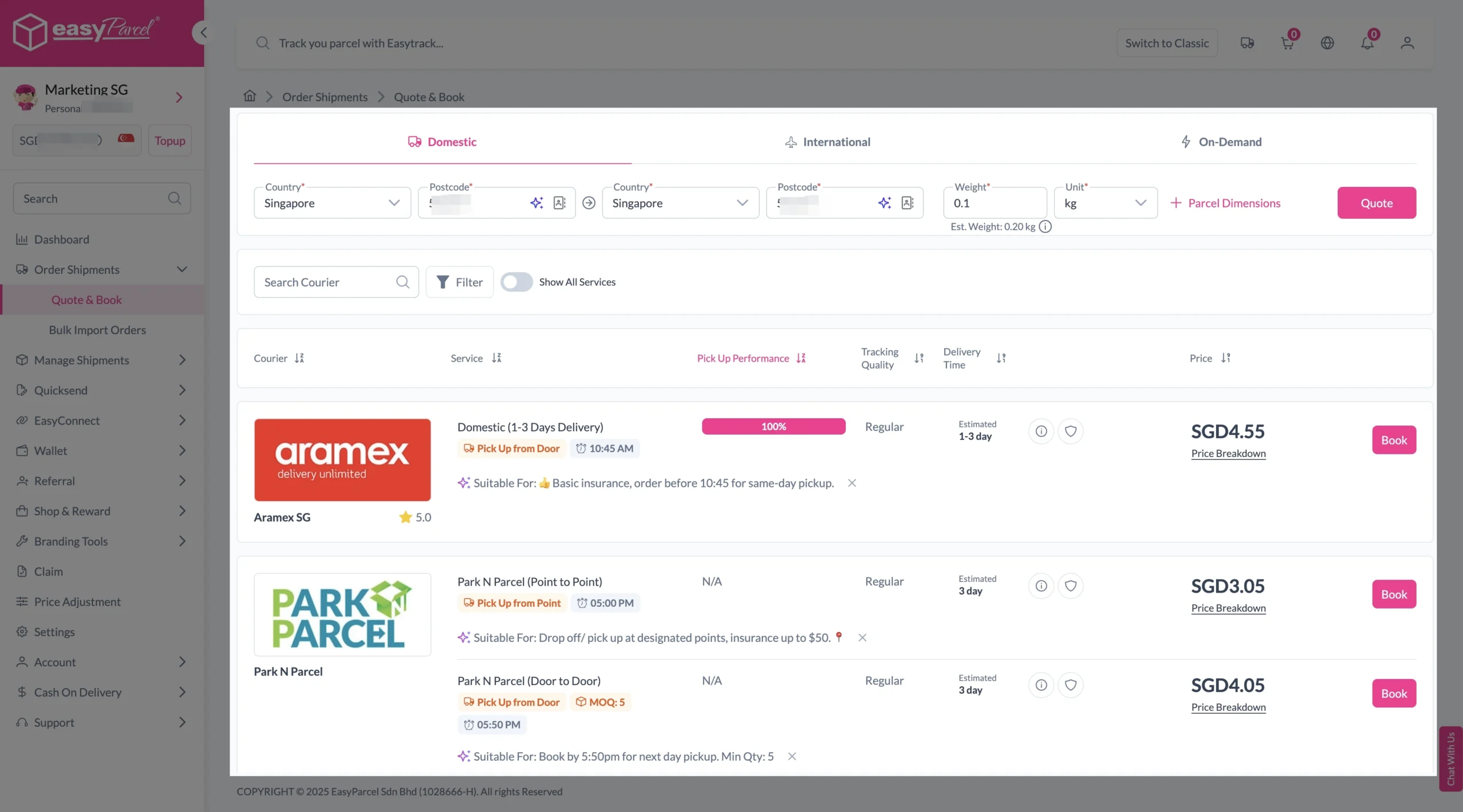
Step 1: Enter Details
If Domestic Delivery
1. Click on “Domestic” tab. 2. Enter sender and receiver address with postcode. 3. Enter parcel weight. 4. Click on “Quote & Book” to proceed.
If International Delivery
1. Click on “International” tab. 2. Enter sender and receiver country with postcode. 3. Enter parcel weight. 4. Click on “Quote & Book” to proceed.
If On-Demand Delivery
1. Click on “On-Demand” tab. 2. Enter pick-up address and drop-off points. 3. Select preferred pick-up date and time, and transport. 4. Click on “Quote” to proceed.
Step 2: Compare the rates of different courier services and click “Book” on your preferred option.
Step 3: Fill in all details
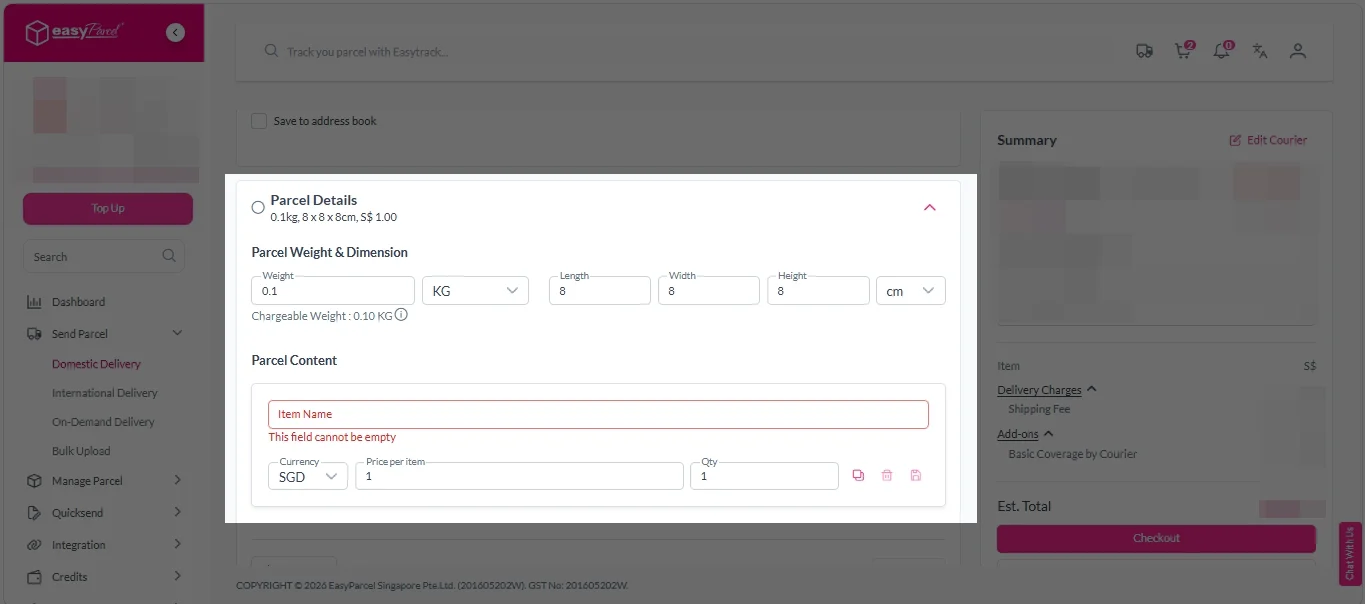
Domestic Delivery
1. Fill in all details included Sender Details, Receiver Details, Parcel Details and Add-On Services. Sender and Receiver Details:
Parcel Details: Enter the actual weight, dimension and content of your parcel. Parcel Content: Fill in your item name, price per item, and quantity.
Add-On Services: i. Tick the box to add EasyCover for additional protection against loss. Note: EasyCover availability depends on the courier selected. Learn more about EasyCover.
ii. Choose your preferred notification channel – SMS, Email, or WhatsApp. Click “Preview” to see how it looks, and click “Customise” to add brand message to the notification. Note: Learn more about Customise Branding Servcies.
iv. Tick the “Custom AWB” checkbox. EasyParcel Next Gen will apply your saved AWB template automatically. Note: Custom AWB is only available for certain couriers. Find out which couriers support Custom AWB.
2. Double check all details and click on “Checkout”.
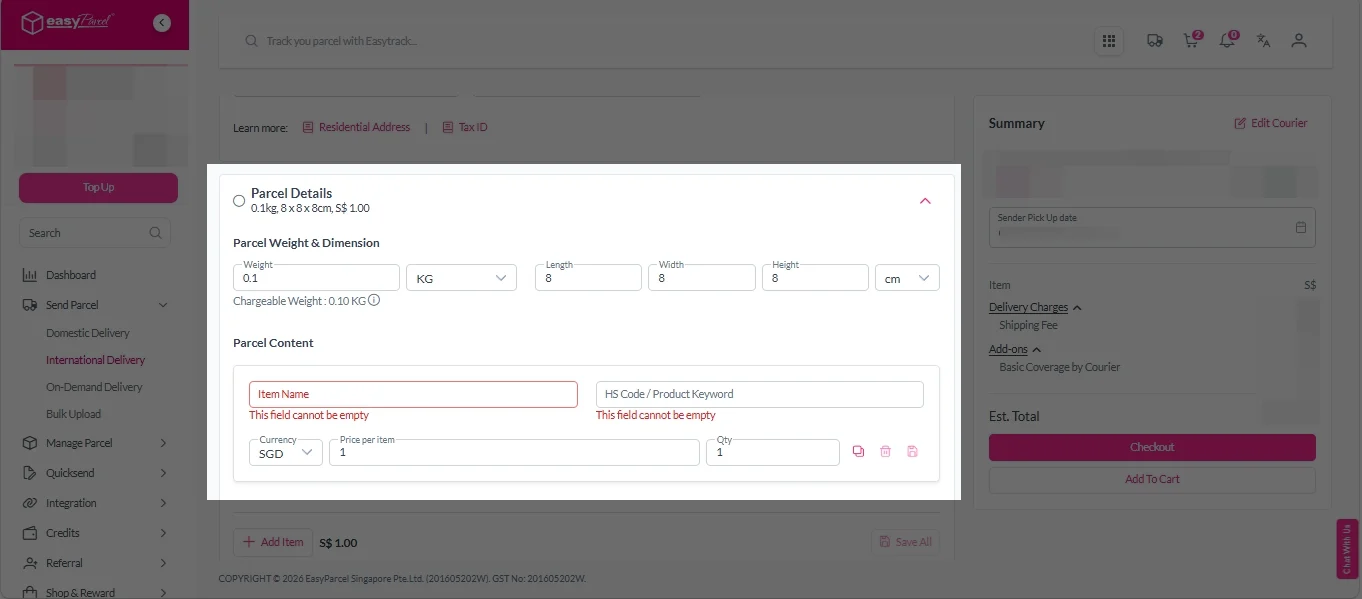
International Delivery
1. Fill in all details included Sender Details, Receiver Details, Parcel Details and Add-On Services. Sender and Receiver Details:
Parcel Details: Enter the actual weight, dimension and content of your parcel. Parcel Content: Fill in your item name. Then, choose your item category from the dropdown menu. The HS code will be auto generated based on your selection.
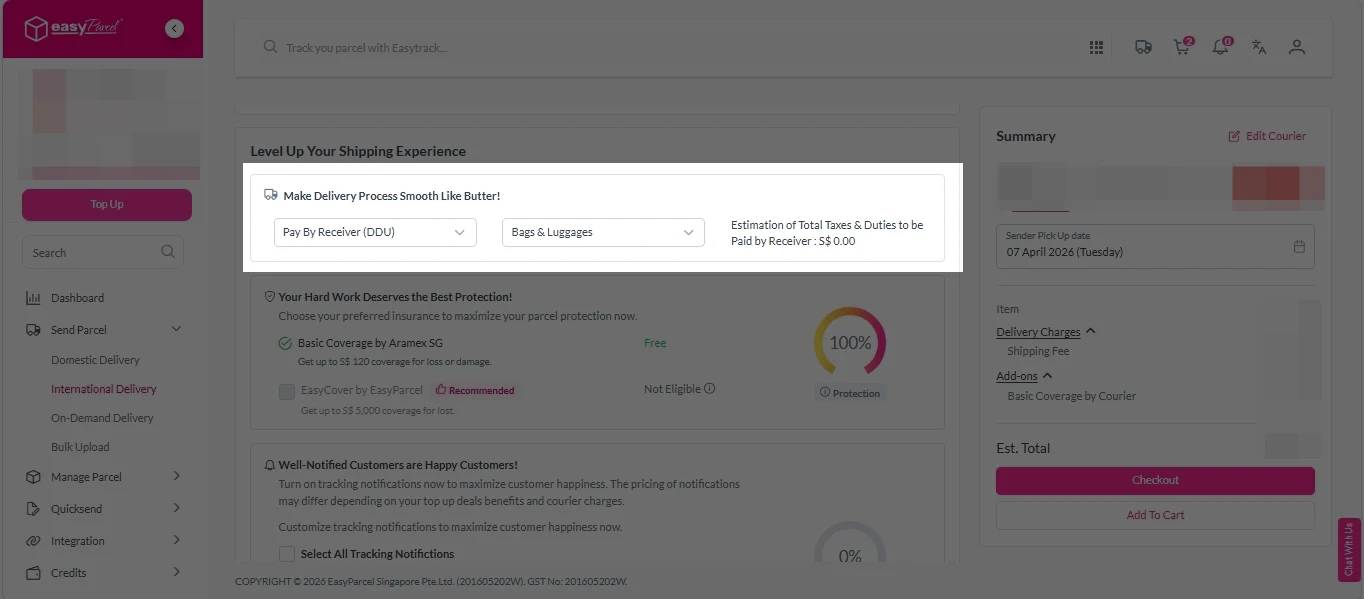
Add-On Services: i. Select your preferred duties payment option – Delivered Duty Paid (DDP) or Delivered Duty Unpaid (DDU). Note: Learn more about DDP and DDU.
ii. Tick the box to add EasyCover for additional protection against loss. Note: EasyCover availability depends on the courier selected. Learn more about EasyCover.
iii. Choose your preferred notification channel – SMS, Email, or WhatsApp. Click “Preview” to see how it looks, and click “Customise” to add brand message to the notification. Note: Learn more about Customise Branding Servcies.
v. Tick the “Custom AWB” checkbox. EasyParcel Next Gen will apply your saved AWB template automatically. Note: Custom AWB is only available for certain couriers. Find out which couriers support Custom AWB.
2. Double check all details and click on “Checkout”.
On Demand Delivery
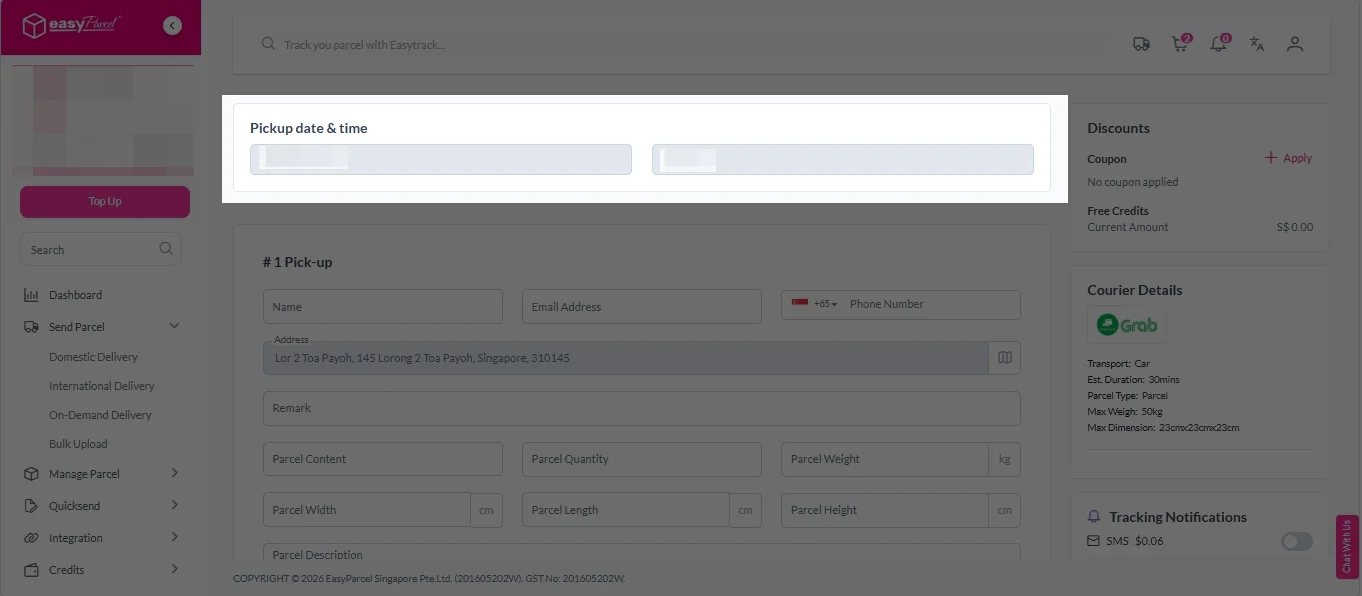
1. Check “Pickup date & time”.
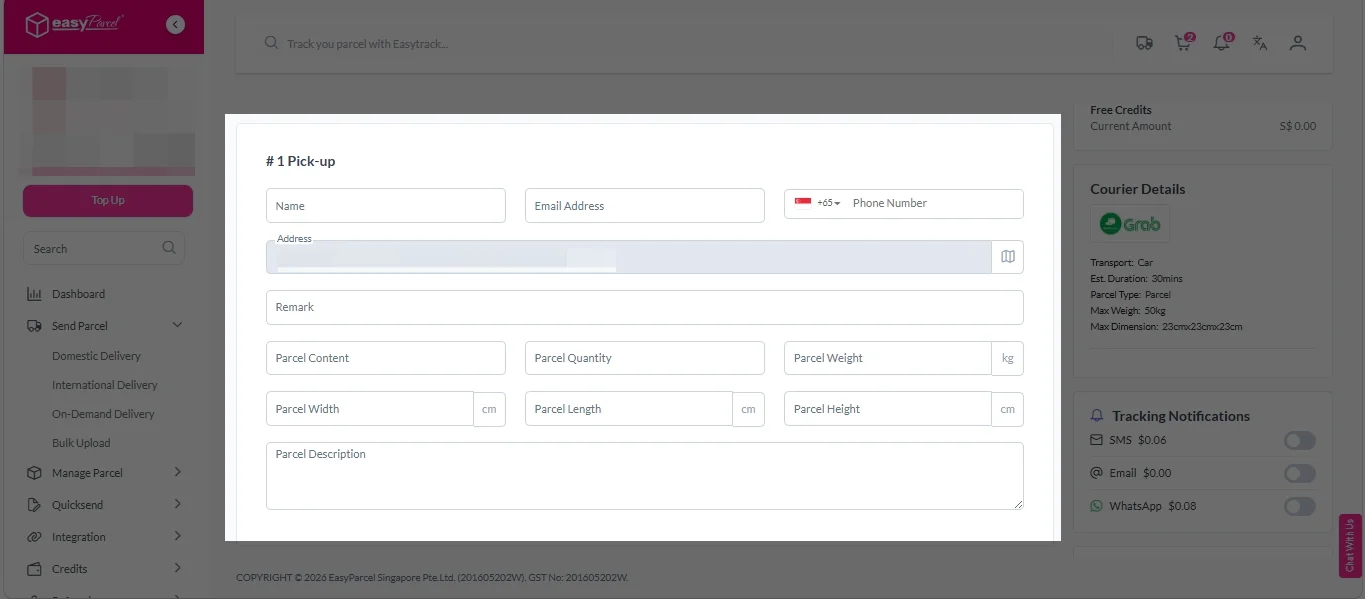
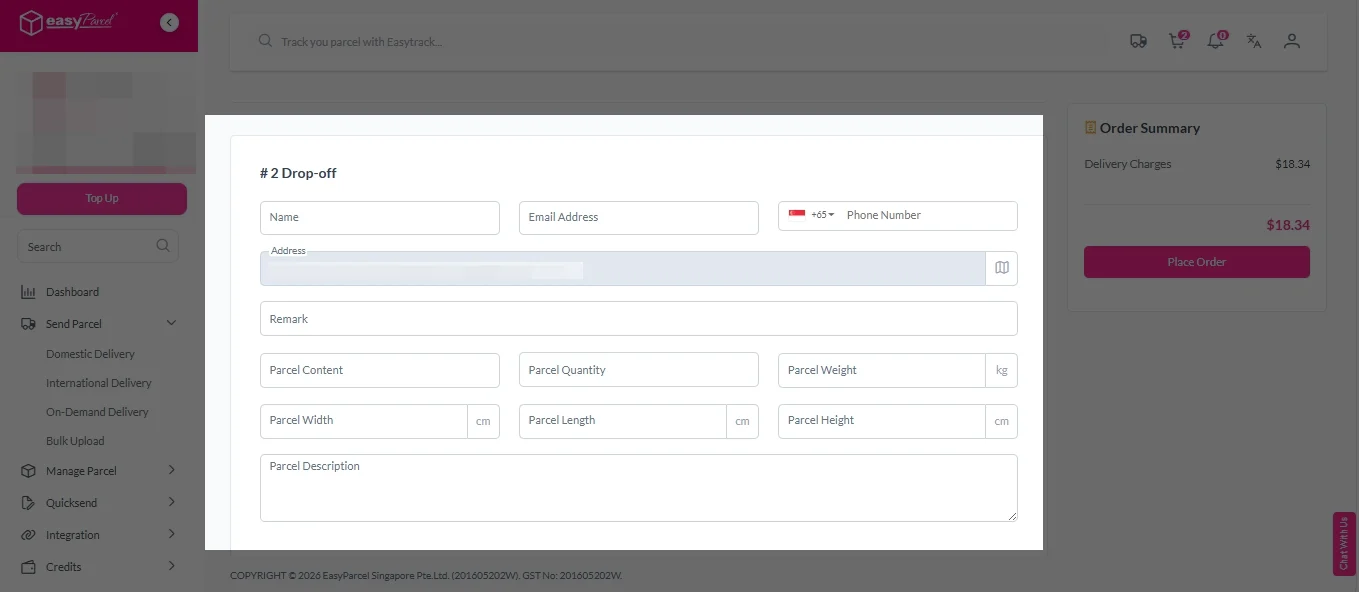
2. Fill in all the details.
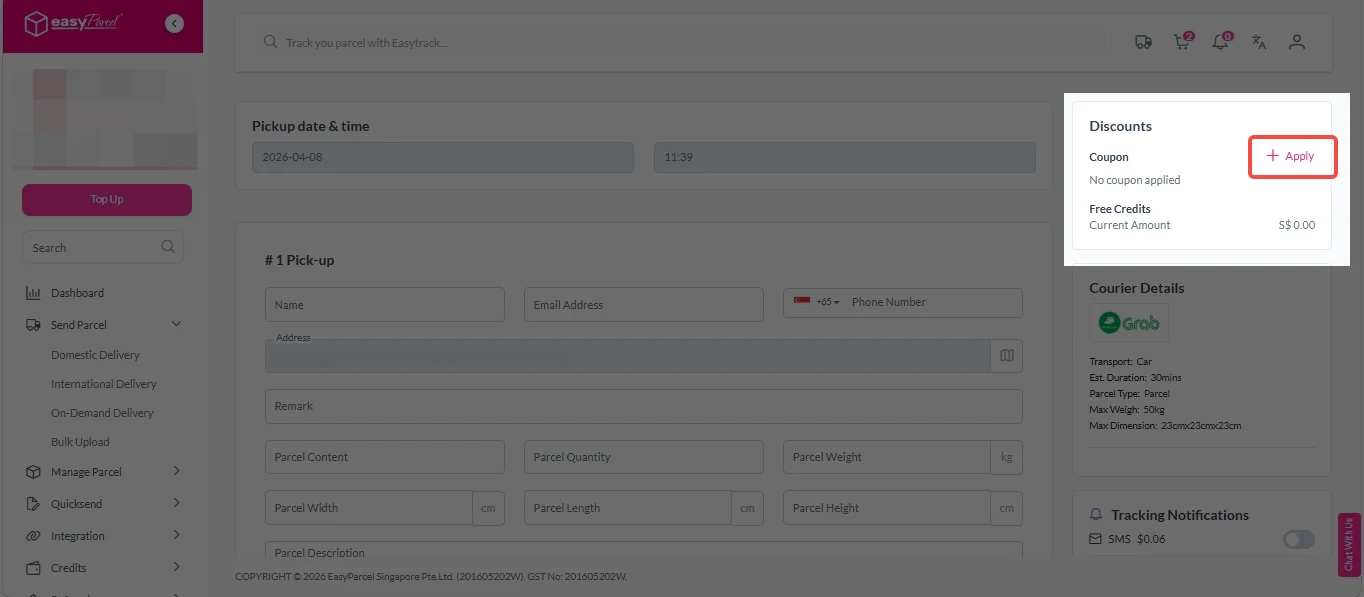
3. (Optional) Click “Apply” to add discount coupon.
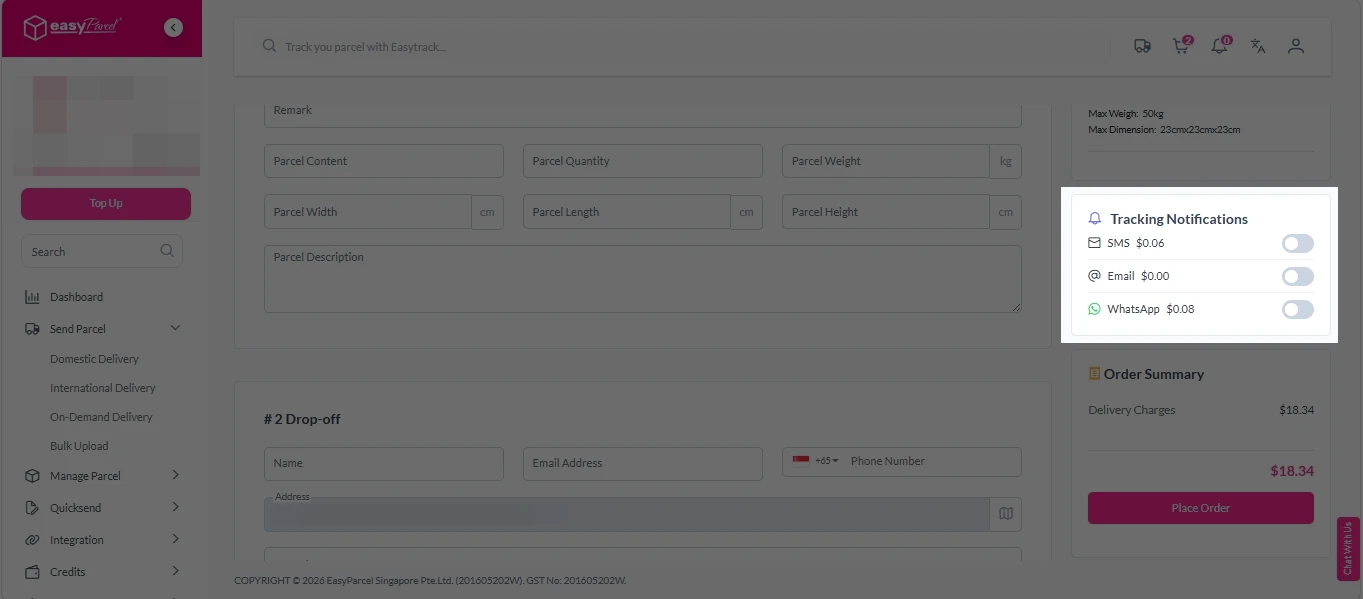
4. (Optional) Under “Tracking Notifications”, choose your preferred notification channel – SMS, Email, or WhatsApp.
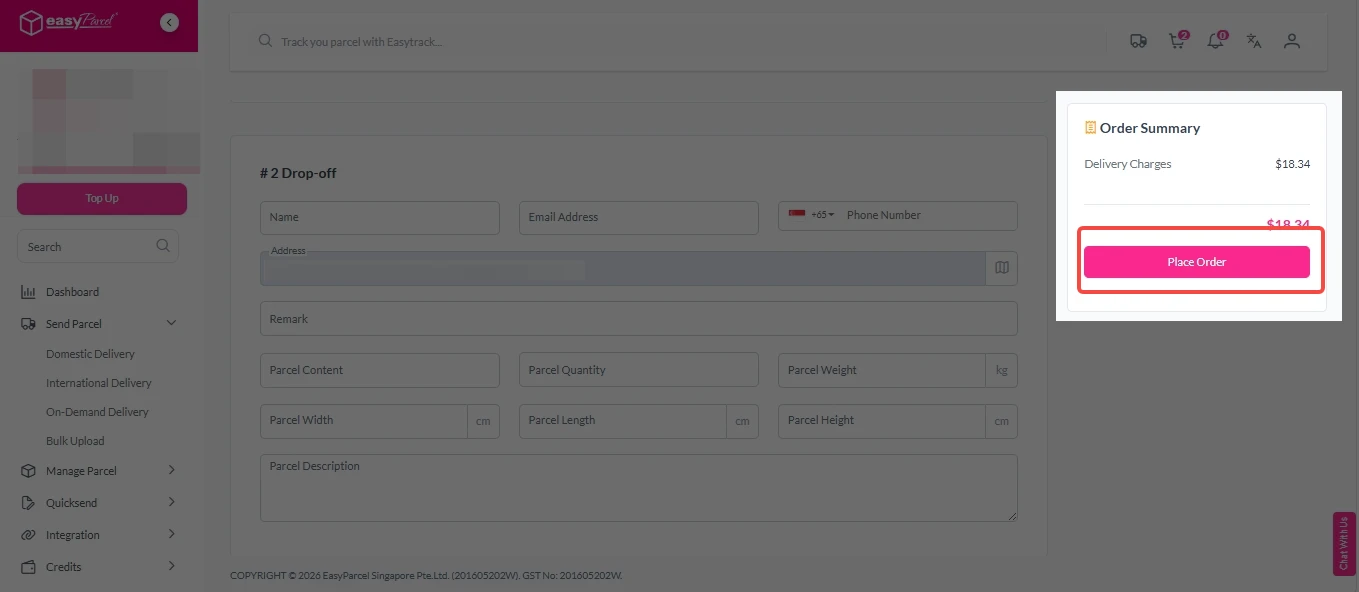
5. Double check all details and click on “Place Order”.
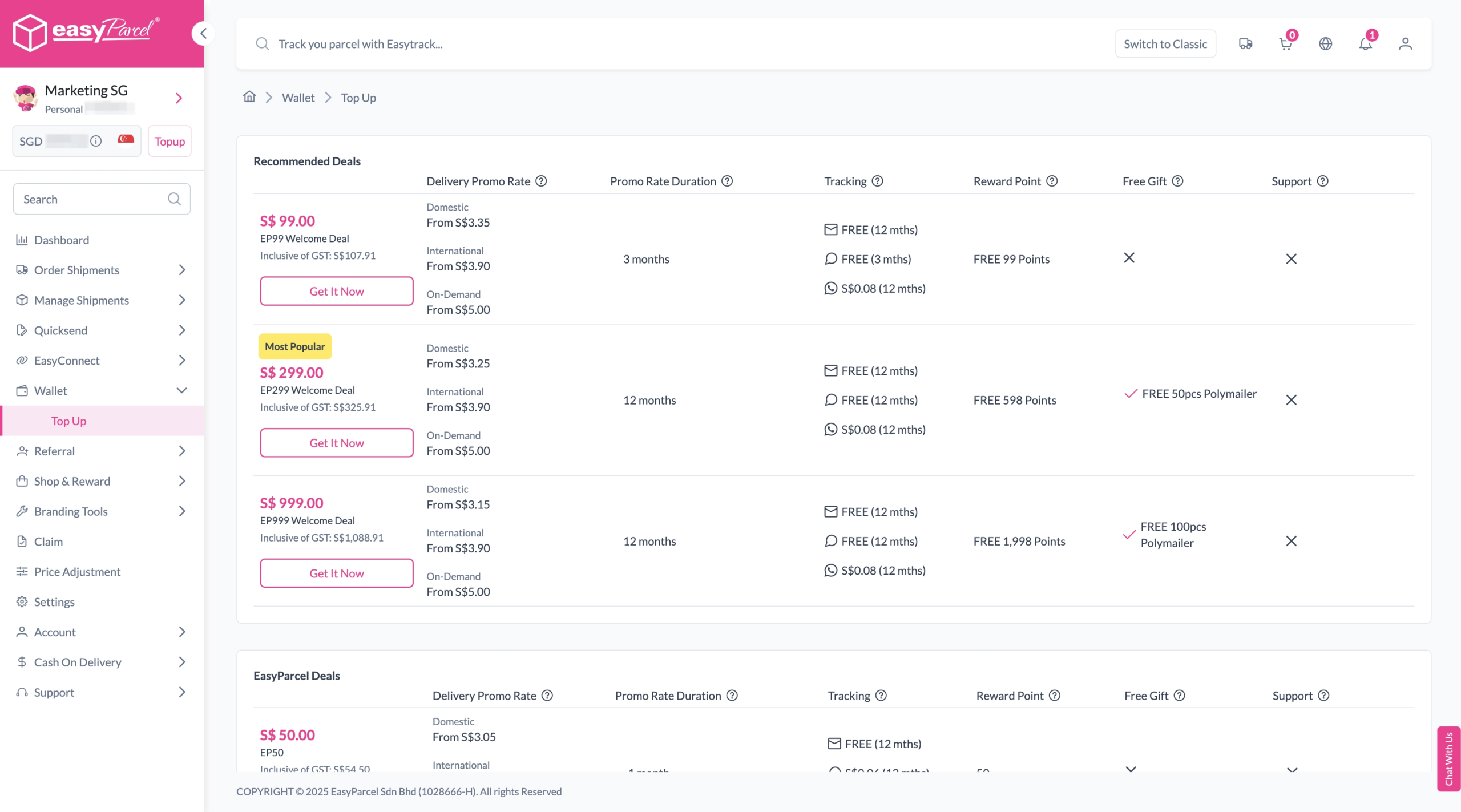
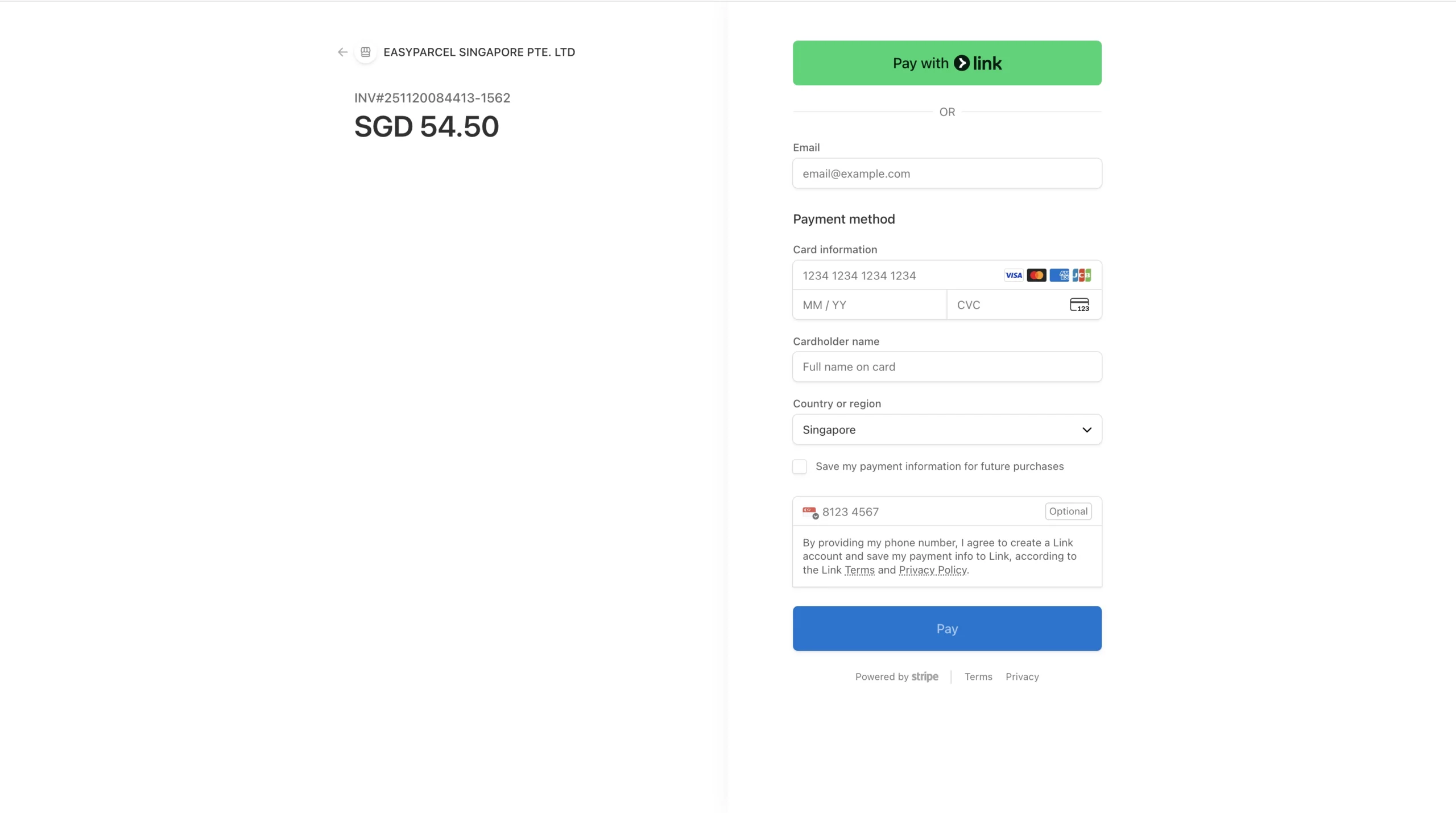
Step 4: Double check all the details and click on “Pay Now” to make payment.
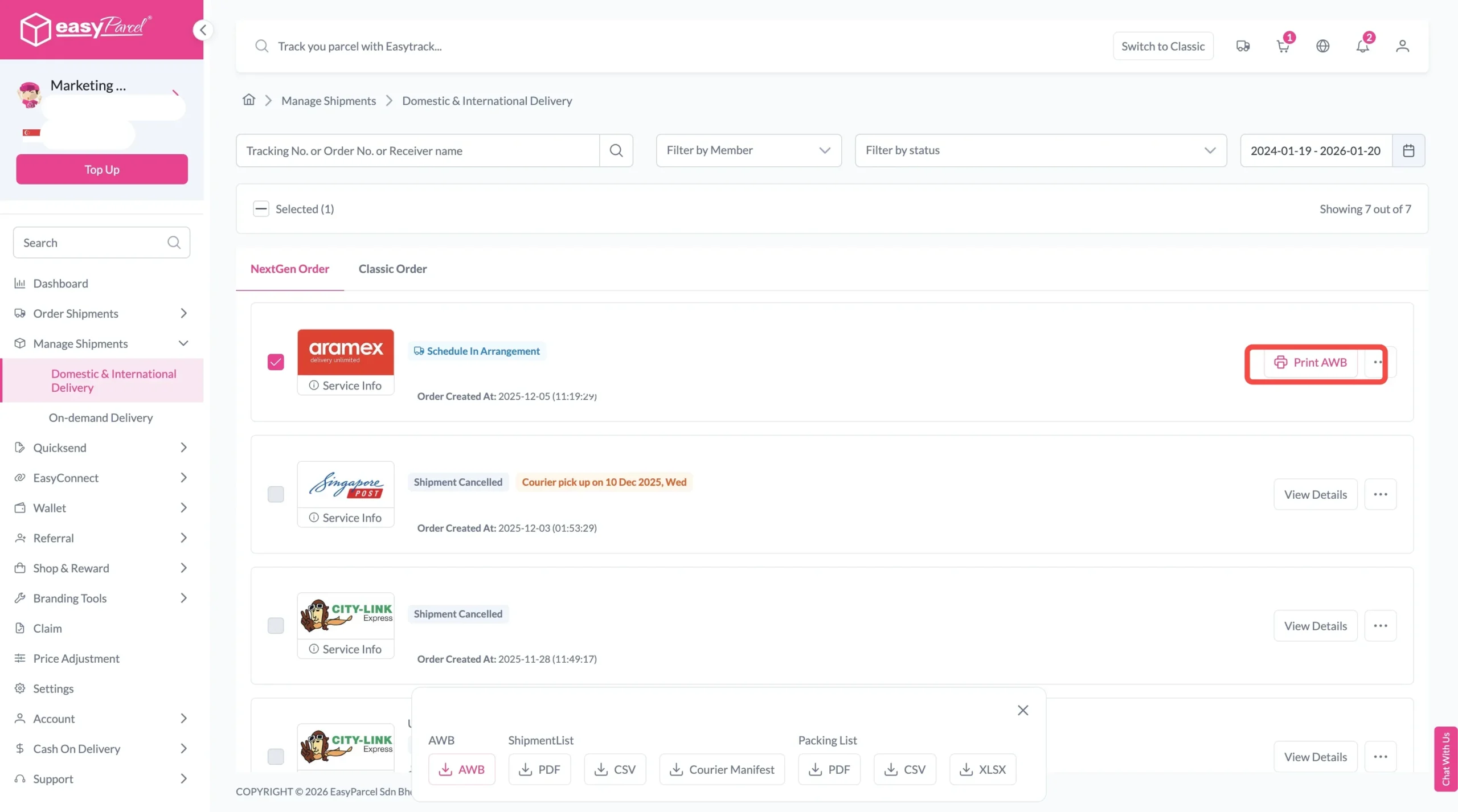
Step 5: Your shipment has been booked successfully. To download and print AWB, you can go to “Manage Shipments”.
Single AWB
Click the three dots icon next to the shipment.
Select “Print AWB” from the dropdown menu.
A PDF file will automatically download and save.
Bulk AWB
For bulk downloads AWB:
Tick the “Selected” checkbox to choose all your orders.
You can compare multiple couriers in real-time to choose the most cost-effective option without compromising delivery speed.
Save Time
You no longer need to log into multiple sites or calculate fees manually — plan shipments in minutes instead of hours.
Reduce Errors
The calculator automatically accounts for parcel weight, dimensions, and destination rules, reducing mistakes that can lead to lost shipments or extra charges.
Frequently Asked Question (FAQs)
How to calculate courier costs?
You can calculate courier costs easily by visiting the EasyParcel page. Quote and get real-time shipping rates from multiple couriers.
How are courier fees calculated?
Courier fees are calculated based on service type, parcel weight and size, and delivery destination. Some couriers may also consider delivery speed, insurance, and customs clearance for international shipments.
Create your free account today and receive S$6 shipping coupon to start saving from your very first parcel. Compare courier rates, book in minutes, and start saving immediately.