In today’s logistics environment, shipping costs are no longer a minor operational expense — they directly impact profit margins, pricing strategy, and customer satisfaction.
A Courier Charges Calculator is not just a convenience tool; it is a cost-control mechanism grounded in measurable logistics principles such as volumetric weight calculation, delivery zoning, and service-level pricing models.
Businesses that calculate before booking consistently reduce unexpected surcharges and improve margin accuracy. This blog explains how a Courier Charges Calculator works, the industry formulas behind it, and why it strengthens your operational efficiency.
Table of Contents
Why a Courier Charges Calculator Matters in Modern Logistics
From a logistics management perspective, courier charges are determined by structured variables:
Actual weight
Volumetric weight
Delivery distance and zone
Service level (express vs standard)
Fuel and operational surcharges
Without a Courier Charges Calculator, businesses must manually compare courier websites, estimate volumetric weight, and interpret pricing tables — a process prone to error.
Professionally managed shipping operations rely on automated calculation tools to ensure rate transparency and compliance with courier billing standards.
The Industry Formula Behind a Courier Charges Calculator
One of the most misunderstood elements in shipping is volumetric weight. Couriers globally apply dimensional weight formulas to ensure fair pricing for bulky but lightweight parcels.
The standard formula used across major carriers:

If volumetric weight exceeds actual weight, the higher value becomes the chargeable weight.
A professional Courier Charges Calculator automatically performs this calculation, eliminating estimation errors.
How a Courier Charges Calculator Improves Pricing Accuracy
From an operational audit perspective, 3 Pricing Mistakes observed:
Underestimating volumetric weight
Choosing express services unnecessarily
Failing to compare courier rate tiers
A Courier Charges Calculator addresses these by:
Providing instant side-by-side rate comparisons
Displaying service-level differences
Showing chargeable weight automatically
Allowing businesses to quote before booking
How to Use Courier Charges Calculator
Step 1: Enter Details
If Domestic Delivery
1. Click on “Domestic” tab.
2. Enter sender and receiver address with postcode.
3. Enter parcel weight.
4. Click on “Quote & Book” to proceed.
If International Delivery
1. Click on “International” tab.
2. Enter sender and receiver country with postcode.
3. Enter parcel weight.
4. Click on “Quote & Book” to proceed.
If On-Demand Delivery
1. Click on “On-Demand” tab.
2. Enter pick-up address and drop-off points.
3. Select preferred pick-up date and time, and transport.
4. Click on “Quote” to proceed.
Get Instant Quotes
Send More Parcels at Once
Save time, save cost with less click!
Integrations
Sync all your store orders and experience seamless booking experience in one click
Explore NowStep 2: Compare the rates of different courier services and click “Book” on your preferred option.
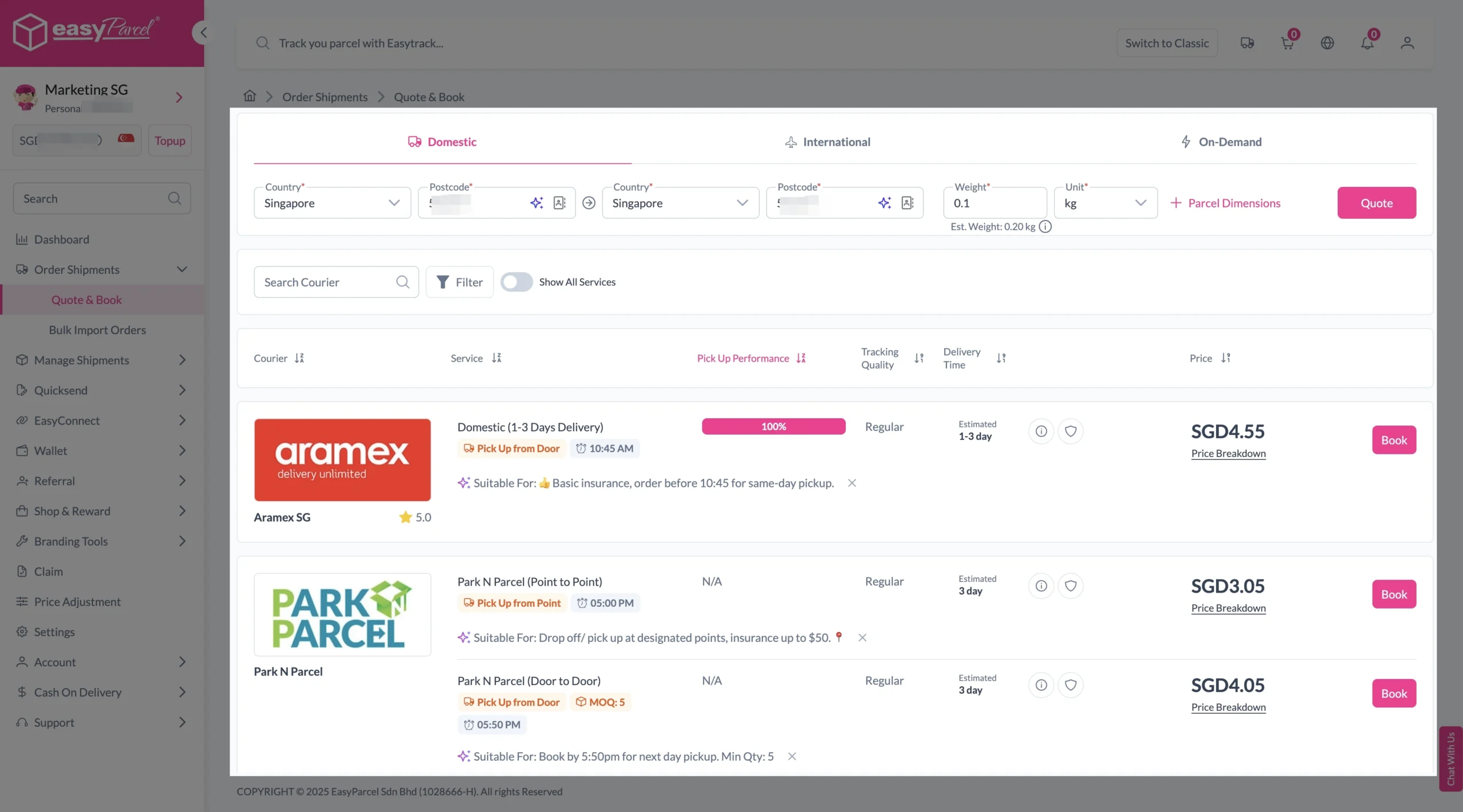
Step 3: Fill in all details
Domestic Delivery
1. Fill in all details included Sender Details, Receiver Details, Parcel Details and Add-On Services.
Sender and Receiver Details:

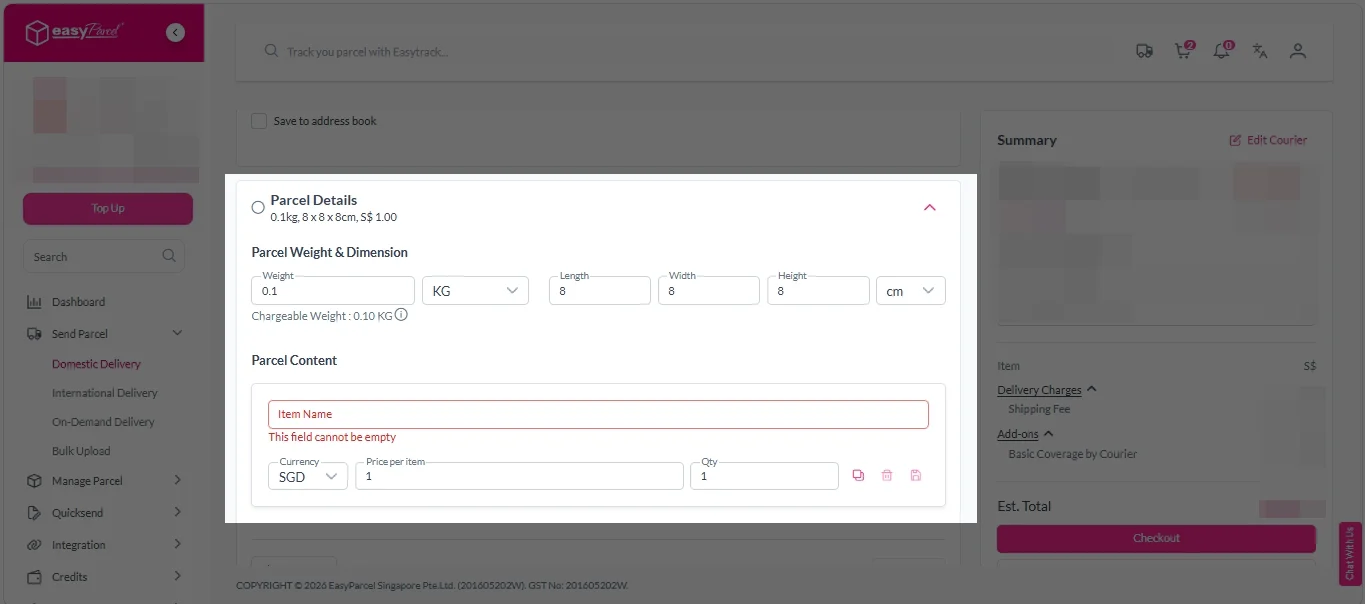
Parcel Details:
Enter the actual weight, dimension and content of your parcel.
Parcel Content:
Fill in your item name, price per item, and quantity.
Add-On Services:
i. Tick the box to add EasyCover for additional protection against loss.
Note: EasyCover availability depends on the courier selected. Learn more about EasyCover.

ii. Choose your preferred notification channel – SMS, Email, or WhatsApp. Click “Preview” to see how it looks, and click “Customise” to add brand message to the notification.
Note: Learn more about Customise Branding Servcies.

iii. Tick the “Mask Sender Details” checkbox. EasyParcel Next Gen will automatically hide your sender information based on your saved privacy settings.
Note: Mask Sender Details only available for certain couriers. Find out what courier is available for Mask Sender Details.

iv. Tick the “Custom AWB” checkbox. EasyParcel Next Gen will apply your saved AWB template automatically.
Note: Custom AWB is only available for certain couriers. Find out which couriers support Custom AWB.

2. Double check all details and click on “Checkout”.
International Delivery
1. Fill in all details included Sender Details, Receiver Details, Parcel Details and Add-On Services.
Sender and Receiver Details:
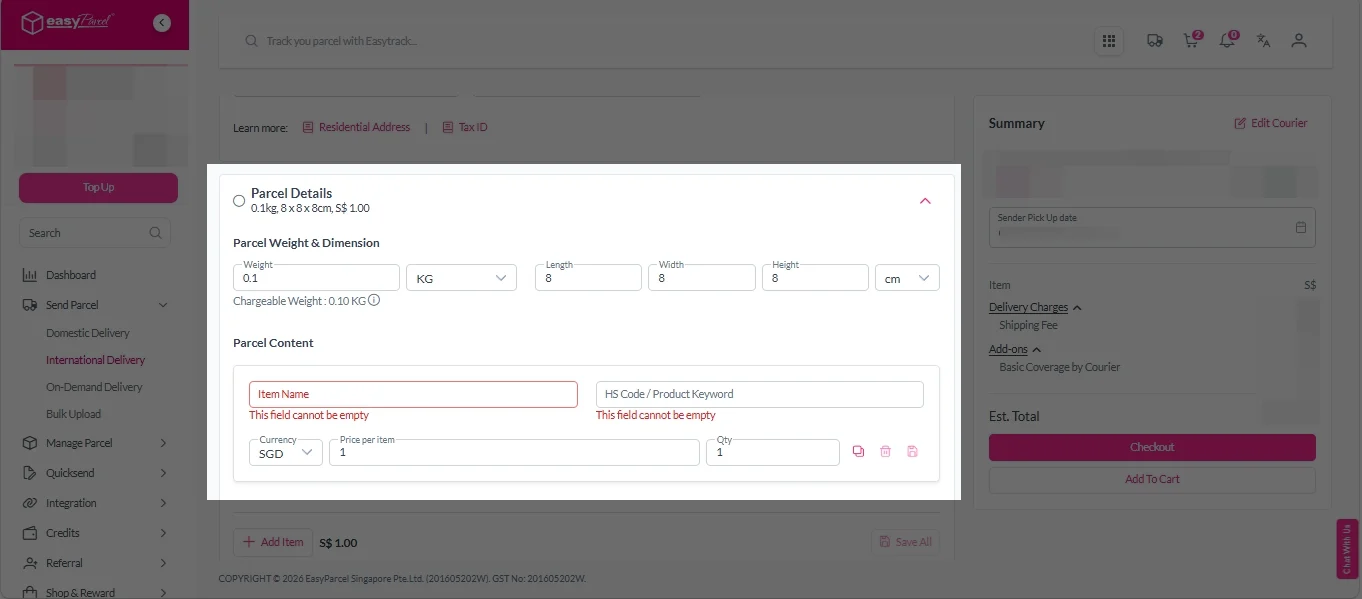
Parcel Details:
Enter the actual weight, dimension and content of your parcel.
Parcel Content:
Fill in your item name. Then, choose your item category from the dropdown menu. The HS code will be auto generated based on your selection.
Note: Learn more about Smart HS Code.
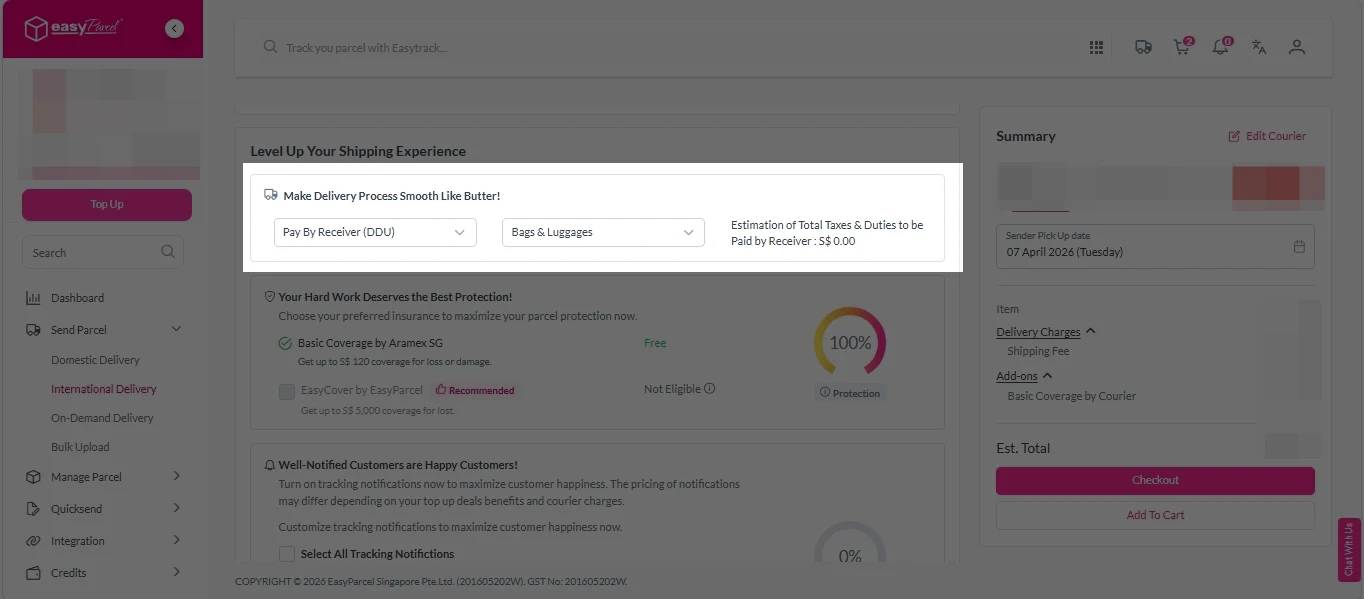
Add-On Services:
i. Select your preferred duties payment option – Delivered Duty Paid (DDP) or Delivered Duty Unpaid (DDU).
Note: Learn more about DDP and DDU.
ii. Tick the box to add EasyCover for additional protection against loss.
Note: EasyCover availability depends on the courier selected. Learn more about EasyCover.
iii. Choose your preferred notification channel – SMS, Email, or WhatsApp. Click “Preview” to see how it looks, and click “Customise” to add brand message to the notification.
Note: Learn more about Customise Branding Servcies.
iv. Tick the “Mask Sender Details” checkbox. EasyParcel Next Gen will automatically hide your sender information based on your saved privacy settings.
Note: Mask Sender Details only available for certain couriers. Find out what courier is available for Mask Sender Details.
v. Tick the “Custom AWB” checkbox. EasyParcel Next Gen will apply your saved AWB template automatically.
Note: Custom AWB is only available for certain couriers. Find out which couriers support Custom AWB.
2. Double check all details and click on “Checkout”.
On Demand Delivery
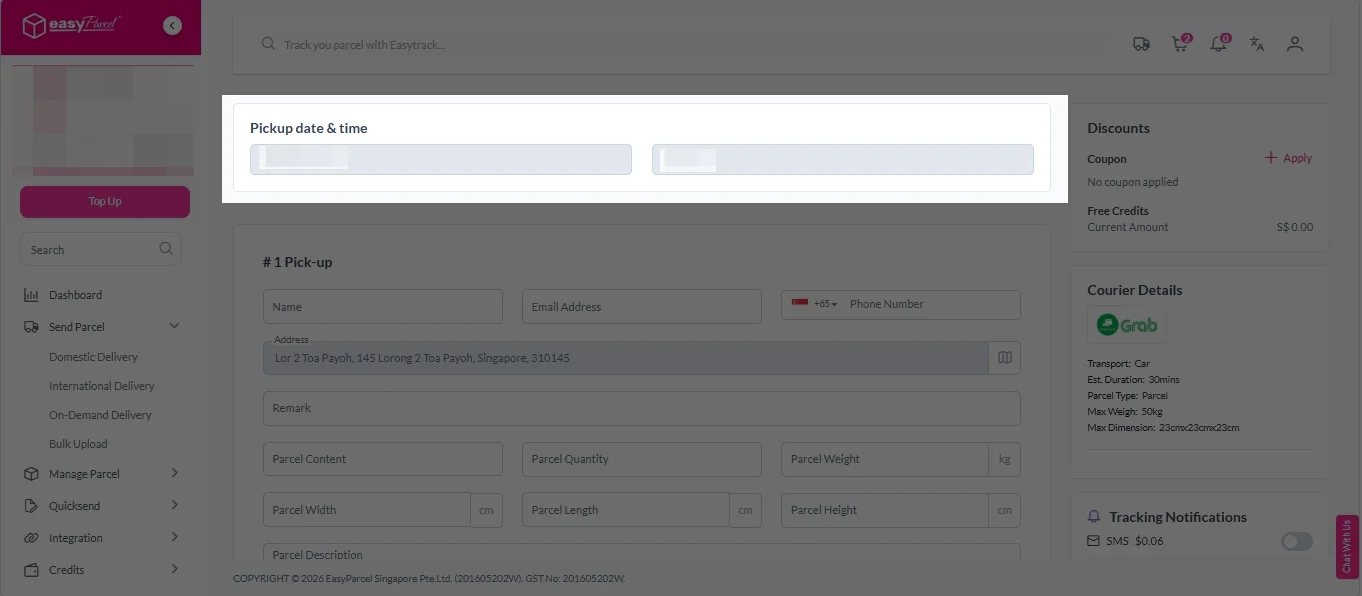
1. Check “Pickup date & time”.
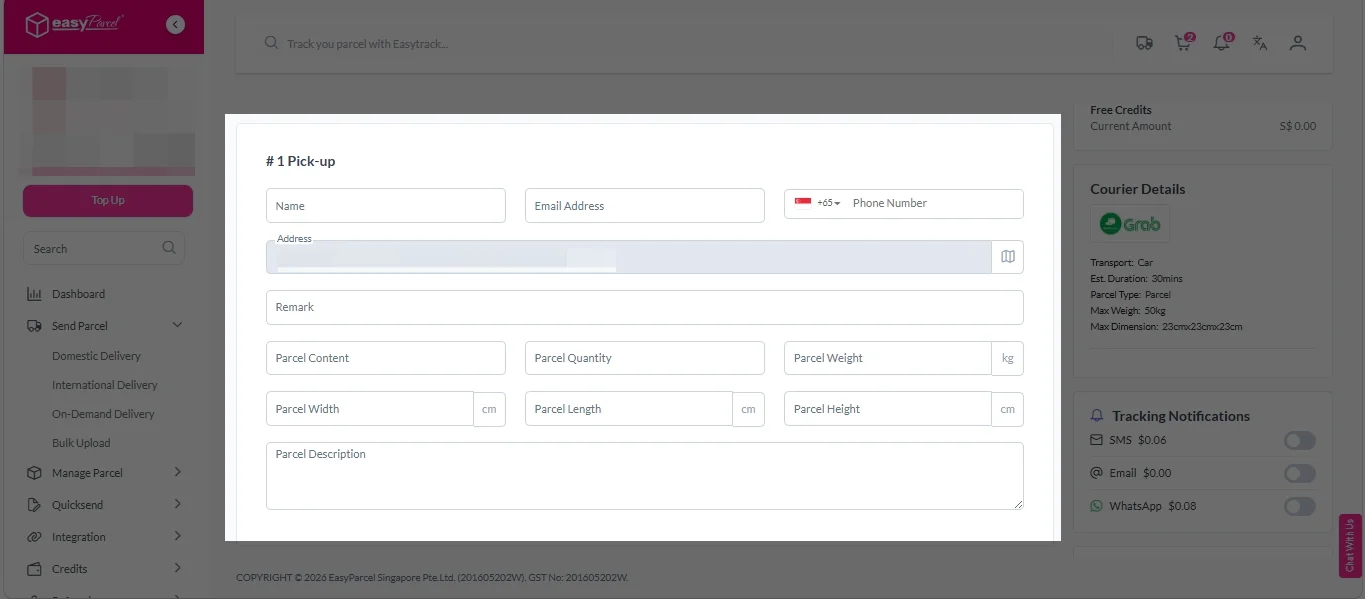
2. Fill in all the details.
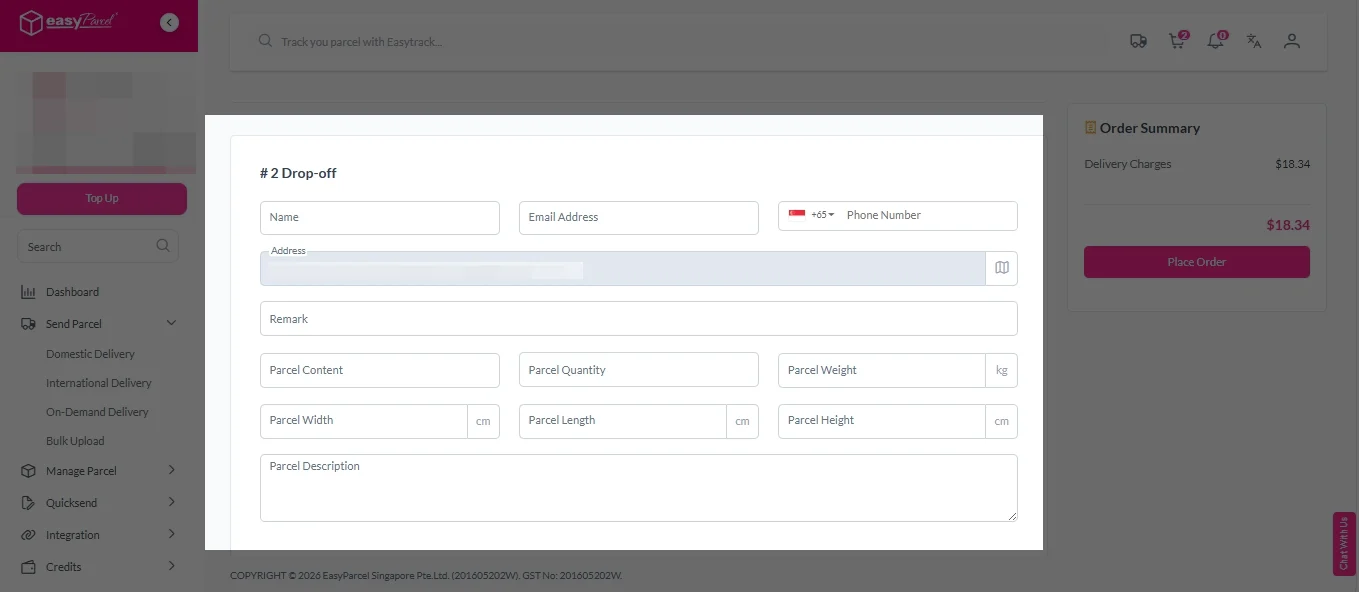
3. (Optional) Click “Apply” to add discount coupon.
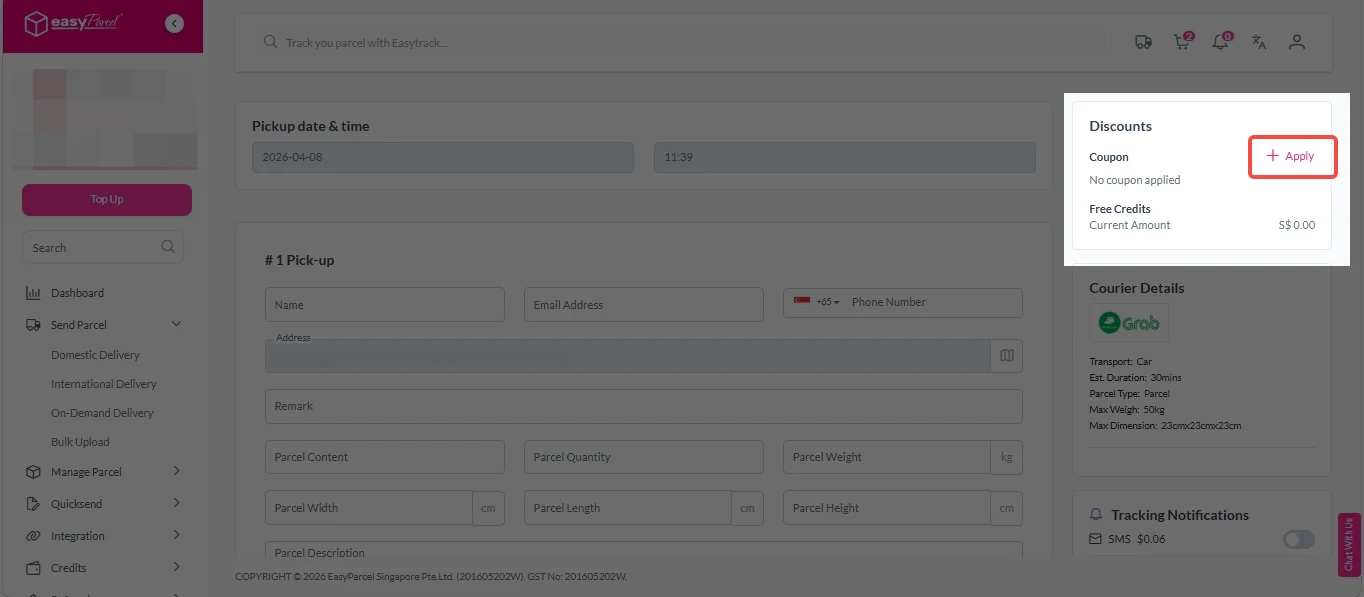
4. (Optional) Under “Tracking Notifications”, choose your preferred notification channel – SMS, Email, or WhatsApp.
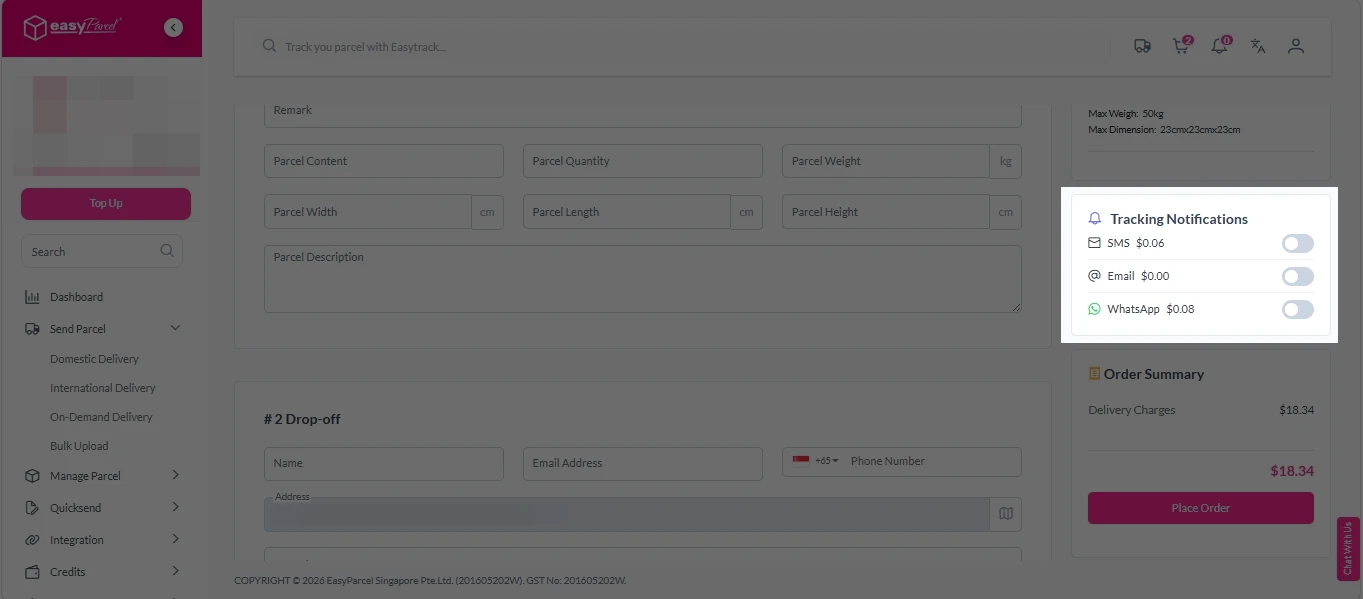
5. Double check all details and click on “Place Order”.
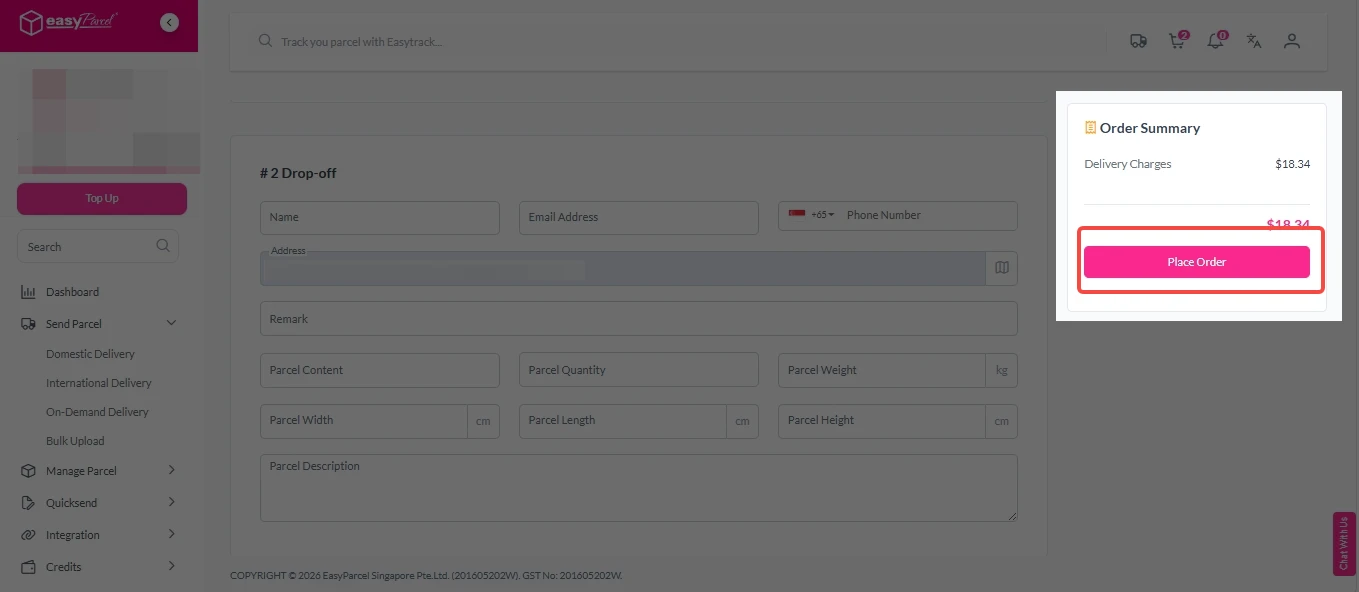
Step 4: Double check all the details and click on “Pay Now” to make payment.

Step 5: Your shipment has been booked successfully.
To download and print AWB, you can go to “Manage Shipments”.
Single AWB
- Click the three dots icon next to the shipment.
- Select “Print AWB” from the dropdown menu.
- A PDF file will automatically download and save.
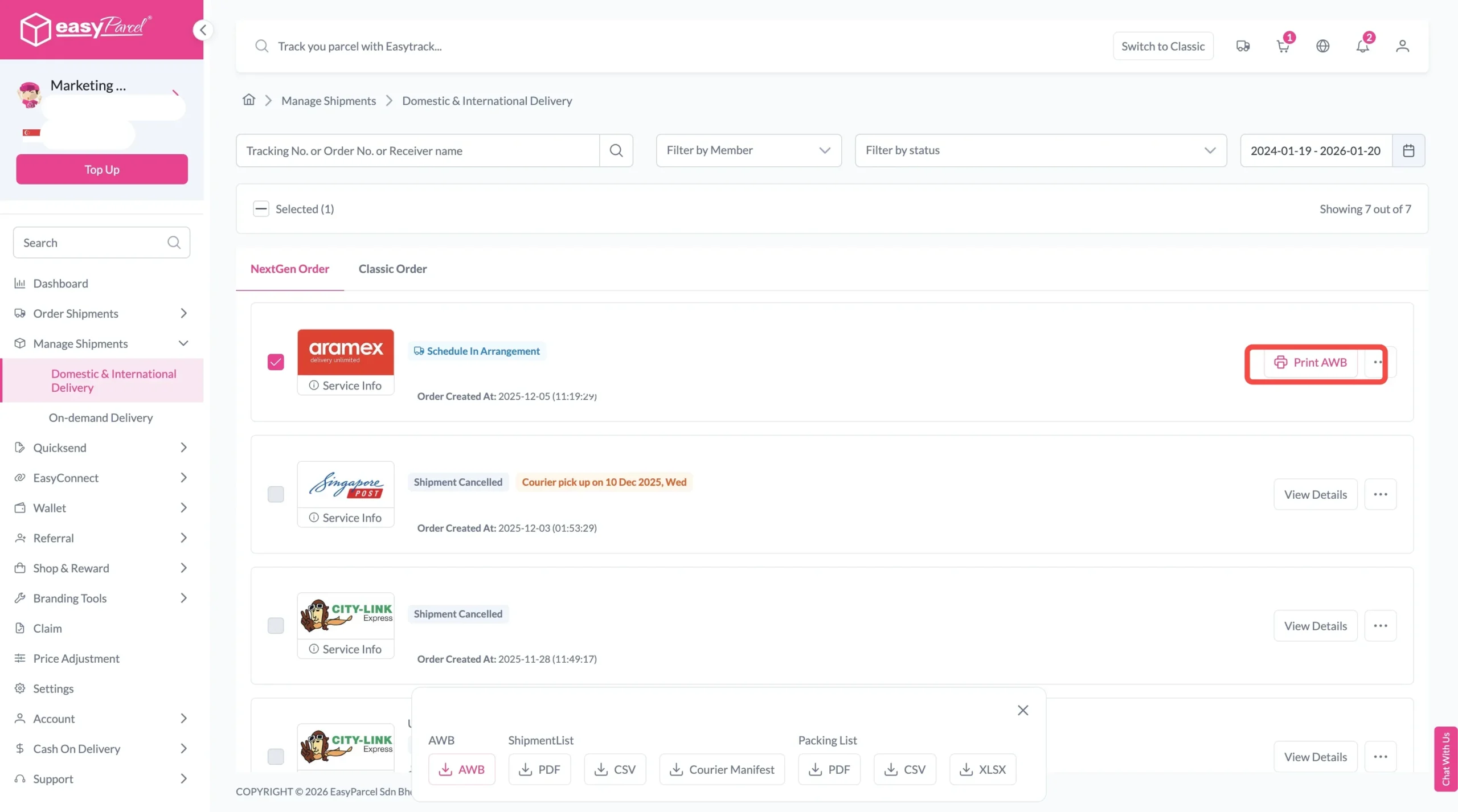
Bulk AWB
For bulk downloads AWB:
- Tick the “Selected” checkbox to choose all your orders.
- A menu will appear at the bottom of the screen.
- Click “AWB” to download all AWBs in bulk.

Strategic Benefits of EasyParcel Courier Charges Calculator
Margin Protection
Prevents undercharging customers or absorbing unexpected shipping costs.
Cost Predictability
Improves budgeting accuracy for SMEs and high-volume sellers.
Operational Efficiency
Reduces time spent manually checking courier websites.