I didn’t realise I was losing money on shipping until I started checking my courier invoices more closely. Some months looked fine. Other months? Margins were tighter than expected — and I couldn’t immediately explain why.
The problem wasn’t sales. It wasn’t pricing. It was my shipping calculation process. I was booking parcels based on rough estimates instead of using a proper courier calculator. Once I changed that one habit, everything became clearer — my costs, my pricing, and my profits.
Table of Contents
The Costly Mistake I Made Before Using a Courier Calculator
At the beginning, my process looked like this:
Check parcel weight.
Visit a courier website.
Estimate the price.
Book the shipment.
Simple — but flawed.
What I didn’t realise was that couriers don’t just charge based on actual weight. They calculate based on volumetric weight too. And because I wasn’t using a proper courier calculator, I was guessing more than I should.
The result?
Unexpected charges. Reduced profit margin. Frustration.
The Turning Point: Using a Courier Calculator Before Booking
The first time I used a courier calculator properly, I noticed something immediately — clarity.
Instead of checking multiple courier websites manually, I entered:
Parcel weight
Parcel dimensions
Pickup postcode
Delivery postcode
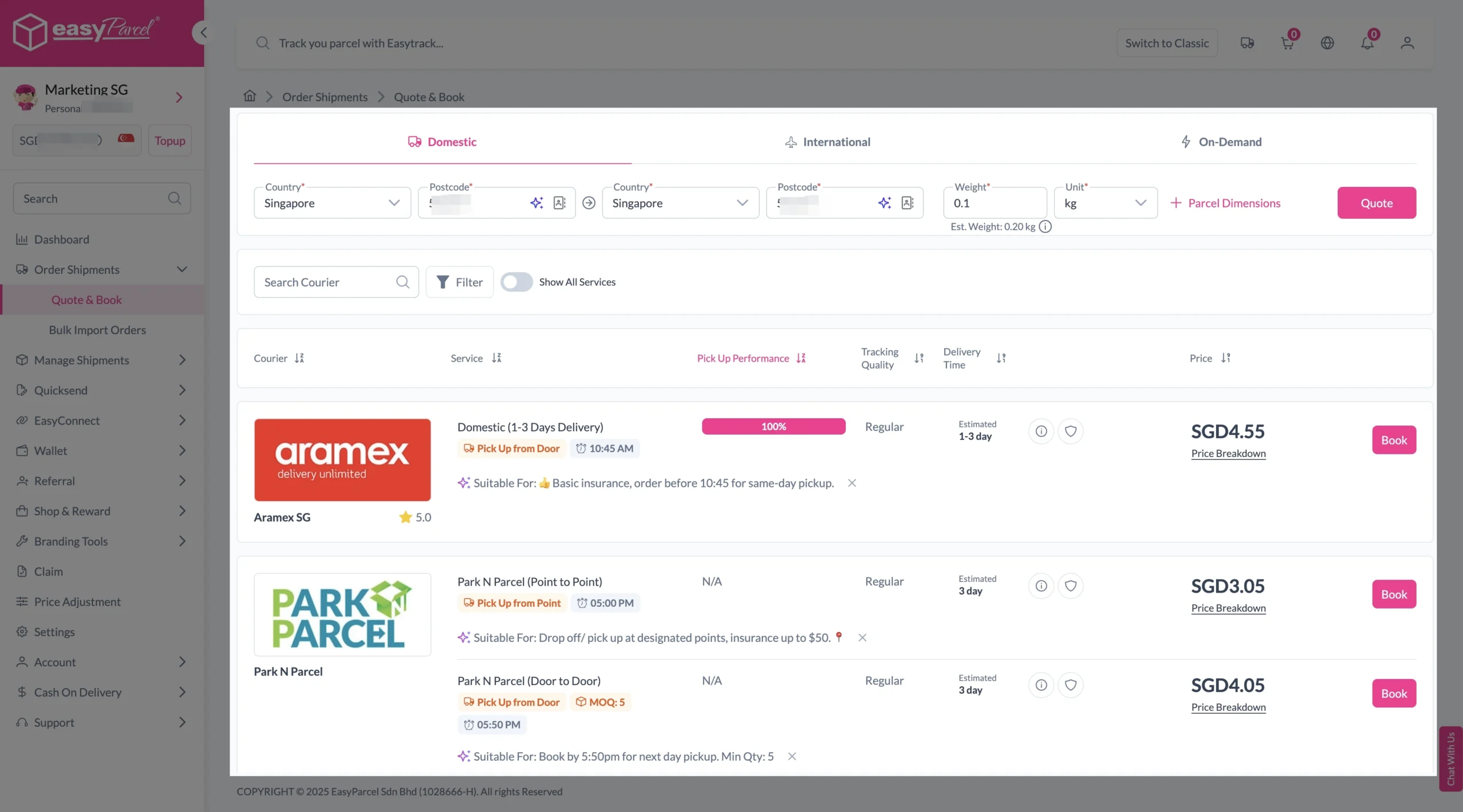
Within minutes, I could see multiple service options and exact price estimates.
That was the moment I realised shipping shouldn’t be reactive — it should be calculated.
How to Use EasyParcel Courier Calculator
Step 1: Enter Details
If Domestic Delivery
1. Click on “Domestic” tab.
2. Enter sender and receiver address with postcode.
3. Enter parcel weight.
4. Click on “Quote & Book” to proceed.
If International Delivery
1. Click on “International” tab.
2. Enter sender and receiver country with postcode.
3. Enter parcel weight.
4. Click on “Quote & Book” to proceed.
If On-Demand Delivery
1. Click on “On-Demand” tab.
2. Enter pick-up address and drop-off points.
3. Select preferred pick-up date and time, and transport.
4. Click on “Quote” to proceed.
Get Instant Quotes
Send More Parcels at Once
Save time, save cost with less click!
Integrations
Sync all your store orders and experience seamless booking experience in one click
Explore NowStep 2: Compare the rates of different courier services and click “Book” on your preferred option.
Step 3: Fill in all details
Domestic Delivery
1. Fill in all details included Sender Details, Receiver Details, Parcel Details and Add-On Services.
Sender and Receiver Details:

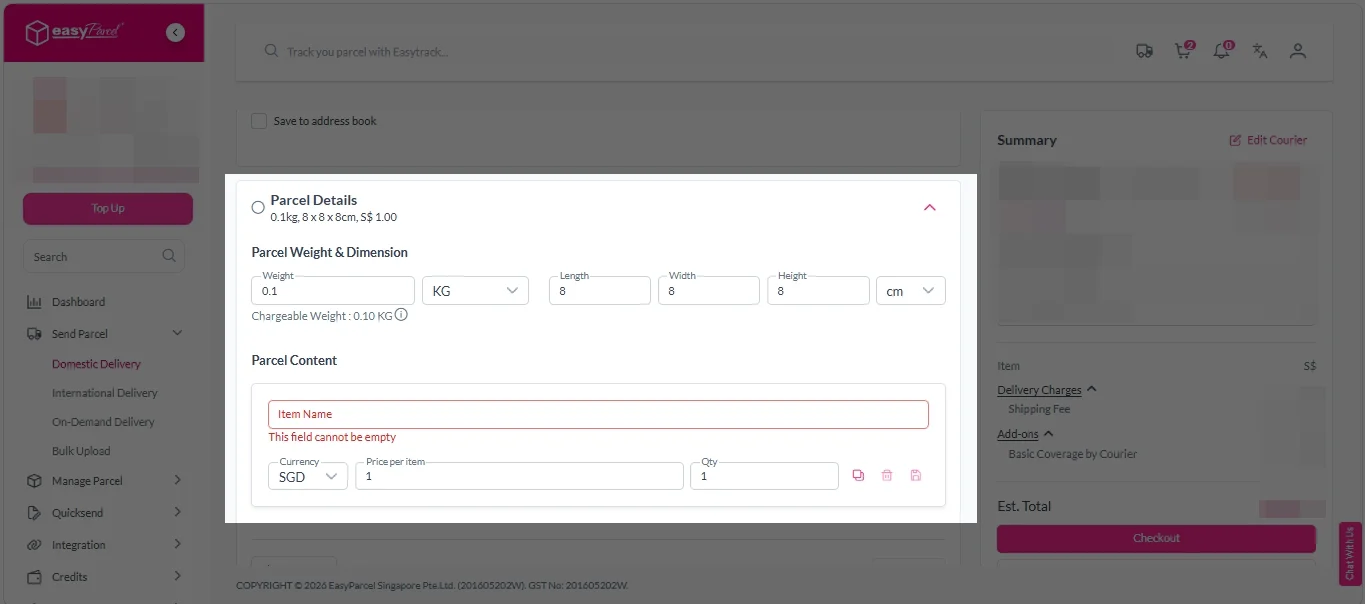
Parcel Details:
Enter the actual weight, dimension and content of your parcel.
Parcel Content:
Fill in your item name, price per item, and quantity.
Add-On Services:
i. Tick the box to add EasyCover for additional protection against loss.
Note: EasyCover availability depends on the courier selected. Learn more about EasyCover.

ii. Choose your preferred notification channel – SMS, Email, or WhatsApp. Click “Preview” to see how it looks, and click “Customise” to add brand message to the notification.
Note: Learn more about Customise Branding Servcies.

iii. Tick the “Mask Sender Details” checkbox. EasyParcel Next Gen will automatically hide your sender information based on your saved privacy settings.
Note: Mask Sender Details only available for certain couriers. Find out what courier is available for Mask Sender Details.

iv. Tick the “Custom AWB” checkbox. EasyParcel Next Gen will apply your saved AWB template automatically.
Note: Custom AWB is only available for certain couriers. Find out which couriers support Custom AWB.

2. Double check all details and click on “Checkout”.
International Delivery
1. Fill in all details included Sender Details, Receiver Details, Parcel Details and Add-On Services.
Sender and Receiver Details:
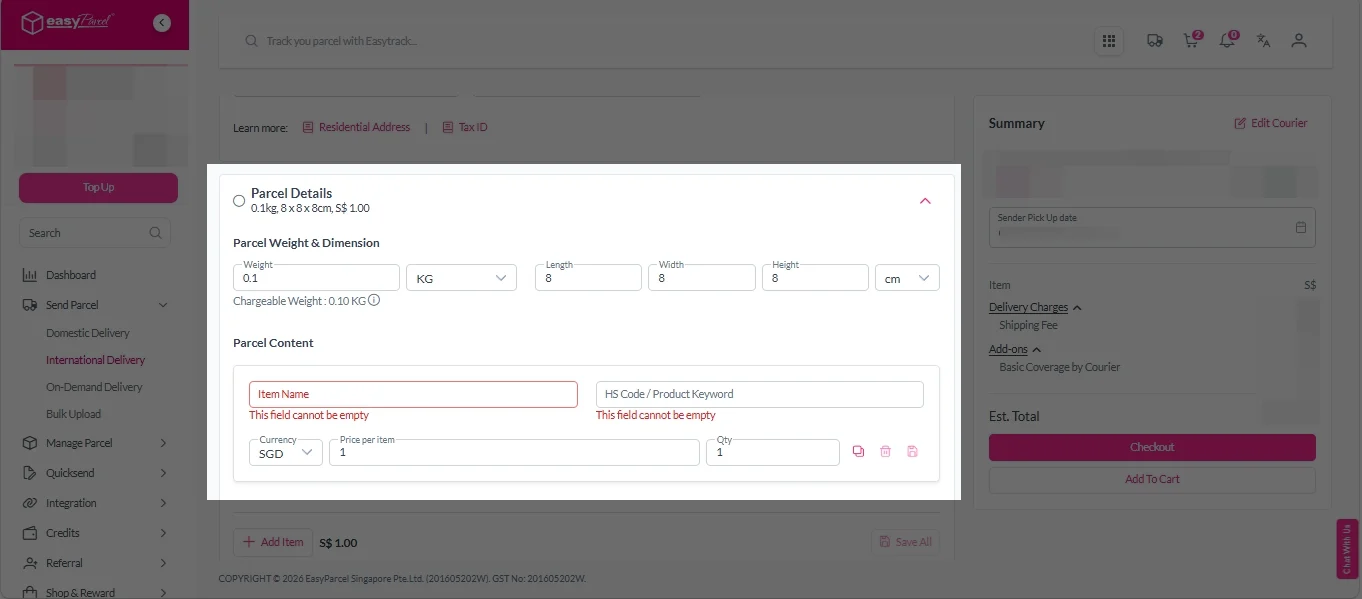
Parcel Details:
Enter the actual weight, dimension and content of your parcel.
Parcel Content:
Fill in your item name. Then, choose your item category from the dropdown menu. The HS code will be auto generated based on your selection.
Note: Learn more about Smart HS Code.
Add-On Services:
i. Select your preferred duties payment option – Delivered Duty Paid (DDP) or Delivered Duty Unpaid (DDU).
Note: Learn more about DDP and DDU.
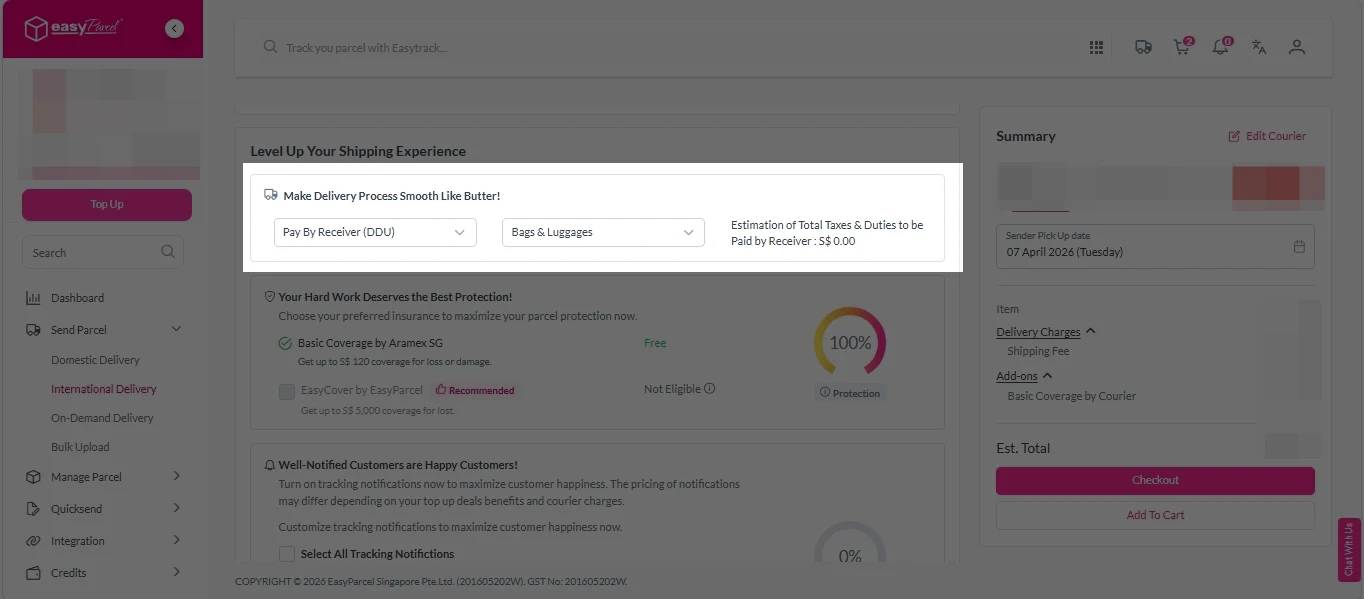
ii. Tick the box to add EasyCover for additional protection against loss.
Note: EasyCover availability depends on the courier selected. Learn more about EasyCover.
iii. Choose your preferred notification channel – SMS, Email, or WhatsApp. Click “Preview” to see how it looks, and click “Customise” to add brand message to the notification.
Note: Learn more about Customise Branding Servcies.
iv. Tick the “Mask Sender Details” checkbox. EasyParcel Next Gen will automatically hide your sender information based on your saved privacy settings.
Note: Mask Sender Details only available for certain couriers. Find out what courier is available for Mask Sender Details.
v. Tick the “Custom AWB” checkbox. EasyParcel Next Gen will apply your saved AWB template automatically.
Note: Custom AWB is only available for certain couriers. Find out which couriers support Custom AWB.
2. Double check all details and click on “Checkout”.
On Demand Delivery
1. Check “Pickup date & time”.
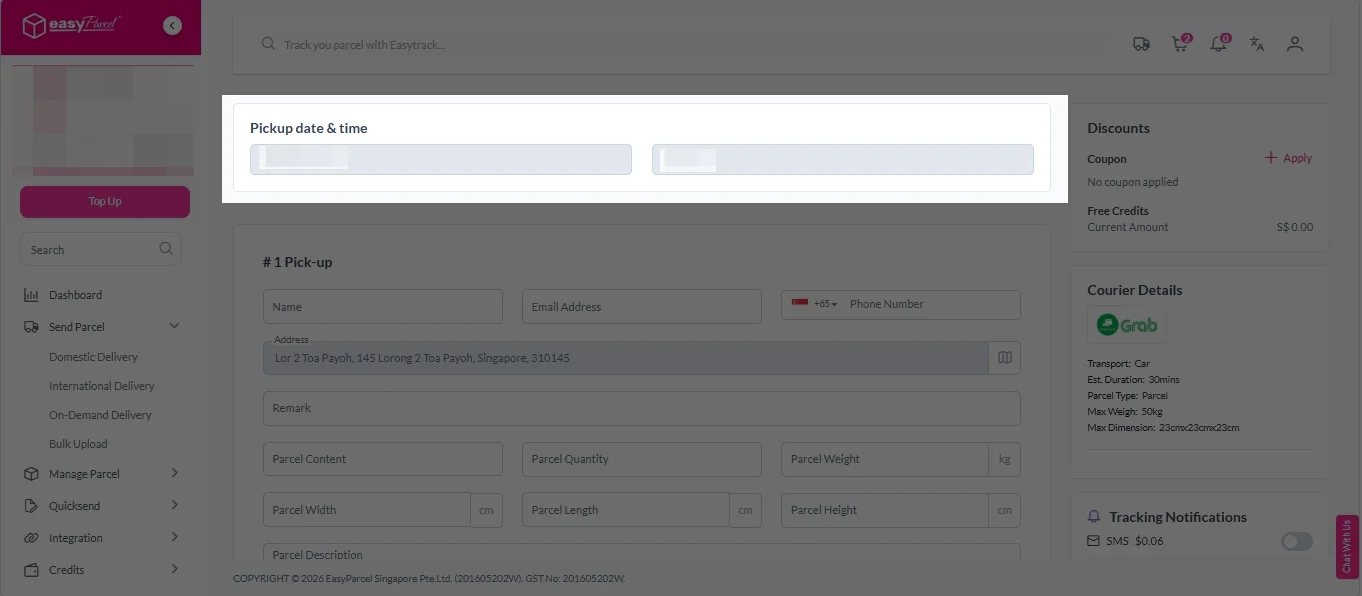
2. Fill in all the details.
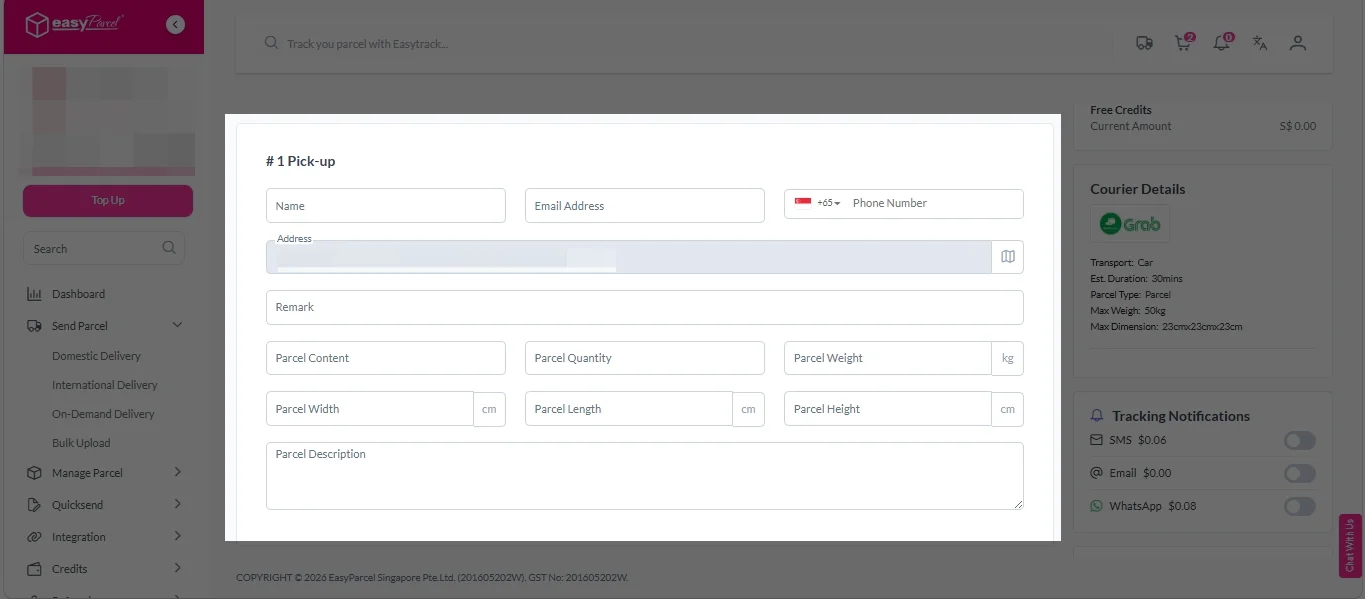
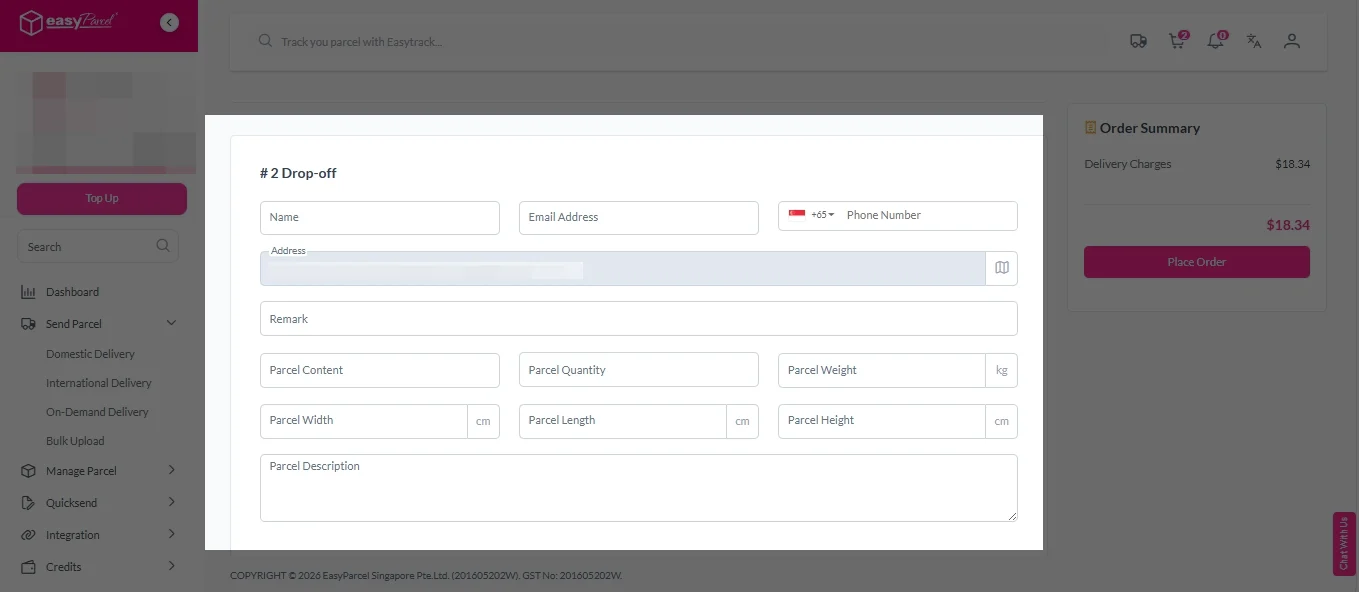
3. (Optional) Click “Apply” to add discount coupon.
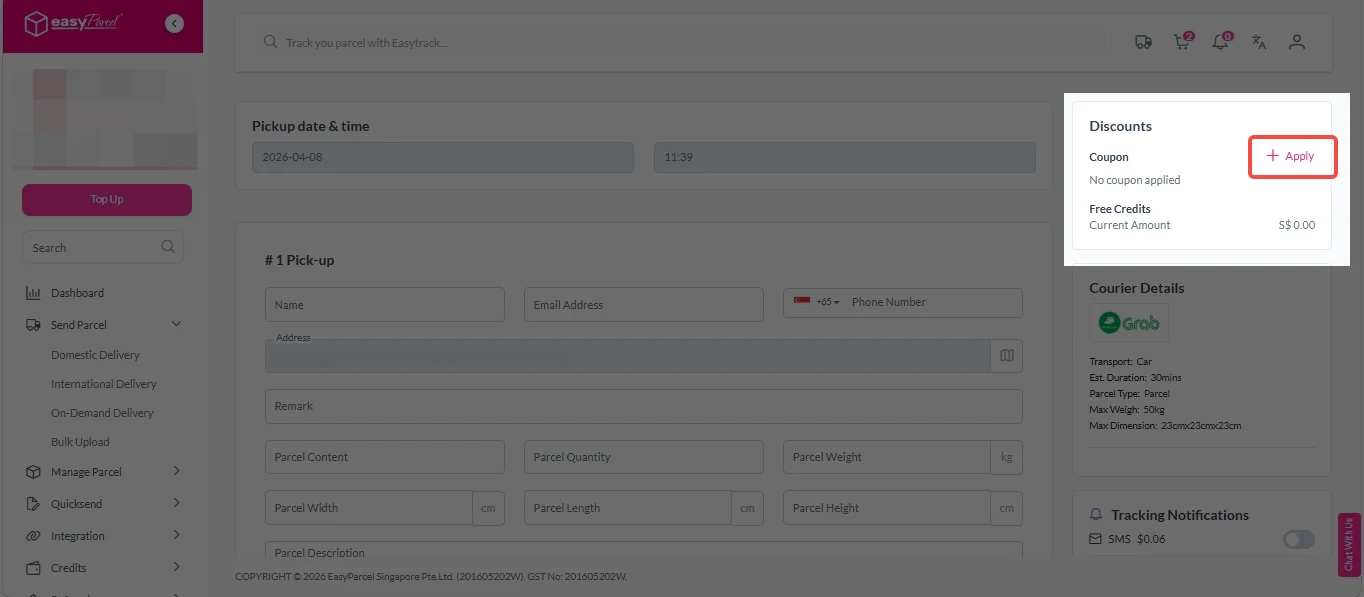
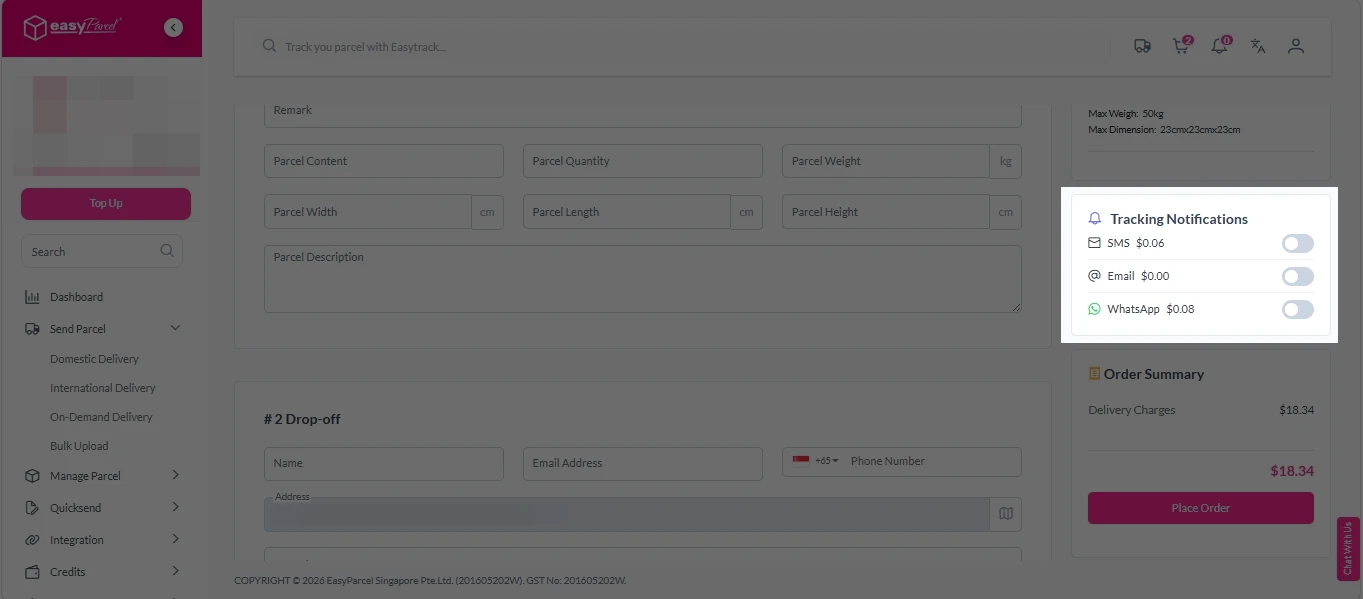
4. (Optional) Under “Tracking Notifications”, choose your preferred notification channel – SMS, Email, or WhatsApp.
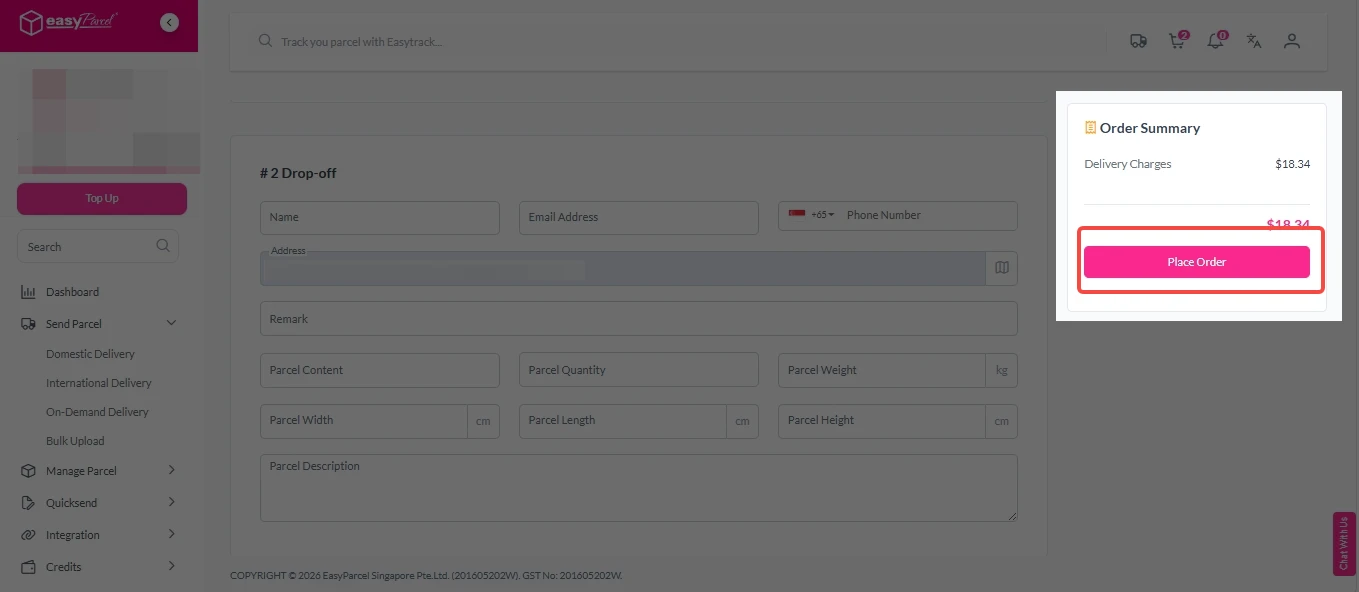
5. Double check all details and click on “Place Order”.
Step 4: Double check all the details and click on “Pay Now” to make payment.

Step 5: Your shipment has been booked successfully.
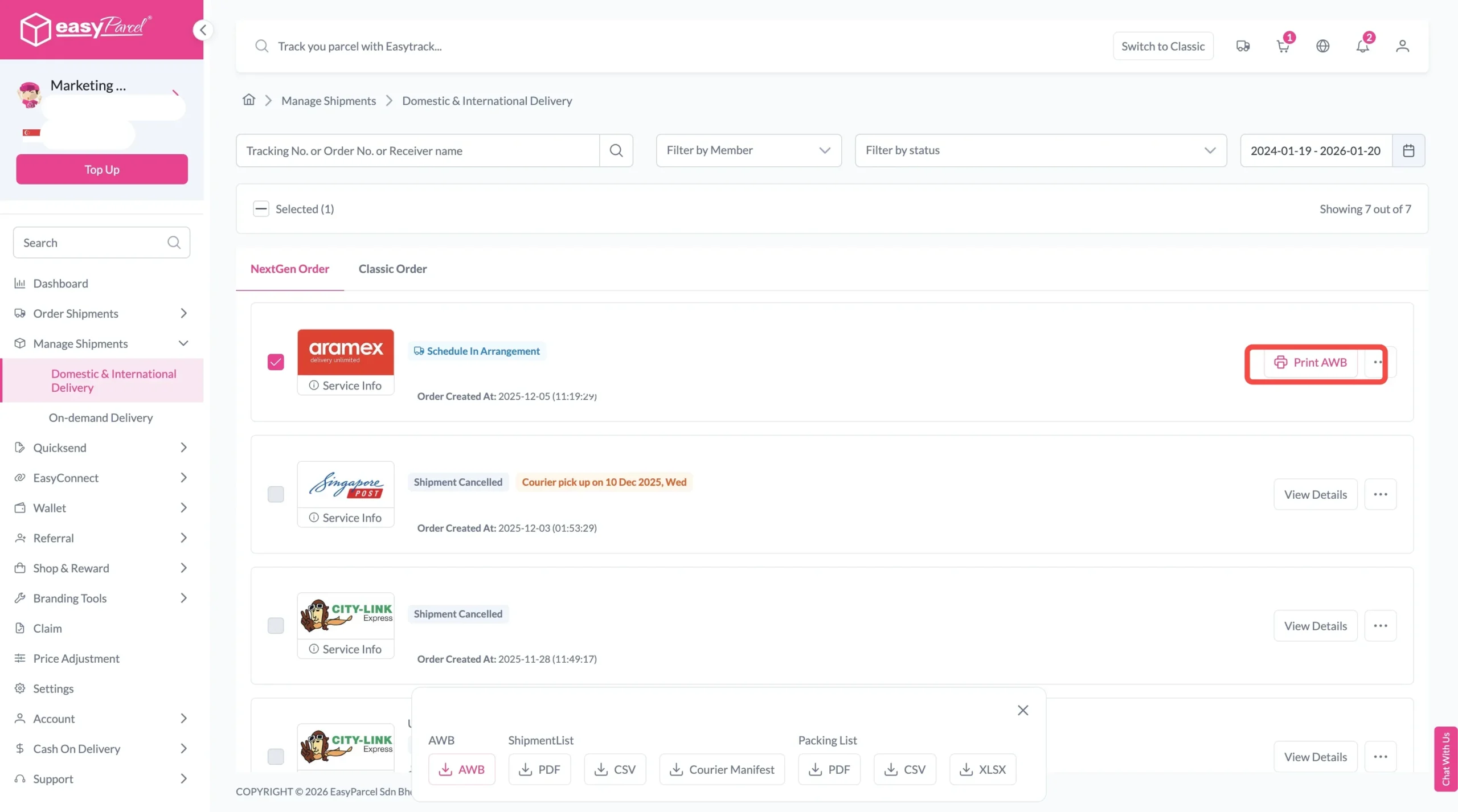
To download and print AWB, you can go to “Manage Shipments”.
Single AWB
- Click the three dots icon next to the shipment.
- Select “Print AWB” from the dropdown menu.
- A PDF file will automatically download and save.
Bulk AWB
For bulk downloads AWB:
- Tick the “Selected” checkbox to choose all your orders.
- A menu will appear at the bottom of the screen.
- Click “AWB” to download all AWBs in bulk.

The Real Benefits I Experienced Using Courier Calculator
Save Cost
I can compare 60+ couriers side-by-side and pick the cheapest option for every shipment.
Fewer Billing Surprises
The courier calculator shows the correct chargeable weight, avoid unexpected adjustments .
Save Time
I can compare courier options in minutes instead of checking multiple websites.