Handling multiple shipments can be stressful, especially when shipping rates vary by courier, destination, or parcel size. I used to spend hours manually checking websites and calculating fees. Using EasyParcel’s courier postage calculator changed everything — I can now compare costs, avoid mistakes, and save both time and money.
In this blog will explain what a courier postage calculator is, the formula it uses, how to use it, and the key benefits.
Table of Contents
What Is a Courier Postage Calculator?
A courier postage calculator is an online tool that estimates shipping fees before you book a shipment. It calculates cost based on:
Parcel weight (actual or volumetric)
Parcel dimensions (length × width × height)
Pickup and delivery locations
Courier service type (standard, express, same-day, or international)
Formula Used by a Courier Postage Calculator
Most couriers charge based on the higher of actual weight or volumetric weight. This is known as chargeable weight.
Volumetric Weight Formula:
How to Use a Courier Postage Calculator
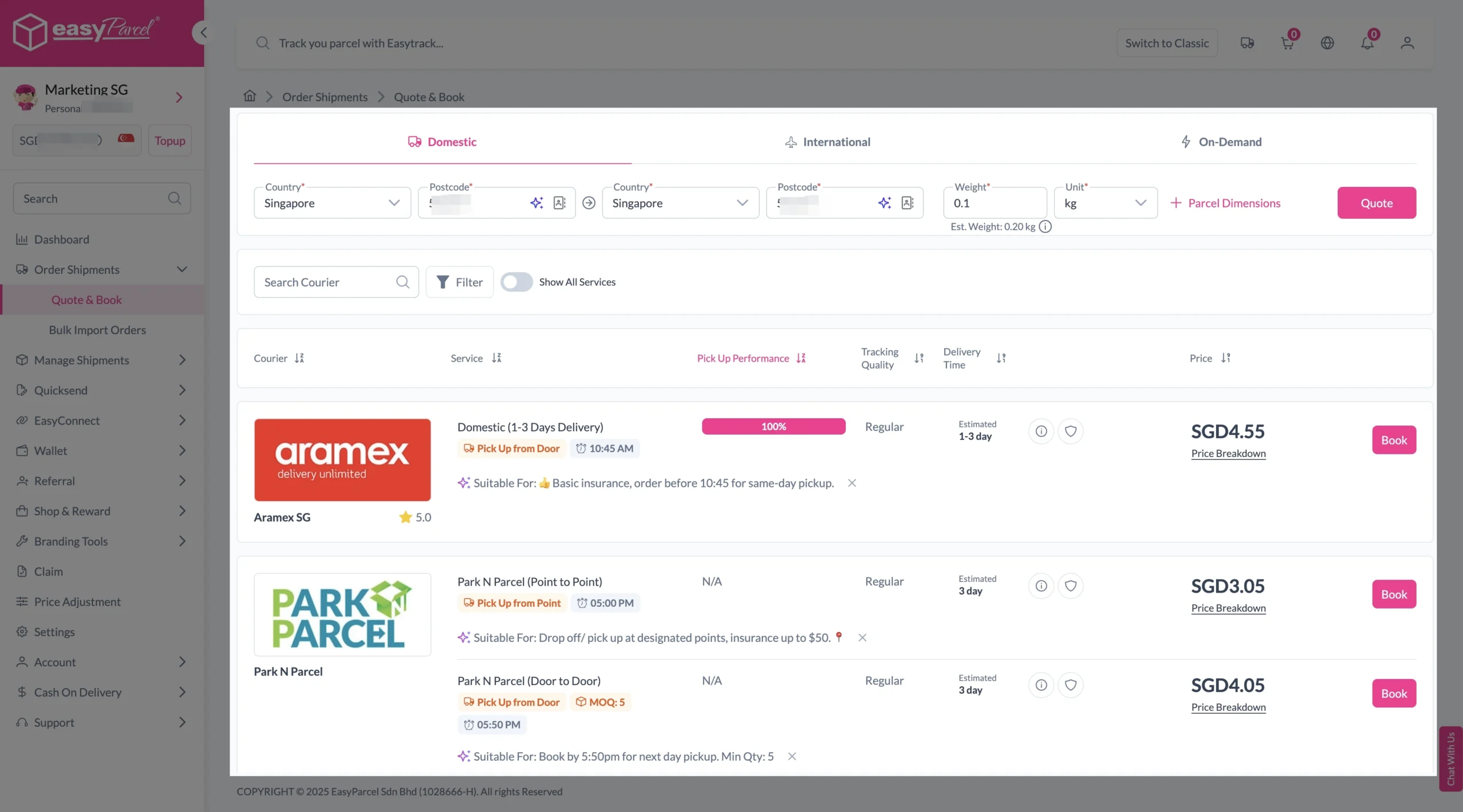
Step 1: Enter Details
If Domestic Delivery
1. Click on “Domestic” tab. 2. Enter sender and receiver address with postcode. 3. Enter parcel weight. 4. Click on “Quote & Book” to proceed.
If International Delivery
1. Click on “International” tab. 2. Enter sender and receiver country with postcode. 3. Enter parcel weight. 4. Click on “Quote & Book” to proceed.
If On-Demand Delivery
1. Click on “On-Demand” tab. 2. Enter pick-up address and drop-off points. 3. Select preferred pick-up date and time, and transport. 4. Click on “Quote” to proceed.
Step 2: Compare the rates of different courier services and click “Book” on your preferred option.
Step 3: Fill in all details
Domestic Delivery
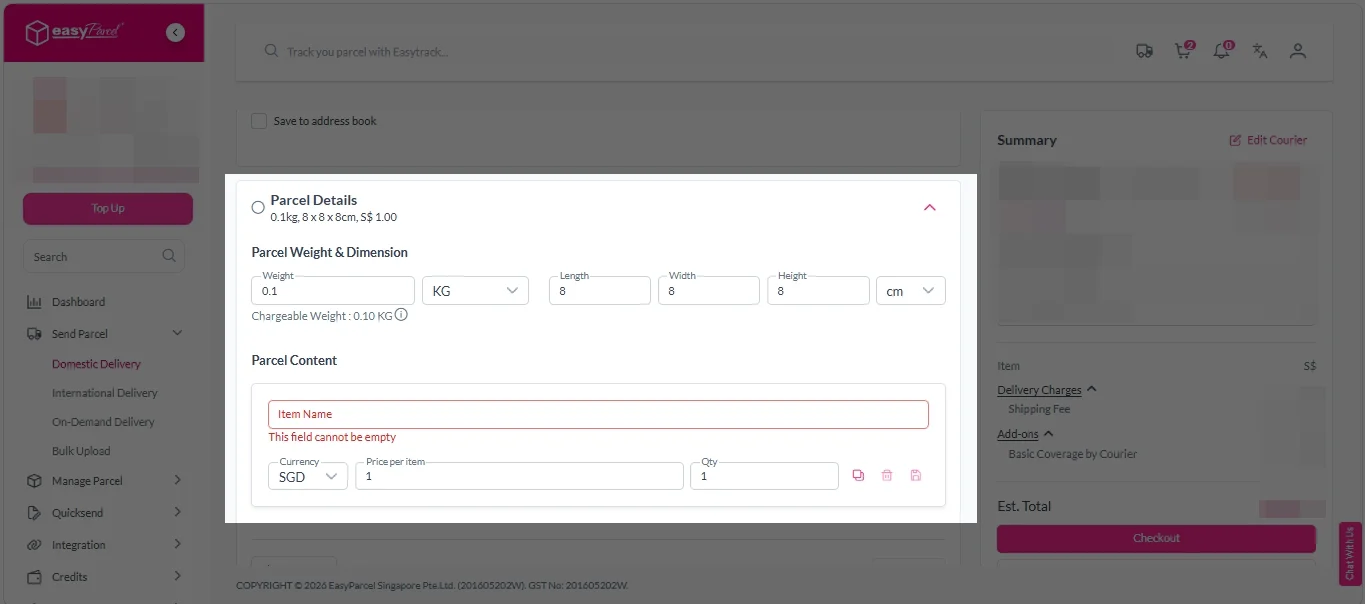
1. Fill in all details included Sender Details, Receiver Details, Parcel Details and Add-On Services. Sender and Receiver Details:
Parcel Details: Enter the actual weight, dimension and content of your parcel. Parcel Content: Fill in your item name, price per item, and quantity.
Add-On Services: i. Tick the box to add EasyCover for additional protection against loss. Note: EasyCover availability depends on the courier selected. Learn more about EasyCover.
ii. Choose your preferred notification channel – SMS, Email, or WhatsApp. Click “Preview” to see how it looks, and click “Customise” to add brand message to the notification. Note: Learn more about Customise Branding Servcies.
iv. Tick the “Custom AWB” checkbox. EasyParcel Next Gen will apply your saved AWB template automatically. Note: Custom AWB is only available for certain couriers. Find out which couriers support Custom AWB.
2. Double check all details and click on “Checkout”.
International Delivery
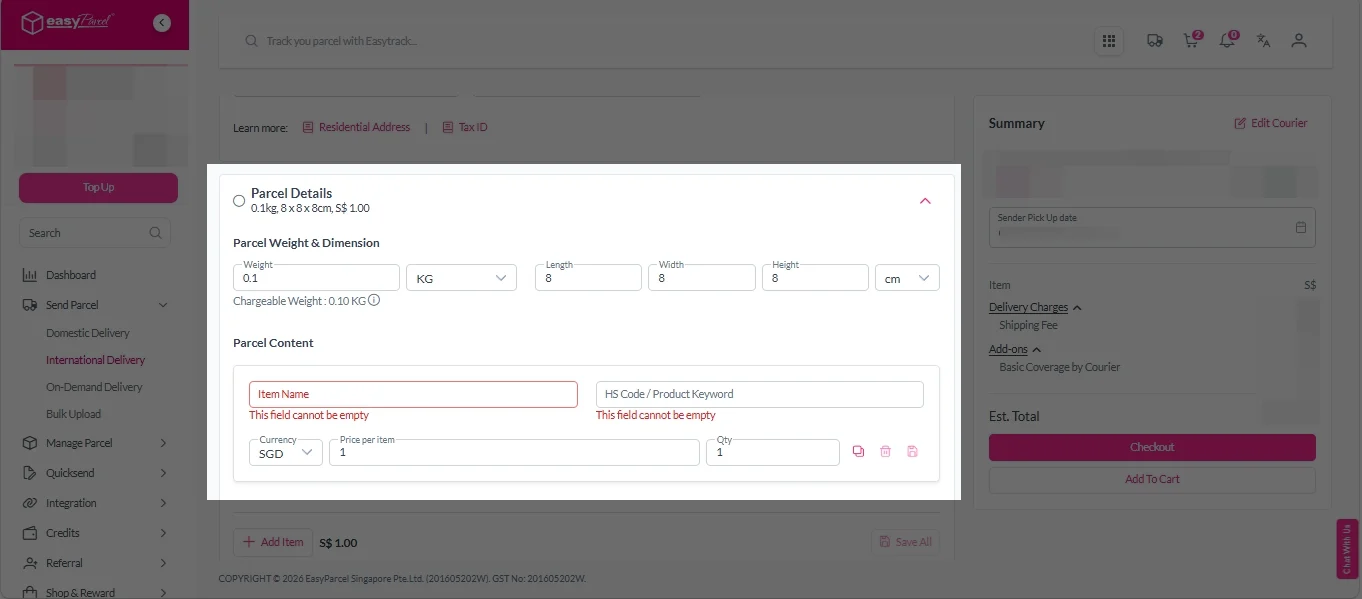
1. Fill in all details included Sender Details, Receiver Details, Parcel Details and Add-On Services. Sender and Receiver Details:
Parcel Details: Enter the actual weight, dimension and content of your parcel. Parcel Content: Fill in your item name. Then, choose your item category from the dropdown menu. The HS code will be auto generated based on your selection.
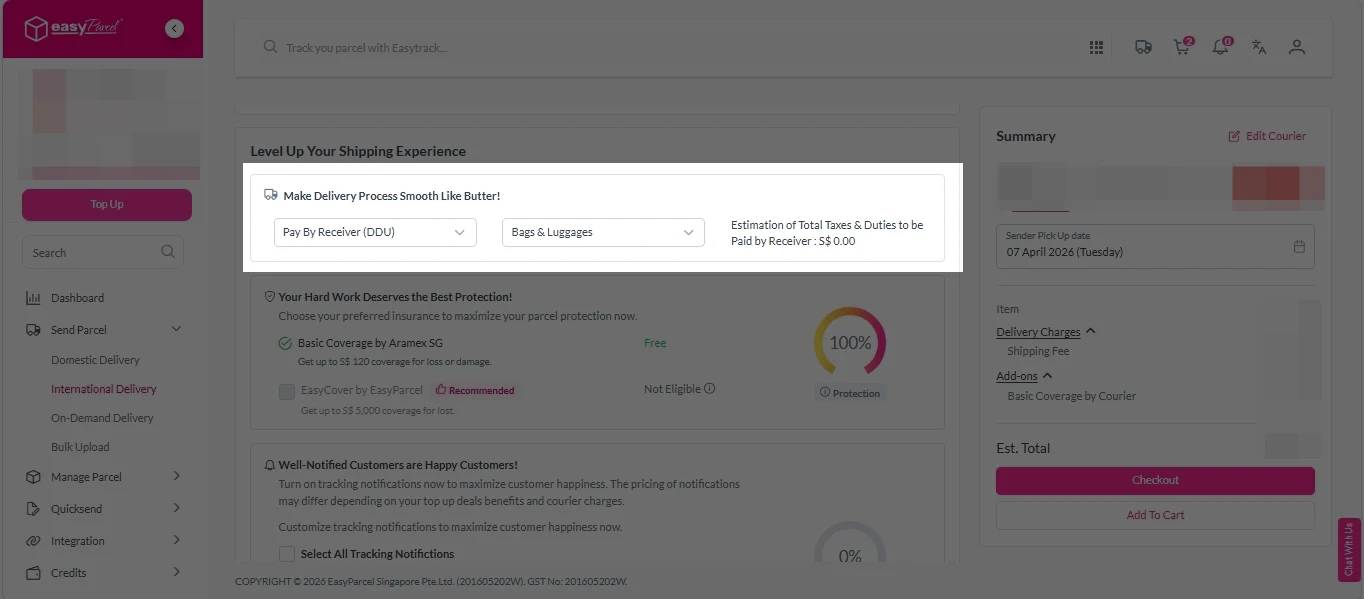
Add-On Services: i. Select your preferred duties payment option – Delivered Duty Paid (DDP) or Delivered Duty Unpaid (DDU). Note: Learn more about DDP and DDU.
ii. Tick the box to add EasyCover for additional protection against loss. Note: EasyCover availability depends on the courier selected. Learn more about EasyCover.
iii. Choose your preferred notification channel – SMS, Email, or WhatsApp. Click “Preview” to see how it looks, and click “Customise” to add brand message to the notification. Note: Learn more about Customise Branding Servcies.
v. Tick the “Custom AWB” checkbox. EasyParcel Next Gen will apply your saved AWB template automatically. Note: Custom AWB is only available for certain couriers. Find out which couriers support Custom AWB.
2. Double check all details and click on “Checkout”.
On Demand Delivery
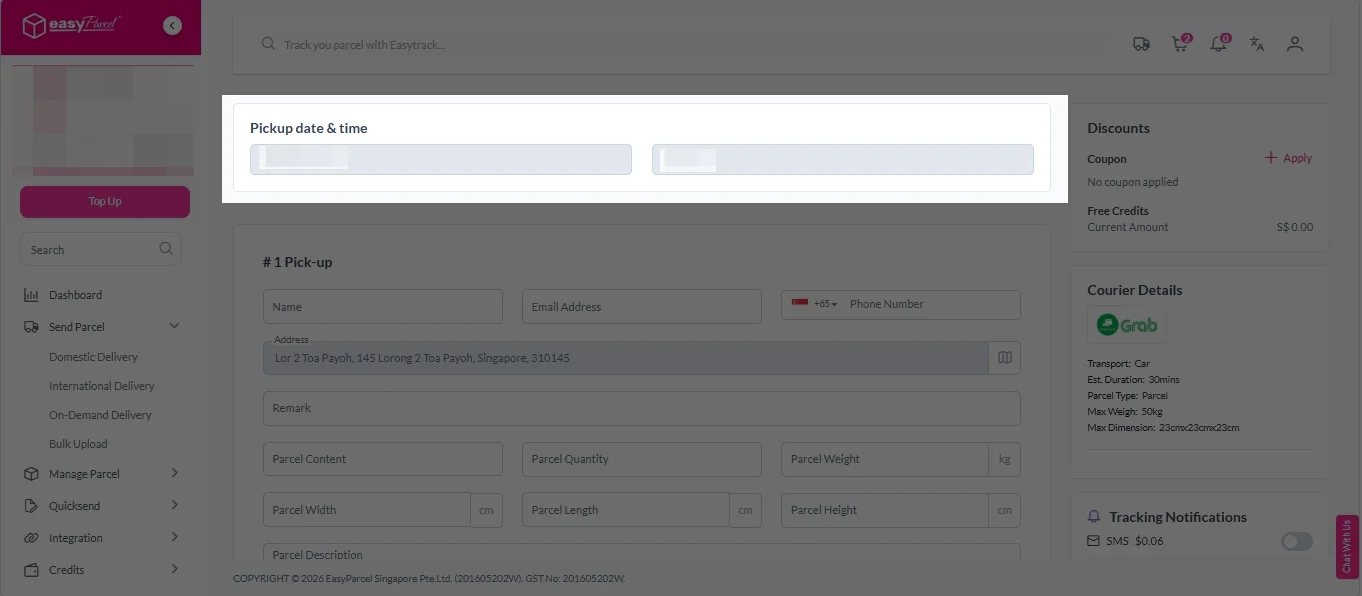
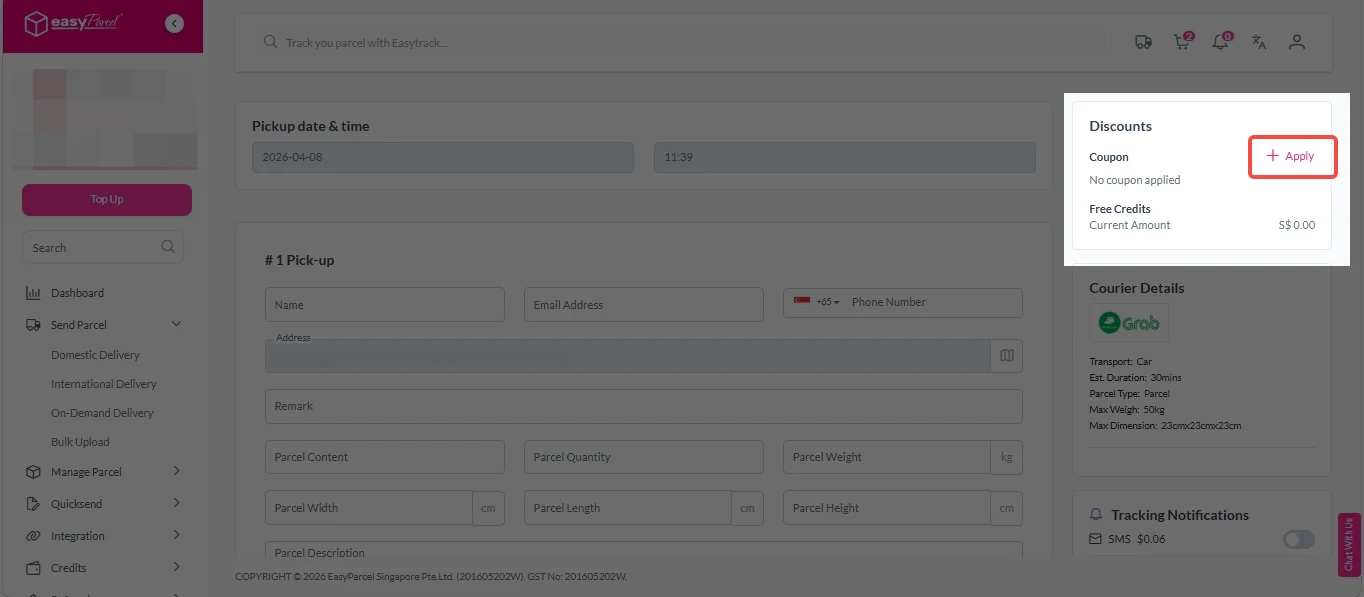
1. Check “Pickup date & time”.
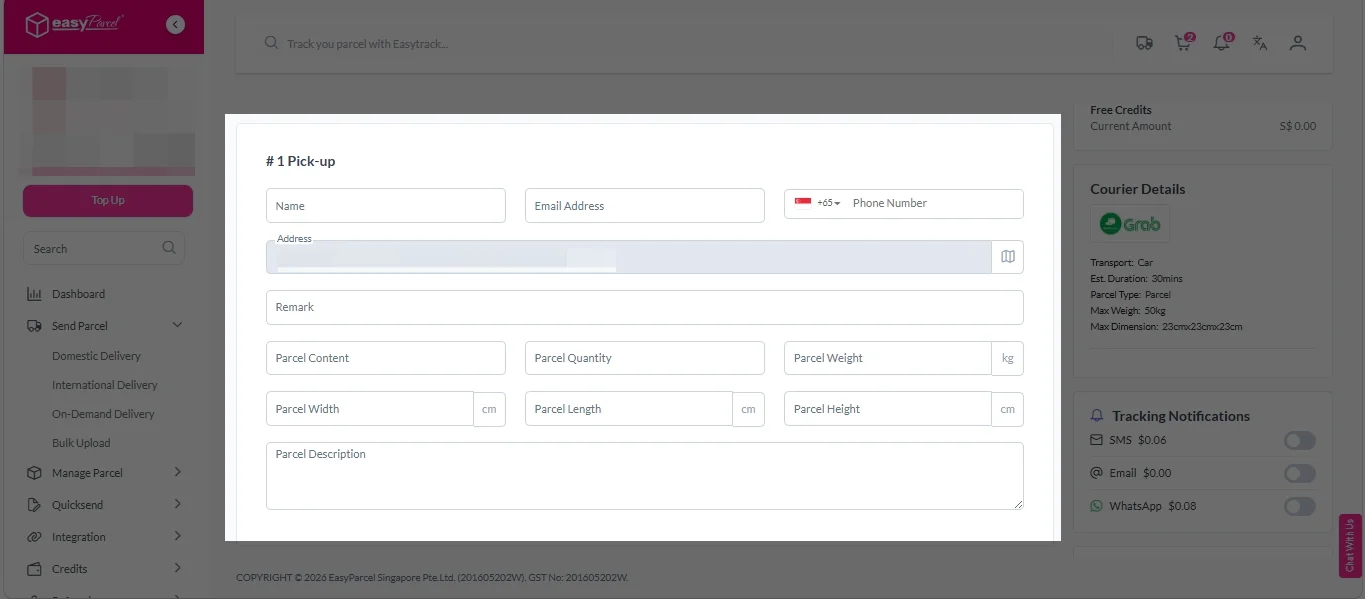
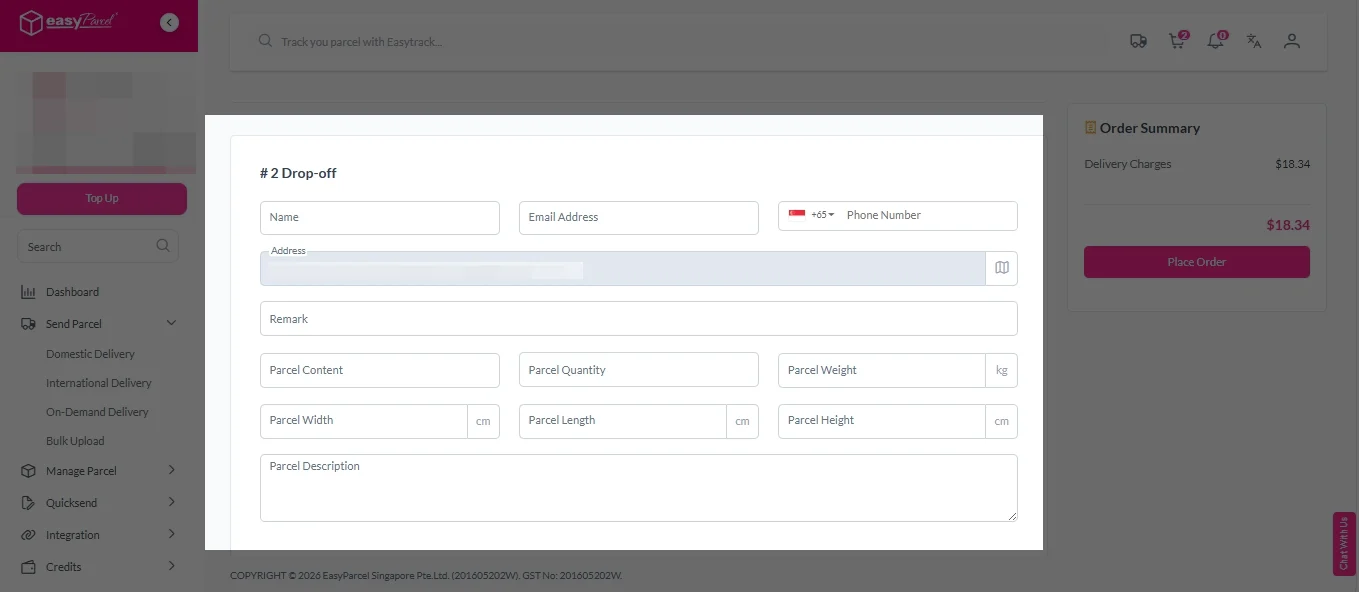
2. Fill in all the details.
3. (Optional) Click “Apply” to add discount coupon.
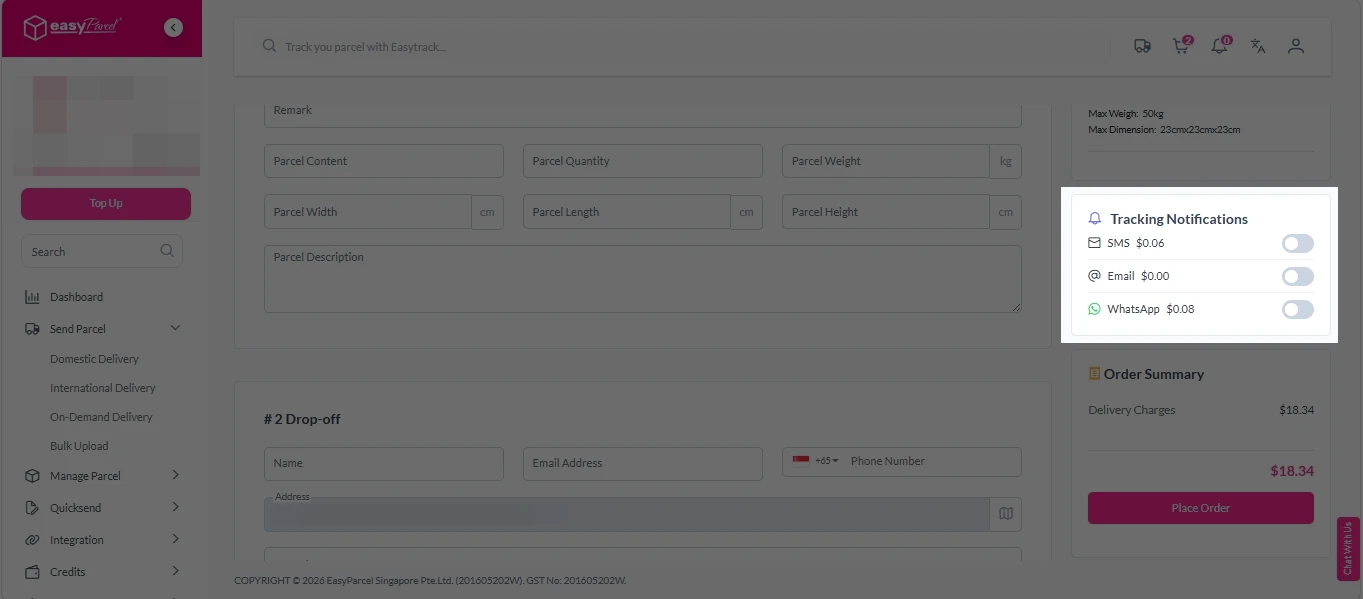
4. (Optional) Under “Tracking Notifications”, choose your preferred notification channel – SMS, Email, or WhatsApp.
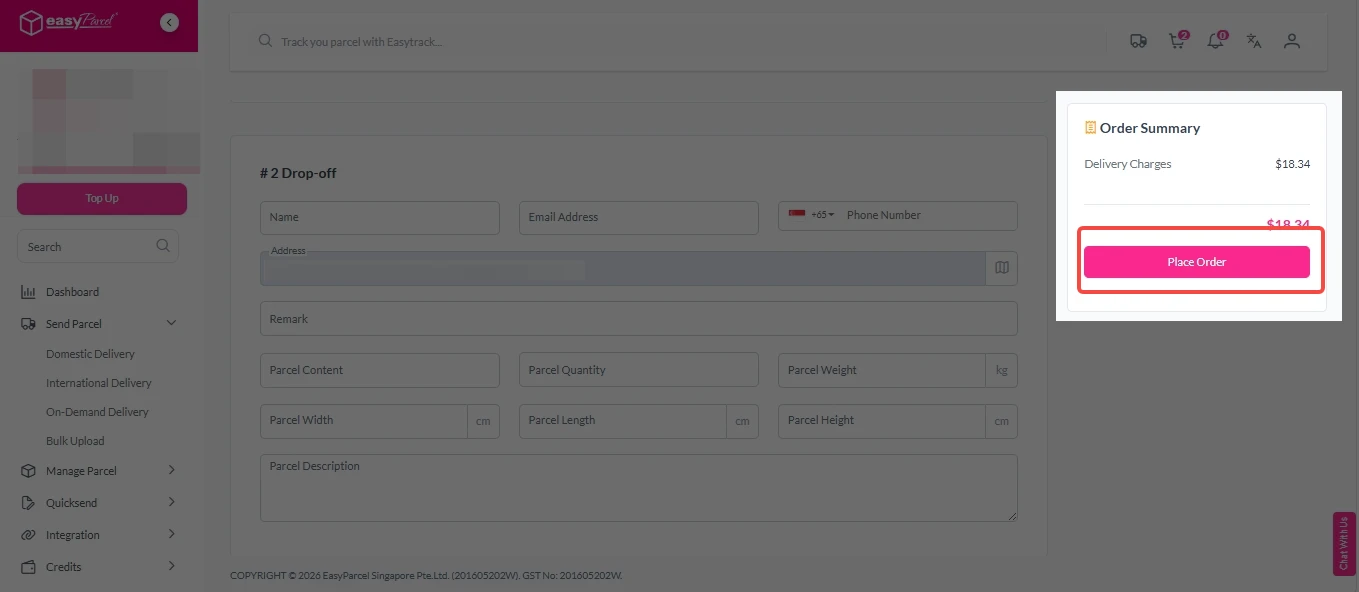
5. Double check all details and click on “Place Order”.
Step 4: Double check all the details and click on “Pay Now” to make payment.
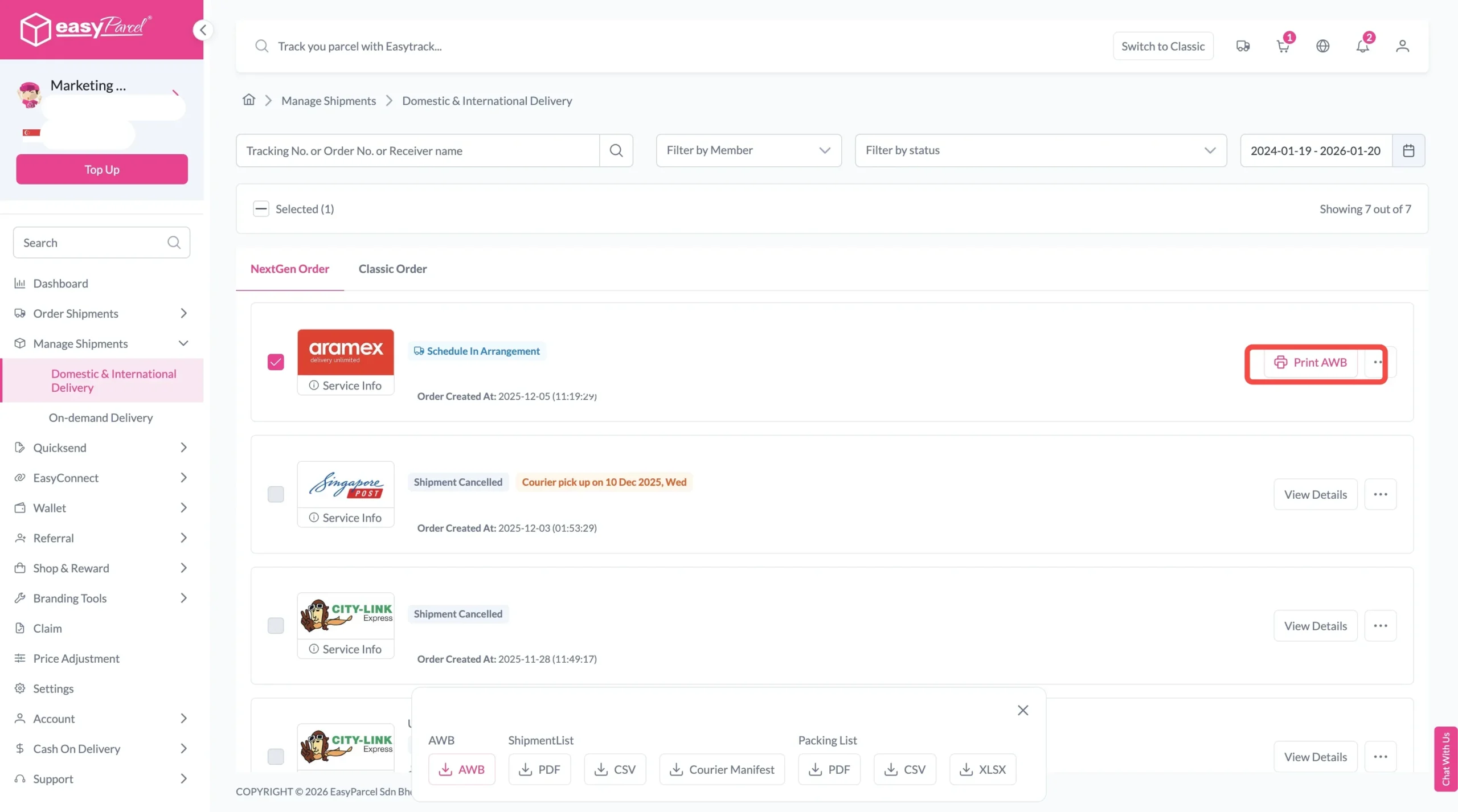
Step 5: Your shipment has been booked successfully. To download and print AWB, you can go to “Manage Shipments”.
Single AWB
Click the three dots icon next to the shipment.
Select “Print AWB” from the dropdown menu.
A PDF file will automatically download and save.
Bulk AWB
For bulk downloads AWB:
Tick the “Selected” checkbox to choose all your orders.
A menu will appear at the bottom of the screen.
Click “AWB” to download all AWBs in bulk.
Key Benefits of Using EasyParcel Courier Postage Calculator
Save Time
No need to check each courier website manually — compare multiple options in seconds.
Reduce Costs
Identify the cheapest courier without compromising delivery speed or reliability.
Minimize Errors
Accurate weight and dimensions prevent overcharging or failed deliveries.
Frequently Asked Question (FAQs)
How are courier fees calculated?
Courier fees are calculated based on chargeable weight (actual or volumetric, whichever is higher), parcel dimensions, destination, and service type. Additional charges such as fuel surcharges, insurance coverage, remote area fees, or international customs duties may also apply. Using a courier postage calculator helps you get accurate pricing before confirming your shipment.
Create your free account today and receive S$6 shipping coupon to start saving from your very first parcel. Compare courier rates, book in minutes, and start saving immediately.