









Custom AWB EasyParcel NextGen: Add Your Branding Ads on AWB

Custom AWB EasyParcel NextGen Add Your Branding Ads on AWB

Every parcel you ship tells a story about your brand. From the packaging to the delivery experience, every touchpoint matters. But one element that’s often overlooked is the Air Waybill (AWB) – the shipping label attached to every parcel.

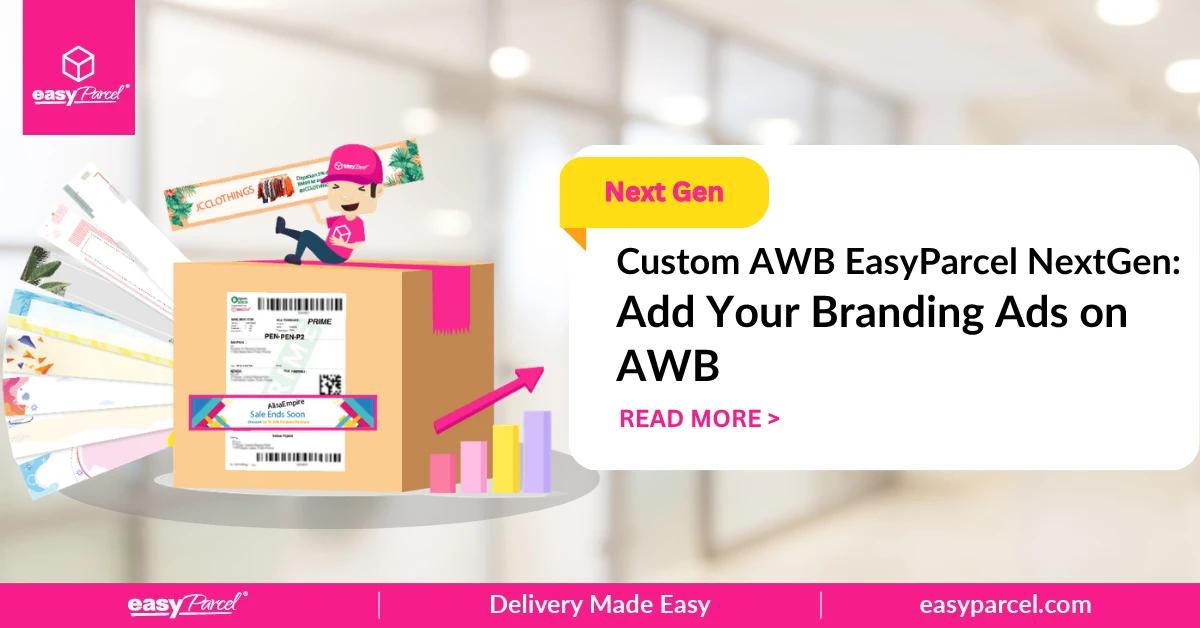
With Custom AWB on EasyParcel Next Gen, you can turn this functional document into a powerful branding tool. Add your messages, and custom design to every airway bill. 

This blog explains what an AWB is, what Custom AWB does, how to enable and customise it, and the benefits for your business.

Table of Contents

What Is an Air Waybill (AWB)?

An Air Waybill (AWB) is a shipping document that accompanies every parcel. It contains essential information for the courier to deliver your package – including sender and receiver details, tracking number, and barcode.

Feature
Purpose
Sender information
Identifies who sent the parcel
Receiver information
Delivery address and contact details
Tracking number
Unique identifier for tracking
Barcode
Scanned at each stage of delivery
Service type
Indicates shipping speed and options

The AWB is attached to every parcel you send. It’s the first thing couriers see – and often the last thing customers see before opening their package.

What Is Custom AWB?

Custom AWB (also called Air Waybill Branding) is an EasyParcel NextGen feature that lets you add your logo, promotional messages, and brand design to your shipping labels.

Feature
Purpose
Add your logo
Upload your company logo to appear on every AWB
Promotional messages
Add discount codes, product launches, or thank-you notes
Ready-made templates
No need to start from scratch – use EasyParcel's templates
Brand colours
Customise the design to match your brand
Affordable
Starting from as low as S$0.04 per recipient

Supported Couriers for Custom AWB

Park N Parcel logo
Park N Parcel
ninjavan-logo-fast-courier-service
Ninja Van
janio-delivery-logo-fast-courier-service
Janio
jnt-logo
J&T Express
tracxlogis
TracX Logis
citylink-international-delivery-ship- abroad-courier
City-Link Express
uParcel logo
uParcel
Goodie Gift

How to Enable Custom AWB on EasyParcel Next Gen

1. Log in EasyParcel account. 

send-parcel-nextgen-step-1

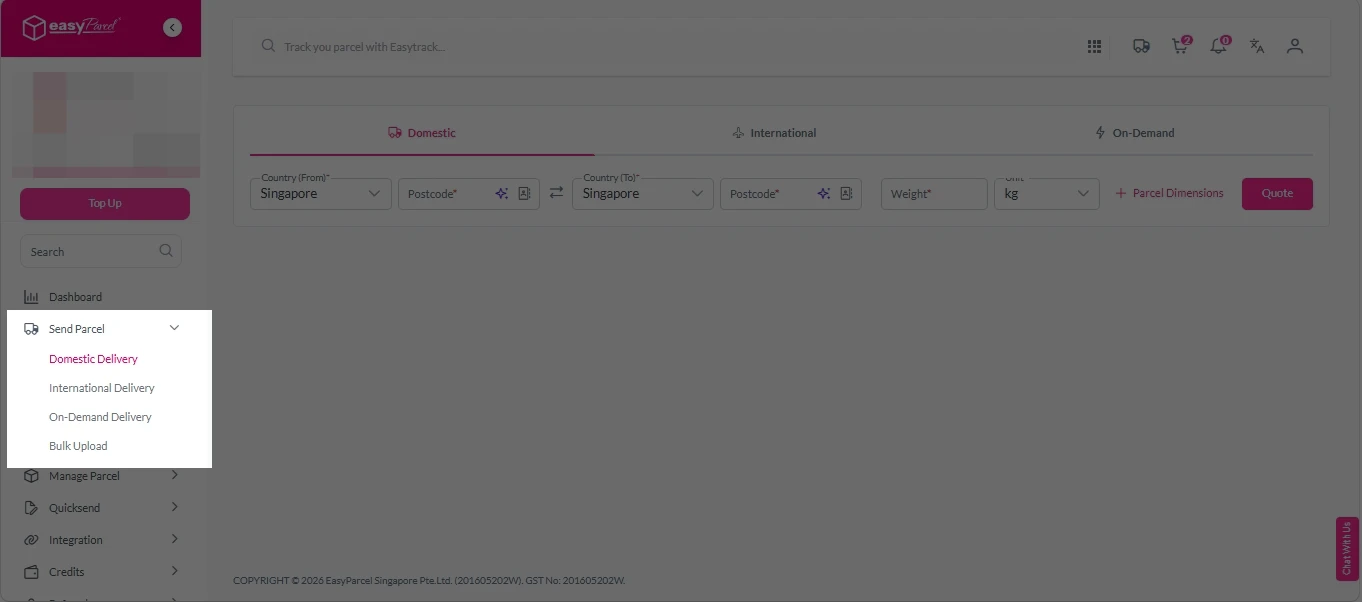
2. Under “Send Parcel”, choose either Domestic Delivery (for shipments within Singapore) or International Delivery (for shipments overseas).

Next gen- Send Parcel 1

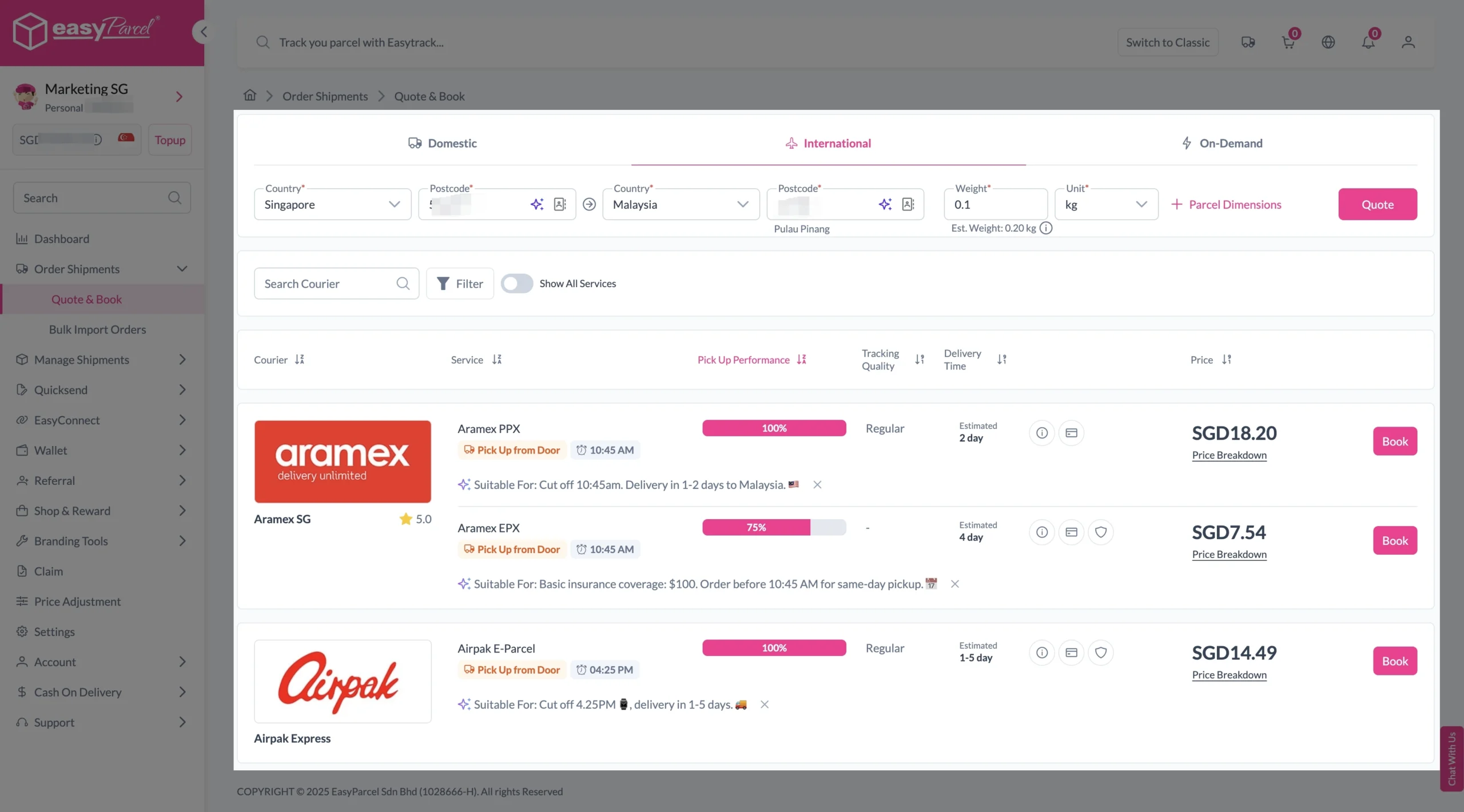
3. Enter details (sender country with postcode, destination country with postcode and parcel weight) and click on “Quote”. 

Choose your preferred courier and click “Book Now.”

send-parcel-nextgen-step-3-international

4. Fill in all details included Sender Details, Receiver Details, Parcel Details and Add-On Services. 
Sender and Receiver Details: 

send-parcel-nextgen-step-4

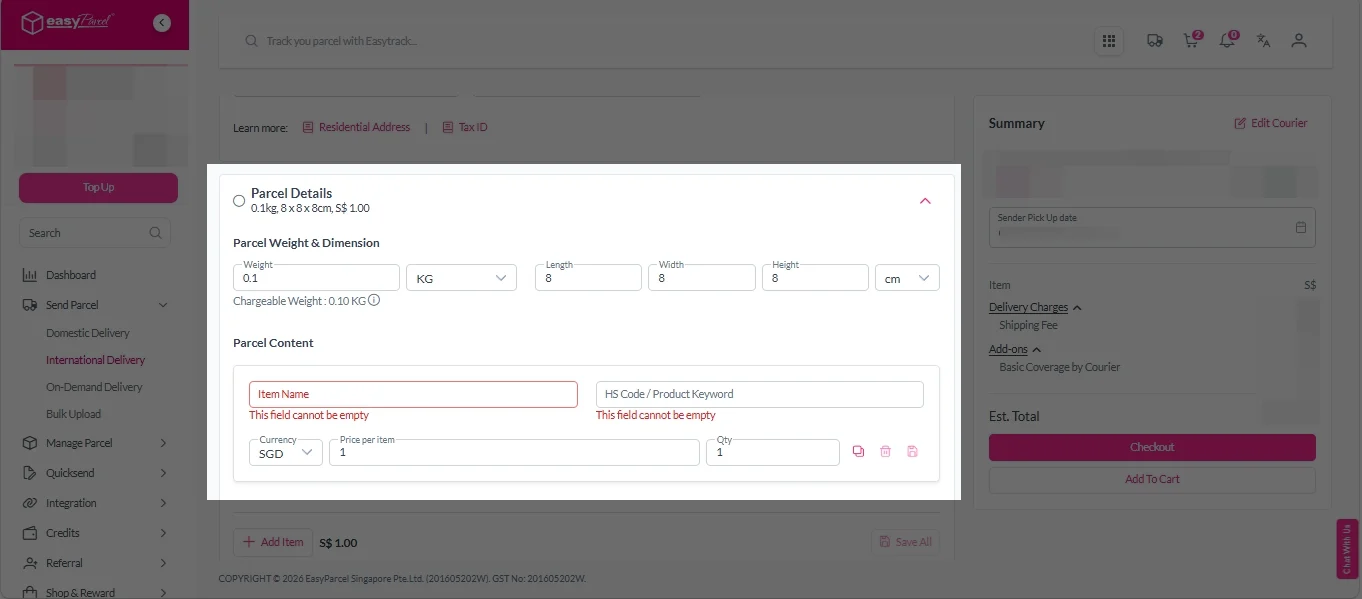
Parcel Details: 
Enter the actual weight, dimension and content of your parcel. 
Parcel Content:
Fill in your item name. Then, choose your item category from the dropdown menu. The HS code will be auto generated based on your selection.

Note: Learn more about Smart HS Code.

International- Parcel Details

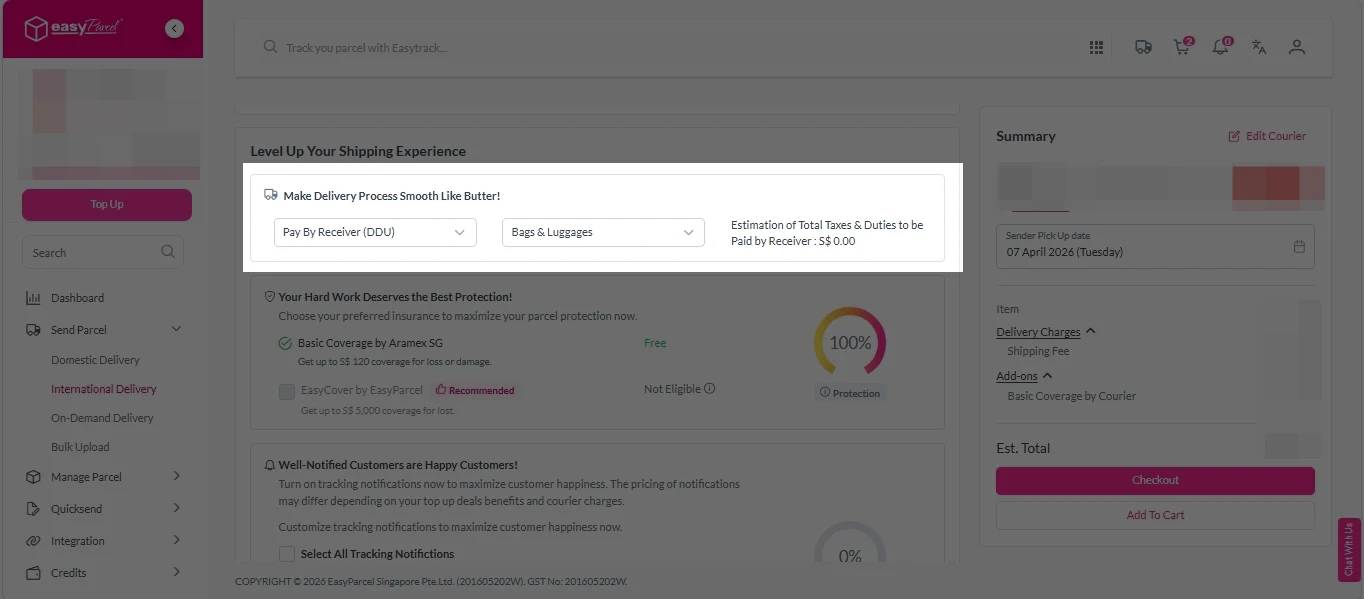
Add-On Services: 
i.  Select your preferred duties payment option – Delivered Duty Paid (DDP) or Delivered Duty Unpaid (DDU)
Note: Learn more about DDP and DDU.

add on services 1

ii. Tick the box to add EasyCover for additional protection against loss.
Note: EasyCover availability depends on the courier selected. Learn more about EasyCover

add on services 2

iii. Choose your preferred notification channel – SMS, Email, or WhatsApp. Click “Preview” to see how it looks,  and click “Customise” to add brand message to the notification.
Note: Learn more about Customise Branding Servcies

add on services 3

iv. Tick the “Mask Sender Details” checkbox. EasyParcel Next Gen will automatically hide your sender information based on your saved privacy settings
Note: Mask Sender Details only available for certain couriers. Find out what courier is available for Mask Sender Details.

v. Tick the “Custom AWB” checkbox. EasyParcel Next Gen will apply your saved AWB template automatically. After completing all details, click on “Checkout” button. 
Note: Custom AWB is only available for certain couriers. Find out which couriers support Custom AWB

custom awb 1

5. Double check all the details and click on “Pay Now” to make payment. 

send-parcel-nextgen-step-5

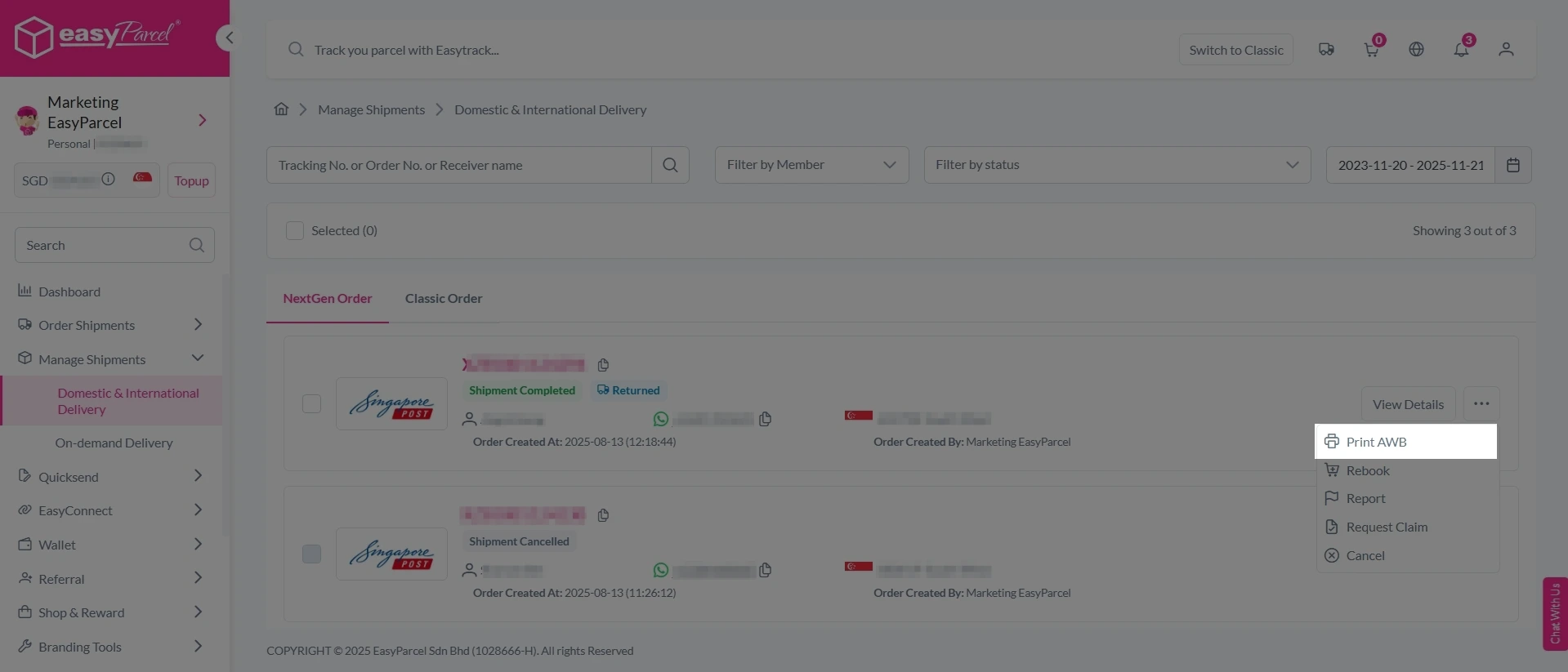
6. Download and print Air Waybill (AWB). 

Single AWB

1. Click the three dots icon next to the shipment.
2. Select “Print AWB” from the dropdown menu.
3. A PDF file will automatically download and save.

send-parcel-nextgen-step-6

1. Tick the “Selected” checkbox to choose all your orders.
2. A menu will appear at the bottom of the screen.
3. Click “AWB” to download all AWBs in bulk.

download AWB

Turn Every Parcel Into A Marketing Opportunity.

Add your promotions, and custom messages to every AWB for as low as S$0.04 per parcel – and start driving repeat sales with every shipment you send.

How to Customise Your AWB

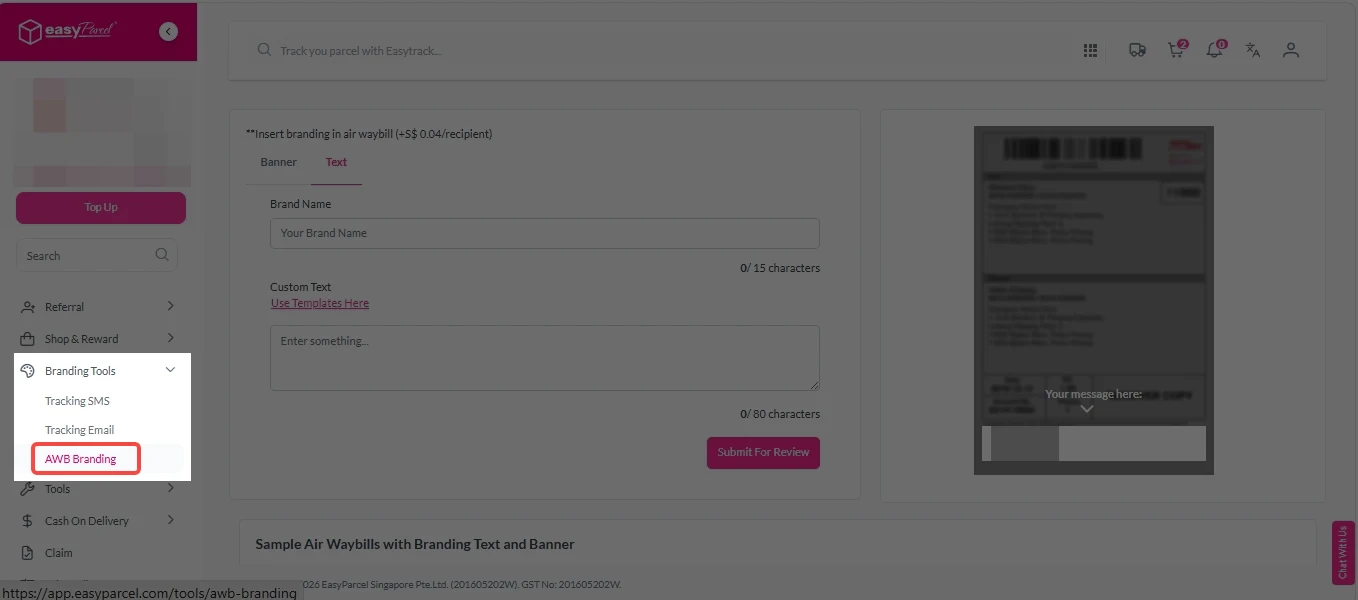
1. Under “Branding Tools”, click on AWB Branding“. 

custom awb 2

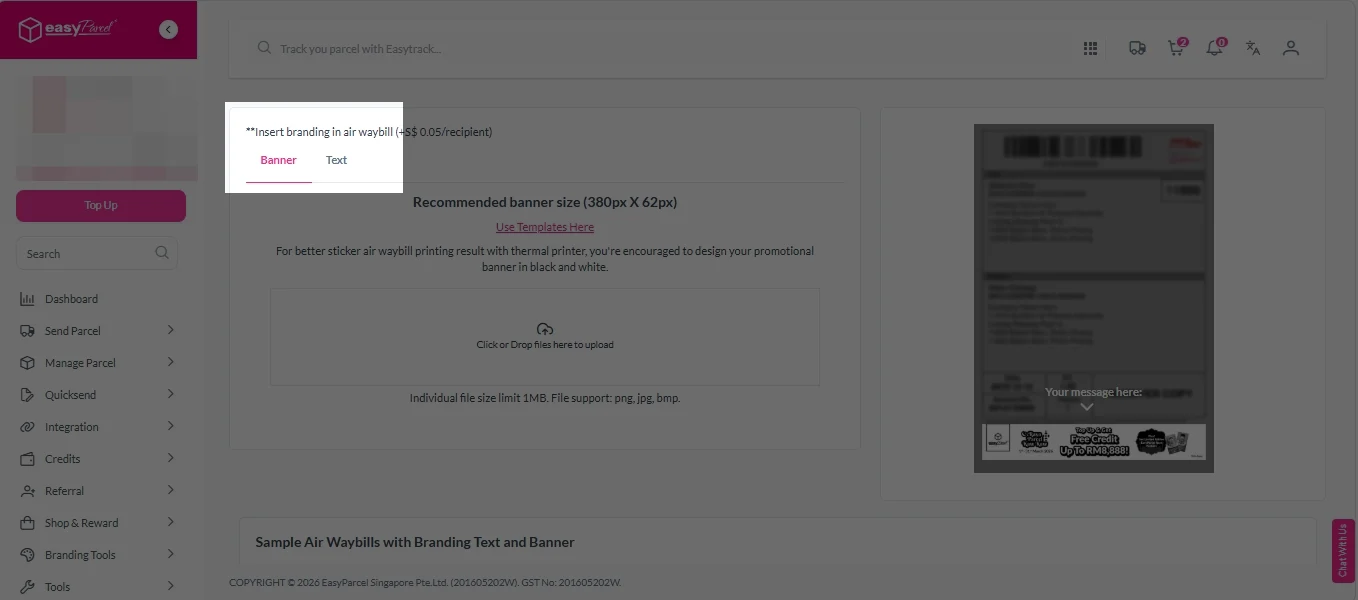
2. Select “Banner” or “Text” as your branding type. 

custom awb- banner or text
Banner

Option 1: 
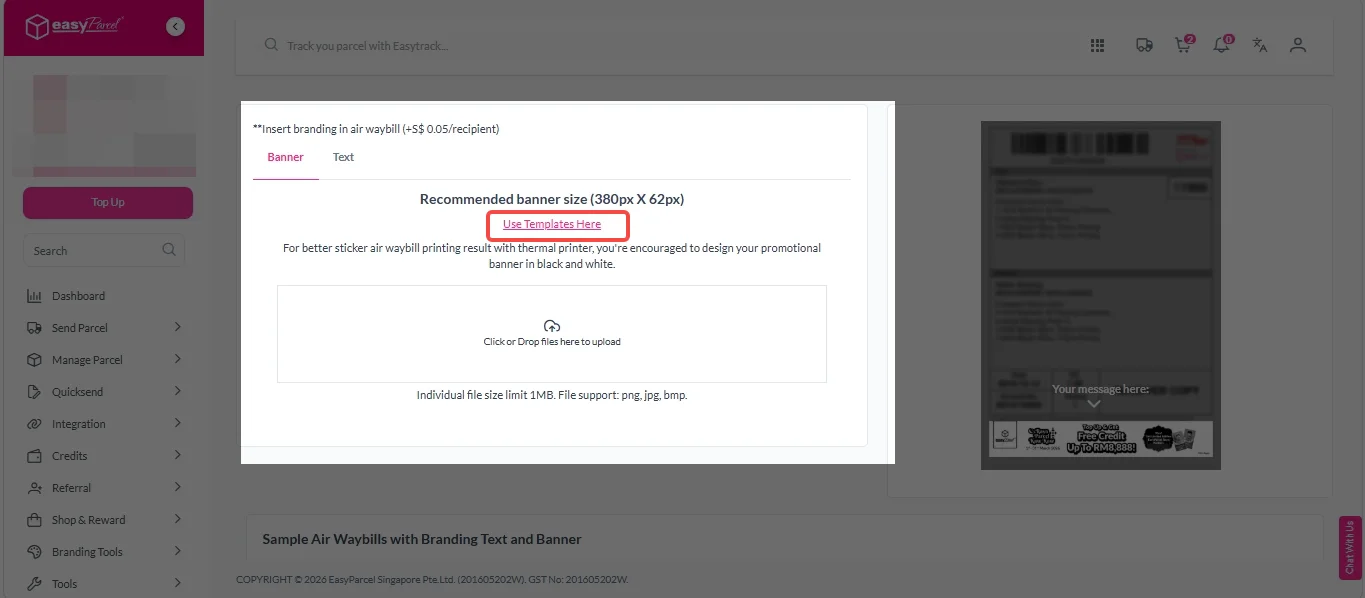
1. Click on “Use Templates Here”

custom awb- banner template 1

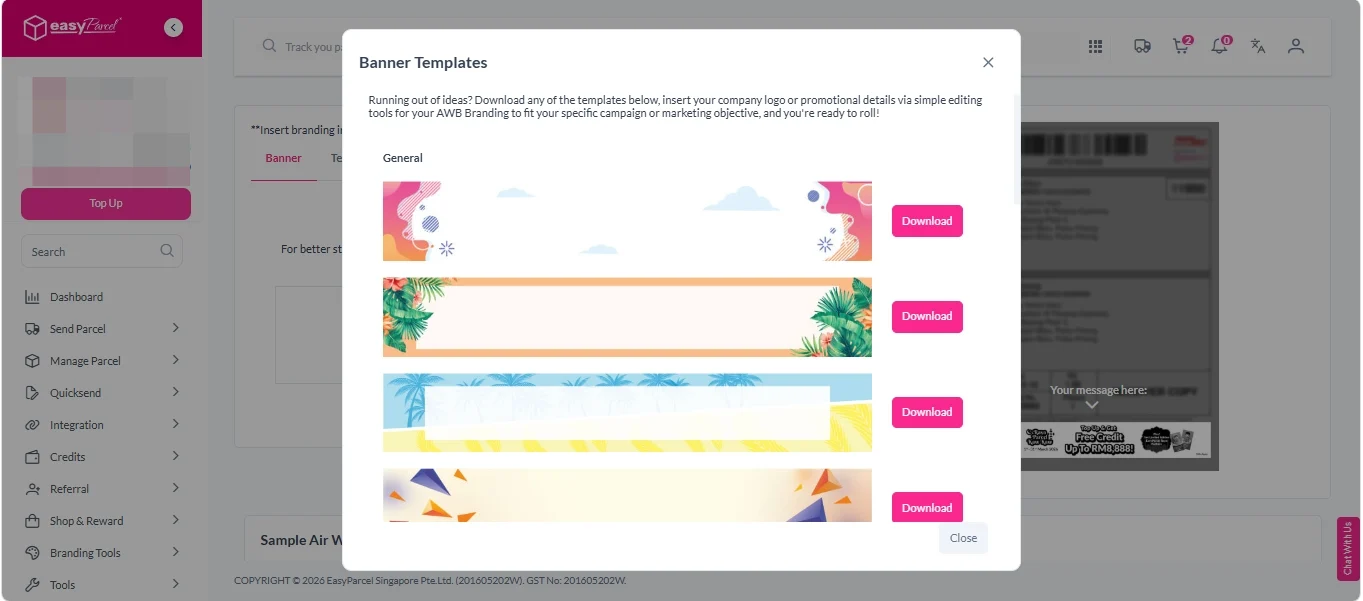
2. Choose your prefer banner templates and click on “Download” button. 

custom awb- banner template 2

Option 2: 
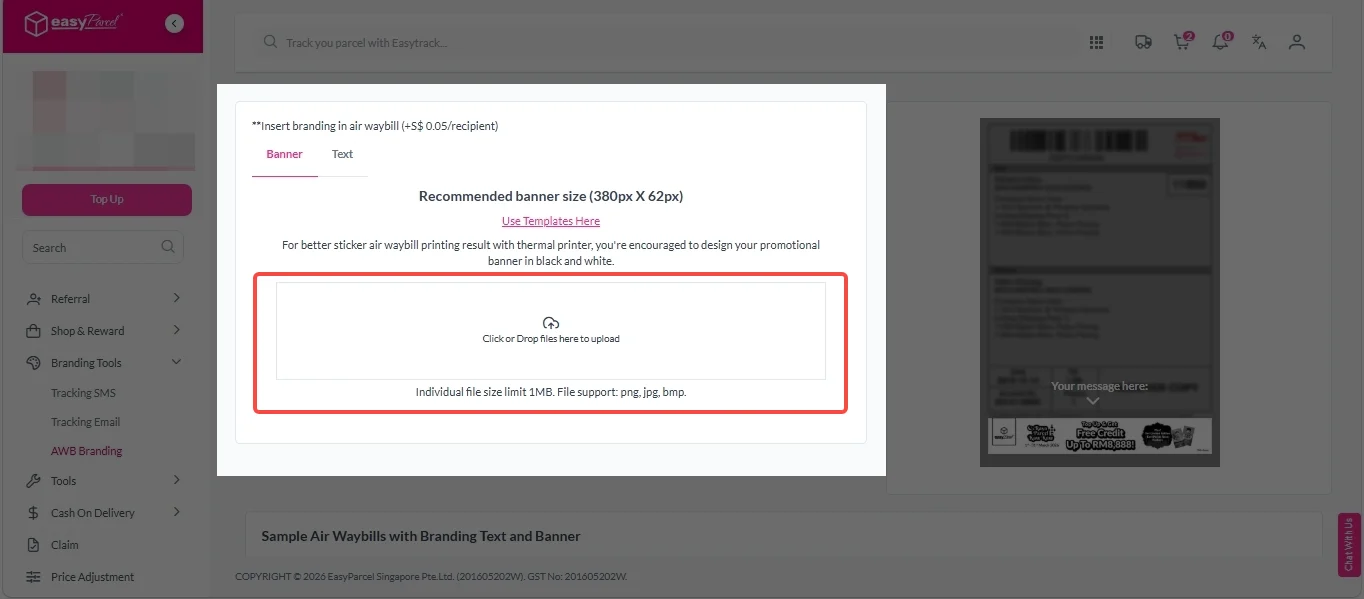
Click to upload your own template (recommended size 380px x 62px; PNG, JPG, BMP; max 1MB)

custom awb 4

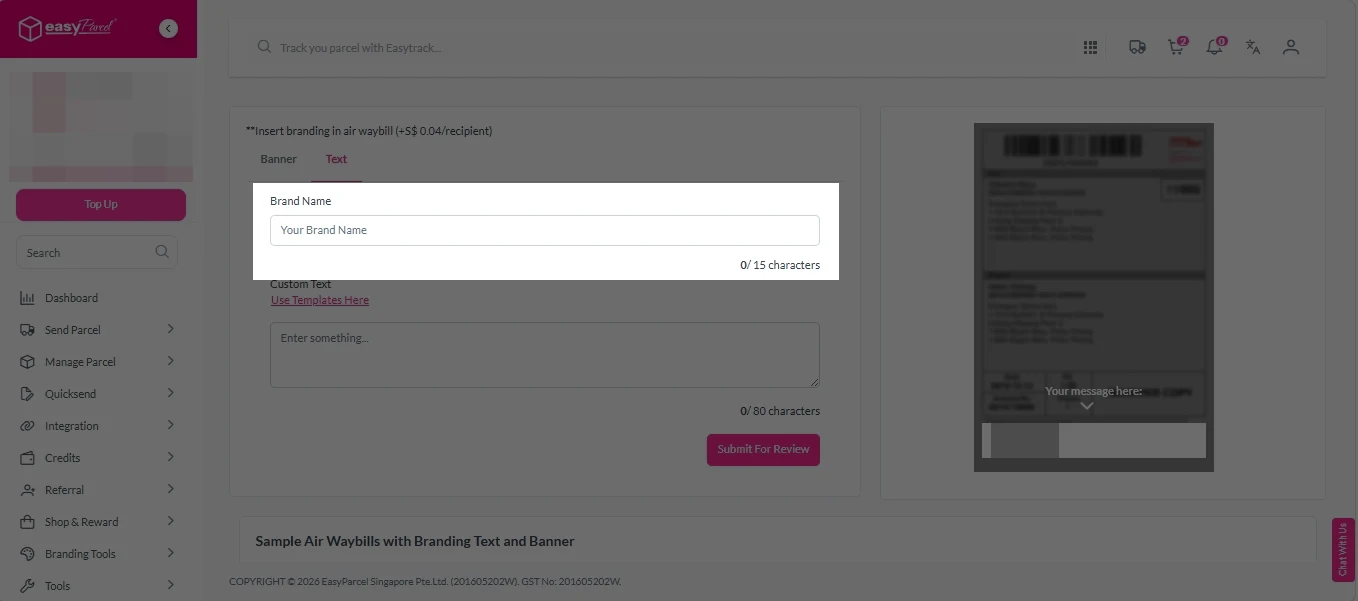
1. Enter your Brand Name (max 15 characters). 

Custom awb - text brand name

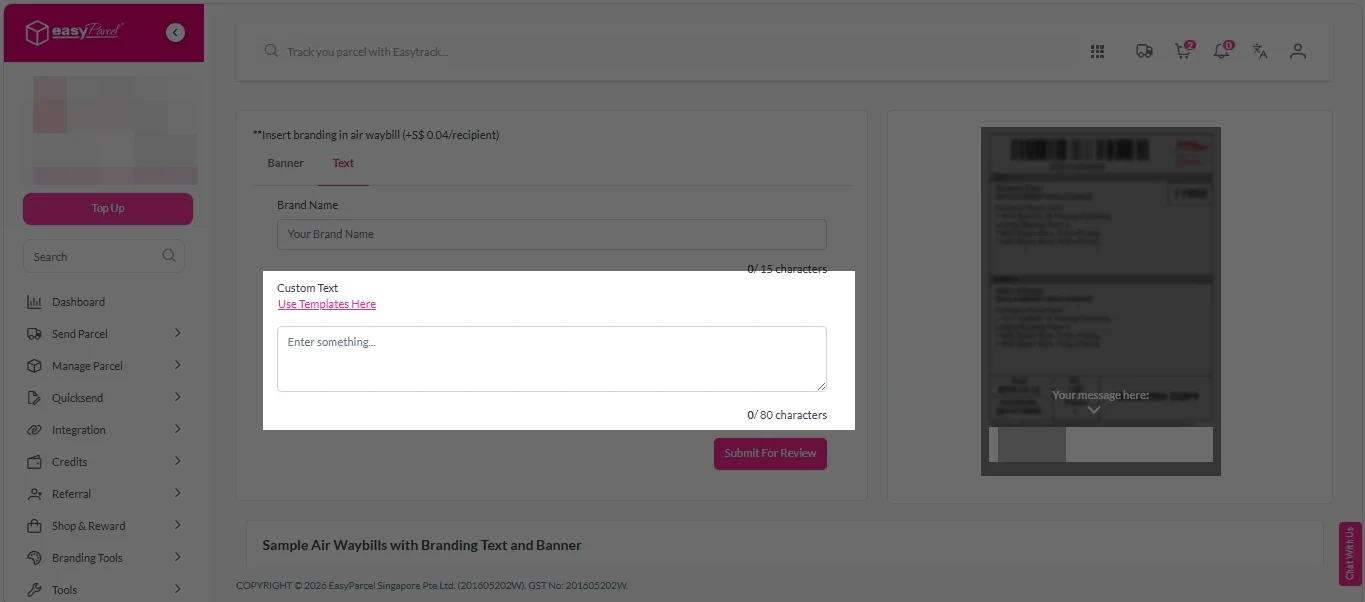
2. Enter Custom Text. 
Option 1: 
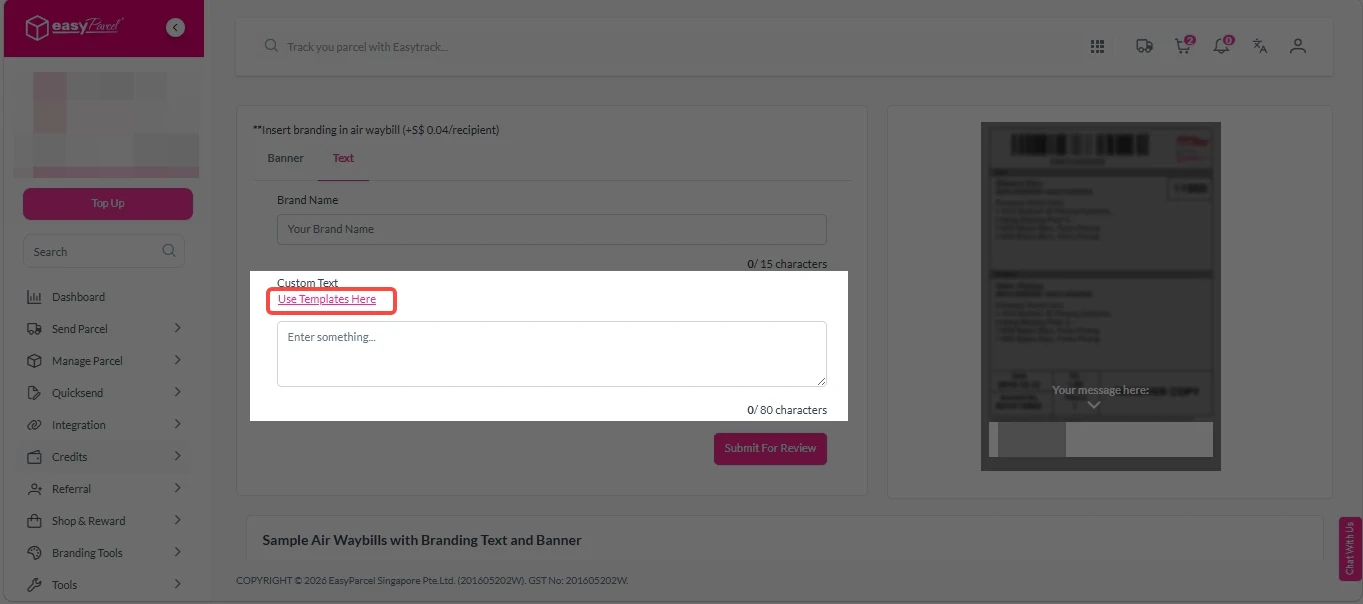
1. Click on “Use Templates Here”

custom awb- text template 1

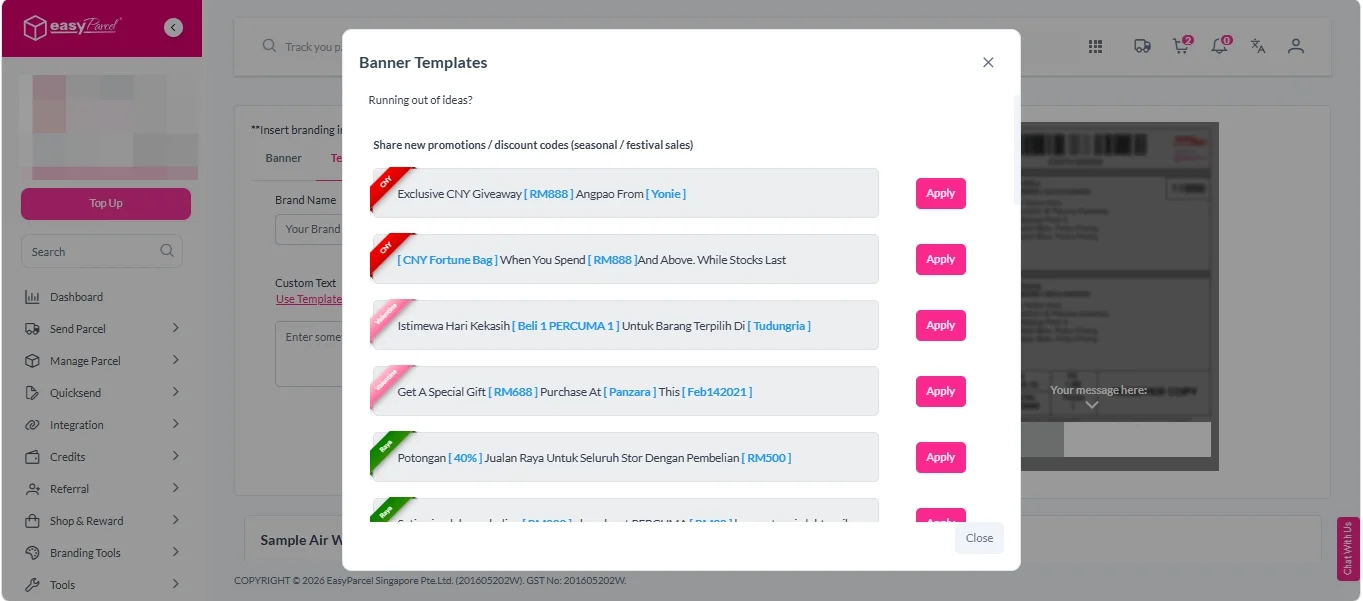
2. Choose your prefer banner templates and click on “Apply” button. 

custom awb- text template 2

Option 2: 
1. Enter your own custom message (max 80 characters)

custom awb- custom text

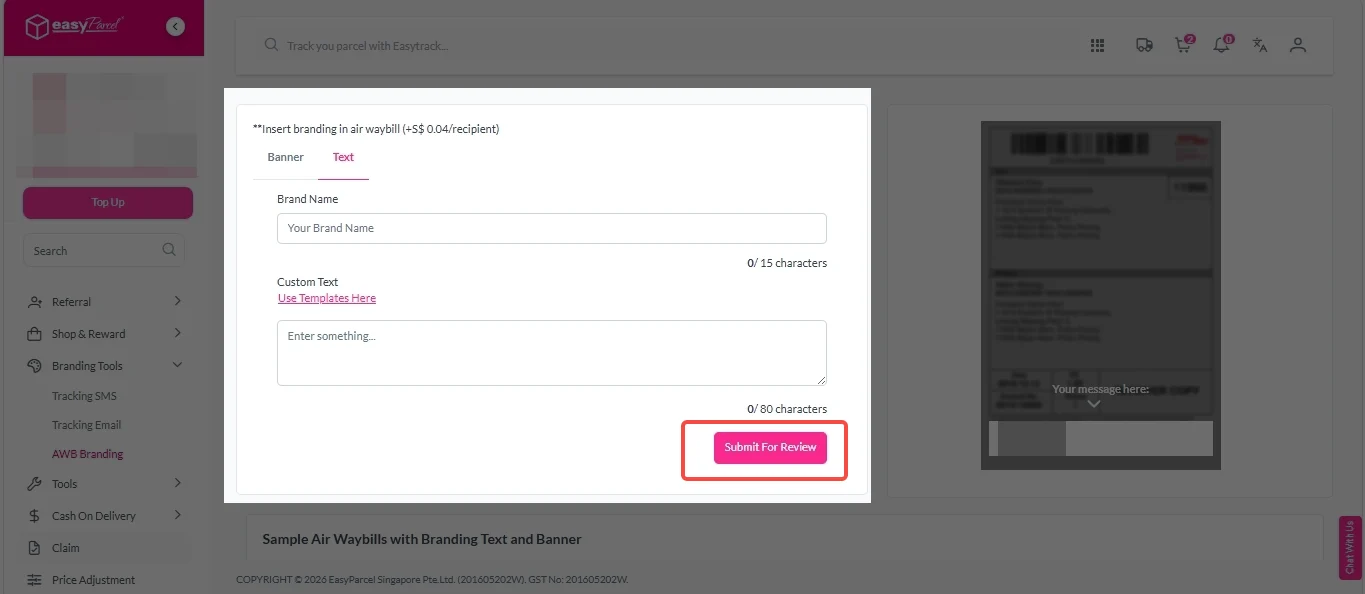
3. Click on “Submit For Review”. 

custom awb 7

Benefits of EasyParcel Next Gen Custom AWB

Maximise Brand Exposure

Your AWB is guaranteed to be seen – turn every shipping label into a powerful reminder of your brand.

Drive Repeat Sales

Add discount codes, product launches, or thank-you notes to encourage customers to buy again.

Build Loyalty

Shoppers expect more than just fast delivery – they want a personalised, memorable unboxing journey.

Affordable Marketing

Instead of spending big on ads, turn every delivery into a low-cost promotion for as little as S$0.04 per recipient.

Frequently Asked Question (FAQs)

What is AWB on a parcel?
AWB stands for Air Waybill – it's the shipping label attached to every parcel that contains sender and receiver details, tracking number, and barcode for courier delivery.
How to create an AWB?
When you book a shipment through EasyParcel, the AWB is automatically generated for you. Simply enter your parcel details, select a courier, complete payment, and download your AWB for printing.
🚨 Campaign Spotlight 🚨

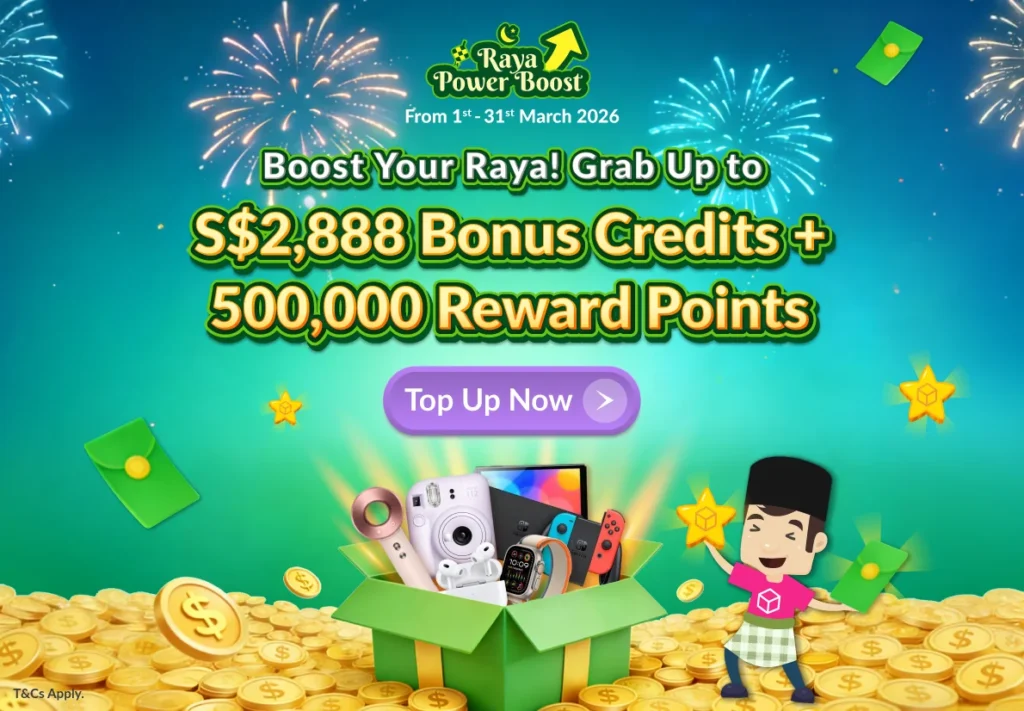
Boost Your Rezeki with up to 500,000 Reward Points + S$2,888 Bonus Credits!

Celebrate the festive season with rewards designed to help your business grow stronger and bigger this Raya! 💚✨ With the Raya Power Boost, when you top up, you’ll earn up to S$2,888 Bonus Credits and 500,000 Reward Points, depending on your top-up amount. Don’t miss out — this exclusive Raya Power Boost runs only until 31st March 2026, 11:59PM!

Join 1.5 Million Happy Customers & Start Saving

Create your free account today and receive S$6 shipping coupon to start saving from your very first parcel. Compare courier rates, book in minutes, and start saving immediately.
×