




We’re excited to introduce EasyParcel Next Gen — our upgraded, modernised platform designed to give you a faster, smoother, and more intuitive delivery-booking experience across Singapore, overseas, and on-demand services.
In this guide, we’ll show you how to send a parcel using the brand-new Quote & Book feature on EasyParcel Next Gen.
Table of Contents
How to Send Parcel on EasyParcel Next Gen
Step 1: Login your EasyParcel account.
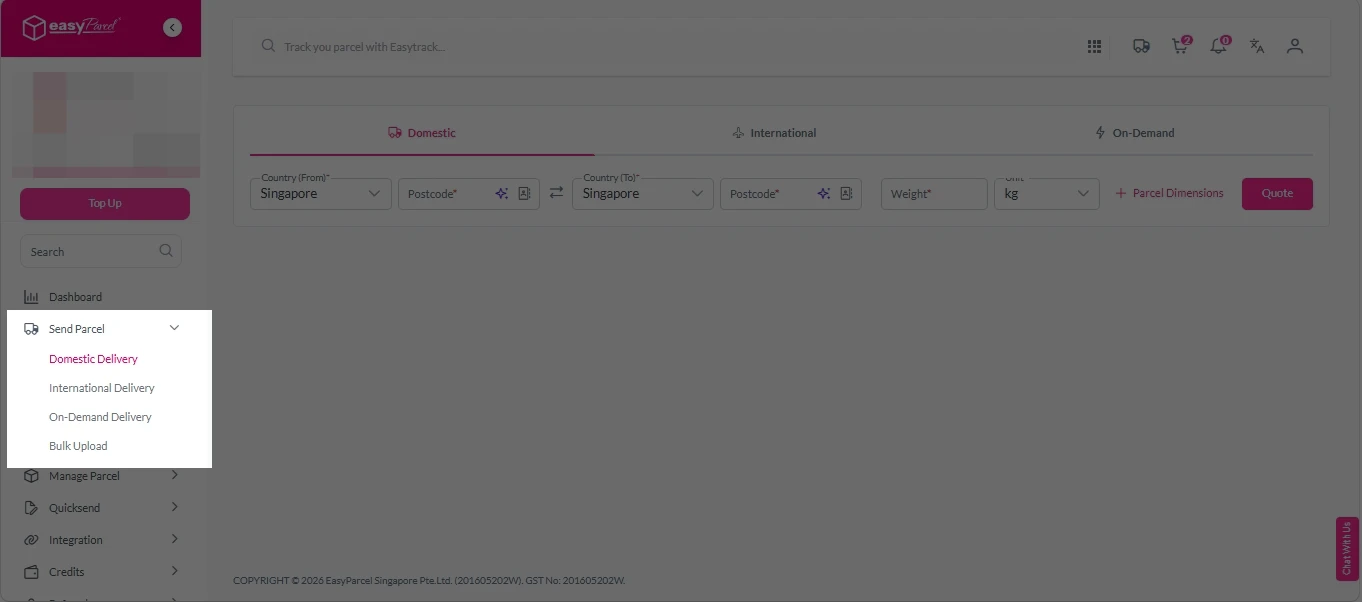
Step 2: Under “Send Parcel”, choose either “Domestic Delivery“ (for shipments within Singapore), “International Delivery“ (for shipments overseas) or “On-Demand Delivery“ (for urgent shipments).
Step 3: Enter Shipment Details.
Domestic Delivery
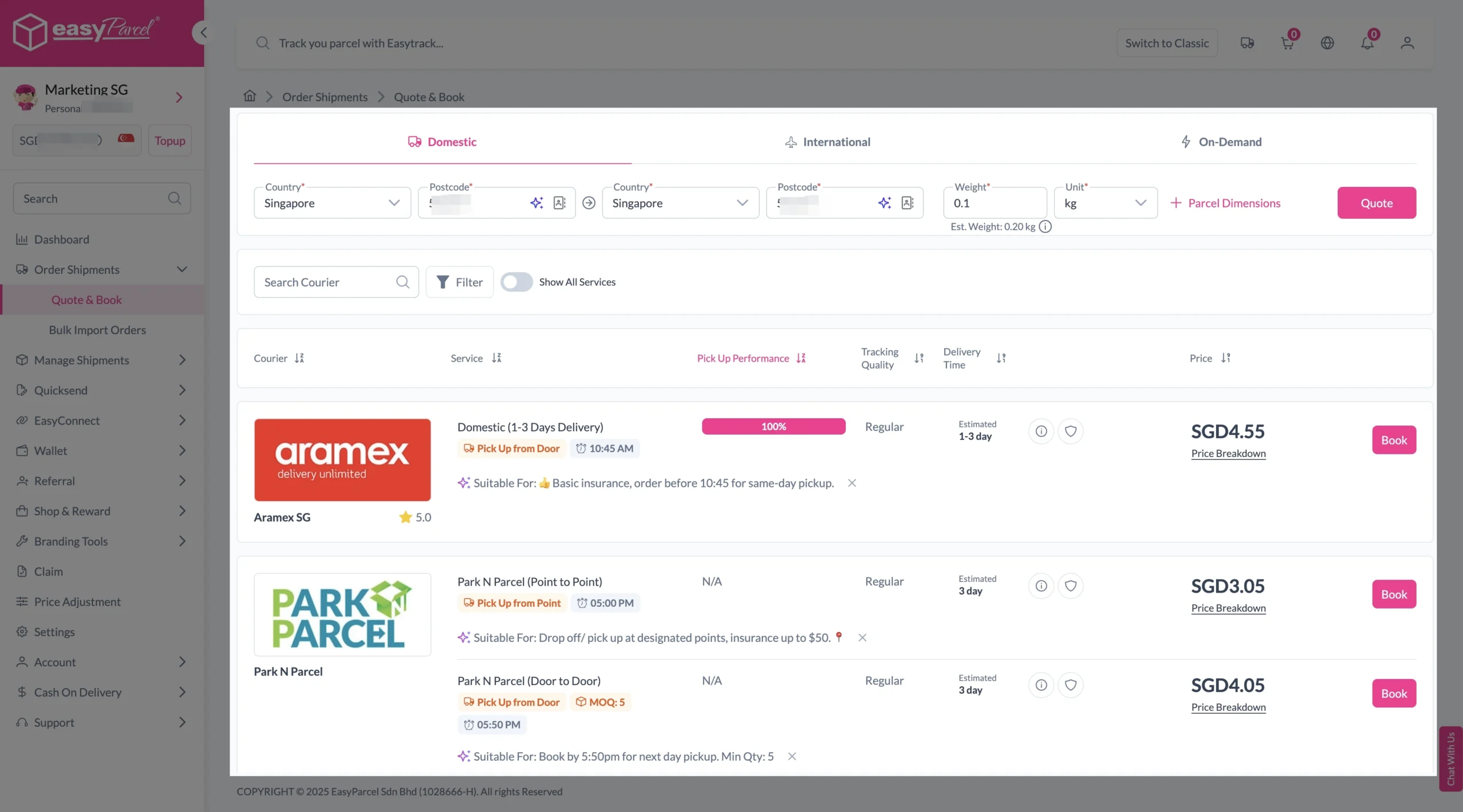
1. Fill in the origin and destination postcode.
2. Provide the parcel weight.
3. (Optional) Add parcel dimensions for a more accurate shipping rate.
4. Click the “Quote” button.
5. A list of courier rates will appear below, as shown in the image.
6. Choose your preferred courier and click “Book Now.”
7. Fill in all details included Sender Details, Receiver Details, Parcel Details and Add-On Services.
Sender and Receiver Details:
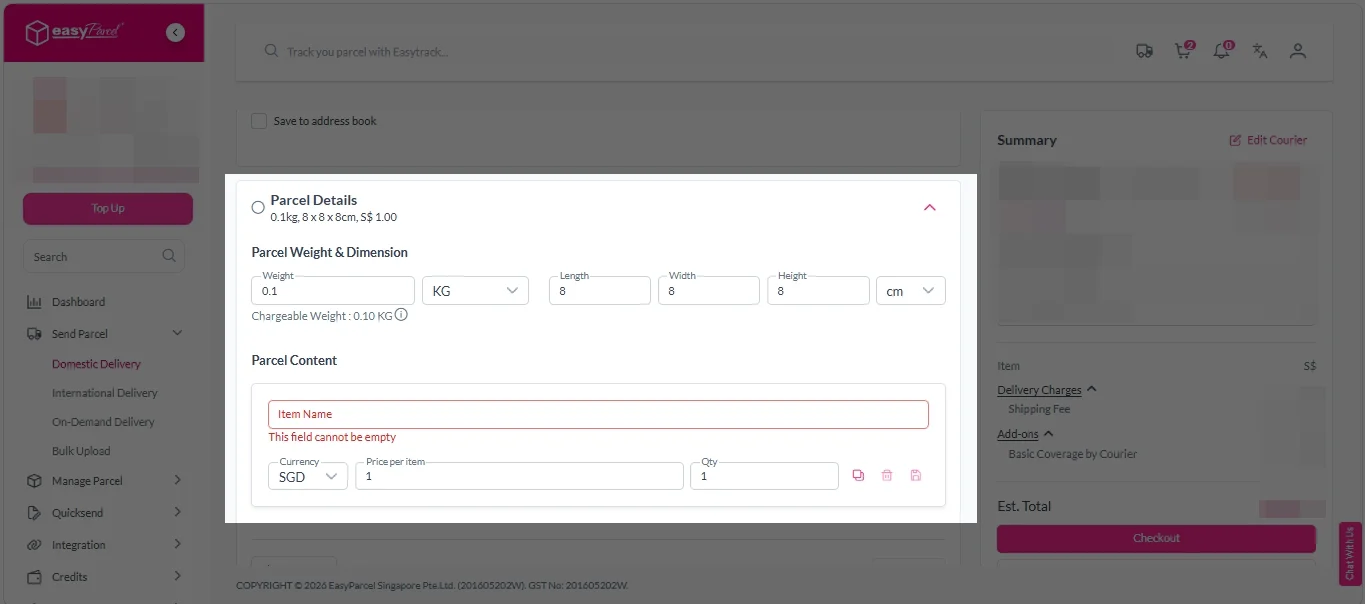
Parcel Details:
Enter the actual weight, dimension and content of your parcel.
Parcel Content:
Fill in your item name, price per item, and quantity.
Add-On Services:
i. Tick the box to add EasyCover for additional protection against loss.
Note: EasyCover availability depends on the courier selected. Learn more about EasyCover.
ii. Choose your preferred notification channel – SMS, Email, or WhatsApp. Click “Preview” to see how it looks, and click “Customise” to add brand message to the notification.
Note: Learn more about Customise Branding Servcies.
iii. Tick the “Mask Sender Details” checkbox. EasyParcel Next Gen will automatically hide your sender information based on your saved privacy settings.
Note: Mask Sender Details only available for certain couriers. Find out what courier is available for Mask Sender Details.
iv. Tick the “Custom AWB” checkbox. EasyParcel Next Gen will apply your saved AWB template automatically.
Note: Custom AWB is only available for certain couriers. Find out which couriers support Custom AWB.
8. Double check all details and click on “Checkout”.
International Delivery
1. Fill in the origin postcode.
2. Enter the destination country and postcode.
3. Provide the parcel weight.
4. (Optional) Add parcel dimensions for a more accurate shipping rate.
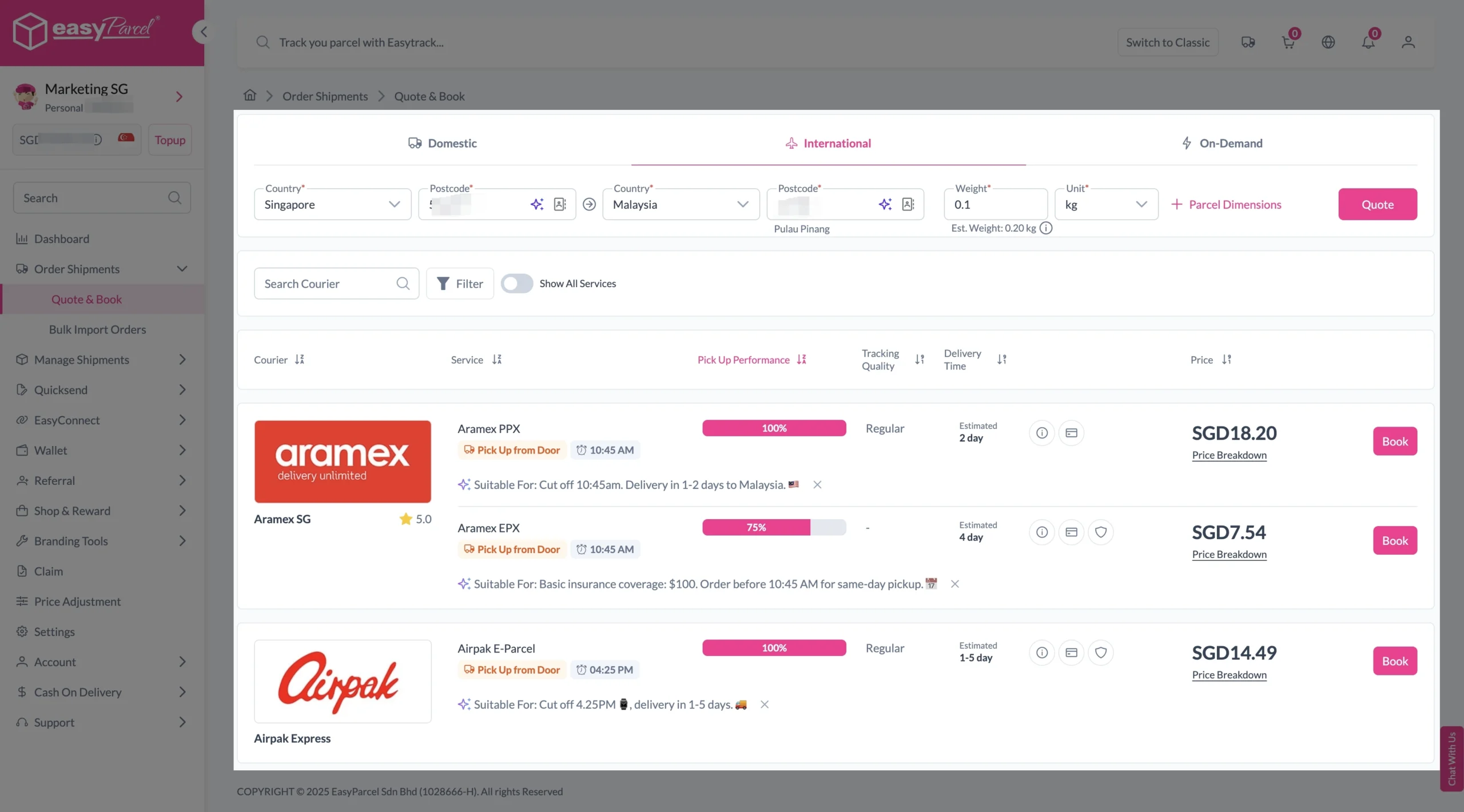
5. Click the “Quote” button.
6. A list of courier rates will appear below, as shown in the image.
7. Choose your preferred courier and click “Book Now.”
8. Fill in all details included Sender Details, Receiver Details, Parcel Details and Add-On Services.
Sender and Receiver Details:
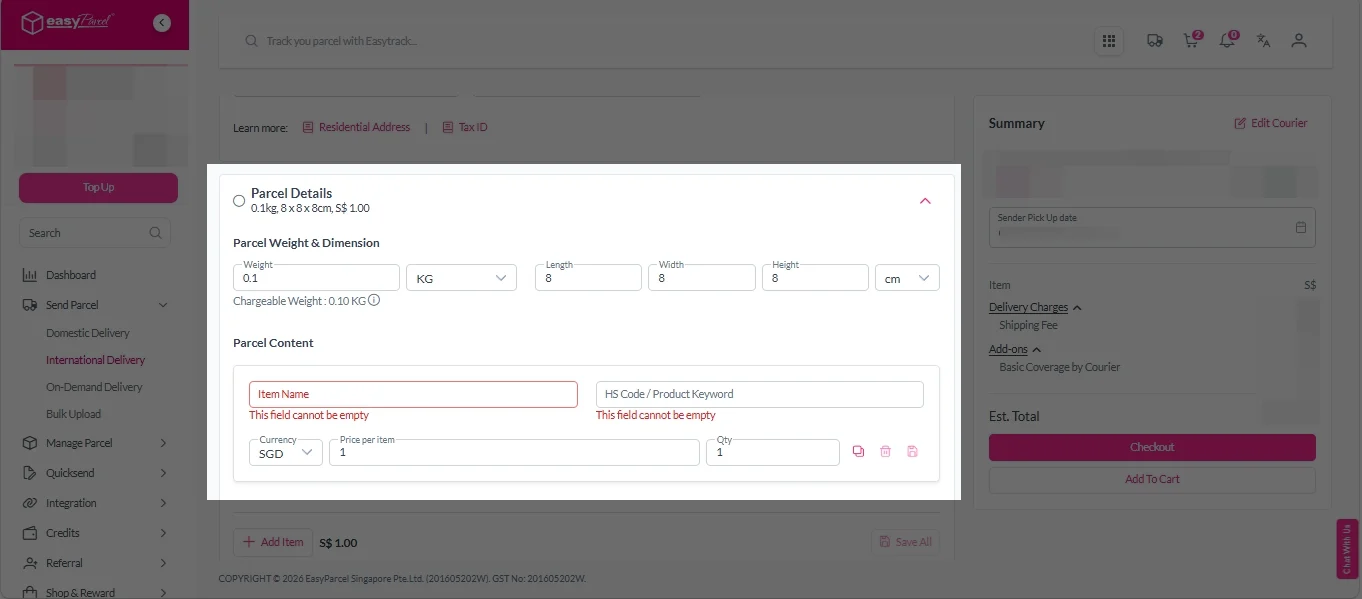
Parcel Details:
Enter the actual weight, dimension and content of your parcel.
Parcel Content:
Fill in your item name. Then, choose your item category from the dropdown menu. The HS code will be auto generated based on your selection.
Note: Learn more about Smart HS Code.
Add-On Services:
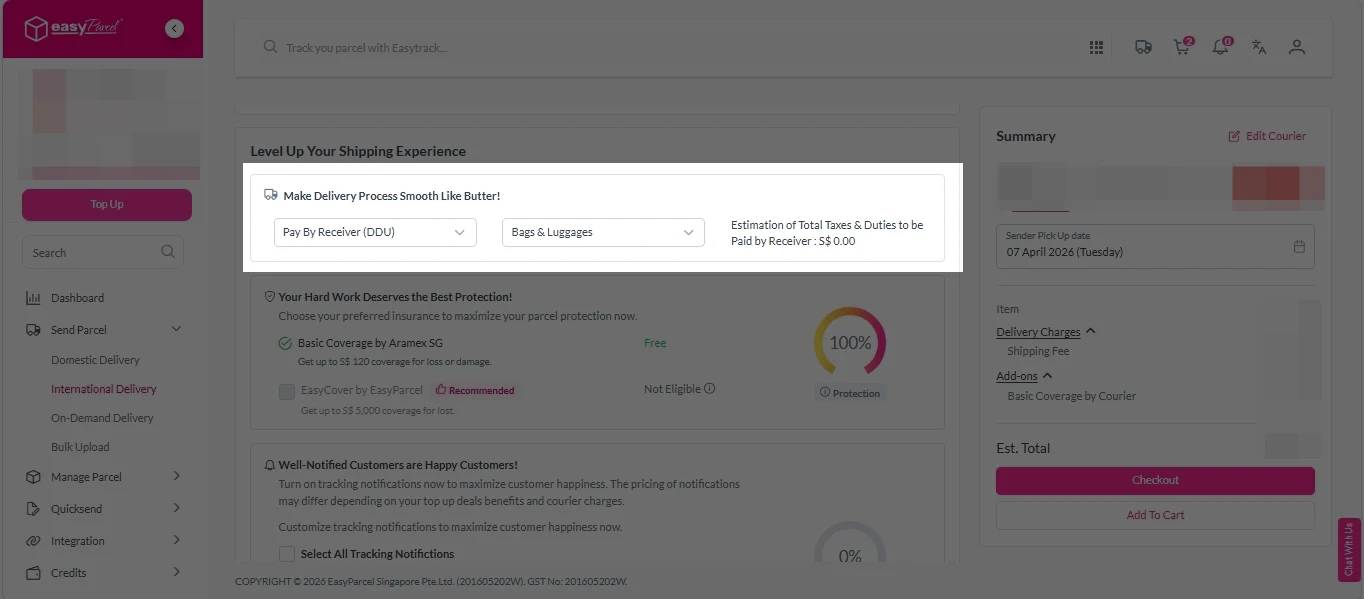
i. Select your preferred duties payment option – Delivered Duty Paid (DDP) or Delivered Duty Unpaid (DDU).
Note: Learn more about DDP and DDU.
ii. Tick the box to add EasyCover for additional protection against loss.
Note: EasyCover availability depends on the courier selected. Learn more about EasyCover.
iii. Choose your preferred notification channel – SMS, Email, or WhatsApp. Click “Preview” to see how it looks, and click “Customise” to add brand message to the notification.
Note: Learn more about Customise Branding Servcies.
iv. Tick the “Mask Sender Details” checkbox. EasyParcel Next Gen will automatically hide your sender information based on your saved privacy settings.
Note: Mask Sender Details only available for certain couriers. Find out what courier is available for Mask Sender Details.
v. Tick the “Custom AWB” checkbox. EasyParcel Next Gen will apply your saved AWB template automatically.
Note: Custom AWB is only available for certain couriers. Find out which couriers support Custom AWB.
9. Double check all details and click on “Checkout”.
On Demand Delivery
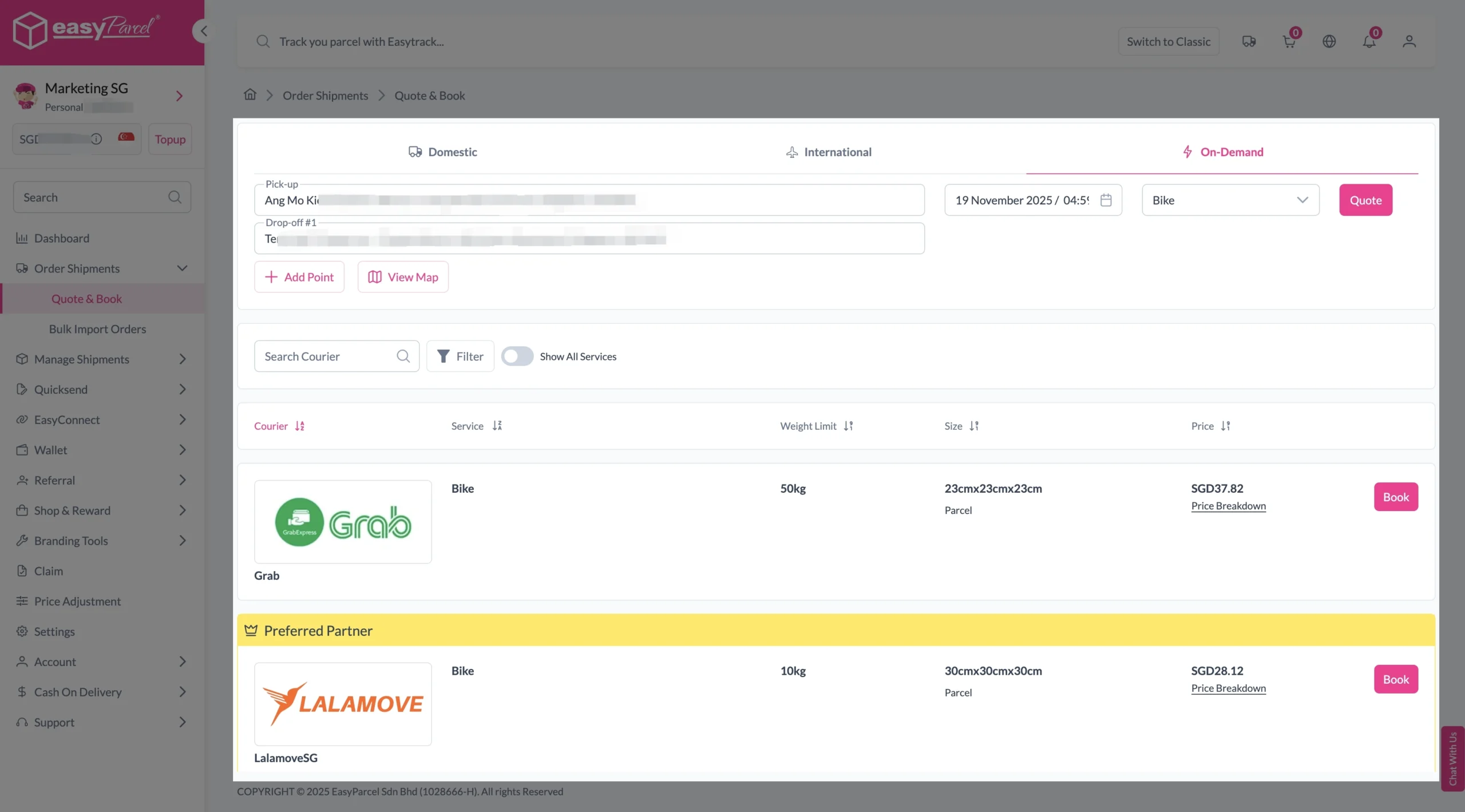
1. Fill in the exact address of your pick-up location.
2. Enter the addresses of up to 9 drop-off points.
3. Select your preferred pick-up date and time.
4. Choose the transport type.
5. Click the “Quote” button to get the rates.
6. Choose your preferred courier and click “Book Now.”
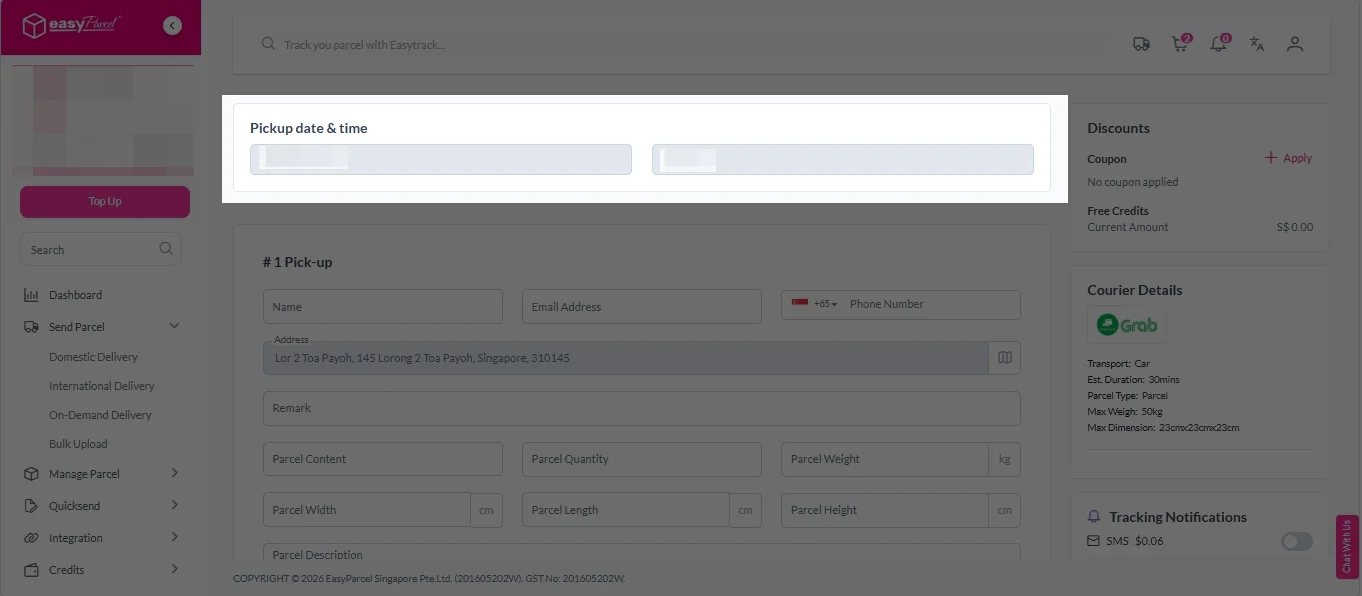
7. Check “Pickup date & time”.
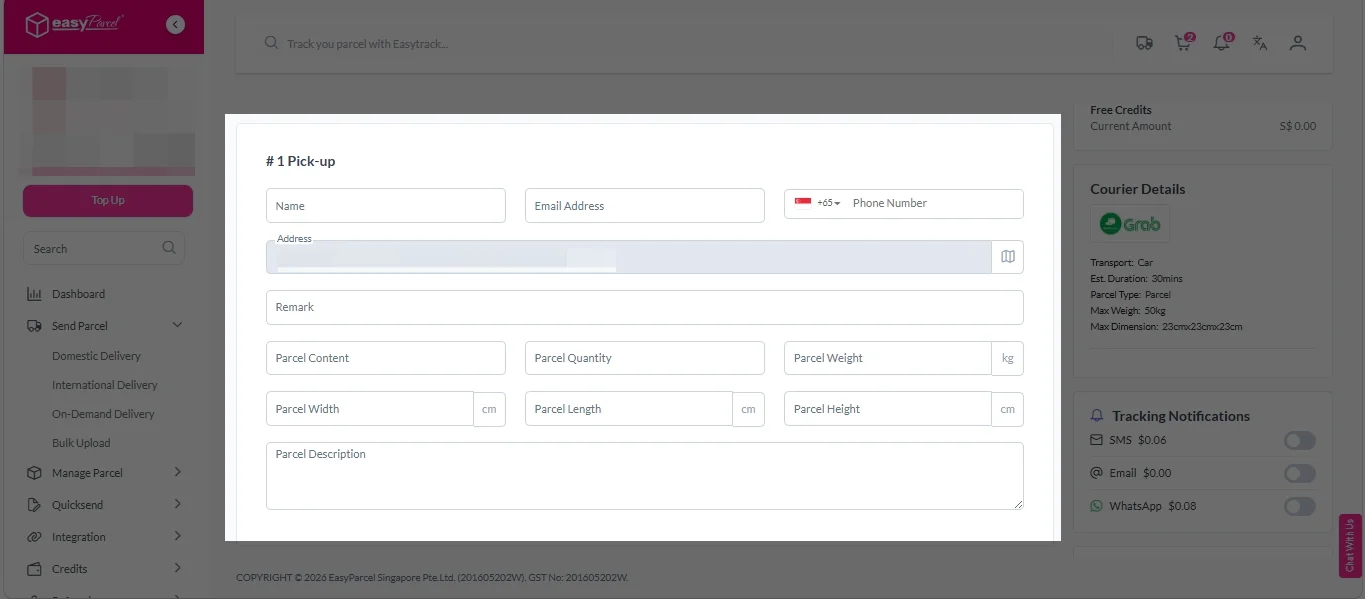
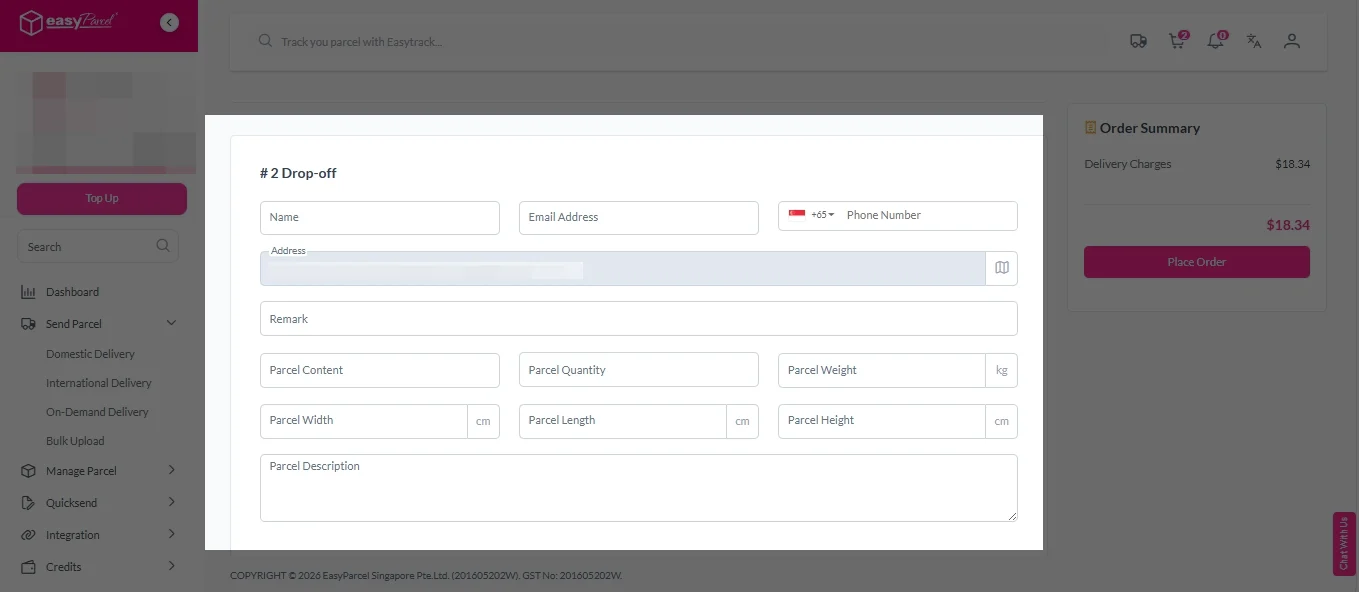
8. Fill in all the details.
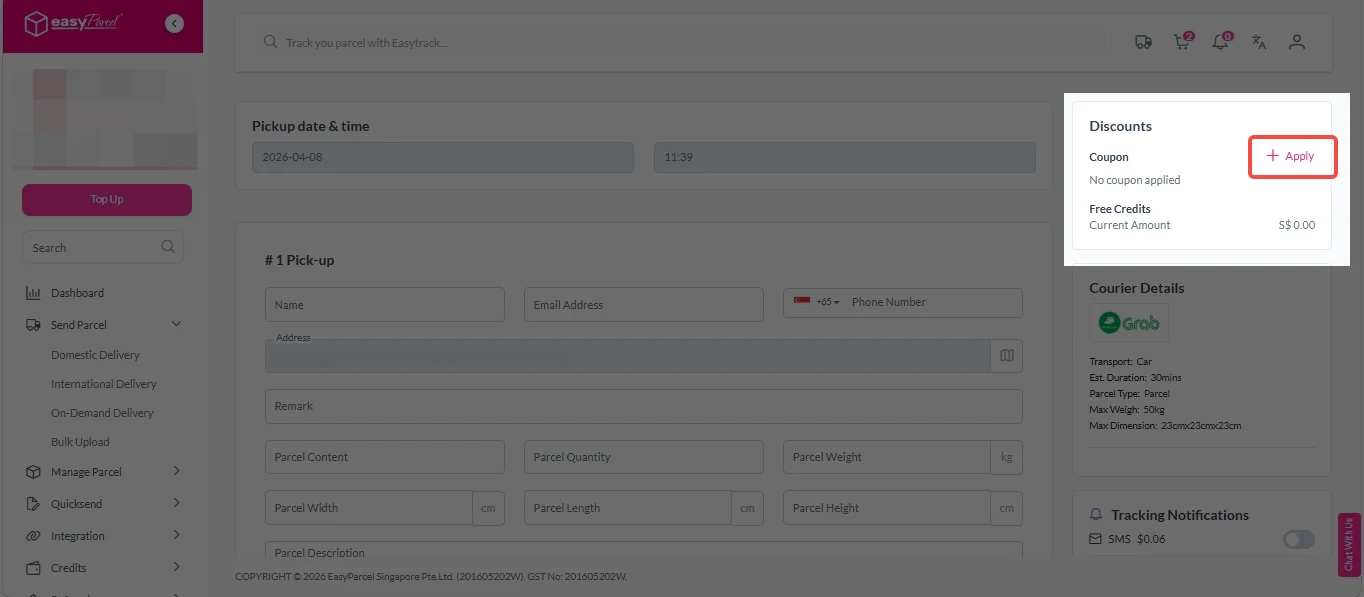
9. (Optional) Click “Apply” to add discount coupon.
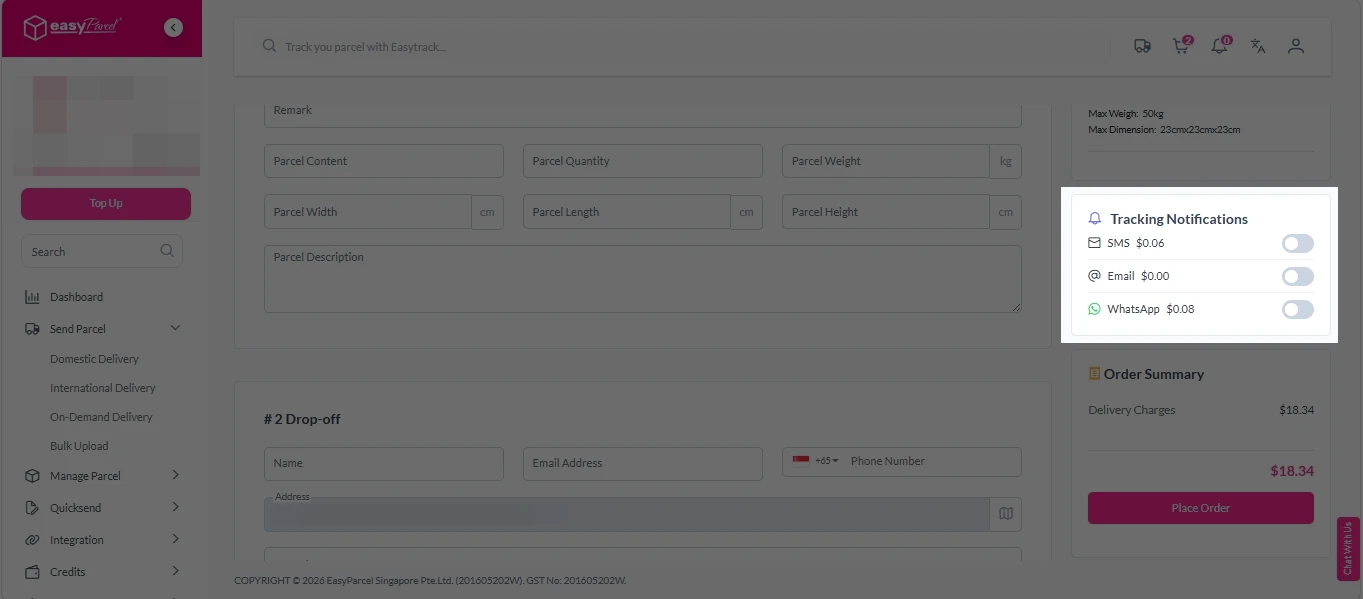
10. (Optional) Under “Tracking Notifications”, choose your preferred notification channel – SMS, Email, or WhatsApp.
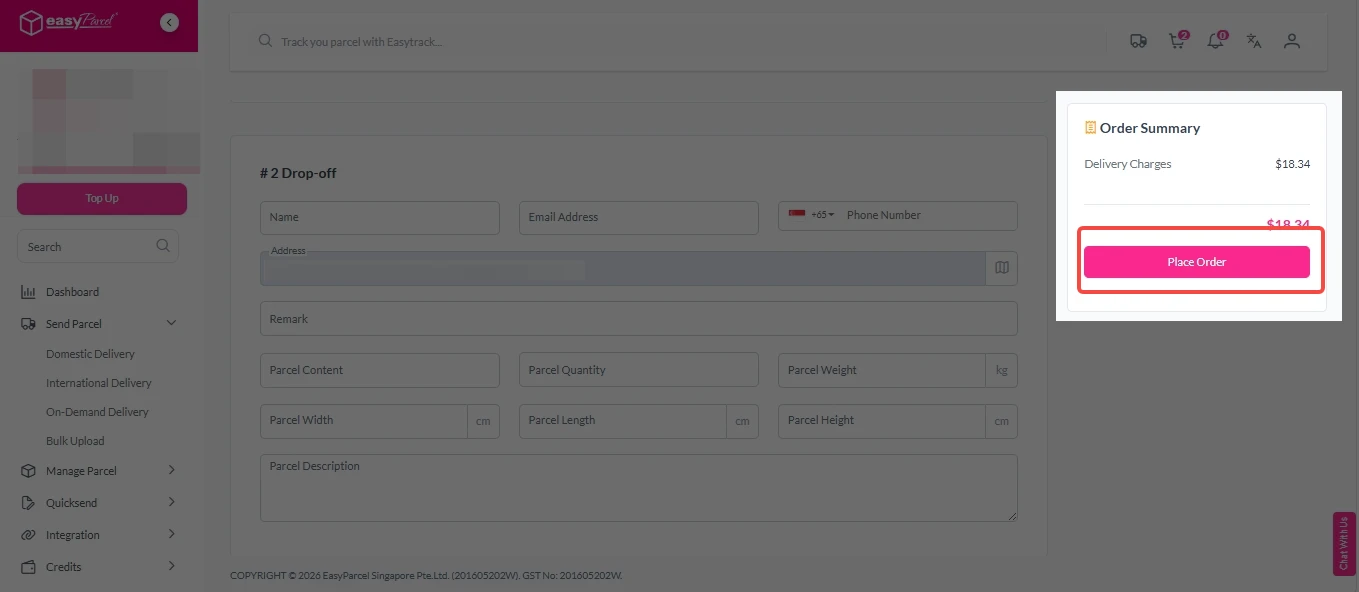
11. Double check all details and click on “Place Order”.
Step 4: Double check all the details and click on “Pay Now” to make payment.
Step 5: Your shipment has been booked successfully.
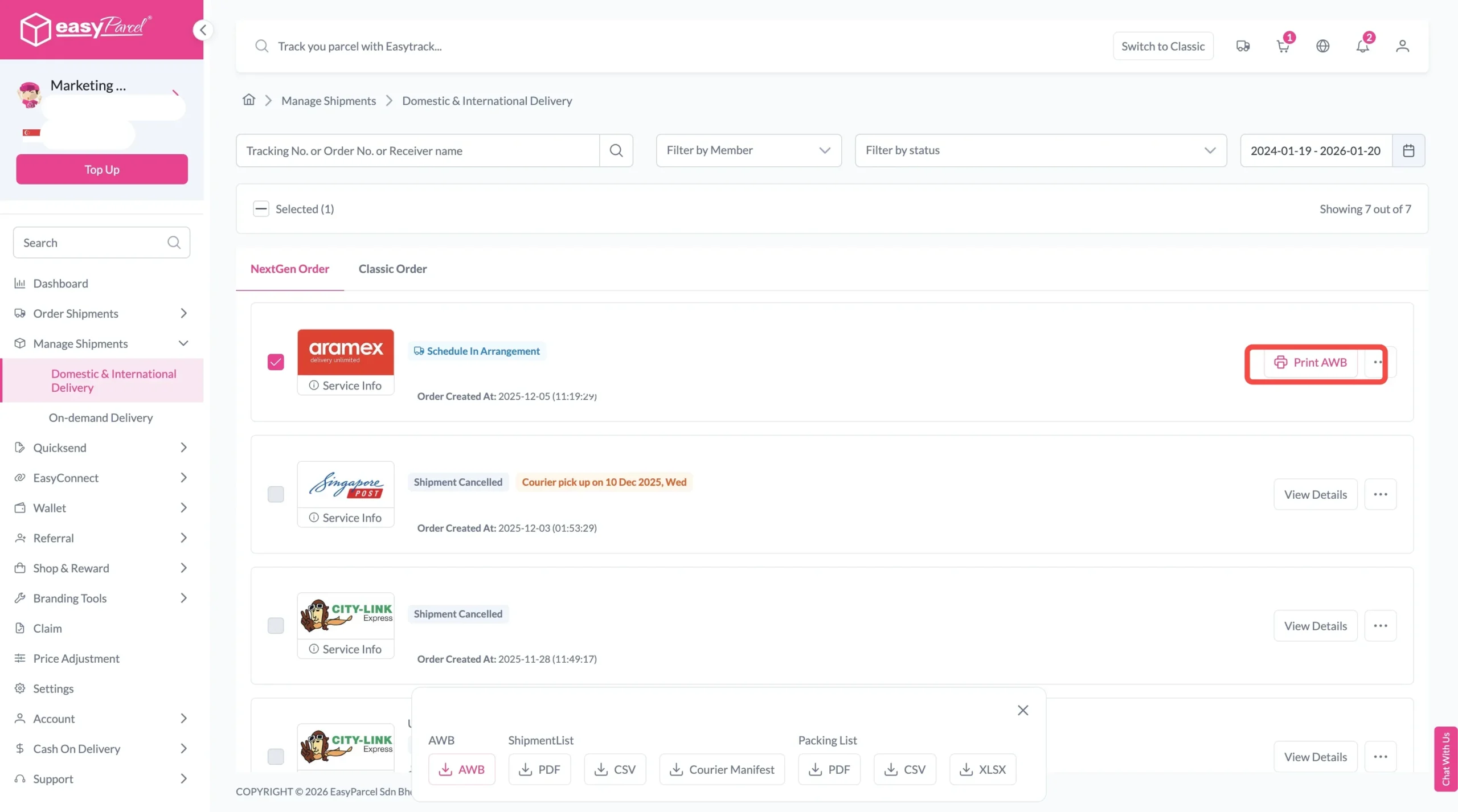
To download and print AWB, you can go to “Manage Shipments”.
Single AWB
- Click the three dots icon next to the shipment.
- Select “Print AWB” from the dropdown menu.
- A PDF file will automatically download and save.
Bulk AWB
For bulk downloads AWB:
- Tick the “Selected” checkbox to choose all your orders.
- A menu will appear at the bottom of the screen.
- Click “AWB” to download all AWBs in bulk.
Why Use EasyParcel Next Gen for Your Shipments?
With EasyParcel Next Gen, we designed a smarter and more streamlined shipping journey for Singapore sellers:

Smart Address
Reduce errors and save time by letting AI automatically fill in receiver details—simply type the recipient’s name or full address, and the correct information populates into every field for you.

Enhanced Bulk Upload
Upload up to 1,000 items using any spreadsheet format; the Next Gen system automatically matches and organizes the data without requiring a fixed template, making bulk bookings smoother for high-volume shippers.

Ultra-Fast Booking
Book up to 1,000 shipments in one go—process more orders in less time and speed up your workflow, making mass shipping practical for busy businesses.

Smarter Collaboration
Enable multiple users to work within a shared account and wallet balance; each member can book and manage shipments independently, streamlining teamwork without sharing login details.
Send Parcel Smoother with EasyParcel Next Gen
Sending parcels via EasyParcel Singapore has never been easier. With Next Gen, you get a faster interface, improved courier visibility, and more control over your shipping workflow—whether you’re a business owner or casual shipper.
Malaysia
Thailand
Indonesia