In today’s fast-paced world of shipping and logistics, knowing your shipping costs upfront can save time, reduce surprises, and optimize your budget. A delivery calculator is the perfect tool to help individuals and businesses instantly calculate their shipping costs with ease and confidence. Whether you’re sending a parcel locally or internationally, this feature simplifies the entire process and empowers you to make smarter shipping decisions.
What is Delivery Calculator
A delivery calculator is an online tool that helps you estimate the shipping cost of your parcels quickly and accurately. By entering basic information such as package weight, dimensions, and destination, the calculator instantly shows you estimated fees from various courier services. Shipping parcels can sometimes feel complex when it comes to figuring out the exact cost. Whether for your business or personal shipments, knowing your shipping cost upfront can help you budget better and avoid surprises at checkout. That’s where an easy-to-use delivery calculator becomes your best friend.
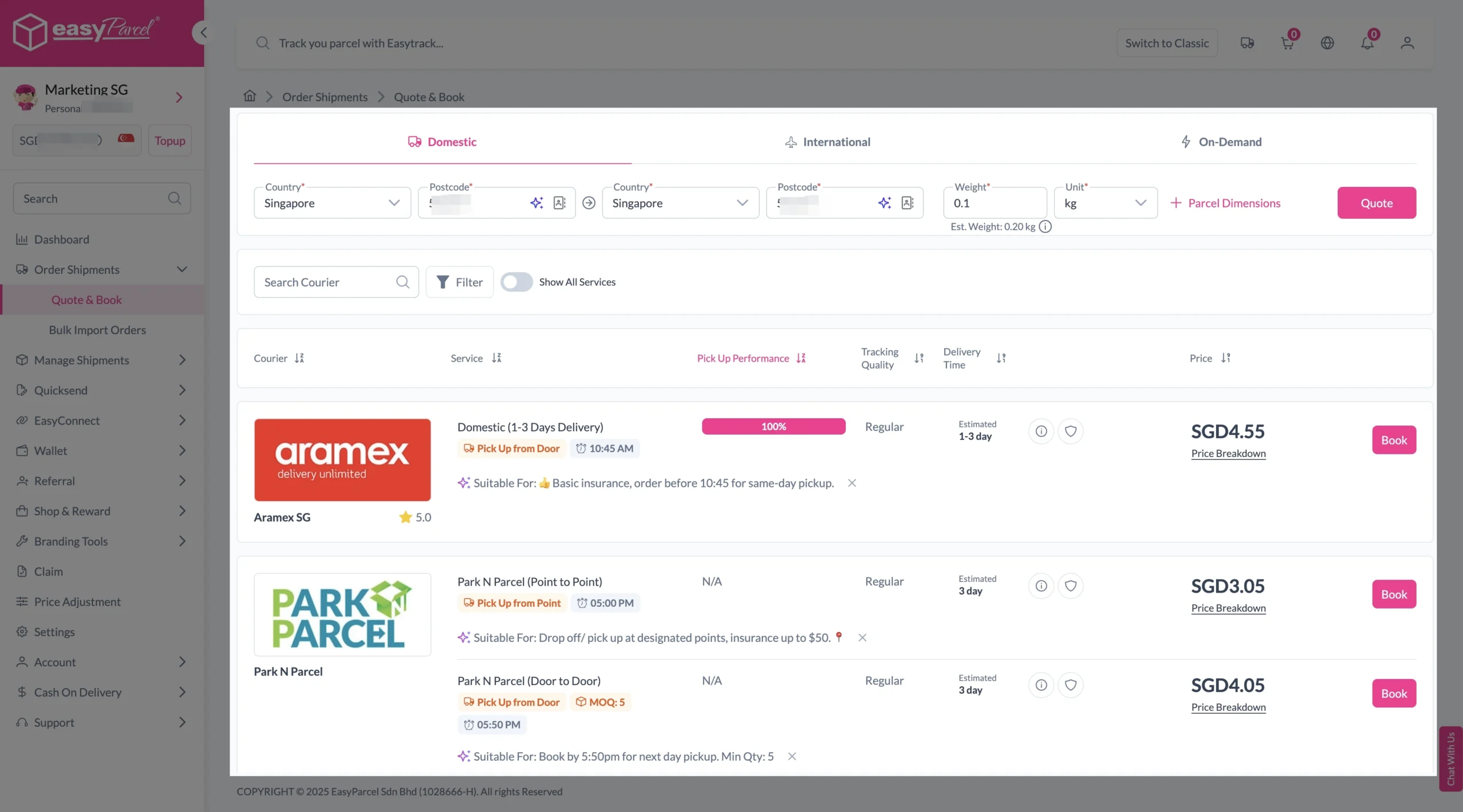
With EasyParcel’s delivery calculator feature, you can get instant rate comparisons from over 60 courier services by simply entering the origin and destination postcodes along with your parcel’s weight, making it effortless to select and book the best shipping option all in one platform.
How To Use Delivery Calculator With Simple Steps
1. Start Booking Your Shipment
Enter the origin and destination postcodes along with the parcel weight, then click ‘Quote & Book‘ to get a rate comparison table featuring a variety of courier services.
2. Choose Your Courier
Compare the rates of different courier services and click ‘Book Now‘ on your preferred option.
3. Enter Sender and Receiver Information
Fill in the sender and receiver details, as well as parcel information and add-on services such as Tracking Email, Tracking SMS, Tracking WhatsApp, or EasyCover.
Sender and Receiver Details:
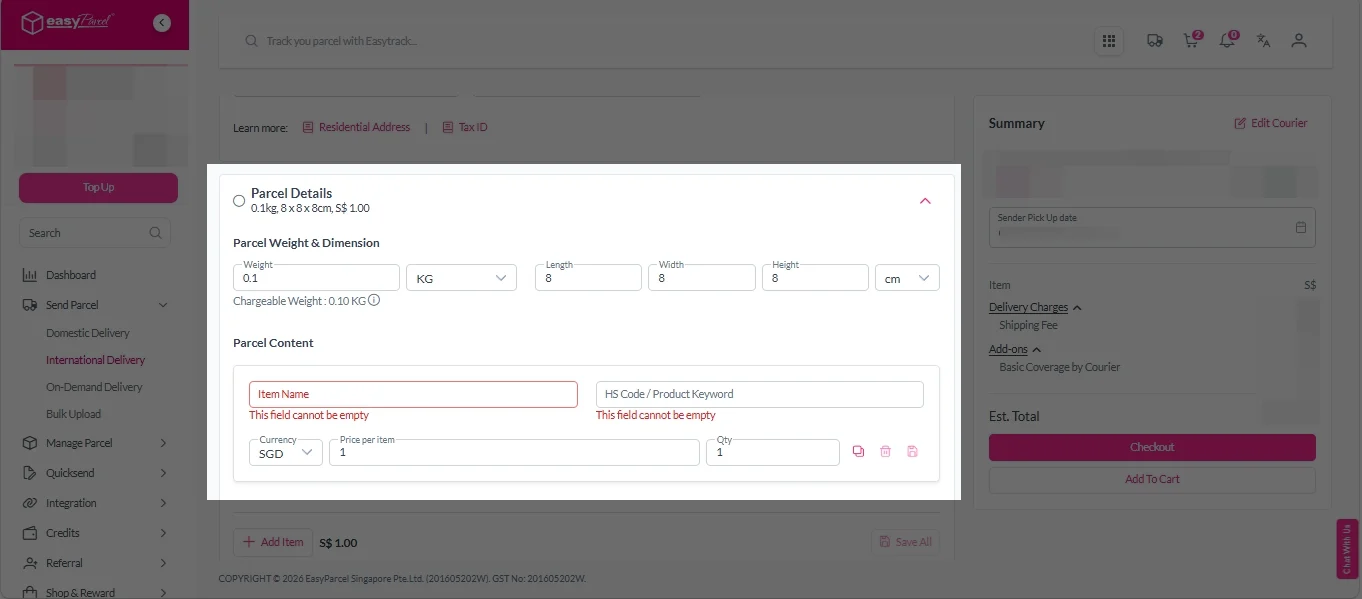
Parcel Details:
Enter the actual weight, dimension and content of your parcel.
Parcel Content:
Fill in your item name. Then, choose your item category from the dropdown menu. The HS code will be auto generated based on your selection.
Note: Learn more about Smart HS Code.
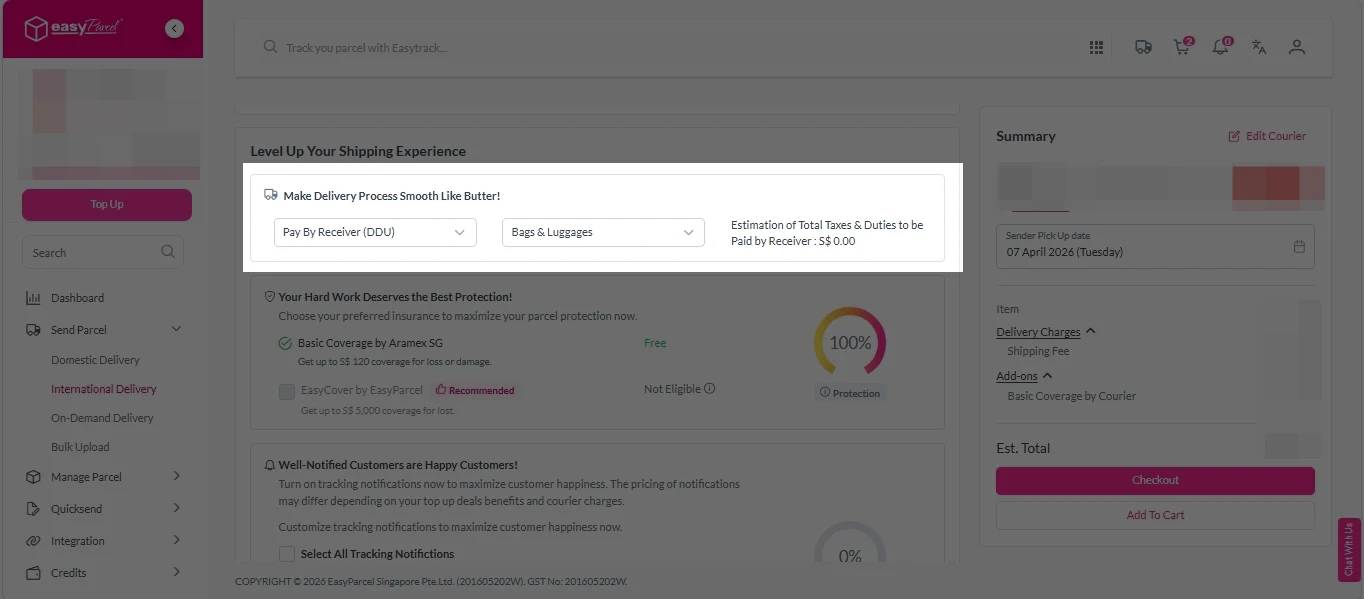
Add-On Services:
i. Select your preferred duties payment option – Delivered Duty Paid (DDP) or Delivered Duty Unpaid (DDU).
Note: Learn more about DDP and DDU.
ii. Tick the box to add EasyCover for additional protection against loss.
Note: EasyCover availability depends on the courier selected. Learn more about EasyCover.
iii. Choose your preferred notification channel – SMS, Email, or WhatsApp. Click “Preview” to see how it looks, and click “Customise” to add brand message to the notification.
Note: Learn more about Customise Branding Servcies.
4. Checkout and Make Payment
After completing the details, click ‘Checkout Now‘ to proceed to the payment steps. You can pay by credit/debit card, e-Wallet, or EasyParcel credit (after top-up). Choose your preferred payment method and click ‘Pay Now‘.
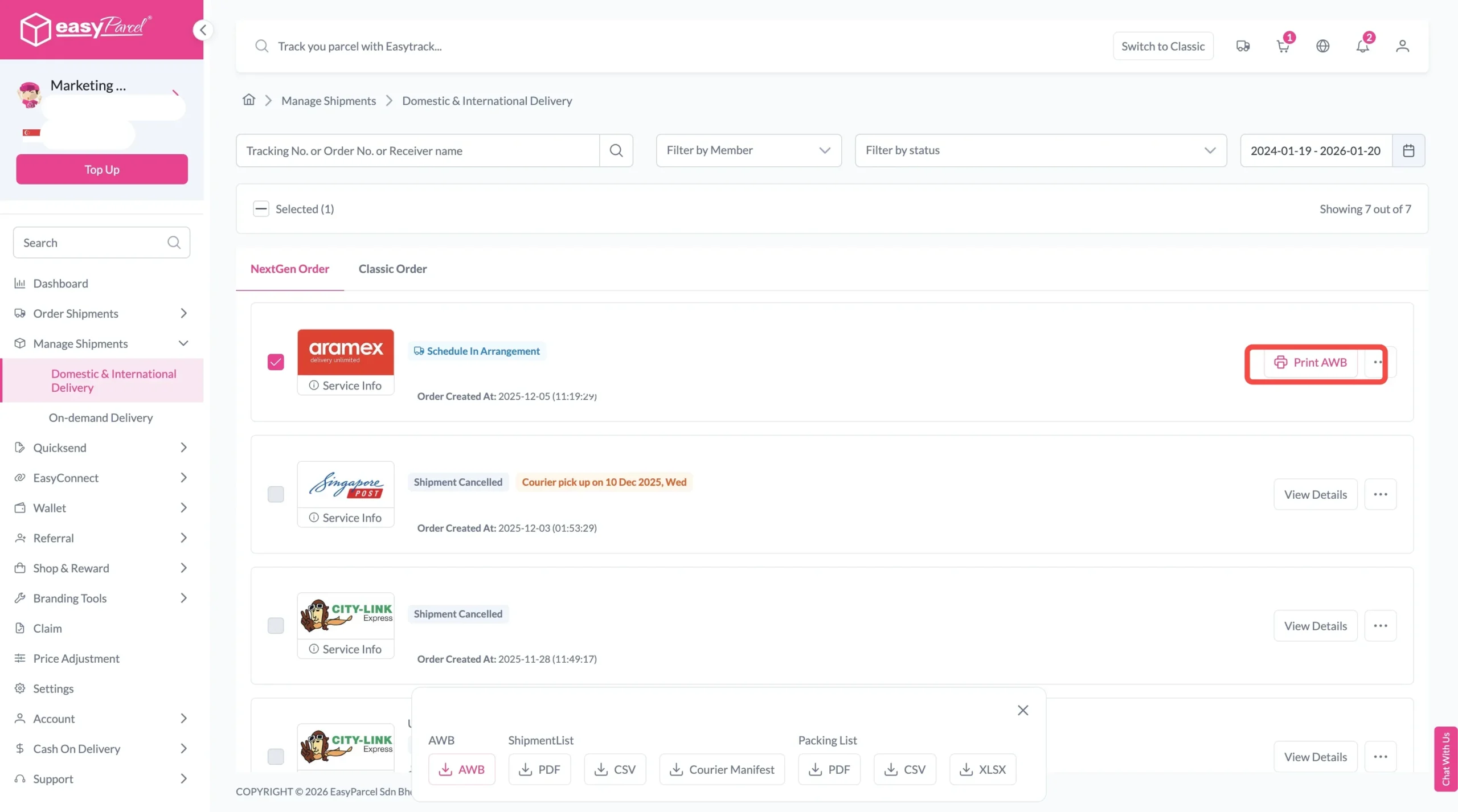
5. Download and Print Air Waybill (AWB)
Your shipment has been booked successfully.
To download and print AWB, you can go to “Manage Shipments”.
Benefits of EasyParcel Delivery Calculator
Final Thought
EasyParcel’s Delivery Calculator is a powerful tool designed to simplify your shipping process from start to finish. By providing instant and accurate pricing, it saves you valuable time and helps you make cost-effective decisions effortlessly. With its convenience, transparency, and scalability, the delivery calculator empowers both small sellers and growing businesses to maintain full control over their shipping expenses. Whether you’re scheduling a single parcel or managing high-volume shipments, EasyParcel’s Delivery Calculator ensures a smooth, reliable, and stress-free shipping experience every time.
Give it a try today and discover how easy calculating your shipping costs can be.
Quote & Book with EasyParcel APP
Download the EasyParcel App to track courier parcels anytime, anywhere.
Related Blogs
Frequently Asked Question (FAQs)